HarmonyOS7 订单确认页怎么把流程捋顺?地址、优惠券、支付预览完整实战
金牌创作者
·
前言
订单确认页是下单流程的最后一道关卡,信息量大、交互多,但不算太难。核心就三块:地址、优惠券、价格明细。今天一次性把它搭完。
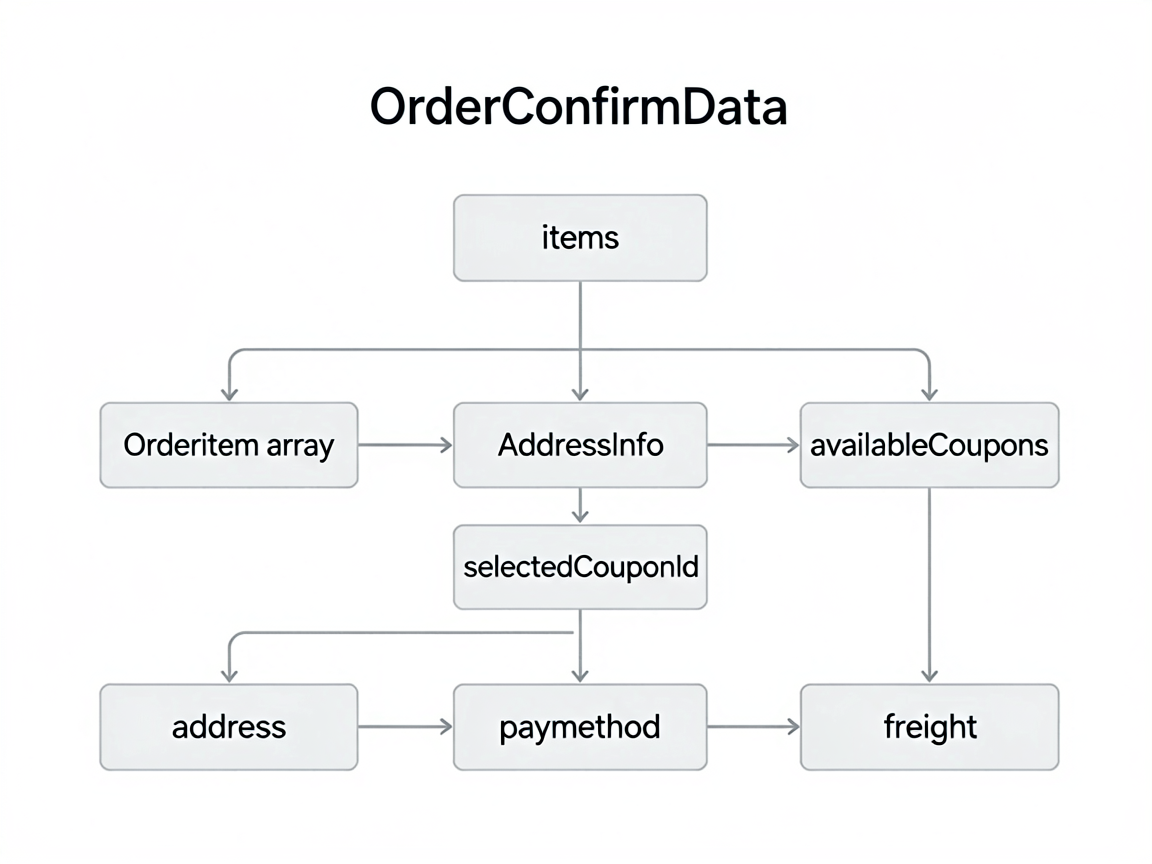
页面数据来源
订单确认页的数据从购物车过来——用户在购物车页勾选了商品,点击"去结算",把选中商品的信息传过来。我用了一个 OrderConfirmData 来承载:
@Observed
class OrderConfirmData {
  items: OrderItem[] = []          // 商品列表
  address: AddressInfo | null = null
  availableCoupons: CouponInfo[] = []
  selectedCouponId: string = ''
  payMethod: PayMethod = PayMethod.HuaweiPay
  freight: number = 0              // 运费(分)

  constructor(items: OrderItem[]) {
    this.items = items
  }
}

interface OrderItem {
  skuId: string
  goodsName: string
  coverUrl: string
  specText: string
  price: number
  quantity: number
}
收货地址选择
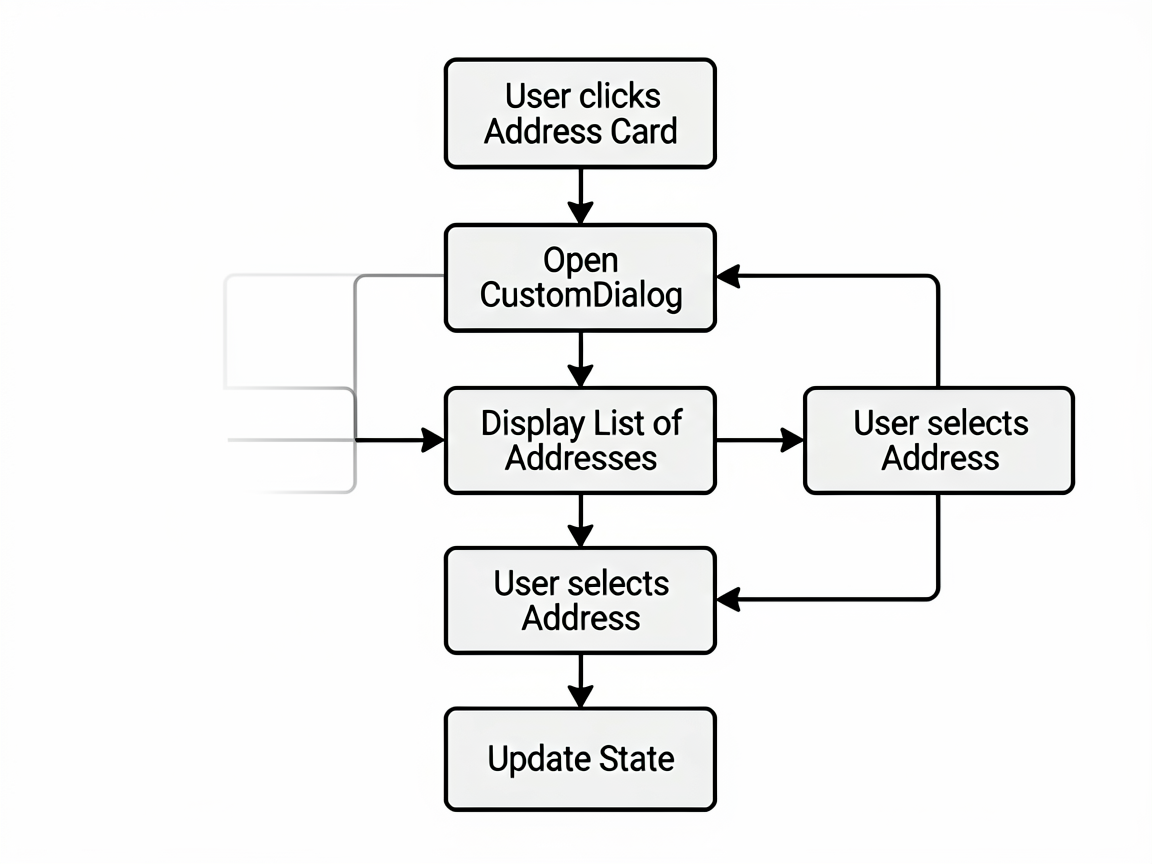
地址区域放在页面最上面,点击弹出地址列表。鸿蒙的 ActionSheet 做这种底部弹窗很合适:
// 地址卡片
@Component
struct AddressCard {
  @Prop address: AddressInfo | null
  onChoose?: () => void

  build() {
    Row() {
      if (this.address) {
        Column() {
          Row() {
            Text(this.address.name)
              .fontSize(16)
              .fontWeight(FontWeight.Bold)
            Text(this.address.phone)
              .fontSize(14)
              .fontColor('#666')
              .margin({ left: 12 })
          }
          Text(this.address.province + this.address.city +
            this.address.district + this.address.detail)
            .fontSize(13)
            .fontColor('#999')
            .margin({ top: 4 })
        }
        .alignItems(HorizontalAlign.Start)
        .layoutWeight(1)
      } else {
        Text('请选择收货地址')
          .fontSize(14)
          .fontColor('#999')
          .layoutWeight(1)
      }
      Image($r('app.media.icon_arrow_right'))
        .width(16)
        .height(16)
    }
    .width('100%')
    .padding(16)
    .backgroundColor('#FFFFFF')
    .borderRadius(12)
    .onClick(() => this.onChoose?.())
  }
}
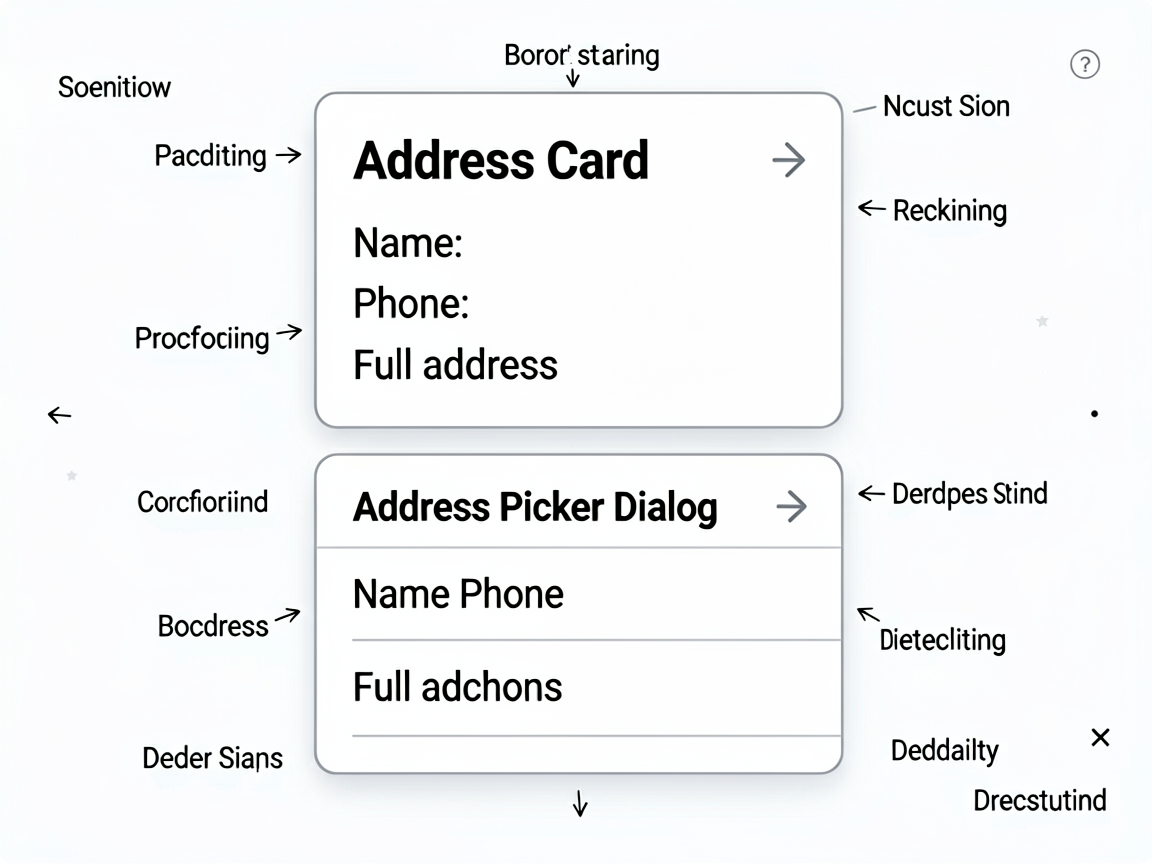
地址列表弹窗我用 CustomDialog 实现,里面放一个 List:
@CustomDialog
struct AddressPickerDialog {
  controller: CustomDialogController
  addressList: AddressInfo[] = []
  onSelect?: (addr: AddressInfo) => void
  onAddNew?: () => void

  build() {
    Column() {
      Text('选择收货地址')
        .fontSize(18)
        .fontWeight(FontWeight.Bold)
        .padding({ top: 20, bottom: 16 })

      List() {
        ForEach(this.addressList, (addr: AddressInfo) => {
          ListItem() {
            Row() {
              Column() {
                Text(`${addr.name}  ${addr.phone}`).fontSize(15)
                Text(addr.fullAddress)
                  .fontSize(13).fontColor('#666').margin({ top: 4 })
              }
              .alignItems(HorizontalAlign.Start)
              .layoutWeight(1)

              Image($r('app.media.icon_arrow_right'))
                .width(16).height(16)
            }
            .padding(12)
          }
          .onClick(() => {
            this.onSelect?.(addr)
            this.controller.close()
          })
        })
      }
      .layoutWeight(1)

      Button('+ 新增收货地址')
        .width('92%')
        .height(44)
        .margin({ bottom: 20 })
        .onClick(() => {
          this.controller.close()
          this.onAddNew?.()
        })
    }
    .width('100%')
    .height('70%')
  }
}
优惠券选择
优惠券这块逻辑稍微有点绕。可用优惠券要满足门槛条件,不满足的归到"不可用"里:
// 优惠券分类
getCouponGroups(): CouponGroups {
  const orderAmount = this.calcGoodsTotal()
  const available: CouponInfo[] = []
  const unavailable: CouponInfo[] = []

  this.allCoupons.forEach(coupon => {
    if (coupon.type === CouponType.Fixed) {
      // 满减券:订单金额 >= 门槛
      if (orderAmount >= coupon.threshold) {
        available.push(coupon)
      } else {
        unavailable.push({ ...coupon, reason: `还差${this.yuan(coupon.threshold - orderAmount)}元可用` })
      }
    } else if (coupon.type === CouponType.Percent) {
      // 折扣券
      available.push(coupon)
    }
  })

  return { available, unavailable }
}

// 计算优惠金额
calcCouponDiscount(coupon: CouponInfo, orderAmount: number): number {
  if (coupon.type === CouponType.Fixed) {
    return coupon.discount  // 满减直接减
  }
  // 折扣券:算出省了多少
  const saved = Math.round(orderAmount * (1 - coupon.discount / 100))
  return Math.min(saved, coupon.maxDiscount) // 有封顶
}
优惠券选择页面可以用 Navigation 跳转,也可以用 bindSheet 底部弹出。我选了后者,体验更连贯。
支付方式选择
支付方式就几个 Radio 选项,简单直接:
@Component
struct PayMethodSelector {
  @Prop @Watch('onMethodChange') selected: PayMethod = PayMethod.HuaweiPay
  onChange?: (method: PayMethod) => void

  build() {
    Column() {
      ForEach(this.getPayMethods(), (item: PayMethodItem) => {
        Row() {
          Image(item.icon).width(24).height(24)
          Text(item.name).fontSize(15).margin({ left: 10 }).layoutWeight(1)
          Radio({ value: item.name, group: 'payMethod' })
            .checked(this.selected === item.method)
            .onChange((isChecked: boolean) => {
              if (isChecked) {
                this.selected = item.method
                this.onChange?.(item.method)
              }
            })
        }
        .width('100%')
        .height(52)
        .padding({ left: 16, right: 16 })
      })
    }
    .backgroundColor('#FFFFFF')
    .borderRadius(12)
  }
}
价格明细
底部价格明细要把每一项都列清楚,用户最怕的就是价格对不上:
@Component
struct PriceDetail {
  @Prop goodsTotal: number = 0    // 商品总额
  @Prop freight: number = 0       // 运费
  @Prop couponDiscount: number = 0 // 优惠券
  @Prop shopDiscount: number = 0   // 店铺优惠

  get finalAmount(): number {
    return this.goodsTotal + this.freight
      - this.couponDiscount - this.shopDiscount
  }

  build() {
    Column() {
      this.buildRow('商品金额', this.goodsTotal)
      this.buildRow('运费', this.freight)
      if (this.shopDiscount > 0) {
        this.buildRow('店铺优惠', -this.shopDiscount, true)
      }
      if (this.couponDiscount > 0) {
        this.buildRow('优惠券', -this.couponDiscount, true)
      }
      Divider().margin({ top: 8, bottom: 8 })
      Row() {
        Text('实付金额').fontSize(15).fontWeight(FontWeight.Bold)
        Blank()
        Text(`¥${this.yuan(this.finalAmount)}`)
          .fontSize(20)
          .fontWeight(FontWeight.Bold)
          .fontColor('#FF4D4F')
      }
    }
    .width('100%')
    .padding(16)
    .backgroundColor('#FFFFFF')
    .borderRadius(12)
  }

  @Builder
  buildRow(label: string, amount: number, isDiscount: boolean = false) {
    Row() {
      Text(label).fontSize(14).fontColor('#666')
      Blank()
      Text(isDiscount ? `-¥${this.yuan(Math.abs(amount))}` : `¥${this.yuan(amount)}`)
        .fontSize(14)
        .fontColor(isDiscount ? '#FF4D4F' : '#333')
    }
    .width('100%')
    .height(32)
  }

  yuan(fen: number): string {
    return (fen / 100).toFixed(2)
  }
}
完整页面组装
把所有模块组合到一起,外面套个 Scroll:
@Component
struct OrderConfirmPage {
  @State data: OrderConfirmData = new OrderConfirmData([])
  @State showAddressPicker: boolean = false

  build() {
    Column() {
      NavBar({ title: '确认订单' })

      Scroll() {
        Column({ space: 10 }) {
          // 收货地址
          AddressCard({
            address: this.data.address,
            onChoose: () => { this.showAddressPicker = true }
          })

          // 商品列表
          Column() {
            ForEach(this.data.items, (item: OrderItem) => {
              OrderGoodsRow({ item: item })
            })
          }
          .backgroundColor('#FFFFFF')
          .borderRadius(12)

          // 优惠券
          CouponSelector({
            selectedCoupon: this.getSelectedCoupon(),
            available: this.getCouponGroups().available,
            onSelect: (coupon) => { this.data.selectedCouponId = coupon.id }
          })

          // 支付方式
          PayMethodSelector({
            selected: this.data.payMethod,
            onChange: (m) => { this.data.payMethod = m }
          })

          // 价格明细
          PriceDetail({
            goodsTotal: this.calcGoodsTotal(),
            freight: this.data.freight,
            couponDiscount: this.getCouponDiscountAmount(),
            shopDiscount: this.calcShopDiscount()
          })

          Blank().height(80) // 给底部按钮留空间
        }
        .padding({ left: 12, right: 12, top: 10 })
      }
      .layoutWeight(1)

      // 底部提交按钮
      Row() {
        Column() {
          Text('实付金额').fontSize(12).fontColor('#999')
          Text(`¥${this.yuan(this.calcFinalAmount())}`)
            .fontSize(20).fontWeight(FontWeight.Bold).fontColor('#FF4D4F')
        }
        .alignItems(HorizontalAlign.Start)

        Button('提交订单')
          .width(140).height(44)
          .borderRadius(22)
          .backgroundColor('#FF4D4F')
          .fontColor('#FFFFFF')
          .onClick(() => this.submitOrder())
      }
      .width('100%')
      .height(60)
      .padding({ left: 16, right: 12 })
      .backgroundColor('#FFFFFF')
      .justifyContent(FlexAlign.SpaceBetween)
    }
    .width('100%')
    .height('100%')
    .backgroundColor('#F5F5F5')
  }
}
一些建议
价格一定要后端校验。前端算的价格只是给用户看的,最终金额必须后端再算一遍。别问我怎么知道的——有人在前端改过价格字段提交过 0 元订单。
优惠券叠加规则要提前定。满减券和折扣券能不能叠加?店铺优惠和平台优惠能不能同时用?这些规则不同项目差异很大,写代码之前先跟产品确认清楚。
地址变更要重新算运费。不同地区运费可能不同,甚至有些地方不配送。地址变了要重新调接口算运费,别用缓存的旧值。
订单确认页做完,下一步就是支付了。下一篇我们搞支付模块,包括支付流程、结果页和订单状态管理。

讨论HarmonyOS开发技术,专注于API与组件、DevEco Studio、测试、元服务和应用上架分发等。
更多推荐
 51
51 0
0- 0


 已为社区贡献373条内容

所有评论(0)