6.10鸿蒙
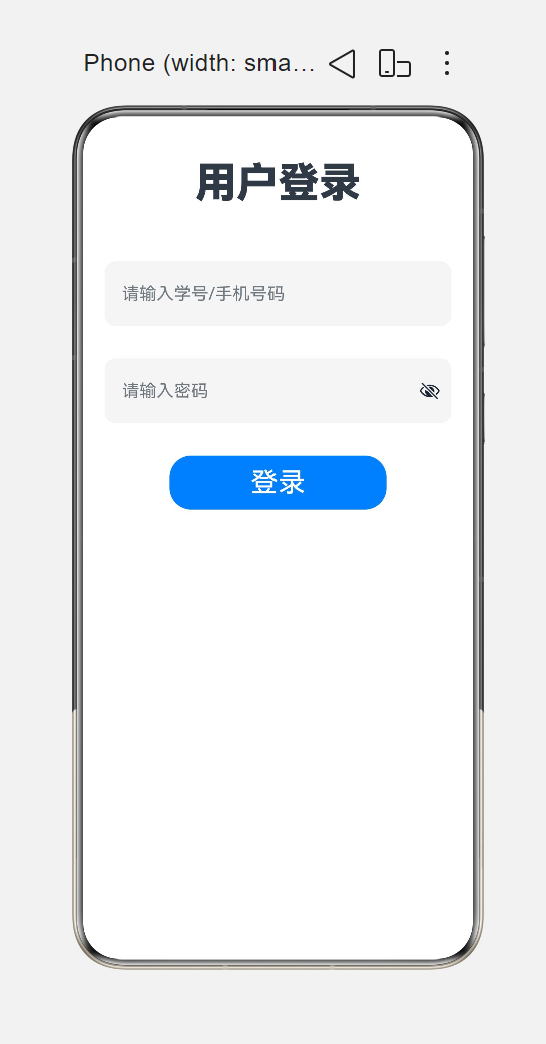
@Entry
@Component
struct TextInputDemo {
build() {
Column({ space: 30 }) {
Text('用户登录')
.fontSize(28)
.fontWeight(FontWeight.Bold)
TextInput({ placeholder: "请输入学号/手机号码" })
.width(320)
.height(50)
.backgroundColor(0xf5f5f5)
.fontSize(20)
.borderRadius(10)
TextInput({ placeholder: "请输入密码" })
.type(InputType.Password)
.width(320)
.height(50)
.backgroundColor(0xf5f5f5)
.fontSize(20)
.borderRadius(10)
Row({ space: 20 }) {
Button('登录')
.height(50)
.width(100)
.fontSize(25)
Button('注册')
.height(50)
.width(100)
.fontSize(25)
}
}
.width('100%')
.height('100%')
.justifyContent(FlexAlign.Center)
.alignItems(HorizontalAlign.Center)
}
}
效果图
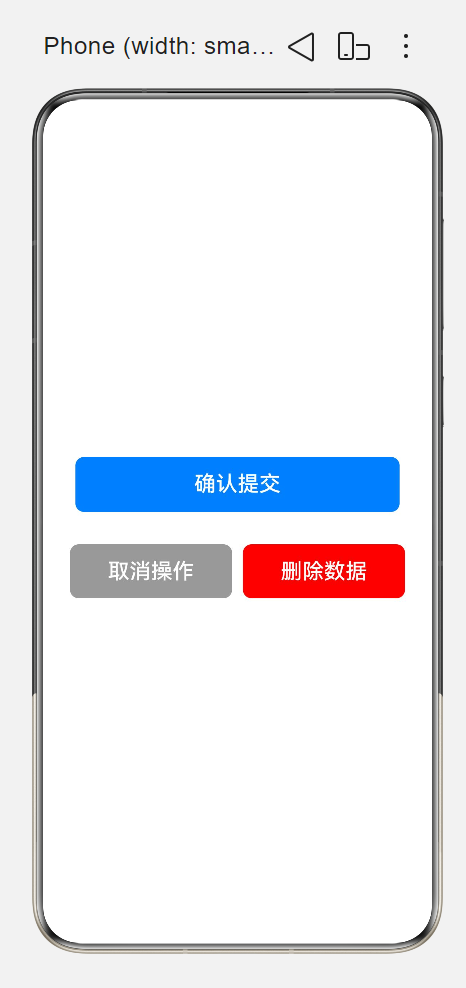
二、信息操作界面
@Entry
@Component
struct ButtonDemo1{
build() {
Column({space:30}){
//常见的,用于登录、提交的按钮
Button("确认提交")
.width(300)
.height(50)
.backgroundColor(0x007DFF)
.fontSize(20)
.borderRadius(8)
//灰色按钮,用于取消/返回使用
Row({space:10}){
Button("取消操作")
.width(150)
.height(50)
.backgroundColor(0x999999)
.fontSize(20)
.borderRadius(8)
Button("删除数据")
.width(150)
.height(50)
.backgroundColor(Color.Red)
.fontSize(20)
.borderRadius(8)
}
}
.height('100%')
.width('100%')
.justifyContent(FlexAlign.Center)
}
}
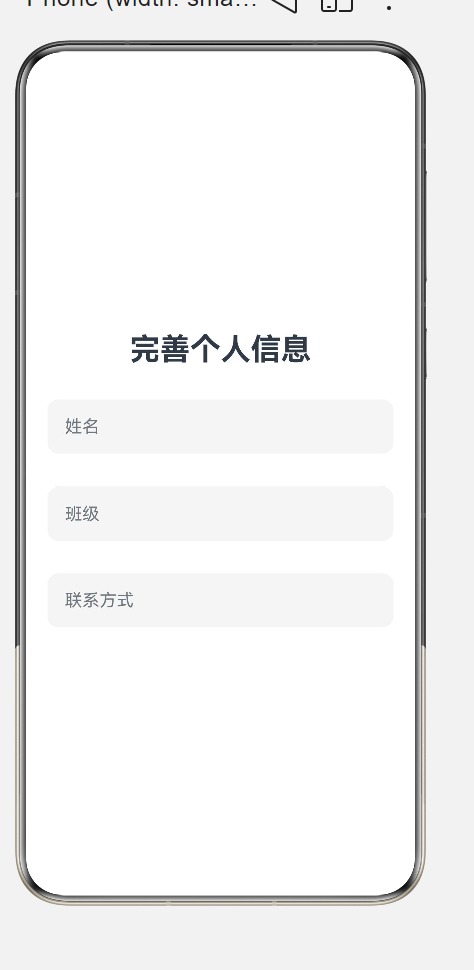
三、个人信息
@Entry
@Component
struct TextInputDemo {
build() {
Column({ space: 30 }) {
Text('完善个人信息')
.fontSize(28)
.fontWeight(FontWeight.Bold)
TextInput({ placeholder: "姓名" })
.width(320)
.height(50)
.backgroundColor(0xf5f5f5)
.fontSize(20)
.borderRadius(10)
TextInput({ placeholder: "班级" })
.width(320)
.height(50)
.backgroundColor(0xf5f5f5)
.fontSize(20)
.borderRadius(10)
TextInput({ placeholder: "联系方式" })
.width(320)
.height(50)
.backgroundColor(0xf5f5f5)
.fontSize(20)
.borderRadius(10)
/*
Row({ space: 20 }) {
Button('确定')
.height(50)
.width(100)
.fontSize(25)
Button('注册')
.height(50)
.width(100)
.fontSize(25)
}
*/
}
.width('100%')
.height('100%')
.justifyContent(FlexAlign.Center)
.alignItems(HorizontalAlign.Center)
}
}
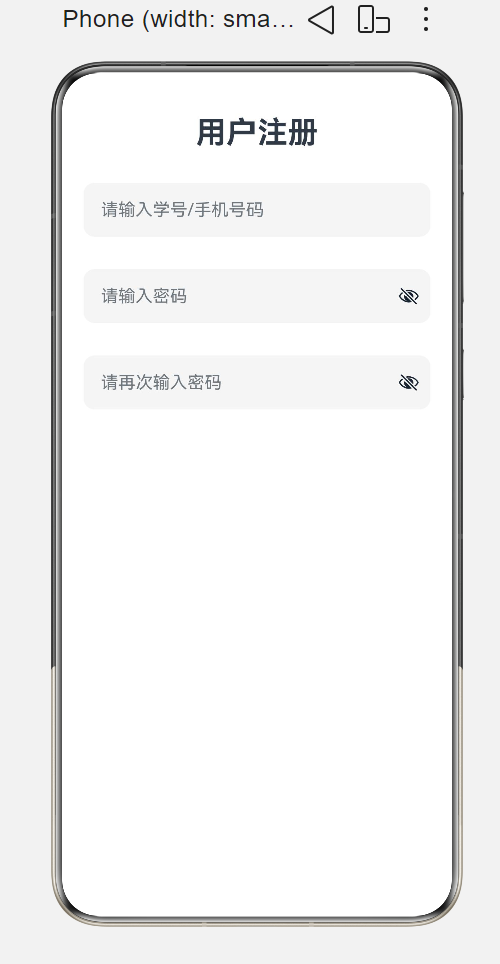
四、注册界面
@Entry
@Component
struct TextInputDemo {
build() {
Column({ space: 30 }) {
Text('用户注册')
.fontSize(28)
.fontWeight(FontWeight.Bold)
TextInput({ placeholder: "请输入学号/手机号码" })
.width(320)
.height(50)
.backgroundColor(0xf5f5f5)
.fontSize(20)
.borderRadius(10)
TextInput({ placeholder: "请输入密码" })
.type(InputType.Password)
.width(320)
.height(50)
.backgroundColor(0xf5f5f5)
.fontSize(20)
.borderRadius(10)
TextInput({ placeholder: "请再次输入密码" })
.type(InputType.Password)
.width(320)
.height(50)
.backgroundColor(0xf5f5f5)
.fontSize(20)
.borderRadius(10)
}
.width('100%')
.height('100%')
.justifyContent(FlexAlign.Start)
.alignItems(HorizontalAlign.Center)
}
}
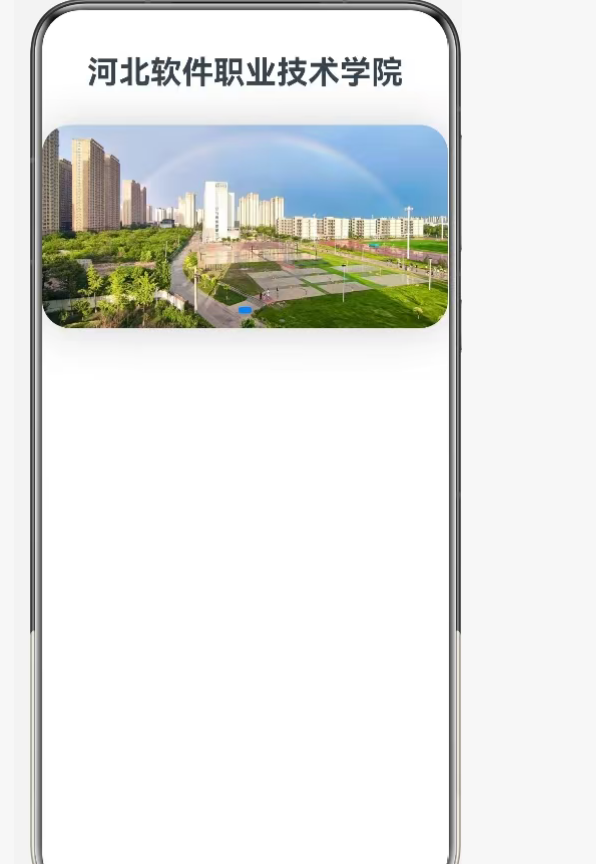
五、:轮播展示
import { radio } from '@kit.TelephonyKit'
@Entry
@Component
struct TextInputDemo {
build() {
Column({ space: 30 }) {
Text('河北软件职业技术学院')
.fontSize(28)
.fontWeight(FontWeight.Bold)
// 本地图片轮播 1.jpg ~ 5.jpg
Swiper() {
Image($r("app.media.1")).width('100%').height('200%').objectFit(ImageFit.Cover)
Image($r("app.media.2")).width('100%').height('200%').objectFit(ImageFit.Cover)
Image($r("app.media.3")).width('100%').height('200%').objectFit(ImageFit.Cover)
Image($r("app.media.4")).width('100%').height('200%').objectFit(ImageFit.Cover)
Image($r("app.media.5")).width('100%').height('200%').objectFit(ImageFit.Cover)
}
.width('100%')
.height(180)
.autoPlay(true)
.loop(true)
.interval(3000)
.borderRadius(25)
.shadow({radius:100,color:0xcccccc,offsetX:2,offsetY:2})
}
.width('100%')
.height('100%')
.justifyContent(FlexAlign.Start)
.alignItems(HorizontalAlign.Center)
}
}
六、个人中心界面
@Entry
@Component
struct UserCardDemo{
build() {
Column({space:20}){
Text("欢迎来到我的个人中心")
.fontSize(30)
.fontWeight(FontWeight.Bolder)
Row({space:20}){
Image($r('app.media.1'))
.width('50%')
.borderRadius(100)
Text('QY-T')
.width('30%')
.fontSize(30)
}
.height(100)
.width('100%')
.padding({left:20})
}
.width('100%')
.height('100%')
.justifyContent(FlexAlign.Center)
.alignItems(HorizontalAlign.Center)
}
}
七
@Entry
@Component
struct Index {
  private videoCtrl: VideoController = new VideoController()

  build() {
    Column({ space: 40 }) {
      Text("本地视频播放器")
        .fontSize(24)
        .width("100%")
        .textAlign(TextAlign.Center)

      Video({
        src: $rawfile("sd.mp4"),
        controller: this.videoCtrl,
        previewUri: $r("app.media.background")
      })
        .width("100%")
        .height(220)
        .controls(false)
        .autoPlay(false)
        .loop(true)
        .muted(false)
        .objectFit(ImageFit.Contain)

      Row({ space: 30 }) {
        Button("播放")
          .onClick(() => {
            this.videoCtrl.start()
          })

        Button("暂停")
          .onClick(() => {
            this.videoCtrl.pause()
          })
      }
    }
    .width("100%")
    .height("100%")
    .padding(15)
    .justifyContent(FlexAlign.Center)
  }
}

讨论HarmonyOS开发技术,专注于API与组件、DevEco Studio、测试、元服务和应用上架分发等。
更多推荐
 3
3 0
0- 0


 已为社区贡献6条内容

所有评论(0)