第8篇 | 基于 HarmonyOS 开发战旗小游戏ArkUI 实战组件化与触摸交互
一、ArkUI 声明式开发概述
ArkUI 是 HarmonyOS 的声明式 UI 框架,其核心理念是:
UI = f(State):UI 是状态的函数,状态变化自动驱动 UI 更新。
与传统的命令式编程(「找到按钮,修改它的文字」)不同,声明式编程描述的是「当状态为 X 时,UI 应该是什么样子」。
二、@Entry 与 @Component
@Entry  // 标记为页面入口组件
@Component
struct GamePage {
  // ...
}
@Entry:标记一个 struct 为页面入口,每个页面只能有一个。
@Component:标记一个 struct 为 ArkUI 组件,必须实现 build() 方法。
struct vs class:ArkUI 组件用 struct 而不是 class 定义。这是 ArkTS 的特殊设计:struct 组件由框架管理生命周期,不能被 new 实例化。
三、@State:响应式状态装饰器
@State gameState: GameState = this.gameEngine.getGameState();
@State isAITurn: boolean = false;
@State gameMessage: string = '我方回合 - 请选择单位';
@State showRules: boolean = false;
@State 的工作原理:
- 初始化时,ArkUI 对
@State变量建立监听 - 当变量被重新赋值时,ArkUI 自动触发
build()重执行 build()中使用了该状态的 UI 部分会被更新
// 当 isAITurn 变化时,按钮的 enabled 状态自动更新
Button('结束回合')
  .enabled(!this.isAITurn && this.gameState.currentPhase === GamePhase.PLAYER_TURN)
注意:@State 监听的是引用,而非深层属性变化
// ❌ 不会触发 UI 更新(修改对象内部属性)
this.gameState.turnCount++;

// ✅ 会触发 UI 更新(重新赋值整个对象)
this.gameState = this.gameEngine.getGameState();
这是本游戏每次操作后都执行 this.gameState = this.gameEngine.getGameState() 的原因——通过重新赋值强制触发 UI 响应。
Canvas 的特殊性:
Canvas 内容不受 @State 驱动(Canvas 是命令式的),所以每次状态更新后还需要手动调用:
this.gameState = this.gameEngine.getGameState(); // 触发 UI 组件更新
this.drawGameMap();                              // 手动刷新 Canvas
四、@Builder:UI 片段的复用
@Builder 装饰器将 UI 代码拆分成可复用的方法,类似「局部组件」。
@Builder
buildTopBar() {
  Row() {
    Text('远古帝国战旗')
      .fontSize(20)
      .fontWeight(FontWeight.Bold)
      .fontColor('#8B4513')

    Blank() // 弹性占位,将左右内容推到两端

    Button('返回')
      .height(30)
      .backgroundColor('#A0522D')
      .onClick(() => { router.back(); })
  }
  .width('100%')
  .margin({ bottom: 10 })
}

@Builder
buildBottomBar() {
  Row({ space: 10 }) {
    Button('结束回合')
      .height(40)
      .backgroundColor('#8B4513')
      .enabled(!this.isAITurn && this.gameState.currentPhase === GamePhase.PLAYER_TURN)
      .onClick(() => { this.endPlayerTurn(); })

    Button('游戏规则')
      .height(40)
      .backgroundColor('#A0522D')
      .onClick(() => { this.showRules = true; })
  }
  .margin({ top: 10, bottom: 10 })
}
在 build() 中调用:
build() {
  Column() {
    this.buildTopBar()    // 调用 @Builder 方法
    Canvas(this.ctx) { ... }
    this.buildBottomBar()
    this.buildTurnInfo()

    if (this.showRules) {
      this.buildRulesDialog() // 条件渲染
    }
  }
}
@Builder vs 普通方法:
| 特性 | @Builder | 普通方法 |
|---|---|---|
| 可以包含 UI 组件 | ✅ | ❌ |
| 返回值 | void(隐式) | 任意 |
| 调用语法 | this.buildXxx() |
this.methodName() |
| 支持参数 | ✅ | ✅ |
@Builder 让大型页面的 build() 方法保持整洁,每个视觉区域有自己的构建方法。
五、ArkUI 布局系统
Column 与 Row
Column() {     // 垂直布局(竖排)
  Row() {      // 水平布局(横排)
    Text('...')
    Blank()    // 弹性空白,推开两侧元素
    Button('...')
  }
}
常用布局属性:
.width('100%')                    // 百分比宽度
.height(40)                       // 固定高度(vp)
.margin({ top: 10, bottom: 10 }) // 外边距
.padding(20)                      // 内边距
.backgroundColor('#FFFFFF')       // 背景色
.borderRadius(12)                 // 圆角
.justifyContent(FlexAlign.Center) // 主轴对齐
.alignItems(HorizontalAlign.Center) // 交叉轴对齐
条件渲染
// showRules 为 true 时才渲染规则弹窗
if (this.showRules) {
  this.buildRulesDialog()
}
ArkUI 支持在 build() 中使用 if/else,条件为 false 时对应 UI 节点完全不创建。
六、触摸事件处理
触摸事件拦截策略
handleMapTouch(event: TouchEvent): void {
  // 安全检查:AI 回合或非玩家回合时拦截所有触摸
  if (this.isAITurn) return;
  if (this.gameState.currentPhase !== GamePhase.PLAYER_TURN) return;

  const touch = event.touches[0];
  if (!touch) return; // 防御性检查

  // 像素坐标 → 格子坐标
  const x = Math.floor(touch.x / TILE_SIZE);
  const y = Math.floor(touch.y / TILE_SIZE);

  if (!this.gameEngine.isValidPosition({ x, y })) return; // 越界检查

  // ... 后续处理
}
状态机:有无选中单位的分支处理
const clickedUnit = this.gameEngine.getUnitAt({ x, y });

if (this.gameState.selectedUnitId !== null) {
  // === 已有选中单位 ===
  const selectedUnit = this.gameEngine.getUnitById(this.gameState.selectedUnitId);

  // 情况A:点击可移动格子 → 移动
  const isMovable = this.gameState.movablePositions.some(p => p.x === x && p.y === y);
  if (isMovable) {
    const success = this.gameEngine.moveUnit(selectedUnit, { x, y });
    if (success) {
      this.gameEngine.deselectUnit();
      this.gameState = this.gameEngine.getGameState();
      this.drawGameMap();
      this.checkGameEnd();
      return;
    }
  }

  // 情况B:点击可攻击格子 → 攻击
  const isAttackable = this.gameState.attackablePositions.some(p => p.x === x && p.y === y);
  if (isAttackable) {
    const result = this.gameEngine.attackUnit(selectedUnit, { x, y });
    if (result.success) {
      this.gameMessage = `攻击造成 ${Math.floor(result.damage)} 点伤害!`;
      this.gameEngine.deselectUnit();
      this.gameState = this.gameEngine.getGameState();
      this.drawGameMap();
      this.checkGameEnd();
      return;
    }
  }

  // 情况C:点击其他我方未行动单位 → 切换选择
  if (clickedUnit && clickedUnit.faction === Faction.PLAYER && !clickedUnit.hasActed) {
    this.gameEngine.selectUnit(clickedUnit.id);
    this.gameState = this.gameEngine.getGameState();
    this.drawGameMap();
    return;
  }

  // 情况D:点击其他位置 → 取消选择
  this.gameEngine.deselectUnit();
  this.gameState = this.gameEngine.getGameState();
  this.drawGameMap();

} else {
  // === 无选中单位 ===
  // 情况E:点击我方未行动单位 → 选中
  if (clickedUnit && clickedUnit.faction === Faction.PLAYER && !clickedUnit.hasActed) {
    this.gameEngine.selectUnit(clickedUnit.id);
    this.gameState = this.gameEngine.getGameState();
    this.drawGameMap();
    this.gameMessage = `选中${UNIT_NAMES[clickedUnit.type]},绿色可移动,红色可攻击`;
  }
}
这是一个典型的**状态机(State Machine)**实现:
无选中 → 点击己方单位 → 已选中
已选中 → 点击可移动格 → 无选中(移动完成)
已选中 → 点击可攻击格 → 无选中(攻击完成)
已选中 → 点击另一己方单位 → 已选中(切换)
已选中 → 点击其他 → 无选中(取消)
七、游戏规则弹窗:绝对定位浮层
@Builder
buildRulesDialog() {
  Column() {
    Text('游戏规则').fontSize(20).fontWeight(FontWeight.Bold)
    // ... 规则文字 ...
    Button('关闭').onClick(() => { this.showRules = false; })
  }
  .width('80%')
  .padding(20)
  .backgroundColor('#FFFFFF')
  .borderRadius(12)
  .position({ x: '10%', y: '20%' }) // 绝对定位
  .zIndex(999)                        // 最高层级
}
关键属性:
.position({ x: '10%', y: '20%' }):绝对定位,从父容器左上角偏移.zIndex(999):确保弹窗在所有内容之上(z 轴最高)
弹窗的显示/隐藏由 @State showRules: boolean 控制,这是 ArkUI 中实现模态弹窗的标准模式。
八、页面生命周期
aboutToAppear() {
  // 页面即将显示时调用(相当于 componentDidMount)
  this.gameEngine.initMap();
  this.gameEngine.initUnits();
  this.gameState = this.gameEngine.getGameState();
}
ArkUI 组件生命周期:
| 方法 | 时机 | 用途 |
|---|---|---|
aboutToAppear() |
组件挂载前 | 初始化数据、订阅事件 |
onPageShow() |
页面显示 | 恢复游戏、刷新数据 |
onPageHide() |
页面隐藏 | 暂停游戏、保存状态 |
aboutToDisappear() |
组件销毁前 | 清理资源、取消订阅 |
本游戏在 aboutToAppear 中初始化地图和单位,确保每次进入游戏页面都从全新状态开始。
九、页面路由
// Index.ets:跳转到游戏页面
router.pushUrl({ url: 'pages/GamePage' });

// GamePage.ets:返回上一页
router.back();
router.pushUrl 将页面压入路由栈,router.back() 弹出并返回。main_pages.json 注册了所有页面:
{
  "src": ["pages/Index.ets", "pages/GamePage.ets"]
}
十、小结
本篇深度解析了 ArkUI 在战旗游戏中的应用:
@State实现响应式数据绑定,通过重新赋值触发 UI 更新@Builder拆分 UI 代码,保持build()方法整洁TouchEvent处理实现了完整的状态机交互逻辑- 绝对定位 +
zIndex实现弹窗浮层
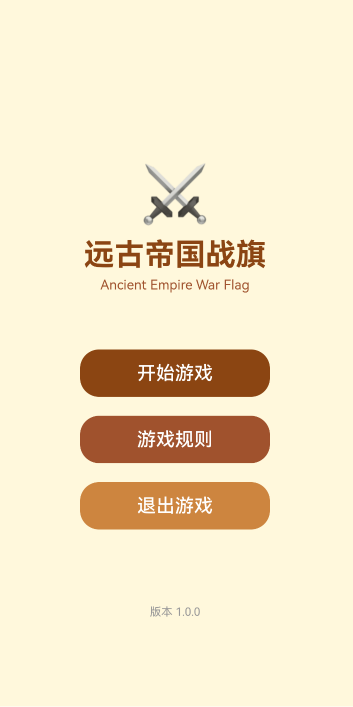
附:截图

讨论HarmonyOS开发技术,专注于API与组件、DevEco Studio、测试、元服务和应用上架分发等。
更多推荐

 7
7 0
0- 0


 已为社区贡献16条内容

所有评论(0)