HarmonyOS 小游戏《对战五子棋》开发第9篇 - GomokuEngine核心引擎设计(四):悔棋功能与历史记录管理
·
悔棋是棋类游戏的标配——history数组的力量
截图如下:
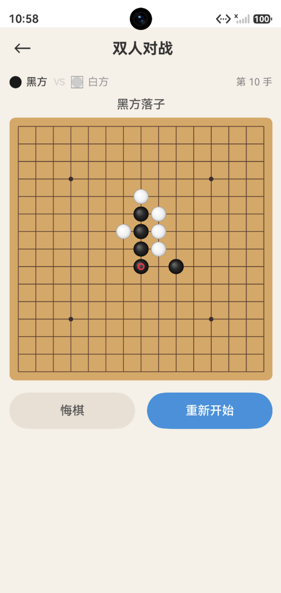
undo方法完整解析
undo(): boolean {
  // 1. 检查是否有棋可悔
  if (this.history.length === 0) {
    return false;
  }

  // 2. 弹出最后一步
  const lastMove = this.history.pop()!;
  this.board[lastMove.row][lastMove.col] = EMPTY;

  // 3. 切换回上一个玩家
  this.currentPlayer = this.currentPlayer === BLACK ? WHITE : BLACK;

  // 4. 重置游戏状态
  this.result = GameResult.PLAYING;

  // 5. 更新lastMove
  if (this.history.length > 0) {
    const prev = this.history[this.history.length - 1];
    this.lastMove = new Move(prev.row, prev.col);
  } else {
    this.lastMove = null;
  }

  return true;
}
悔棋的核心步骤
步骤1:空历史检查
if (this.history.length === 0) return false;
没有落子记录时不能悔棋。
步骤2:撤销棋子
const lastMove = this.history.pop()!;
this.board[lastMove.row][lastMove.col] = EMPTY;
pop()移除并返回数组最后一个元素。!是非空断言——因为我们已经检查了length > 0。
步骤3:切换玩家
this.currentPlayer = this.currentPlayer === BLACK ? WHITE : BLACK;
悔棋后,当前玩家变回之前落子的玩家——因为那步棋被撤销了。
步骤4:重置游戏结果
this.result = GameResult.PLAYING;
即使之前已经分出胜负,悔棋后游戏重新进入PLAYING状态。这是一个重要的设计决策——允许在游戏结束后悔棋继续游戏。
步骤5:更新lastMove
if (this.history.length > 0) {
  const prev = this.history[this.history.length - 1];
  this.lastMove = new Move(prev.row, prev.col);
} else {
  this.lastMove = null;
}
如果还有历史记录,lastMove指向倒数第二个落子;否则置为null。
history数组的多重作用
- 悔棋功能:
history.pop()撤销最后一步 - 空棋盘判断:
history.length === 0等价于棋盘为空 - 手数统计:
history.length就是当前手数 - 复盘功能(未来扩展):可以回放整个对局
UI层的悔棋控制
// TwoPlayerPage中
Button('悔棋')
  .enabled(this.moveCount > 0 && this.result === GameResult.PLAYING)
  .onClick(() => {
    this.undo();
  })

private undo(): void {
  this.engine.undo();
  this.refreshBoardData();
}
UI层通过enabled控制悔棋按钮的可点击状态——只有手数>0且游戏进行中才允许悔棋。
AI对战中的悔棋问题
本项目在AI对战模式中没有提供悔棋功能。如果需要实现,需要撤销两步(玩家+AI):
// 假设的AI悔棋逻辑
private undoInAIBattle(): void {
  this.engine.undo();  // 撤销AI的落子
  this.engine.undo();  // 撤销玩家的落子
  this.refreshBoardData();
}
对比其他撤销方案
方案1:history数组(本项目)
- 优点:简单直观,O(1)撤销
- 缺点:需要额外的内存存储历史
方案2:保存棋盘快照
// 每次落子前保存棋盘副本
const snapshot = this.board.map(row => [...row]);
snapshots.push(snapshot);

// 悔棋时恢复
this.board = snapshots.pop();
- 优点:可以撤销到任意状态
- 缺点:内存开销大(每次保存整个棋盘)
方案3:命令模式
class PlaceCommand {
  execute(board) { /* 落子 */ }
  undo(board) { /* 撤销 */ }
}
- 优点:扩展性强,支持复杂操作
- 缺点:过度设计
本项目选择了最简单有效的方案1。
总结
悔棋功能的实现展示了history数组的多重价值——它不仅是悔棋的基础,还是手数统计和空棋盘判断的依据。一个好的数据结构设计可以让多个功能自然涌现。

讨论HarmonyOS开发技术,专注于API与组件、DevEco Studio、测试、元服务和应用上架分发等。
更多推荐


 1
1 0
0- 0


 已为社区贡献21条内容

所有评论(0)