HarmonyOS7简历投递追踪器实战:把求职进度页做成真正可用的记录工具
文章目录
前言
求职类页面看起来不复杂,本质上却很容易写成“只能展示、不能管理”的半成品。真正好用的简历追踪页,至少要回答三个问题:现在投了哪些公司、每一条记录走到哪一步、下一次该跟进什么动作。
这篇文章不再停留在“页面有哪些模块”这种表面描述,而是直接围绕一个真实业务目标来讲:如何用 HarmonyOS7 的 ArkUI 状态系统,把投递记录、筛选条件、搜索输入和进度推进串成一个完整闭环。你看完之后,拿这套思路去做求职管理、销售跟单、客户进度页,基本都能复用。
适用场景:求职记录、招聘助手、候选人管理、销售跟进列表
本篇重点:状态流转、组合筛选、列表更新一致性
阅读建议:先跑一遍页面,再回来看状态和函数,会更容易理解
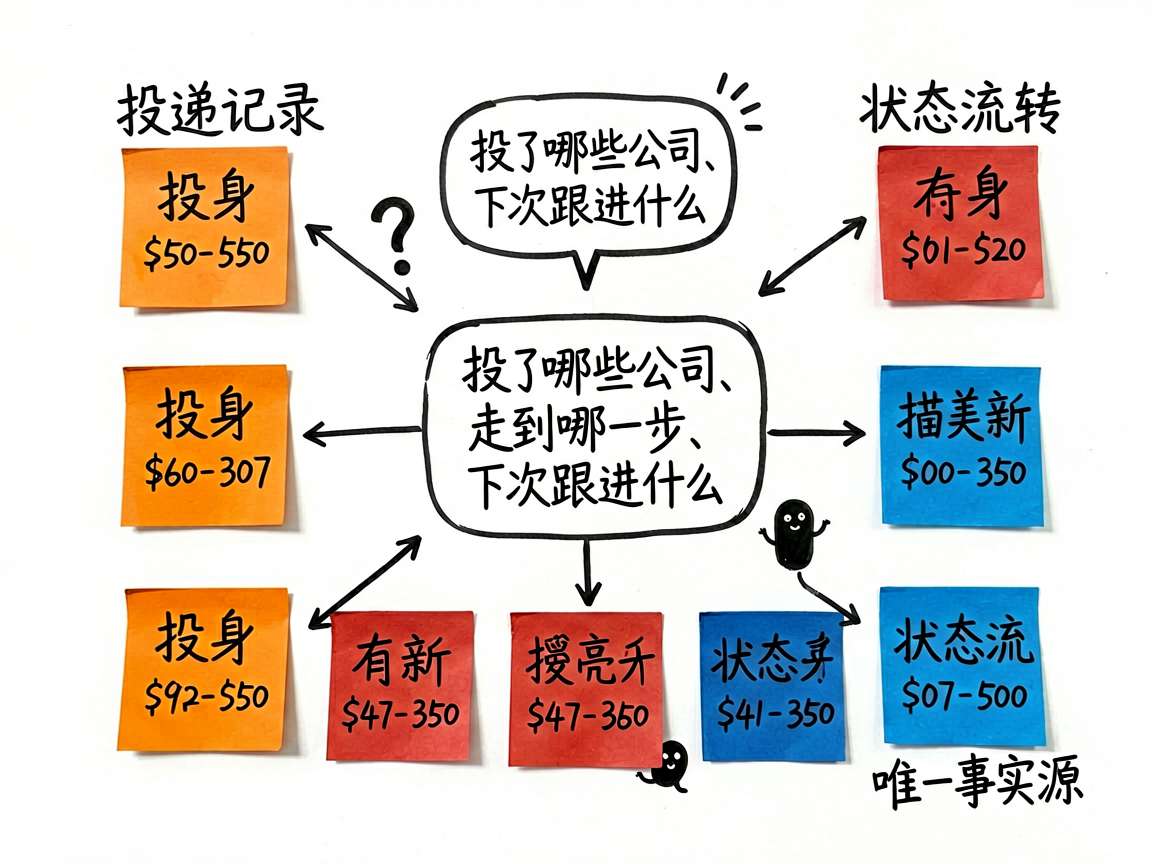
这个案例为什么值得单独拿出来讲
很多练手页面只做“静态展示”,但这个案例已经有了明显的业务味道。
- 记录不是普通列表,而是有明确生命周期的投递数据。
- 每条记录都带着状态、轮次、更新时间、备注这些“进度型字段”。
- 页面里的搜索、筛选、统计、推进按钮,实际上都在围绕同一份
records数据工作。
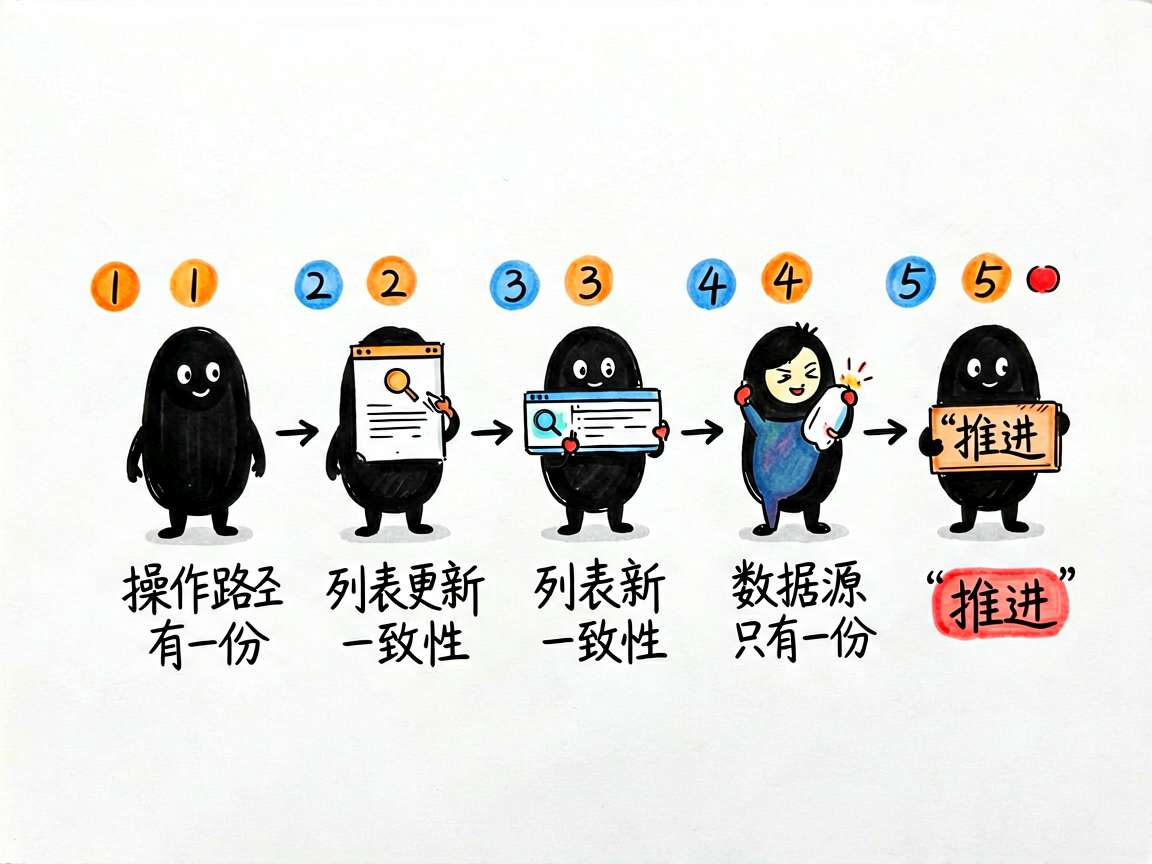
这意味着它不是简单堆组件,而是在做一个小型状态机页面。你如果能把这种页面写顺,后面再做工单流转、审批跟踪、售后进度,思路会非常接近。
先自己操作一遍页面
我建议先别急着看代码,先按真实用户的使用顺序把功能走一遍:
- 打开页面,先看顶部汇总和默认列表,感受一下当前记录量和状态分布。
- 点击不同的状态筛选标签,观察列表是否立刻切到对应结果。
- 在搜索框里输入公司名或岗位名,看筛选和搜索是不是同时生效。
- 对某一条未结束记录点击“推进”,确认状态标签、轮次、更新时间是否一起变化。
- 点击“新增”,补一条新投递记录,再回头看它是否自动进入列表,并默认处于“已投递”。
只要你按这个路径走一遍,就能看出作者在设计时抓住了一个重点:同一条业务记录在多个视图区域里被重复消费,但数据源始终只有一份。
页面最核心的,不是列表,而是这组状态
先看数据入口:
@State records: ResumeRecord[] = [
  { id: 1, company: '腾讯科技', position: '高级前端工程师', salary: '30-50K', status: 'interview', submitDate: '2026-05-20', updateDate: '2026-06-01', round: 2, note: '第二轮技术面试', city: '深圳' },
  { id: 2, company: '阿里巴巴', position: 'iOS开发工程师', salary: '25-40K', status: 'offer', submitDate: '2026-05-15', updateDate: '2026-06-03', round: 3, note: 'Offer已发放,等待确认', city: '杭州' },
  { id: 3, company: '字节跳动', position: '全栈工程师', salary: '28-45K', status: 'screening', submitDate: '2026-05-28', updateDate: '2026-05-30', round: 1, note: '简历筛选中', city: '北京' },
  { id: 4, company: '华为技术', position: '鸿蒙应用开发', salary: '20-35K', status: 'submitted', submitDate: '2026-06-01', updateDate: '2026-06-01', round: 0, note: '等待反馈', city: '深圳' },
  { id: 5, company: '小米科技', position: 'Android工程师', salary: '18-30K', status: 'rejected', submitDate: '2026-05-10', updateDate: '2026-05-25', round: 1, note: '一面后未通过', city: '北京' },
  { id: 6, company: '美团', position: '后端工程师', salary: '22-38K', status: 'accepted', submitDate: '2026-05-08', updateDate: '2026-06-02', round: 4, note: '已接受Offer!', city: '北京' },
  { id: 7, company: '网易游戏', position: '游戏前端开发', salary: '20-32K', status: 'interview', submitDate: '2026-05-25', updateDate: '2026-06-04', round: 1, note: '明天一面', city: '广州' },
  { id: 8, company: 'OPPO', position: 'HarmonyOS开发', salary: '18-28K', status: 'submitted', submitDate: '2026-06-02', updateDate: '2026-06-02', round: 0, note: '刚投递', city: '东莞' },
]
@State activeFilter: string = 'all'
@State searchText: string = ''
@State showAddDialog: boolean = false
@State newCompany: string = ''
@State newPosition: string = ''
@State newSalary: string = ''
@State newCity: string = ''
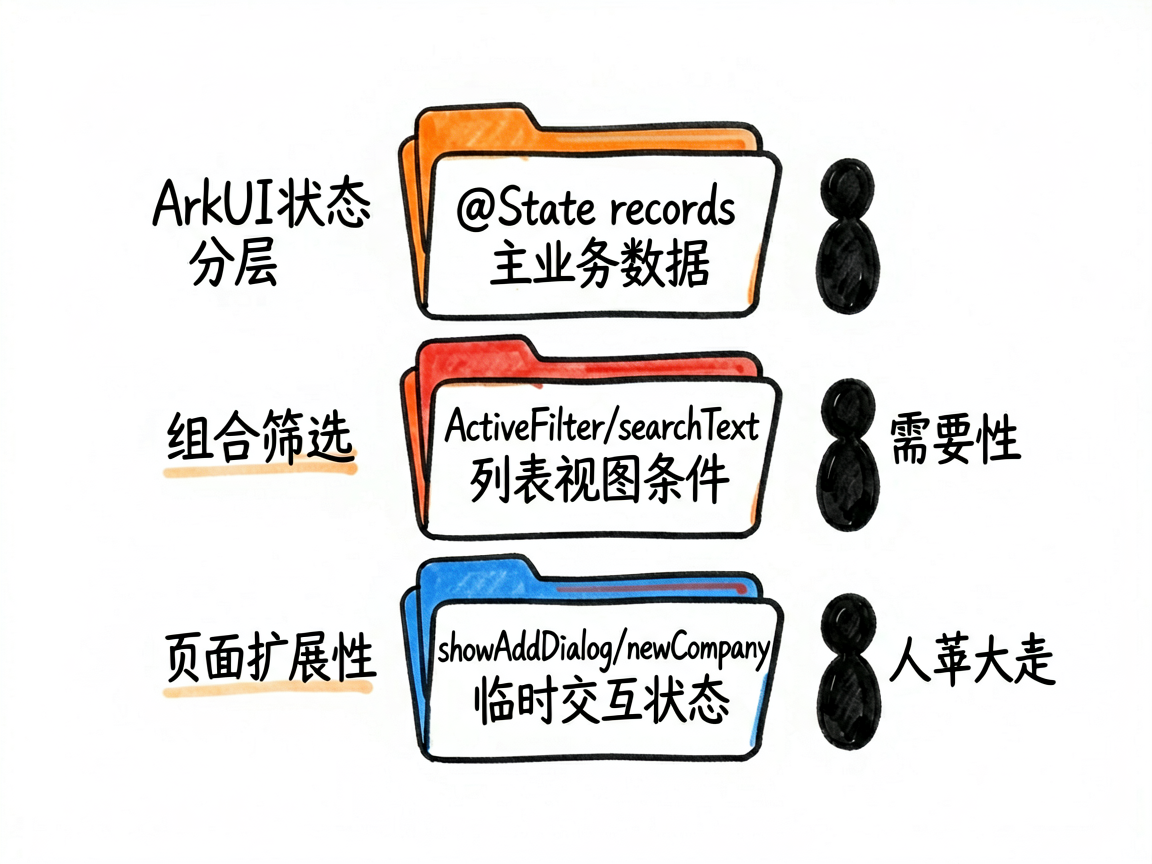
这一段真正厉害的地方,在于它把状态分了三层:
| 状态层次 | 字段 | 作用 |
|---|---|---|
| 主业务数据 | records |
承载所有投递记录,是页面唯一的事实来源 |
| 列表视图条件 | activeFilter、searchText |
决定当前用户看到哪一批记录 |
| 临时交互状态 | showAddDialog、newCompany 等 |
服务于新增动作,不参与长期展示 |
这样的拆法很稳。因为你后面不管加统计卡片、空状态页、编辑弹窗,最后都还是回到这三层去扩展,不会越写越乱。
getStatusConfig 不是小工具函数,它决定了状态展示的一致性
很多初学者写这种页面时,会把状态文案、颜色、图标直接散落在 UI 里。短期看省事,后面一改状态枚举就会很痛苦。
这里作者单独抽了一个映射函数:
getStatusConfig(status: string): StatusConfig_bbli {
  if (status === 'submitted') return { label: '已投递', color: '#666666', bgColor: '#F5F5F5', icon: '📤' } as StatusConfig_bbli
  if (status === 'screening') return { label: '筛选中', color: '#FF9500', bgColor: '#FFF8EE', icon: '🔍' } as StatusConfig_bbli
  if (status === 'interview') return { label: '面试中', color: '#007AFF', bgColor: '#EEF6FF', icon: '💬' } as StatusConfig_bbli
  if (status === 'offer') return { label: 'Offer', color: '#34C759', bgColor: '#EEFBF2', icon: '🎉' } as StatusConfig_bbli
  if (status === 'rejected') return { label: '已拒绝', color: '#FF3B30', bgColor: '#FFF0EF', icon: '❌' } as StatusConfig_bbli
  if (status === 'accepted') return { label: '已接受', color: '#5856D6', bgColor: '#F2F1FD', icon: '✅' } as StatusConfig_bbli
  return { label: status, color: '#666666', bgColor: '#F5F5F5', icon: '' } as StatusConfig_bbli
}
这一段值得你重点体会两件事。
- 第一,它把“业务状态”翻译成“界面状态”。
submitted这种内部值,本来不适合直接给用户看,但经过这层映射以后,列表标签、颜色块、图标就都统一了。 - 第二,它把后续改动成本压低了。你以后想把
offer改成“待确认”,或者给interview换一套品牌色,不用全局翻 UI,只改这里就够。
换句话说,getStatusConfig 并不是装饰性函数,而是这个页面里很典型的“展示策略层”。
组合筛选才是这页最有含金量的部分
求职记录页最容易被低估的地方,是筛选逻辑。因为真实用户不会只看“全部记录”,他通常会问:
- 我现在还有多少条在面试中?
- 某个公司有没有投过?
- 搜某个岗位时,状态过滤还要不要继续生效?
这正是 getFilteredRecords() 在解决的问题:
getFilteredRecords(): ResumeRecord[] {
  let result = this.records
  if (this.activeFilter !== 'all') {
    result = result.filter((r: ResumeRecord) => r.status === this.activeFilter)
  }
  if (this.searchText.trim() !== '') {
    const kw = this.searchText.toLowerCase()
    result = result.filter((r: ResumeRecord) =>
      r.company.toLowerCase().includes(kw) || r.position.toLowerCase().includes(kw)
    )
  }
  return result
}
这段代码的价值,不只是“能过滤”,而是它处理了两个条件的叠加关系。
- 先按
activeFilter做状态过滤。 - 再按
searchText做关键词搜索。 - 两步都在同一份中间结果上继续处理,所以最后拿到的是交集,而不是覆盖关系。
这个写法很适合教学,因为它非常直白。你后面如果想再加城市筛选、薪资区间筛选,也完全可以沿着这条链继续往下接。
统计卡片为什么能始终跟列表同步
顶部的 Offer 数、面试中数量、已拒绝数量,看起来像是“另一套数据”,其实并没有单独存。
它们都来自这个函数:
getCountByStatus(status: string): number {
  if (status === 'all') return this.records.length
  return this.records.filter((r: ResumeRecord) => r.status === status).length
}
这就是典型的派生数据思路。只要 records 变了,不管是新增记录、推进状态,还是将来接接口回填,顶部统计都会自然刷新。
这里有个很重要的工程经验:能算出来的数据,就尽量不要再单独存一份。不然你就要维护 records、offerCount、interviewCount 三套状态同步,迟早出错。
addRecord() 体现的是一个完整的录入闭环
新增记录不是把几项输入拼起来这么简单,它实际上做了三件事:创建数据、补默认值、清理表单现场。
addRecord() {
  if (!this.newCompany || !this.newPosition) return
  const now = new Date()
  const dateStr = `${now.getFullYear()}-${String(now.getMonth() + 1).padStart(2, '0')}-${String(now.getDate()).padStart(2, '0')}`
  const newRecord: ResumeRecord = {
    id: Date.now(),
    company: this.newCompany,
    position: this.newPosition,
    salary: this.newSalary || '面议',
    status: 'submitted',
    submitDate: dateStr,
    updateDate: dateStr,
    round: 0,
    note: '',
    city: this.newCity || '未知',
  }
  this.records = this.records.concat([newRecord])
  this.newCompany = ''
  this.newPosition = ''
  this.newSalary = ''
  this.newCity = ''
  this.showAddDialog = false
}
这段逻辑里最值得初学者学的是默认值处理。
- 没填薪资,就给
'面议'。 - 没填城市,就给
'未知'。 - 新增记录默认从
'submitted'开始。 - 创建成功后,立刻把输入框清空并关闭弹窗。
为什么这很重要?因为一个“能用”的录入动作,绝不只是把数据塞进数组,而是要把新增前、中、后的用户体验都照顾到。这个函数虽然短,但交付的是完整流程。
advanceStatus() 写出了进度流转页面的核心手感
很多业务页是否顺手,最后拼的其实是这种“一键推进”的小动作。
advanceStatus(id: number) {
  const order = ['submitted', 'screening', 'interview', 'offer', 'accepted']
  this.records = this.records.map((r: ResumeRecord) => {
    if (r.id !== id) return r
    const idx = order.indexOf(r.status)
    if (idx < 0 || idx >= order.length - 1) return r
    r.status = order[idx + 1]
    r.round = r.round + 1
    r.updateDate = '2026-06-06'
    return r
  })
}
这里其实埋了一个很实用的建模方式:用数组表达状态顺序。
只要顺序是固定的,你就可以把推进逻辑写得很清晰:
- 先找到当前状态在流程里的位置。
- 还能往后走,就切到下一个状态。
- 顺便把轮次和更新时间一起补上。
这种设计比一堆 if-else 分支更适合后续维护。以后你要插入一个 hrInterview、finalInterview,本质上只是在流程数组里多加节点。
UI 层是怎么把这些状态吃进去的
这个页面的界面虽然长,但阅读时不用一行一行抠。你只要抓住三块就够了。
顶部统计区
它通过 getCountByStatus() 读取派生结果,把总览信息提前暴露出来,让用户一进来就知道当前进度分布。
搜索与筛选区
这一块直接控制 searchText 和 activeFilter,本质上是在改列表的查询条件,而不是在改数据本身。
记录列表区
列表项里最关键的是这几类展示:
- 公司名、岗位名、薪资、城市这些基础信息。
getStatusConfig()返回的状态标签、颜色和图标。- 备注、轮次、投递时间、更新时间这些过程信息。
- “推进”按钮触发的状态流转。
也就是说,这个列表不是把数据平铺出来,而是在用一个卡片把“投递进程”讲清楚。
如果把它放进真实项目,我会先补什么
这个案例已经够拿来教学,但离正式项目还有一点距离。我会优先补下面几项:
- 给
status建枚举或联合类型,减少字符串硬编码。 - 把日期更新改成真实当前时间,而不是示例里的固定日期。
- 给新增表单补校验提示,而不只是直接
return。 - 把记录卡片、筛选标签拆成独立组件,降低页面文件长度。
- 如果要接后端,把
records的增删改查移到 service 层,不让页面直接承载全部业务。
学这篇文章时,最应该带走什么
不是记住某个组件怎么写,而是记住下面这个思路:
业务列表页的可维护性,往往来自“单一数据源 + 派生结果 + 明确流转函数”这套组合。
简历追踪器只是一个外壳,里面真正值得复用的是状态组织方式。你后面做任何“有进度、有筛选、有新增”的页面,几乎都能照着这个模型搭起来。
完整代码
下面保留案例完整代码,方便你直接对照学习、复制和重构。
// 简历投递追踪器: 简历投递追踪器 - 投递记录管理、面试状态、Offer跟进

interface ResumeRecord {
  id: number
  company: string
  position: string
  salary: string
  status: string // 'submitted' | 'screening' | 'interview' | 'offer' | 'rejected' | 'accepted'
  submitDate: string
  updateDate: string
  round: number
  note: string
  city: string
}

interface StatusConfig_bbli {
  label: string
  color: string
  bgColor: string
  icon: string
}

interface FilterOption {
  key: string
  label: string
}

interface ItemInfo_rhv3 { label: string; status: string; color: string }
@Entry
@Component
struct ResumeDeliveryTracker {
  @State records: ResumeRecord[] = [
    { id: 1, company: '腾讯科技', position: '高级前端工程师', salary: '30-50K', status: 'interview', submitDate: '2026-05-20', updateDate: '2026-06-01', round: 2, note: '第二轮技术面试', city: '深圳' },
    { id: 2, company: '阿里巴巴', position: 'iOS开发工程师', salary: '25-40K', status: 'offer', submitDate: '2026-05-15', updateDate: '2026-06-03', round: 3, note: 'Offer已发放,等待确认', city: '杭州' },
    { id: 3, company: '字节跳动', position: '全栈工程师', salary: '28-45K', status: 'screening', submitDate: '2026-05-28', updateDate: '2026-05-30', round: 1, note: '简历筛选中', city: '北京' },
    { id: 4, company: '华为技术', position: '鸿蒙应用开发', salary: '20-35K', status: 'submitted', submitDate: '2026-06-01', updateDate: '2026-06-01', round: 0, note: '等待反馈', city: '深圳' },
    { id: 5, company: '小米科技', position: 'Android工程师', salary: '18-30K', status: 'rejected', submitDate: '2026-05-10', updateDate: '2026-05-25', round: 1, note: '一面后未通过', city: '北京' },
    { id: 6, company: '美团', position: '后端工程师', salary: '22-38K', status: 'accepted', submitDate: '2026-05-08', updateDate: '2026-06-02', round: 4, note: '已接受Offer!', city: '北京' },
    { id: 7, company: '网易游戏', position: '游戏前端开发', salary: '20-32K', status: 'interview', submitDate: '2026-05-25', updateDate: '2026-06-04', round: 1, note: '明天一面', city: '广州' },
    { id: 8, company: 'OPPO', position: 'HarmonyOS开发', salary: '18-28K', status: 'submitted', submitDate: '2026-06-02', updateDate: '2026-06-02', round: 0, note: '刚投递', city: '东莞' },
  ]
  @State activeFilter: string = 'all'
  @State searchText: string = ''
  @State showAddDialog: boolean = false
  @State newCompany: string = ''
  @State newPosition: string = ''
  @State newSalary: string = ''
  @State newCity: string = ''

  getStatusConfig(status: string): StatusConfig_bbli {
    if (status === 'submitted') return { label: '已投递', color: '#666666', bgColor: '#F5F5F5', icon: '📤' } as StatusConfig_bbli
    if (status === 'screening') return { label: '筛选中', color: '#FF9500', bgColor: '#FFF8EE', icon: '🔍' } as StatusConfig_bbli
    if (status === 'interview') return { label: '面试中', color: '#007AFF', bgColor: '#EEF6FF', icon: '💬' } as StatusConfig_bbli
    if (status === 'offer') return { label: 'Offer', color: '#34C759', bgColor: '#EEFBF2', icon: '🎉' } as StatusConfig_bbli
    if (status === 'rejected') return { label: '已拒绝', color: '#FF3B30', bgColor: '#FFF0EF', icon: '❌' } as StatusConfig_bbli
    if (status === 'accepted') return { label: '已接受', color: '#5856D6', bgColor: '#F2F1FD', icon: '✅' } as StatusConfig_bbli
    return { label: status, color: '#666666', bgColor: '#F5F5F5', icon: '' } as StatusConfig_bbli
  }

  private filters: FilterOption[] = [
    { key: 'all', label: '全部' },
    { key: 'submitted', label: '已投递' },
    { key: 'screening', label: '筛选中' },
    { key: 'interview', label: '面试中' },
    { key: 'offer', label: 'Offer' },
    { key: 'rejected', label: '已拒绝' },
    { key: 'accepted', label: '已接受' },
  ]

  getFilteredRecords(): ResumeRecord[] {
    let result = this.records
    if (this.activeFilter !== 'all') {
      result = result.filter((r: ResumeRecord) => r.status === this.activeFilter)
    }
    if (this.searchText.trim() !== '') {
      const kw = this.searchText.toLowerCase()
      result = result.filter((r: ResumeRecord) =>
        r.company.toLowerCase().includes(kw) || r.position.toLowerCase().includes(kw)
      )
    }
    return result
  }

  getCountByStatus(status: string): number {
    if (status === 'all') return this.records.length
    return this.records.filter((r: ResumeRecord) => r.status === status).length
  }

  addRecord() {
    if (!this.newCompany || !this.newPosition) return
    const now = new Date()
    const dateStr = `${now.getFullYear()}-${String(now.getMonth() + 1).padStart(2, '0')}-${String(now.getDate()).padStart(2, '0')}`
    const newRecord: ResumeRecord = {
      id: Date.now(),
      company: this.newCompany,
      position: this.newPosition,
      salary: this.newSalary || '面议',
      status: 'submitted',
      submitDate: dateStr,
      updateDate: dateStr,
      round: 0,
      note: '',
      city: this.newCity || '未知',
    }
    this.records = this.records.concat([newRecord])
    this.newCompany = ''
    this.newPosition = ''
    this.newSalary = ''
    this.newCity = ''
    this.showAddDialog = false
  }

  advanceStatus(id: number) {
    const order = ['submitted', 'screening', 'interview', 'offer', 'accepted']
    this.records = this.records.map((r: ResumeRecord) => {
      if (r.id !== id) return r
      const idx = order.indexOf(r.status)
      if (idx < 0 || idx >= order.length - 1) return r
      r.status = order[idx + 1]
      r.round = r.round + 1
      r.updateDate = '2026-06-06'
      return r
    })
  }

  build() {
    Column() {
      // 顶部标题
      Row() {
        Column() {
          Text('求职追踪').fontSize(22).fontWeight(FontWeight.Bold).fontColor('#1A1A1A')
          Text(`共 ${this.records.length} 条投递记录`).fontSize(12).fontColor('#999999').margin({ top: 2 })
        }
        .alignItems(HorizontalAlign.Start)

        Blank()

        Button('+ 新增')
          .fontSize(14)
          .fontColor('#FFFFFF')
          .backgroundColor('#007AFF')
          .borderRadius(18)
          .height(36)
          .padding({ left: 16, right: 16 })
          .onClick(() => { this.showAddDialog = true })
      }
      .width('100%')
      .padding({ left: 20, right: 20, top: 20, bottom: 12 })

      // 统计卡片
      Row({ space: 10 }) {
        ForEach([
          { label: 'Offer', status: 'offer', color: '#34C759' } as ItemInfo_rhv3,
          { label: '面试中', status: 'interview', color: '#007AFF' } as ItemInfo_rhv3,
          { label: '已拒绝', status: 'rejected', color: '#FF3B30' } as ItemInfo_rhv3,
        ], (item: ItemInfo_rhv3) => {
          Column() {
            Text(String(this.getCountByStatus(item.status)))
              .fontSize(24).fontWeight(FontWeight.Bold).fontColor(item.color)
            Text(item.label).fontSize(11).fontColor('#888888').margin({ top: 2 })
          }
          .layoutWeight(1)
          .height(64)
          .backgroundColor('#FFFFFF')
          .borderRadius(12)
          .justifyContent(FlexAlign.Center)
          .shadow({ radius: 4, color: '#00000010', offsetX: 0, offsetY: 2 })
        })
      }
      .padding({ left: 20, right: 20, bottom: 12 })

      // 搜索框
      Row() {
        Text('🔍').fontSize(16)
        TextInput({ placeholder: '搜索公司或职位...', text: this.searchText })
          .layoutWeight(1)
          .height(36)
          .backgroundColor('transparent')
          .fontSize(14)
          .margin({ left: 8 })
          .onChange((val: string) => { this.searchText = val })
      }
      .width('100%')
      .height(44)
      .backgroundColor('#F5F5F5')
      .borderRadius(22)
      .padding({ left: 16, right: 16 })
      .margin({ left: 20, right: 20, bottom: 12 })

      // 状态筛选
      Scroll() {
        Row({ space: 8 }) {
          ForEach(this.filters, (f: FilterOption) => {
            Text(`${f.label}(${this.getCountByStatus(f.key)})`)
              .fontSize(12)
              .fontColor(this.activeFilter === f.key ? '#FFFFFF' : '#666666')
              .backgroundColor(this.activeFilter === f.key ? '#007AFF' : '#F5F5F5')
              .borderRadius(14)
              .padding({ left: 12, right: 12, top: 6, bottom: 6 })
              .onClick(() => { this.activeFilter = f.key })
          })
        }
        .padding({ left: 20, right: 20 })
      }
      .scrollable(ScrollDirection.Horizontal)
      .scrollBar(BarState.Off)
      .margin({ bottom: 12 })

      // 投递记录列表
      List({ space: 10 }) {
        ForEach(this.getFilteredRecords(), (record: ResumeRecord) => {
          ListItem() {
            Column() {
              Row() {
                Column() {
                  Row({ space: 8 }) {
                    Text(record.company).fontSize(16).fontWeight(FontWeight.Bold).fontColor('#1A1A1A')
                    Text(this.getStatusConfig(record.status).icon).fontSize(14)
                  }
                  Text(record.position).fontSize(13).fontColor('#555555').margin({ top: 2 })
                  Row({ space: 12 }) {
                    Text(`💰 ${record.salary}`).fontSize(11).fontColor('#FF6B35')
                    Text(`📍 ${record.city}`).fontSize(11).fontColor('#888888')
                  }
                  .margin({ top: 4 })
                }
                .alignItems(HorizontalAlign.Start)
                .layoutWeight(1)

                Column() {
                  Text(this.getStatusConfig(record.status).label)
                    .fontSize(11)
                    .fontColor(this.getStatusConfig(record.status).color)
                    .backgroundColor(this.getStatusConfig(record.status).bgColor)
                    .borderRadius(10)
                    .padding({ left: 8, right: 8, top: 3, bottom: 3 })
                  if (record.round > 0) {
                    Text(`第${record.round}轮`)
                      .fontSize(10)
                      .fontColor('#AAAAAA')
                      .margin({ top: 4 })
                  }
                }
                .alignItems(HorizontalAlign.End)
              }
              .width('100%')

              if (record.note) {
                Text(`备注:${record.note}`)
                  .fontSize(11)
                  .fontColor('#AAAAAA')
                  .margin({ top: 8 })
                  .maxLines(1)
                  .textOverflow({ overflow: TextOverflow.Ellipsis })
                  .width('100%')
              }

              Divider().strokeWidth(0.5).color('#F0F0F0').margin({ top: 10, bottom: 10 })

              Row() {
                Text(`投递:${record.submitDate}`).fontSize(10).fontColor('#BBBBBB')
                Blank()
                Text(`更新:${record.updateDate}`).fontSize(10).fontColor('#BBBBBB')
                if (record.status !== 'rejected' && record.status !== 'accepted') {
                  Button('推进')
                    .fontSize(11)
                    .fontColor('#007AFF')
                    .backgroundColor('#EEF6FF')
                    .borderRadius(12)
                    .height(26)
                    .padding({ left: 10, right: 10 })
                    .margin({ left: 10 })
                    .onClick(() => this.advanceStatus(record.id))
                }
              }
              .width('100%')
            }
            .width('100%')
            .padding(16)
            .backgroundColor('#FFFFFF')
            .borderRadius(14)
            .shadow({ radius: 4, color: '#00000010', offsetX: 0, offsetY: 2 })
          }
        })
      }
      .layoutWeight(1)
      .padding({ left: 20, right: 20 })

      // 新增弹窗
      if (this.showAddDialog) {
        Stack() {
          Column()
            .width('100%').height('100%')
            .backgroundColor('#00000050')
            .onClick(() => { this.showAddDialog = false })

          Column({ space: 12 }) {
            Text('新增投递记录').fontSize(17).fontWeight(FontWeight.Bold).fontColor('#1A1A1A')

            TextInput({ placeholder: '公司名称 *', text: this.newCompany })
              .height(44).borderRadius(10).backgroundColor('#F5F5F5')
              .onChange((v: string) => { this.newCompany = v })

            TextInput({ placeholder: '职位名称 *', text: this.newPosition })
              .height(44).borderRadius(10).backgroundColor('#F5F5F5')
              .onChange((v: string) => { this.newPosition = v })

            TextInput({ placeholder: '薪资范围(如 20-30K)', text: this.newSalary })
              .height(44).borderRadius(10).backgroundColor('#F5F5F5')
              .onChange((v: string) => { this.newSalary = v })

            TextInput({ placeholder: '城市', text: this.newCity })
              .height(44).borderRadius(10).backgroundColor('#F5F5F5')
              .onChange((v: string) => { this.newCity = v })

            Row({ space: 12 }) {
              Button('取消').layoutWeight(1).height(44)
                .fontColor('#007AFF').backgroundColor('#F5F5F5').borderRadius(12)
                .onClick(() => { this.showAddDialog = false })
              Button('确认').layoutWeight(1).height(44)
                .fontColor('#FFFFFF').backgroundColor('#007AFF').borderRadius(12)
                .onClick(() => this.addRecord())
            }
          }
          .width('85%')
          .padding(20)
          .backgroundColor('#FFFFFF')
          .borderRadius(16)
        }
        .width('100%').height('100%')
        .position({ x: 0, y: 0 })
      }
    }
    .width('100%').height('100%')
    .backgroundColor('#F8F8F8')
  }
}
最后总结
这页真正值得学的,不是它把卡片做得多漂亮,而是它把记录、过滤、统计、推进四件事放进了一套自洽的状态结构里。只要你把这套组织方式吃透,后面再做任何带进度流转的列表型页面,心里都会更有底。

讨论HarmonyOS开发技术,专注于API与组件、DevEco Studio、测试、元服务和应用上架分发等。
更多推荐

 4
4 0
0- 0


 已为社区贡献213条内容

所有评论(0)