鸿蒙实战:NFC Kit 与碰一碰功能设计
鸿蒙实战:NFC Kit 与碰一碰功能设计
前言(必读)
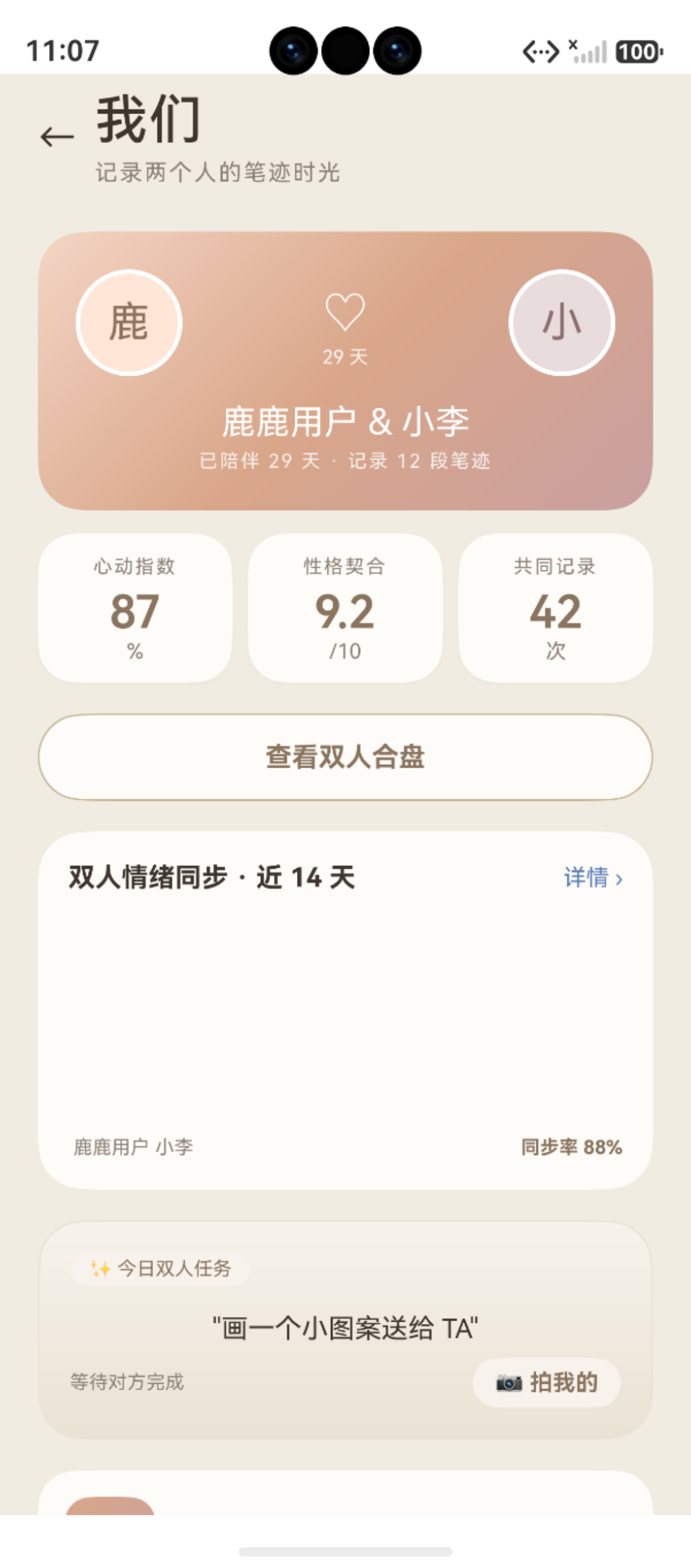
图:鸿蒙实战:NFC Kit 与碰一碰功能设计(第 64 篇) 运行效果截图(HarmonyOS NEXT)
NFC(Near Field Communication,近场通信)是鸿蒙生态中「多设备协同」的核心能力之一。在本项目中,NFC 承担着双人合盘场景下的便捷配对功能——用户碰一下对方的手机或将手机靠近 NFC 标签,即可分享笔迹分析结果。本文深入讲解 NFC Kit 的 Tag 读写能力与 TapSharePage 的交互设计。
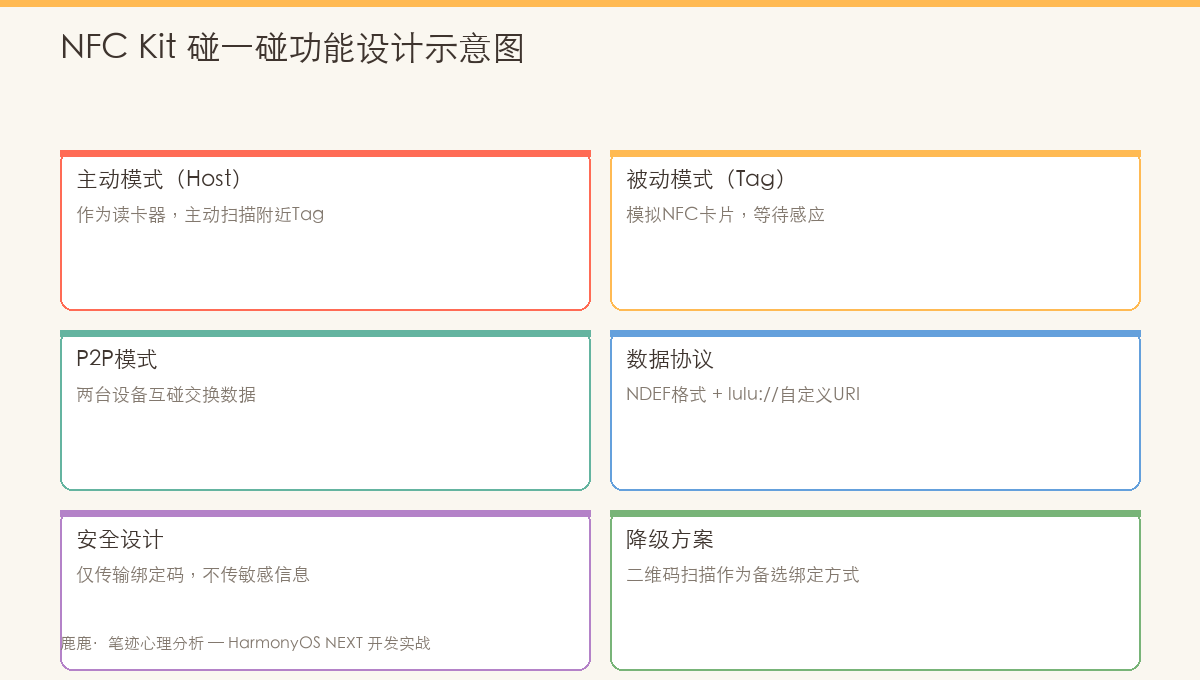
图:NFC Kit 架构——Tag 读写 / HCE 主机卡模拟 / 碰一碰三大能力
一、鸿蒙 NFC 技术栈概览
1.1 NFC Kit 模块架构
@kit.ConnectedTagKit
├── @ohos.nfc.tag        ← Tag 发现与读写(核心)
├── @ohos.nfc.controller ← NFC 开关控制
├── @ohos.nfc.cardEmulation ← 卡模拟(本文不涉及)
└── 子模块(NDEF / NfcA / NfcB / IsoDep / MifareClassic)
1.2 核心 API 一览
| API | 功能 | 使用场景 |
|---|---|---|
tag.on('tagDiscovery') |
监听 Tag 被发现 | 碰一碰触发分享 |
tag.getNdefTag(tagInfo) |
获取 NDEF Tag 实例 | 读写 NDEF 数据 |
ndefTag.connect() |
连接 Tag | 读写前准备 |
ndefTag.readNdef() |
读取 NDEF 记录 | 读取对方信息 |
ndefTag.writeNdef(records) |
写入 NDEF 记录 | 写入笔迹分享数据 |
ndefTag.close() |
关闭连接 | 资源释放 |
nfcController.isNfcOpen() |
检查 NFC 是否开启 | 引导用户开启 NFC |
nfcController.openNfc() |
打开 NFC(API 12+) | 一键开启 |
二、TapSharePage 碰一碰交互设计
2.1 页面架构
// 文件:pages/TapSharePage.ets
@Entry
@Component
struct TapSharePage {
  @State userName: string = '小李'
  @State personalityType: string = '温和理性型'
  @State shareContent: string = '雷达·情绪·解读·拍摄原图'
  // 动画状态
  @State rippleScale: number = 1.0
  @State rippleOpacity: number = 0.3
  @State cardOpacity: number = 0
  @State cardOffset: number = 30
  @State btnScales: number[] = [1.0, 1.0]
  @State isSharing: boolean = false
  @State shareSuccess: boolean = false
  @State pulseActive: boolean = true

  aboutToAppear() {
    // 读取用户信息
    const name = AppStorage.get<string>('user_name')
    if (name) this.userName = name

    // 读取分析结果
    const result = AppStorage.get<Record<string, Object>>('analysis_result')
    if (result) {
      const personality = result['personality_type']
      if (typeof personality === 'string') this.personalityType = personality
    }

    // 入场动画
    setTimeout(() => {
      animateTo({ duration: 600, curve: Curve.FastOutSlowIn }, () => {
        this.cardOpacity = 1
        this.cardOffset = 0
      })
    }, 200)

    // 启动脉冲动画
    this.startPulseAnimation()
  }
}
2.2 脉冲动画(NFC 信号提示)
private startPulseAnimation(): void {
  const animate = () => {
    if (!this.pulseActive) return

    // 外层波纹环放大淡出
    animateTo({ duration: 1500, curve: Curve.EaseInOut }, () => {
      this.rippleScale = 1.3
      this.rippleOpacity = 0
    })

    // 重置
    setTimeout(() => {
      animateTo({ duration: 0 }, () => {
        this.rippleScale = 1.0
        this.rippleOpacity = 0.3
      })
      setTimeout(() => animate(), 200)
    }, 1500)
  }

  setTimeout(() => animate(), 500)
}
2.3 三层波纹 UI 结构
// 三层波纹环的 UI 层叠
Stack() {
  // 外层波纹环(240px · 虚线边框 · 脉冲缩放)
  Column()
    .width(240).height(240).borderRadius(120)
    .border({
      width: 1,
      color: `rgba(168,144,122,${this.rippleOpacity})`,
      style: BorderStyle.Dashed
    })
    .scale({ x: this.rippleScale, y: this.rippleScale })

  // 中层波纹环(190px · 略有相位偏移)
  Column()
    .width(190).height(190).borderRadius(95)
    .border({
      width: 1,
      color: `rgba(168,144,122,${this.rippleOpacity + 0.1})`,
      style: BorderStyle.Dashed
    })
    .scale({ x: this.rippleScale * 0.9, y: this.rippleScale * 0.9 })

  // 中心渐变圆(WARM → PRIMARY 渐变)
  Column() {
    Text('⊕').fontSize(42).fontColor(Color.White)
  }
  .width(140).height(140).borderRadius(70)
  .linearGradient({
    angle: 0,
    colors: [[AppColors.WARM, 0], [AppColors.PRIMARY, 1]]
  })
  .scale({ x: this.rippleScale * 0.7, y: this.rippleScale * 0.7 })
}
三、NFC Tag 读写核心代码
3.1 NDEF 数据格式
NDEF(NFC Data Exchange Format)是 NFC Forum 定义的标准数据格式:
NDEF 记录结构:
┌─────────┬──────────┬──────────┬──────────┐
│ TNF(3)  │  Type    │  ID      │  Payload │
│ 0x01    │  'U'     │  (空)    │  URI     │
└─────────┴──────────┴──────────┴──────────┘

TNF (Type Name Format):
  0x00 = Empty
  0x01 = NFC Forum well-known type (NFC 标准类型)
  0x02 = Media-type (RFC 2046)
  0x03 = Absolute URI (RFC 3986)
  0x04 = External type (自定义类型)
3.2 Tag 发现与读取
import { tag } from '@ohos.nfc.tag'
import { nfcController } from '@ohos.nfc.controller'

const TAG_NAME = 'NfcShareService'

/**
 * NFC Tag 发现监听
 */
function startTagDiscovery(): void {
  tag.on('tagDiscovery', (tagInfo: tag.TagInfo) => {
    console.log(`${TAG_NAME}: Tag 发现 - ${tagInfo.uid}`)

    // 尝试获取 NDEF Tag 实例
    const ndefTag = tag.getNdefTag(tagInfo)
    if (!ndefTag) {
      console.warn(`${TAG_NAME}: 非 NDEF Tag`)
      return
    }

    // 异步读取
    readNdefTag(ndefTag)
  })
}

/**
 * 读取 NDEF Tag 内容
 */
async function readNdefTag(ndefTag: tag.NdefTag): Promise<void> {
  try {
    // 1. 连接 Tag
    await ndefTag.connect()

    // 2. 读取 NDEF 记录
    const ndefMessages = await ndefTag.readNdef()

    if (ndefMessages && ndefMessages.length > 0) {
      for (const msg of ndefMessages) {
        // 解码 payload(UTF-8 文本)
        const decoder = new util.TextDecoder('utf-8')
        const payload = decoder.decodeWithStream(msg.payload)
        console.log(`${TAG_NAME}: NDEF 内容 - ${payload}`)

        // 解析自定义协议数据
        if (payload.startsWith('lulu://')) {
          const shareData = parseShareProtocol(payload)
          handleIncomingShare(shareData)
        }
      }
    }

    // 3. 关闭连接
    ndefTag.close()

  } catch (error) {
    console.error(`${TAG_NAME}: 读取失败 - ${JSON.stringify(error)}`)
  }
}
3.3 写入 NDEF 记录
/**
 * 将笔迹分析数据写入 NFC Tag
 */
async function writeShareToTag(
  ndefTag: tag.NdefTag,
  shareData: ShareProtocol
): Promise<void> {
  try {
    await ndefTag.connect()

    // 构建自定义协议文本
    const protocolText = buildShareProtocol(shareData)
    // 示例: "lulu://share?name=小李&type=温和理性型&eid=xxx"

    // 创建文本 NDEF 记录
    // TNF=0x01 (NFC Forum well-known), Type='T' (Text Record)
    const textEncoder = new util.TextEncoder()
    const payload = textEncoder.encodeInto(protocolText)

    // NDEF Record: TNF(1 byte) + Type Length(1 byte) +
    //              Payload Length(2 bytes) + Type + Payload
    const record = {
      tnf: 0x01,                         // NFC Forum well-known type
      type: new Uint8Array([0x54]),      // 'T' = Text Record
      id: new Uint8Array([]),
      payload: payload.buffer as ArrayBuffer
    }

    // 写入 Tag
    await ndefTag.writeNdef([record])
    console.log(`${TAG_NAME}: NDEF 写入成功`)

    ndefTag.close()

  } catch (error) {
    console.error(`${TAG_NAME}: NDEF 写入失败 - ${JSON.stringify(error)}`)
  }
}
3.4 自定义分享协议
interface ShareProtocol {
  userName: string
  personalityType: string
  energyScore: number
  archiveId: number
  timestamp: number
}

/**
 * 构建分享协议文本
 * 格式:lulu://share?name=<name>&type=<type>&energy=<e>&id=<id>&t=<timestamp>
 */
function buildShareProtocol(data: ShareProtocol): string {
  const params = new URLSearchParams()
  params.append('name', data.userName)
  params.append('type', data.personalityType)
  params.append('energy', data.energyScore.toString())
  params.append('id', data.archiveId.toString())
  params.append('t', data.timestamp.toString())
  return `lulu://share?${params.toString()}`
}

/**
 * 解析分享协议
 */
function parseShareProtocol(text: string): ShareProtocol {
  const url = new URL(text)
  const params = url.searchParams
  return {
    userName: params.get('name') ?? '',
    personalityType: params.get('type') ?? '',
    energyScore: parseInt(params.get('energy') ?? '0'),
    archiveId: parseInt(params.get('id') ?? '0'),
    timestamp: parseInt(params.get('t') ?? '0')
  }
}
四、NFC 权限与配置
4.1 module.json5 配置
{
  module: {
    // ...
    requestPermissions: [
      {
        name: 'ohos.permission.NFC_TAG',
        reason: '$string:permission_nfc_tag_reason',
        usedScene: {
          abilities: ['EntryAbility'],
          when: 'inuse'
        }
      }
    ]
  }
}
4.2 NFC 状态检查与引导
/**
 * 检查 NFC 状态并引导用户开启
 */
async function ensureNfcEnabled(): Promise<boolean> {
  if (nfcController.isNfcOpen()) {
    return true
  }

  // 显示引导提示
  promptAction.showToast({
    message: '请开启 NFC 功能以使用碰一碰分享',
    duration: 3000
  })

  // 尝试自动开启(API 12+)
  try {
    await nfcController.openNfc()
    return true
  } catch {
    // 自动开启失败,引导用户手动开启
    return false
  }
}
五、多通道分享策略
TapSharePage 不仅支持 NFC,还提供了 QR 码和超级终端作为备选:
| 分享方式 | 触发方式 | 适用距离 | 是否需要 NFC |
|---|---|---|---|
| NFC 碰一碰 | 手机碰手机/NFC 标签 | 接触(< 4cm) | ✅ 需要 |
| 二维码 | 对方扫码 | 远程 | ❌ 不需要 |
| 超级终端 | 多设备推送 | 同账号/同网络 | ❌ 不需要 |
| 剪贴板 | 粘贴文本 | 任意 | ❌ 不需要 |
// TapSharePage.ets 中的操作按钮
Row() {
  // 通道 1:生成二维码
  Button('生成二维码')
    .onClick(() => this.generateQRCode())

  // 通道 2:超级终端推送
  Button('超级终端推送')
    .onClick(() => this.pushViaSuperTerminal())
}
六、NFC 安全设计
| 安全风险 | 缓解措施 |
|---|---|
| 数据窃听 | NDEF 数据不含个人身份信息,仅含协议码 |
| 重放攻击 | 每条分享包含时间戳 t,接收方校验 |
| 未授权读取 | NFC 仅在应用前台时启用 Tag 监听 |
| 数据完整性 | 应用内校验协议格式,非法数据丢弃 |
前台分发策略
// 仅在应用前台时接收 Tag 事件
import { uiAbility } from '@kit.AbilityKit'

class EntryAbility extends uiAbility.UIAbility {
  onForeground() {
    // 应用进入前台 → 开启 Tag 分发
    tag.on('tagDiscovery', this.handleTagDiscovery)
  }

  onBackground() {
    // 应用进入后台 → 停止 Tag 分发
    tag.off('tagDiscovery', this.handleTagDiscovery)
  }
}
七、NFC vs 其他短距通信技术
| 特性 | NFC | 蓝牙 | Wi-Fi Direct |
|---|---|---|---|
| 通信距离 | < 4cm | ≤ 10m | ≤ 200m |
| 传输速率 | 106-424kbps | 1-3Mbps | 250Mbps |
| 配对时间 | < 0.1s | 2-10s | 3-10s |
| 功耗 | 极低 | 中等 | 高 |
| 无需用户显式配对 | ✅ | ❌ | ❌ |
| 鸿蒙 API 支持 | @kit.ConnectedTagKit |
@kit.ConnectivityKit |
@kit.ConnectivityKit |
八、FAQ 常见问题
Q1:NFC 碰一碰必须开启前台分发吗?
是的。如果不启用前台分发,Tag 事件会被系统捕获并打开默认应用。通过 tag.on('tagDiscovery') 在前台注册监听,可以确保应用自己处理 Tag 事件。
Q2:NDEF 写入失败怎么办?
常见原因:① Tag 处于写保护状态;② Tag 容量不足;③ 连接超时。建议使用可擦写的 NTAG213/215/216 标签进行开发测试。
Q3:如何测试 NFC 功能?
在 DevEco Studio 中可以使用 Huawei DevEco Tool 中的 NFC Tag 模拟器。或者使用支持 NFC 的真机 + 空白 NTAG213 标签。
Q4:自定义协议数据有长度限制吗?
NDEF 标准单条记录的最大长度为 2^32-1 bytes,但实际 Tag 硬件有物理限制:NTAG213 仅 144 bytes,NTAG216 约 888 bytes。因此建议协议数据控制在 100 bytes 以内。
九、注意事项与常见问题
9.1 开发注意事项
说明: 以下注意事项基于 HarmonyOS NEXT 实际项目开发经验整理,建议在动手开发前仔细阅读,可有效避免常见坑点。
在正式开发前,建议按以下步骤完成环境准备与前置检查:
- 版本确认:检查 DevEco Studio 与 SDK 版本,确保满足目标 API Level 要求
- 权限声明:在
module.json5的requestPermissions字段中提前声明所有需要的系统权限 - 设备能力检查:调用前验证设备是否支持目标能力(相机、NFC、传感器等)
- 异步封装:所有耗时操作(数据库、文件 I/O、网络请求)统一使用
async/await处理 - 资源释放:在组件
aboutToDisappear()生命周期钩子中及时释放系统资源,防止内存泄漏
9.2 常见错误与解决方案
常见问题快速排查表:
| 问题类型 | 排查方向 | 参考方法 |
|---|---|---|
| 应用崩溃 | 查看 hilog 错误日志 | hilog.error(TAG, "...", e.message) |
| 状态丢失 | 检查 AppStorage 键名拼写 | 统一使用常量管理键名 |
| 动画不流畅 | 避免在 animateTo 回调中执行 I/O | 动画与数据操作分离 |
提示: 建议在 DevEco Studio 中开启 ArkTS Lint 静态检查,大部分编译期问题可在开发阶段发现。
总结
本文详细讲解了 NFC Kit 与碰一碰功能的设计与实现:
- ✅ NFC 技术栈:
@kit.ConnectedTagKit的 Tag 发现、NDEF 读写 API - ✅ TapSharePage 交互:三层波纹脉冲动画 + 入场动画 + 分享卡片
- ✅ NDEF 数据格式:TNF + Type + ID + Payload 的协议结构
- ✅ 自定义分享协议:
lulu://share?格式 + 解析器 - ✅ 权限与配置:module.json5 权限声明 + NFC 状态检查
- ✅ 安全设计:前台分发策略、时间戳防重放、数据校验
- ✅ 多通道策略:NFC / QR / 超级终端 / 剪贴板四通道互补
下一篇将深入 pasteboard 剪贴板分享实现。
📌 收藏提示:如果您觉得本系列对您有帮助,欢迎点赞 + 关注,也欢迎在评论区交流鸿蒙 NFC 开发的问题!
相关资源:

讨论HarmonyOS开发技术,专注于API与组件、DevEco Studio、测试、元服务和应用上架分发等。
更多推荐

 0
0 0
0- 0


 已为社区贡献16条内容

所有评论(0)