HarmonyOS7 ArkUI 学习计划管理 - 课程进度跟踪与学习打卡实战:把案例真正写懂
文章目录
前言
这类页面我一般会拿来练业务感。它不是纯展示页,用户点一下之后,界面应该马上给反馈,代码组织也不能散。
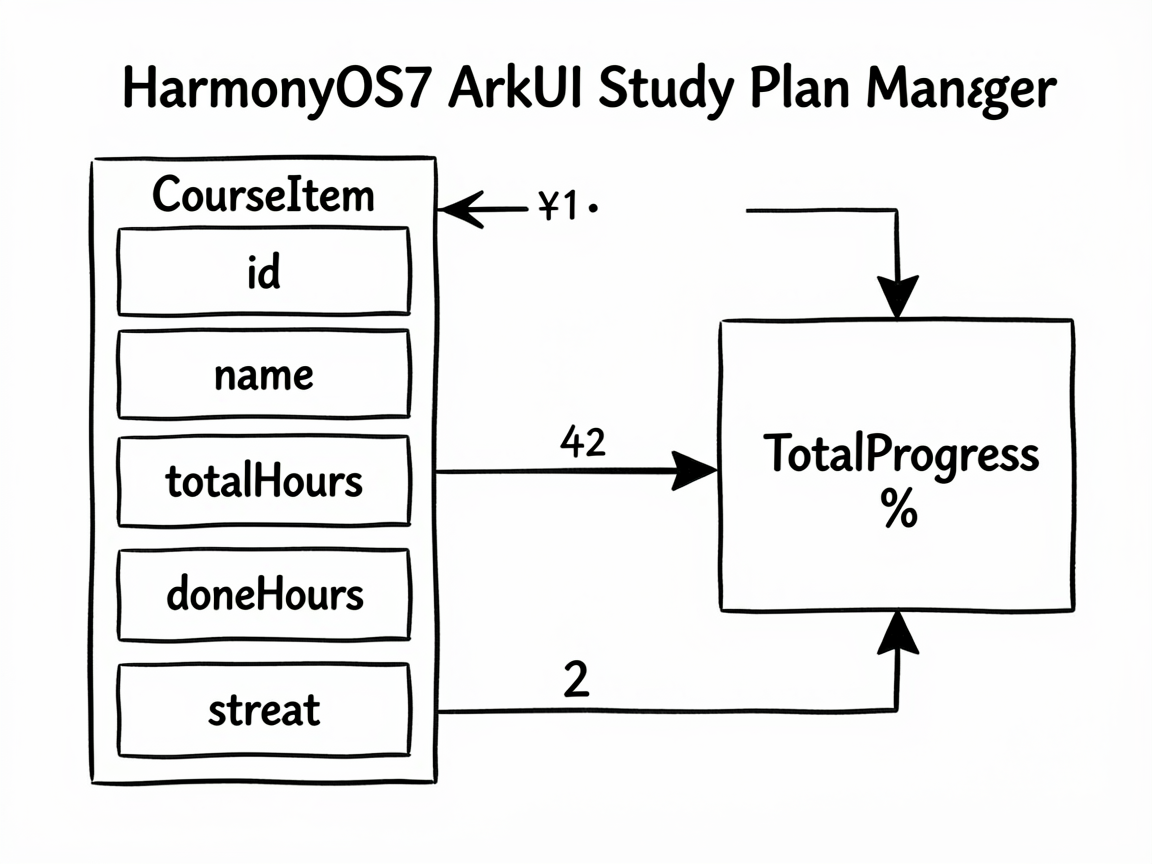
这个案例的主线是 学习计划管理,后面的 课程进度跟踪与学习打卡 则把页面做得更像真实业务页。读代码时,建议把交互、状态和列表这三条线一起看。
这个页面适合练什么
StudyPlanManagerPage 对应的是 学习计划管理 - 课程进度跟踪与学习打卡 这个业务场景。别把它只当成一个 UI 练习页,它真正有价值的地方在于:同一个页面里同时出现了状态切换、列表渲染、条件展示和用户反馈。
| 观察点 | 在这个案例里的表现 |
|---|---|
| 页面主题 | 学习计划管理 |
| 主要文案 | HarmonyOS开发, 编程, 第五章:组件通信, 英语口语训练, 语言, 商务场景对话 |
| 常用组件 | Button, Column, ForEach, Progress, Row, Scroll, Stack, Text |
| 适合练习 | 状态驱动 UI、局部刷新、事件回调、页面结构拆分 |
使用方法
把完整代码放进 ArkTS 页面文件后,就可以直接在预览器里运行。实际使用时,建议先手动点一遍页面里的主要交互,看状态有没有跟着变化;然后再去对照代码,理解每个 @State 字段到底控制了哪一块区域。
如果你想把这个案例改成自己的版本,我建议先做三件事:换掉模拟数据、调整筛选规则、再把重复结构抽成 Builder 或子组件。顺序别反,先改结构往往最容易把自己绕进去。
状态设计别忽略
ArkUI 页面写顺手之后,你会发现很多问题其实都不是样式问题,而是状态没放对位置。这个案例里能直接看到哪些数据是输入、哪些是选择、哪些是列表源,读起来会比较顺。
| 状态字段 | 类型 | 说明 |
|---|---|---|
courses |
CourseItem_stbu[] |
列表数据源,通常会交给 ForEach 或卡片区域渲染 |
weekData |
LearningDay[] |
记录当前展示状态或页面选择 |
selectedCourse |
number |
当前选中项,决定内容切换、高亮或过滤结果 |
todayMinutes |
number |
用户输入值,会直接参与计算、筛选或提交 |
showCheckIn |
boolean |
布尔状态,控制弹层、模式或显示隐藏 |
我自己看这类示例时,会先把
@State和事件函数圈出来,再去看布局。这样不会被大段Column、Row搞乱节奏。
关键代码单独看
片段 1:get totalProgress(): number {
这段代码我建议单独看。它通常负责派生数据、交互动作或者局部渲染逻辑,把这部分抽出去之后,页面主结构会干净很多,后续要改规则也更省事。
  get totalProgress(): number {
    const total = this.courses.reduce((sum: number, c: CourseItem_stbu) => sum + c.totalHours, 0)
    const done = this.courses.reduce((sum: number, c: CourseItem_stbu) => sum + c.doneHours, 0)
    return total === 0 ? 0 : Math.round(done / total * 100)
  }
片段 2:get weekMinutes(): number {
这段代码我建议单独看。它通常负责派生数据、交互动作或者局部渲染逻辑,把这部分抽出去之后,页面主结构会干净很多,后续要改规则也更省事。
  get weekMinutes(): number {
    return this.weekData.reduce((sum: number, d: LearningDay) => sum + d.minutes, 0)
  }
必读小结
适合拿来练手的能力:页面拆分、状态联动、条件渲染、交互反馈。
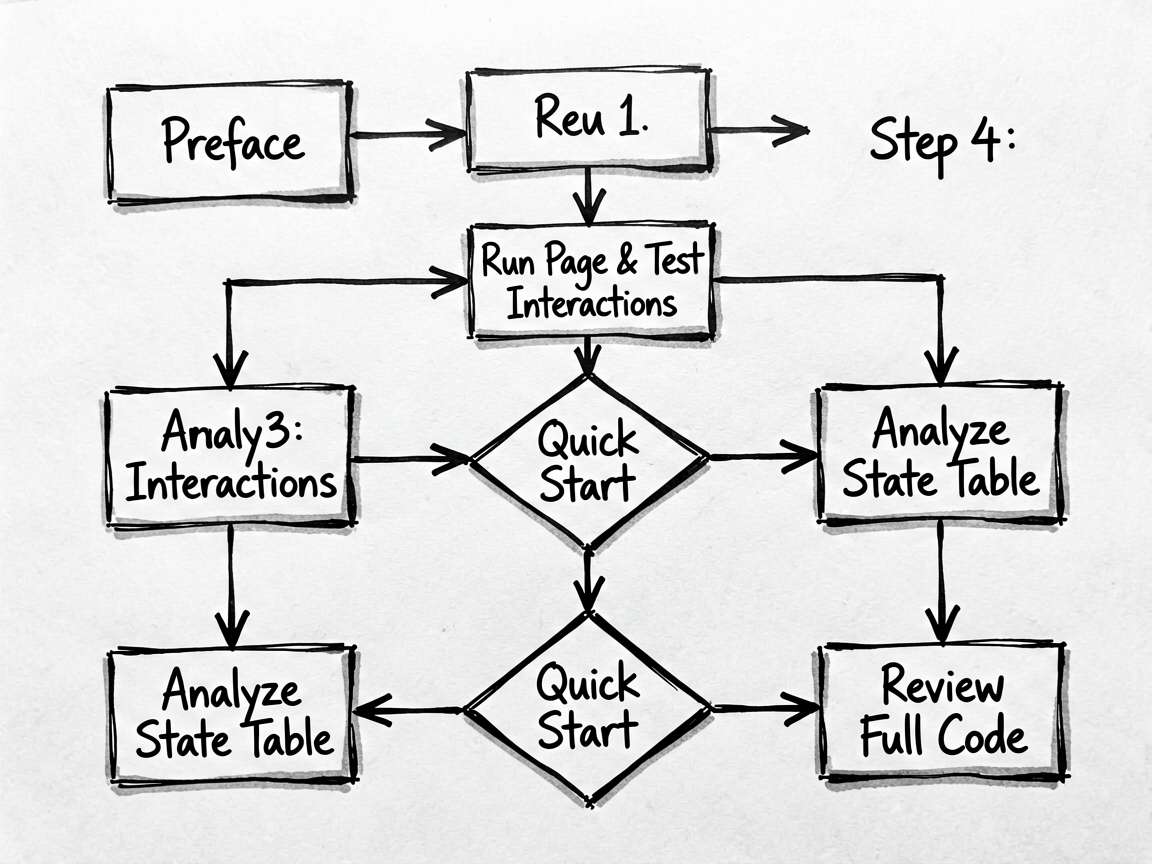
推荐阅读顺序:先看前言 -> 再跑页面 -> 再看状态表 -> 最后啃完整代码
如果只想快速上手,优先改模拟数据和交互函数,收益最高
- 点击或输入之后,界面有没有立即更新
- 列表渲染是否依赖了稳定的数据结构
- 筛选、统计、派生数据是不是单独放进函数里
- 是否还有重复布局可以继续抽出去
- 文案、颜色、间距是不是同一套风格
完整代码
// StudyPlanManagerPage - 学习计划管理 - 课程进度跟踪与学习打卡

interface CourseItem_stbu {
  id: number
  name: string
  icon: string
  color: string
  totalHours: number
  doneHours: number
  category: string
  nextLesson: string
  streak: number
}

interface LearningDay {
  date: string
  minutes: number
  isToday: boolean
}

@Entry
@Component
struct StudyPlanManagerPage {
  @State courses: CourseItem_stbu[] = [
    { id: 1, name: 'HarmonyOS开发', icon: '📱', color: '#1890ff', totalHours: 80, doneHours: 32, category: '编程', nextLesson: '第五章:组件通信', streak: 12 },
    { id: 2, name: '英语口语训练', icon: '🗣️', color: '#52c41a', totalHours: 60, doneHours: 18, category: '语言', nextLesson: '商务场景对话', streak: 5 },
    { id: 3, name: '数据结构与算法', icon: '🧮', color: '#722ed1', totalHours: 100, doneHours: 45, category: '编程', nextLesson: '动态规划入门', streak: 8 },
    { id: 4, name: '产品设计思维', icon: '🎨', color: '#fa8c16', totalHours: 40, doneHours: 40, category: '设计', nextLesson: '已完成!', streak: 0 },
    { id: 5, name: 'Figma高级技巧', icon: '✏️', color: '#eb2f96', totalHours: 30, doneHours: 12, category: '设计', nextLesson: '组件与变量系统', streak: 3 },
  ]
  @State weekData: LearningDay[] = [
    { date: '周一', minutes: 45, isToday: false },
    { date: '周二', minutes: 90, isToday: false },
    { date: '周三', minutes: 30, isToday: false },
    { date: '周四', minutes: 60, isToday: false },
    { date: '周五', minutes: 120, isToday: false },
    { date: '周六', minutes: 75, isToday: false },
    { date: '周日', minutes: 0, isToday: true },
  ]
  @State selectedCourse: number = -1
  @State todayMinutes: number = 0
  @State showCheckIn: boolean = false

  get totalProgress(): number {
    const total = this.courses.reduce((sum: number, c: CourseItem_stbu) => sum + c.totalHours, 0)
    const done = this.courses.reduce((sum: number, c: CourseItem_stbu) => sum + c.doneHours, 0)
    return total === 0 ? 0 : Math.round(done / total * 100)
  }

  get weekMinutes(): number {
    return this.weekData.reduce((sum: number, d: LearningDay) => sum + d.minutes, 0)
  }

  checkIn(minutes: number) {
    this.todayMinutes += minutes
    this.weekData = this.weekData.map((d) => { if (d.isToday) { d.minutes = d.minutes + minutes } return d })
    this.showCheckIn = false
  }

  @Builder
  StatsRow() {
    Row({ space: 12 }) {
      Column({ space: 4 }) {
        Text(`${this.totalProgress}%`)
          .fontSize(24).fontWeight(FontWeight.Bold).fontColor('#1890ff')
        Text('总进度').fontSize(12).fontColor('#999999')
      }
      .layoutWeight(1)
      .padding(14).backgroundColor('#e8f4ff').borderRadius(12)
      .alignItems(HorizontalAlign.Center)

      Column({ space: 4 }) {
        Text(`${Math.round(this.weekMinutes / 60)}`)
          .fontSize(24).fontWeight(FontWeight.Bold).fontColor('#52c41a')
        Text('本周学习(h)').fontSize(12).fontColor('#999999')
      }
      .layoutWeight(1)
      .padding(14).backgroundColor('#f0fff4').borderRadius(12)
      .alignItems(HorizontalAlign.Center)

      Column({ space: 4 }) {
        Text(`${this.courses.filter((c: CourseItem_stbu) => c.streak > 0).length}`)
          .fontSize(24).fontWeight(FontWeight.Bold).fontColor('#fa8c16')
        Text('连续打卡(课)').fontSize(12).fontColor('#999999')
      }
      .layoutWeight(1)
      .padding(14).backgroundColor('#fff7e6').borderRadius(12)
      .alignItems(HorizontalAlign.Center)
    }
    .width('100%')
  }

  @Builder
  WeekChart() {
    Column({ space: 10 }) {
      Row() {
        Text('本周学习趋势')
          .fontSize(14).fontWeight(FontWeight.Medium).fontColor('#1a1a1a')
        Blank()
        Text(`共 ${this.weekMinutes} 分钟`)
          .fontSize(12).fontColor('#aaaaaa')
      }
      .width('100%')

      Row({ space: 6 }) {
        ForEach(this.weekData, (day: LearningDay) => {
          Column({ space: 6 }) {
            Text(`${day.minutes}`)
              .fontSize(10).fontColor(day.isToday ? '#1890ff' : '#aaaaaa')
            Column()
              .width(32)
              .height(Math.max(6, day.minutes * 0.5))
              .backgroundColor(
                day.isToday ? '#1890ff' :
                  day.minutes >= 60 ? '#52c41a' :
                  day.minutes > 0 ? '#74b9ff' : '#f0f0f0'
              )
              .borderRadius({ topLeft: 4, topRight: 4 })
              .opacity(day.minutes === 0 ? 0.4 : 1)
            Text(day.date)
              .fontSize(11)
              .fontColor(day.isToday ? '#1890ff' : '#888888')
              .fontWeight(day.isToday ? FontWeight.Bold : FontWeight.Normal)
          }
          .layoutWeight(1)
          .alignItems(HorizontalAlign.Center)
          .justifyContent(FlexAlign.End)
          .height(100)
        })
      }
      .width('100%')
      .alignItems(VerticalAlign.Bottom)
    }
    .padding(16)
    .backgroundColor('#ffffff')
    .borderRadius(12)
  }

  @Builder
  CourseCard(course: CourseItem_stbu) {
    Column({ space: 10 }) {
      Row({ space: 12 }) {
        Text(course.icon).fontSize(28)

        Column({ space: 4 }) {
          Row({ space: 8 }) {
            Text(course.name)
              .fontSize(15).fontWeight(FontWeight.Bold).fontColor('#1a1a1a').layoutWeight(1)
            if (course.doneHours >= course.totalHours) {
              Text('✓ 完成').fontSize(11).fontColor('#52c41a')
                .backgroundColor('#f0fff4').padding({ left: 8, right: 8, top: 2, bottom: 2 }).borderRadius(10)
            }
          }
          Text(course.nextLesson)
            .fontSize(12).fontColor('#888888').maxLines(1).textOverflow({ overflow: TextOverflow.Ellipsis })
        }
        .layoutWeight(1)
        .alignItems(HorizontalAlign.Start)

        Column({ space: 2 }) {
          if (course.streak > 0) {
            Text(`🔥 ${course.streak}`)
              .fontSize(12).fontColor('#ff4d4f').fontWeight(FontWeight.Bold)
          }
          Text(course.category)
            .fontSize(11).fontColor(course.color).backgroundColor(course.color + '20')
            .padding({ left: 6, right: 6, top: 2, bottom: 2 }).borderRadius(8)
        }
        .alignItems(HorizontalAlign.End)
      }

      // 进度条
      Column({ space: 4 }) {
        Progress({ value: course.doneHours, total: course.totalHours, type: ProgressType.Linear })
          .width('100%').height(6).color(course.color).backgroundColor('#f0f0f0')
        Row() {
          Text(`${course.doneHours}h / ${course.totalHours}h`)
            .fontSize(11).fontColor('#aaaaaa')
          Blank()
          Text(`${Math.round(course.doneHours / course.totalHours * 100)}%`)
            .fontSize(12).fontColor(course.color).fontWeight(FontWeight.Medium)
        }
        .width('100%')
      }

      // 操作按钮
      if (course.doneHours < course.totalHours) {
        Row({ space: 10 }) {
          Button('继续学习')
            .layoutWeight(1).height(36).fontSize(13)
            .backgroundColor(course.color)
          Button('打卡记录')
            .layoutWeight(1).height(36).fontSize(13)
            .backgroundColor('#f5f5f5').fontColor('#666666')
            .onClick(() => { this.showCheckIn = true })
        }
        .width('100%')
      } else {
        Button('复习巩固')
          .width('100%').height(36).fontSize(13)
          .backgroundColor(course.color + '40').fontColor(course.color)
      }
    }
    .padding(16)
    .backgroundColor('#ffffff')
    .borderRadius(12)
  }

  build() {
    Stack({ alignContent: Alignment.Bottom }) {
      Column({ space: 0 }) {
        Row() {
          Column({ space: 2 }) {
            Text('学习计划').fontSize(22).fontWeight(FontWeight.Bold).fontColor('#1a1a1a')
            Text('坚持学习,每天进步一点点').fontSize(13).fontColor('#aaaaaa')
          }
          .alignItems(HorizontalAlign.Start)
          Blank()
          Text('今日 0 分钟')
            .fontSize(13).fontColor('#1890ff')
            .backgroundColor('#e8f4ff')
            .padding({ left: 10, right: 10, top: 4, bottom: 4 })
            .borderRadius(12)
        }
        .width('100%')
        .padding({ left: 16, right: 16, top: 16, bottom: 12 })
        .backgroundColor('#ffffff')

        Scroll() {
          Column({ space: 16 }) {
            this.StatsRow()
            this.WeekChart()

            Text('我的课程').fontSize(14).fontWeight(FontWeight.Medium).fontColor('#1a1a1a').width('100%')

            ForEach(this.courses, (course: CourseItem_stbu) => {
              this.CourseCard(course)
            })

            Column().height(32)
          }
          .padding({ left: 16, right: 16, top: 12 })
        }
        .layoutWeight(1)
        .backgroundColor('#f5f7fa')
      }
      .width('100%')
      .height('100%')

      // 打卡面板
      if (this.showCheckIn) {
        Column({ space: 16 }) {
          Row() {
            Text('学习打卡').fontSize(16).fontWeight(FontWeight.Bold).fontColor('#1a1a1a')
            Blank()
            Text('✕').fontSize(18).fontColor('#999999').onClick(() => { this.showCheckIn = false })
          }
          .width('100%')

          Text('今天学习了多久?').fontSize(14).fontColor('#555555').width('100%')

          Row({ space: 12 }) {
            ForEach([15, 30, 45, 60, 90, 120], (min: number) => {
              Text(`${min}分钟`)
                .fontSize(14)
                .fontColor('#1890ff')
                .backgroundColor('#e8f4ff')
                .padding({ left: 12, right: 12, top: 8, bottom: 8 })
                .borderRadius(20)
                .onClick(() => this.checkIn(min))
            })
          }
          .width('100%')

          Column().height(8)
        }
        .padding(20)
        .backgroundColor('#ffffff')
        .borderRadius({ topLeft: 20, topRight: 20 })
        .shadow({ radius: 16, color: '#00000020', offsetX: 0, offsetY: -4 })
      }
    }
    .width('100%')
    .height('100%')
  }
}
写在最后
这类案例最值得学的,其实不是某一个控件怎么写,而是页面组织方式。把状态放对、把交互函数收好、把布局压简单,后面你接正式项目时会轻松很多。

讨论HarmonyOS开发技术,专注于API与组件、DevEco Studio、测试、元服务和应用上架分发等。
更多推荐
 6
6 0
0- 0


 已为社区贡献59条内容

所有评论(0)