HarmonyOS菜谱——分类页面的筛选逻辑与路由传参
CategoryPage 是菜谱 App 里代码量最少的页面——没有搜索、没有计时器、没有收藏,只有一个导航栏和一个菜谱列表。但它的核心价值在于"按条件筛选数据"——接收首页传来的分类名,从 8 道菜谱里过滤出属于该分类的子集。这个"传参 → 查询 → 展示"的流程是所有列表筛选页面的标准模式。
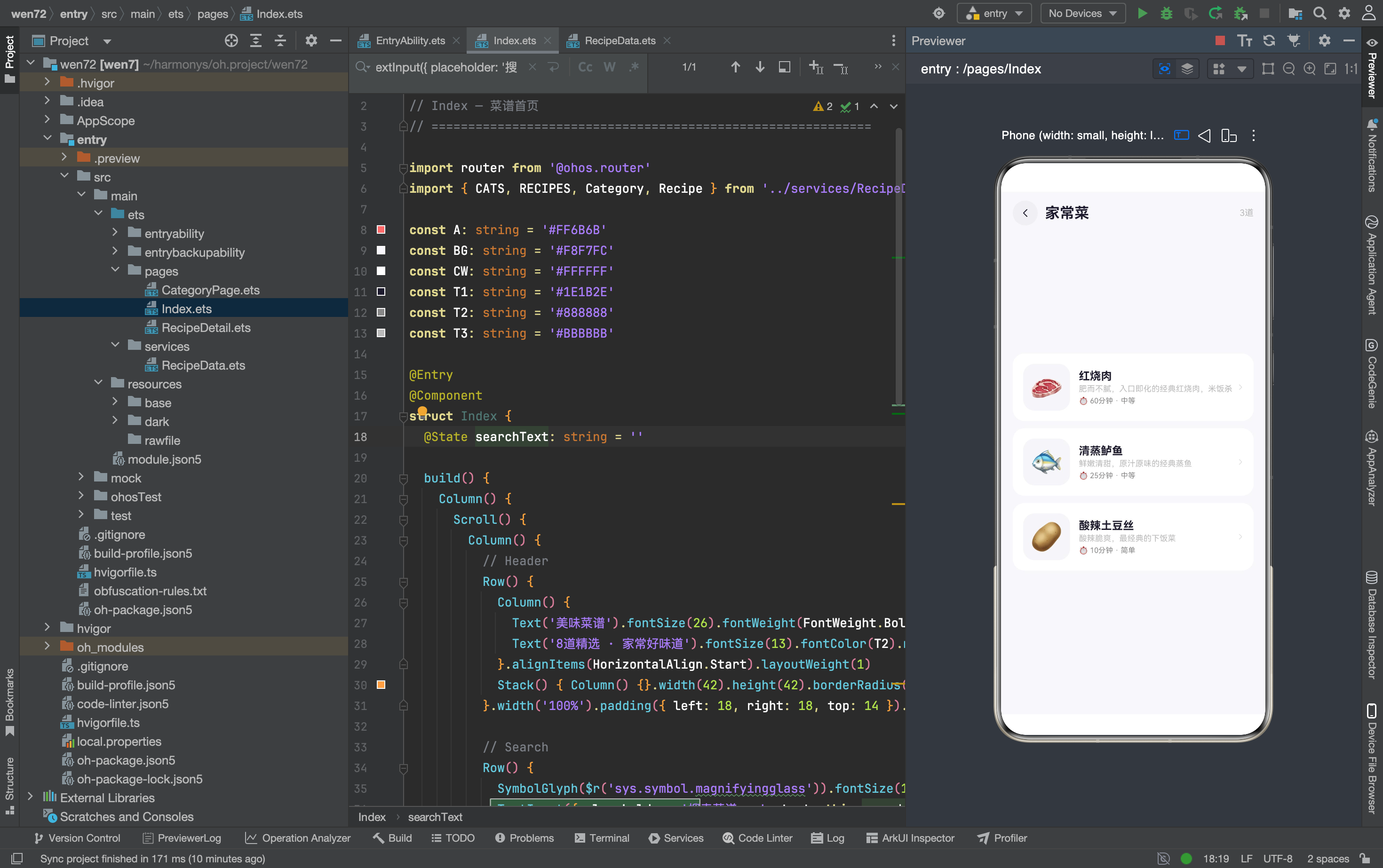
完整效果
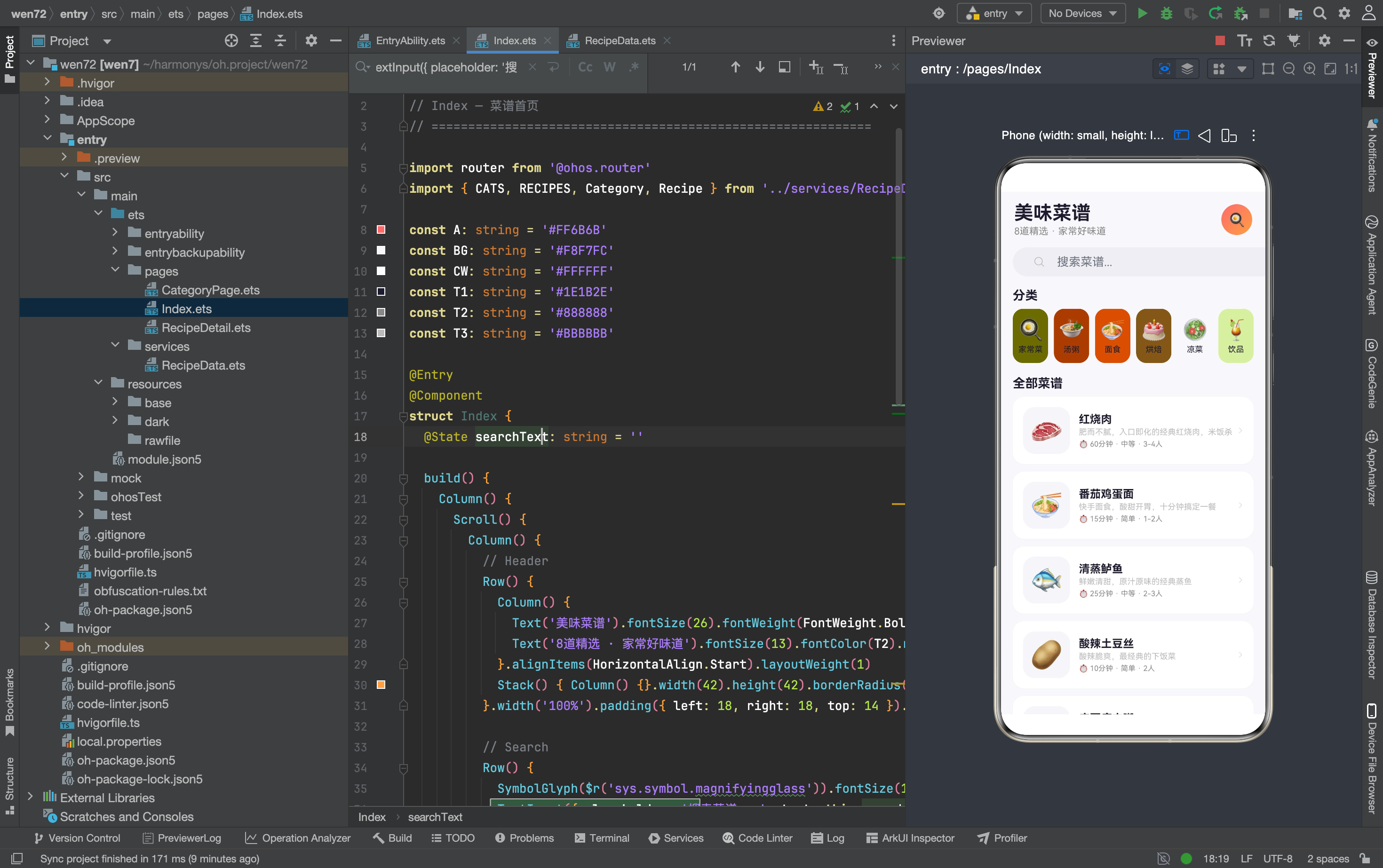
一、路由参数的接收与解析
@State recipes: Recipe[] = []
@State cat: string = ''

aboutToAppear(): void {
  const p = router.getParams() as Record<string, Object>
  if (p && p['cat']) { this.cat = p['cat'] as string; this.recipes = getRecipesByCat(this.cat) }
}
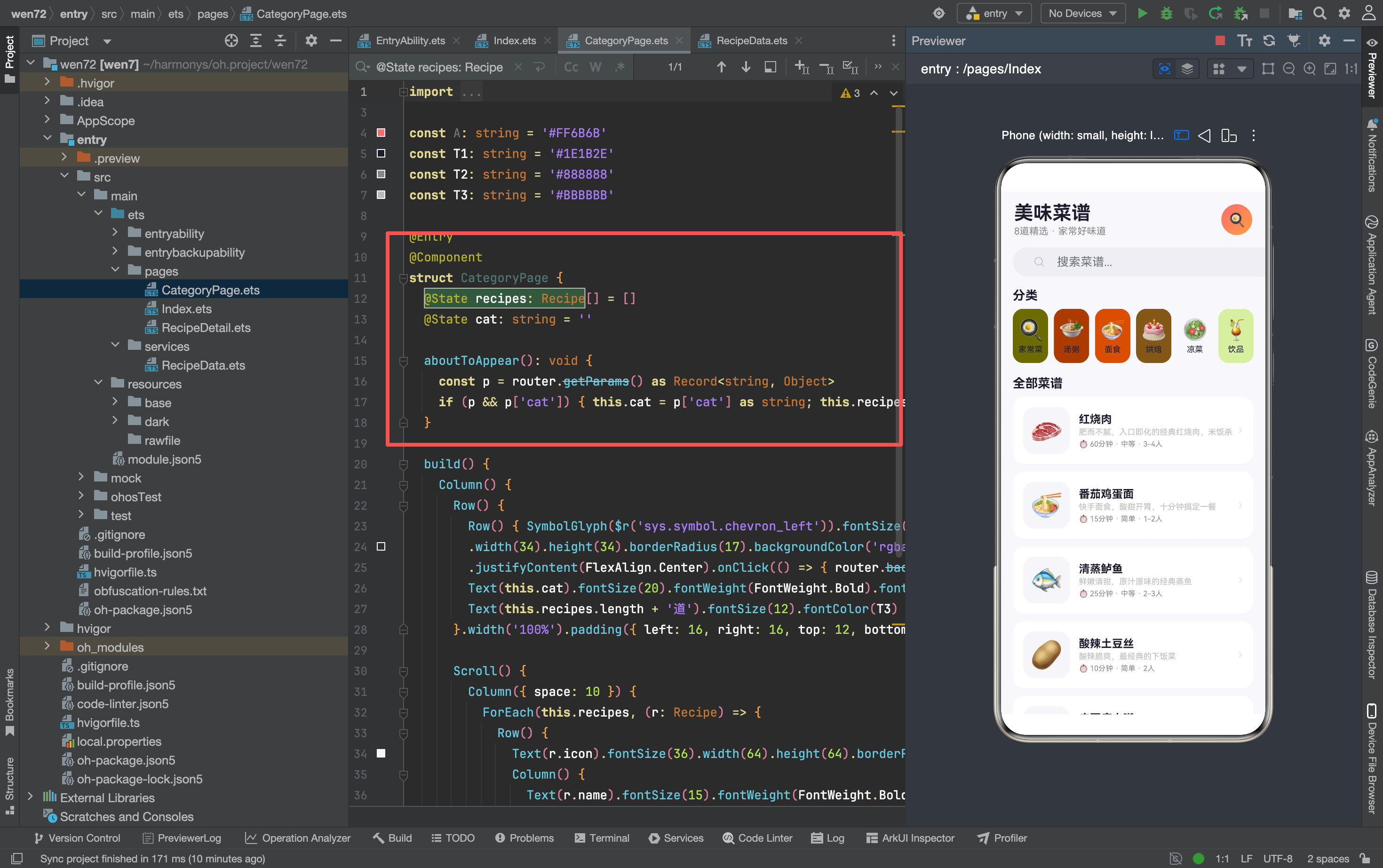
三个关键步骤:
第一步:router.getParams() as Record<string, Object>——获取路由参数并断言类型。router.getParams() 返回的是 Record<string, Object> | undefined——可能有参数也可能没有。用 as Record<string, Object> 强制断言为对象类型,方便后续通过 key 访问。
第二步:if (p && p['cat'])——防御性检查。先判断 p 是否存在(用户直接打开 CategoryPage 时没有参数),再判断 p['cat'] 是否有值。两层检查保证不会在空参数上调用 as string 导致运行时错误。
第三步:this.recipes = getRecipesByCat(this.cat)——用分类名查询菜谱。getRecipesByCat 遍历 RECIPES 数组,过滤 category === cat 的菜谱,返回新数组。
这三个步骤可以缩写成一行:
// 缩写版本
aboutToAppear(): void {
  const p = router.getParams() as Record<string, Object>
  this.cat = (p?.['cat'] as string) ?? ''
  this.recipes = this.cat ? getRecipesByCat(this.cat) : []
}
?. 可选链在 p 为 undefined 时返回 undefined,?? 空值合并在 undefined 时返回默认值。但缩写版本的可读性不如原始版本——在教程和博客里,展开写更清晰。
和其他 App 的参数接收对比
// 智能家居 RoomPage
const p: Record<string, Object> = router.getParams() as Record<string, Object>
this.room = (p['room'] as Object) as string

// 旅行探索 CityDetail
const p = router.getParams() as Record<string, Object>
const cityId = (p['cityId'] as Object) as number
三个 App 的参数接收方式完全一致——router.getParams() + as Record<string, Object> + key 取值 + 类型断言。这是 ArkTS 路由传参的标准写法,没有其他替代方案。
二、导航栏的特殊处理
Row() {
  Row() { SymbolGlyph($r('sys.symbol.chevron_left')).fontSize(20).fontColor([T1]) }
  .width(34).height(34).borderRadius(17).backgroundColor('rgba(0,0,0,0.03)')
  .justifyContent(FlexAlign.Center).onClick(() => { router.back() })
  Text(this.cat).fontSize(20).fontWeight(FontWeight.Bold).fontColor(T1)
    .margin({ left: 10 }).layoutWeight(1)
  Text(this.recipes.length + '道').fontSize(12).fontColor(T3)
}.width('100%').padding({ left: 16, right: 16, top: 12, bottom: 8 })
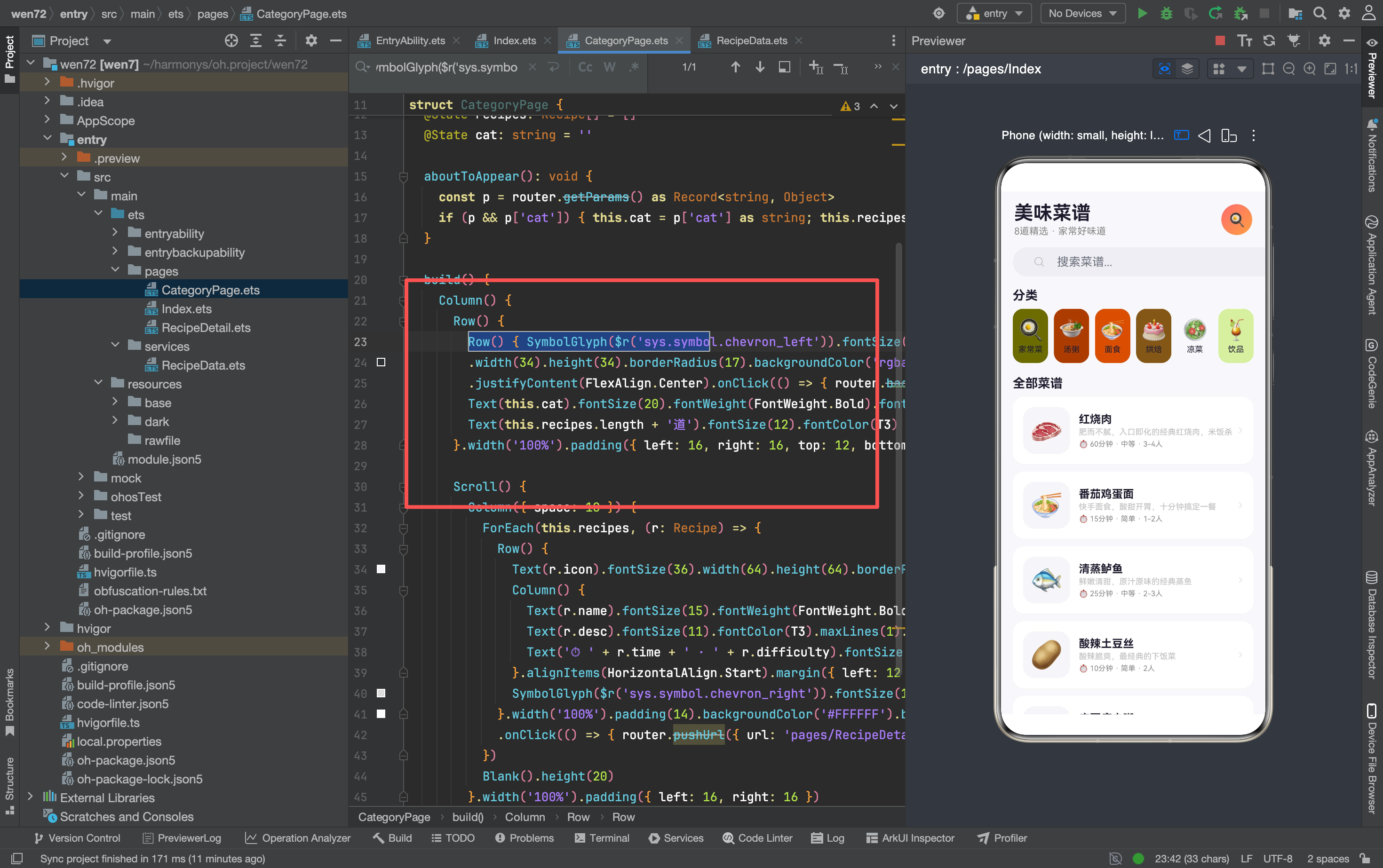
导航栏结构和其他页面一致(返回按钮 + 标题 + layoutWeight(1)),但右侧多了一个菜谱数量显示——this.recipes.length + '道'。
这个数量是动态的:传入"家常菜"显示"3道",传入"汤粥"显示"1道"。用 this.recipes.length 动态计算,而不是写死数字。这保证了分类页显示的数量和实际过滤结果一致。
导航栏的标题用 this.cat(分类名)而不是固定字符串——“家常菜”“汤粥”"面食"等,取决于用户从首页点击了哪个分类。这让同一个 CategoryPage 能复用于所有 6 个分类。
三、菜谱列表的渲染
Scroll() {
  Column({ space: 10 }) {
    ForEach(this.recipes, (r: Recipe) => {
      Row() {
        Text(r.icon).fontSize(36).width(64).height(64).borderRadius(16)
          .backgroundColor('#F5F5FA').textAlign(TextAlign.Center)
        Column() {
          Text(r.name).fontSize(15).fontWeight(FontWeight.Bold).fontColor(T1)
          Text(r.desc).fontSize(11).fontColor(T3).maxLines(1).margin({ top: 2 })
          Text('⏱ ' + r.time + ' · ' + r.difficulty)
            .fontSize(10).fontColor(T2).margin({ top: 4 })
        }.alignItems(HorizontalAlign.Start).margin({ left: 12 }).layoutWeight(1)
        SymbolGlyph($r('sys.symbol.chevron_right')).fontSize(14).fontColor(['#DDD'])
      }.width('100%').padding(14).backgroundColor('#FFFFFF').borderRadius(16)
      .onClick(() => {
        router.pushUrl({ url: 'pages/RecipeDetail',
          params: { 'id': r.id } as Record<string,Object> })
      })
    })
    Blank().height(20)
  }.width('100%').padding({ left: 16, right: 16 })
}.width('100%').layoutWeight(1)
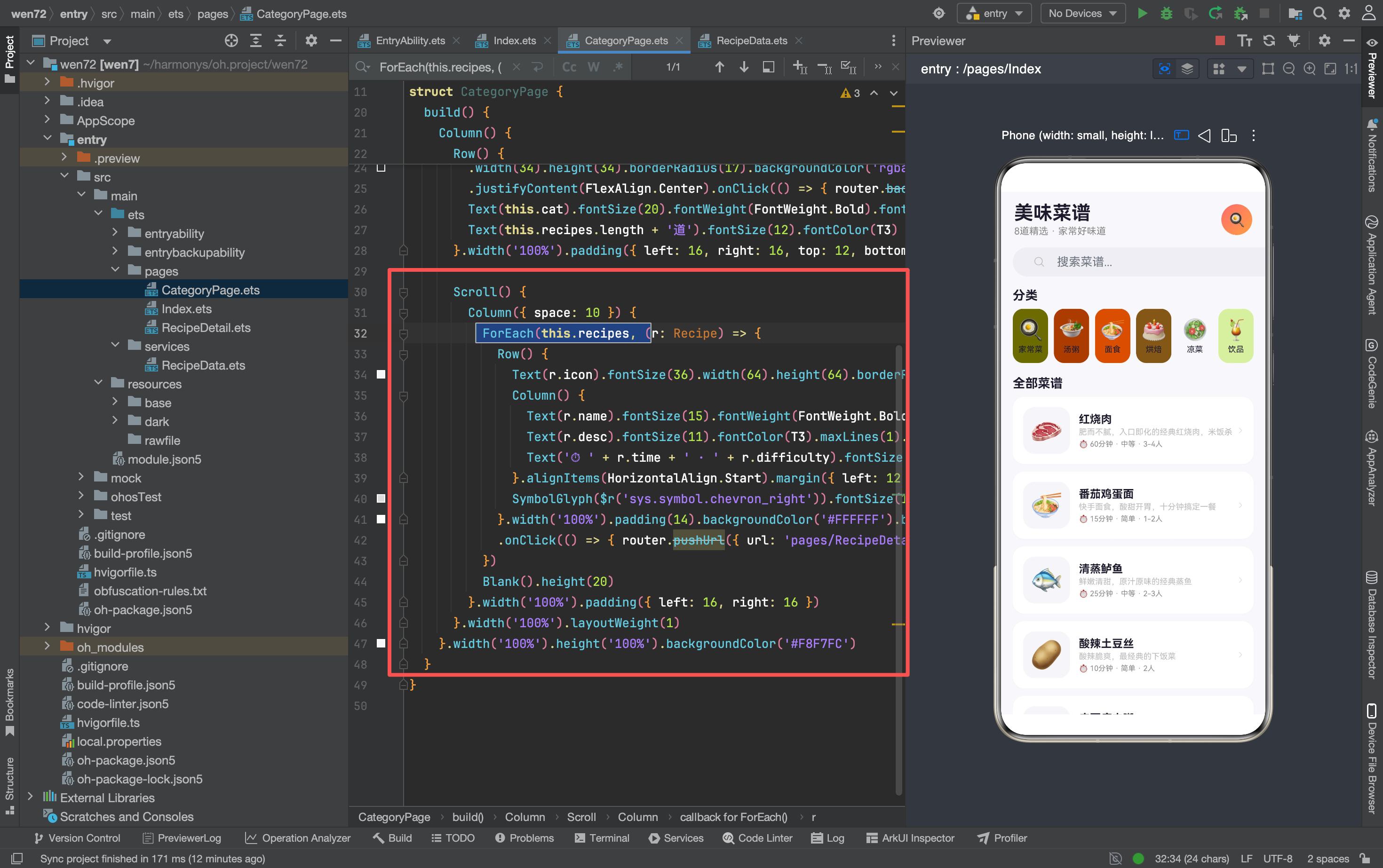
菜谱列表和首页几乎完全一致——同样的卡片结构、同样的布局参数。唯一区别是第三行信息:首页用了三个独立 Text + “·” 分隔,CategoryPage 用了一个 Text 拼接字符串。
this.recipes 而不是 RECIPES
这是一个关键区别——CategoryPage 遍历的是 this.recipes(@State 数组,经过过滤的子集),不是 RECIPES(全量数组)。这意味着:
- 传入"家常菜"→
this.recipes只有 3 道菜(红烧肉、清蒸鲈鱼、酸辣土豆丝)→ 列表只渲染 3 个卡片 - 传入"汤粥"→
this.recipes只有 1 道菜(皮蛋瘦肉粥)→ 列表只渲染 1 个卡片 - 传入不存在的分类→
this.recipes为空数组→ 列表不渲染任何卡片
过滤在 aboutToAppear 里完成,this.recipes 一旦赋值就不会再变化——因为 CategoryPage 没有搜索功能,不需要动态重新过滤。
空列表的处理
当传入不存在的分类名时,getRecipesByCat 返回空数组,ForEach 不渲染任何卡片,页面只有导航栏和空白区域。当前没有做"暂无菜谱"的空状态提示——这是一个可以优化的点:
if (this.recipes.length === 0) {
  Column() {
    Text('🍽').fontSize(48).margin({ bottom: 12 })
    Text('该分类暂无菜谱').fontSize(14).fontColor(T2)
  }.width('100%').padding(40).justifyContent(FlexAlign.Center)
}
在 ForEach 之前加一个空状态判断——数组为空时显示提示,不为空时显示列表。这种"空状态处理"是列表页面的标准实践,能避免用户看到空白页面时困惑"是加载失败还是真的没有数据"。
四、分类数据的完整结构
export const CATS: Category[] = [
  { name: '家常菜', icon: '🍳', color: '#FF6B6B' },
  { name: '汤粥', icon: '🍲', color: '#FF9F43' },
  { name: '面食', icon: '🍜', color: '#FECA57' },
  { name: '烘焙', icon: '🎂', color: '#E8734A' },
  { name: '凉菜', icon: '🥗', color: '#00B894' },
  { name: '饮品', icon: '🍹', color: '#5DADE2' },
]
6 个分类,每个有独立的 name、icon、color。分类名和 Recipe 的 category 字段一一对应:
| 分类 | 颜色 | 对应菜谱 |
|---|---|---|
| 家常菜 | #FF6B6B 红 | 红烧肉、清蒸鲈鱼、酸辣土豆丝 |
| 汤粥 | #FF9F43 橙 | 皮蛋瘦肉粥 |
| 面食 | #FECA57 黄 | 番茄鸡蛋面 |
| 烘焙 | #E8734A 深橙 | 戚风蛋糕 |
| 凉菜 | #00B894 绿 | 拍黄瓜 |
| 饮品 | #5DADE2 蓝 | 杨枝甘露 |
分类数量分布不均匀——家常菜有 3 道,其他分类各 1 道。这是 mock 数据的典型特征:为了让每个分类都有内容,给最多的分类(家常菜)多分配了几道菜。
五、"传参 → 查询 → 展示"的标准模式
CategoryPage 的数据流可以用三步概括:
首页点击分类 → router.pushUrl(params: { cat: '家常菜' })
                              ↓
CategoryPage 接收参数 → getRecipesByCat('家常菜')
                              ↓
过滤结果赋值 @State → ForEach 渲染 3 个菜谱卡片
这个模式适用于所有"列表筛选"场景:
| 应用场景 | 传参 | 查询函数 | 展示 |
|---|---|---|---|
| 菜谱分类页 | cat: string | getRecipesByCat(cat) | 菜谱列表 |
| 智能家居房间页 | room: string | getDevicesByRoom(room) | 设备列表 |
| 旅行城市详情 | cityId: number | CITIES 常量遍历 | 城市信息 |
三个步骤的代码结构几乎一样——接收参数用 router.getParams(),查询数据用遍历过滤函数,展示数据用 ForEach + @State。掌握了这个模式,就能快速实现任何"按条件筛选列表"的页面。
六、和首页的导航栏对比
两个页面的导航栏结构一致,但右侧内容不同:
首页: 右侧无内容,标题固定"美味菜谱"
CategoryPage: 右侧有菜谱数量,标题动态显示分类名
如果要统一导航栏,可以抽取 Builder:
@Builder NavBar(title: string, extra?: string) {
  Row() {
    Row() { SymbolGlyph($r('sys.symbol.chevron_left')).fontSize(20).fontColor([T1]) }
    .width(34).height(34).borderRadius(17).backgroundColor('rgba(0,0,0,0.03)')
    .justifyContent(FlexAlign.Center).onClick(() => { router.back() })
    Text(title).fontSize(20).fontWeight(FontWeight.Bold).fontColor(T1)
      .margin({ left: 10 }).layoutWeight(1)
    if (extra) { Text(extra).fontSize(12).fontColor(T3) }
  }.width('100%').padding({ left: 16, right: 16, top: 12, bottom: 8 })
}
extra 是可选参数——传了就显示,不传就不显示。首页调用 NavBar('美味菜谱'),CategoryPage 调用 NavBar(this.cat, this.recipes.length + '道')。
当前没有抽取——因为只有两个页面用到,且首页没有返回按钮(是入口页面),强行统一需要加更多参数判断。在 3 个页面的规模下,各自写导航栏更清晰。

讨论HarmonyOS开发技术,专注于API与组件、DevEco Studio、测试、元服务和应用上架分发等。
更多推荐



 6
6 0
0- 0


 已为社区贡献159条内容

所有评论(0)