HarmonyOS今天吃什么——数据库层的持久化设计与CRUD实现
美食转盘的数据层藏了一个有意思的设计决策——用文件存储食物数据,用 Preferences 存主题设置。同样是持久化,为什么不能统一用一种方案?因为数据量不同:食物数组可能有几十上百条记录,每次转盘都要全量读取和筛选;主题设置只有一个字符串。文件存储适合"大块数据",Preferences 适合"小配置"。这个区分决定了整个数据层的架构。
完整效果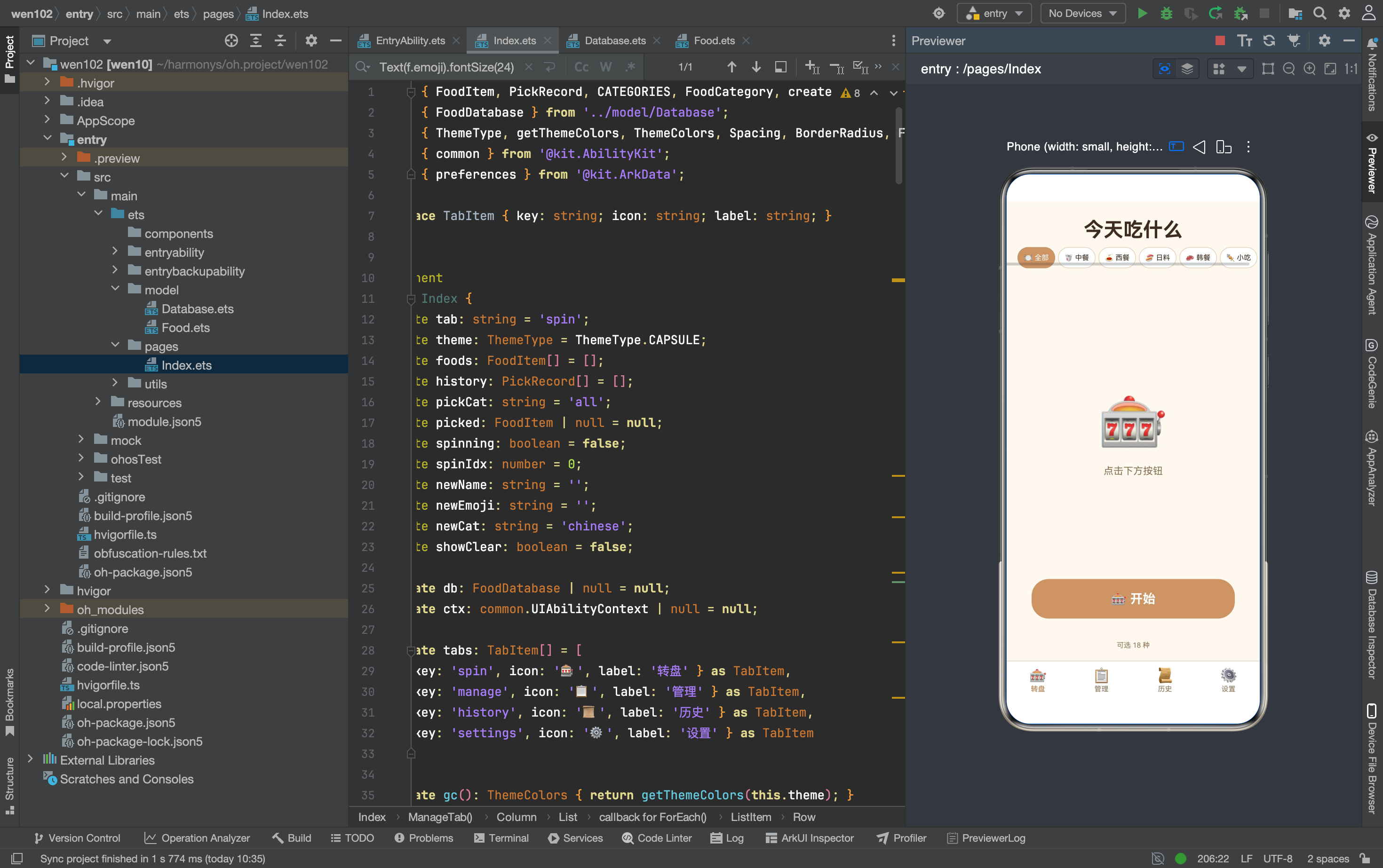
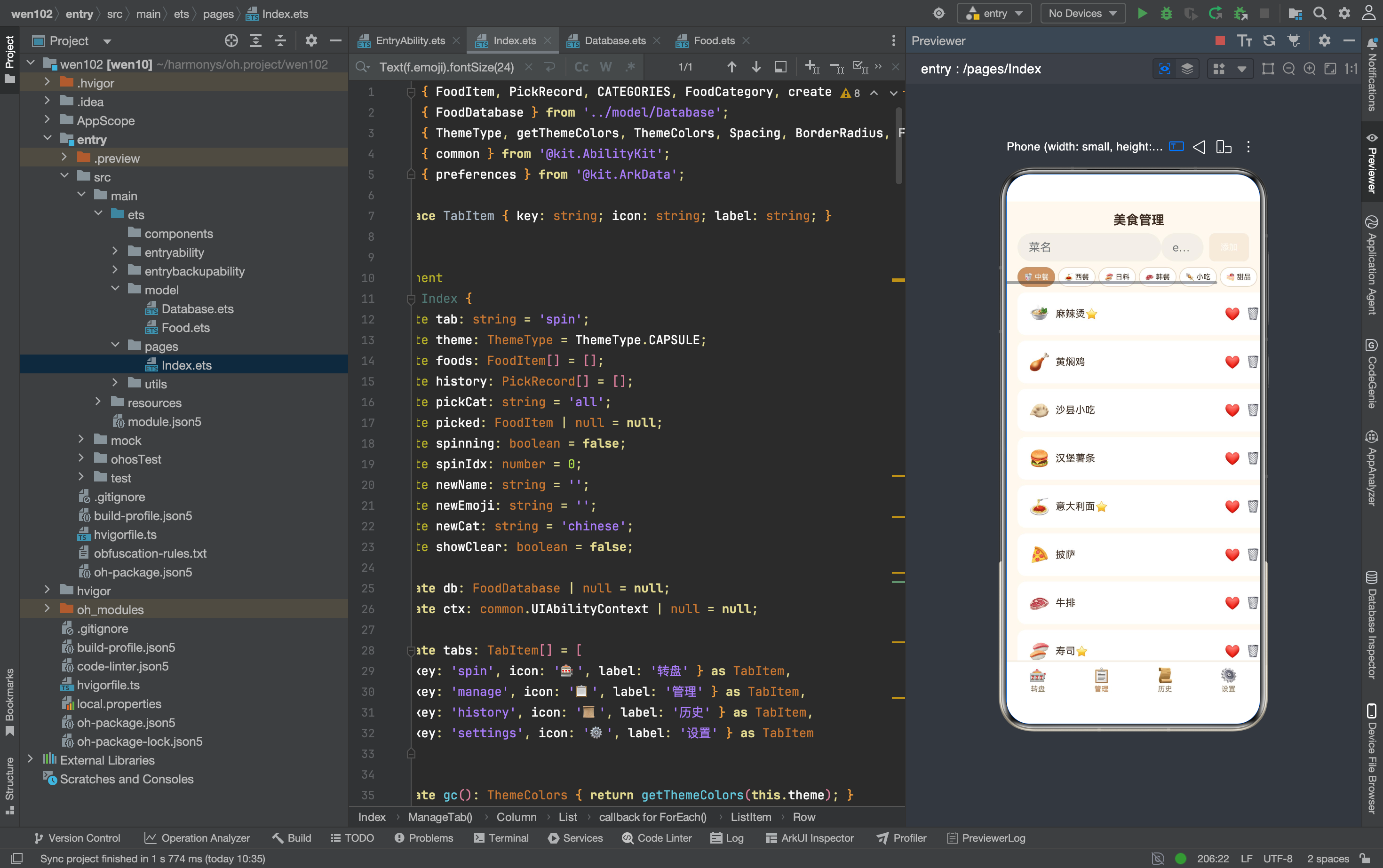
一、为什么用文件而不是 Preferences
两种持久化方案的对比
| 特性 | Preferences | 文件 (fileIo) |
|---|---|---|
| 数据量 | 单键 ≤ 1MB | 无限制 |
| 数据结构 | 字符串/数字/布尔 | 任意 JSON |
| 读写方式 | key-value | 全量读/全量写 |
| 适合场景 | 配置项(主题、开关) | 列表数据(食物、历史) |
Preferences 是钥匙柜——每把钥匙对应一个小抽屉。文件是档案袋——一个袋子装一整份数据。 食物数据需要按分类筛选、按收藏过滤、统计 pickCount——这些操作必须拿到完整数组才能做。用 Preferences 存 50 个食物需要 50 次 get 调用,用文件只需要 1 次 read。
这个 App 的数据分布
| 数据 | 存储方案 | 原因 |
|---|---|---|
| 食物列表 | foods.json 文件 | 大数组,需要筛选 |
| 历史记录 | history.json 文件 | 大数组,需要排序 |
| 主题设置 | Preferences | 单值,频繁读取 |
两种方案各管各的领地——不混用,不替代。
二、数据库类的初始化
两个文件路径
constructor(ctx: common.UIAbilityContext) {
  this.fp = ctx.filesDir + '/foods.json';
  this.hp = ctx.filesDir + '/history.json';
}
构造函数接收 UIAbilityContext——不是页面级的 Context。 这是 Stage 模型的要求:fileIo 操作需要应用级 Context 的 filesDir 路径。页面级 Context 的 filesDir 可能不同。
init 方法的五步加载
async init(): Promise<void> {
  try {
    const fd = this.read(this.fp);
    this.foods = fd ? JSON.parse(fd) as FoodItem[] : getDefaultFoods();
    if (!fd) this.saveFoods();
    const hd = this.read(this.hp);
    this.history = hd ? JSON.parse(hd) as PickRecord[] : [];
  } catch (e) { this.foods = getDefaultFoods(); this.history = []; }
}
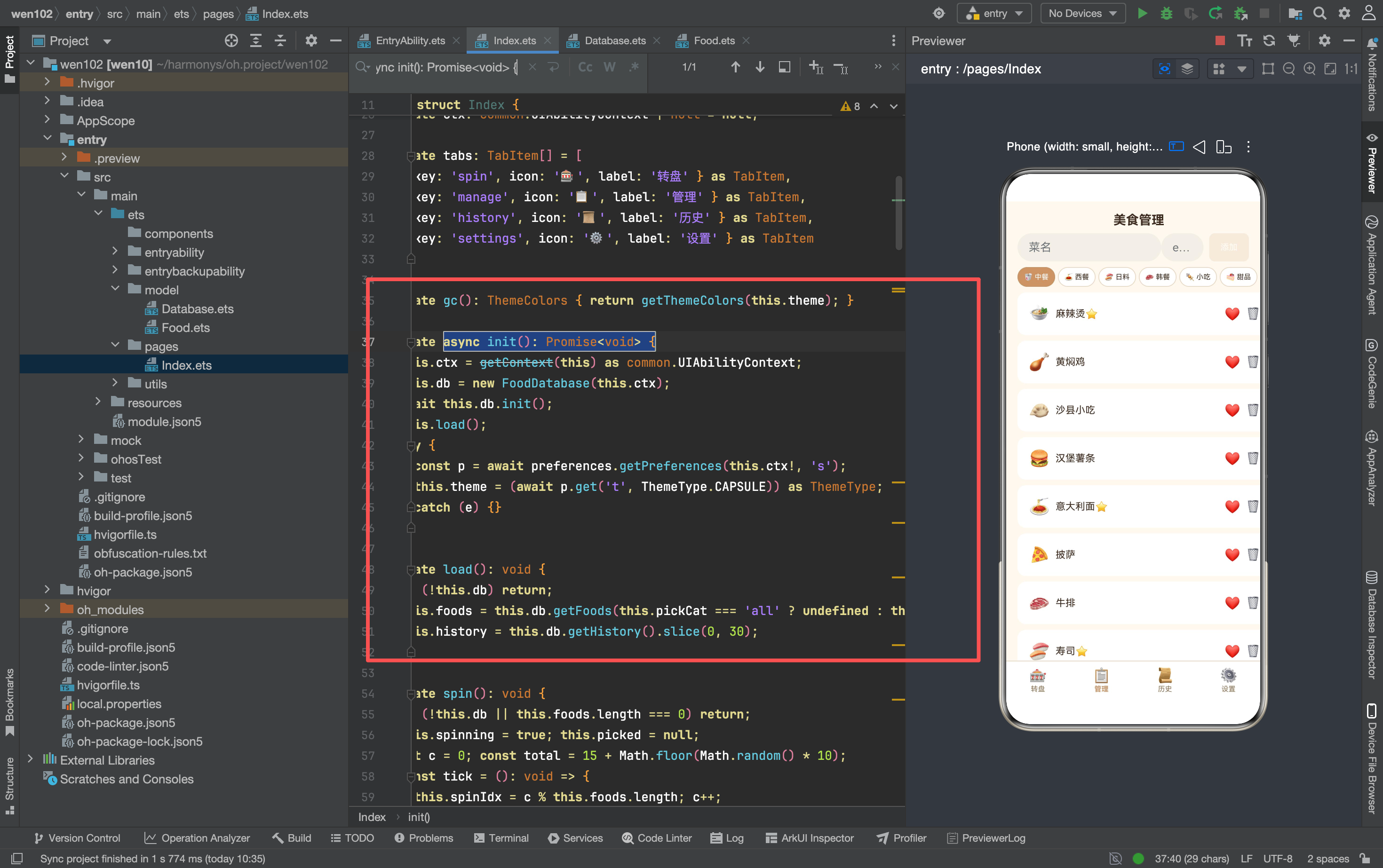
五步操作:
| 步骤 | 操作 | 目的 |
|---|---|---|
| 1 | read(foods.json) | 读取食物数据 |
| 2 | 判断文件是否存在 | 有→解析,无→用默认数据 |
| 3 | 首次写入默认数据 | 给 foods.json 创建初始内容 |
| 4 | read(history.json) | 读取历史数据 |
| 5 | catch 兜底 | 文件损坏时恢复默认 |
“有则解析,无则创建”——初始化逻辑兼顾首次运行和后续加载。 catch 块防止 JSON.parse 报错导致整个数据库崩溃。
getDefaultFoods() 的作用
this.foods = fd ? JSON.parse(fd) as FoodItem[] : getDefaultFoods();
首次运行时 foods.json 不存在,read 返回空字符串,fd 为 falsy——用 getDefaultFoods() 填充。 然后立刻 saveFoods() 把默认数据写入文件——下次启动就能读到了。
三、文件读写的底层实现
read 方法
private read(f: string): string {
  if (!fileIo.accessSync(f)) return '';
  const s = fileIo.statSync(f);
  const fd = fileIo.openSync(f, fileIo.OpenMode.READ_ONLY);
  const ab = new ArrayBuffer(s.size);
  fileIo.readSync(fd.fd, ab);
  fileIo.closeSync(fd);
  return buffer.from(ab).toString();
}
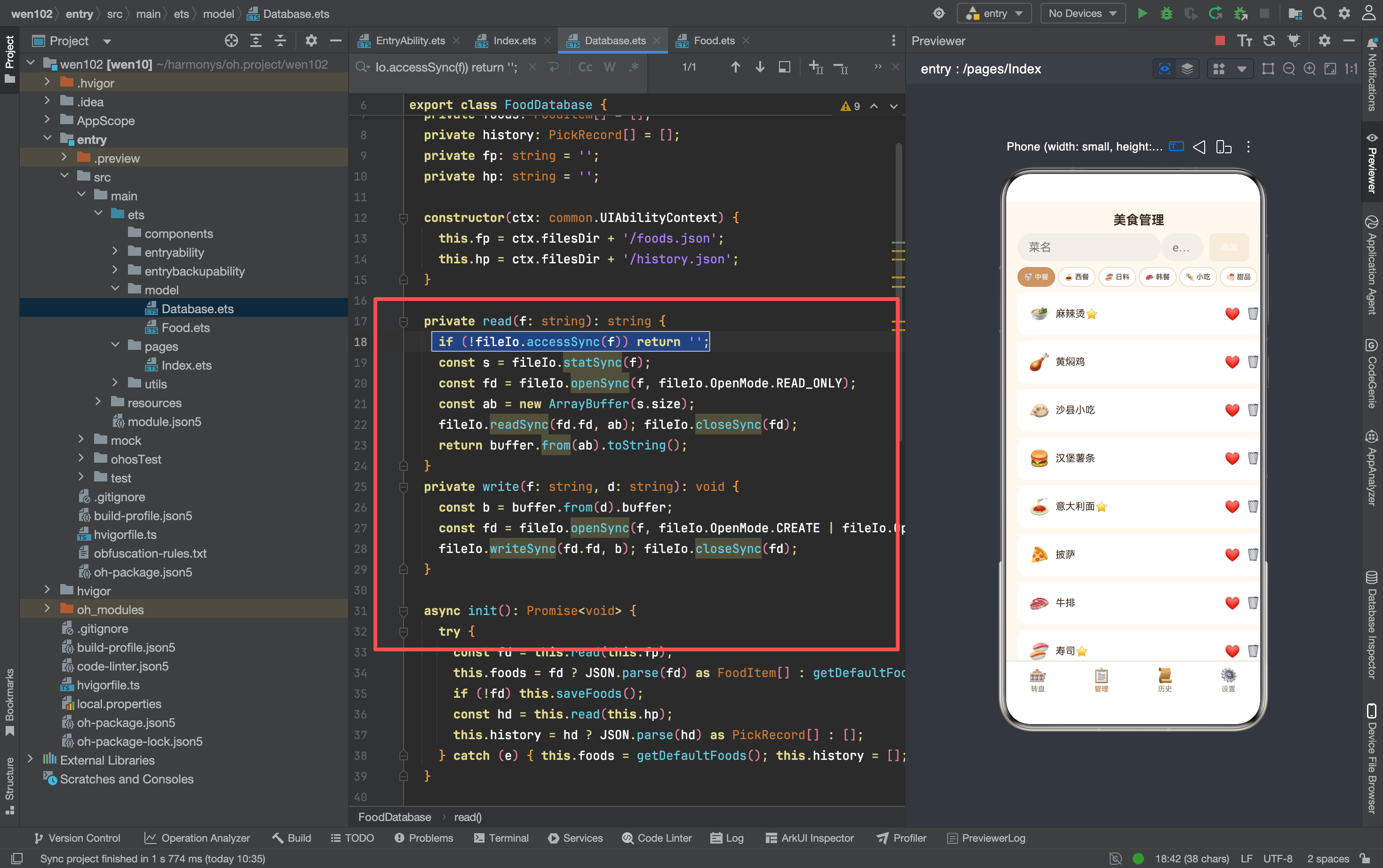
四步操作:
| 步骤 | API | 作用 |
|---|---|---|
| 1 | accessSync | 检查文件是否存在 |
| 2 | statSync | 获取文件大小 |
| 3 | openSync + readSync | 打开文件,读取全部内容到 ArrayBuffer |
| 4 | buffer.from(ab).toString() | 把 ArrayBuffer 转成字符串 |
为什么用 ArrayBuffer 而不是直接读字符串? fileIo 的 readSync 接收 ArrayBuffer 参数——这是 HarmonyOS 文件 API 的设计。读完后用 buffer 模块转换成字符串。
write 方法
private write(f: string, d: string): void {
  const b = buffer.from(d).buffer;
  const fd = fileIo.openSync(f, fileIo.OpenMode.CREATE | fileIo.OpenMode.WRITE_ONLY);
  fileIo.writeSync(fd.fd, b);
  fileIo.closeSync(fd);
}
CREATE | WRITE_ONLY 模式——文件不存在就创建,存在就覆盖。 每次写入都是全量替换——整个 foods.json 被新数据覆盖。这比增量写入简单,但数据量大时可能有性能问题。对于几十条食物记录来说,全量写入完全够用。
读写对称性
read:  accessSync → statSync → openSync(READ_ONLY) → readSync → closeSync
write: buffer.from → openSync(CREATE|WRITE_ONLY) → writeSync → closeSync
read 和 write 是对称的——一个读 ArrayBuffer 转字符串,一个字符串转 ArrayBuffer 写入。 这是文件 I/O 的标准模式。
四、CRUD 操作的实现
Create——addFood
async addFood(f: FoodItem): Promise<void> {
  this.foods.push(f);
  await this.saveFoods();
}
push 直接修改内存数组,然后异步写入文件。 两步操作不是原子的——如果 push 后、saveFoods 前崩溃,内存数据和文件数据不一致。但对于本地 App 来说,这个窗口极小,可以接受。
Read——getFoods
getFoods(cat?: string): FoodItem[] {
  if (!cat || cat === 'all') return this.foods.slice();
  return this.foods.filter((f: FoodItem) => f.category === cat);
}
slice() 返回浅拷贝——防止外部修改影响内部数据。 filter() 返回新数组——不影响原数组。两个方法都保证了数据的不可变性。
Update——toggleFav
async toggleFav(id: string): Promise<void> {
  const f = this.foods.find((x: FoodItem) => x.id === id);
  if (f) { f.isFavorite = !f.isFavorite; await this.saveFoods(); }
}
find 找到对象引用,直接修改属性。 对象是引用类型——修改 f.isFavorite 等同于修改 this.foods[i].isFavorite。
Delete——deleteFood
async deleteFood(id: string): Promise<void> {
  const i = this.foods.findIndex((f: FoodItem) => f.id === id);
  if (i >= 0) { this.foods.splice(i, 1); await this.saveFoods(); }
}
findIndex 找到索引,splice 删除元素。 splice 会修改原数组——这是预期行为。findIndex 比 find 多返回索引,用于 splice。
五、转盘抽签的 pick 方法
这是整个数据库最复杂的方法:
async pick(cat?: string): Promise<FoodItem | null> {
  const pool = this.getFoods(cat);
  if (pool.length === 0) return null;
  const p = pool[Math.floor(Math.random() * pool.length)];
  p.pickCount++; p.lastPicked = Date.now();
  await this.saveFoods();
  this.history.push({
    id: 'h_' + Date.now(),
    foodName: p.name,
    emoji: p.emoji,
    category: p.category,
    pickedAt: Date.now()
  } as PickRecord);
  await this.saveHistory();
  return p;
}
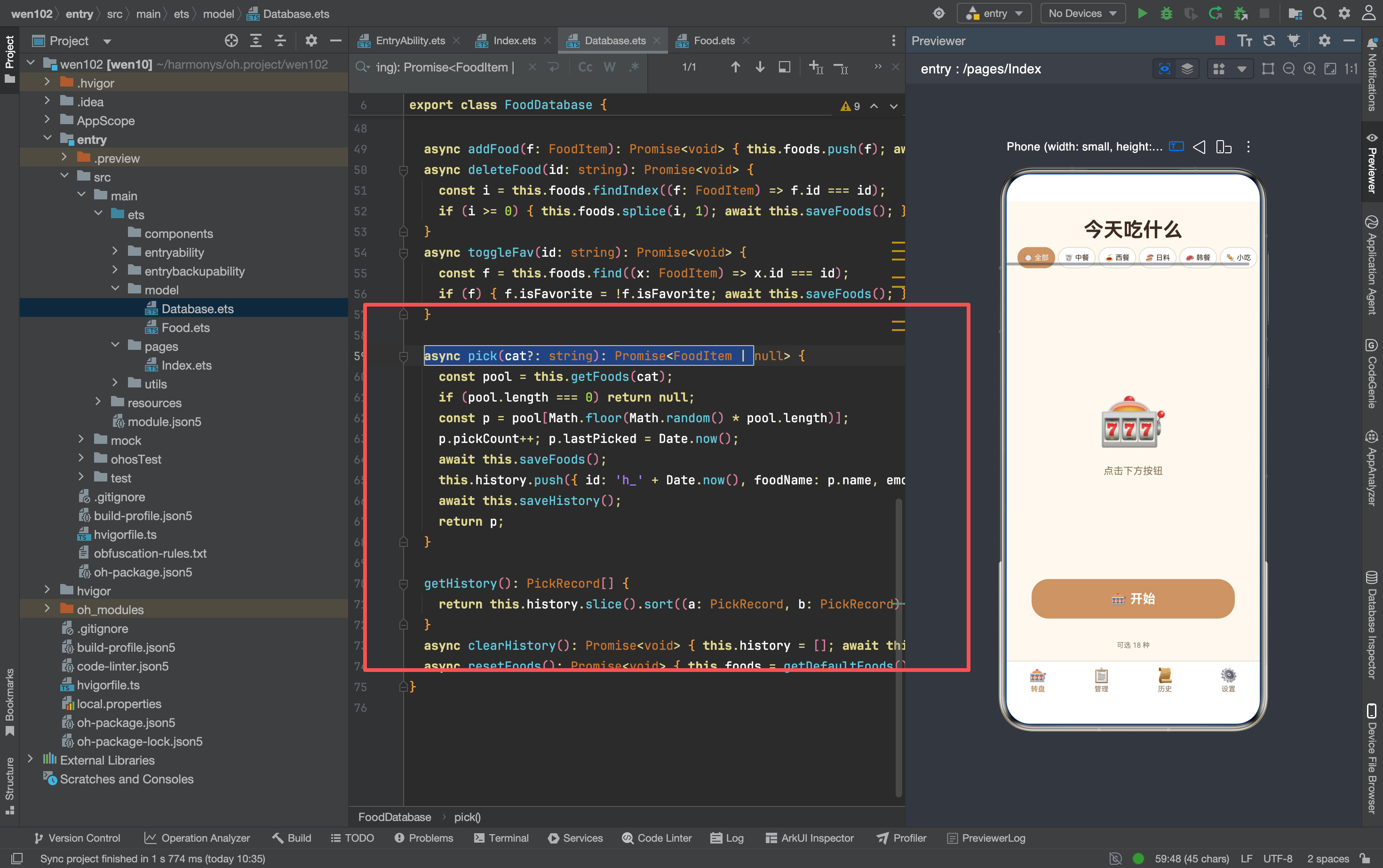
四步操作的顺序
| 步骤 | 操作 | 原因 |
|---|---|---|
| 1 | getFoods(cat) | 按分类筛选候选池 |
| 2 | 随机选一个 | Math.random() |
| 3 | 更新 pickCount + lastPicked | 统计数据 |
| 4 | 写入历史记录 | 完整记录 |
两次 save 的必要性
await this.saveFoods();   // 保存 pickCount 变化
await this.saveHistory(); // 保存新历史记录
pickCount 是食物的属性,存在 foods.json 里。历史记录存在 history.json 里。 两个文件各自独立,需要分别保存。
history 记录的字段
{
  id: 'h_' + Date.now(),      // 唯一 ID:时间戳生成
  foodName: p.name,            // 食物名称(冗余存储)
  emoji: p.emoji,              // 表情(冗余存储)
  category: p.category,        // 分类(冗余存储)
  pickedAt: Date.now()         // 被选中时间
}
history 里冗余存了 foodName 和 emoji——不存 foodId 引用。 这是刻意的设计:如果食物被删除,历史记录仍然保留名字和表情。用引用的话,删除食物后历史记录就断链了。
六、历史记录的查询与清理
getHistory 方法
getHistory(): PickRecord[] {
  return this.history.slice().sort((a: PickRecord, b: PickRecord) => b.pickedAt - a.pickedAt);
}
slice() 返回副本,sort() 排序——不修改原始数组。 降序排列(b - a)——最新的在前面。每次调用都重新排序——保证数据一致性。
clearHistory 方法
async clearHistory(): Promise<void> {
  this.history = [];
  await this.saveHistory();
}
直接清空数组,然后写入文件。 没有确认弹窗——历史记录不包含关键数据(食物本身不受影响),清空后可以重新积累。
resetFoods 方法
async resetFoods(): Promise<void> {
  this.foods = getDefaultFoods();
  await this.saveFoods();
}
恢复出厂设置——用默认数据替换当前数据。 用户自己添加的食物全部丢失,但历史记录保留——resetFoods 不调用 clearHistory。
七、两种存储方案的统一
文件存储的部分
| 方法 | 文件 | 操作 |
|---|---|---|
| saveFoods() | foods.json | 全量写入 |
| saveHistory() | history.json | 全量写入 |
| getFoods() | 内存读取 | slice/filter |
| getHistory() | 内存读取 | slice/sort |
Preferences 存储的部分
| 方法 | 键 | 操作 |
|---|---|---|
| 读主题 | ‘theme’ | preferences.get |
| 写主题 | ‘theme’ | preferences.put + flush |
食物和历史用文件,主题用 Preferences——各取所长。 文件存大数组,Preferences 存小配置。两种方案在 Theme.ets 和 Index.ets 里分别调用,互不干扰。
八、性能考量
全量读写的代价
| 数据量 | 文件大小 | 读取耗时 | 写入耗时 |
|---|---|---|---|
| 10 条食物 | ~2KB | <1ms | <1ms |
| 50 条食物 | ~8KB | <1ms | <1ms |
| 100 条食物 | ~15KB | <2ms | <2ms |
| 500 条历史 | ~40KB | <5ms | <5ms |
几十 KB 的 JSON 序列化在手机上几乎无感。 如果数据量到几万条,才需要考虑增量写入或数据库方案。对于这个 App,全量写入完全够用。
内存 vs 文件的一致性
每次 CRUD 操作都是先改内存、再写文件。 如果 App 被系统杀死(内存不足),最后一次写入前的数据会丢失。但这种情况极少——HarmonyOS 会尽量保活前台 App。
九、整体嵌套结构
FoodDatabase                       数据库类
  ├→ foods: FoodItem[]             内存中的食物数组
  ├→ history: PickRecord[]         内存中的历史数组
  ├→ fp / hp                       文件路径
  │
  ├→ read / write                  底层文件 I/O
  ├→ init()                        初始化(读文件或用默认)
  │
  ├→ getFoods / addFood            食物 CRUD
  ├→ deleteFood / toggleFav
  │
  ├→ pick()                        转盘抽签(最复杂)
  │
  ├→ getHistory / clearHistory     历史管理
  └→ resetFoods                    重置数据
数据层是一个自包含的类——所有持久化逻辑都在这里面,UI 层不需要知道数据存在文件里还是 Preferences 里。 Index.ets 调用 db.getFoods() 拿到数组,不关心数组是从 JSON 解析的还是从数据库查的。这就是封装的意义。

讨论HarmonyOS开发技术,专注于API与组件、DevEco Studio、测试、元服务和应用上架分发等。
更多推荐

 9
9 0
0- 0


 已为社区贡献159条内容

所有评论(0)