鸿蒙Flutter Padding内边距:EdgeInsets详解
·
引言
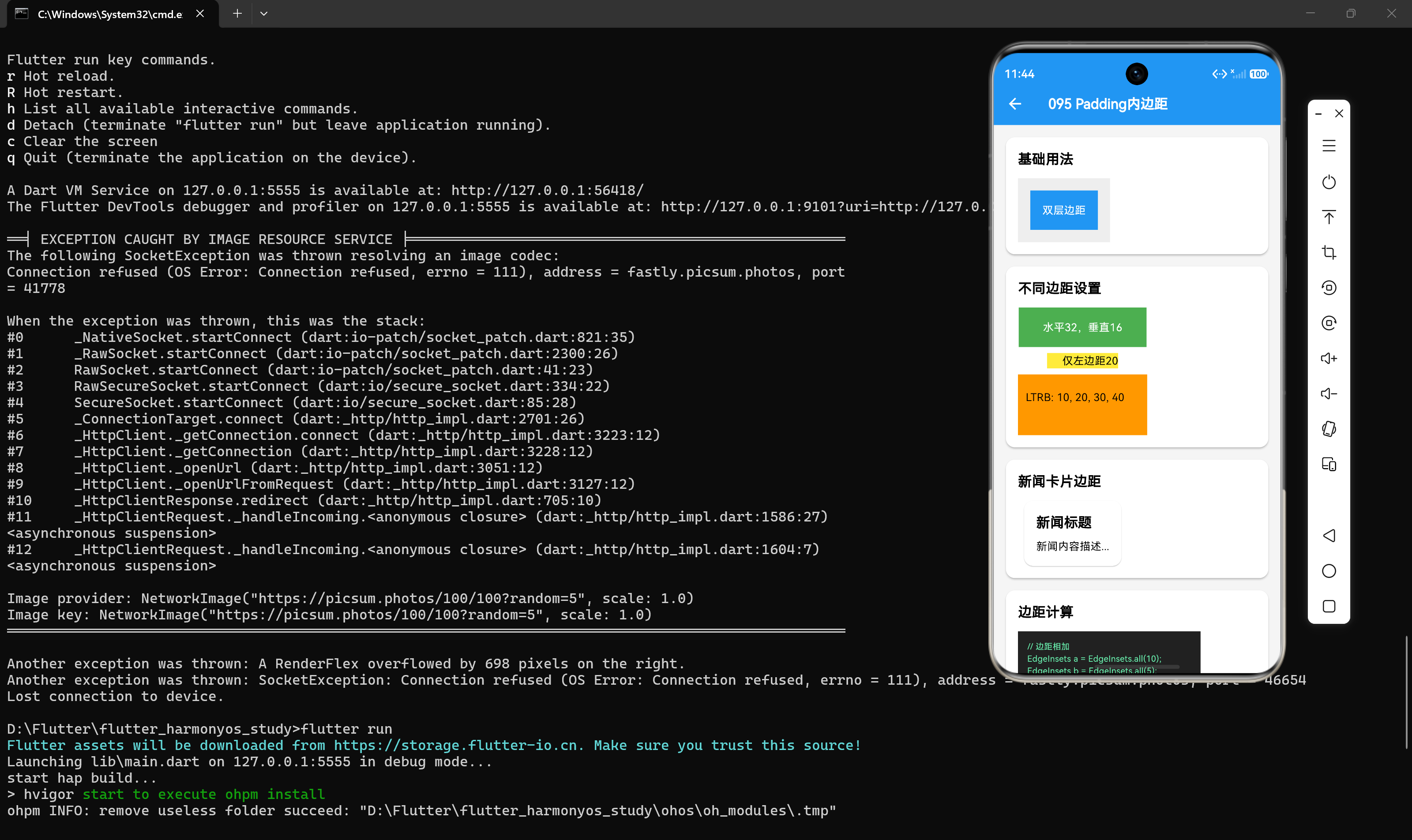
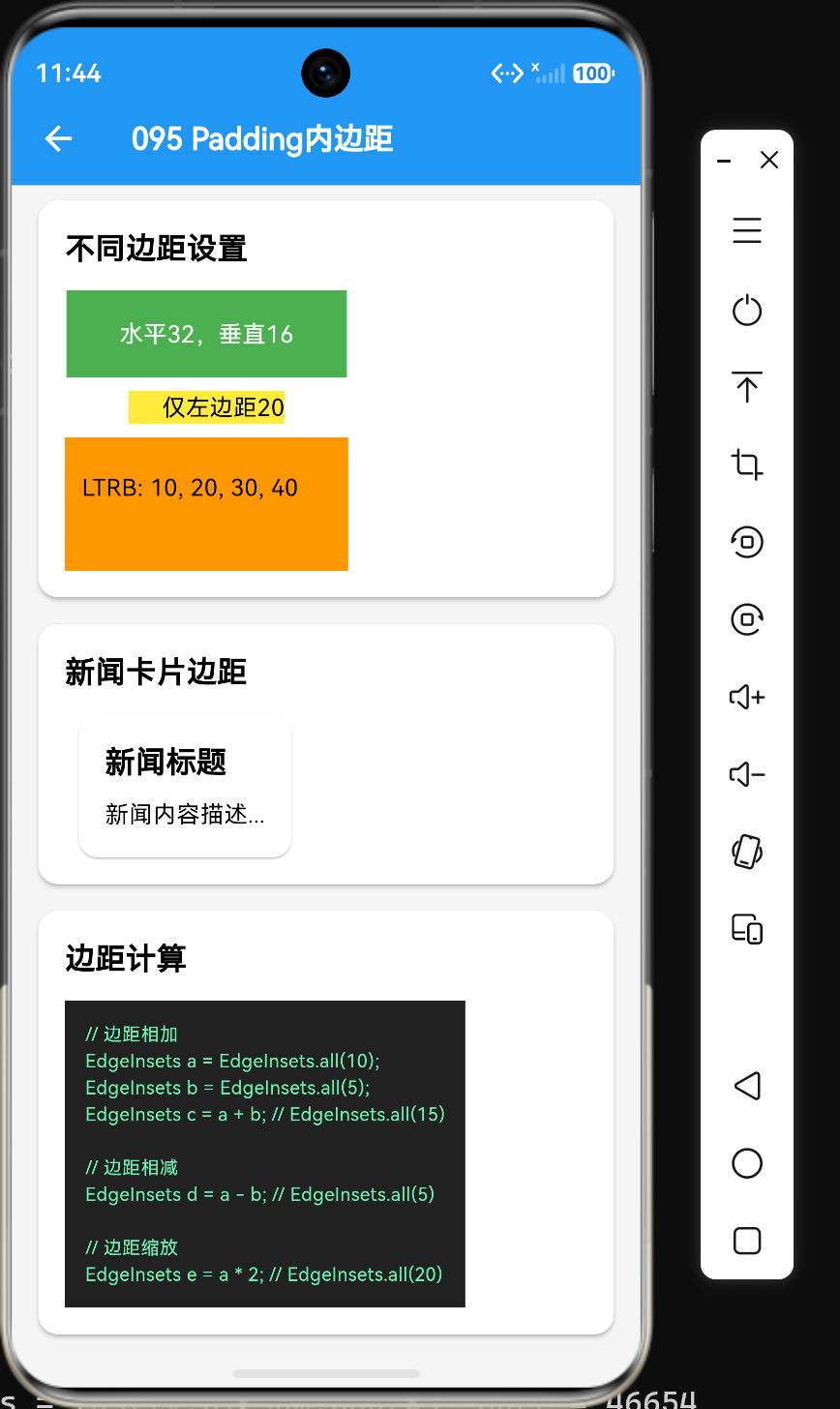
在Flutter开发中,Padding是控制组件间距的基础组件。它通过EdgeInsets类来定义内边距,支持多种构造方式和灵活的边距设置。本文将深入解析Padding组件和EdgeInsets类的核心用法,并通过实际案例展示如何在新闻资讯应用中合理使用内边距。
一、Padding组件
1.1 基础用法
// 简单内边距
Padding(
  padding: EdgeInsets.all(16),
  child: Text("带内边距的内容"),
)

// 不同方向的内边距
Padding(
  padding: EdgeInsets.symmetric(horizontal: 16, vertical: 8),
  child: Text("水平和垂直不同"),
)
1.2 核心属性
Padding组件只有两个核心属性:
| 属性 | 类型 | 作用 |
|---|---|---|
| padding | EdgeInsetsGeometry | 内边距 |
| child | Widget? | 子组件 |
二、EdgeInsets构造方式
2.1 EdgeInsets.all()
四边设置相同的内边距:
EdgeInsets.all(16)
2.2 EdgeInsets.symmetric()
水平和垂直方向分别设置:
// 仅水平方向
EdgeInsets.symmetric(horizontal: 16)

// 仅垂直方向
EdgeInsets.symmetric(vertical: 8)

// 两个方向都设置
EdgeInsets.symmetric(horizontal: 16, vertical: 8)
2.3 EdgeInsets.only()
单独设置某一边或多边:
// 仅左边距
EdgeInsets.only(left: 16)

// 左边和右边
EdgeInsets.only(left: 16, right: 16)

// 四个方向分别设置
EdgeInsets.only(top: 10, left: 20, right: 30, bottom: 40)
2.4 EdgeInsets.fromLTRB()
按左、上、右、下顺序设置:
EdgeInsets.fromLTRB(10, 20, 30, 40)
2.5 构造方式对比
| 方法 | 说明 | 适用场景 |
|---|---|---|
| all() | 四边相同 | 均匀内边距 |
| symmetric() | 水平/垂直分别设置 | 对称内边距 |
| only() | 单独设置各边 | 非对称内边距 |
| fromLTRB() | 按顺序设置 | 需要精确控制四边 |
三、EdgeInsets计算操作
3.1 边距相加
EdgeInsets a = EdgeInsets.all(10);
EdgeInsets b = EdgeInsets.all(5);
EdgeInsets c = a + b; // EdgeInsets.all(15)
3.2 边距相减
EdgeInsets a = EdgeInsets.all(10);
EdgeInsets b = EdgeInsets.all(5);
EdgeInsets c = a - b; // EdgeInsets.all(5)
3.3 边距缩放
EdgeInsets a = EdgeInsets.all(10);
EdgeInsets b = a * 2; // EdgeInsets.all(20)
EdgeInsets c = a / 2; // EdgeInsets.all(5)
3.4 边距比较
EdgeInsets a = EdgeInsets.all(10);
EdgeInsets b = EdgeInsets.all(10);
bool equal = a == b; // true
四、Padding与Margin的区别
4.1 概念区别
| 属性 | 说明 | 位置 |
|---|---|---|
| padding | 内边距 | 内容与容器边界之间 |
| margin | 外边距 | 容器与其他组件之间 |
4.2 代码示例
// 内边距:内容与容器边界之间的空白
Container(
  padding: EdgeInsets.all(16),
  color: Colors.blue,
  child: Text("内容"),
)

// 外边距:容器与其他组件之间的空白
Container(
  margin: EdgeInsets.all(16),
  color: Colors.green,
  child: Text("内容"),
)
4.3 嵌套效果
Container(
  margin: EdgeInsets.all(20),
  padding: EdgeInsets.all(10),
  color: Colors.grey,
  child: Container(
    padding: EdgeInsets.all(10),
    color: Colors.white,
    child: Text("嵌套边距"),
  ),
)
五、新闻卡片边距实战
5.1 基础新闻卡片边距
Card(
  margin: EdgeInsets.symmetric(horizontal: 16, vertical: 8),
  child: Padding(
    padding: EdgeInsets.all(16),
    child: Column(
      crossAxisAlignment: CrossAxisAlignment.start,
      children: [
        Padding(
          padding: EdgeInsets.only(bottom: 8),
          child: Text("新闻标题", style: TextStyle(fontSize: 18, fontWeight: FontWeight.bold)),
        ),
        Text("新闻内容描述..."),
      ],
    ),
  ),
)
5.2 带图片的新闻卡片边距
Card(
  margin: EdgeInsets.symmetric(horizontal: 16, vertical: 8),
  child: Column(
    children: [
      Image.network(
        "https://example.com/news.jpg",
        height: 150,
        width: double.infinity,
        fit: BoxFit.cover,
      ),
      Padding(
        padding: EdgeInsets.all(16),
        child: Column(
          crossAxisAlignment: CrossAxisAlignment.start,
          children: [
            Text("新闻标题", style: TextStyle(fontSize: 18, fontWeight: FontWeight.bold)),
            SizedBox(height: 8),
            Text("新闻内容描述..."),
          ],
        ),
      ),
    ],
  ),
)
六、布局实践建议
6.1 统一边距管理
将常用边距提取为常量:
class AppPadding {
  static const EdgeInsets cardPadding = EdgeInsets.all(16);
  static const EdgeInsets cardMargin = EdgeInsets.symmetric(horizontal: 16, vertical: 8);
  static const EdgeInsets smallGap = EdgeInsets.symmetric(vertical: 8);
}

// 使用常量
Padding(padding: AppPadding.cardPadding, child: Text("内容"))
6.2 避免过度嵌套
// 不良示例:多层嵌套Padding
Padding(
  padding: EdgeInsets.all(16),
  child: Padding(
    padding: EdgeInsets.all(8),
    child: Text("内容"),
  ),
)

// 优化后:合并边距
Padding(
  padding: EdgeInsets.all(24), // 16 + 8
  child: Text("内容"),
)
6.3 合理使用SizedBox
对于简单的间距,使用SizedBox更高效:
// 垂直间距
Column(
  children: [
    Text("第一行"),
    SizedBox(height: 16),
    Text("第二行"),
  ],
)
七、性能优化建议
7.1 使用const构造函数
// 优化后
const Padding(
  padding: EdgeInsets.all(16),
  child: Text("内容"),
)
7.2 提取常量
// 定义常量
const cardPadding = EdgeInsets.all(16);

// 使用常量
Padding(padding: cardPadding, child: Text("内容"))
八、总结
通过本文的学习,我们掌握了Padding内边距的核心用法:
- 构造方式:all()、symmetric()、only()、fromLTRB()
- 计算操作:相加、相减、缩放、比较
- padding与margin的区别:内边距vs外边距
- 布局实践:统一管理、避免嵌套、合理使用SizedBox
Padding是Flutter布局的基础组件,掌握好它的使用技巧对于构建高质量的UI至关重要。
参考资料
- Flutter官方文档:https://api.flutter.dev/flutter/widgets/Padding-class.html
- EdgeInsets文档:https://api.flutter.dev/flutter/painting/EdgeInsets-class.html

讨论HarmonyOS开发技术,专注于API与组件、DevEco Studio、测试、元服务和应用上架分发等。
更多推荐
 6
6 0
0- 0


 已为社区贡献28条内容

所有评论(0)