鸿蒙 Flutter 状态提升最佳实践
·
概述
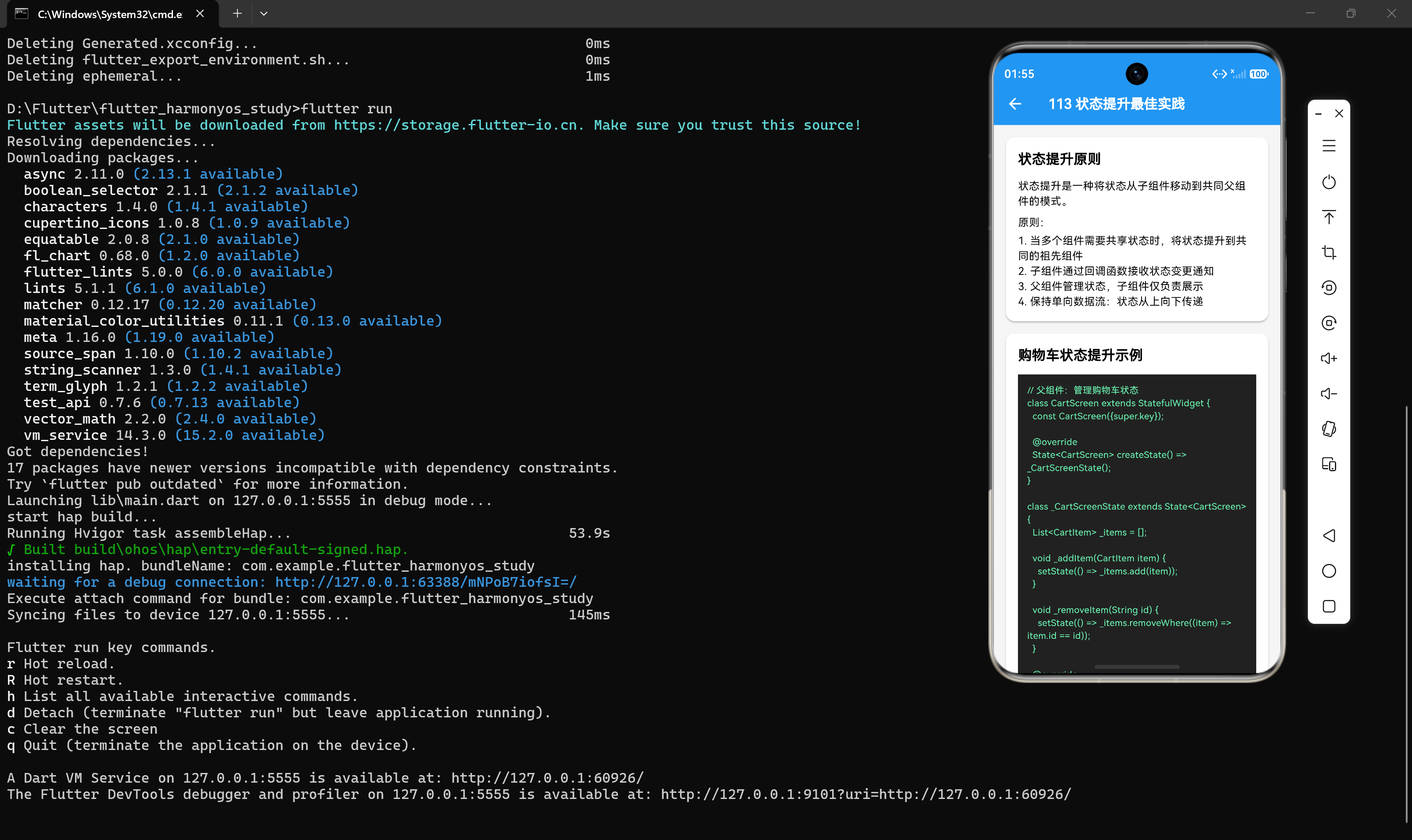
状态提升(State Lifting)是 Flutter 中一种重要的状态管理模式。当多个组件需要共享状态时,将状态从子组件移动到共同的父组件,实现状态的集中管理和共享。
什么是状态提升
状态提升是指将状态从子组件提升到共同的祖先组件,使得多个子组件可以共享同一状态。这是一种简单而有效的状态共享方案。
核心原则
- 状态上移:当多个组件需要共享状态时,将状态提升到共同的祖先组件
- 回调传递:子组件通过回调函数接收状态变更通知
- 单向数据流:状态从上向下传递,事件从下向上传递
- 关注点分离:父组件管理状态,子组件仅负责展示
购物车案例
让我们通过购物车应用来理解状态提升的实践。
场景描述
一个购物车应用包含以下组件:
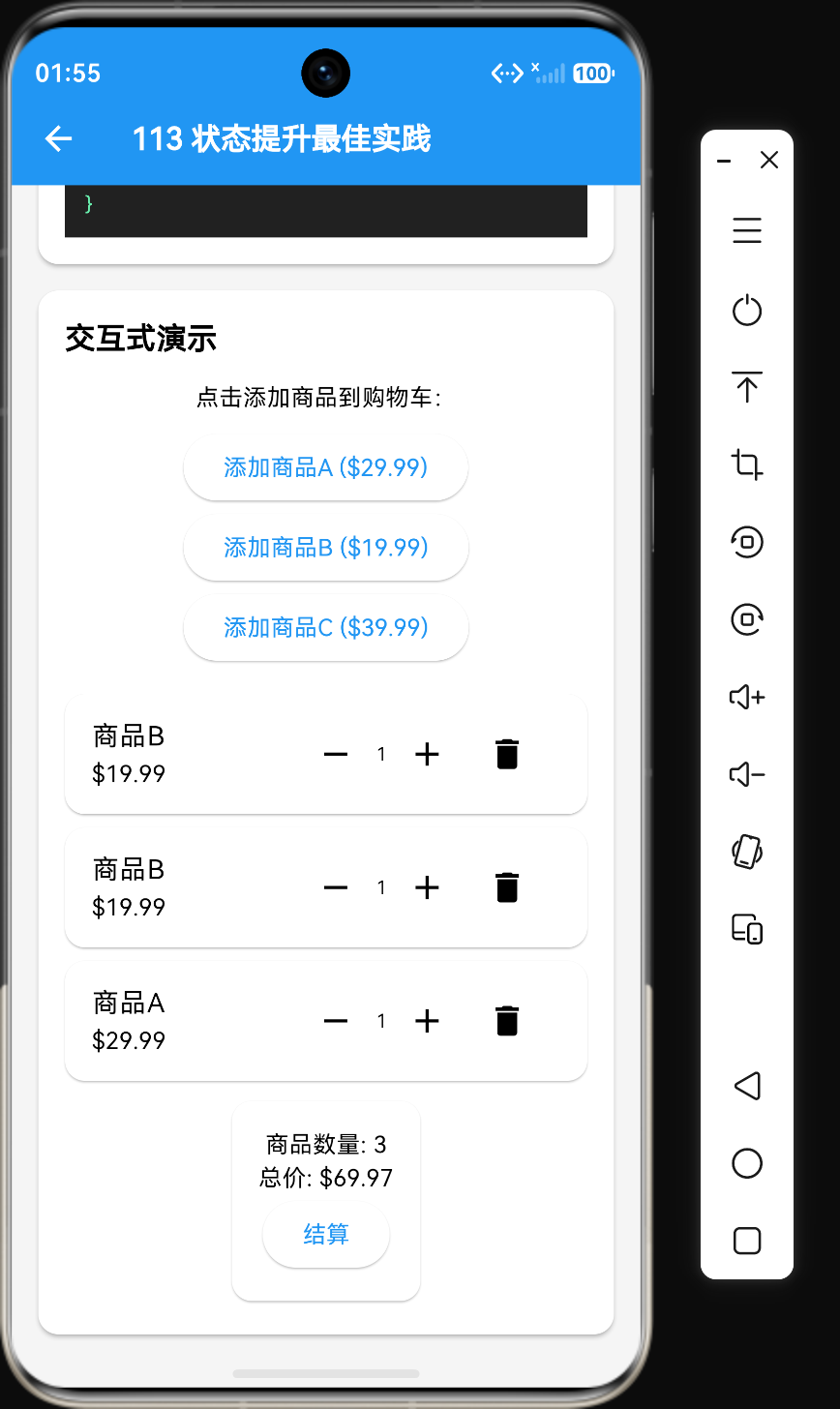
- ProductList:商品列表,展示商品信息和"加入购物车"按钮
- CartItemList:购物车列表,展示已添加的商品
- CartSummary:购物车汇总,显示商品数量和总价
这三个组件都需要访问购物车状态,因此需要将状态提升到共同的父组件。
第一步:定义数据模型
class Product {
  final String id;
  final String name;
  final double price;
  final int stock;

  Product({
    required this.id,
    required this.name,
    required this.price,
    required this.stock,
  });
}

class CartItem {
  final Product product;
  int quantity;

  CartItem({
    required this.product,
    this.quantity = 1,
  });

  CartItem copyWith({int? quantity}) {
    return CartItem(
      product: product,
      quantity: quantity ?? this.quantity,
    );
  }
}
第二步:创建父组件管理状态
class CartScreen extends StatefulWidget {
const CartScreen({super.key});
State<CartScreen> createState() => _CartScreenState();
}
class _CartScreenState extends State<CartScreen> {
List<Product> _products = [
Product(id: '1', name: 'iPhone 15 Pro', price: 9999, stock: 100),
Product(id: '2', name: 'MacBook Pro', price: 14999, stock: 50),
Product(id: '3', name: 'AirPods Pro', price: 1899, stock: 200),
];
List<CartItem> _cartItems = [];
void _addToCart(Product product) {
setState(() {
final existingItem = _cartItems.firstWhere(
(item) => item.product.id == product.id,
orElse: () => CartItem(product: product, quantity: 0),
);
if (existingItem.quantity > 0) {
existingItem.quantity++;
} else {
_cartItems.add(CartItem(product: product, quantity: 1));
}
});
}
void _removeItem(String productId) {
setState(() {
_cartItems.removeWhere((item) => item.product.id == productId);
});
}
void _updateQuantity(String productId, int quantity) {
if (quantity <= 0) {
_removeItem(productId);
return;
}
setState(() {
final index = _cartItems.indexWhere((item) => item.product.id == productId);
if (index != -1) {
_cartItems[index] = _cartItems[index].copyWith(quantity: quantity);
}
});
}
double get _totalPrice {
return _cartItems.fold(0, (sum, item) => sum + item.product.price * item.quantity);
}
Widget build(BuildContext context) {
return Column(
children: [
Expanded(
child: ProductList(
products: _products,
onAddToCart: _addToCart,
),
),
CartItemList(
items: _cartItems,
onRemove: _removeItem,
onQuantityChange: _updateQuantity,
),
CartSummary(
totalPrice: _totalPrice,
itemCount: _cartItems.length,
onCheckout: () => _handleCheckout(),
),
],
);
}
void _handleCheckout() {
ScaffoldMessenger.of(context).showSnackBar(
const SnackBar(content: Text('结算成功!')),
);
setState(() => _cartItems = []);
}
}
第三步:创建无状态子组件
ProductList 组件
class ProductList extends StatelessWidget {
final List<Product> products;
final void Function(Product) onAddToCart;
const ProductList({
super.key,
required this.products,
required this.onAddToCart,
});
Widget build(BuildContext context) {
return ListView.builder(
itemCount: products.length,
itemBuilder: (context, index) => ProductItem(
product: products[index],
onAddToCart: onAddToCart,
),
);
}
}
class ProductItem extends StatelessWidget {
final Product product;
final void Function(Product) onAddToCart;
const ProductItem({
super.key,
required this.product,
required this.onAddToCart,
});
Widget build(BuildContext context) {
return Card(
margin: const EdgeInsets.symmetric(horizontal: 16, vertical: 8),
child: ListTile(
title: Text(product.name),
subtitle: Text('\$${product.price} | 库存: ${product.stock}'),
trailing: ElevatedButton(
onPressed: () => onAddToCart(product),
child: const Text('加入购物车'),
),
),
);
}
}
CartItemList 组件
class CartItemList extends StatelessWidget {
final List<CartItem> items;
final void Function(String) onRemove;
final void Function(String, int) onQuantityChange;
const CartItemList({
super.key,
required this.items,
required this.onRemove,
required this.onQuantityChange,
});
Widget build(BuildContext context) {
if (items.isEmpty) {
return const Center(child: Text('购物车为空'));
}
return Column(
children: items.map((item) => CartItemWidget(
item: item,
onRemove: onRemove,
onQuantityChange: onQuantityChange,
)).toList(),
);
}
}
class CartItemWidget extends StatelessWidget {
final CartItem item;
final void Function(String) onRemove;
final void Function(String, int) onQuantityChange;
const CartItemWidget({
super.key,
required this.item,
required this.onRemove,
required this.onQuantityChange,
});
Widget build(BuildContext context) {
return Card(
margin: const EdgeInsets.symmetric(horizontal: 16, vertical: 4),
child: ListTile(
title: Text(item.product.name),
subtitle: Text('\$${item.product.price} x ${item.quantity}'),
trailing: Row(
mainAxisSize: MainAxisSize.min,
children: [
IconButton(
icon: const Icon(Icons.remove),
onPressed: () => onQuantityChange(item.product.id, item.quantity - 1),
),
Text(item.quantity.toString()),
IconButton(
icon: const Icon(Icons.add),
onPressed: () => onQuantityChange(item.product.id, item.quantity + 1),
),
IconButton(
icon: const Icon(Icons.delete),
onPressed: () => onRemove(item.product.id),
),
],
),
),
);
}
}
CartSummary 组件
class CartSummary extends StatelessWidget {
final double totalPrice;
final int itemCount;
final VoidCallback onCheckout;
const CartSummary({
super.key,
required this.totalPrice,
required this.itemCount,
required this.onCheckout,
});
Widget build(BuildContext context) {
return Card(
margin: const EdgeInsets.all(16),
child: Padding(
padding: const EdgeInsets.all(16),
child: Column(
children: [
Row(
mainAxisAlignment: MainAxisAlignment.spaceBetween,
children: [
const Text('商品数量:'),
Text('$itemCount'),
],
),
const SizedBox(height: 8),
Row(
mainAxisAlignment: MainAxisAlignment.spaceBetween,
children: [
const Text('总价:'),
Text('\$${totalPrice.toStringAsFixed(2)}', style: const TextStyle(fontWeight: FontWeight.bold)),
],
),
const SizedBox(height: 16),
ElevatedButton(
onPressed: onCheckout,
child: const Text('结算'),
),
],
),
),
);
}
}
数据流分析
单向数据流
状态提升遵循单向数据流原则:
┌─────────────────────────────────────────────────────────────────┐
│                         CartScreen (父组件)                      │
│                     _cartItems, _products                        │
└─────────────────────────────────────────────────────────────────┘
                              │
              ┌───────────────┼───────────────┐
              ▼               ▼               ▼
┌─────────────────┐  ┌─────────────────┐  ┌─────────────────┐
│   ProductList   │  │  CartItemList   │  │  CartSummary    │
│  (无状态组件)    │  │  (无状态组件)    │  │  (无状态组件)    │
│                 │  │                 │  │                 │
│  products: []   │  │  items: []      │  │  totalPrice: 0  │
│  onAddToCart()  │  │  onRemove()     │  │  itemCount: 0   │
│                 │  │  onQuantity()   │  │  onCheckout()   │
└─────────────────┘  └─────────────────┘  └─────────────────┘
              │               │               │
              └───────────────┼───────────────┘
                              ▼
                    用户操作触发回调
                    setState 更新状态
事件传递流程
- 用户点击"加入购物车"按钮
ProductItem调用onAddToCart回调- 回调传递到
CartScreen CartScreen调用setState更新状态- 所有依赖该状态的子组件重新构建
状态提升的优缺点
优点
- 状态集中管理:所有状态在一个地方管理,易于追踪和维护
- 组件解耦:子组件只负责展示,不管理状态
- 易于测试:无状态组件更容易进行单元测试
- 代码复用:相同的子组件可以在不同场景下复用
缺点
- 回调链过长:当组件层级较深时,回调需要逐层传递
- 重建范围大:状态变化时,所有子组件都会重建
- 代码冗余:需要编写大量的回调函数
最佳实践
实践 1:只提升必要的状态
不要过度提升状态,只提升需要共享的状态。
// 只提升购物车状态
List<CartItem> _cartItems = [];

// 商品列表可以是静态的
final List<Product> _products = [...];
实践 2:使用类型安全的回调
定义清晰的回调类型,提高代码可读性。
typedef AddToCartCallback = void Function(Product);
typedef RemoveFromCartCallback = void Function(String);
typedef UpdateQuantityCallback = void Function(String, int);
实践 3:使用不可变状态
使用不可变状态设计,避免意外修改。
class CartItem {
final Product product;
final int quantity;
const CartItem({required this.product, this.quantity = 1});
CartItem copyWith({int? quantity}) {
return CartItem(product: product, quantity: quantity ?? this.quantity);
}
}
实践 4:封装状态操作
将状态操作封装为方法,提高代码可读性。
void _addToCart(Product product) { ... }
void _removeItem(String productId) { ... }
void _updateQuantity(String productId, int quantity) { ... }
void _clearCart() { ... }
实践 5:使用 const 构造函数
对于无状态组件,使用 const 构造函数可以避免不必要的重建。
class ProductItem extends StatelessWidget {
  const ProductItem({
    super.key,
    required this.product,
    required this.onAddToCart,
  });
  // ...
}
状态提升的局限性
当应用变得复杂时,状态提升会遇到以下问题:
- 回调地狱:组件层级过深时,回调需要逐层传递
- 状态分散:多个父组件各自管理部分状态
- 状态同步:多个地方修改相同状态导致不一致
这些问题可以通过使用状态管理库来解决,如 Provider、Riverpod、Bloc 等。
总结
状态提升是 Flutter 中处理状态共享的基础模式,适用于中小型应用。掌握状态提升的核心原则:
- 状态上移到共同祖先
- 回调函数传递事件
- 单向数据流
- 关注点分离
当应用复杂度增加时,可以考虑使用更强大的状态管理方案。在下一节中,我们将探讨组件间状态共享的其他方式。

讨论HarmonyOS开发技术,专注于API与组件、DevEco Studio、测试、元服务和应用上架分发等。
更多推荐
 4
4 0
0- 0


 已为社区贡献8条内容

所有评论(0)