HarmonyOS7 ArkUI 婚礼策划 - 倒计时、任务清单、宾客管理实战
文章目录
前言
很多 ArkUI 示例看着不大,真正难的是把状态、列表和交互放在合适的位置。这个案例就很典型。
这个案例的主线是 婚礼策划,后面的 倒计时、任务清单、宾客管理 则把页面做得更像真实业务页。读代码时,建议把交互、状态和列表这三条线一起看。
先看页面目标
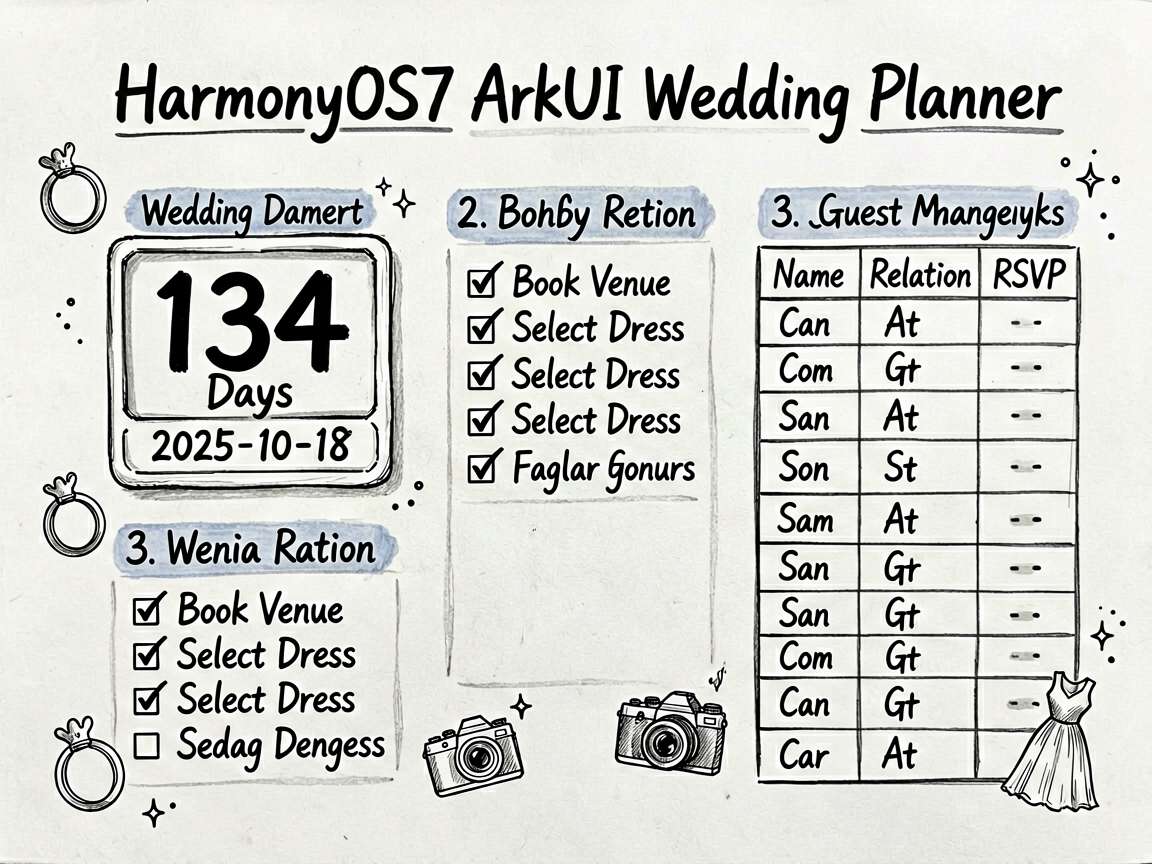
WeddingPlannerPage 对应的是 婚礼策划 - 倒计时、任务清单、宾客管理 这个业务场景。别把它只当成一个 UI 练习页,它真正有价值的地方在于:同一个页面里同时出现了状态切换、列表渲染、条件展示和用户反馈。
| 观察点 | 在这个案例里的表现 |
|---|---|
| 页面主题 | 婚礼策划 |
| 主要文案 | 预订婚礼场地, 场地, 选择婚纱礼服, 服装, 确认婚礼摄影师, 摄影 |
| 常用组件 | Column, ForEach, Row, Scroll, Text |
| 适合练习 | 状态驱动 UI、局部刷新、事件回调、页面结构拆分 |
使用方法
把完整代码放进 ArkTS 页面文件后,就可以直接在预览器里运行。实际使用时,建议先手动点一遍页面里的主要交互,看状态有没有跟着变化;然后再去对照代码,理解每个 @State 字段到底控制了哪一块区域。
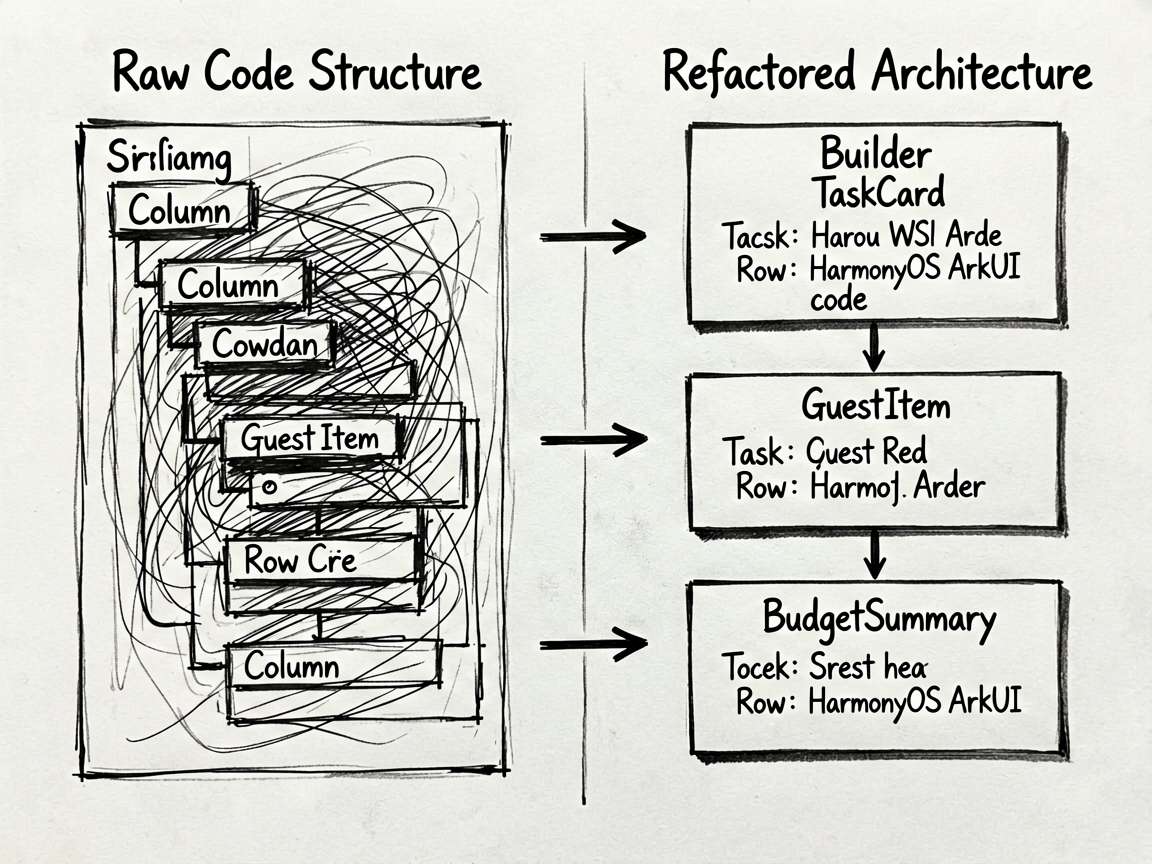
如果你想把这个案例改成自己的版本,我建议先做三件事:换掉模拟数据、调整筛选规则、再把重复结构抽成 Builder 或子组件。顺序别反,先改结构往往最容易把自己绕进去。
数据怎么驱动 UI
ArkUI 页面写顺手之后,你会发现很多问题其实都不是样式问题,而是状态没放对位置。这个案例里能直接看到哪些数据是输入、哪些是选择、哪些是列表源,读起来会比较顺。
| 状态字段 | 类型 | 说明 |
|---|---|---|
activeTab |
number |
当前选中项,决定内容切换、高亮或过滤结果 |
weddingDate |
string |
记录当前展示状态或页面选择 |
daysRemain |
number |
记录当前展示状态或页面选择 |
tasks |
WeddingTask[] |
列表数据源,通常会交给 ForEach 或卡片区域渲染 |
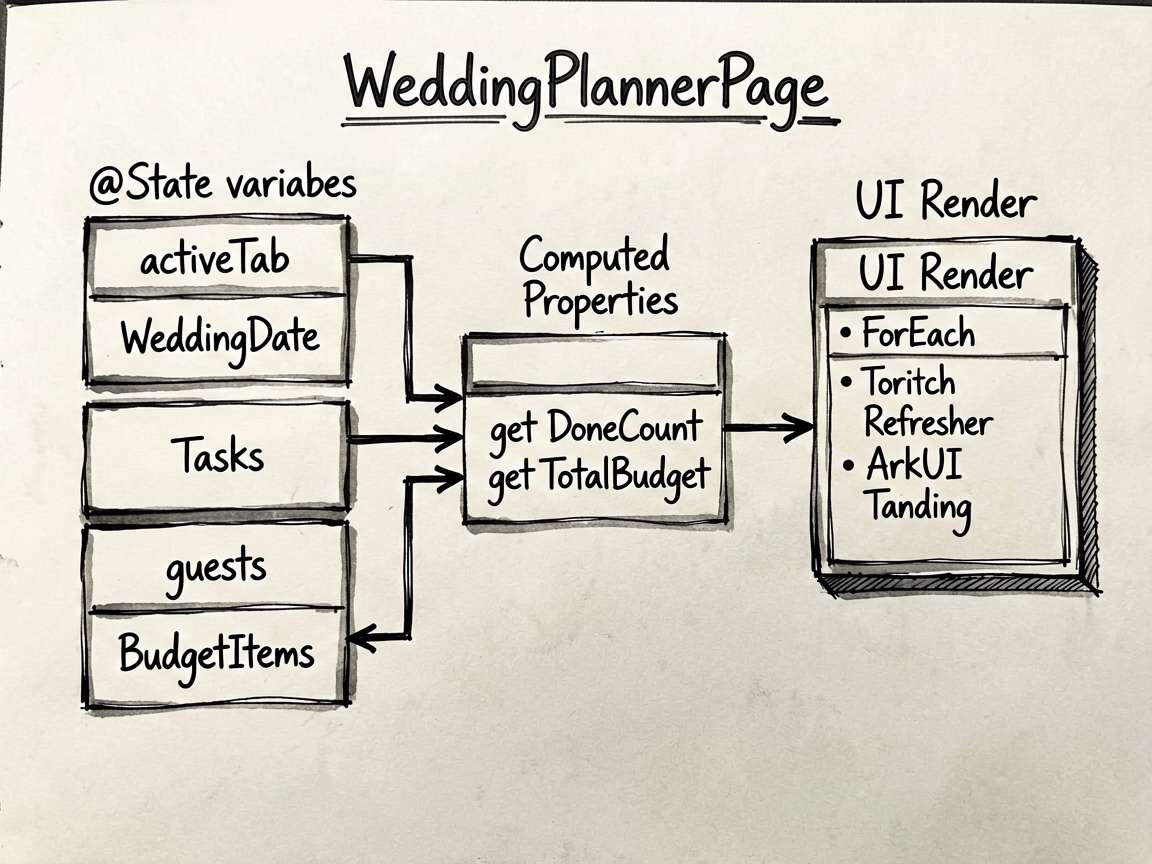
| guests | Guest[] | 记录当前展示状态或页面选择 |
| budgetItems | BudgetItem[] | 列表数据源,通常会交给 ForEach 或卡片区域渲染 |
| selectedCategory | string | 当前选中项,决定内容切换、高亮或过滤结果 |
我自己看这类示例时,会先把
@State和事件函数圈出来,再去看布局。这样不会被大段Column、Row搞乱节奏。
值得抄的片段
片段 1:getDoneCount(): number {
这段代码我建议单独看。它通常负责派生数据、交互动作或者局部渲染逻辑,把这部分抽出去之后,页面主结构会干净很多,后续要改规则也更省事。
  getDoneCount(): number {
    return this.tasks.filter((t: WeddingTask) => t.isDone).length
  }
片段 2:getTotalBudget(): number {
这段代码我建议单独看。它通常负责派生数据、交互动作或者局部渲染逻辑,把这部分抽出去之后,页面主结构会干净很多,后续要改规则也更省事。
  getTotalBudget(): number {
    return this.budgetItems.reduce((s: number, b: BudgetItem) => s + b.budgeted, 0)
  }
必读小结
适合拿来练手的能力:页面拆分、状态联动、条件渲染、交互反馈。
推荐阅读顺序:先看前言 -> 再跑页面 -> 再看状态表 -> 最后啃完整代码
如果只想快速上手,优先改模拟数据和交互函数,收益最高
- 点击或输入之后,界面有没有立即更新
- 列表渲染是否依赖了稳定的数据结构
- 筛选、统计、派生数据是不是单独放进函数里
- 是否还有重复布局可以继续抽出去
- 文案、颜色、间距是不是同一套风格
完整实现
// WeddingPlannerPage - 婚礼策划:倒计时、任务清单、宾客管理

interface WeddingTask {
  id: number
  title: string
  category: string
  deadline: string
  isDone: boolean
  priority: string
  assignee: string
}

interface Guest {
  id: number
  name: string
  relation: string
  tableNo: number
  rsvp: string
  phone: string
  dietary: string
}

interface BudgetItem {
  id: number
  category: string
  budgeted: number
  actual: number
  emoji: string
}

@Entry
@Component
struct WeddingPlannerPage {
  @State activeTab: number = 0
  @State weddingDate: string = '2025-10-18'
  @State daysRemain: number = 134
  @State tasks: WeddingTask[] = [
    { id: 1, title: '预订婚礼场地', category: '场地', deadline: '2025-05-01', isDone: true, priority: '高', assignee: '新郎' },
    { id: 2, title: '选择婚纱礼服', category: '服装', deadline: '2025-06-01', isDone: true, priority: '高', assignee: '新娘' },
    { id: 3, title: '确认婚礼摄影师', category: '摄影', deadline: '2025-06-15', isDone: false, priority: '高', assignee: '新郎' },
    { id: 4, title: '发送婚礼邀请函', category: '宾客', deadline: '2025-07-01', isDone: false, priority: '中', assignee: '共同' },
    { id: 5, title: '安排婚礼乐队', category: '娱乐', deadline: '2025-07-15', isDone: false, priority: '中', assignee: '新郎' },
    { id: 6, title: '确认婚宴菜单', category: '餐饮', deadline: '2025-08-01', isDone: false, priority: '高', assignee: '共同' },
    { id: 7, title: '订购婚礼蛋糕', category: '餐饮', deadline: '2025-08-15', isDone: false, priority: '中', assignee: '新娘' },
    { id: 8, title: '安排新婚旅行', category: '旅行', deadline: '2025-09-01', isDone: false, priority: '低', assignee: '共同' },
  ]
  @State guests: Guest[] = [
    { id: 1, name: '张明', relation: '新郎父母', tableNo: 1, rsvp: '确认出席', phone: '138****0001', dietary: '无' },
    { id: 2, name: '李华', relation: '新娘父母', tableNo: 1, rsvp: '确认出席', phone: '139****0002', dietary: '素食' },
    { id: 3, name: '王芳', relation: '伴娘', tableNo: 2, rsvp: '确认出席', phone: '137****0003', dietary: '无' },
    { id: 4, name: '刘刚', relation: '伴郎', tableNo: 2, rsvp: '确认出席', phone: '136****0004', dietary: '无' },
    { id: 5, name: '陈晨', relation: '同学', tableNo: 3, rsvp: '待确认', phone: '135****0005', dietary: '无' },
    { id: 6, name: '赵颖', relation: '同事', tableNo: 3, rsvp: '未回复', phone: '134****0006', dietary: '清真' },
  ]
  @State budgetItems: BudgetItem[] = [
    { id: 1, category: '场地', budgeted: 30000, actual: 28000, emoji: '🏛️' },
    { id: 2, category: '服装', budgeted: 15000, actual: 16500, emoji: '👗' },
    { id: 3, category: '摄影', budgeted: 8000, actual: 0, emoji: '📸' },
    { id: 4, category: '餐饮', budgeted: 40000, actual: 0, emoji: '🍽️' },
    { id: 5, category: '花艺', budgeted: 6000, actual: 5500, emoji: '💐' },
    { id: 6, category: '蜜月', budgeted: 20000, actual: 0, emoji: '✈️' },
  ]
  @State selectedCategory: string = '全部'

  getDoneCount(): number {
    return this.tasks.filter((t: WeddingTask) => t.isDone).length
  }

  getTotalBudget(): number {
    return this.budgetItems.reduce((s: number, b: BudgetItem) => s + b.budgeted, 0)
  }

  getTotalActual(): number {
    return this.budgetItems.reduce((s: number, b: BudgetItem) => s + b.actual, 0)
  }

  getRsvpCount(status: string): number {
    return this.guests.filter((g: Guest) => g.rsvp === status).length
  }

  getPriorityColor(priority: string): string {
    if (priority === '高') return '#FF4D4F'
    if (priority === '中') return '#FAAD14'
    return '#52C41A'
  }

  getRsvpColor(rsvp: string): string {
    if (rsvp === '确认出席') return '#52C41A'
    if (rsvp === '待确认') return '#FAAD14'
    return '#BFBFBF'
  }

  build() {
    Column() {
      // 顶部婚礼倒计时卡片
      Column() {
        Text('💍 婚礼倒计时').fontSize(16).fontColor(Color.White).margin({ bottom: 8 })
        Text(`${this.daysRemain}`).fontSize(52).fontWeight(FontWeight.Bold).fontColor(Color.White)
        Text('天').fontSize(18).fontColor('rgba(255,255,255,0.8)').margin({ top: 4 })
        Text(this.weddingDate).fontSize(13).fontColor('rgba(255,255,255,0.7)').margin({ top: 6 })
        Row({ space: 24 }) {
          Column() {
            Text(`${this.getDoneCount()}/${this.tasks.length}`)
              .fontSize(18).fontWeight(FontWeight.Bold).fontColor(Color.White)
            Text('任务完成').fontSize(11).fontColor('rgba(255,255,255,0.7)')
          }
          Column() {
            Text(`${this.guests.length}`).fontSize(18).fontWeight(FontWeight.Bold).fontColor(Color.White)
            Text('宾客总数').fontSize(11).fontColor('rgba(255,255,255,0.7)')
          }
          Column() {
            Text(`¥${Math.floor(this.getTotalActual() / 1000)}k`)
              .fontSize(18).fontWeight(FontWeight.Bold).fontColor(Color.White)
            Text('已花费').fontSize(11).fontColor('rgba(255,255,255,0.7)')
          }
        }.margin({ top: 16 })
      }
      .width('100%').padding({ top: 24, bottom: 24 })
      .linearGradient({ colors: [['#FF85A1', 0.0], ['#D63FA7', 1.0]], angle: 135 })
      .alignItems(HorizontalAlign.Center)

      // Tab 切换
      Row() {
        ForEach(['任务', '宾客', '预算'], (tab: string, idx: number) => {
          Text(tab)
            .fontSize(14)
            .fontColor(this.activeTab === idx ? '#D63FA7' : '#8C8C8C')
            .fontWeight(this.activeTab === idx ? FontWeight.Bold : FontWeight.Normal)
            .layoutWeight(1).textAlign(TextAlign.Center)
            .padding({ top: 12, bottom: 12 })
            .border({
              width: { bottom: this.activeTab === idx ? 2 : 0 },
              color: '#D63FA7'
            })
            .onClick(() => { this.activeTab = idx })
        })
      }.width('100%').backgroundColor(Color.White)

      Scroll() {
        Column() {
          if (this.activeTab === 0) {
            // 任务列表
            ForEach(this.tasks, (task: WeddingTask) => {
              Row() {
                Text(task.isDone ? '✅' : '⬜').fontSize(20).width(28)
                Column() {
                  Row({ space: 8 }) {
                    Text(task.title)
                      .fontSize(14).fontColor(task.isDone ? '#BFBFBF' : '#1A1A1A')
                      .decoration({ type: task.isDone ? TextDecorationType.LineThrough : TextDecorationType.None })
                    Text(task.priority)
                      .fontSize(10).fontColor(this.getPriorityColor(task.priority))
                      .padding({ left: 6, right: 6, top: 2, bottom: 2 })
                      .border({ width: 1, color: this.getPriorityColor(task.priority) })
                      .borderRadius(8)
                  }
                  Row({ space: 8 }) {
                    Text(`📅 ${task.deadline}`).fontSize(11).fontColor('#8C8C8C')
                    Text(`👤 ${task.assignee}`).fontSize(11).fontColor('#8C8C8C')
                  }.margin({ top: 4 })
                }.alignItems(HorizontalAlign.Start).layoutWeight(1)

                Text(task.category)
                  .fontSize(11).fontColor('#D63FA7')
                  .padding({ left: 8, right: 8, top: 3, bottom: 3 })
                  .backgroundColor('#FFF0F6').borderRadius(10)
              }
              .width('100%').padding(14).backgroundColor(Color.White).borderRadius(10)
              .margin({ bottom: 8 })
              .onClick(() => {
                this.tasks = this.tasks.map((t) => { if (t.id === task.id) { t.isDone = !t.isDone } return t })
              })
            })
          } else if (this.activeTab === 1) {
            // RSVP 统计
            Row({ space: 12 }) {
              Column() {
                Text(`${this.getRsvpCount('确认出席')}`).fontSize(24).fontWeight(FontWeight.Bold).fontColor('#52C41A')
                Text('确认出席').fontSize(12).fontColor('#8C8C8C')
              }.layoutWeight(1).padding(12).backgroundColor(Color.White).borderRadius(10)
              .alignItems(HorizontalAlign.Center)

              Column() {
                Text(`${this.getRsvpCount('待确认')}`).fontSize(24).fontWeight(FontWeight.Bold).fontColor('#FAAD14')
                Text('待确认').fontSize(12).fontColor('#8C8C8C')
              }.layoutWeight(1).padding(12).backgroundColor(Color.White).borderRadius(10)
              .alignItems(HorizontalAlign.Center)

              Column() {
                Text(`${this.getRsvpCount('未回复')}`).fontSize(24).fontWeight(FontWeight.Bold).fontColor('#BFBFBF')
                Text('未回复').fontSize(12).fontColor('#8C8C8C')
              }.layoutWeight(1).padding(12).backgroundColor(Color.White).borderRadius(10)
              .alignItems(HorizontalAlign.Center)
            }.margin({ bottom: 12 })

            ForEach(this.guests, (guest: Guest) => {
              Row() {
                Column() {
                  Text(guest.name).fontSize(14).fontWeight(FontWeight.Medium).fontColor('#1A1A1A')
                  Text(`${guest.relation}  桌号 ${guest.tableNo}`).fontSize(12).fontColor('#8C8C8C').margin({ top: 3 })
                  if (guest.dietary !== '无') {
                    Text(`饮食: ${guest.dietary}`).fontSize(11).fontColor('#FAAD14').margin({ top: 2 })
                  }
                }.alignItems(HorizontalAlign.Start).layoutWeight(1)

                Text(guest.rsvp)
                  .fontSize(12).fontColor(this.getRsvpColor(guest.rsvp))
                  .padding({ left: 8, right: 8, top: 4, bottom: 4 })
                  .border({ width: 1, color: this.getRsvpColor(guest.rsvp) })
                  .borderRadius(12)
              }.width('100%').padding(14).backgroundColor(Color.White).borderRadius(10).margin({ bottom: 8 })
            })
          } else {
            // 预算
            Column() {
              Row() {
                Column() {
                  Text(`¥${this.getTotalBudget().toLocaleString()}`).fontSize(20).fontWeight(FontWeight.Bold).fontColor('#1A1A1A')
                  Text('预算总额').fontSize(12).fontColor('#8C8C8C')
                }.layoutWeight(1).alignItems(HorizontalAlign.Center)

                Column() {
                  Text(`¥${this.getTotalActual().toLocaleString()}`).fontSize(20).fontWeight(FontWeight.Bold).fontColor('#D63FA7')
                  Text('已花费').fontSize(12).fontColor('#8C8C8C')
                }.layoutWeight(1).alignItems(HorizontalAlign.Center)

                Column() {
                  Text(`¥${(this.getTotalBudget() - this.getTotalActual()).toLocaleString()}`).fontSize(20).fontWeight(FontWeight.Bold).fontColor('#52C41A')
                  Text('剩余预算').fontSize(12).fontColor('#8C8C8C')
                }.layoutWeight(1).alignItems(HorizontalAlign.Center)
              }.width('100%').padding(16).backgroundColor(Color.White).borderRadius(12).margin({ bottom: 12 })

              ForEach(this.budgetItems, (item: BudgetItem) => {
                Column() {
                  Row() {
                    Text(item.emoji).fontSize(20).width(28)
                    Text(item.category).fontSize(14).fontWeight(FontWeight.Medium).fontColor('#1A1A1A').layoutWeight(1)
                    Text(`¥${item.actual > 0 ? item.actual.toLocaleString() : '--'} / ¥${item.budgeted.toLocaleString()}`)
                      .fontSize(12).fontColor('#595959')
                  }.margin({ bottom: 8 })

                  Row() {
                    Row()
                      .width(item.actual > 0 ? `${Math.min(item.actual / item.budgeted * 100, 100)}%` : '0%')
                      .height(6)
                      .backgroundColor(item.actual > item.budgeted ? '#FF4D4F' : '#D63FA7')
                      .borderRadius(3)
                  }.width('100%').height(6).backgroundColor('#F5F5F5').borderRadius(3)
                }
                .width('100%').padding(14).backgroundColor(Color.White).borderRadius(10).margin({ bottom: 8 })
              })
            }
          }
        }.padding({ left: 16, right: 16, top: 16, bottom: 24 })
      }.layoutWeight(1)
    }
    .width('100%').height('100%').backgroundColor('#F5F5F5')
  }
}
再补一句
这类案例最值得学的,其实不是某一个控件怎么写,而是页面组织方式。把状态放对、把交互函数收好、把布局压简单,后面你接正式项目时会轻松很多。

讨论HarmonyOS开发技术,专注于API与组件、DevEco Studio、测试、元服务和应用上架分发等。
更多推荐
 1
1 0
0- 0


 已为社区贡献29条内容

所有评论(0)