Harmony(鸿蒙)开发中遇到的问题个人笔记
·
Harmony(鸿蒙)文件列表文件名跟随收藏Log问题
UI需求图样式
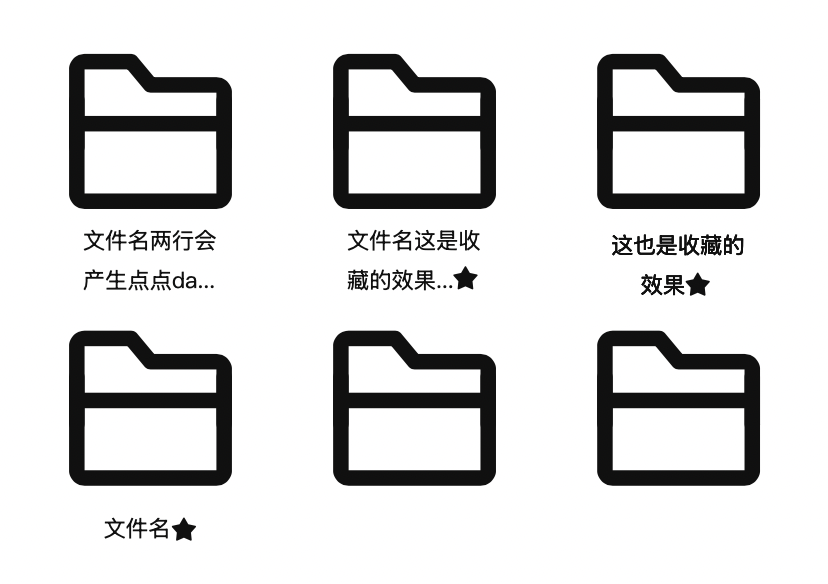
实现代码文件.ets
import { display } from "@kit.ArkUI";
import { JSON } from "@kit.ArkTS";

interface listItem {
  name: string,
  isCollect: boolean,
  id: number,
  type: string,
  imgUrl: string
}

// 父组件
@Entry
@Component
struct Feather {
  @State featherData: string = 'HomeUIAbility';
  @Provide flexItemWhite: number = 0;
  @State screenWidth: number = 0;
  @Provide list: Array<listItem> = [{
    id: 111,
    name: "则是为收",
    type: "folder",
    isCollect: false,
    imgUrl: "app.media.file"
  }, {
    id: 222,
    name: "则是为收",
    type: "folder",
    isCollect: true,
    imgUrl: "app.media.file"
  }, {
    id: 333,
    name: "则是为收藏的文件名",
    type: "folder",
    isCollect: true,
    imgUrl: "app.media.file"
  }, {
    id: 444,
    name: "则nete藏的文件名则是为收藏的文件名",
    type: "folder",
    isCollect: true,
    imgUrl: "app.media.file"
  }, {
    id: 555,
    name: "则sdFile藏的文件名则是为收藏的文件名则是为收藏的文件名",
    type: "folder",
    isCollect: true,
    imgUrl: "app.media.file"
  }, {
    id: 666,
    name: "则的文件名则是为收藏的文件名则是为收藏的文件名",
    type: "folder",
    isCollect: true,
    imgUrl: "app.media.file"
  }]

  // 判断字符串长度
  characterLengthFun(name: string): number {
    let characterLength: number = 0;

    for (const nameItem of name) {
      if (nameItem >= '\u4e00' && nameItem <= '\u9fff') {
        // 一个中文字符算是两个长度
        characterLength = characterLength + 2
      } else {
        characterLength = characterLength + 1
      }
    }

    console.log(JSON.stringify(characterLength))
    return characterLength
  }

  // 字符串截取函数
  truncateTail(name: string): string {
    let bytes = 0;
    let result = "";
    for (const char of name) {
      bytes += char.match(/[^\x00-\xff]/) ? 2 : 1;

      // 26 是根据UI图设定的
      if (bytes > 26) {
        break;
      }
      result += char;
    }

    return result;
  }

  aboutToAppear(): void {
    try {
      const d = display.getDefaultDisplaySync(); //  获取屏幕信息
      const w = d.width; //  获取屏幕宽度
      const wVp = px2vp(w); //  屏幕宽度转化为vp
      this.screenWidth = wVp

      // 当屏幕宽度小于420时设定为手机屏幕
      if (wVp < 420) {
        this.flexItemWhite = Math.floor((wVp - 20) / 3)
      }
    } catch (error) {
      console.error("获取屏幕信息失败:" + JSON.stringify(error))
    }
  }

  build() {
    Column() {
      // flex定位
      Flex({ direction: FlexDirection.Row, wrap: FlexWrap.Wrap, justifyContent: FlexAlign.SpaceBetween }) {
        // for循环添加元素
        ForEach(this.list, (item: listItem) => {
          Column() {
            Image($r(item.imgUrl)).width("65%").height("65%")

            // 图标是否收藏
            if (!item.isCollect) {
              Text(item.name)
                .maxLines(2)
                .textOverflow({ overflow: TextOverflow.Ellipsis })
                .fontSize(15)
                .fontColor(Color.Black)
                .fontWeight(500)
            } else {
              Text() {
                if (this.characterLengthFun(item.name) > 30) {
                  Span(this.truncateTail(item.name) + '…')
                    .fontSize(15)
                    .fontColor(Color.Black)
                    .fontWeight(500)

                } else {
                  Span(item.name)
                    .fontSize(15)
                    .fontColor(Color.Black)
                    .fontWeight(500)
                }


                ImageSpan($r('app.media.collect'))// 内嵌图片
                  .verticalAlign(ImageSpanAlignment.CENTER)// 对齐方式
                  .objectFit(ImageFit.Contain)
                  .height(12)// 图片高度与文字对齐
                  .width(12)
                  .margin(3)
              }
              .textAlign(TextAlign.Center)
              .lineBreakStrategy(LineBreakStrategy.GREEDY)
              .maxLines(2)
              .textOverflow({ overflow: TextOverflow.Clip })
              .lineHeight(18)
              .wordBreak(WordBreak.BREAK_ALL)
            }

          }
          .width(this.flexItemWhite)
          .height(this.flexItemWhite)
          .margin({ top: 10 })
          .border({ width: 1, style: BorderStyle.Solid, color: Color.Black })
        })
      }
    }
    .height('100%')
    .width('100%')
  }
}
实现效果
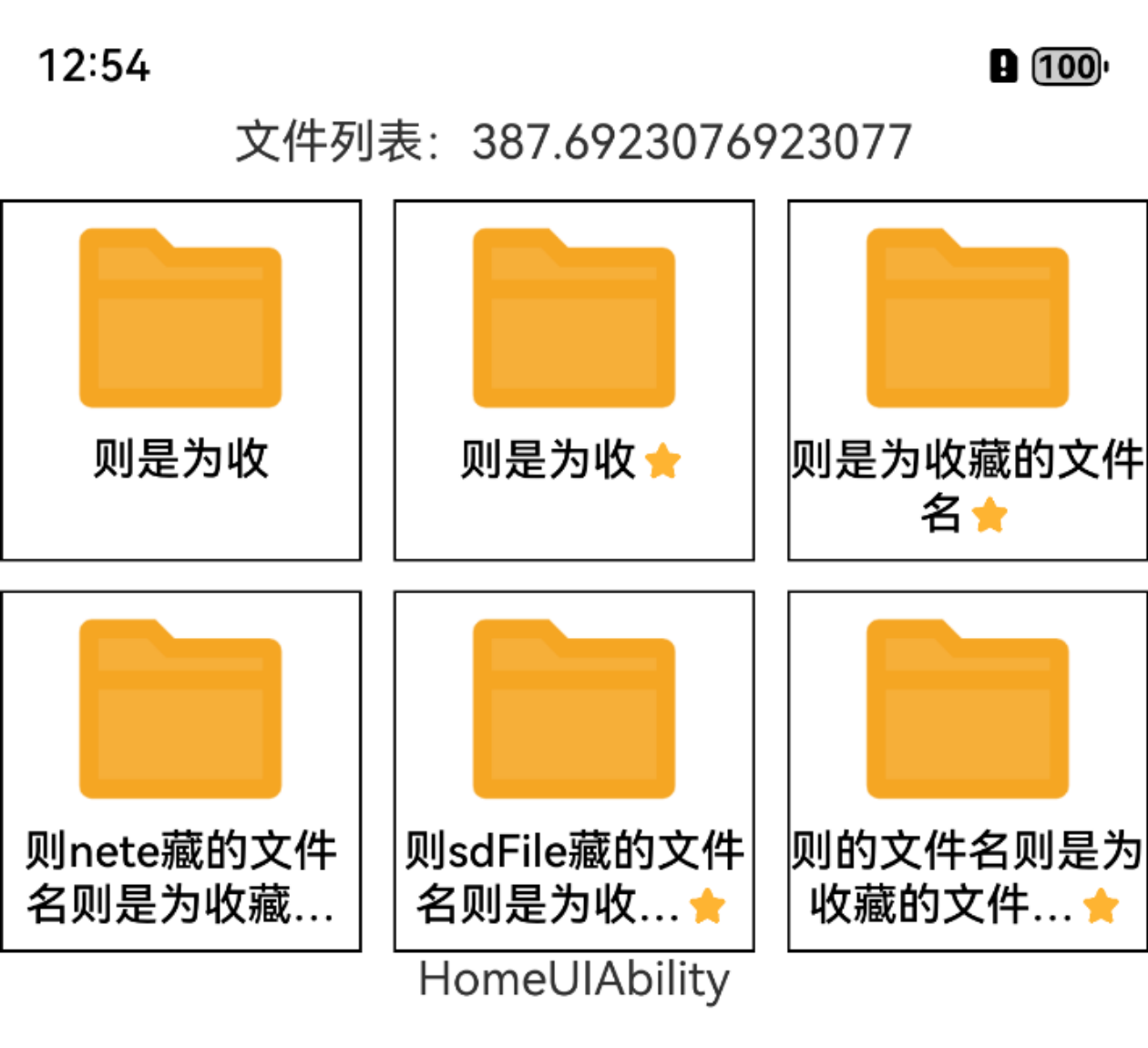

讨论HarmonyOS开发技术,专注于API与组件、DevEco Studio、测试、元服务和应用上架分发等。
更多推荐
 1
1 0
0- 0


 已为社区贡献6条内容

所有评论(0)