鸿蒙应用开发中,Navigation底部有无法绘制的白色区域,该如何取消?
·
问题:
使用 Navigation 时,发现底部有一块白色区域无法绘制,该如何取消?
NavPathStack = new NavPathStack();   cities: string[] = ['泰州', '苏州',
'南京', '无锡', '南通', '盐城', '徐州', '淮安', '常州', '杭州', '宿迁', '湖州'];

  build() {
    Navigation(this.pathStack) {
      Scroll() {
        Column() {
          ForEach(this.cities, (city: string) => {
            Button(city).width('80%').margin({ top: 10, bottom: 10 })
          })
        }.width('100%')
      }.height('100%').width('100%').backgroundColor(Color.Green)
    }.mode(NavigationMode.Stack)   } }
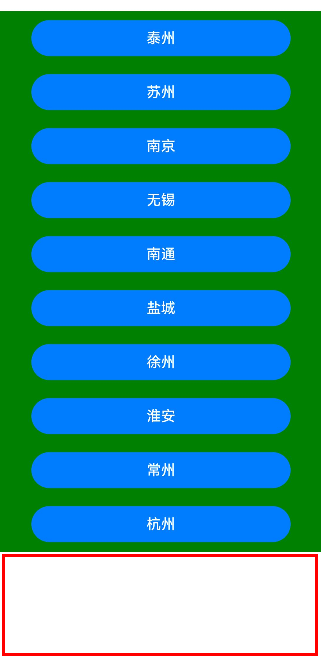
Navigation 没设置相关属性时会出现这种情况,如果要使用标题,则设置 .title('任意标题'),如果不需要使用,则设置 .hideTitleBar(true),这样就能取消下方的空白部分。
设置前效果如下:
设置后(.hideTitleBar(true))代码如下:
@Entry
@Component
struct Index {
  pathStack: NavPathStack = new NavPathStack();
  cities: string[] = ['泰州', '苏州', '南京', '无锡', '南通', '盐城', '徐州', '淮安', '常州', '杭州', '宿迁', '湖州'];

  build() {
    Navigation(this.pathStack) {
      Scroll() {
        Column() {
          ForEach(this.cities, (city: string) => {
            Button(city).width('80%').margin({ top: 10, bottom: 10 })
          })
        }.width('100%')
      }.height('100%').width('100%').backgroundColor(Color.Green)
    }.mode(NavigationMode.Stack)
    .hideTitleBar(true)
  }
}
效果如下:
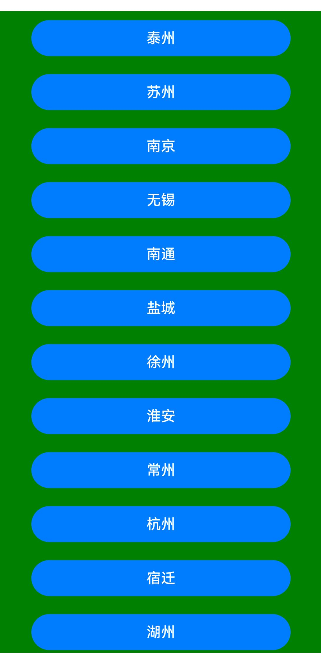
可以看到,下方的空白消失了,Scroll 组件能绘制到底部。

讨论HarmonyOS开发技术,专注于API与组件、DevEco Studio、测试、元服务和应用上架分发等。
更多推荐

 2
2 0
0- 0


 已为社区贡献11条内容

所有评论(0)