uniapp 嵌入鸿蒙原生组件 具体步骤
·
关于怎么使用uniapp 嵌入鸿蒙原生组件
HBuilder X 版本 4.64
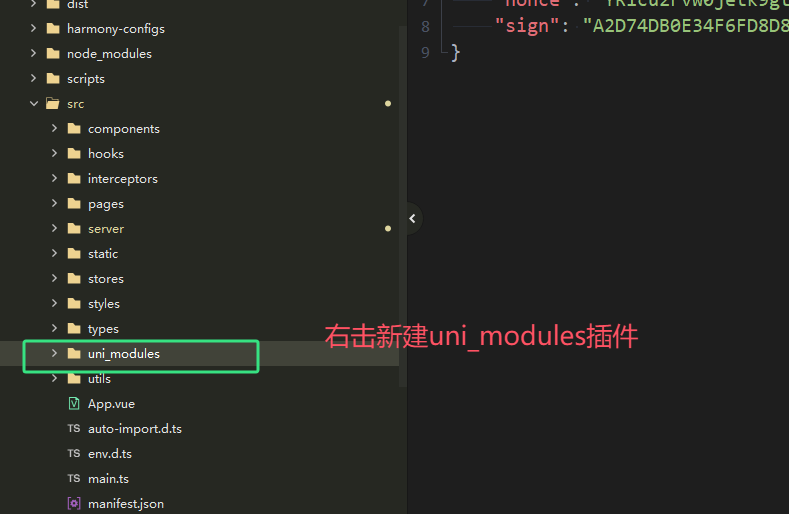
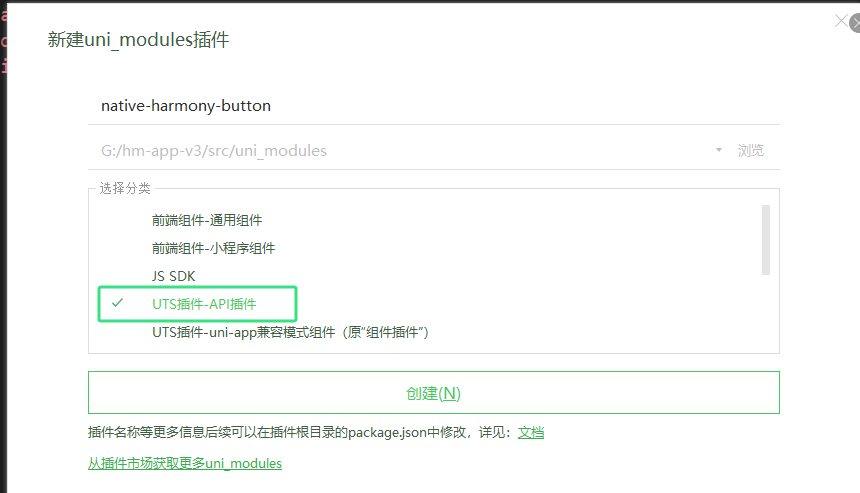
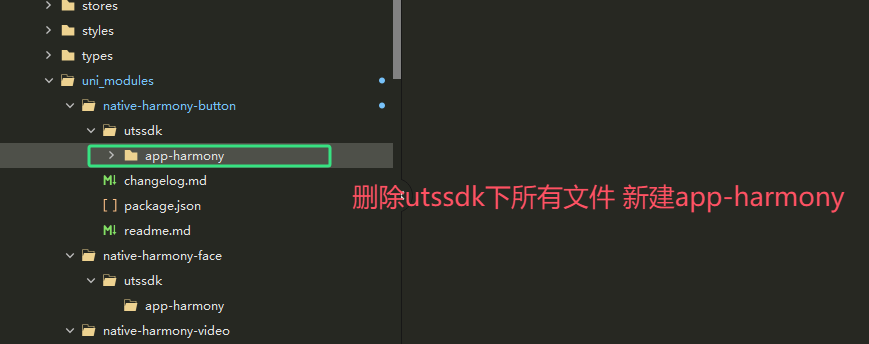
app-harmony文件下新建 index.uts button.ets
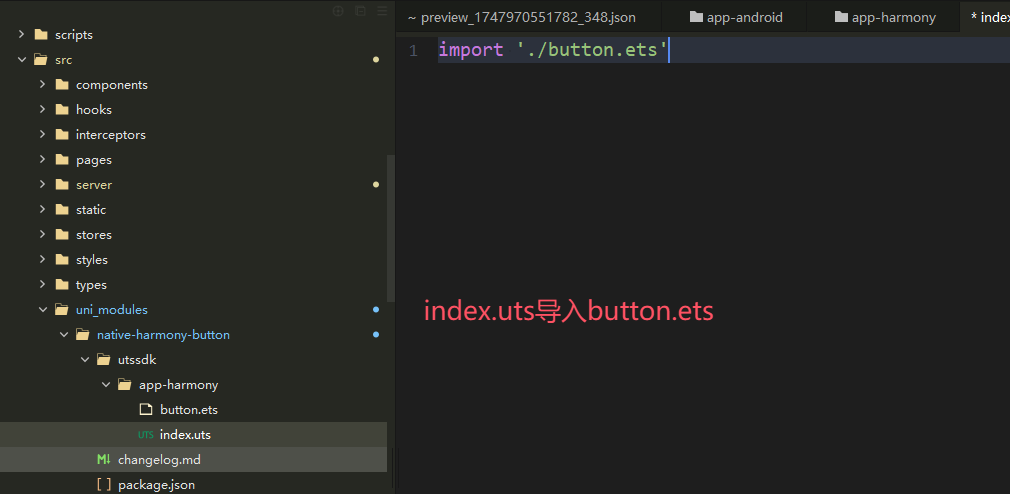
button.ets里面复制uniapp 官方提供的 示例代码
https://uniapp.dcloud.net.cn/tutorial/harmony/native-component.html
button.ets
import { NativeEmbedBuilderOptions, defineNativeEmbed } from "@dcloudio/uni-app-runtime"

interface ButtonBuilderOptions extends NativeEmbedBuilderOptions {
  label: string
}

interface ButtonClickEventDetail {
  text: string
}


@Component
struct ButtonComponent {
  @Prop label: string
  onButtonClick?: Function

  build() {
    Button(this.label)
      .width('100%')
      .height('100%')
      .onClick(() => {
        if (this.onButtonClick) {
          const detail = {
            text: 'test'
          } as ButtonClickEventDetail
          this.onButtonClick({
            detail
          })
        }
      })
  }
}

@Builder
function ButtonBuilder(options: ButtonBuilderOptions) {
  ButtonComponent({
    label: options.label,
    onButtonClick: options?.on?.get('click')
  })
    .width(options.width)
    .height(options.height)
}

defineNativeEmbed('button', {
  builder: ButtonBuilder
})
index.vue
<template>
	<embed class="native-button" tag="button" :options="options" @click="onClick"></embed>
</template>

<script setup lang="ts">
import "@/uni_modules/native-harmony-button";
import { ref } from 'vue';
const options = ref({ label: 'hello' })
const onClick = (e) => {
	console.log(e)
}
</script>
<style lang="scss" scoped>
 .native-button {
    display: block;
    width: 200px;
    height: 50px;
    margin: 10px auto;
}
</style>
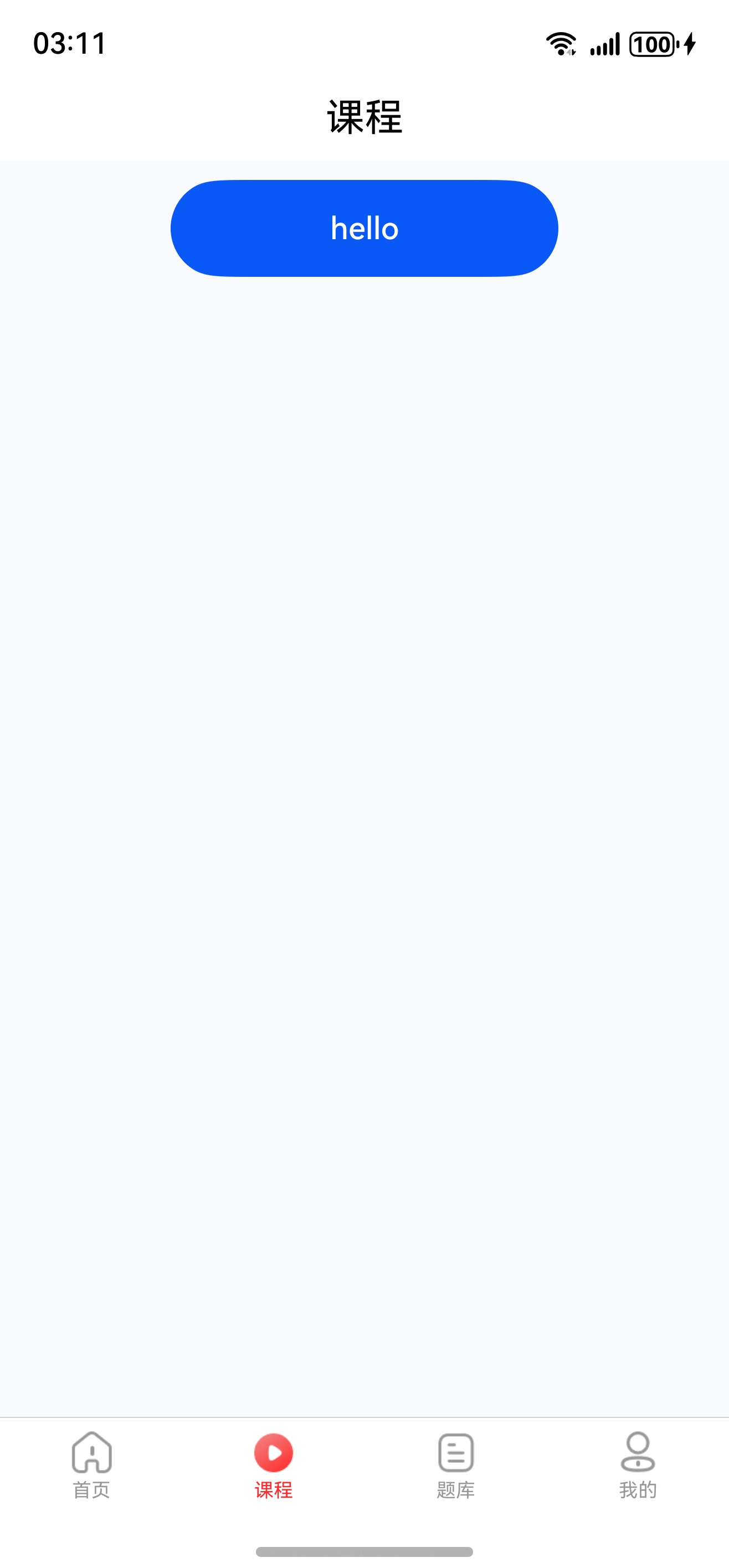
效果图
完结
效果没出来的可以在评论区提问

讨论HarmonyOS开发技术,专注于API与组件、DevEco Studio、测试、元服务和应用上架分发等。
更多推荐

 8
8 0
0- 0


 已为社区贡献3条内容

所有评论(0)