鸿蒙ArkUI布局与样式进阶(七)——鸿蒙 ArkUI 开发中的条件判断与循环语句全解析(实战 + 思维延伸)
💬 在鸿蒙开发中,逻辑控制不仅决定了页面显示与交互,还影响组件性能与应用流畅度。
条件语句与循环结构,是开发者构建动态界面与数据驱动逻辑的根基。
本文将以 ArkUI(ArkTS)为基础,从语法到实战全面解析,让你在实际项目中写出高效、优雅的逻辑代码。
目录
🧠 一、条件语句基础:界面逻辑的“决策大脑”
在 ArkUI 中,条件判断是实现界面状态切换的核心逻辑,比如根据登录状态展示不同页面、根据系统主题调整样式、根据设备类型加载不同组件等。
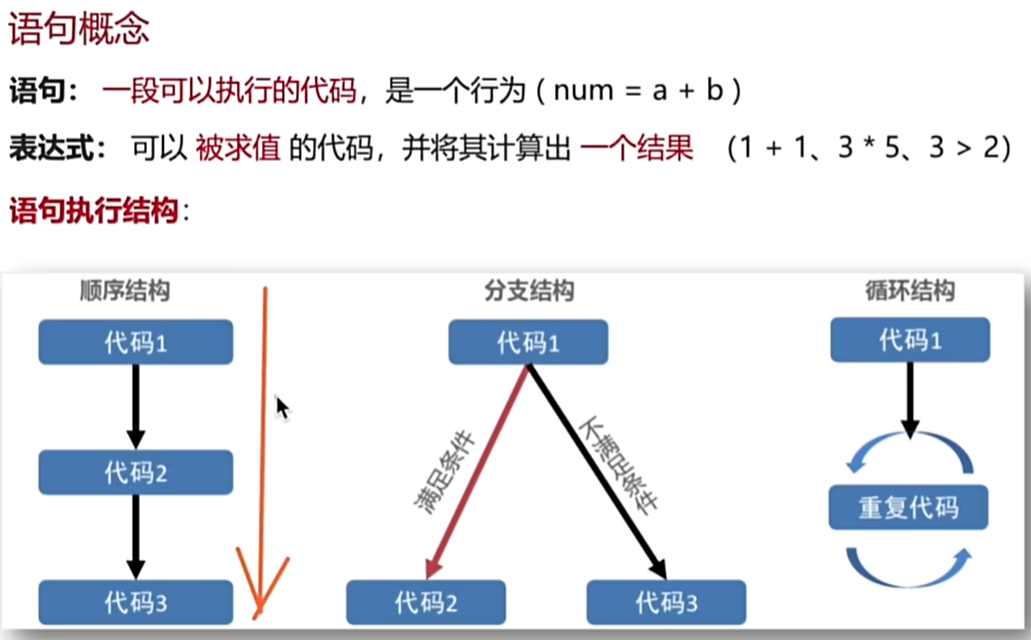
✅ 1. if 语句
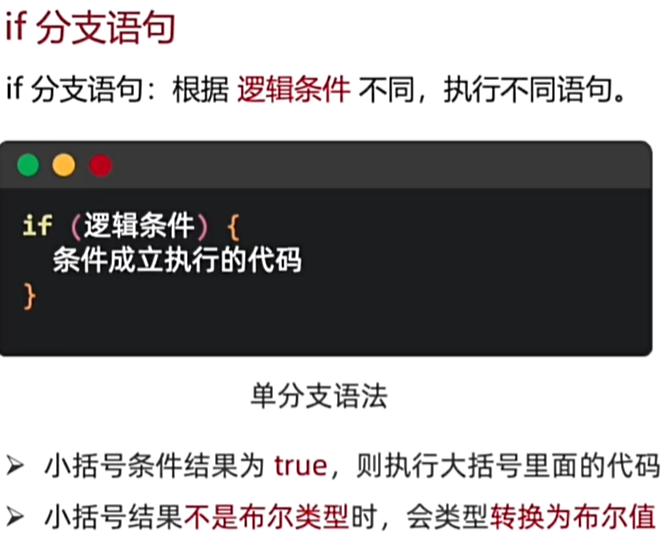
if 语句示例
if (condition) {
  // 条件成立时执行
} else {
  // 条件不成立时执行
}
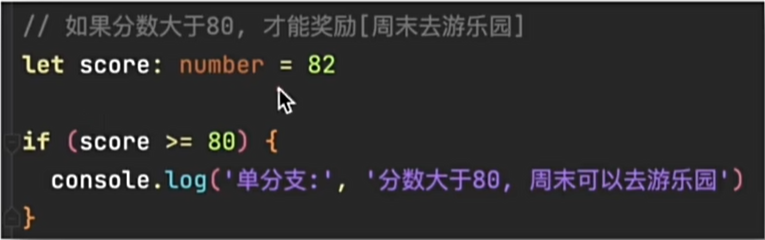
例:
多分支结构
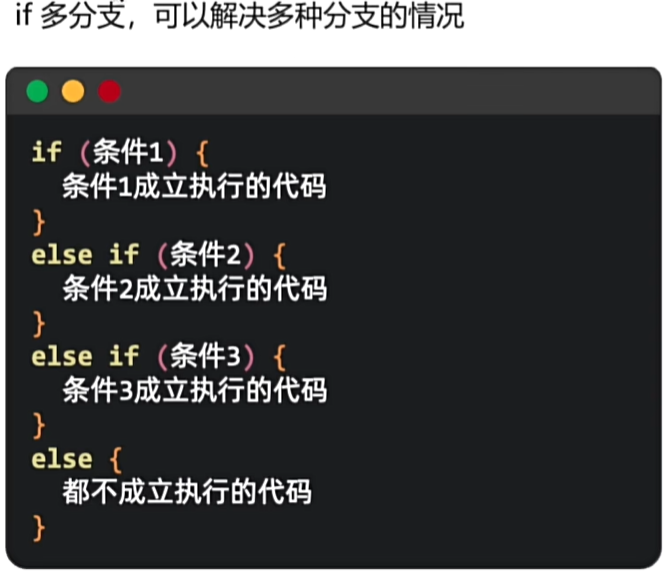
if (user.age < 18) {
  console.log('未成年人');
} else if (user.age < 60) {
  console.log('成年人');
} else {
  console.log('老年人');
}
逻辑运算符
| 运算符 | 含义 | 示例 |
|---|---|---|
&& | 与(两者都为真) | isOnline && isAdmin |
|| | 或(任一为真) | isGuest || isNew |
! | 非(逻辑取反) | !isConnected |
💡 个人理解:
在 ArkUI 中,if 判断不仅用于数据逻辑,也经常与 @State 绑定,实现 UI 的响应式刷新。
例如,当 @State 值变化时,触发组件重新渲染,if 条件会自动重新计算,这就是“声明式 UI”的逻辑核心。
⚡ 2. 三元运算符(条件表达式)
语法
const msg = isLogin ? '欢迎回来' : '请先登录';
实际使用
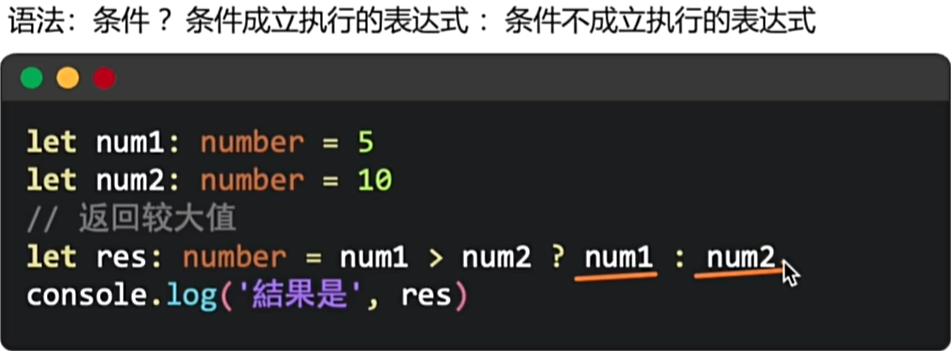
💬 理解拓展:
三元运算符是 ArkUI 中最常见的“微逻辑渲染”方式。
在 JSX/TSX 或 eTS 模板里,它能让代码更紧凑,但切记:
不要在一个表达式里嵌套过多三元判断,否则可读性会大幅下降。
🔁 3. switch 语句(多状态渲染的好帮手)
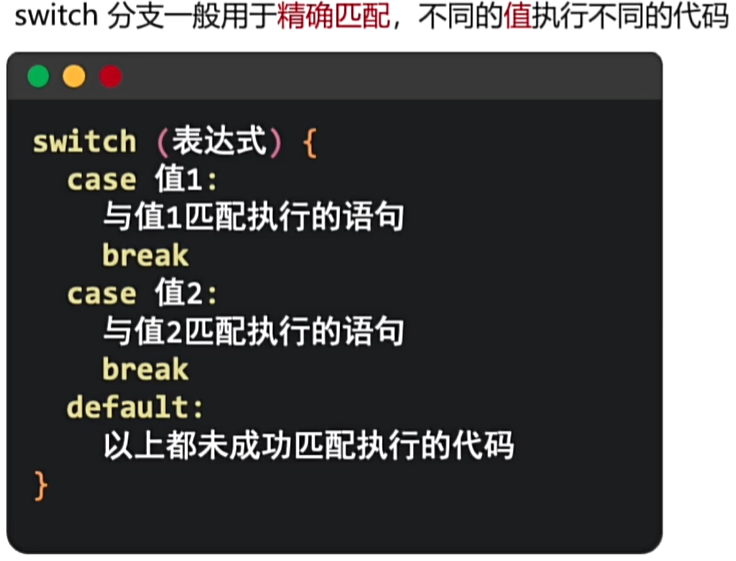
语法示例
switch (user.role) {
  case 'admin':
    console.log('管理员');
    break;
  case 'editor':
    console.log('编辑者');
    break;
  default:
    console.log('普通用户');
}
实战示例
switch (appStatus) {
  case 'loading':
    LoadingView();
    break;
  case 'error':
    ErrorPage();
    break;
  default:
    HomePage();
}
例:
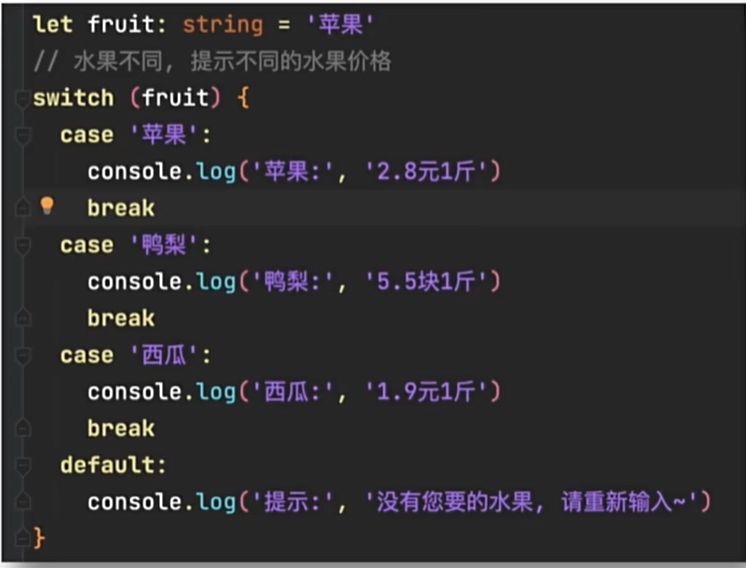

🧠 个人理解:
在 ArkUI 的界面逻辑中,switch 特别适合多状态的渲染场景,如页面加载中、加载成功、加载失败、无数据等。
它让逻辑更清晰,阅读体验更接近自然语言。
🎨 二、ArkUI 中的条件渲染与动态交互
ArkUI 是声明式框架,因此判断语句通常与组件绑定,用于动态渲染。
🧩 1. 条件渲染基础
@State isLoading: boolean = true;

build() {
  if (this.isLoading) {
    LoadingSpinner();
  } else {
    Text('内容已加载');
  }
}
💡 开发者思维:
在 ArkUI 的渲染模型中,条件判断不是直接修改 DOM,而是重新计算组件树。
这意味着条件逻辑会直接影响 UI 的刷新节奏和性能。
内联形式
build() {
  this.isLoading ? LoadingSpinner() : ContentView();
}
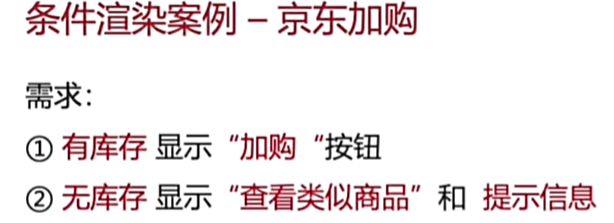
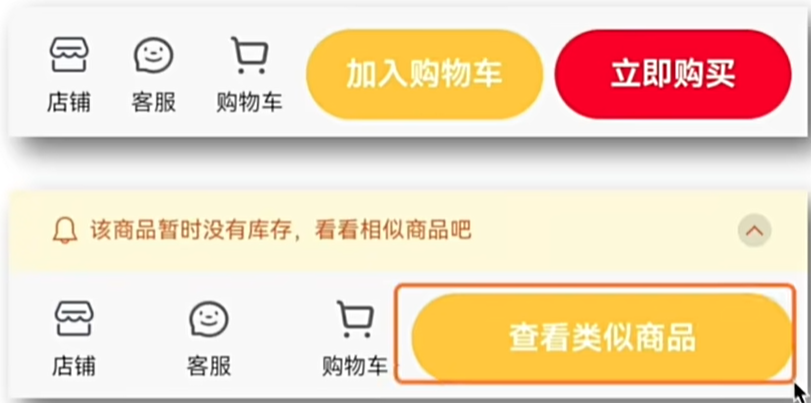
@Entry
@Component
struct ProductStockStatus {
  // 库存状态:0表示无库存,1表示有库存
  @State stockStatus: number = 0;
  // 商品数量,用于库存判断
  @State count: number = 0;

  build() {
    Column({ space: 10 }) {
      // 库存状态标题
      Text(`库存状态:${this.stockStatus === 1 ? '有库存' : '无库存'}`)
        .fontSize(16)
        .fontWeight(FontWeight.Bold)
        .margin({ top: 20 });

      // 条件渲染:根据库存状态显示不同内容
      if (this.stockStatus === 1) {
        // 有库存时显示"加入购物车"和"立即购买"按钮
        Row({ space: 5 }) {
          Button('加入购物车')
            .width(105)
            .height(40)
            .backgroundColor('#ffaa00')
            .fontSize(14)
            .fontWeight(600)
            .onClick(() => {
              console.info('加入购物车按钮被点击');
            });

          Button('立即购买')
            .width(105)
            .height(40)
            .backgroundColor('#ffcc00')
            .fontSize(14)
            .fontWeight(600)
            .onClick(() => {
              console.info('立即购买按钮被点击');
            });
        }
        .margin({ top: 10 });
      } else {
        // 无库存时显示"查看类似商品"按钮和提示信息
        Column({ space: 10 }) {
          Button('查看类似商品')
            .width(170)
            .height(40)
            .backgroundColor('#ffcc00')
            .fontSize(14)
            .fontWeight(600)
            .onClick(() => {
              console.info('查看类似商品按钮被点击');
            });

          // 库存提示信息
          if (this.count <= 0) {
            Row({ space: 5 }) {
              Image($r('app.media.ic_ligang'))
                .width(12)
                .fillColor('#dedede');

              Text('该商品暂时没有库存,看看相似商品吧')
                .fontSize(10)
                .fontColor('#dedede');

              Image($r('app.media.ic_shangjiantou'))
                .width(15)
                .padding(5)
                .fillColor('#d06b2c')
                .backgroundColor('rgba(0,0,0,0.1)')
                .borderRadius(8);
            }
            .width('100%')
            .height(36)
            .backgroundColor('#f8f9da')
            .position({ x: 0, y: -36 })
            .padding({ left: 20, right: 20 })
            .justifyContent(FlexAlign.SpaceBetween)
            .position({ x: 0, y: '100%' })
            .translate({ y: -100 });
          }
        }
        .margin({ top: 10 });
      }
    }
    .width('100%')
    .padding({ left: 20, right: 20 });
  }
}
🌈 2. 动态样式与类名
Button('提交')
  .backgroundColor(this.isPrimary ? '#007AFF' : '#AAAAAA')
  .fontColor('#fff')
🔄 三、循环语句:让数据驱动界面
🧮 1. for 循环
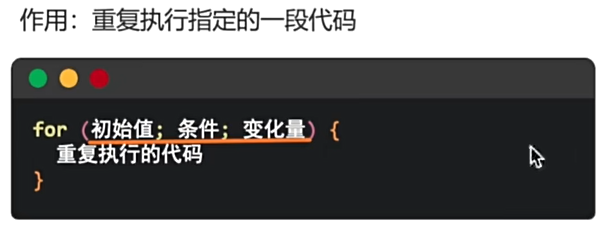
for (let i = 0; i < 5; i++) {
  console.log(`第${i + 1}次执行`);
}
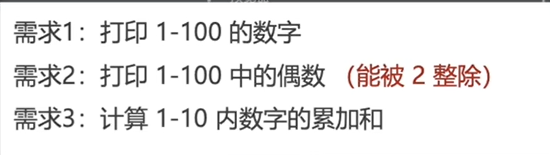
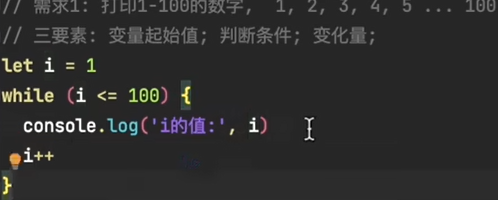
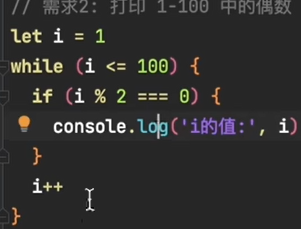
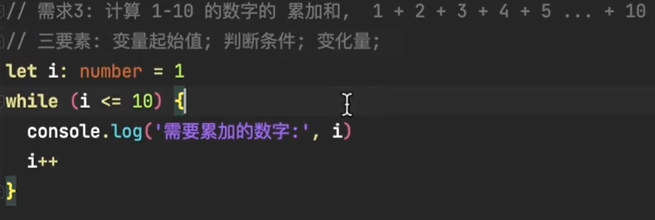
🔁 2. while 循环
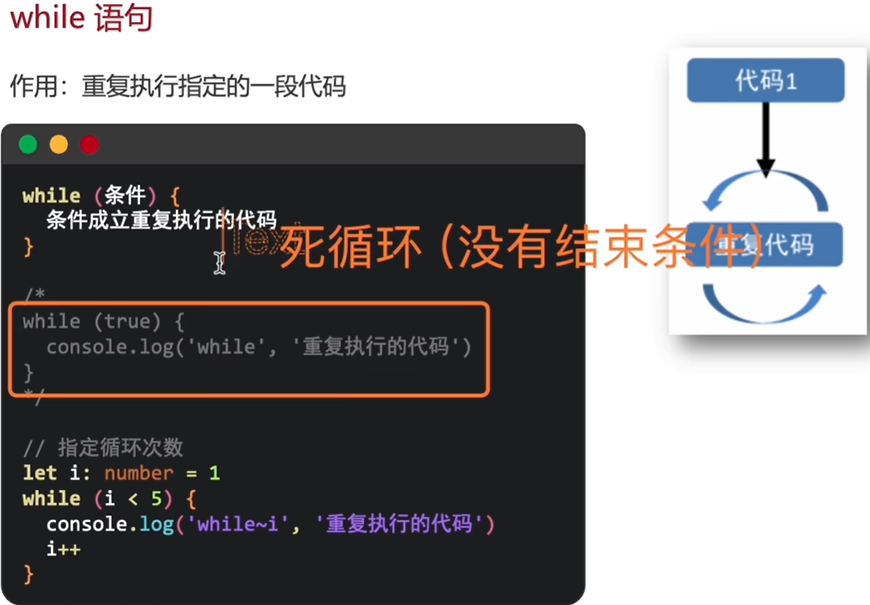
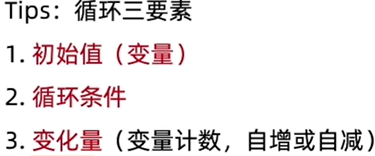
let i = 0;
while (i < 5) {
  console.log(i++);
}
🔂 3. do…while 循环
let i = 0;
do {
  console.log(i++);
} while (i < 5);
🧱 4. for…of 遍历数组
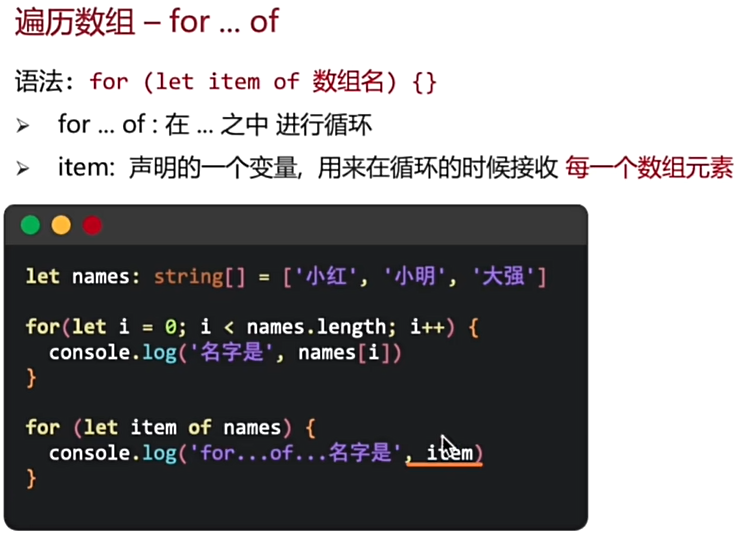
const items = [1, 2, 3];
for (const item of items) {
  console.log(item);
}
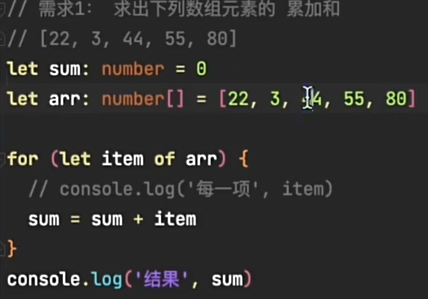
例:
🧰 5. for…in 遍历对象
const user = { name: '张三', age: 25 };
for (const key in user) {
  console.log(`${key}: ${user[key]}`);
}
💬 ArkUI 场景理解:
在 ArkUI 中,我们更常使用 ForEach 组件来实现列表渲染,而非传统循环。
因为框架需要追踪状态变化并高效更新 UI。
ArkUI 中的 ForEach
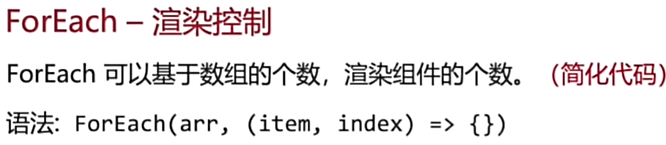
@State items: string[] = ['苹果', '香蕉', '橙子'];

build() {
  Column() {
    ForEach(this.items, (item) => {
      Text(item)
        .fontSize(20)
    })
  }
}
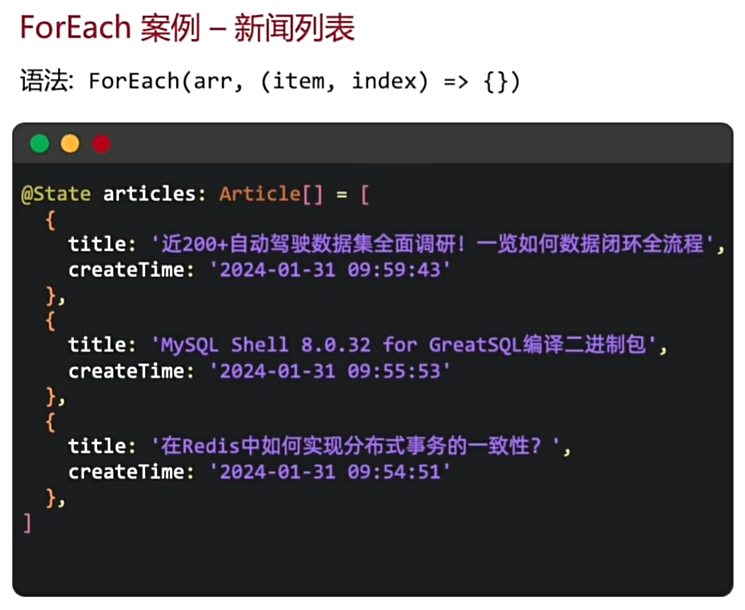
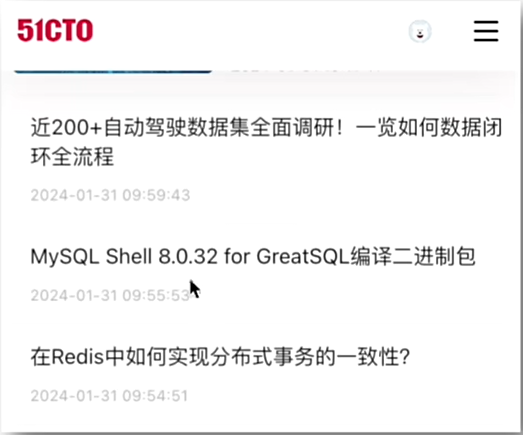
// 文章接口定义
interface Article {
  title: string;
  createTime: string;
}

@Entry
@Component
struct Index {
  // 文章数据列表
  @State articles: Article[] = [
    {
      title: '近20+自动驾驶数据集全面调研!一览如何数据闭环全流程',
      createTime: '2024-01-31 09:59:46'
    },
    {
      title: 'MySQL Shell 8.0.32 for 上',
      createTime: '2024-01-31 09:55:68'
    }
  ];

  build() {
    // 滚动容器
    Scroll({}) {
      // 垂直布局
      Column({ space: 0 }) {
        // 遍历文章列表
        ForEach(this.articles, (item: Article, index: number) => {
          // 每个文章项的容器
          Column({}) {
            // 文章标题
            Text(item.title)
              .width('100%')
              .fontSize(15)
              .fontColor('#333333')
              .lineHeight(20);

            // 文章创建时间
            Text(item.createTime)
              .margin({ top: 15 })
              .width('100%')
              .fontSize(12)
              .fontColor('#999999');
          }
          .padding({ top: 15, bottom: 15 })
          .width('100%')
          .border({
            width: { bottom: 2 },
            color: { bottom: '#f4f4f4' }
          });
        });
      }
      .width('100%')
      .padding({ left: 20, right: 20 });
    }
    .width('100%')
    .height('100%');
  }
}
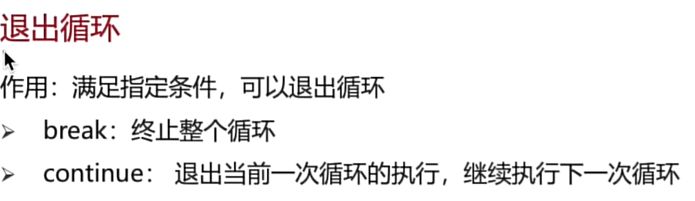
⛔ 四、循环控制语句
| 语句 | 功能 | ArkUI 应用场景 |
|---|---|---|
break | 终止循环 | 查找到匹配数据时提前结束 |
continue | 跳过当前迭代 | 过滤无效元素 |
return | 退出函数或渲染 | 在数据无效时提前中止逻辑 |
🧩 五、实战案例(ArkUI 场景化讲解)
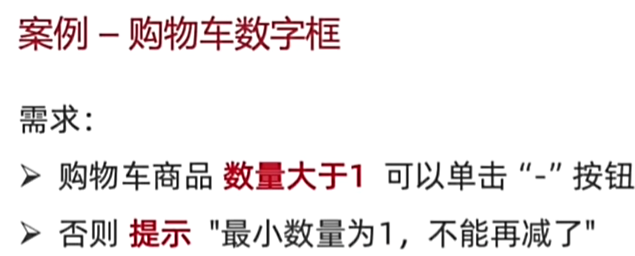
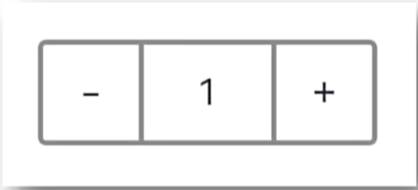
🛒 案例1:购物车数量控制
@Entry
@Component
struct ShoppingCartCounter {
  // 状态变量:购物车商品数量,初始值为5
  @State count: number = 5;

  build() {
    Row({ space: 0 }) {
      // 减号按钮
      Text('-')
        .width(40)
        .height(40)
        .border({ width: 2, color: '#999', radius: 3 })
        .textAlign(TextAlign.Center)
        .fontSize(14)
        .backgroundColor('#f5f5f5')
        .onClick(() => {
          if (this.count > 1) {
            // 数量大于1时允许减少
            this.count--;
          } else {
            // 数量为1时弹出提示
            AlertDialog.show({
              title: '提示',
              message: '最小数量为1,不能再减小了',
              confirm: {
                value: '确定',
                action: () => {}
              }
            });
          }
        });

      // 中间显示数量的文本
      Text(this.count.toString())
        .width(40)
        .height(40)
        .textAlign(TextAlign.Center)
        .fontSize(14)
        .backgroundColor('#ffffff')
        .border({ width: 2, color: '#999', radius: 3 })
        .padding({ left: 20, right: 20 });

      // 加号按钮
      Text('+')
        .width(40)
        .height(40)
        .border({ width: 2, color: '#999', radius: 3 })
        .textAlign(TextAlign.Center)
        .fontSize(14)
        .backgroundColor('#f5f5f5')
        .onClick(() => {
          // 点击加号增加数量
          this.count++;
        });
    }
    .width('100%')
    .justifyContent(FlexAlign.Center)
  }
}
📊 案例2:数据循环与筛选
const numbers: number[] = [22, 6, 44, 55, 80, 10, 11, 5, -1];
const validNumbers = [];

for (const num of numbers) {
  if (num >= 10) validNumbers.push(num);
}
console.log(validNumbers); // [22, 44, 55, 80, 10, 11]
⚙️ 六、性能与逻辑优化建议
🚀 1. 简化条件判断
推荐:
if (isLoading) { ... }
不推荐:
if (isLoading === true) { ... }
🔙 2. 使用 Early Return 减少嵌套
function calc(price: number, count: number): number {
  if (price <= 0 || count <= 0) return 0;
  return price * count;
}
🧠 3. 控制渲染频率(ArkUI 特有建议)
避免在频繁变化的 @State 中嵌套复杂逻辑判断,可使用:
- 使用
@Computed派生状态 - 使用
ConditionalBuilder分块渲染 - 使用
LazyForEach提升长列表性能
🌟 七、总结与思维升维
条件语句与循环语句,是程序世界的“逻辑心脏”。
在 ArkUI 声明式框架 中,它们不仅是逻辑结构,更是数据驱动 UI 的关键机制。
每一次 if 判断、每一个 ForEach 渲染,都是在告诉系统“当前状态下的界面应该是什么样”。
写得好的逻辑:
• 代码简洁,意图清晰
• 状态驱动,响应式更新
• 性能友好,不卡顿不卡帧
💬 我的开发体会:
条件与循环的设计不是机械地写语句,而是理解“状态 → UI”的映射关系。
在鸿蒙生态中,逻辑清晰、判断合理的代码,就是优雅高效应用的基石。
恭喜您,迈出了鸿蒙应用开发坚实的一步!🎉
🤔 接下来,我将继续为大家更新鸿蒙开发的相关知识点,如果喜欢,记得关注驻波。
✅ 如果你觉得这篇 ArkUI 学习笔记对你有帮助,记得 点赞 + 收藏,关注我获取更多鸿蒙开发干货!📝 有任何问题欢迎在评论区留言,我们一起交流学习!
从 0 到 1:用 ArkUI 写出你的第一个鸿蒙 App 界面 -CSDN博客
鸿蒙ArkUI布局与样式进阶(二)—— SVG 设计图案、Padding、Margin、Border、圆角与背景实战-CSDN博客
鸿蒙ArkUI布局与样式进阶(三)——线性布局(Row 与 Column)深度解析与工程实践-CSDN博客
鸿蒙ArkUI布局与样式进阶(四)——从 Column 到 Grid,一篇搞懂常用布局(含实战案例与逐行注释)-CSDN博客

讨论HarmonyOS开发技术,专注于API与组件、DevEco Studio、测试、元服务和应用上架分发等。
更多推荐

 36
36 0
0- 0


 已为社区贡献17条内容

所有评论(0)