小白3天精通跨平台React Native鸿蒙开发:MutilBundle加载方案实现路由跳转Bug:Cannot find module ‘crypto-js/md5‘ Require stack
Error: Cannot find module 'crypto-js/md5' Require stack:
D:\RN\HarmonyRnShop\bui1d\moduleId.js D:\RN\HarmonyRnShop\basic.config.js
D:\RN\HarmonyRnShop\node_modules\cosmiconfig\node_modules\import-fresh\index.js D:\RN\HarmonyRnShop\node_modules\cosmiconfig\dist\1oaders.js
D:\RN\HarmonyRnShop\node_modules\cosmiconfig\dist\createExplorer.js D:\RN\HarmonyRnShop\node_modules\cosmiconfig\dist\index.js
D:\RN\HarmonyRnShop\node_modules\@react-native-community\c1i-config\bui1d\readConfigFromDisk.js D:\RN\HarmonyRnShop\node_modules\@react-native-community\c1i-config\bui1d\1oadConfig.js D:\RN\HarmonyRnShop\node_modu1es\@react-native-community\cli-config\bui1d\index.js D:\RN\HarmonyRnShop\node_modules\@react-native-community\c1i\bui1d\commands\index. js D:\RN\HarmonyRnShop\node_modules\@react-native-community\c1i\bui1d\index.js D:\RN\HarmonyRnShop\node_modu1es\@react-native-community\c1i\bui1d\bin.js at Function._resolveFilename(node:interna1/modu1es/cjs/1oader:1365:15) at defaultResolveImp1(node:interna1/modu1es/cjs/1oader:1021:19)
at resolveForCJSWithHooks (node:interna1/modules/cjs/1oader:1026:22) at Function._load (node:interna1/modules/cjs/1oader:1175:37) at TracingChanne1.traceSync (node:diagnostics_channe1:322:14) at wrapModuleLoad (node:interna1/modules/cjs/1oader:235:24) at Module.require (node:interna1/modu1es/cjs/1oader:1445:12) at require (node:interna1/modu1es/he1pers:135:16)
at Object.<anonymous>(D:\RN\HarmonyRnShop\bui1d\modu1eId.js:10:13) at Module._compile (node:interna1/modules/cjs/1oader:1688:14)
在 JavaScript 中,如果你遇到了 “Cannot find module ‘crypto-js/md5’” 的错误,这通常意味着你的项目中没有正确安装 crypto-js 库,或者你的项目没有正确地引用到 md5 模块。以下是一些解决这个问题的步骤:
- 安装 crypto-js
首先,确保你已经安装了 crypto-js 库。你可以通过 npm 或 yarn 来安装它:
npm install crypto-js
或者
yarn add crypto-js
- 正确引用 md5 模块
在 JavaScript 或 Node.js 文件中,你应该这样引用 md5:
const CryptoJS = require("crypto-js");

// 使用 MD5
const hash = CryptoJS.MD5("message").toString();
console.log(hash);
注意这里使用的是 CryptoJS.MD5 而不是 crypto-js/md5。在较新版本的 crypto-js 中,你应该直接从 CryptoJS 对象中访问 MD5 方法。
- 检查导入语句
确保你的导入语句没有拼写错误。错误的导入语句可能会导致模块找不到的问题。例如,不应该有路径分隔符(如 /),除非你是在尝试引用一个特定的文件(这在 crypto-js 中不适用)。
- 清除 node_modules 和重新安装
有时候,依赖项可能会损坏。你可以尝试删除 node_modules 文件夹和 package-lock.json 或 yarn.lock 文件,然后重新运行安装命令:
rm -rf node_modules package-lock.json yarn.lock
npm install
或者
rm -rf node_modules yarn.lock
yarn install
- 检查版本兼容性
确保你使用的 crypto-js 版本支持你正在使用的功能。可以通过查看 crypto-js 的文档或 GitHub 仓库来确认这一点。你可以查看不同版本的发布说明或直接在代码中使用支持的函数。
通过以上步骤,你应该能够解决 “Cannot find module ‘crypto-js/md5’” 的错误。如果问题仍然存在,请检查你的代码和环境设置是否有其他潜在问题。
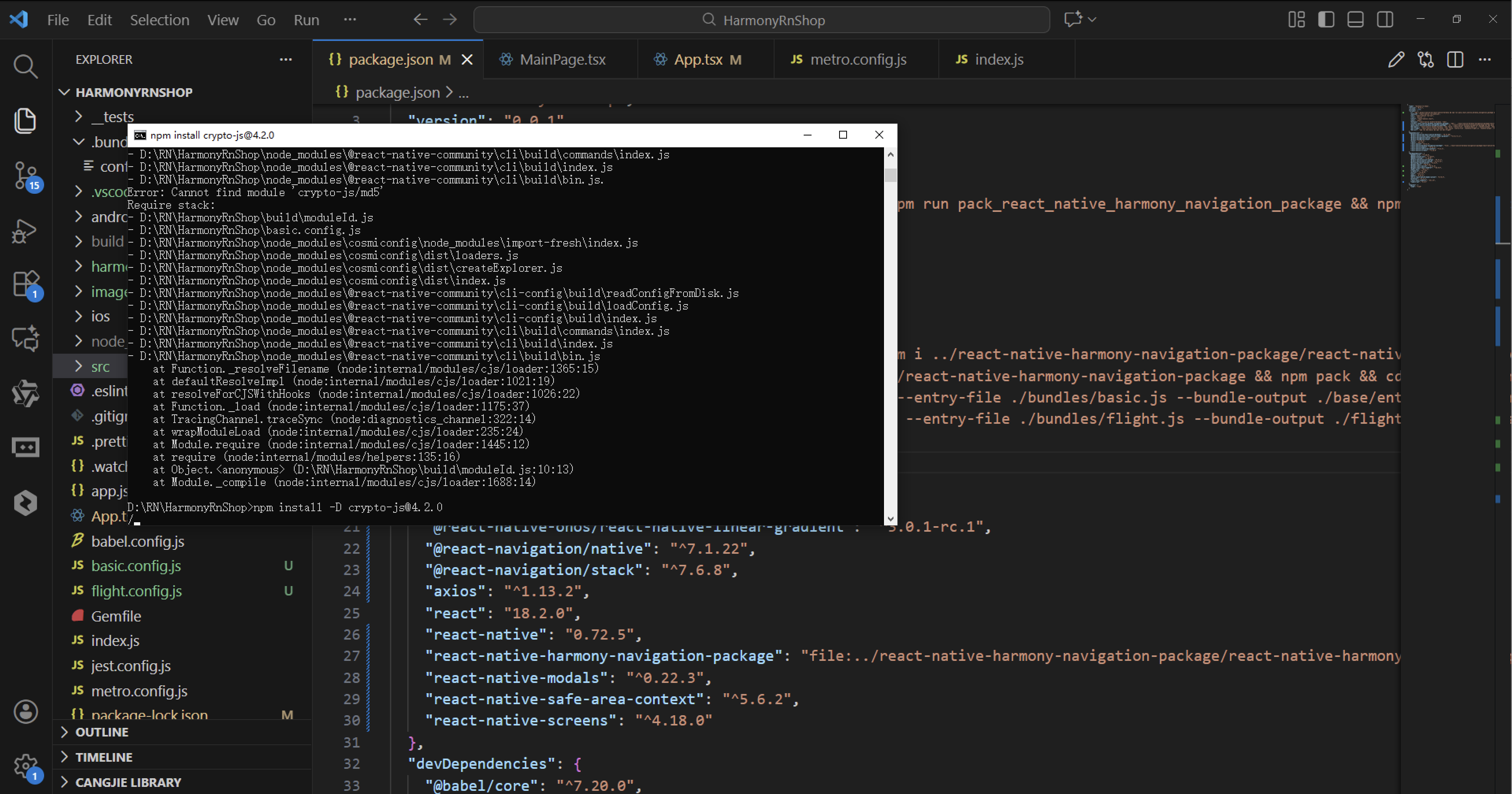
这是一个典型的 Node.js 模块加载错误,表明系统无法找到 crypto-js/md5 这个加密模块。这个错误通常发生在项目依赖不完整或环境配置有问题的情况下。
错误详细解析
问题根源分析
模块缺失:crypto-js 是一个常用的 JavaScript 加密库,提供了 MD5、SHA1、AES 等多种加密算法。错误信息显示系统在以下路径中查找但未找到该模块:
- node_modules/crypto-js/md5
- node_modules/crypto-js/md5.js
- node_modules/crypto-js/md5/index.js
错误堆栈解读
从错误堆栈可以看出问题发生在多个模块的加载链中:
- 模块解析失败:Node.js 在 moduleId.js 中尝试加载 crypto-js/md5 时出错
- 配置加载问题:涉及 cosmiconfig、cli-config 等配置管理模块
- 依赖链断裂:整个 React Native 项目的依赖关系出现了问题
解决方案
立即修复步骤
- 安装缺失的加密模块
npm install crypto-js
或者如果网络连接有问题,可以使用国内镜像:
npm install -g cnpm --registry=https://registry.npm.taobao.org
cnpm install crypto-js
- 清理并重新安装依赖
删除现有依赖
rm -rf node_modules
rm package-lock.json
重新安装
npm install
- 验证安装结果
npm list crypto-js
应该显示 crypto-js@x.x.x 版本信息。
建议:立即在项目根目录执行 npm install crypto-js 命令,然后重启你的开发服务器。如果问题仍然存在,建议删除 node_modules 文件夹和 package-lock.json 文件,然后重新运行 npm install。
实际解决方案:
安装缺失的加密模块
npm install crypto-js
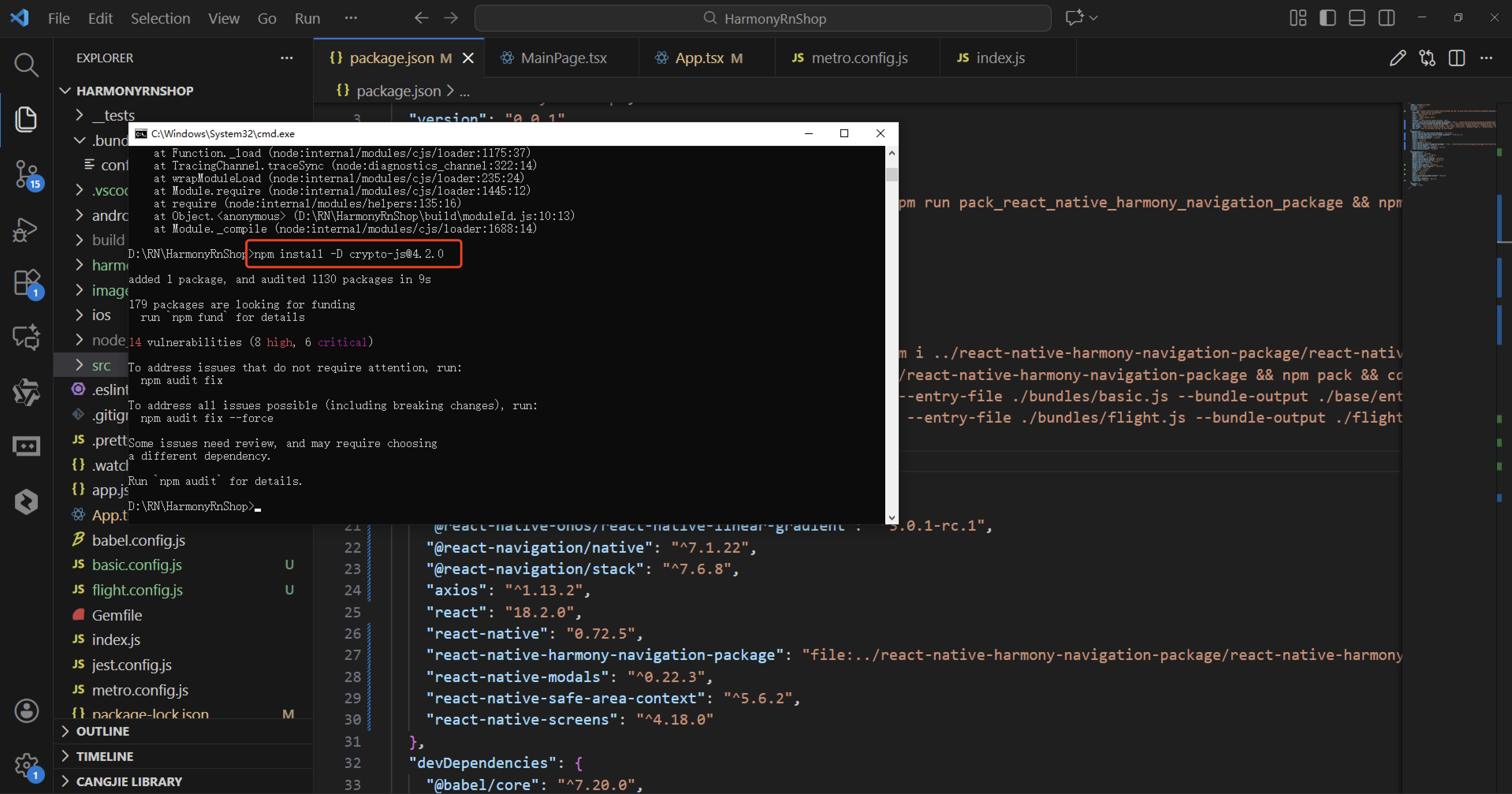
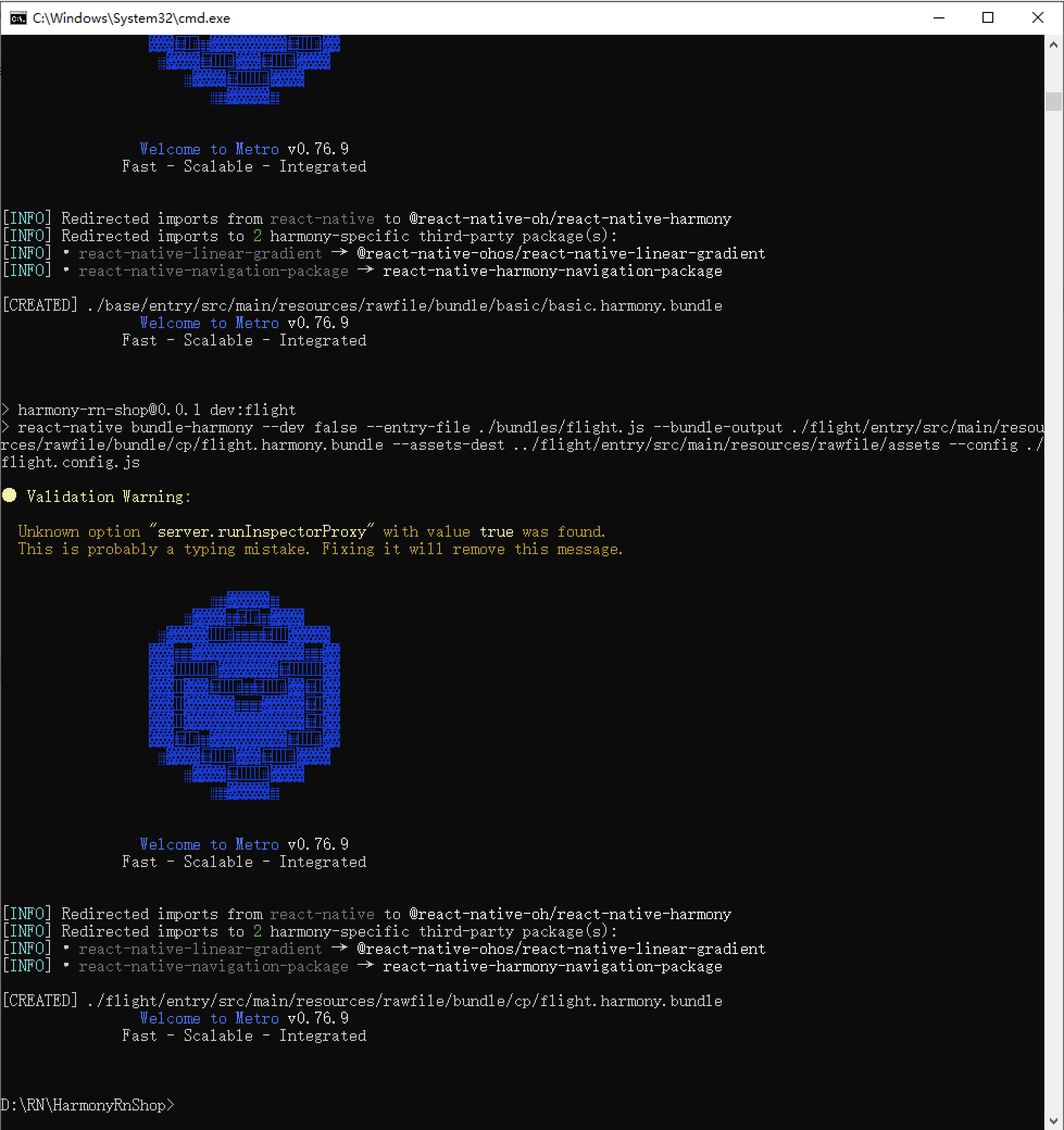
接下来通过打包命令npn run harmony将reactNative的代码打包成为bundle,这样可以进行在开源鸿蒙OpenHarmony中进行使用。
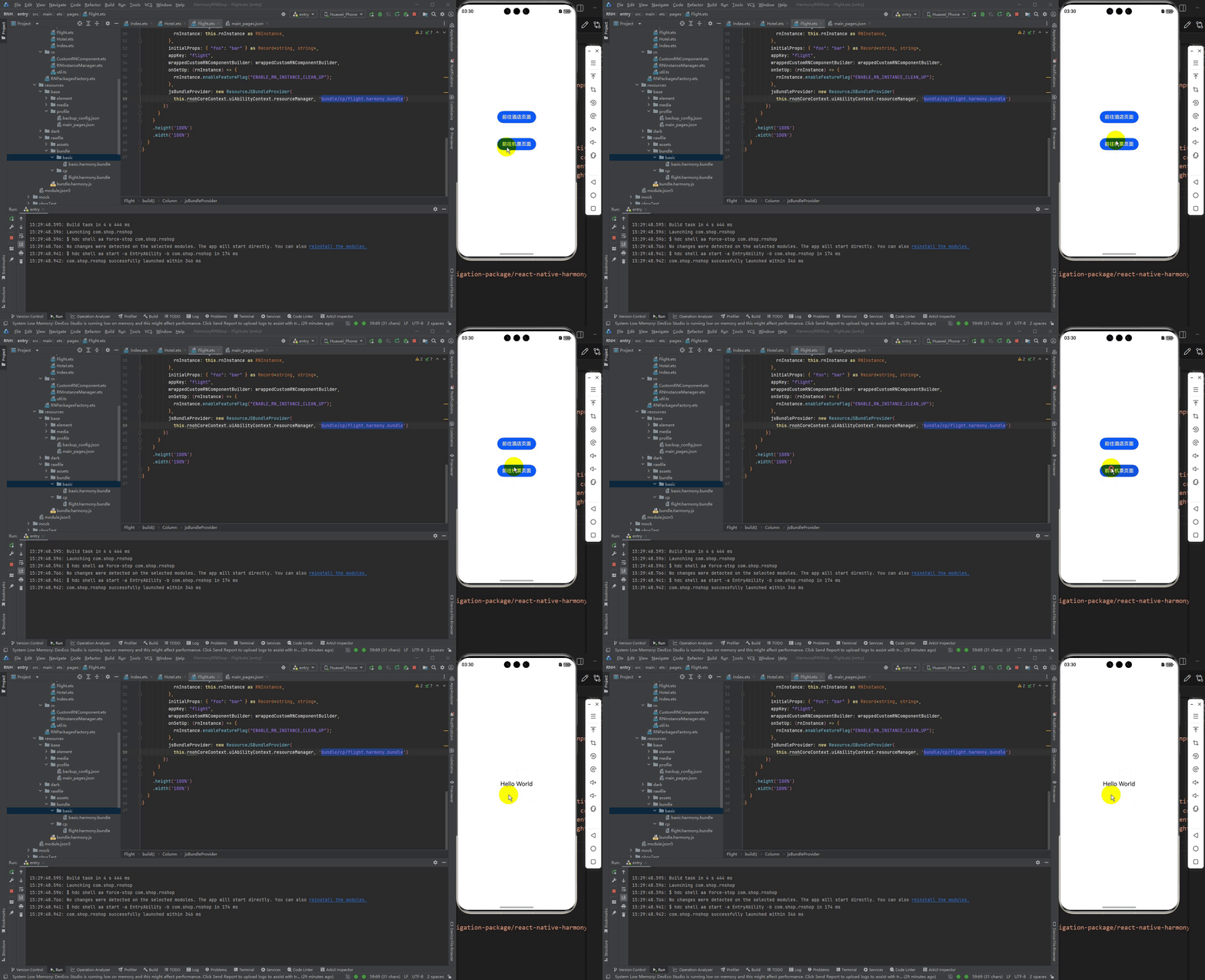
最终实现效果是:

讨论HarmonyOS开发技术,专注于API与组件、DevEco Studio、测试、元服务和应用上架分发等。
更多推荐


 5
5 0
0- 0


 已为社区贡献144条内容

所有评论(0)