Flutter 框架跨平台鸿蒙开发——RichText富文本
·
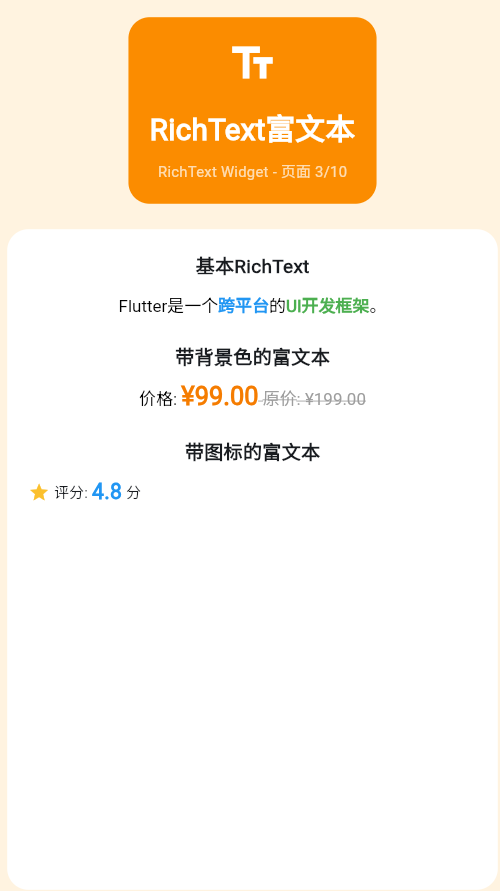
一、RichText简介
RichText允许在一个文本组件中显示多种样式的文本,是Text组件的增强版。
RichText vs Text
| 特性 | Text | RichText |
|---|---|---|
| 样式数量 | 单一样式 | 多种样式 |
| 交互性 | 无 | 支持 |
| 灵活性 | 简单 | 复杂 |
| 使用场景 | 普通文本 | 富文本内容 |
二、TextSpan基础
TextSpan结构
创建简单RichText
RichText(
  text: TextSpan(
    text: 'Hello ',
    style: TextStyle(fontSize: 24, color: Colors.black),
    children: [
      TextSpan(
        text: 'Flutter',
        style: TextStyle(
          color: Colors.blue,
          fontWeight: FontWeight.bold,
        ),
      ),
      TextSpan(
        text: '!',
        style: TextStyle(color: Colors.black),
      ),
    ],
  ),
)
三、嵌套样式
多层嵌套示例
RichText(
  text: TextSpan(
    style: TextStyle(fontSize: 18),
    children: [
      TextSpan(text: '欢迎来到', style: TextStyle(color: Colors.black)),
      TextSpan(
        text: ' Flutter ',
        style: TextStyle(
          color: Colors.blue,
          fontWeight: FontWeight.bold,
          fontSize: 24,
        ),
      ),
      TextSpan(
        text: '世界!\n',
        style: TextStyle(color: Colors.black),
      ),
      TextSpan(
        text: '这是一个',
        style: TextStyle(color: Colors.grey),
        children: [
          TextSpan(
            text: ' 富文本 ',
            style: TextStyle(
              color: Colors.red,
              decoration: TextDecoration.underline,
            ),
          ),
          TextSpan(text: '示例。'),
        ],
      ),
    ],
  ),
)
样式继承
RichText(
  text: TextSpan(
    style: TextStyle(
      fontSize: 20,
      color: Colors.black87,
      height: 1.5,
    ),
    children: [
      TextSpan(text: '这段文本继承父样式'),
      TextSpan(
        text: '这部分覆盖了颜色',
        style: TextStyle(color: Colors.blue),
      ),
      TextSpan(text: '这部分覆盖了大小', style: TextStyle(fontSize: 28)),
    ],
  ),
)
四、带交互的TextSpan
点击交互
RichText(
  text: TextSpan(
    text: '点击',
    style: TextStyle(fontSize: 18, color: Colors.black),
    children: [
      TextSpan(
        text: ' 这里 ',
        style: TextStyle(
          color: Colors.blue,
          decoration: TextDecoration.underline,
        ),
        recognizer: TapGestureRecognizer()
          ..onTap = () {
            print('被点击了!');
            ScaffoldMessenger.of(context).showSnackBar(
              SnackBar(content: Text('你点击了这段文本')),
            );
          },
      ),
      TextSpan(text: '可以响应点击事件'),
    ],
  ),
)
长按交互
RichText(
  text: TextSpan(
    children: [
      TextSpan(
        text: '长按这段文本',
        style: TextStyle(
          fontSize: 18,
          color: Colors.blue,
        ),
        recognizer: LongPressGestureRecognizer()
          ..onLongPress = () {
            ScaffoldMessenger.of(context).showSnackBar(
              SnackBar(content: Text('你长按了这段文本')),
            );
          },
      ),
    ],
  ),
)
五、实际应用场景
链接样式文本
RichText(
  text: TextSpan(
    style: TextStyle(fontSize: 16, color: Colors.black87),
    children: [
      TextSpan(text: '了解更多,请访问 '),
      TextSpan(
        text: 'Flutter官网',
        style: TextStyle(
          color: Colors.blue,
          decoration: TextDecoration.underline,
        ),
        recognizer: TapGestureRecognizer()
          ..onTap = () {
            // 打开浏览器
          },
      ),
      TextSpan(text: ' 或 '),
      TextSpan(
        text: '中文文档',
        style: TextStyle(
          color: Colors.blue,
          decoration: TextDecoration.underline,
        ),
        recognizer: TapGestureRecognizer()
          ..onTap = () {
            // 打开文档
          },
      ),
    ],
  ),
)
条款文本
RichText(
  text: TextSpan(
    style: TextStyle(fontSize: 14, color: Colors.grey.shade700),
    children: [
      TextSpan(text: '我已阅读并同意'),
      TextSpan(
        text: '《用户协议》',
        style: TextStyle(color: Colors.blue),
      ),
      TextSpan(text: '和'),
      TextSpan(
        text: '《隐私政策》',
        style: TextStyle(color: Colors.blue),
      ),
    ],
  ),
)
六、完整示例
class RichTextExample extends StatelessWidget {
const RichTextExample({super.key});
Widget build(BuildContext context) {
return Scaffold(
appBar: AppBar(title: Text('RichText富文本')),
body: Padding(
padding: EdgeInsets.all(16),
child: Column(
crossAxisAlignment: CrossAxisAlignment.start,
children: [
_buildSection('基本RichText'),
_buildBasicRichText(),
SizedBox(height: 24),
_buildSection('嵌套样式'),
_buildNestedRichText(),
SizedBox(height: 24),
_buildSection('可点击文本'),
_buildClickableRichText(),
SizedBox(height: 24),
_buildSection('实际应用'),
_buildAgreementText(),
],
),
),
);
}
Widget _buildSection(String title) {
return Text(
title,
style: TextStyle(fontSize: 20, fontWeight: FontWeight.bold),
);
}
Widget _buildBasicRichText() {
return RichText(
text: TextSpan(
style: TextStyle(fontSize: 18),
children: [
TextSpan(text: '欢迎使用', style: TextStyle(color: Colors.black)),
TextSpan(
text: ' Flutter ',
style: TextStyle(
color: Colors.blue,
fontWeight: FontWeight.bold,
fontSize: 24,
),
),
TextSpan(text: '框架!', style: TextStyle(color: Colors.black)),
],
),
);
}
Widget _buildNestedRichText() {
return RichText(
text: TextSpan(
style: TextStyle(fontSize: 16, color: Colors.black87),
children: [
TextSpan(text: '这是一个'),
TextSpan(
text: ' 富文本',
style: TextStyle(color: Colors.red, fontSize: 20),
),
TextSpan(text: '示例,展示了'),
TextSpan(
text: ' 多种样式',
style: TextStyle(
color: Colors.blue,
decoration: TextDecoration.underline,
),
),
TextSpan(text: '的嵌套使用。'),
],
),
);
}
Widget _buildClickableRichText() {
return RichText(
text: TextSpan(
style: TextStyle(fontSize: 16),
children: [
TextSpan(text: '点击'),
TextSpan(
text: ' 这里',
style: TextStyle(
color: Colors.blue,
decoration: TextDecoration.underline,
),
recognizer: TapGestureRecognizer()
..onTap = () {
ScaffoldMessenger.of(context).showSnackBar(
SnackBar(content: Text('你点击了这段文本')),
);
},
),
TextSpan(text: '可以看到交互效果'),
],
),
);
}
Widget _buildAgreementText() {
return RichText(
text: TextSpan(
style: TextStyle(fontSize: 14, color: Colors.grey.shade700),
children: [
TextSpan(text: '我已阅读并同意'),
TextSpan(
text: '《用户协议》',
style: TextStyle(color: Colors.blue),
recognizer: TapGestureRecognizer()
..onTap = () {
ScaffoldMessenger.of(context).showSnackBar(
SnackBar(content: Text('打开用户协议')),
);
},
),
TextSpan(text: '和'),
TextSpan(
text: '《隐私政策》',
style: TextStyle(color: Colors.blue),
recognizer: TapGestureRecognizer()
..onTap = () {
ScaffoldMessenger.of(context).showSnackBar(
SnackBar(content: Text('打开隐私政策')),
);
},
),
],
),
);
}
}
七、最佳实践
| 实践 | 说明 | 效果 |
|---|---|---|
| 合理使用 | 只在需要时使用RichText | 避免过度复杂 |
| 样式复用 | 提取常用TextStyle | 代码简洁 |
| 交互反馈 | 提供点击反馈 | 提升体验 |
| 性能考虑 | 避免过多的recognizer | 保持流畅 |
欢迎加入开源鸿蒙跨平台社区:https://openharmonycrossplatform.csdn.net

讨论HarmonyOS开发技术,专注于API与组件、DevEco Studio、测试、元服务和应用上架分发等。
更多推荐

 17
17 0
0- 0



 已为社区贡献19条内容

所有评论(0)