GET与POST请求 - 鸿蒙Flutter数据获取与提交应用
概述
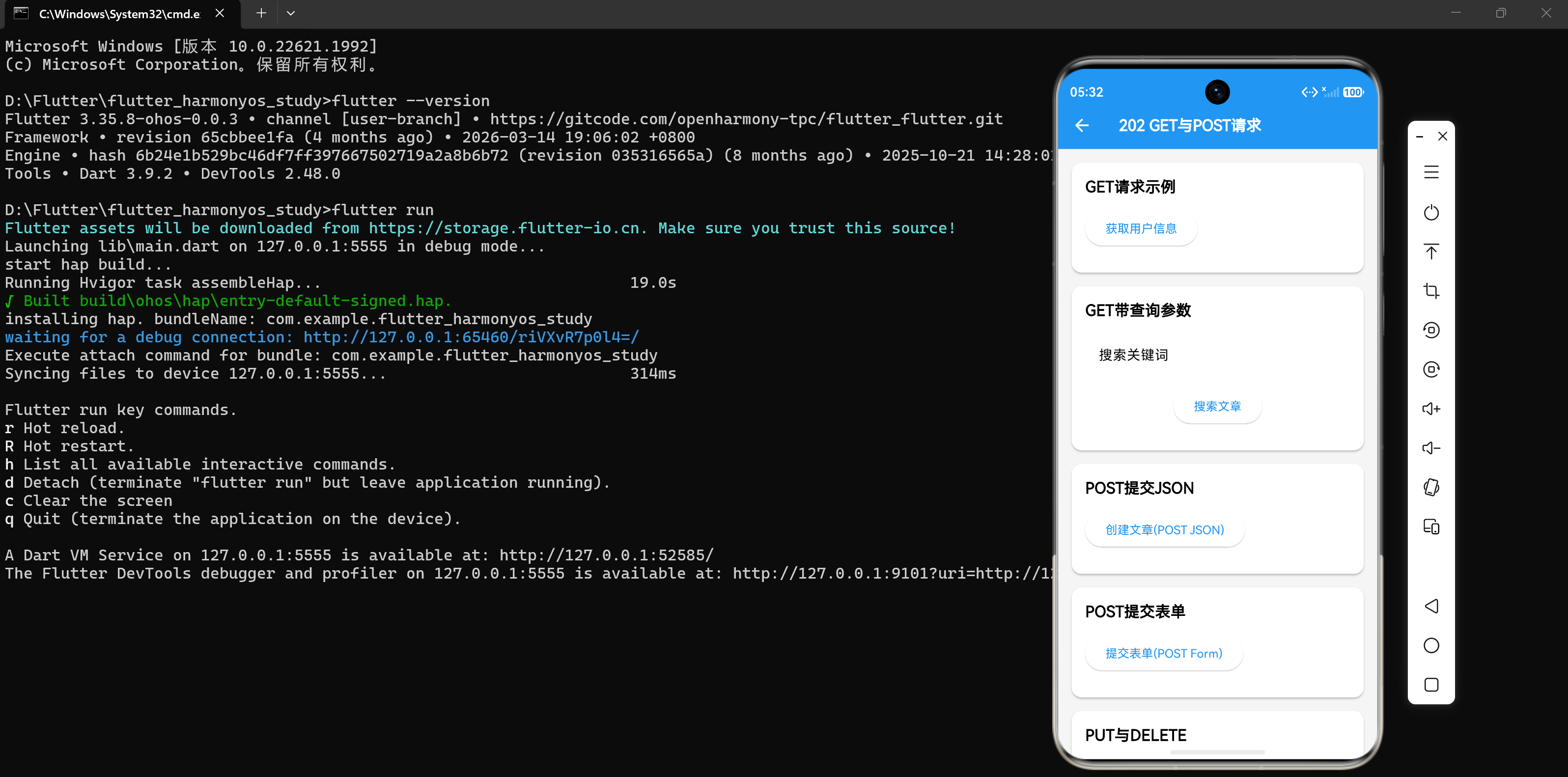
在HTTP协议中,GET和POST是最常用的两种请求方法。GET用于从服务器获取数据,POST用于向服务器提交数据。理解这两种方法的区别和正确使用方式是网络编程的基础。
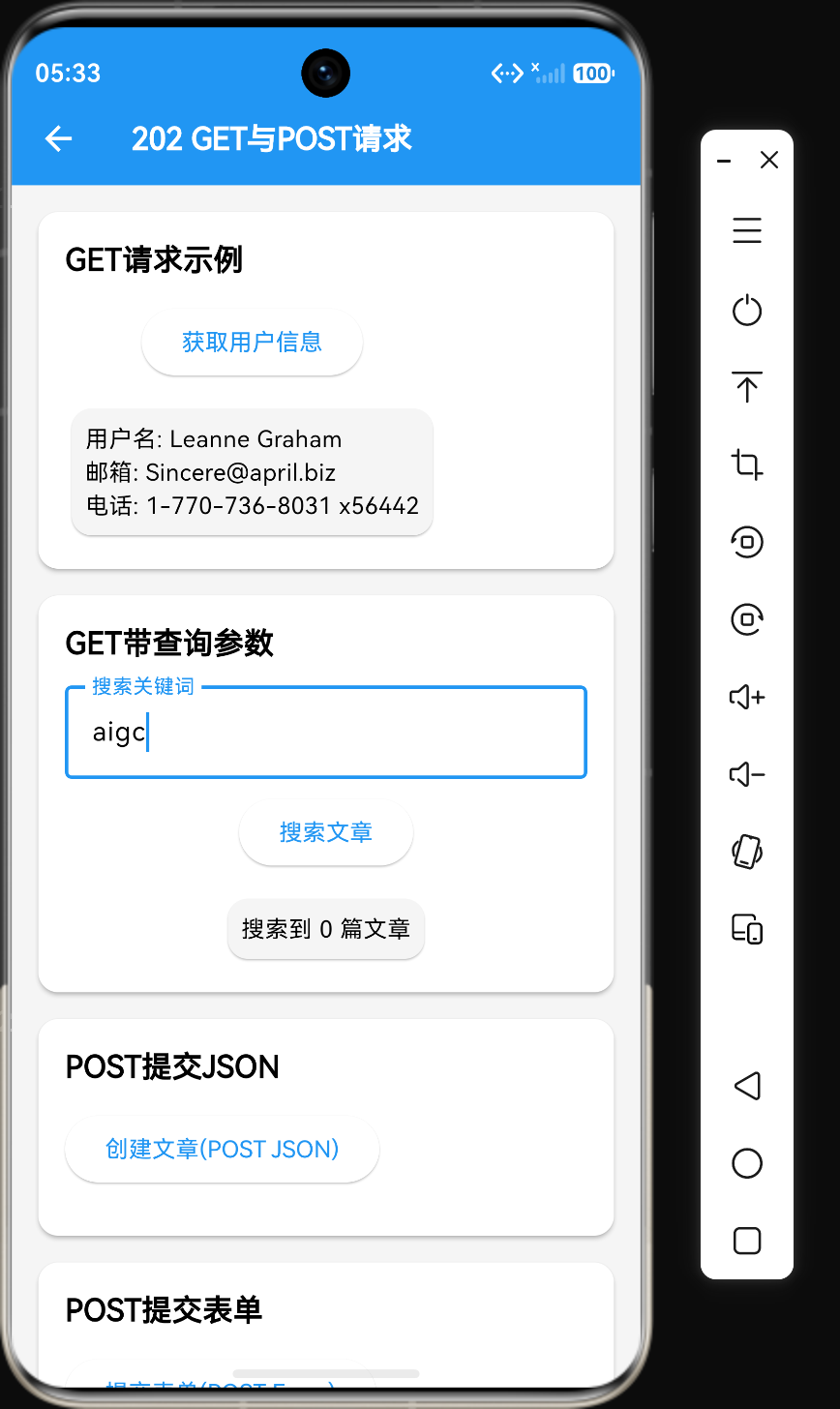
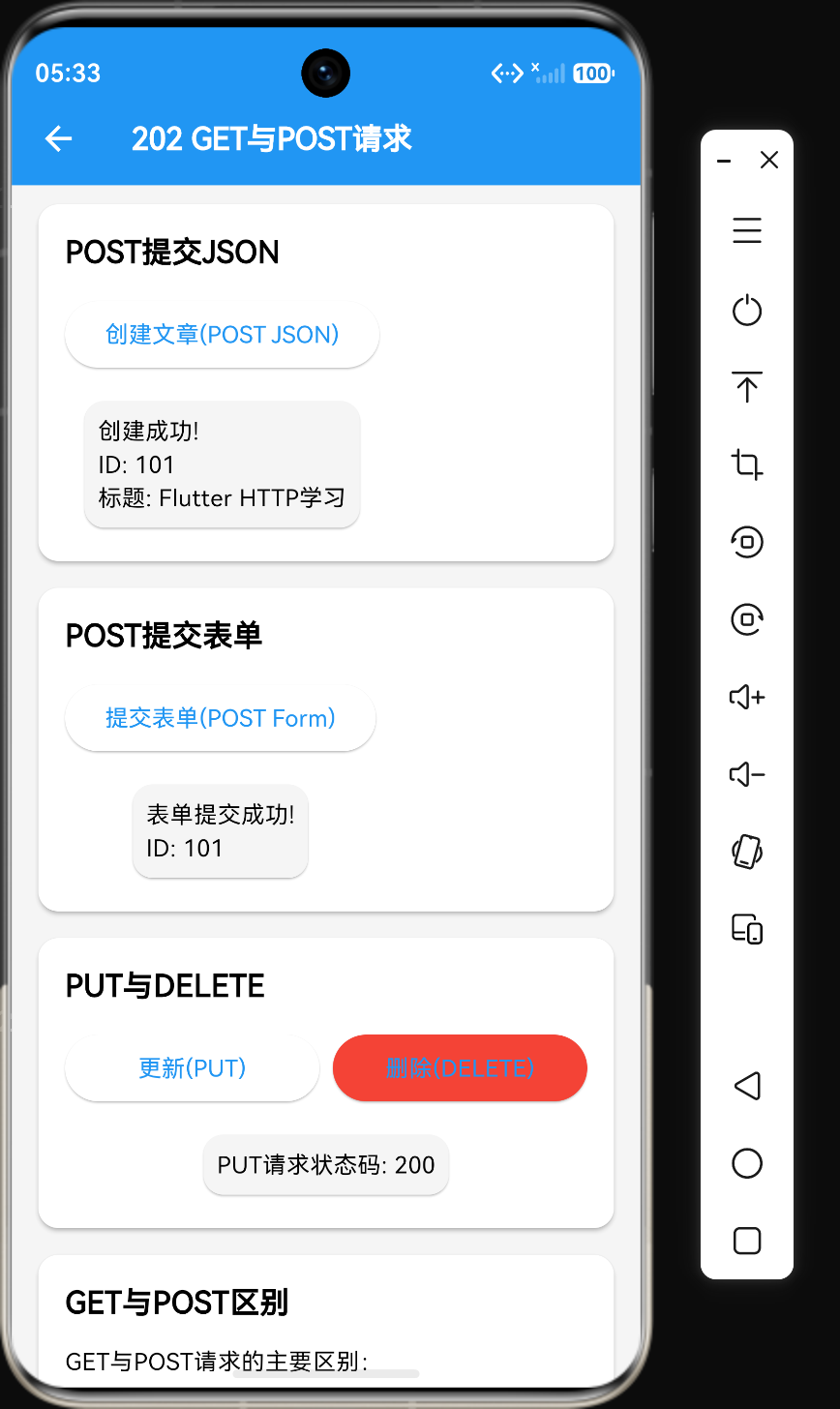
本章将详细介绍GET和POST请求的使用方法,包括带参数的GET请求、JSON格式的POST请求、表单格式的POST请求,以及PUT和DELETE请求的使用。
1. GET请求详解
GET请求是HTTP协议中最常用的请求方法,用于从服务器获取资源。
1.1 基本GET请求
import 'package:http/http.dart' as http;
import 'dart:convert';

Future<Map<String, dynamic>> fetchUserData(String userId) async {
  final response = await http.get(
    Uri.parse('https://api.example.com/users/$userId'),
    headers: <String, String>{
      'Authorization': 'Bearer your_token',
    },
  );

  if (response.statusCode == 200) {
    return jsonDecode(response.body);
  } else {
    throw Exception('获取用户失败');
  }
}
1.2 GET请求带查询参数
当需要向服务器传递参数时,可以将参数添加到URL的查询字符串中。
Future<Map<String, dynamic>> searchUsers({
  required String keyword,
  int page = 1,
  int pageSize = 10,
}) async {
  final uri = Uri.https(
    'api.example.com',
    '/users/search',
    {
      'keyword': keyword,
      'page': page.toString(),
      'pageSize': pageSize.toString(),
    },
  );

  final response = await http.get(uri);
  return jsonDecode(response.body);
}
1.3 查询参数的编码
Uri.http()和Uri.https()方法会自动对查询参数进行URL编码,确保特殊字符正确传递。
// 自动编码特殊字符
var uri = Uri.https('api.example.com', '/search', {'q': 'Flutter 学习'});
// 结果: https://api.example.com/search?q=Flutter+%E5%AD%A6%E4%B9%A0
2. POST请求详解
POST请求用于向服务器提交数据,通常用于创建新资源或更新现有资源。
2.1 POST提交JSON数据
现代API通常使用JSON格式接收数据,需要设置Content-Type为application/json。
Future<Map<String, dynamic>> createUser(Map<String, dynamic> userData) async {
  final response = await http.post(
    Uri.parse('https://api.example.com/users'),
    headers: <String, String>{
      'Content-Type': 'application/json; charset=UTF-8',
      'Authorization': 'Bearer your_token',
    },
    body: jsonEncode(userData),
  );

  if (response.statusCode == 201) {
    return jsonDecode(response.body);
  } else {
    throw Exception('创建用户失败');
  }
}
2.2 POST提交表单数据
有些API使用表单格式接收数据,此时不需要设置Content-Type,http包会自动设置为application/x-www-form-urlencoded。
Future<void> login(String username, String password) async {
  final response = await http.post(
    Uri.parse('https://api.example.com/login'),
    body: <String, String>{
      'username': username,
      'password': password,
    },
  );

  if (response.statusCode == 200) {
    print('登录成功');
  } else {
    throw Exception('登录失败');
  }
}
3. PUT请求更新资源
PUT请求用于更新服务器上的现有资源,通常需要提供完整的资源数据。
Future<void> updateUser(String userId, Map<String, dynamic> updates) async {
  await http.put(
    Uri.parse('https://api.example.com/users/$userId'),
    headers: <String, String>{
      'Content-Type': 'application/json',
    },
    body: jsonEncode(updates),
  );
}
4. DELETE请求删除资源
DELETE请求用于删除服务器上的资源。
Future<void> deleteUser(String userId) async {
  await http.delete(
    Uri.parse('https://api.example.com/users/$userId'),
    headers: <String, String>{
      'Authorization': 'Bearer your_token',
    },
  );
}
5. GET与POST的区别
| 特性 | GET | POST |
|---|---|---|
| 用途 | 获取数据 | 提交数据 |
| 参数位置 | URL查询字符串中 | 请求体中 |
| 参数大小 | 有限制(约2KB) | 无限制 |
| 安全性 | 低(参数可见) | 高(参数隐藏) |
| 缓存 | 可被浏览器缓存 | 不可缓存 |
| 幂等性 | 是(多次请求结果相同) | 否(多次请求可能产生不同结果) |
| 编码方式 | ASCII字符 | 支持多种编码 |
5.1 幂等性说明
幂等性是指多次执行相同操作产生的结果与执行一次相同。
- GET请求是幂等的:多次获取同一资源不会改变服务器状态
- POST请求不是幂等的:多次提交相同数据可能创建多个资源
5.2 安全性说明
GET请求的参数会暴露在URL中,不适合传递敏感信息(如密码)。POST请求的参数在请求体中,相对更安全。
6. 实践示例:用户管理API
以下是一个完整的用户管理API示例,展示了GET、POST、PUT、DELETE的综合使用。
import 'package:http/http.dart' as http;
import 'dart:convert';

class UserApi {
  final String baseUrl;
  final String token;

  UserApi({required this.baseUrl, required this.token});

  Future<Map<String, dynamic>> getUser(String userId) async {
    final response = await http.get(
      Uri.parse('$baseUrl/users/$userId'),
      headers: {'Authorization': 'Bearer $token'},
    );
    return jsonDecode(response.body);
  }

  Future<List<dynamic>> getUsers({int page = 1, int pageSize = 10}) async {
    final uri = Uri.https(
      Uri.parse(baseUrl).host,
      '/users',
      {'page': page.toString(), 'pageSize': pageSize.toString()},
    );
    final response = await http.get(uri);
    return jsonDecode(response.body)['data'];
  }

  Future<Map<String, dynamic>> createUser(Map<String, dynamic> data) async {
    final response = await http.post(
      Uri.parse('$baseUrl/users'),
      headers: {
        'Content-Type': 'application/json',
        'Authorization': 'Bearer $token',
      },
      body: jsonEncode(data),
    );
    return jsonDecode(response.body);
  }

  Future<void> updateUser(String userId, Map<String, dynamic> data) async {
    await http.put(
      Uri.parse('$baseUrl/users/$userId'),
      headers: {
        'Content-Type': 'application/json',
        'Authorization': 'Bearer $token',
      },
      body: jsonEncode(data),
    );
  }

  Future<void> deleteUser(String userId) async {
    await http.delete(
      Uri.parse('$baseUrl/users/$userId'),
      headers: {'Authorization': 'Bearer $token'},
    );
  }
}
7. 注意事项
7.1 URL编码
当GET请求的参数包含特殊字符时,需要进行URL编码。Uri.http()和Uri.https()会自动处理编码。
// 错误:特殊字符未编码
var badUri = Uri.parse('https://api.example.com/search?q=Flutter 学习');

// 正确:自动编码
var goodUri = Uri.https('api.example.com', '/search', {'q': 'Flutter 学习'});
7.2 中文参数
中文参数需要正确编码,使用Uri.http()方法可以自动处理。
var uri = Uri.https('api.example.com', '/search', {'q': '天气'});
// 结果: https://api.example.com/search?q=%E5%A4%A9%E6%B0%94
7.3 状态码检查
不同的HTTP方法返回的成功状态码可能不同:
- GET: 200 OK
- POST: 201 Created(资源创建成功)或 200 OK
- PUT: 200 OK 或 204 No Content
- DELETE: 200 OK 或 204 No Content
8. 总结
GET和POST是HTTP协议中最核心的两种请求方法:
- GET用于获取数据,参数在URL中,幂等性,适合查询操作
- POST用于提交数据,参数在请求体中,非幂等性,适合创建操作
- PUT用于更新数据,需要提供完整资源
- DELETE用于删除数据
正确选择HTTP方法是RESTful API设计的重要原则,遵循这些原则可以使API更加清晰和易于维护。
参考资源

讨论HarmonyOS开发技术,专注于API与组件、DevEco Studio、测试、元服务和应用上架分发等。
更多推荐



 6
6 0
0- 0


 已为社区贡献52条内容

所有评论(0)