HarmonyOS 6.1 实战:Navigation 路由组件全面解析
·
前言
Navigation 是 HarmonyOS ArkUI 6.x 推荐的页面导航框架,取代传统的 router.push/pop 模式,实现组件内路由管理。它内置 AppBar(顶部导航栏)、ToolBar(底部工具栏)、侧边导航等能力,并通过 NavPathStack 管理路由栈。本文完整演示从列表页到详情页的路由跳转实现。
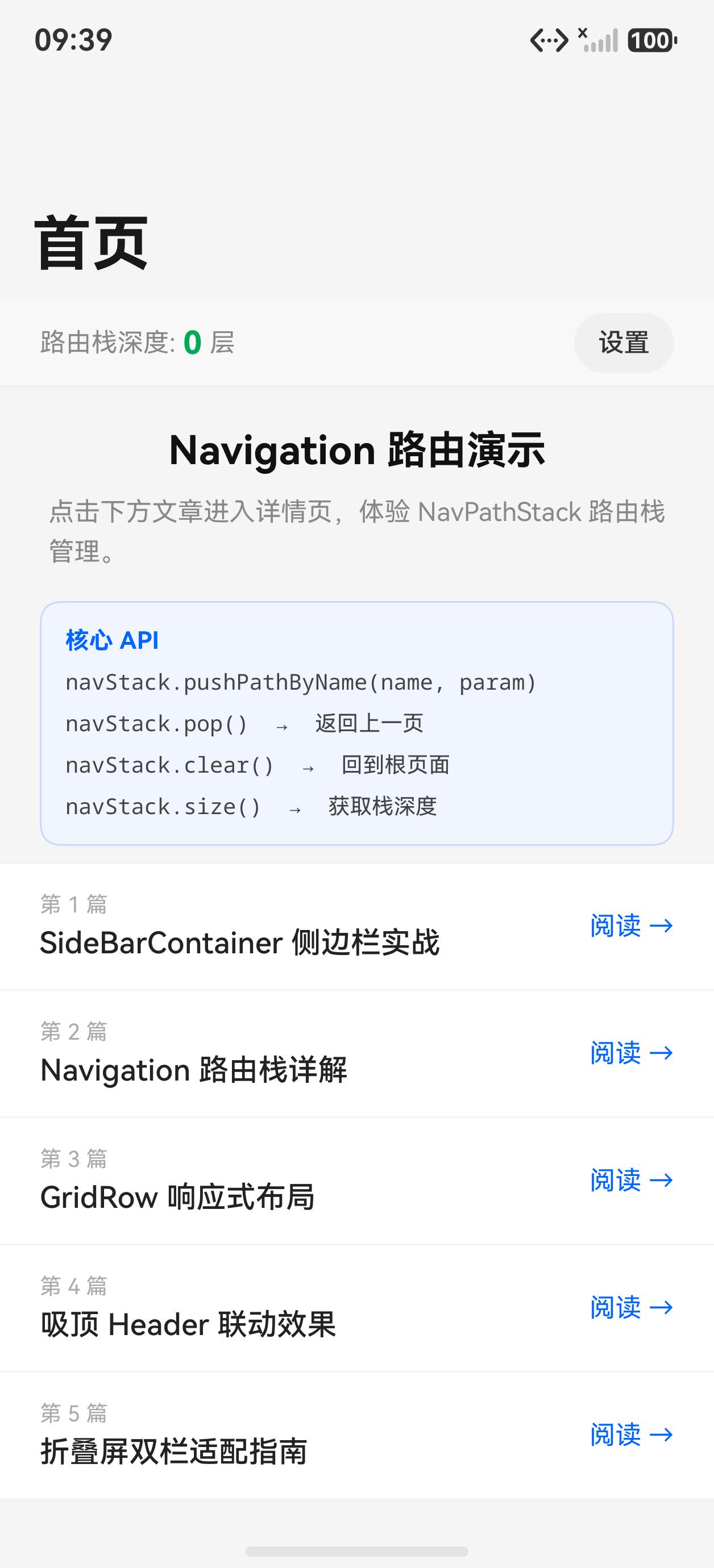
运行效果
初始状态(列表页)
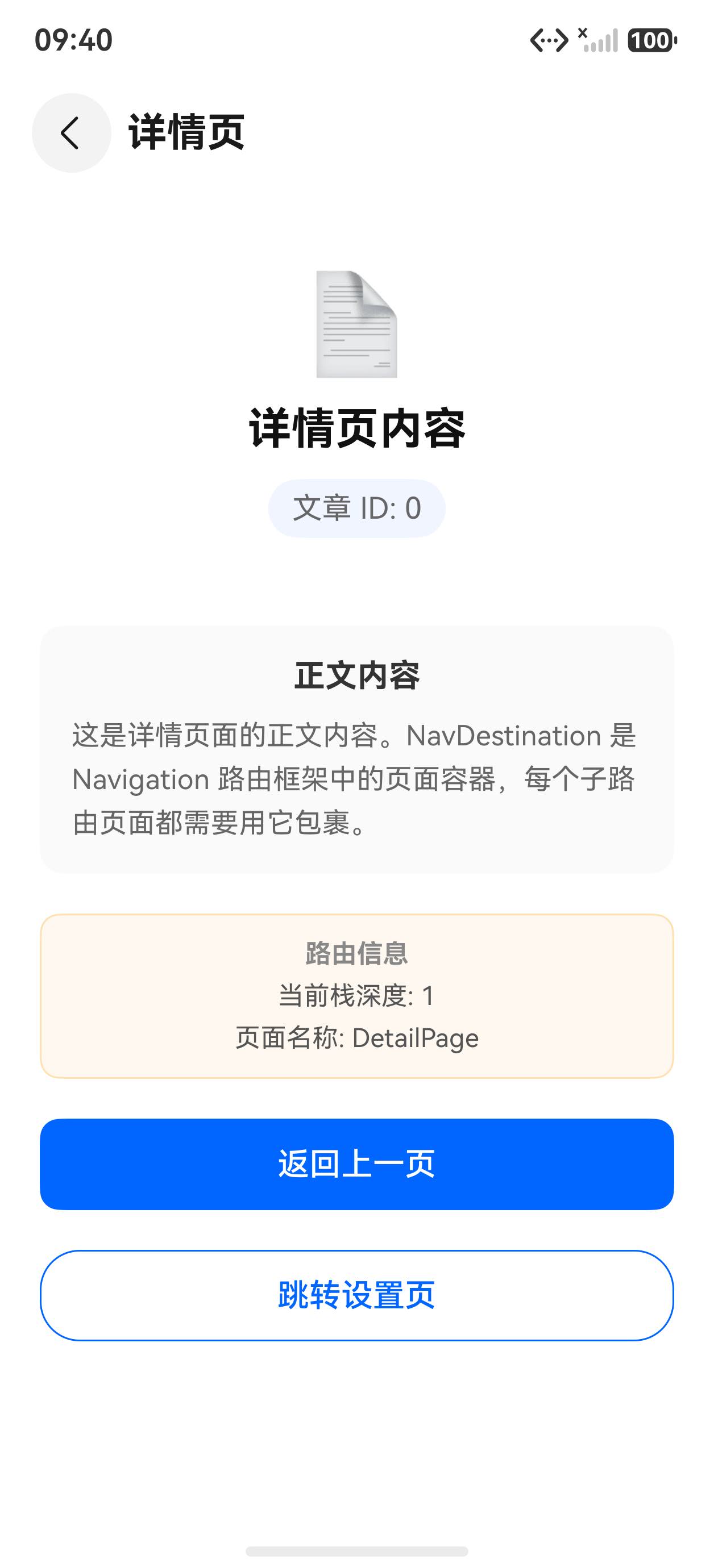
点击条目进入详情页
核心 API 一览
| API | 说明 |
|---|---|
Navigation(pathStack) | 导航根容器,绑定路由栈 |
NavPathStack | 路由栈管理器,控制页面的 push/pop |
NavDestination | 路由目标页面容器,类似 Destination |
.navDestination(builder) | 注册路由表:名称 → 组件的映射 |
.title(string/CustomBuilder) | AppBar 标题,支持自定义 |
.mode(NavigationMode) | 导航模式:Stack / Split / Auto |
.toolbarConfiguration([]) | 底部工具栏配置 |
pathStack.pushPathByName(name, param) | 按名称跳转 |
pathStack.pop() | 返回上一页 |
pathStack.popToRoot() | 返回根页 |
完整示例代码
interface ArticleItem {
  id: number
  title: string
  summary: string
  content: string
  author: string
  time: string
  icon: string
  tag: string
  readTime: string
}

// 路由参数结构
interface ArticleParam {
  articleId: number
}

@Entry
@Component
struct Index {
  private pathStack: NavPathStack = new NavPathStack()

  private articles: ArticleItem[] = [
    {
      id: 1, icon: '📐', tag: '布局',
      title: 'Stack 层叠布局与 Overlay 浮层详解',
      summary: '深入理解 alignContent 九宫格、zIndex 层叠顺序与 overlay 浮层实战。',
      content: 'Stack 是 ArkUI 中实现层叠布局的核心容器...',
      author: '鸿蒙开发者', time: '2分钟前', readTime: '8分钟'
    },
    {
      id: 2, icon: '📋', tag: '列表',
      title: 'List 高性能长列表与分组吸顶实战',
      summary: '虚拟化渲染原理、ListItemGroup 分组、sticky 吸顶的完整实现。',
      content: 'List 是 ArkUI 中专为长列表场景设计的容器...',
      author: '鸿蒙开发者', time: '1小时前', readTime: '10分钟'
    },
    {
      id: 3, icon: '🎠', tag: '轮播',
      title: 'Swiper 轮播图与页面滑动完整指南',
      summary: 'DotIndicator 自定义样式、SwiperController 编程翻页、卡片流预览效果。',
      content: 'Swiper 是 ArkUI 专为轮播图和画廊设计的滑动容器...',
      author: '鸿蒙开发者', time: '3小时前', readTime: '7分钟'
    },
    {
      id: 4, icon: '📑', tag: '导航',
      title: 'Tabs 标签页布局:底部导航到顶部分类',
      summary: '底部导航栏实现、嵌套 Tabs、自定义 TabBar 样式完整示例。',
      content: 'Tabs 是 ArkUI 中实现标签页导航的专用组件...',
      author: '鸿蒙开发者', time: '昨天', readTime: '9分钟'
    },
    {
      id: 5, icon: '🗂', tag: '侧边栏',
      title: 'SideBarContainer 侧边导航:大屏双栏布局实战',
      summary: 'Embed vs Overlay 模式、autoHide 自适应、自定义汉堡菜单。',
      content: 'SideBarContainer 是 ArkUI 专为平板大屏设计的导航容器...',
      author: '鸿蒙开发者', time: '2天前', readTime: '11分钟'
    },
  ]

  // 路由表:名称 → 页面 Builder 的映射
  @Builder
  pageMap(name: string, param: ESObject) {
    if (name === 'detail') {
      ArticleDetailPage({ pathStack: this.pathStack, articleId: (param as ArticleParam).articleId, articles: this.articles })
    }
  }

  @Builder
  listItem(article: ArticleItem) {
    Row({ space: 12 }) {
      Text(article.icon)
        .fontSize(24)
        .width(48).height(48)
        .textAlign(TextAlign.Center)
        .backgroundColor('#f0f5ff')
        .borderRadius(12)

      Column({ space: 4 }) {
        Text(article.title)
          .fontSize(14)
          .fontWeight(FontWeight.Medium)
          .fontColor('#1a1a1a')
          .maxLines(2)
          .textOverflow({ overflow: TextOverflow.Ellipsis })
        Row({ space: 8 }) {
          Text(article.tag)
            .fontSize(11)
            .fontColor('#0066ff')
            .backgroundColor('#f0f5ff')
            .padding({ left: 6, right: 6, top: 2, bottom: 2 })
            .borderRadius(4)
          Text(article.time).fontSize(11).fontColor('#aaa')
          Text(article.readTime + ' 阅读').fontSize(11).fontColor('#bbb')
        }
      }
      .layoutWeight(1)
      .alignItems(HorizontalAlign.Start)
    }
    .width('100%')
    .padding({ left: 16, right: 16, top: 14, bottom: 14 })
    .backgroundColor('#ffffff')
    .border({ width: { bottom: 1 }, color: '#f5f5f5' })
    .onClick(() => {
      // push 到详情页,传递参数
      this.pathStack.pushPathByName('detail', { articleId: article.id } as ArticleParam)
    })
  }

  build() {
    Navigation(this.pathStack) {
      // 列表页(根页面)
      Column({ space: 0 }) {
        // 搜索栏
        Row({ space: 8 }) {
          Text('🔍').fontSize(16).fontColor('#888')
          Text('搜索文章...')
            .fontSize(14).fontColor('#bbb').layoutWeight(1)
        }
        .width('100%')
        .height(40)
        .padding({ left: 14, right: 14 })
        .backgroundColor('#f5f5f5')
        .borderRadius(20)
        .margin({ left: 16, right: 16, top: 8, bottom: 4 })

        // 文章列表
        List() {
          ForEach(this.articles, (article: ArticleItem) => {
            ListItem() {
              this.listItem(article)
            }
          })
        }
        .divider({ strokeWidth: 1, color: '#f8f8f8', startMargin: 76 })
        .layoutWeight(1)
        .backgroundColor('#f8f8f8')
      }
      .width('100%')
      .height('100%')
    }
    .title('HarmonyOS 学习笔记')
    .navDestination(this.pageMap)
    .mode(NavigationMode.Stack)
    .titleMode(NavigationTitleMode.Mini)
    .toolbarConfiguration([
      { value: '首页', icon: $r('sys.media.ohos_ic_public_home') },
      { value: '设置', icon: $r('sys.media.ohos_ic_public_settings') },
    ])
    .width('100%')
    .height('100%')
    .backgroundColor('#f8f8f8')
  }
}

// ── 详情页组件 ──
@Component
struct ArticleDetailPage {
  pathStack: NavPathStack = new NavPathStack()
  articleId: number = 0
  articles: ArticleItem[] = []

  private getArticle(): ArticleItem {
    for (let i = 0; i < this.articles.length; i++) {
      if (this.articles[i].id === this.articleId) {
        return this.articles[i]
      }
    }
    return this.articles[0]
  }

  build() {
    NavDestination() {
      Scroll() {
        Column({ space: 16 }) {
          // 头部卡片
          Column({ space: 12 }) {
            Text(this.getArticle().icon).fontSize(48)
            Text(this.getArticle().tag)
              .fontSize(12).fontColor('#0066ff')
              .backgroundColor('#f0f5ff')
              .padding({ left: 10, right: 10, top: 3, bottom: 3 })
              .borderRadius(10)
            Text(this.getArticle().title)
              .fontSize(20).fontWeight(FontWeight.Bold).fontColor('#111').lineHeight(28)
            Row({ space: 12 }) {
              Text(this.getArticle().author).fontSize(13).fontColor('#888')
              Text(this.getArticle().time).fontSize(13).fontColor('#aaa')
              Text(this.getArticle().readTime + ' 阅读').fontSize(13).fontColor('#aaa')
            }
          }
          .width('100%').padding(20)
          .backgroundColor('#fff').borderRadius(12)
          .border({ width: 1, color: '#f0f0f0' })
          .alignItems(HorizontalAlign.Center)

          // 摘要
          Column({ space: 8 }) {
            Text('📌 摘要')
              .fontSize(15).fontWeight(FontWeight.Bold).fontColor('#333')
            Text(this.getArticle().summary)
              .fontSize(14).fontColor('#666').lineHeight(22)
          }
          .width('100%').padding(16)
          .backgroundColor('#fff').borderRadius(12)
          .border({ width: 1, color: '#f0f0f0' })
          .alignItems(HorizontalAlign.Start)

          // 正文
          Column({ space: 10 }) {
            Text('📖 正文').fontSize(15).fontWeight(FontWeight.Bold).fontColor('#333')
            Text(this.getArticle().content + '更多内容持续撰写中,欢迎关注本系列教程。')
              .fontSize(14).fontColor('#555').lineHeight(22)
          }
          .width('100%').padding(16)
          .backgroundColor('#fff').borderRadius(12)
          .border({ width: 1, color: '#f0f0f0' })
          .alignItems(HorizontalAlign.Start)

          Column().height(20)
        }
        .width('100%').padding({ left: 16, right: 16, top: 16, bottom: 16 })
      }
      .width('100%').height('100%')
    }
    .title(this.getArticle().title)
    .backButtonIcon($r('sys.media.ohos_ic_back'))
    .onBackPressed(() => {
      this.pathStack.pop()
      return true
    })
  }
}
关键知识点
1. NavPathStack 是路由核心
private pathStack: NavPathStack = new NavPathStack()

// push:跳转到目标页,传参
this.pathStack.pushPathByName('detail', { id: 1 })

// pop:返回上一页
this.pathStack.pop()

// popToRoot:返回到根页
this.pathStack.popToRoot()

// 获取当前路由栈深度
this.pathStack.size()
2. navDestination:注册路由表
@Builder
pageMap(name: string, param: ESObject) {
  if (name === 'detail') {
    DetailPage({ pathStack: this.pathStack, id: (param as MyParam).id })
  }
}

Navigation(this.pathStack)
  .navDestination(this.pageMap)  // 传入路由表 Builder
3. NavDestination:目标页面容器
每个目标页面必须用 NavDestination 包裹,它提供 AppBar、返回按钮等:
@Component
struct DetailPage {
  pathStack: NavPathStack = new NavPathStack()

  build() {
    NavDestination() {
      // 页面内容
    }
    .title('详情页')
    .onBackPressed(() => {
      this.pathStack.pop()
      return true   // 返回 true 表示拦截了系统返回,由自己处理
    })
  }
}
4. NavigationMode 三种模式
| 模式 | 效果 | 适用场景 |
|---|---|---|
NavigationMode.Stack | 全屏堆叠(手机) | 手机应用 |
NavigationMode.Split | 左右分栏(平板) | 平板大屏 |
NavigationMode.Auto | 根据屏幕宽度自适应 | 通用(推荐) |
5. 参数传递
pushPathByName 的第二个参数类型是 ESObject(等同于 object),接收方需要做类型断言:
// 推送方
this.pathStack.pushPathByName('detail', { articleId: 1 } as ArticleParam)

// 接收方(NavDestination 对应的组件属性)
articleId: number = 0  // 由 Navigation 框架注入
小结
Navigation是 HarmonyOS 推荐的组件内路由方案,比router.push更灵活NavPathStack管理路由栈,pushPathByName/pop/popToRoot是核心操作navDestination(@Builder)注册路由表,建立名称到组件的映射- 目标页必须用
NavDestination包裹,并在onBackPressed中调用pop() NavigationMode.Auto自动在手机(Stack)和平板(Split)之间切换,是最佳实践

讨论HarmonyOS开发技术,专注于API与组件、DevEco Studio、测试、元服务和应用上架分发等。
更多推荐



 6
6 0
0- 0


 已为社区贡献56条内容

所有评论(0)