HarmonyOS ArkTS 实战:实现一个图书馆座位预约与占座监督应用
·
HarmonyOS ArkTS 实战:实现一个图书馆座位预约与占座监督应用
项目效果
本文使用 HarmonyOS 和 ArkTS 实现一个图书馆座位预约与占座监督应用。
应用可以实时查看图书馆各楼层座位使用情况,在线预约座位,签到入座,临时离开,结束使用,并提供占座举报、学习时长统计、座位收藏、预约提醒等完整功能。
项目使用 DevEco Studio 开发,适配 API 23 及以上版本。
运行效果
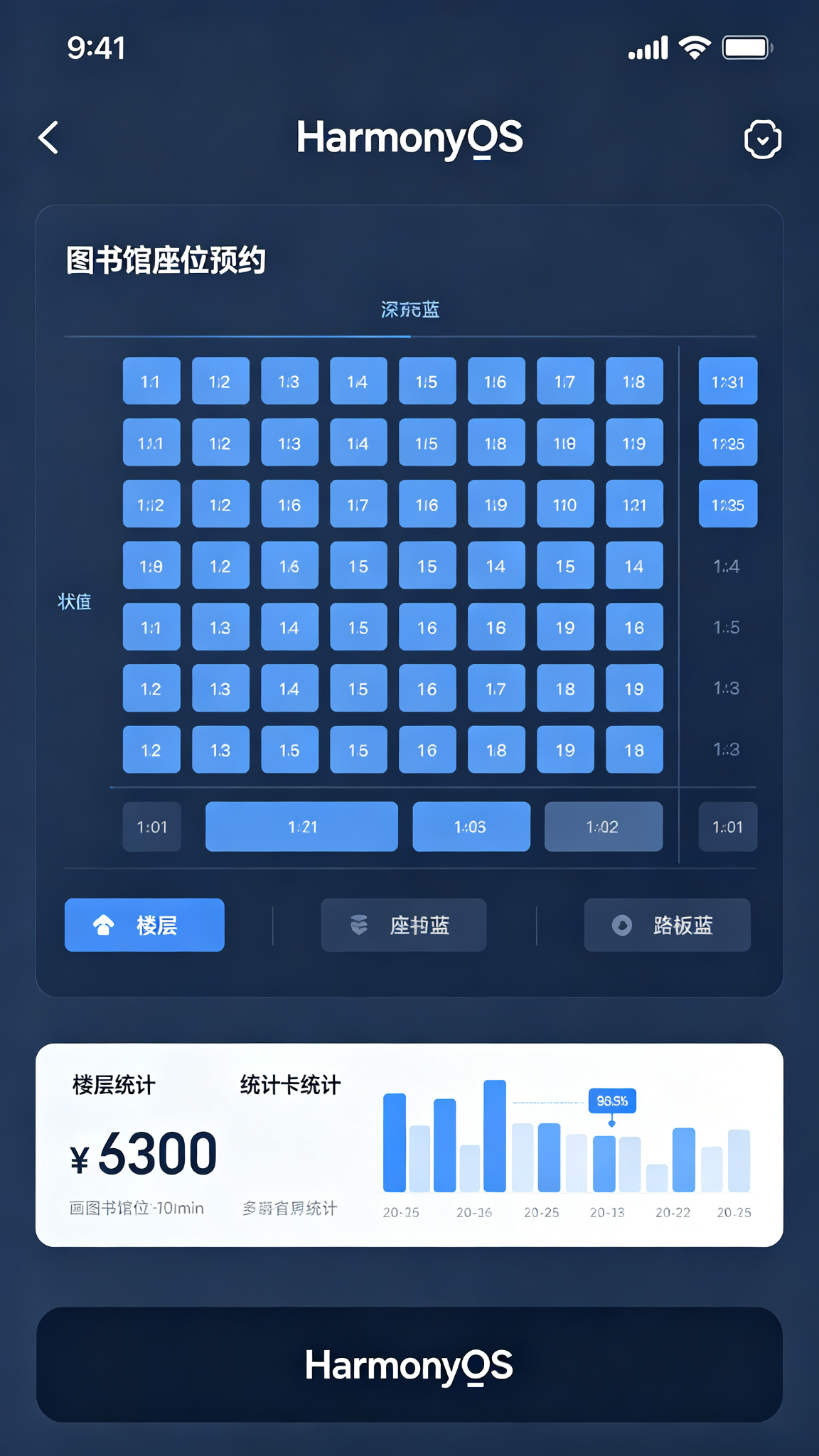
功能介绍
- 图书馆楼层选择
- 实时座位状态查看
- 在线预约座位
- 扫码签到入座
- 临时离开暂离
- 结束使用释放
- 占座举报监督
- 学习时长统计
- 常用座位收藏
- 预约提醒通知
- 黑名单管理
- 座位使用排行
定义数据结构
// 座位信息
interface Seat {
  id: number;
  seatNumber: string;
  floor: number;
  area: string;
  status: string; // 空闲/使用中/暂离/预约中/维修中
  hasSocket: boolean;
  nearWindow: boolean;
  isQuiet: boolean;
  userId: string;
  userName: string;
  reserveTime: string;
  useStartTime: string;
  leaveTime: string;
}

// 预约记录
interface ReserveRecord {
  id: number;
  seatId: number;
  seatNumber: string;
  floor: number;
  area: string;
  reserveTime: string;
  startTime: string;
  endTime: string;
  status: string; // 待签到/使用中/已结束/已取消/违约
  duration: number;
}

// 举报记录
interface Report {
  id: number;
  seatId: number;
  seatNumber: string;
  reporterId: string;
  reporterName: string;
  reason: string;
  reportTime: string;
  status: string; // 待处理/已处理/无效举报
  result: string;
}
初始化页面状态
@State private currentFloor: number = 1;
@State private selectedArea: string = '全部';
@State private myCurrentSeat: Seat | null = null;
@State private totalStudyTime: number = 0;
@State private reserveCount: number = 0;
@State private violationCount: number = 0;
@State private showReserveDialog: boolean = false;
@State private selectedSeat: Seat | null = null;

// 楼层区域列表
@State private floors: number[] = [1, 2, 3, 4, 5];
@State private areas: string[] = ['全部', 'A区自习区', 'B区电子阅览', 'C区讨论区', 'D区静音区'];

// 座位数据初始化
@State private seats: Seat[] = [
  { id: 1, seatNumber: 'A101', floor: 1, area: 'A区自习区', status: '空闲', hasSocket: true, nearWindow: true, isQuiet: true, userId: '', userName: '', reserveTime: '', useStartTime: '', leaveTime: '' },
  { id: 2, seatNumber: 'A102', floor: 1, area: 'A区自习区', status: '使用中', hasSocket: true, nearWindow: false, isQuiet: true, userId: '2022001', userName: '张同学', reserveTime: '2026-07-22 08:30', useStartTime: '2026-07-22 08:45', leaveTime: '' },
  { id: 3, seatNumber: 'A103', floor: 1, area: 'A区自习区', status: '暂离', hasSocket: false, nearWindow: true, isQuiet: true, userId: '2022002', userName: '李同学', reserveTime: '2026-07-22 09:00', useStartTime: '2026-07-22 09:10', leaveTime: '2026-07-22 10:30' },
  { id: 4, seatNumber: 'A104', floor: 1, area: 'A区自习区', status: '预约中', hasSocket: true, nearWindow: false, isQuiet: true, userId: '2022003', userName: '王同学', reserveTime: '2026-07-22 14:00', useStartTime: '', leaveTime: '' },
  { id: 5, seatNumber: 'B201', floor: 2, area: 'B区电子阅览', status: '空闲', hasSocket: true, nearWindow: false, isQuiet: false, userId: '', userName: '', reserveTime: '', useStartTime: '', leaveTime: '' },
  { id: 6, seatNumber: 'B202', floor: 2, area: 'B区电子阅览', status: '维修中', hasSocket: false, nearWindow: false, isQuiet: false, userId: '', userName: '', reserveTime: '', useStartTime: '', leaveTime: '' },
];

// 预约记录初始化
@State private records: ReserveRecord[] = [
  { id: 1, seatId: 2, seatNumber: 'A102', floor: 1, area: 'A区自习区', reserveTime: '2026-07-21 08:00', startTime: '2026-07-21 08:30', endTime: '2026-07-21 12:00', status: '已结束', duration: 210 },
  { id: 2, seatId: 3, seatNumber: 'A103', floor: 1, area: 'A区自习区', reserveTime: '2026-07-20 13:00', startTime: '2026-07-20 13:30', endTime: '2026-07-20 17:30', status: '已结束', duration: 240 },
];

// 举报记录初始化
@State private reports: Report[] = [];
@State private nextRecordId: number = 10;
@State private nextReportId: number = 10;
预约座位
private reserveSeat(seatId: number): void {
  const seat = this.seats.find(s => s.id === seatId);
  if (!seat || seat.status !== '空闲') return;

  const now = new Date();
  const record: ReserveRecord = {
    id: this.nextRecordId,
    seatId: seat.id,
    seatNumber: seat.seatNumber,
    floor: seat.floor,
    area: seat.area,
    reserveTime: now.toLocaleString(),
    startTime: '',
    endTime: '',
    status: '待签到',
    duration: 0
  };

  this.seats = this.seats.map(s =>
    s.id === seatId ? { ...s, status: '预约中', userId: 'me', userName: '我', reserveTime: now.toLocaleString() } : s
  );
  this.records = [record, ...this.records];
  this.reserveCount += 1;
  this.nextRecordId += 1;
  this.showReserveDialog = false;
}
签到入座
private checkIn(seatId: number): void {
  const now = new Date();
  this.seats = this.seats.map(s =>
    s.id === seatId ? { ...s, status: '使用中', useStartTime: now.toLocaleString(), leaveTime: '' } : s
  );
  this.records = this.records.map(r =>
    r.seatId === seatId && r.status === '待签到' ? { ...r, status: '使用中', startTime: now.toLocaleString() } : r
  );
  this.myCurrentSeat = this.seats.find(s => s.id === seatId) || null;
}
临时离开
private leaveTemporarily(seatId: number): void {
  const now = new Date();
  this.seats = this.seats.map(s =>
    s.id === seatId ? { ...s, status: '暂离', leaveTime: now.toLocaleString() } : s
  );
}
结束使用释放座位
private finishUse(seatId: number): void {
  const now = new Date();
  const seat = this.seats.find(s => s.id === seatId);
  if (!seat) return;

  // 计算学习时长
  let duration = 0;
  if (seat.useStartTime) {
    const start = new Date(seat.useStartTime);
    duration = Math.round((now.getTime() - start.getTime()) / (1000 * 60));
  }

  this.seats = this.seats.map(s =>
    s.id === seatId ? { ...s, status: '空闲', userId: '', userName: '', reserveTime: '', useStartTime: '', leaveTime: '' } : s
  );
  this.records = this.records.map(r =>
    r.seatId === seatId && r.status === '使用中' ? { ...r, status: '已结束', endTime: now.toLocaleString(), duration: duration } : r
  );
  this.totalStudyTime += duration;
  this.myCurrentSeat = null;
}
举报占座
private reportOccupy(seatId: number, reason: string): void {
  const seat = this.seats.find(s => s.id === seatId);
  if (!seat) return;

  const report: Report = {
    id: this.nextReportId,
    seatId: seat.id,
    seatNumber: seat.seatNumber,
    reporterId: 'me',
    reporterName: '我',
    reason: reason,
    reportTime: new Date().toLocaleString(),
    status: '待处理',
    result: ''
  };
  this.reports = [report, ...this.reports];
  this.nextReportId += 1;
}
取消预约
private cancelReserve(seatId: number): void {
  this.seats = this.seats.map(s =>
    s.id === seatId ? { ...s, status: '空闲', userId: '', userName: '', reserveTime: '' } : s
  );
  this.records = this.records.map(r =>
    r.seatId === seatId && r.status === '待签到' ? { ...r, status: '已取消' } : r
  );
  this.violationCount += 1;
}
座位状态颜色设置
@Builder
SeatStatusChip(status: string) {
  Text(status)
    .fontSize(12)
    .padding({ left: 8, right: 8, top: 4, bottom: 4 })
    .borderRadius(10)
    .fontColor(Color.White)
    .backgroundColor(
      status === '空闲' ? '#10B981' :
      status === '使用中' ? '#0F172A' :
      status === '暂离' ? '#F59E0B' :
      status === '预约中' ? '#3B82F6' :
      '#6B7280'
    )
}
座位按钮组件封装
@Builder
SeatItem(seat: Seat) {
  Column() {
    Text(seat.seatNumber)
      .fontSize(16)
      .fontWeight(FontWeight.Bold)
      .fontColor(
        seat.status === '空闲' ? '#10B981' :
        seat.status === '使用中' ? Color.White :
        seat.status === '暂离' ? '#92400E' :
        seat.status === '预约中' ? Color.White :
        Color.White
      )

    Row({ space: 4 }) {
      if (seat.hasSocket) {
        Text('⚡')
          .fontSize(10)
      }
      if (seat.nearWindow) {
        Text('🪟')
          .fontSize(10)
      }
    }
    .margin({ top: 4 })
  }
  .width(60)
  .height(60)
  .borderRadius(8)
  .justifyContent(FlexAlign.Center)
  .backgroundColor(
    seat.status === '空闲' ? '#D1FAE5' :
    seat.status === '使用中' ? '#0F172A' :
    seat.status === '暂离' ? '#FEF3C7' :
    seat.status === '预约中' ? '#DBEAFE' :
    '#E5E7EB'
  )
  .onClick(() => {
    if (seat.status === '空闲') {
      this.selectedSeat = seat;
      this.showReserveDialog = true;
    }
  })
}
数据统计功能
private getStatistics() {
  const allSeats = this.seats.filter(s => s.floor === this.currentFloor);
  const freeSeats = allSeats.filter(s => s.status === '空闲').length;
  const usingSeats = allSeats.filter(s => s.status === '使用中').length;
  const tempLeaveSeats = allSeats.filter(s => s.status === '暂离').length;
  const reservedSeats = allSeats.filter(s => s.status === '预约中').length;
  return { total: allSeats.length, free: freeSeats, using: usingSeats, tempLeave: tempLeaveSeats, reserved: reservedSeats };
}
页面布局实现
build() {
  Column() {
    // 顶部标题栏
    Row() {
      Text('图书馆座位')
        .fontSize(24)
        .fontWeight(FontWeight.Bold)
        .fontColor('#0F172A')

      Blank()

      Text(`学习${Math.round(this.totalStudyTime / 60)}小时`)
        .fontSize(14)
        .fontColor('#64748B')
    }
    .width('100%')
    .padding(20)

    // 统计卡片
    Row({ space: 12 }) {
      Column() {
        Text(`${this.getStatistics().free}`)
          .fontSize(24)
          .fontWeight(FontWeight.Bold)
          .fontColor('#10B981')
        Text('空闲座位')
          .fontSize(12)
          .fontColor('#64748B')
      }
      .layoutWeight(1)
      .padding(16)
      .backgroundColor('#F8FAFC')
      .borderRadius(12)

      Column() {
        Text(`${this.getStatistics().using}`)
          .fontSize(24)
          .fontWeight(FontWeight.Bold)
          .fontColor('#0F172A')
        Text('使用中')
          .fontSize(12)
          .fontColor('#64748B')
      }
      .layoutWeight(1)
      .padding(16)
      .backgroundColor('#F8FAFC')
      .borderRadius(12)

      Column() {
        Text(`${this.getStatistics().reserved}`)
          .fontSize(24)
          .fontWeight(FontWeight.Bold)
          .fontColor('#3B82F6')
        Text('已预约')
          .fontSize(12)
          .fontColor('#64748B')
      }
      .layoutWeight(1)
      .padding(16)
      .backgroundColor('#F8FAFC')
      .borderRadius(12)
    }
    .width('100%')
    .padding({ left: 20, right: 20 })

    // 楼层选择
    Scroll(Axis.Horizontal) {
      Row({ space: 12 }) {
        ForEach(this.floors, (floor: number) => {
          Text(`${floor}F`)
            .fontSize(14)
            .fontColor(this.currentFloor === floor ? Color.White : '#0F172A')
            .padding({ left: 16, right: 16, top: 8, bottom: 8 })
            .backgroundColor(this.currentFloor === floor ? '#0F172A' : '#F1F5F9')
            .borderRadius(20)
            .onClick(() => {
              this.currentFloor = floor;
            })
        })
      }
    }
    .scrollable(ScrollDirection.Horizontal)
    .scrollBar(BarState.Off)
    .width('100%')
    .padding({ left: 20, right: 20, top: 20 })

    // 区域选择
    Scroll(Axis.Horizontal) {
      Row({ space: 8 }) {
        ForEach(this.areas, (area: string) => {
          Text(area)
            .fontSize(12)
            .fontColor(this.selectedArea === area ? '#0F172A' : '#64748B')
            .padding({ left: 12, right: 12, top: 6, bottom: 6 })
            .backgroundColor(this.selectedArea === area ? '#E2E8F0' : '#F8FAFC')
            .borderRadius(16)
            .onClick(() => {
              this.selectedArea = area;
            })
        })
      }
    }
    .scrollable(ScrollDirection.Horizontal)
    .scrollBar(BarState.Off)
    .width('100%')
    .padding({ left: 20, right: 20, top: 12 })

    // 座位网格
    Grid() {
      ForEach(this.seats.filter(s => s.floor === this.currentFloor && (this.selectedArea === '全部' || s.area === this.selectedArea)), (seat: Seat) => {
        GridItem() {
          this.SeatItem(seat)
        }
      })
    }
    .columnsTemplate('1fr 1fr 1fr 1fr 1fr')
    .columnsGap(12)
    .rowsGap(12)
    .width('100%')
    .padding(20)
    .layoutWeight(1)

    // 当前使用座位
    if (this.myCurrentSeat) {
      Row() {
        Column({ space: 4 }) {
          Text(`当前座位:${this.myCurrentSeat.seatNumber}`)
            .fontSize(16)
            .fontWeight(FontWeight.Medium)
            .fontColor(Color.White)
          Text('点击管理座位')
            .fontSize(12)
            .fontColor('#94A3B8')
        }
        .alignItems(HorizontalAlign.Start)

        Blank()

        Row({ space: 8 }) {
          Button('暂离')
            .fontSize(12)
            .backgroundColor('#F59E0B')
            .height(32)
            .onClick(() => this.leaveTemporarily(this.myCurrentSeat!.id))

          Button('结束')
            .fontSize(12)
            .backgroundColor('#EF4444')
            .height(32)
            .onClick(() => this.finishUse(this.myCurrentSeat!.id))
        }
      }
      .width('100%')
      .padding(20)
      .backgroundColor('#0F172A')
    }
  }
  .width('100%')
  .height('100%')
  .backgroundColor(Color.White)
}
页面设计说明
主题色采用最深石板蓝#0F172A,体现图书馆的安静、专业、学习氛围。
页面分为四个主要区域:
- 顶部统计区:显示空闲、使用中、已预约座位数量,以及累计学习时长
- 筛选区:楼层横向选择,区域标签筛选,快速定位目标区域
- 座位网格区:5列网格展示所有座位,不同状态用不同背景色区分:绿色空闲、深色使用中、黄色暂离、蓝色预约中、灰色维修
- 底部操作区:当有正在使用的座位时显示,提供暂离和结束使用按钮
座位卡片上显示座位号和插座、靠窗标识,方便用户选择合适座位。状态标签采用圆角胶囊设计,清晰直观。
SDK配置
在 build-profile.json5 中配置:
{
  "products": [
    {
      "name": "default",
      "compatibleSdkVersion": "6.1.1(24)",
      "runtimeOS": "HarmonyOS",
    }
  ]
}
运行项目
将代码复制到 entry/src/main/ets/pages/Index.ets 文件中,点击运行即可在模拟器或真机上查看效果。
项目总结
本项目完整实现了图书馆座位预约系统的核心功能,包括实时座位状态查看、在线预约、签到入座、临时离开、释放座位、占座举报、学习时长统计等。
通过本项目你将掌握以下HarmonyOS开发知识点:
- Grid网格布局实现座位图展示
- 多状态管理与状态颜色映射
- @Builder封装可复用座位组件
- 横向滚动筛选器实现
- 时间计算与时长统计
- 条件渲染实现底部操作栏
- 对话框交互实现预约确认
- 数组filter、map方法实现数据筛选与更新
后续可以扩展的功能:
- 座位预约超时自动释放
- 座位预约提前提醒
- 学习数据可视化图表
- 座位偏好智能推荐
- 图书馆人流量预测
- 座位预约黑名单机制
- 扫码签到入座功能
- 占座举报自动处理
- 座位预约历史导出
- 图书馆开闭馆时间管理

讨论HarmonyOS开发技术,专注于API与组件、DevEco Studio、测试、元服务和应用上架分发等。
更多推荐


 2
2 0
0- 0


 已为社区贡献53条内容

所有评论(0)