HarmonyOS7 滑动手势:ListItem 滑出删除按钮,交互体验直接拉满
·

前言
你用过微信吧?聊天列表左滑一下,删除按钮就出来了,手指一松直接点,不用长按也不用找菜单。这种交互简直丝滑到上瘾。我之前做消息列表,产品非要这个效果,翻了一圈文档才发现 ListItem 自带 swipeAction,根本不用自己画手势。
swipeAction 一配,滑动交互 10 分钟搞定。
今天从基础到自定义,把 ListItem 的滑动玩法全讲一遍。
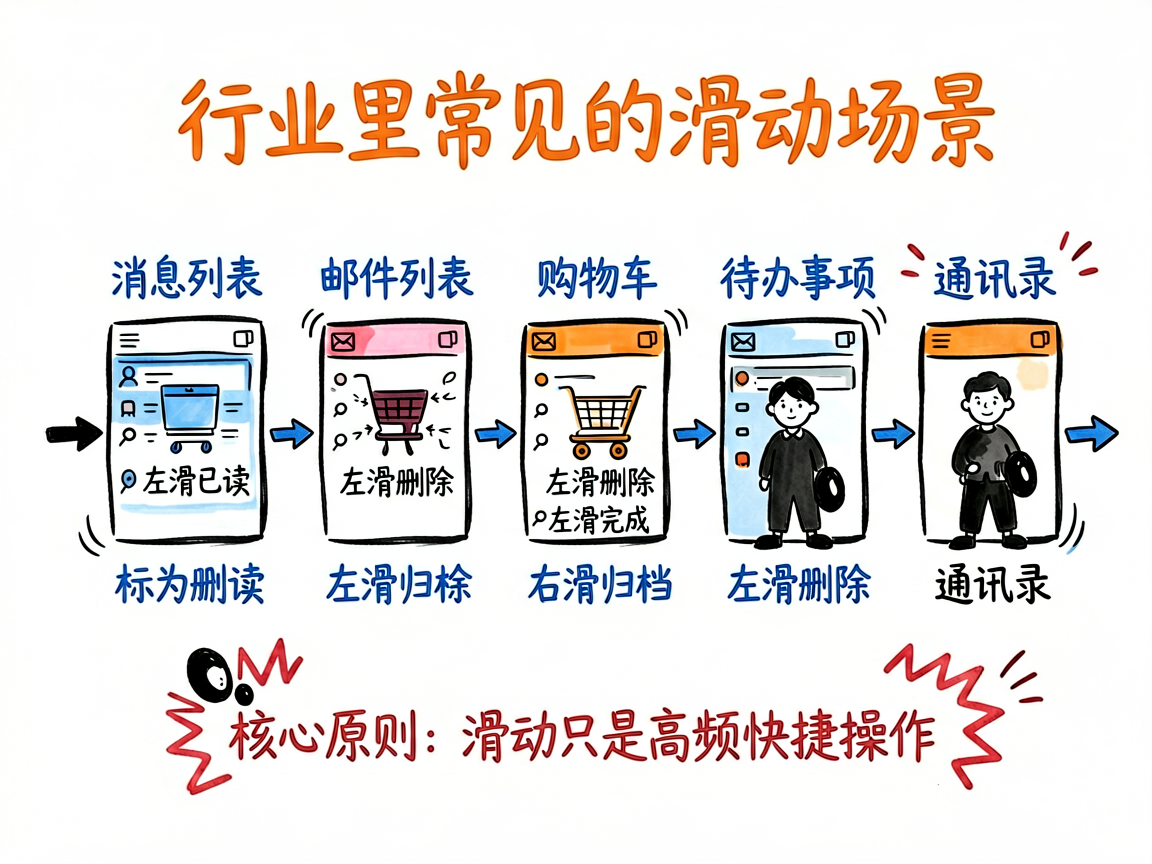
滑动交互场景
哪些地方适合用滑动操作?举几个最常见的:
- 消息列表:左滑删除、标为已读
- 邮件列表:左滑删除、右滑归档
- 购物车:左滑删除商品
- 待办事项:左滑完成、右滑编辑
- 通讯录:左滑删除、右滑拨号
核心原则:滑动操作应该是高频快捷操作,不是唯一入口。 主要操作还得靠点击,滑动是加速手段。
ListItem 基础
先看一个最简单的 List:
@Entry
@Component
struct BasicList {
  @State items: string[] = ['消息1', '消息2', '消息3', '消息4'];

  build() {
    List() {
      ForEach(this.items, (item: string, index: number) => {
        ListItem() {
          Text(item)
            .width('100%')
            .height(64)
            .fontSize(16)
            .padding({ left: 16 })
            .backgroundColor(Color.White)
        }
        .margin({ bottom: 1 })
      }, (item: string, index: number) => `${index}`)
    }
    .width('100%')
    .height('100%')
  }
}
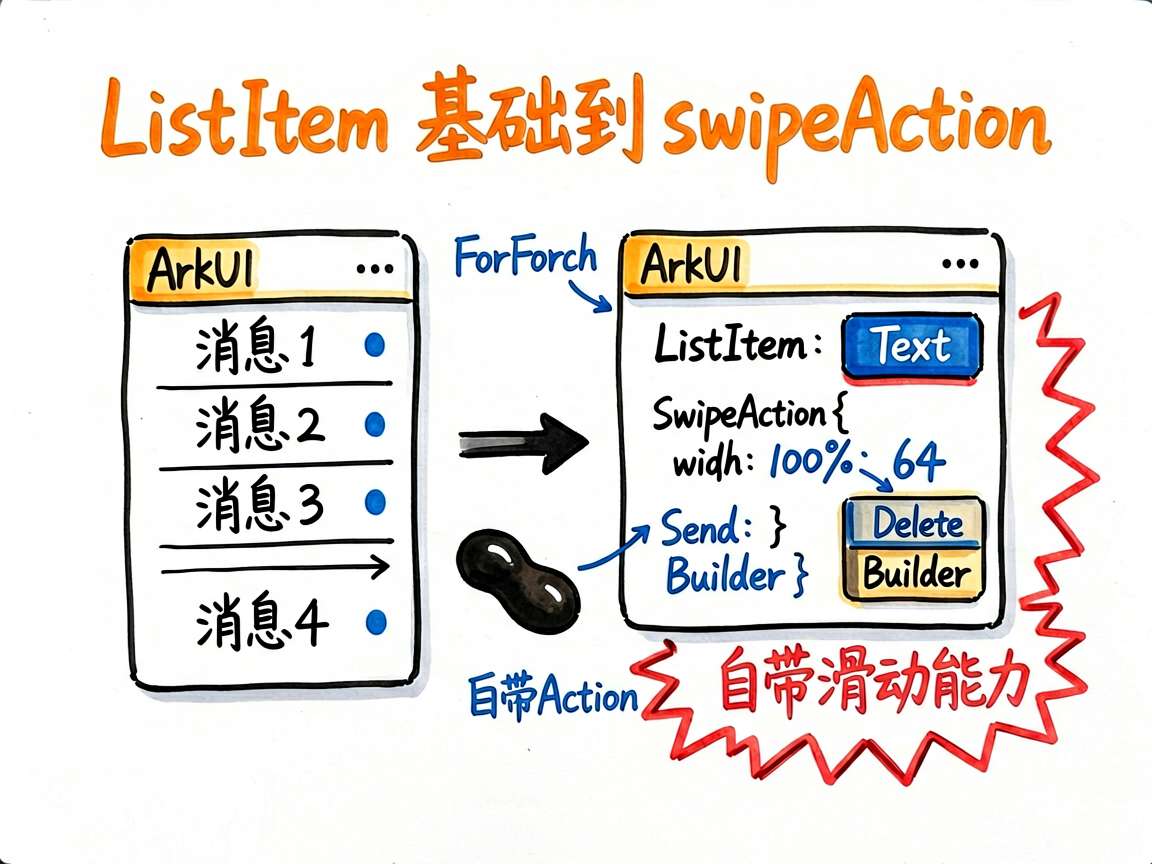
这就是个普通列表,没任何滑动效果。接下来加 swipeAction。
swipeAction 配置
swipeAction 是 ListItem 的属性,配置滑出内容:
ListItem() {
  Text(item)
    .width('100%')
    .height(64)
    .fontSize(16)
    .padding({ left: 16 })
    .backgroundColor(Color.White)
}
.swipeAction({
  end: {
    builder: () => {
      this.deleteButton(index)
    }
  }
})
关键代码讲解:
swipeAction接收一个对象,有start和end两个方向end是向左滑时右侧出现的内容(最常用,放删除按钮)start是向右滑时左侧出现的内容(放归档、标为已读等)builder就是滑出区域的 UI 构建函数
自定义滑动按钮
光有删除按钮太单调了,来个多按钮的版本:
@Entry
@Component
struct SwipeMultiButton {
  @State items: string[] = ['消息1', '消息2', '消息3', '消息4', '消息5'];
  private deleteIndex: number = -1;

  @Builder
  deleteButton(index: number) {
    Row() {
      Button('标为已读')
        .height('100%')
        .backgroundColor('#4CAF50')
        .fontColor(Color.White)
        .fontSize(14)
        .onClick(() => {
          console.info(`标为已读: ${index}`);
        })

      Button('删除')
        .height('100%')
        .backgroundColor('#F44336')
        .fontColor(Color.White)
        .fontSize(14)
        .onClick(() => {
          this.deleteIndex = index;
          this.items.splice(this.deleteIndex, 1);
        })
    }
  }

  build() {
    List() {
      ForEach(this.items, (item: string, index: number) => {
        ListItem() {
          Text(item)
            .width('100%')
            .height(64)
            .fontSize(16)
            .padding({ left: 16 })
            .backgroundColor(Color.White)
        }
        .swipeAction({
          end: {
            builder: () => {
              this.deleteButton(index)
            }
          }
        })
        .margin({ bottom: 1 })
      }, (item: string, index: number) => `${index}`)
    }
    .width('100%')
    .height('100%')
  }
}
关键代码讲解:
@Builder deleteButton(index: number)—— 接收当前项索引,构建按钮区域- 两个按钮用
Row横向排列,高度100%撑满 ListItem 高度 - "标为已读"用绿色,"删除"用红色,颜色区分操作的安全/危险等级
- 点击删除直接
splice数组,UI 自动刷新
多方向滑动
start 和 end 同时配置,左滑右滑都有操作:
@Entry
@Component
struct BidirectionalSwipe {
  @State items: string[] = ['邮件1', '邮件2', '邮件3'];

  @Builder
  startBuilder(index: number) {
    Row() {
      Button('归档')
        .height('100%')
        .backgroundColor('#2196F3')
        .fontColor(Color.White)
        .fontSize(14)
        .onClick(() => {
          console.info(`归档: ${index}`);
        })
    }
  }

  @Builder
  endBuilder(index: number) {
    Row() {
      Button('删除')
        .height('100%')
        .backgroundColor('#F44336')
        .fontColor(Color.White)
        .fontSize(14)
        .onClick(() => {
          this.items.splice(index, 1);
        })
    }
  }

  build() {
    List() {
      ForEach(this.items, (item: string, index: number) => {
        ListItem() {
          Text(item)
            .width('100%')
            .height(64)
            .fontSize(16)
            .padding({ left: 16 })
            .backgroundColor(Color.White)
        }
        .swipeAction({
          start: {
            builder: () => {
              this.startBuilder(index)
            }
          },
          end: {
            builder: () => {
              this.endBuilder(index)
            }
          }
        })
        .margin({ bottom: 1 })
      }, (item: string, index: number) => `${index}`)
    }
    .width('100%')
    .height('100%')
  }
}
start:向右滑时左侧出现的内容,适合放"安全操作"(归档、已读、置顶)end:向左滑时右侧出现的内容,适合放"危险操作"(删除、拉黑)
敲黑板:别两个方向都放危险操作,用户误滑会很崩溃。
滑动与删除逻辑
实际项目里删除不能这么简单粗暴,至少得有个确认弹窗:
@Entry
@Component
struct SwipeWithConfirm {
  @State items: string[] = ['消息1', '消息2', '消息3', '消息4', '消息5'];
  private pendingDeleteIndex: number = -1;

  @Builder
  endBuilder(index: number) {
    Row() {
      Button('删除')
        .height('100%')
        .backgroundColor('#F44336')
        .fontColor(Color.White)
        .fontSize(14)
        .onClick(() => {
          this.pendingDeleteIndex = index;
          AlertDialog.show({
            title: '确认删除',
            message: '删除后无法恢复,确定要删除吗?',
            primaryButton: {
              value: '取消',
              action: () => {
                this.pendingDeleteIndex = -1;
              }
            },
            secondaryButton: {
              value: '删除',
              action: () => {
                if (this.pendingDeleteIndex >= 0) {
                  this.items.splice(this.pendingDeleteIndex, 1);
                  this.pendingDeleteIndex = -1;
                }
              }
            }
          });
        })
    }
  }

  build() {
    Column() {
      Text('消息列表')
        .fontSize(22)
        .fontWeight(FontWeight.Bold)
        .padding(16)

      List() {
        ForEach(this.items, (item: string, index: number) => {
          ListItem() {
            Row() {
              Text(item)
                .fontSize(16)
                .layoutWeight(1)
              Text('10:30')
                .fontSize(12)
                .fontColor('#999')
            }
            .width('100%')
            .height(64)
            .padding({ left: 16, right: 16 })
            .backgroundColor(Color.White)
          }
          .swipeAction({
            end: {
              builder: () => {
                this.endBuilder(index)
              }
            }
          })
          .margin({ bottom: 1 })
        }, (item: string, index: number) => `${index}`)
      }
      .width('100%')
      .layoutWeight(1)
    }
    .width('100%')
    .height('100%')
    .backgroundColor('#F5F5F5')
  }
}
实现逻辑:
- 点击滑动出来的"删除"按钮,先用
AlertDialog弹确认框 pendingDeleteIndex保存待删除的索引,用户确认后再执行splice- 取消删除就重置索引为 -1,不做任何操作
ForEach的 key 用${index}在数据不变时够用,但如果会排序或插入,建议用唯一 ID
写在最后
ListItem 的 swipeAction 是我见过最省心的滑动实现方案——不用自己写手势识别,不用管动画回弹,配个 Builder 就完事。
需要注意的就两点:按钮颜色区分安全/危险,危险操作加确认弹窗。这两条守住了,滑动交互就是加分项;守不住,用户误删数据就是投诉单。

讨论HarmonyOS开发技术,专注于API与组件、DevEco Studio、测试、元服务和应用上架分发等。
更多推荐


 52
52 0
0- 0


 已为社区贡献657条内容

所有评论(0)