HarmonyOS ArkTS 实战:实现一个实习证明开具审核应用
·
HarmonyOS ArkTS 实战:实现一个实习证明开具审核应用
项目效果
本文使用 HarmonyOS 和 ArkTS 实现一个实习证明开具审核应用。
应用可以申请开具实习证明,上传实习材料,查看审核进度,下载电子证明,并提供历史申请、模板下载、审核流程、常见问题等完整功能。
项目使用 DevEco Studio 开发,适配 API 23 及以上版本。
运行效果
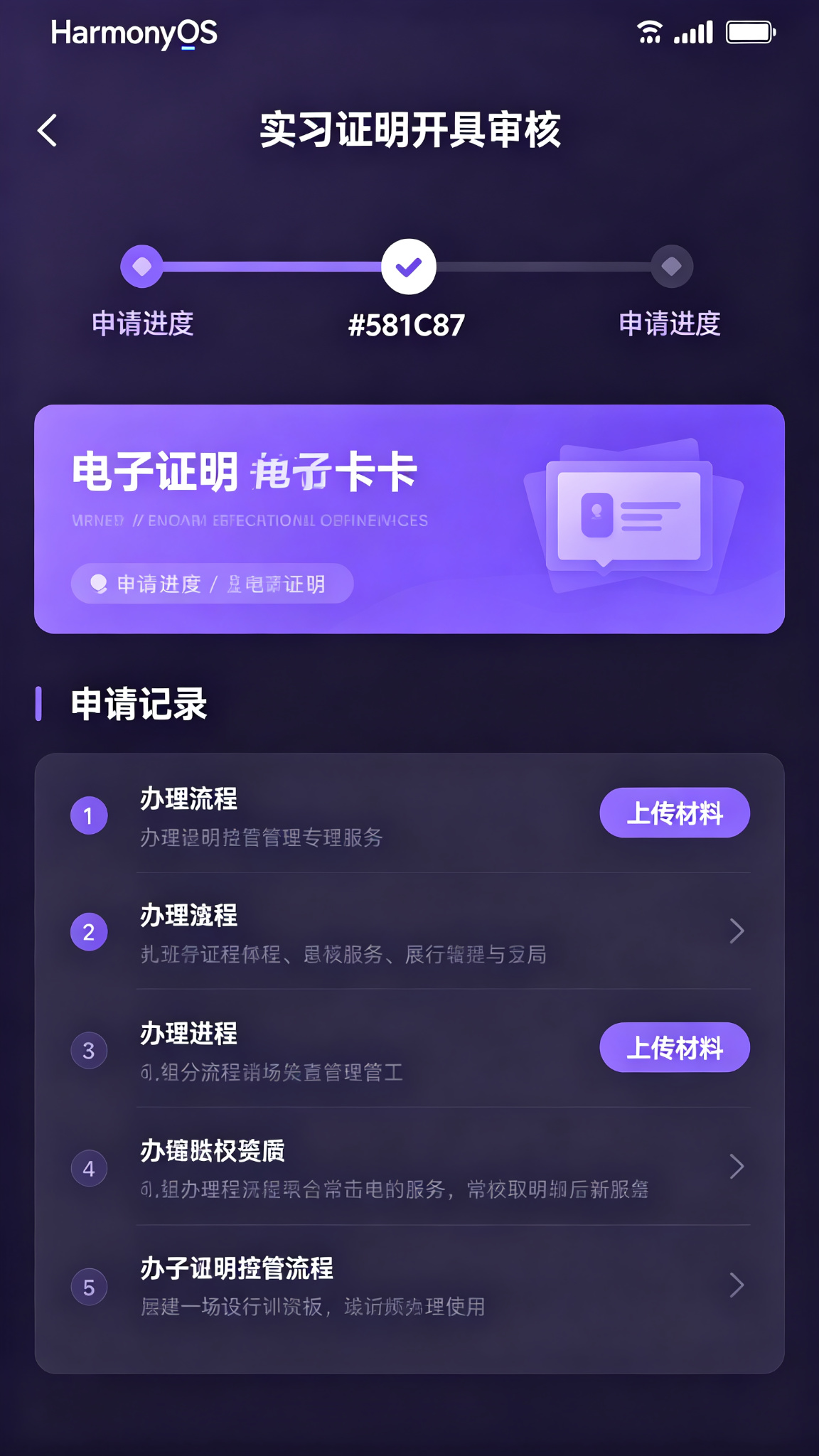
功能介绍
- 实习证明申请
- 实习信息填写
- 材料上传
- 审核进度查询
- 电子证明下载
- 历史申请记录
- 证明模板下载
- 审核流程查看
- 辅导员审核
- 学院盖章
- 常见问题
- 消息通知
定义数据结构
interface CertificateApplication {
  id: number;
  companyName: string;
  position: string;
  startTime: string;
  endTime: string;
  supervisor: string;
  supervisorPhone: string;
  workContent: string;
  materials: string[];
  status: string; // 草稿/待审核/辅导员审核/学院审核/已开具/已驳回
  applyTime: string;
  approveTime: string;
  certificateUrl: string;
  rejectReason: string;
}
初始化页面状态
@State private tabIndex: number = 0;
@State private companyName: string = '';
@State private position: string = '';
@State private startTime: string = '2026-06-01';
@State private endTime: string = '2026-08-31';
@State private supervisor: string = '';
@State private supervisorPhone: string = '';
@State private workContent: string = '';

@State private applications: CertificateApplication[] = [
  { id: 1, companyName: '上海字节跳动科技有限公司', position: '前端开发实习生', startTime: '2026-06-01', endTime: '2026-08-31', supervisor: '张经理', supervisorPhone: '138****1234', workContent: '参与HarmonyOS应用开发,负责页面实现和接口对接', materials: ['实习协议.pdf', '实习鉴定表.pdf'], status: '已开具', applyTime: '2026-07-01', approveTime: '2026-07-05', certificateUrl: '', rejectReason: '' },
];

@State private nextId: number = 10;
提交申请
private submitApplication(): void {
  if (!this.companyName || !this.position || !this.supervisor) return;

  const app: CertificateApplication = {
    id: this.nextId, companyName: this.companyName, position: this.position,
    startTime: this.startTime, endTime: this.endTime, supervisor: this.supervisor,
    supervisorPhone: this.supervisorPhone, workContent: this.workContent,
    materials: [], status: '待审核', applyTime: new Date().toLocaleDateString(),
    approveTime: '', certificateUrl: '', rejectReason: ''
  };
  this.applications = [app, ...this.applications];
  this.companyName = '';
  this.position = '';
  this.supervisor = '';
  this.workContent = '';
  this.nextId += 1;
}
状态颜色
private getStatusColor(status: string): string {
  if (status === '已驳回') return '#DC2626';
  if (status.includes('审核')) return '#F59E0B';
  if (status === '已开具') return '#059669';
  return '#64748B';
}
申请卡片组件
@Builder
ApplicationCard(app: CertificateApplication) {
  Column({ space: 10 }) {
    Row() {
      Text(app.companyName)
        .fontSize(16)
        .fontWeight(FontWeight.Medium)
        .fontColor('#581C87')
        .layoutWeight(1)
      Text(app.status)
        .fontSize(11)
        .fontColor(Color.White)
        .padding({ left: 8, right: 8, top: 3, bottom: 3 })
        .backgroundColor(this.getStatusColor(app.status))
        .borderRadius(10)
    }
    .width('100%')

    Text(`岗位:${app.position}`)
      .fontSize(13)
      .fontColor('#7E22CE')
      .width('100%')

    Text(`实习时间:${app.startTime} 至 ${app.endTime}`)
      .fontSize(12)
      .fontColor('#9333EA')

    Text(`直属领导:${app.supervisor}`)
      .fontSize(12)
      .fontColor('#9333EA')

    if (app.rejectReason) {
      Text(`驳回原因:${app.rejectReason}`)
        .fontSize(12)
        .fontColor('#DC2626')
        .width('100%')
    }

    if (app.status === '已开具') {
      Button('下载电子证明')
        .width('100%')
        .height(36)
        .fontSize(14)
        .backgroundColor('#581C87')
        .margin({ top: 4 })
    }
  }
  .width('100%')
  .padding(16)
  .backgroundColor('#FAF5FF')
  .borderRadius(12)
}
页面布局
build() {
  Column() {
    Text('📄 实习证明开具')
      .fontSize(24)
      .fontWeight(FontWeight.Bold)
      .fontColor('#581C87')
      .width('100%')
      .padding(20)

    // Tab
    Row({ space: 20 }) {
      Text('申请记录')
        .fontSize(16)
        .fontWeight(this.tabIndex === 0 ? FontWeight.Bold : FontWeight.Normal)
        .fontColor(this.tabIndex === 0 ? '#581C87' : '#94A3B8')
        .onClick(() => this.tabIndex = 0)
      Text('新申请')
        .fontSize(16)
        .fontWeight(this.tabIndex === 1 ? FontWeight.Bold : FontWeight.Normal)
        .fontColor(this.tabIndex === 1 ? '#581C87' : '#94A3B8')
        .onClick(() => this.tabIndex = 1)
      Text('办理指南')
        .fontSize(16)
        .fontWeight(this.tabIndex === 2 ? FontWeight.Bold : FontWeight.Normal)
        .fontColor(this.tabIndex === 2 ? '#581C87' : '#94A3B8')
        .onClick(() => this.tabIndex = 2)
    }
    .width('100%')
    .padding({ left: 20, right: 20 })

    if (this.tabIndex === 0) {
      List({ space: 12 }) {
        ForEach(this.applications, (a: CertificateApplication) => {
          ListItem() { this.ApplicationCard(a) }
        })
      }
      .width('100%')
      .padding(20)
      .layoutWeight(1)
    } else if (this.tabIndex === 1) {
      Scroll() {
        Column({ space: 16 }) {
          TextInput({ text: this.companyName, placeholder: '实习单位全称' })
            .width('100%')
            .height(44)
            .backgroundColor('#FAF5FF')
            .onChange((v: string) => this.companyName = v)

          TextInput({ text: this.position, placeholder: '实习岗位' })
            .width('100%')
            .height(44)
            .backgroundColor('#FAF5FF')
            .onChange((v: string) => this.position = v)

          TextInput({ text: this.startTime, placeholder: '开始时间' })
            .width('100%')
            .height(44)
            .backgroundColor('#FAF5FF')

          TextInput({ text: this.endTime, placeholder: '结束时间' })
            .width('100%')
            .height(44)
            .backgroundColor('#FAF5FF')

          TextInput({ text: this.supervisor, placeholder: '直属领导姓名' })
            .width('100%')
            .height(44)
            .backgroundColor('#FAF5FF')
            .onChange((v: string) => this.supervisor = v)

          TextInput({ text: this.supervisorPhone, placeholder: '直属领导电话' })
            .width('100%')
            .height(44)
            .backgroundColor('#FAF5FF')
            .onChange((v: string) => this.supervisorPhone = v)

          TextArea({ text: this.workContent, placeholder: '实习工作内容简述' })
            .width('100%')
            .height(100)
            .backgroundColor('#FAF5FF')
            .onChange((v: string) => this.workContent = v)

          Button('📎 上传实习材料(实习协议/鉴定表)')
            .width('100%')
            .height(50)
            .fontSize(14)
            .backgroundColor('#EDE9FE')
            .fontColor('#581C87')

          Button('提交申请')
            .width('100%')
            .height(48)
            .fontSize(16)
            .backgroundColor('#581C87')
            .margin({ top: 10 })
            .onClick(() => this.submitApplication())
        }
        .width('100%')
        .padding(20)
      }
      .layoutWeight(1)
    } else {
      List({ space: 10 }) {
        ListItem() {
          Column({ space: 8 }) {
            Text('📋 办理流程')
              .fontSize(15)
              .fontWeight(FontWeight.Medium)
              .fontColor('#581C87')
            Text('1. 填写实习信息并上传材料\n2. 辅导员审核(1-2个工作日)\n3. 学院审核盖章(2-3个工作日)\n4. 电子证明生成,可下载打印', { fontSize: 12, fontColor: '#7E22CE' })
          }
          .width('100%')
          .padding(16)
          .backgroundColor('#FAF5FF')
          .borderRadius(12)
        }
        ListItem() {
          Column({ space: 8 }) {
            Text('📎 所需材料')
              .fontSize(15)
              .fontWeight(FontWeight.Medium)
              .fontColor('#581C87')
            Text('• 实习协议(盖章扫描件)\n• 实习鉴定表(单位盖章)\n• 实习报告(如有)', { fontSize: 12, fontColor: '#7E22CE' })
          }
          .width('100%')
          .padding(16)
          .backgroundColor('#FAF5FF')
          .borderRadius(12)
        }
      }
      .width('100%')
      .padding(20)
      .layoutWeight(1)
    }
  }
  .width('100%')
  .height('100%')
  .backgroundColor(Color.White)
}
页面设计说明
主题色采用purple-900#581C87,深紫色体现行政办公的正式、规范。紫色系表单,办理流程清晰列出,下载按钮醒目。
SDK配置
API 24,compatibleSdkVersion: “6.1.1(24)”
运行项目
将代码复制到 entry/src/main/ets/pages/Index.ets 即可运行。
项目总结
实现了证明申请、材料上传、审核进度、电子证明下载、办理指南等功能。掌握了长文本输入、文件上传按钮、多步骤流程展示、表单验证等。后续可加入电子签章、PDF预览、消息推送、模板下载、批量申请、纸质证明领取预约等功能。

讨论HarmonyOS开发技术,专注于API与组件、DevEco Studio、测试、元服务和应用上架分发等。
更多推荐

 5
5 0
0- 0


 已为社区贡献58条内容

所有评论(0)