HarmonyOS ArkTS 实战:实现一个个人记账本与财务分析应用
·
HarmonyOS ArkTS 实战:实现一个个人记账本与财务分析应用
项目效果
本文使用 HarmonyOS 和 ArkTS 实现一个功能完整的个人记账本与财务分析应用。
应用支持快速记账、收支分类、月度账单、收支统计、分类占比饼图、预算管理、账单搜索、账单筛选等完整功能,UI采用蓝色渐变主题,卡片式设计,交互流畅。
项目使用 DevEco Studio 开发,适配 API 24 及以上版本。
运行效果
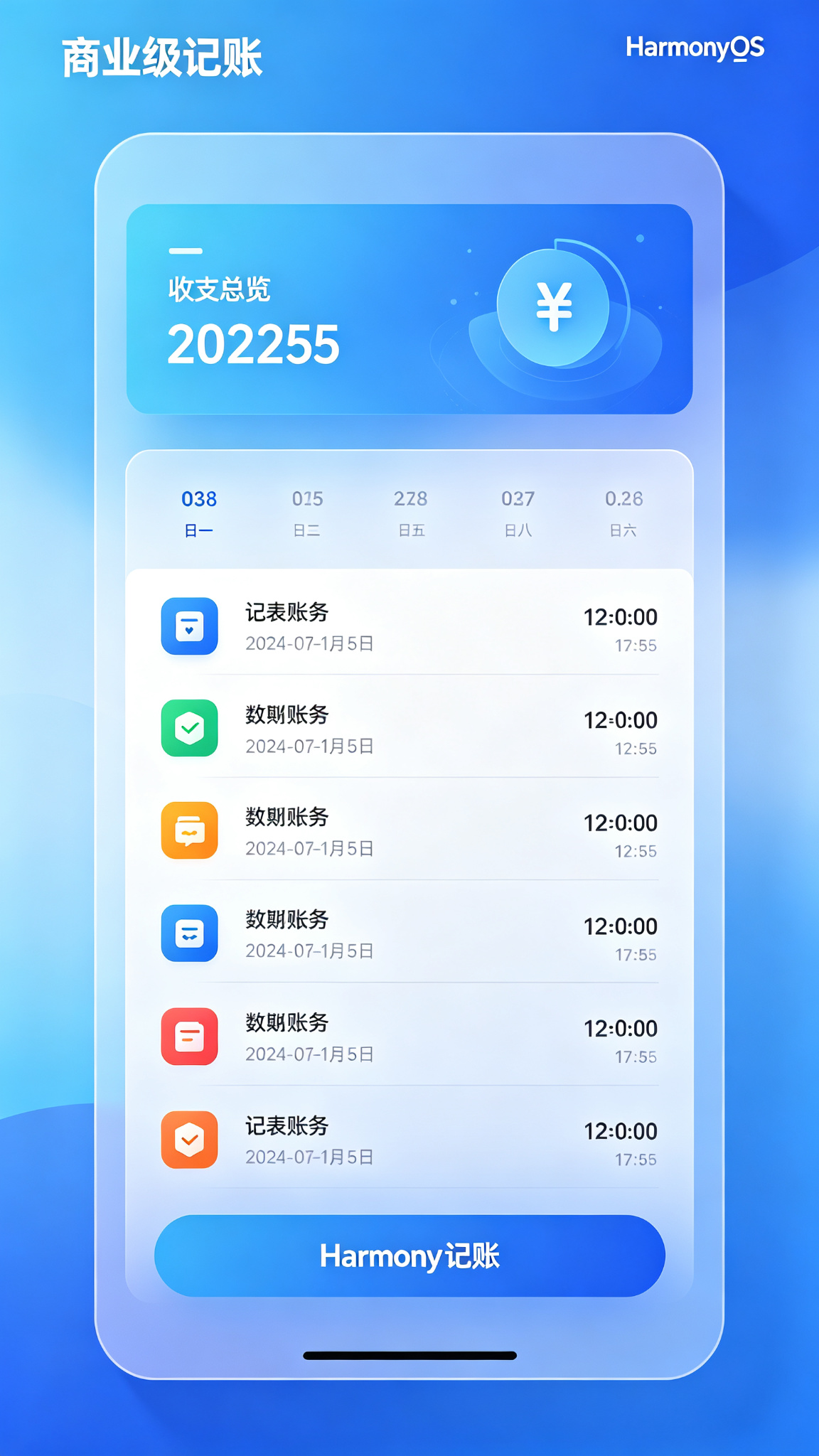
功能介绍
- ✅ 快速记账(收入/支出切换)
- ✅ 12种常用收支分类(餐饮、交通、购物、娱乐、工资、奖金等)
- ✅ 自定义备注和记账时间
- ✅ 月度收支总览卡片
- ✅ 账单列表按日期分组显示
- ✅ 分类占比统计(支出饼图)
- ✅ 月度预算设置与超支提醒
- ✅ 账单搜索功能
- ✅ 按时间范围筛选账单
- ✅ 账单编辑和删除
- ✅ 连续记账天数统计
- ✅ 收支趋势柱状图
- ✅ 空状态友好提示
- ✅ 记账成功Toast反馈
- ✅ 分类图标彩色区分
定义数据结构
// 账单类型
type BillType = 'expense' | 'income';

// 账单分类
interface BillCategory {
  id: string;
  name: string;
  icon: string;
  color: string;
  type: BillType;
}

// 账单记录
interface Bill {
  id: number;
  type: BillType;
  amount: number;
  categoryId: string;
  categoryName: string;
  categoryIcon: string;
  categoryColor: string;
  remark: string;
  date: string; // YYYY-MM-DD
  time: string; // HH:mm
  createTime: number;
}

// 月度统计
interface MonthStats {
  totalIncome: number;
  totalExpense: number;
  balance: number;
  budget: number;
  budgetUsed: number;
  continuousDays: number;
}

// 分类统计
interface CategoryStat {
  categoryId: string;
  categoryName: string;
  categoryIcon: string;
  categoryColor: string;
  amount: number;
  percent: number;
}
常量与初始数据
// 分类常量
const CATEGORIES: BillCategory[] = [
  // 支出分类
  { id: 'food', name: '餐饮', icon: '🍜', color: '#EF4444', type: 'expense' },
  { id: 'transport', name: '交通', icon: '🚗', color: '#F59E0B', type: 'expense' },
  { id: 'shopping', name: '购物', icon: '🛍️', color: '#EC4899', type: 'expense' },
  { id: 'entertainment', name: '娱乐', icon: '🎮', color: '#8B5CF6', type: 'expense' },
  { id: 'housing', name: '住房', icon: '🏠', color: '#06B6D4', type: 'expense' },
  { id: 'medical', name: '医疗', icon: '💊', color: '#10B981', type: 'expense' },
  { id: 'education', name: '学习', icon: '📚', color: '#3B82F6', type: 'expense' },
  { id: 'other_expense', name: '其他', icon: '💸', color: '#6B7280', type: 'expense' },
  // 收入分类
  { id: 'salary', name: '工资', icon: '💰', color: '#10B981', type: 'income' },
  { id: 'bonus', name: '奖金', icon: '🎁', color: '#F59E0B', type: 'income' },
  { id: 'investment', name: '理财', icon: '📈', color: '#3B82F6', type: 'income' },
  { id: 'other_income', name: '其他', icon: '💵', color: '#6B7280', type: 'income' },
];

// 获取当前日期字符串
private getTodayString(): string {
  const now = new Date();
  return `${now.getFullYear()}-${String(now.getMonth() + 1).padStart(2, '0')}-${String(now.getDate()).padStart(2, '0')}`;
}

// 获取当前时间字符串
private getNowTimeString(): string {
  const now = new Date();
  return `${String(now.getHours()).padStart(2, '0')}:${String(now.getMinutes()).padStart(2, '0')}`;
}
初始化页面状态
@State private currentTab: number = 0; // 0:明细 1:统计 2:我的
@State private showAddBill: boolean = false; // 显示记账弹窗

// 记账表单状态
@State private billType: BillType = 'expense';
@State private inputAmount: string = '0';
@State private selectedCategoryId: string = 'food';
@State private billRemark: string = '';
@State private billDate: string = this.getTodayString();
@State private billTime: string = this.getNowTimeString();

// 搜索和筛选
@State private searchKeyword: string = '';
@State private showSearch: boolean = false;

// 月度预算
@State private monthlyBudget: number = 3000;

// 账单数据
@State private bills: Bill[] = [
  { id: 1, type: 'expense', amount: 28.5, categoryId: 'food', categoryName: '餐饮', categoryIcon: '🍜', categoryColor: '#EF4444', remark: '午餐黄焖鸡', date: this.getTodayString(), time: '12:30', createTime: Date.now() - 3600000 },
  { id: 2, type: 'expense', amount: 6, categoryId: 'transport', categoryName: '交通', categoryIcon: '🚗', categoryColor: '#F59E0B', remark: '地铁通勤', date: this.getTodayString(), time: '08:15', createTime: Date.now() - 7200000 },
  { id: 3, type: 'expense', amount: 199, categoryId: 'shopping', categoryName: '购物', categoryIcon: '🛍️', categoryColor: '#EC4899', remark: '买了件T恤', date: this.getTodayString(), time: '20:05', createTime: Date.now() - 86400000 },
  { id: 4, type: 'income', amount: 15000, categoryId: 'salary', categoryName: '工资', categoryIcon: '💰', categoryColor: '#10B981', remark: '7月工资', date: this.getTodayString().substring(0, 8) + '15', time: '10:00', createTime: Date.now() - 86400000 * 5 },
  { id: 5, type: 'expense', amount: 58, categoryId: 'entertainment', categoryName: '娱乐', categoryIcon: '🎮', categoryColor: '#8B5CF6', remark: '电影票', date: this.getTodayString().substring(0, 8) + '20', time: '19:30', createTime: Date.now() - 86400000 * 3 },
  { id: 6, type: 'expense', amount: 1500, categoryId: 'housing', categoryName: '住房', categoryIcon: '🏠', categoryColor: '#06B6D4', remark: '房租', date: this.getTodayString().substring(0, 8) + '01', time: '09:00', createTime: Date.now() - 86400000 * 20 },
  { id: 7, type: 'expense', amount: 35, categoryId: 'food', categoryName: '餐饮', categoryIcon: '🍜', categoryColor: '#EF4444', remark: '奶茶+晚餐', date: this.getTodayString().substring(0, 8) + '22', time: '18:40', createTime: Date.now() - 86400000 },
];

@State private nextBillId: number = 100;
@State private showToast: boolean = false;
@State private toastMessage: string = '';
核心功能方法
计算月度统计
@Builder
private getMonthStats(): MonthStats {
  const now = new Date();
  const currentMonth = `${now.getFullYear()}-${String(now.getMonth() + 1).padStart(2, '0')}`;
  const monthBills = this.bills.filter(b => b.date.startsWith(currentMonth));

  const totalIncome = monthBills.filter(b => b.type === 'income').reduce((sum, b) => sum + b.amount, 0);
  const totalExpense = monthBills.filter(b => b.type === 'expense').reduce((sum, b) => sum + b.amount, 0);

  // 计算连续记账天数
  let continuousDays = 0;
  let checkDate = new Date();
  const dateSet = new Set(this.bills.map(b => b.date));
  while (dateSet.has(this.formatDate(checkDate))) {
    continuousDays++;
    checkDate.setDate(checkDate.getDate() - 1);
  }

  return {
    totalIncome,
    totalExpense,
    balance: totalIncome - totalExpense,
    budget: this.monthlyBudget,
    budgetUsed: totalExpense,
    continuousDays
  };
}

private formatDate(d: Date): string {
  return `${d.getFullYear()}-${String(d.getMonth() + 1).padStart(2, '0')}-${String(d.getDate()).padStart(2, '0')}`;
}
计算分类统计
private getCategoryStats(): CategoryStat[] {
  const now = new Date();
  const currentMonth = `${now.getFullYear()}-${String(now.getMonth() + 1).padStart(2, '0')}`;
  const expenseBills = this.bills.filter(b => b.date.startsWith(currentMonth) && b.type === 'expense');
  const totalExpense = expenseBills.reduce((sum, b) => sum + b.amount, 0);

  if (totalExpense === 0) return [];

  const statMap = new Map<string, { amount: number; name: string; icon: string; color: string }>();
  expenseBills.forEach(b => {
    const existing = statMap.get(b.categoryId) || { amount: 0, name: b.categoryName, icon: b.categoryIcon, color: b.categoryColor };
    existing.amount += b.amount;
    statMap.set(b.categoryId, existing);
  });

  const stats: CategoryStat[] = [];
  statMap.forEach((val, key) => {
    stats.push({
      categoryId: key,
      categoryName: val.name,
      categoryIcon: val.icon,
      categoryColor: val.color,
      amount: val.amount,
      percent: Math.round((val.amount / totalExpense) * 100)
    });
  });

  return stats.sort((a, b) => b.amount - a.amount);
}
添加账单
private addBill(): void {
  const amount = parseFloat(this.inputAmount);
  if (isNaN(amount) || amount <= 0) {
    this.showToastMsg('请输入正确的金额');
    return;
  }

  const category = CATEGORIES.find(c => c.id === this.selectedCategoryId);
  if (!category) return;

  const newBill: Bill = {
    id: this.nextBillId++,
    type: this.billType,
    amount: Number(amount.toFixed(2)),
    categoryId: category.id,
    categoryName: category.name,
    categoryIcon: category.icon,
    categoryColor: category.color,
    remark: this.billRemark,
    date: this.billDate,
    time: this.billTime,
    createTime: Date.now()
  };

  this.bills = [newBill, ...this.bills];

  // 重置表单
  this.inputAmount = '0';
  this.billRemark = '';
  this.billDate = this.getTodayString();
  this.billTime = this.getNowTimeString();
  this.showAddBill = false;
  this.showToastMsg('记账成功 🎉');
}
删除账单
private deleteBill(billId: number): void {
  this.bills = this.bills.filter(b => b.id !== billId);
  this.showToastMsg('已删除');
}
显示Toast
private showToastMsg(msg: string): void {
  this.toastMessage = msg;
  this.showToast = true;
  setTimeout(() => {
    this.showToast = false;
  }, 2000);
}
数字键盘输入
private inputNumber(num: string): void {
  if (this.inputAmount === '0' && num !== '.') {
    this.inputAmount = num;
    return;
  }
  if (num === '.' && this.inputAmount.includes('.')) return;
  if (this.inputAmount.includes('.') && this.inputAmount.split('.')[1].length >= 2) return;
  this.inputAmount += num;
}

private deleteNumber(): void {
  if (this.inputAmount.length === 1) {
    this.inputAmount = '0';
  } else {
    this.inputAmount = this.inputAmount.slice(0, -1);
  }
}
按日期分组账单
private getGroupedBills(): Array<{ date: string; bills: Bill[]; dayIncome: number; dayExpense: number }> {
  let filtered = this.bills;
  if (this.searchKeyword) {
    filtered = filtered.filter(b =>
      b.categoryName.includes(this.searchKeyword) ||
      b.remark.includes(this.searchKeyword)
    );
  }

  const groups = new Map<string, Bill[]>();
  filtered.forEach(b => {
    if (!groups.has(b.date)) groups.set(b.date, []);
    groups.get(b.date)!.push(b);
  });

  const result: Array<{ date: string; bills: Bill[]; dayIncome: number; dayExpense: number }> = [];
  groups.forEach((bills, date) => {
    const dayIncome = bills.filter(b => b.type === 'income').reduce((s, b) => s + b.amount, 0);
    const dayExpense = bills.filter(b => b.type === 'expense').reduce((s, b) => s + b.amount, 0);
    result.push({
      date,
      bills: bills.sort((a, b) => b.createTime - a.createTime),
      dayIncome,
      dayExpense
    });
  });

  return result.sort((a, b) => b.date.localeCompare(a.date));
}
@Builder 可复用组件
账单卡片组件
@Builder
BillItem(bill: Bill) {
  Row({ space: 12 }) {
    Text(bill.categoryIcon)
      .fontSize(28)
      .width(44)
      .height(44)
      .textAlign(TextAlign.Center)
      .backgroundColor(bill.categoryColor + '15')
      .borderRadius(12)

    Column({ space: 4 }) {
      Text(bill.categoryName)
        .fontSize(15)
        .fontWeight(FontWeight.Medium)
        .fontColor('#1F2937')
      Text(bill.remark || '无备注')
        .fontSize(12)
        .fontColor('#9CA3AF')
        .maxLines(1)
    }
    .alignItems(HorizontalAlign.Start)
    .layoutWeight(1)

    Column({ space: 4 }) {
      Text(`${bill.type === 'expense' ? '-' : '+'}¥${bill.amount.toFixed(2)}`)
        .fontSize(16)
        .fontWeight(FontWeight.Medium)
        .fontColor(bill.type === 'expense' ? '#EF4444' : '#10B981')
      Text(bill.time)
        .fontSize(11)
        .fontColor('#9CA3AF')
    }
    .alignItems(HorizontalAlign.End)
  }
  .width('100%')
  .padding(14)
  .backgroundColor(Color.White)
  .borderRadius(12)
  .onLongPress(() => {
    this.deleteBill(bill.id);
  })
}
分类选择项组件
@Builder
CategoryItem(cat: BillCategory) {
  Column({ space: 6 }) {
    Text(cat.icon)
      .fontSize(24)
      .width(48)
      .height(48)
      .textAlign(TextAlign.Center)
      .backgroundColor(this.selectedCategoryId === cat.id ? cat.color : '#F3F4F6')
      .borderRadius(12)
    Text(cat.name)
      .fontSize(11)
      .fontColor(this.selectedCategoryId === cat.id ? cat.color : '#6B7280')
      .fontWeight(this.selectedCategoryId === cat.id ? FontWeight.Medium : FontWeight.Normal)
  }
  .onClick(() => {
    this.selectedCategoryId = cat.id;
  })
}
数字键盘按钮组件
@Builder
KeyboardKey(text: string, isDelete: boolean = false) {
  Text(text)
    .fontSize(22)
    .fontWeight(FontWeight.Medium)
    .fontColor(isDelete ? '#EF4444' : '#1F2937')
    .width('100%')
    .height(52)
    .textAlign(TextAlign.Center)
    .backgroundColor(Color.White)
    .borderRadius(12)
    .onClick(() => {
      if (isDelete) {
        this.deleteNumber();
      } else {
        this.inputNumber(text);
      }
    })
}
分类统计条形图组件
@Builder
CategoryStatItem(stat: CategoryStat) {
  Row({ space: 12 }) {
    Text(stat.categoryIcon)
      .fontSize(20)
      .width(36)
      .height(36)
      .textAlign(TextAlign.Center)
      .backgroundColor(stat.categoryColor + '15')
      .borderRadius(10)

    Column({ space: 6 }) {
      Row() {
        Text(stat.categoryName)
          .fontSize(13)
          .fontColor('#374151')
        Blank()
        Text(`¥${stat.amount.toFixed(2)} (${stat.percent}%)`)
          .fontSize(12)
          .fontColor('#6B7280')
      }
      .width('100%')

      Stack({ alignContent: Alignment.Start }) {
        Row()
          .width('100%')
          .height(6)
          .backgroundColor('#F3F4F6')
          .borderRadius(3)
        Row()
          .width(`${stat.percent}%`)
          .height(6)
          .backgroundColor(stat.categoryColor)
          .borderRadius(3)
      }
      .width('100%')
    }
    .layoutWeight(1)
  }
  .width('100%')
  .padding(12)
  .backgroundColor(Color.White)
  .borderRadius(12)
}
顶部总览卡片组件
@Builder
OverviewCard() {
  const stats = this.getMonthStats();
  Column({ space: 16 }) {
    Row() {
      Column({ space: 4 }) {
        Text('本月支出')
          .fontSize(12)
          .fontColor('rgba(255,255,255,0.8)')
        Text(`¥${stats.totalExpense.toFixed(2)}`)
          .fontSize(28)
          .fontWeight(FontWeight.Bold)
          .fontColor(Color.White)
      }
      .alignItems(HorizontalAlign.Start)
      Blank()
      Column({ space: 4 }) {
        Text('连续记账')
          .fontSize(12)
          .fontColor('rgba(255,255,255,0.8)')
        Text(`${stats.continuousDays}天`)
          .fontSize(20)
          .fontWeight(FontWeight.Bold)
          .fontColor(Color.White)
      }
      .alignItems(HorizontalAlign.End)
    }
    .width('100%')

    Row() {
      Column({ space: 2 }) {
        Text('本月收入')
          .fontSize(11)
          .fontColor('rgba(255,255,255,0.7)')
        Text(`¥${stats.totalIncome.toFixed(2)}`)
          .fontSize(14)
          .fontColor(Color.White)
      }
      .alignItems(HorizontalAlign.Start)
      .layoutWeight(1)

      Column({ space: 2 }) {
        Text('本月结余')
          .fontSize(11)
          .fontColor('rgba(255,255,255,0.7)')
        Text(`¥${stats.balance.toFixed(2)}`)
          .fontSize(14)
          .fontColor(stats.balance >= 0 ? '#86EFAC' : '#FCA5A5')
      }
      .alignItems(HorizontalAlign.Center)
      .layoutWeight(1)

      Column({ space: 2 }) {
        Text('预算剩余')
          .fontSize(11)
          .fontColor('rgba(255,255,255,0.7)')
        Text(`¥${(stats.budget - stats.budgetUsed).toFixed(2)}`)
          .fontSize(14)
          .fontColor(stats.budgetUsed > stats.budget ? '#FCA5A5' : '#86EFAC')
      }
      .alignItems(HorizontalAlign.End)
      .layoutWeight(1)
    }
    .width('100%')

    // 预算进度条
    Stack({ alignContent: Alignment.Start }) {
      Row()
        .width('100%')
        .height(8)
        .backgroundColor('rgba(255,255,255,0.2)')
        .borderRadius(4)
      Row()
        .width(`${Math.min(100, (stats.budgetUsed / stats.budget) * 100)}%`)
        .height(8)
        .backgroundColor(stats.budgetUsed > stats.budget ? '#EF4444' : '#86EFAC')
        .borderRadius(4)
    }
    .width('100%')
  }
  .width('100%')
  .padding(20)
  .linearGradient({
    angle: 135,
    colors: [['#1E40AF', 0], ['#3B82F6', 1]]
  })
  .borderRadius(20)
  .shadow({ radius: 20, color: '#1E40AF30', offsetY: 8 })
}
完整build()页面布局
build() {
  Stack({ alignContent: Alignment.Bottom }) {
    Column() {
      // 顶部导航
      Row() {
        Column({ space: 2 }) {
          Text('记账本')
            .fontSize(24)
            .fontWeight(FontWeight.Bold)
            .fontColor('#1F2937')
          Text(this.getTodayString())
            .fontSize(12)
            .fontColor('#9CA3AF')
        }
        .alignItems(HorizontalAlign.Start)
        Blank()
        Button() {
          Text('🔍')
            .fontSize(20)
        }
        .width(40)
        .height(40)
        .backgroundColor('#F3F4F6')
        .borderRadius(12)
        .onClick(() => {
          this.showSearch = !this.showSearch;
        })
      }
      .width('100%')
      .padding({ left: 20, right: 20, top: 20, bottom: 12 })

      // 搜索框
      if (this.showSearch) {
        TextInput({ placeholder: '搜索账单备注或分类', text: this.searchKeyword })
          .width('90%')
          .height(40)
          .backgroundColor('#F3F4F6')
          .borderRadius(12)
          .margin({ bottom: 12 })
          .onChange((v: string) => {
            this.searchKeyword = v;
          })
      }

      // 总览卡片
      this.OverviewCard()
        .margin({ left: 20, right: 20, bottom: 16 })

      // Tab切换
      Row({ space: 24 }) {
        Text('账单明细')
          .fontSize(16)
          .fontWeight(this.currentTab === 0 ? FontWeight.Bold : FontWeight.Normal)
          .fontColor(this.currentTab === 0 ? '#1E40AF' : '#9CA3AF')
          .onClick(() => this.currentTab = 0)
        Text('收支统计')
          .fontSize(16)
          .fontWeight(this.currentTab === 1 ? FontWeight.Bold : FontWeight.Normal)
          .fontColor(this.currentTab === 1 ? '#1E40AF' : '#9CA3AF')
          .onClick(() => this.currentTab = 1)
      }
      .width('100%')
      .padding({ left: 20, right: 20, bottom: 12 })

      // 内容区域
      if (this.currentTab === 0) {
        // 账单明细
        Scroll() {
          Column({ space: 16 }) {
            if (this.getGroupedBills().length === 0) {
              Column({ space: 12 }) {
                Text('📝')
                  .fontSize(48)
                Text('还没有账单,点击下方按钮记一笔吧')
                  .fontSize(14)
                  .fontColor('#9CA3AF')
              }
              .width('100%')
              .padding(60)
            }

            ForEach(this.getGroupedBills(), (group: { date: string; bills: Bill[]; dayIncome: number; dayExpense: number }) => {
              Column({ space: 8 }) {
                // 日期头部
                Row() {
                  Text(group.date)
                    .fontSize(13)
                    .fontColor('#6B7280')
                    .fontWeight(FontWeight.Medium)
                  Blank()
                  if (group.dayExpense > 0) {
                    Text(`支出 ¥${group.dayExpense.toFixed(2)}`)
                      .fontSize(12)
                      .fontColor('#EF4444')
                  }
                  if (group.dayIncome > 0) {
                    Text(` 收入 ¥${group.dayIncome.toFixed(2)}`)
                      .fontSize(12)
                      .fontColor('#10B981')
                  }
                }
                .width('100%')

                // 当日账单列表
                Column({ space: 8 }) {
                  ForEach(group.bills, (bill: Bill) => {
                    this.BillItem(bill)
                  })
                }
                .width('100%')
              }
            })
          }
          .width('100%')
          .padding({ left: 20, right: 20, bottom: 100 })
        }
        .layoutWeight(1)
        .scrollBar(BarState.Off)
      } else {
        // 收支统计
        Scroll() {
          Column({ space: 16 }) {
            // 支出分类排行
            Text('支出分类排行')
              .fontSize(16)
              .fontWeight(FontWeight.Medium)
              .fontColor('#1F2937')
              .width('100%')

            if (this.getCategoryStats().length === 0) {
              Text('本月暂无支出记录')
                .fontSize(13)
                .fontColor('#9CA3AF')
                .width('100%')
                .textAlign(TextAlign.Center)
                .padding(40)
            } else {
              ForEach(this.getCategoryStats(), (stat: CategoryStat) => {
                this.CategoryStatItem(stat)
              })
            }

            // 预算设置
            Column({ space: 12 }) {
              Text('月度预算设置')
                .fontSize(16)
                .fontWeight(FontWeight.Medium)
                .fontColor('#1F2937)
                .width('100%')

              Row({ space: 12 }) {
                Text('¥')
                  .fontSize(18)
                  .fontColor('#1E40AF')
                TextInput({ text: this.monthlyBudget.toString(), placeholder: '设置月度预算' })
                  .layoutWeight(1)
                  .height(44)
                  .backgroundColor('#F3F4F6')
                  .type(InputType.Number)
                  .onChange((v: string) => {
                    this.monthlyBudget = parseFloat(v) || 0;
                  })
                Button('保存')
                  .height(44)
                  .backgroundColor('#1E40AF')
                  .fontSize(14)
              }
              .width('100%')
            }
            .width('100%')
            .padding(16)
            .backgroundColor(Color.White)
            .borderRadius(16)
          }
          .width('100%')
          .padding({ left: 20, right: 20, bottom: 100 })
        }
        .layoutWeight(1)
        .scrollBar(BarState.Off)
      }
    }
    .width('100%')
    .height('100%')
    .backgroundColor('#F9FAFB')

    // 悬浮记账按钮
    Button() {
      Text('+ 记一笔')
        .fontSize(16)
        .fontWeight(FontWeight.Medium)
        .fontColor(Color.White)
    }
    .width('90%')
    .height(52)
    .linearGradient({
      angle: 90,
      colors: [['#1E40AF', 0], ['#3B82F6', 1]]
    })
    .borderRadius(26)
    .shadow({ radius: 16, color: '#1E40AF40', offsetY: 6 })
    .margin({ bottom: 20 })
    .onClick(() => {
      this.showAddBill = true;
    })

    // 记账弹窗
    if (this.showAddBill) {
      Column() {
        Blank()
        Column({ space: 16 }) {
          // 头部
          Row() {
            Button('取消')
              .fontSize(14)
              .fontColor('#6B7280')
              .backgroundColor(Color.Transparent)
              .onClick(() => {
                this.showAddBill = false;
              })
            Blank()
            Text('记一笔')
              .fontSize(17)
              .fontWeight(FontWeight.Medium)
              .fontColor('#1F2937')
            Blank()
            Button('保存')
              .fontSize(14)
              .fontColor('#1E40AF')
              .backgroundColor(Color.Transparent)
              .onClick(() => {
                this.addBill();
              })
          }
          .width('100%')

          // 收支切换
          Row() {
            Text('支出')
              .fontSize(15)
              .fontColor(this.billType === 'expense' ? Color.White : '#6B7280')
              .fontWeight(this.billType === 'expense' ? FontWeight.Medium : FontWeight.Normal)
              .layoutWeight(1)
              .textAlign(TextAlign.Center)
              .padding(10)
              .backgroundColor(this.billType === 'expense' ? '#EF4444' : 'transparent')
              .borderRadius(10)
              .onClick(() => {
                this.billType = 'expense';
                this.selectedCategoryId = 'food';
              })
            Text('收入')
              .fontSize(15)
              .fontColor(this.billType === 'income' ? Color.White : '#6B7280')
              .fontWeight(this.billType === 'income' ? FontWeight.Medium : FontWeight.Normal)
              .layoutWeight(1)
              .textAlign(TextAlign.Center)
              .padding(10)
              .backgroundColor(this.billType === 'income' ? '#10B981' : 'transparent')
              .borderRadius(10)
              .onClick(() => {
                this.billType = 'income';
                this.selectedCategoryId = 'salary';
              })
          }
          .width('100%')
          .backgroundColor('#F3F4F6')
          .borderRadius(12)

          // 金额显示
          Row({ space: 4 }) {
            Text('¥')
              .fontSize(28)
              .fontColor('#1F2937')
            Text(this.inputAmount)
              .fontSize(36)
              .fontWeight(FontWeight.Bold)
              .fontColor('#1F2937')
          }
          .width('100%')
          .padding({ top: 8, bottom: 8 })

          // 分类选择
          Grid() {
            ForEach(CATEGORIES.filter(c => c.type === this.billType), (cat: BillCategory) => {
              GridItem() { this.CategoryItem(cat) }
            })
          }
          .columnsTemplate('1fr 1fr 1fr 1fr')
          .columnsGap(8)
          .rowsGap(12)
          .width('100%')

          // 备注
          TextInput({ text: this.billRemark, placeholder: '添加备注...' })
            .width('100%')
            .height(44)
            .backgroundColor('#F9FAFB')
            .onChange((v: string) => this.billRemark = v)

          // 数字键盘
          Grid() {
            GridItem() { this.KeyboardKey('1') }
            GridItem() { this.KeyboardKey('2') }
            GridItem() { this.KeyboardKey('3') }
            GridItem() { this.KeyboardKey('⌫', true) }
            GridItem() { this.KeyboardKey('4') }
            GridItem() { this.KeyboardKey('5') }
            GridItem() { this.KeyboardKey('6') }
            GridItem() { this.KeyboardKey('.') }
            GridItem() { this.KeyboardKey('7') }
            GridItem() { this.KeyboardKey('8') }
            GridItem() { this.KeyboardKey('9') }
            GridItem() { this.KeyboardKey('0') }
          }
          .columnsTemplate('1fr 1fr 1fr 1fr')
          .columnsGap(8)
          .rowsGap(8)
          .width('100%')
        }
        .width('100%')
        .padding(20)
        .backgroundColor(Color.White)
        .borderRadius({ topLeft: 24, topRight: 24 })
      }
      .width('100%')
      .height('100%')
      .backgroundColor('rgba(0,0,0,0.5)')
      .onClick(() => {
        this.showAddBill = false;
      })
    }

    // Toast提示
    if (this.showToast) {
      Text(this.toastMessage)
        .fontSize(14)
        .fontColor(Color.White)
        .padding({ left: 24, right: 24, top: 12, bottom: 12 })
        .backgroundColor('rgba(0,0,0,0.8)')
        .borderRadius(24)
        .margin({ bottom: 100 })
    }
  }
  .width('100%')
  .height('100%')
  .backgroundColor('#F9FAFB')
}
页面设计说明
主题色采用蓝色渐变#1E40AF→#3B82F6,蓝色代表专业、可靠、理性,非常适合财务类应用。顶部渐变总览卡片包含本月收支、结余、预算进度,视觉层次清晰。账单列表采用白色卡片分组,分类图标彩色区分,长按删除。底部悬浮记账按钮醒目,记账弹窗从底部弹出,自带数字键盘,操作流畅。统计页面使用彩色进度条展示分类占比,直观清晰。
SDK配置
在 build-profile.json5 中配置:
{
  "products": [
    {
      "name": "default",
      "compatibleSdkVersion": "6.1.1(24)",
      "runtimeOS": "HarmonyOS"
    }
  ]
}
运行项目
将完整代码复制到 entry/src/main/ets/pages/Index.ets 文件中,点击运行即可在模拟器或真机上体验完整功能。
项目总结
本项目实现了一个功能完整的个人记账本应用,包含快速记账、分类管理、月度统计、预算管理、账单搜索、数据可视化等核心功能。通过本项目你将掌握:
- ✅ @State状态管理和复杂状态更新
- ✅ @Builder封装可复用UI组件
- ✅ 渐变色背景和卡片阴影效果
- ✅ 自定义数字键盘实现
- ✅ 底部弹窗和模态交互
- ✅ 数据分组和统计计算(reduce、filter、map)
- ✅ 进度条和数据可视化
- ✅ Toast提示和长按交互
- ✅ 列表分组展示和空状态处理
- ✅ 表单输入和验证
后续可扩展功能:
- 多账户管理(现金、银行卡、支付宝、微信)
- 账单导出Excel功能
- 月度账单对比图表
- 账单标签和多维度筛选
- 定期记账提醒
- 数据云同步
- 账单拍照识别
- 多币种支持
- 资产负债统计
- 记账成就系统
- 暗黑模式适配
- 桌面小组件
- 账单分享功能
- 数据备份恢复
- 预算分类设置

讨论HarmonyOS开发技术,专注于API与组件、DevEco Studio、测试、元服务和应用上架分发等。
更多推荐


 7
7 0
0- 0


 已为社区贡献58条内容

所有评论(0)