HarmonyOS应用开发实战:猫猫大作战-DotIndicator 的完整配置选项
·
前言
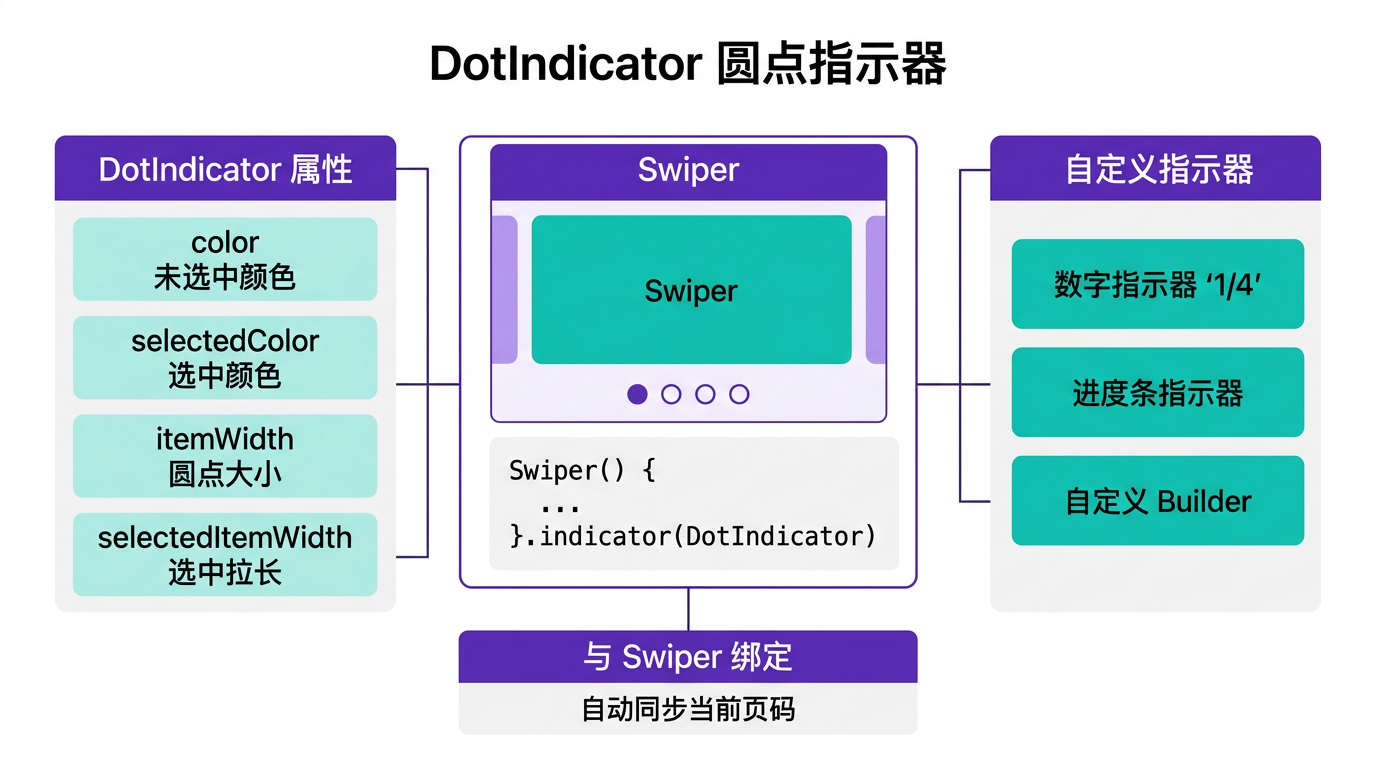
在 Swiper 轮播组件中,指示器是告知用户当前位置的视觉要素。HarmonyOS 提供内置的 DotIndicator 组件,支持自定义圆点大小、颜色、选中态样式。
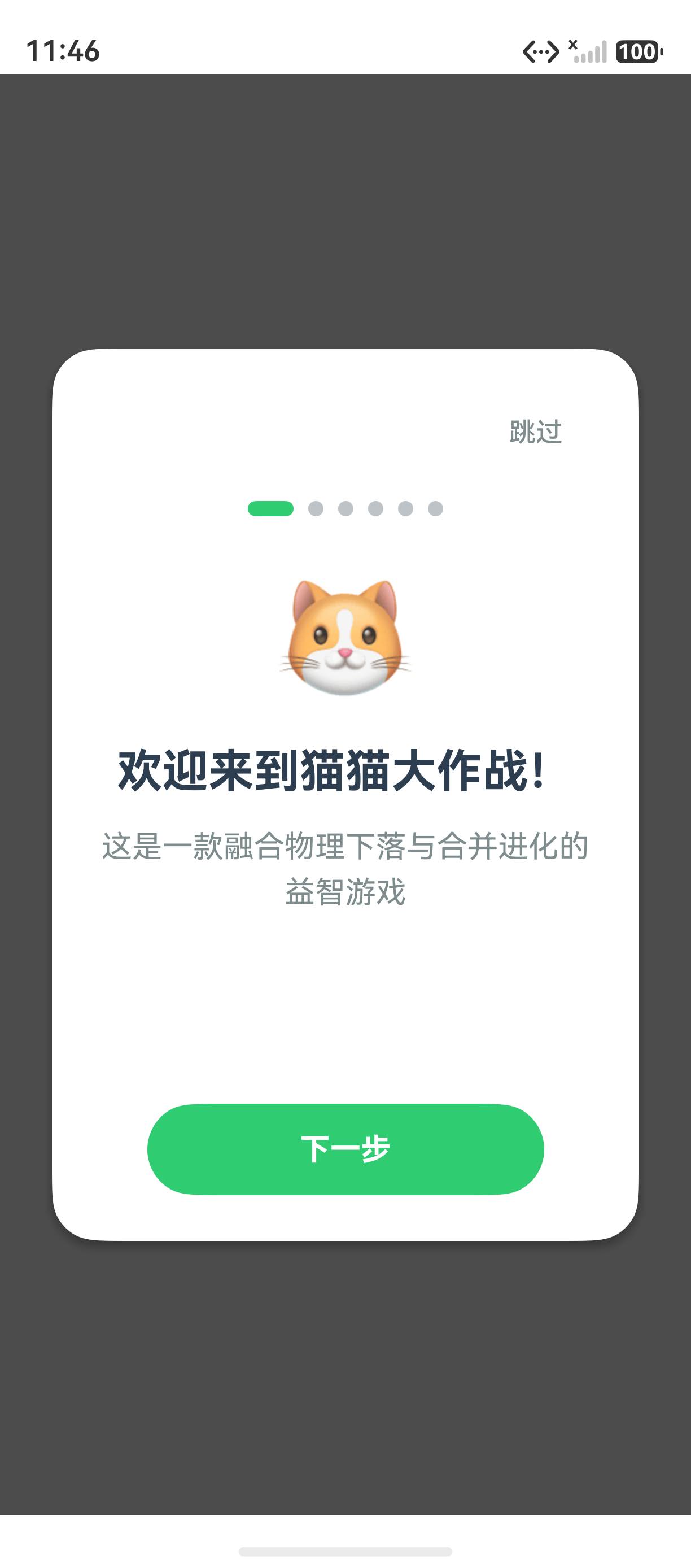
本文以「猫猫大作战」新手引导页的指示器为锚点,讲解 DotIndicator 的完整配置选项。
提示:本系列不讲 ArkTS 基础语法与环境搭建,假设你已跟完第 1–91 篇。本篇是阶段三第 92 篇。
一、DotIndicator 配置
1.1 基础样式
.indicator(new DotIndicator()
  .itemWidth(8)          // 圆点宽度
  .itemHeight(8)         // 圆点高度
  .selectedItemWidth(24) // 选中态宽度
  .selectedItemHeight(8) // 选中态高度
  .color(Color.Gray)     // 未选中颜色
  .selectedColor(Color.Green) // 选中颜色
)
1.2 属性一览
| 属性 | 类型 | 默认值 |
|---|---|---|
itemWidth | Length | 8 |
itemHeight | Length | 8 |
selectedItemWidth | Length | 8 |
selectedItemHeight | Length | 8 |
color | ResourceColor | Color.Gray |
selectedColor | ResourceColor | Color.Blue |
二、总结
DotIndicator 是 Swiper 内置的圆点指示器,支持宽度、高度、颜色等样式的自定义。
核心要点:
- DotIndicator 作为 Swiper 的
.indicator()属性使用 - 支持选中/未选中态的宽度、高度、颜色分别设置
- 选中态支持长条样式(selectedItemWidth > itemWidth)
下一篇预告:第 93 篇将深入 Stack 全屏覆盖——暂停遮罩层的实现。
如果这篇文章对你有帮助,欢迎点赞👍、收藏⭐、关注🔔,你的支持是我持续创作的动力!
相关资源:

讨论HarmonyOS开发技术,专注于API与组件、DevEco Studio、测试、元服务和应用上架分发等。
更多推荐

 7
7 0
0- 0


 已为社区贡献78条内容

所有评论(0)