基于HarmonyOS API 24社区物业服务应用使用了 `if...else if` 链式条件渲染,根据 `activeTab` 的值切换不同的 Tab 组件
一、项目概述与架构设计
本文将深入剖析一个基于 HarmonyOS ArkTS 开发的社区物业服务应用。该应用采用了典型的多 Tab 底部导航架构,涵盖首页、报修、缴费、公告和个人中心五大核心模块。整体代码组织架构清晰,分为数据模型层、配置层、Mock 数据层、工具函数层和 UI 组件层,体现了良好的分层设计理念。
在技术选型上,该应用充分运用了 ArkTS 的声明式 UI 开发范式,大量使用了 @State、@Builder、@Entry、@Component 等装饰器,以及 ForEach、Column、Row、Stack、Scroll 等核心容器组件。下面我们将从底层数据模型开始,逐层向上拆解每一部分的设计思路与实现细节。
二、数据模型层:Interfaces 接口定义
interface ServiceRequest {
  id: number
  title: string
  type: string
  description: string
  status: string
  priority: string
  submitDate: string
  processDate: string
  completeDate: string
  handler: string
  location: string
  rating: number
  feedback: string
  imagesColor: string
}
设计思路与技术解析:
ServiceRequest 接口是整个报修业务的核心数据契约。它采用了扁平化的字段设计,包含了报修工单的完整生命周期信息。字段命名遵循驼峰规范,类型覆盖 number、string 和 boolean(在其他接口中)。id 作为主键标识符,title 和 description 分别承载简短标题与详细描述,形成信息层级的区分。type 字段使用字符串而非枚举,这是为了在运行时能够灵活地与配置对象 serviceTypeMeta 进行字典式映射 lookup。status 字段记录了工单状态流转(待处理、处理中、已完成、已关闭),priority 字段标识优先级(紧急、普通、低),两者都采用了"元数据外置"的设计模式——即状态含义和视觉样式不硬编码在组件中,而是通过外部的 statusMeta 和 priorityMeta 配置表动态解析。
特别值得注意的是时间字段的设计:submitDate、processDate、completeDate 三个字段完整覆盖了工单从提交到处理再到完成的全流程时间节点,为空字符串时则表示该节点尚未触发。handler 字段记录处理人员,rating 和 feedback 构成用户评价子系统,imagesColor 则为每个工单类型绑定主题色,用于 UI 上的视觉区分。这种设计让数据结构本身承载了丰富的业务语义,后续 UI 渲染时只需读取字段即可,无需额外的转换逻辑。
interface NoticeItem {
  id: number
  title: string
  date: string
  category: string
  excerpt: string
  isImportant: boolean
  content: string
}
设计思路与技术解析:
NoticeItem 是社区公告的数据模型。其设计遵循"摘要-详情"分离原则:excerpt 字段存储简短的摘要内容,用于列表页的卡片展示;content 字段存储完整正文,用于详情页展示。这种分离避免了在列表中渲染大量文本造成的性能浪费。isImportant 布尔字段用于标记公告的重要性,重要公告会在 UI 上获得红色标签和左侧红色竖条的视觉强调。category 字段同样采用字符串类型,与 noticeCategories 配置表联动,实现分类图标、颜色的动态映射。date 使用字符串格式存储,简化了格式化处理的复杂度。
interface PaymentItem {
  id: number
  title: string
  type: string
  amount: number
  dueDate: string
  status: string
  period: string
}
设计思路与技术解析:
PaymentItem 是物业缴费模块的数据契约。amount 使用 number 类型存储金额,注意这里以元为单位存储,在展示时通过 formatAmount 工具函数格式化为带有人民币符号和两位小数的字符串。type 字段(物业费、水费、电费、燃气费、停车费)与 paymentTypeMeta 配置表关联,实现图标和颜色的动态渲染。status 字段(已缴、待缴、逾期)与 paymentStatusMeta 配置表关联,逾期状态使用红色警示。period 字段存储账期信息(如 “2026-Q3”、“2026-07”),为缴费记录提供了时间维度的分组依据。
interface ServiceTypeMeta {
  label: string
  icon: string
  color: string
  bg: string
}

interface StatusMeta {
  label: string
  color: string
  icon: string
  bg: string
}

interface PriorityMeta {
  label: string
  color: string
  icon: string
}

interface PaymentStatusMeta {
  label: string
  color: string
  icon: string
  bg: string
}

interface QuickServiceItem {
  id: number
  icon: string
  label: string
  color: string
}

interface CommunityInfo {
  name: string
  units: number
  residents: number
  buildings: number
  area: string
}

interface ResidentProfile {
  name: string
  avatar: string
  unit: string
  phone: string
  joinDate: string
}

interface MonthlyPayment {
  month: string
  amount: number
  isPaid: boolean
}

interface SatisfactionItem {
  category: string
  rating: number
  count: number
}

interface NoticeCategoryMeta {
  label: string
  icon: string
  color: string
}

interface PaymentTypeMeta {
  icon: string
  color: string
}
设计思路与技术解析:
以上是一组元数据接口和辅助数据接口。ServiceTypeMeta、StatusMeta、PriorityMeta、PaymentStatusMeta、NoticeCategoryMeta、PaymentTypeMeta 这六个接口共同构成了应用的"视觉配置系统"。它们将业务类型、状态、优先级等语义概念映射为具体的视觉表现(label 文本、icon 图标、color 主色、bg 背景色)。这种设计的精妙之处在于实现了"数据驱动 UI"——当需要新增一种服务类型或状态时,只需在配置表中添加条目,UI 会自动适配,无需修改组件代码。
QuickServiceItem 定义了首页快捷服务入口的数据结构,CommunityInfo 承载社区的基本统计信息,ResidentProfile 记录当前登录用户的资料,MonthlyPayment 为缴费趋势图提供月度数据点,SatisfactionItem 为满意度评价提供分类评分数据。这些接口各司其职,保证了数据流向的清晰性。
三、响应式数据类:@Observed 装饰器的应用
@Observed
class ServiceRequestModel {
  id: number = 0
  title: string = ''
  type: string = ''
  description: string = ''
  status: string = ''
  priority: string = ''
  submitDate: string = ''
  processDate: string = ''
  completeDate: string = ''
  handler: string = ''
  location: string = ''
  rating: number = 0
  feedback: string = ''
  imagesColor: string = ''

  constructor(data: ServiceRequest) {
    this.id = data.id
    this.title = data.title
    this.type = data.type
    this.description = data.description
    this.status = data.status
    this.priority = data.priority
    this.submitDate = data.submitDate
    this.processDate = data.processDate
    this.completeDate = data.completeDate
    this.handler = data.handler
    this.location = data.location
    this.rating = data.rating
    this.feedback = data.feedback
    this.imagesColor = data.imagesColor
  }
}
设计思路与技术解析:
@Observed 是 ArkTS 中用于实现深层状态观察的关键装饰器。与 @State 只能观察对象引用变化不同,@Observed 可以观察对象内部属性的变化。在 ArkTS 的状态管理中,当 @ObjectLink 或 @State 绑定到一个被 @Observed 装饰的类实例时,对该实例任何属性的修改都会触发关联 UI 的自动刷新。
ServiceRequestModel 类采用经典的 Model 层设计,将接口数据转化为可观察的对象模型。所有字段都设置了默认值(数字为 0,字符串为 ‘’),这保证了即使在数据不完整的情况下,对象也能正常实例化,避免了 undefined 引发的运行时错误。构造函数接收 ServiceRequest 接口对象,通过手动字段映射完成数据填充。虽然这种写法看起来比较冗长,但相比 Object.assign(this, data),它提供了更强的类型安全性和 IDE 自动补全支持,同时也让字段映射关系一目了然。
@Observed
class NoticeModel {
  id: number = 0
  title: string = ''
  date: string = ''
  category: string = ''
  excerpt: string = ''
  isImportant: boolean = false
  content: string = ''

  constructor(data: NoticeItem) {
    this.id = data.id
    this.title = data.title
    this.date = data.date
    this.category = data.category
    this.excerpt = data.excerpt
    this.isImportant = data.isImportant
    this.content = data.content
  }
}
设计思路与技术解析:
NoticeModel 同样使用了 @Observed 装饰器,遵循与 ServiceRequestModel 一致的设计模式。值得注意的是 isImportant 字段的默认值为 false,这符合"非重要公告为常态"的业务假设。在 ArkTS 中,@Observed 类通常与 @ObjectLink 配合使用——父组件通过 @State 持有模型实例,子组件通过 @ObjectLink 接收引用,这样子组件对模型属性的修改会自动同步到父组件和所有关联 UI。
四、配置层:Record 字典与数据驱动设计
const serviceTypeMeta: Record<string, ServiceTypeMeta> = {
  '水电维修': { label: '水电维修', icon: '🔧', color: '#00897B', bg: '#E0F2F1' },
  '公共设施': { label: '公共设施', icon: '🏛️', color: '#00897B', bg: '#E0F2F1' },
  '绿化': { label: '绿化养护', icon: '🌳', color: '#43A047', bg: '#E8F5E9' },
  '安保': { label: '安全保卫', icon: '🛡️', color: '#1E88E5', bg: '#E3F2FD' },
  '保洁': { label: '清洁卫生', icon: '🧹', color: '#FF8F00', bg: '#FFF3E0' },
  '电梯': { label: '电梯维护', icon: '🛗', color: '#7B1FA2', bg: '#F3E5F5' },
  '停车': { label: '停车管理', icon: '🅿️', color: '#5D4037', bg: '#EFEBE9' }
}
设计思路与技术解析:
Record<string, ServiceTypeMeta> 是 TypeScript 中用于定义字典(键值对映射)的工具类型。此处用业务类型名称(如"水电维修")作为键,ServiceTypeMeta 对象作为值,构建了一个完整的"类型-视觉"映射表。每个条目包含四个属性:label 是显示文本,icon 使用 Emoji 作为轻量级图标方案,color 是主色调(用于文字、边框等),bg 是背景色(用于标签底色、图标底色等)。
这种设计的扩展性极强。当业务需要新增"网络维修"类型时,只需在此配置表中添加一行,所有引用 serviceTypeMeta 的 UI 组件(如报修列表的类型标签、首页的快捷入口、报修详情的图标等)都会自动适配,无需逐个修改组件代码。这是一种典型的"配置优于代码"(Configuration over Code)的实践。颜色选择上,整体采用了 Material Design 色彩体系,青色(#00897B)作为主品牌色,不同业务类型分配了不同的强调色,形成了清晰的视觉区分。
const statusMeta: Record<string, StatusMeta> = {
  '待处理': { label: '待处理', color: '#FF8F00', icon: '⏳', bg: '#FFF3E0' },
  '处理中': { label: '处理中', color: '#1E88E5', icon: '🔄', bg: '#E3F2FD' },
  '已完成': { label: '已完成', color: '#43A047', icon: '✅', bg: '#E8F5E9' },
  '已关闭': { label: '已关闭', color: '#9E9E9E', icon: '🔒', bg: '#F5F5F5' }
}
设计思路与技术解析:
statusMeta 是工单状态的可视化配置表。四种状态分别对应了橙色的"待处理"(警示待办)、蓝色的"处理中"(进行中)、绿色的"已完成"(成功态)和灰色的"已关闭"(终态)。这种颜色编码符合用户的心理模型——暖色表示需要关注,冷色表示正常流转,绿色表示正向结果,灰色表示结束。icon 使用了直观的 Emoji(沙漏、循环箭头、对勾、锁),在极小的展示空间内传达了状态语义。
const priorityMeta: Record<string, PriorityMeta> = {
  '紧急': { label: '紧急', color: '#F44336', icon: '🔴' },
  '普通': { label: '普通', color: '#FF9800', icon: '🟡' },
  '低': { label: '低', color: '#9E9E9E', icon: '🟢' }
}

const paymentStatusMeta: Record<string, PaymentStatusMeta> = {
  '已缴': { label: '已缴', color: '#43A047', icon: '✅', bg: '#E8F5E9' },
  '待缴': { label: '待缴', color: '#FF8F00', icon: '⏰', bg: '#FFF3E0' },
  '逾期': { label: '逾期', color: '#F44336', icon: '⚠️', bg: '#FFEBEE' }
}

const paymentTypeMeta: Record<string, PaymentTypeMeta> = {
  '物业费': { icon: '🏠', color: '#00897B' },
  '水费': { icon: '💧', color: '#1E88E5' },
  '电费': { icon: '⚡', color: '#FFC107' },
  '燃气费': { icon: '🔥', color: '#FF5722' },
  '停车费': { icon: '🅿️', color: '#5D4037' }
}

const noticeCategories: Record<string, NoticeCategoryMeta> = {
  '全部': { label: '全部', icon: '📋', color: '#00897B' },
  '停水停电': { label: '停水停电', icon: '⚡', color: '#F44336' },
  '安全提醒': { label: '安全提醒', icon: '🛡️', color: '#1E88E5' },
  '缴费通知': { label: '缴费通知', icon: '💳', color: '#FF8F00' },
  '社区活动': { label: '社区活动', icon: '🎉', color: '#7B1FA2' },
  '设备维护': { label: '设备维护', icon: '🔧', color: '#5D4037' },
  '社区规章': { label: '社区规章', icon: '📜', color: '#00897B' }
}
设计思路与技术解析:
priorityMeta 为工单优先级提供了三级视觉体系:红色代表紧急、橙色代表普通、灰色代表低优先级。有趣的是,优先级使用了圆形 Emoji(🔴🟢🟡)而非具象图标,这是因为优先级本身是一种抽象的等级概念,颜色圆点比具体图形更具普适性。
paymentStatusMeta 和 paymentTypeMeta 分别处理缴费状态和缴费类型的视觉映射。paymentStatusMeta 中的"逾期"状态使用了与"紧急"优先级相同的红色系(#F44336 / #FFEBEE),在视觉上建立了"需要立即处理"的心理关联。paymentTypeMeta 的设计更加简洁,只包含 icon 和 color,因为缴费类型通常不需要背景色(它们在卡片中以图标+标题的形式展示,而非标签)。
noticeCategories 是公告分类的配置表。其中"全部"是一个特殊的伪分类,用于筛选器中的"显示全部"选项,它的颜色使用主品牌色青色。其他分类各自拥有独立的强调色,如"停水停电"使用红色(警示性最强),"社区活动"使用紫色(轻松愉快的氛围)。
五、Mock 数据层:仿真数据的组织艺术
const communityInfo: CommunityInfo = {
  name: '翠湖花园社区',
  units: 1280,
  residents: 3600,
  buildings: 12,
  area: '85,000㎡'
}

const residentProfile: ResidentProfile = {
  name: '王业主',
  avatar: '👨',
  unit: '3栋2单元801室',
  phone: '138****6688',
  joinDate: '2022-06-15'
}

const quickServices: QuickServiceItem[] = [
  { id: 1, icon: '🔧', label: '在线报修', color: '#00897B' },
  { id: 2, icon: '💳', label: '物业缴费', color: '#FF8F00' },
  { id: 3, icon: '📢', label: '社区公告', color: '#1E88E5' },
  { id: 4, icon: '🅿️', label: '停车服务', color: '#5D4037' },
  { id: 5, icon: '📦', label: '快递代收', color: '#7B1FA2' },
  { id: 6, icon: '🔑', label: '门禁管理', color: '#00897B' }
]
设计思路与技术解析:
Mock 数据层的组织体现了"场景化数据设计"的思路。communityInfo 存储社区的基础统计信息,数据格式上 area 使用了带单位的字符串而非纯数字,这是为了直接适配 UI 展示,避免在组件层进行字符串拼接。residentProfile 模拟了当前登录用户的信息,phone 字段采用了脱敏处理(138****6688),这虽然是 Mock 数据,但体现了对隐私保护的意识。avatar 字段使用 Emoji(👨)而非图片 URL,这是一种极简的头像方案,在原型阶段或轻量级应用中非常实用。
quickServices 数组定义了首页的六个快捷服务入口。每个入口都有独立的 color,但值得注意的是,颜色分配并非完全按照 serviceTypeMeta 的映射,而是根据功能重要性做了重新编排——"在线报修"和"门禁管理"使用主品牌色青色,"物业缴费"使用橙色(与缴费模块的强调色一致),"停车服务"使用棕色(与停车类型一致)。这种颜色编排让首页的快捷入口在视觉上既有统一感又有区分度。
const mockRequests: ServiceRequest[] = [
  { id: 1, title: '厨房水龙头漏水', type: '水电维修', description: '厨房水龙头连接处持续滴水,已持续两天', status: '已完成', priority: '普通', submitDate: '2026-07-20', processDate: '2026-07-21', completeDate: '2026-07-22', handler: '李师傅', location: '3栋2单元801室', rating: 5, feedback: '维修及时,态度好', imagesColor: '#00897B' },
  { id: 2, title: '楼道灯不亮', type: '公共设施', description: '3栋2单元5楼楼道灯损坏,夜间无照明', status: '处理中', priority: '普通', submitDate: '2026-07-23', processDate: '2026-07-24', completeDate: '', handler: '张师傅', location: '3栋2单元5楼', rating: 0, feedback: '', imagesColor: '#00897B' },
  // ... 共 19 条数据
]
设计思路与技术解析:
mockRequests 是一个包含 19 条工单记录的仿真数据集。数据设计充分考虑了状态分布的合理性——涵盖了全部四种状态(待处理、处理中、已完成、已关闭)、全部七种服务类型、三种优先级,以及有评价和无评价的多种组合。时间字段的设置也体现了逻辑一致性:已完成和已关闭的工单有 completeDate,处理中的工单有 processDate 但没有 completeDate,待处理的工单两者皆为空。
imagesColor 字段的取值与 serviceTypeMeta 中对应类型的 color 保持一致,这保证了工单图标底色的视觉统一性。rating 为 0 时表示尚未评价,非 0 值(4 或 5)配合 feedback 文本构成了完整的用户评价信息。Mock 数据的质量直接影响开发阶段的 UI 调试效果,这份数据集在覆盖度和真实性上都做得相当出色。
const mockNotices: NoticeItem[] = [
  { id: 1, title: '关于7月25日停水通知', date: '2026-07-24', category: '停水停电', excerpt: '因管道维修,7月25日8:00-12:00停水4小时', isImportant: true, content: '尊敬的业主:因主供水管道维修,定于7月25日上午8:00至12:00停水,请提前储水。' },
  // ... 共 12 条数据
]

const mockPayments: PaymentItem[] = [
  { id: 1, title: '第三季度物业费', type: '物业费', amount: 1280, dueDate: '2026-07-31', status: '待缴', period: '2026-Q3' },
  // ... 共 9 条数据
]

const monthlyPayments: MonthlyPayment[] = [
  { month: '2月', amount: 1398, isPaid: true },
  { month: '3月', amount: 1420, isPaid: true },
  { month: '4月', amount: 1380, isPaid: true },
  { month: '5月', amount: 1450, isPaid: true },
  { month: '6月', amount: 1410, isPaid: true },
  { month: '7月', amount: 2149, isPaid: false }
]

const satisfactionData: SatisfactionItem[] = [
  { category: '维修服务', rating: 4.6, count: 320 },
  { category: '保洁服务', rating: 4.3, count: 280 },
  { category: '安保服务', rating: 4.7, count: 350 },
  { category: '绿化服务', rating: 4.2, count: 190 }
]
设计思路与技术解析:
mockNotices 包含 12 条公告数据,重要公告(isImportant: true)约占 25%,符合实际场景中重要通知占比不高的规律。mockPayments 的 9 条数据涵盖了三种缴费状态和五种缴费类型,其中"4月物业费"被设为"逾期"状态,用于测试逾期警示的 UI 表现。monthlyPayments 为柱状趋势图提供了 6 个月的数据,前 5 个月 isPaid: true 且金额在 1380-1450 区间波动,7 月 isPaid: false 且金额跃升至 2149(因为包含了多项待缴费用),这种数据设计让柱状图能够清晰展示"已缴/待缴"的颜色区分和金额差异。
satisfactionData 为个人中心页提供了四项服务的满意度评分,count 字段表示参与评价的人数,让评分数据更具可信度。rating 保留了小数位(如 4.6),在 UI 上可以直接展示,无需额外处理。
六、工具函数与枚举定义
function formatAmount(amount: number): string {
  return '¥' + amount.toFixed(2)
}
设计思路与技术解析:
formatAmount 是一个简单的金额格式化工具函数。它将数字转换为带有人民币符号(¥)和两位小数的字符串。使用 toFixed(2) 确保了金额展示的规范性,即使传入整数(如 1280)也会输出 “¥1280.00”。这种统一格式提升了界面的专业感。在 ArkTS 中,工具函数通常定义为模块级别的纯函数,不依赖组件状态,便于在多个组件间复用。
function getMaxPaymentAmount(): number {
  let max = 0
  for (const m of monthlyPayments) {
    if (m.amount > max) {
      max = m.amount
    }
  }
  return max
}
设计思路与技术解析:
getMaxPaymentAmount 用于计算月度缴费数据中的最大值。这个值是柱状图高度归一化的基准——每个柱子的高度 = (当前金额 / 最大金额) * 90。采用传统的 for...of 循环而非 Math.max(...monthlyPayments.map(...)),可能是为了兼容 ArkTS 运行时的特性,或者是为了代码的可读性。该函数在 Tab3Payment 的 monthlyChart Builder 中被调用,动态计算柱状图的相对高度。
function getRequestStatusCount(status: string): number {
  let count = 0
  for (const r of mockRequests) {
    if (r.status === status) {
      count++
    }
  }
  return count
}
设计思路与技术解析:
getRequestStatusCount 是一个统计函数,用于计算指定状态的工单数量。它在多个地方被复用:报修管理页(Tab2)的工单统计栏、个人中心页(Tab5)的状态分布柱状图。这种"一处计算、多处使用"的设计避免了重复代码。值得注意的是,该函数在运行时每次调用都会遍历整个 mockRequests 数组;在真实场景中,如果数据量较大,可以考虑在数据变更时预计算并缓存结果,或者使用 Map 结构优化查询性能。
enum AppTab {
  HOME = 'home',
  REPAIR = 'repair',
  PAYMENT = 'payment',
  NOTICE = 'notice',
  PROFILE = 'profile'
}
设计思路与技术解析:
AppTab 枚举定义了底部导航的五个 Tab 页签。使用字符串枚举(而非数字枚举)的好处是调试时更直观——在日志中看到的是 ‘home’ 而非 0。枚举值为小写英文单词,符合 URL 路由或事件标识的命名惯例。在 MainApp 组件中,activeTab 状态变量使用 AppTab 类型,通过 === 进行精确匹配,类型安全且语义清晰。
七、主入口组件:MainApp 的架构设计
@Entry
@Component
struct MainApp {
  @State activeTab: AppTab = AppTab.HOME
  @State showAddRepairModal: boolean = false
  @State showEditRequestModal: boolean = false
  @State showDeleteRequestModal: boolean = false
  @State selectedRequestId: number = 0
  @State addRepairTitle: string = ''
  @State addRepairDesc: string = ''
  @State addRepairType: string = '水电维修'
  @State editRequestDesc: string = ''
设计思路与技术解析:
@Entry 装饰器标记 MainApp 为应用的入口组件,是页面层级的根节点。@Component 表明这是一个可复用的组件结构体(struct)。这里集中定义了应用级别的状态变量,采用了"集中式状态管理"策略——所有跨 Tab 的共享状态和模态框控制状态都提升到了根组件中。
activeTab 控制当前显示的 Tab 页,默认值为 AppTab.HOME。三个 show*Modal 布尔变量分别控制新增报修、编辑报修和删除确认三个模态框的显隐。selectedRequestId 用于在编辑和删除时标识当前选中的工单。addRepairTitle、addRepairDesc、addRepairType 组成新增报修表单的状态三元组,editRequestDesc 存储编辑时的描述文本。
这种设计的好处是模态框可以覆盖在整个应用之上(不受 Tab 切换影响),且状态提升后,子组件通过回调函数即可触发模态框显示,无需关心模态框的具体实现。代价是 MainApp 的状态变量较多,在更复杂的应用中可以考虑使用 AppStorage 或自定义 Store 进行状态剥离。
  @Builder contentArea() {
    Column() {
      if (this.activeTab === AppTab.HOME) {
        Tab1Home()
      } else if (this.activeTab === AppTab.REPAIR) {
        Tab2Repair({
          onShowAddModal: () => { this.showAddRepairModal = true },
          onShowEditModal: (id: number) => { this.selectedRequestId = id; this.showEditRequestModal = true },
          onShowDeleteModal: (id: number) => { this.selectedRequestId = id; this.showDeleteRequestModal = true }
        })
      } else if (this.activeTab === AppTab.PAYMENT) {
        Tab3Payment()
      } else if (this.activeTab === AppTab.NOTICE) {
        Tab4Notice()
      } else if (this.activeTab === AppTab.PROFILE) {
        Tab5Profile()
      }
    }
    .layoutWeight(1)
  }
设计思路与技术解析:
contentArea 是一个 @Builder 方法,负责渲染当前激活 Tab 对应的页面内容。@Builder 是 ArkTS 中用于构建 UI 片段的装饰器,它可以在 build() 方法中被调用,也可以接收参数。这里使用了 if...else if 链式条件渲染,根据 activeTab 的值切换不同的 Tab 组件。
Tab2Repair 接收了三个回调函数作为参数:onShowAddModal、onShowEditModal、onShowDeleteModal。这种"回调下沉"模式让子组件能够将用户的交互意图(如点击"新增报修"按钮)通过回调传递给父组件,由父组件负责实际的模态框显示控制。回调函数使用箭头函数定义,保持了 this 的上下文指向 MainApp 实例。Tab2Repair 的回调签名中,onShowEditModal 和 onShowDeleteModal 接收 id: number 参数,用于传递被操作工单的标识符。
.layoutWeight(1) 是让 contentArea 占据剩余所有垂直空间的关键属性,确保底部导航栏始终固定在屏幕底部,而内容区填充中间区域。
  @Builder bottomTabItem(icon: string, label: string, tab: AppTab) {
    Column() {
      Text(icon)
        .fontSize(22)
        .opacity(this.activeTab === tab ? 1.0 : 0.45)
        .animation({ duration: 200 })
      Text(label)
        .fontSize(10)
        .fontColor(this.activeTab === tab ? '#00897B' : '#999999')
        .margin({ top: 2 })
      if (this.activeTab === tab) {
        Column()
          .width(20)
          .height(3)
          .backgroundColor('#00897B')
          .borderRadius(2)
          .margin({ top: 3 })
      }
    }
    .layoutWeight(1)
    .alignItems(HorizontalAlign.Center)
    .padding({ top: 6, bottom: 6 })
    .onClick(() => {
      this.activeTab = tab
    })
  }
设计思路与技术解析:
bottomTabItem 是底部导航栏的单个页签 Builder。它接收三个参数:icon(Emoji 图标)、label(文本标签)、tab(对应的枚举值)。每个页签采用 Column 垂直布局,内部包含图标文本、标签文本和激活指示条。
视觉状态的切换逻辑非常精细:当 this.activeTab === tab 时,图标不透明度为 1.0(完全不透明),标签颜色为品牌青色(#00897B),并显示一条宽 20、高 3 的青色圆角指示条;非激活状态下,图标透明度降为 0.45,标签颜色变为灰色(#999999),指示条不显示。.animation({ duration: 200 }) 为图标的不透明度变化添加了 200 毫秒的过渡动画,让切换更加平滑。
.layoutWeight(1) 让五个页签在底部导航栏中等分宽度。.onClick 事件处理器直接修改 activeTab 状态,由于 activeTab 被 @State 装饰,其变化会自动触发 contentArea 的重新渲染,实现 Tab 切换效果。
  @Builder addRepairModal() {
    Column() {
      Column() {
        Text('📋 新建报修')
          .fontSize(18).fontColor('#333333').fontWeight(FontWeight.Bold)
        Column() {
          Text('报修标题').fontSize(12).fontColor('#999999')
          TextInput({ placeholder: '请输入报修标题' })
            .fontSize(14).fontColor('#333333')
            .backgroundColor('#F0F4F4').borderRadius(8)
            .padding({ left: 12, right: 12, top: 8, bottom: 8 }).margin({ top: 4 })
            .onChange((value: string) => { this.addRepairTitle = value })
        }.width('100%').margin({ top: 16 }).alignItems(HorizontalAlign.Start)
        Column() {
          Text('报修类型').fontSize(12).fontColor('#999999')
          Flex({ wrap: FlexWrap.Wrap }) {
            ForEach(Object.keys(serviceTypeMeta), (key: string, index: number) => {
              Text(serviceTypeMeta[key].icon + ' ' + serviceTypeMeta[key].label)
                .fontSize(11)
                .fontColor(this.addRepairType === key ? '#FFFFFF' : '#00897B')
                .backgroundColor(this.addRepairType === key ? '#00897B' : '#E0F2F1')
                .padding({ left: 10, right: 10, top: 5, bottom: 5 })
                .borderRadius(12).margin({ right: 6, bottom: 6 })
                .onClick(() => { this.addRepairType = key })
            })
          }.margin({ top: 6 })
        }.width('100%').margin({ top: 12 }).alignItems(HorizontalAlign.Start)
        Column() {
          Text('问题描述').fontSize(12).fontColor('#999999')
          TextArea({ placeholder: '请详细描述问题...' })
            .fontSize(14).fontColor('#333333')
            .backgroundColor('#F0F4F4').borderRadius(8)
            .padding({ left: 12, right: 12, top: 8, bottom: 8 }).margin({ top: 4 })
            .constraintSize({ maxHeight: 100 })
            .onChange((value: string) => { this.addRepairDesc = value })
        }.width('100%').margin({ top: 12 }).alignItems(HorizontalAlign.Start)
        Row() {
          Text('取消').fontSize(14).fontColor('#666666').layoutWeight(1)
            .textAlign(TextAlign.Center).padding({ top: 10, bottom: 10 })
            .backgroundColor('#F0F4F4').borderRadius(10)
            .onClick(() => { this.showAddRepairModal = false })
          Column().width(12)
          Text('提交报修').fontSize(14).fontColor('#FFFFFF').layoutWeight(1)
            .textAlign(TextAlign.Center).padding({ top: 10, bottom: 10 })
            .linearGradient({ angle: 135, colors: [['#00897B', 0], ['#FF8F00', 1]] })
            .borderRadius(10)
            .onClick(() => { this.showAddRepairModal = false })
        }.width('100%').margin({ top: 20 })
      }.width('88%').backgroundColor('#FFFFFF').borderRadius(20)
      .padding({ left: 20, right: 20, top: 20, bottom: 20 })
    }.width('100%').height('100%').backgroundColor('#80000000')
    .justifyContent(FlexAlign.Center).animation({ duration: 200, curve: Curve.EaseInOut })
  }
设计思路与技术解析:
addRepairModal 是新建报修的模态框 Builder。模态框采用了双层 Column 嵌套结构:外层 Column 铺满全屏(width/height 100%),背景色为半透明黑色(#80000000),起到遮罩层的作用;内层 Column 是实际的弹窗卡片,宽度为屏幕的 88%,白色背景,20 的圆角,并带有内边距。
表单包含三个输入区域:标题输入框(TextInput)、类型选择标签组(Flex + ForEach)、描述文本域(TextArea)。类型选择是一个亮点设计——使用 Object.keys(serviceTypeMeta) 动态遍历所有服务类型,为每个类型渲染一个可点击的标签。当前选中的类型(this.addRepairType === key)会获得青色背景和白色文字,未选中则为浅青色背景和青色文字。这种视觉反馈让用户清楚地知道当前选择了哪一项。Flex({ wrap: FlexWrap.Wrap }) 让标签在水平空间不足时自动换行,适配不同屏幕宽度。
底部按钮区采用 Row 水平布局,"取消"和"提交报修"各占一半宽度(layoutWeight(1)),中间用 12 宽度的空白 Column 分隔。"提交报修"按钮使用了从青色到橙色的 135 度线性渐变(linearGradient),这种双色渐变在视觉上非常有冲击力,突出了主要操作。.animation({ duration: 200, curve: Curve.EaseInOut }) 为整个模态框的显隐添加了缓动动画。
  @Builder editRequestModal() {
    Column() {
      Column() {
        Text('✏️ 编辑报修').fontSize(18).fontColor('#333333').fontWeight(FontWeight.Bold)
        Column() {
          Text('报修标题').fontSize(12).fontColor('#999999')
          Text(mockRequests[this.selectedRequestId > 0 ? this.selectedRequestId - 1 : 0].title)
            .fontSize(14).fontColor('#00897B').fontWeight(FontWeight.Medium).margin({ top: 4 })
        }.width('100%').margin({ top: 16 }).alignItems(HorizontalAlign.Start)
        Column() {
          Text('问题描述').fontSize(12).fontColor('#999999')
          TextArea({ placeholder: '请输入问题描述...', text: this.editRequestDesc })
            .fontSize(14).fontColor('#333333')
            .backgroundColor('#F0F4F4').borderRadius(8)
            .padding({ left: 12, right: 12, top: 8, bottom: 8 }).margin({ top: 4 })
            .constraintSize({ maxHeight: 100 })
            .onChange((value: string) => { this.editRequestDesc = value })
        }.width('100%').margin({ top: 12 }).alignItems(HorizontalAlign.Start)
        Row() {
          Text('取消').fontSize(14).fontColor('#666666').layoutWeight(1)
            .textAlign(TextAlign.Center).padding({ top: 10, bottom: 10 })
            .backgroundColor('#F0F4F4').borderRadius(10)
            .onClick(() => { this.showEditRequestModal = false })
          Column().width(12)
          Text('更新').fontSize(14).fontColor('#FFFFFF').layoutWeight(1)
            .textAlign(TextAlign.Center).padding({ top: 10, bottom: 10 })
            .linearGradient({ angle: 135, colors: [['#00897B', 0], ['#FF8F00', 1]] })
            .borderRadius(10)
            .onClick(() => { this.showEditRequestModal = false })
        }.width('100%').margin({ top: 20 })
      }.width('85%').backgroundColor('#FFFFFF').borderRadius(20)
      .padding({ left: 20, right: 20, top: 20, bottom: 20 })
    }.width('100%').height('100%').backgroundColor('#80000000')
    .justifyContent(FlexAlign.Center).animation({ duration: 200, curve: Curve.EaseInOut })
  }
设计思路与技术解析:
editRequestModal 是编辑报修模态框,整体结构与新增模态框相似,但有几个关键差异。首先,报修标题是只读的——它通过 mockRequests[this.selectedRequestId - 1].title 直接显示当前工单的标题,使用 Text 组件而非 TextInput,并以青色高亮显示,明确告知用户"标题不可修改"。这里的索引计算 this.selectedRequestId - 1 假设了 id 是从 1 开始连续递增的,这是一种基于 Mock 数据的简化处理。
TextArea 组件设置了 text: this.editRequestDesc 属性,用于回显当前描述内容。弹窗宽度为 85%(比新增的 88% 略窄),这种细微差异在视觉上区分了"编辑"和"新增"两种操作的层级感。
  @Builder deleteRequestModal() {
    Column() {
      Column() {
        Text('🗑️ 确认删除').fontSize(18).fontColor('#333333').fontWeight(FontWeight.Bold)
        Text('确定要删除以下报修记录吗?删除后无法恢复。')
          .fontSize(13).fontColor('#666666').margin({ top: 12 }).textAlign(TextAlign.Center)
        Text(mockRequests[this.selectedRequestId > 0 ? this.selectedRequestId - 1 : 0].title)
          .fontSize(15).fontColor('#00897B').fontWeight(FontWeight.Medium)
          .margin({ top: 8 }).textAlign(TextAlign.Center)
        Row() {
          Text('取消').fontSize(14).fontColor('#666666').layoutWeight(1)
            .textAlign(TextAlign.Center).padding({ top: 10, bottom: 10 })
            .backgroundColor('#F0F4F4').borderRadius(10)
            .onClick(() => { this.showDeleteRequestModal = false })
          Column().width(12)
          Text('删除').fontSize(14).fontColor('#FFFFFF').layoutWeight(1)
            .textAlign(TextAlign.Center).padding({ top: 10, bottom: 10 })
            .backgroundColor('#F44336').borderRadius(10).animation({ duration: 200 })
            .onClick(() => { this.showDeleteRequestModal = false })
        }.width('100%').margin({ top: 20 })
      }.width('78%').backgroundColor('#FFFFFF').borderRadius(20)
      .padding({ left: 20, right: 20, top: 24, bottom: 24 })
      .alignItems(HorizontalAlign.Center)
    }.width('100%').height('100%').backgroundColor('#80000000')
    .justifyContent(FlexAlign.Center).animation({ duration: 200, curve: Curve.EaseInOut })
  }
设计思路与技术解析:
deleteRequestModal 是删除确认模态框,采用了更窄的卡片宽度(78%),因为删除确认的信息量较少,窄卡片更符合"警告对话框"的视觉惯例。顶部标题使用 🗑️ 图标强化删除语义,中间用灰色小字提示"删除后无法恢复"以引起用户注意,随后以青色高亮显示待删除工单的标题,让用户确认操作对象是否正确。
"删除"按钮使用了醒目的红色背景(#F44336),与"取消"按钮的灰色背景形成强烈对比,这是遵循了"破坏性操作需要视觉警示"的 UX 原则。.animation({ duration: 200 }) 单独为删除按钮添加了动画,可能是为了在点击时提供额外的视觉反馈。
  build() {
    Stack() {
      Column() {
        this.contentArea()
        Row() {
          this.bottomTabItem('🏘️', '首页', AppTab.HOME)
          this.bottomTabItem('📋', '报修', AppTab.REPAIR)
          this.bottomTabItem('💳', '缴费', AppTab.PAYMENT)
          this.bottomTabItem('📢', '公告', AppTab.NOTICE)
          this.bottomTabItem('👤', '我的', AppTab.PROFILE)
        }
        .width('100%').backgroundColor('#FFFFFF')
        .padding({ top: 4, bottom: 8 })
        .shadow({ radius: 12, color: '#1A000000', offsetY: -3 })
      }
      .width('100%').height('100%').backgroundColor('#F5F7FA')
      if (this.showAddRepairModal) { this.addRepairModal() }
      if (this.showEditRequestModal) { this.editRequestModal() }
      if (this.showDeleteRequestModal) { this.deleteRequestModal() }
    }
    .width('100%').height('100%')
  }
}
设计思路与技术解析:
build() 方法是每个 ArkTS 组件的 UI 渲染入口。MainApp 使用 Stack 作为根容器,这种选择非常巧妙——Stack 允许子元素层叠摆放,因此模态框可以自然地覆盖在主内容之上。主内容区是一个 Column,内部从上到下依次是 contentArea()(内容区)和底部导航栏 Row。
底部导航栏使用了 shadow 属性添加上方阴影(offsetY: -3,即向上偏移 3 像素),这种"浮起"的阴影效果让导航栏与内容区在视觉上分离,形成层次。阴影颜色为 #1A000000(10% 不透明度的黑色),radius: 12 让阴影柔和自然。整个页面的背景色为 #F5F7FA(浅灰蓝色),这是现代 App 常见的背景色选择,比纯白更护眼,也能让白色卡片内容更加突出。
三个模态框通过条件渲染(if)控制显示。由于它们位于 Stack 的顶层,且每个模态框自身都有全屏遮罩层,因此无论当前在哪个 Tab 页,模态框都能正常弹出。这种架构确保了模态框的全局性和可访问性。
八、Tab1 首页:信息聚合与快捷入口
@Component
struct Tab1Home {
  @Builder communityHeader() {
    Column() {
      Row() {
        Text(communityInfo.name).fontSize(20).fontColor('#FFFFFF').fontWeight(FontWeight.Bold)
        Column().layoutWeight(1)
        Text('📍').fontSize(20)
      }.width('100%')
      Row() {
        Column() {
          Text(communityInfo.buildings.toString()).fontSize(18).fontColor('#FFFFFF').fontWeight(FontWeight.Bold)
          Text('栋楼').fontSize(10).fontColor('#B2DFDB').margin({ top: 2 })
        }.layoutWeight(1).alignItems(HorizontalAlign.Center)
        Column() {
          Text(communityInfo.units.toString()).fontSize(18).fontColor('#FFFFFF').fontWeight(FontWeight.Bold)
          Text('户').fontSize(10).fontColor('#B2DFDB').margin({ top: 2 })
        }.layoutWeight(1).alignItems(HorizontalAlign.Center)
        Column() {
          Text(communityInfo.residents.toString()).fontSize(18).fontColor('#FFFFFF').fontWeight(FontWeight.Bold)
          Text('居民').fontSize(10).fontColor('#B2DFDB').margin({ top: 2 })
        }.layoutWeight(1).alignItems(HorizontalAlign.Center)
        Column() {
          Text(communityInfo.area).fontSize(18).fontColor('#FFFFFF').fontWeight(FontWeight.Bold)
          Text('占地面积').fontSize(10).fontColor('#B2DFDB').margin({ top: 2 })
        }.layoutWeight(1).alignItems(HorizontalAlign.Center)
      }.width('100%').margin({ top: 16 })
    }
    .width('100%')
    .linearGradient({ angle: 135, colors: [['#00897B', 0], ['#26A69A', 1]] })
    .borderRadius(16)
    .padding({ left: 20, right: 20, top: 20, bottom: 20 })
    .margin({ left: 16, right: 16 })
    .shadow({ radius: 8, color: '#1A00897B', offsetY: 3 })
  }
设计思路与技术解析:
Tab1Home 是首页组件,承担了信息聚合和快捷导航的核心职责。communityHeader Builder 渲染社区信息头图,采用了卡片式设计。顶部 Row 包含社区名称和定位图标,中间用 Column().layoutWeight(1) 作为弹性 spacer,将图标推到右侧。底部统计区使用 Row 水平排列四个统计项,每个统计项是一个垂直居中的 Column,包含大字号数字和小字号标签。
整个头图使用了从 #00897B 到 #26A69A 的 135 度线性渐变,形成从左上到右下的色彩流动感。135 度是常用的对角渐变角度,视觉上比水平或垂直渐变更有动感。文字颜色为白色,辅助标签使用 #B2DFDB(浅青色),在深色背景上既保证了可读性,又形成了微妙的层次。.shadow({ radius: 8, color: '#1A00897B', offsetY: 3 }) 添加了青色阴影,让头图仿佛"悬浮"在页面上方。
  @Builder quickServiceItem(icon: string, label: string, color: string) {
    Column() {
      Column().width(44).height(44).borderRadius(22)
        .backgroundColor(color + '15').justifyContent(FlexAlign.Center) {
        Text(icon).fontSize(22)
      }
      Text(label).fontSize(11).fontColor('#555555').margin({ top: 6 })
    }.layoutWeight(1).alignItems(HorizontalAlign.Center).padding({ top: 12, bottom: 12 })
  }
设计思路与技术解析:
quickServiceItem 是快捷服务入口的 Builder。每个入口由圆形图标和文字标签组成。圆形图标的外层是一个 44x44、圆角 22(即正圆)的 Column,背景色通过 color + '15' 动态生成——这里的 '15' 是十六进制透明度(约 8% 不透明度),即把传入的主色(如 #00897B)转换为极浅的主题色背景(#00897B15)。这种处理方式非常巧妙,它保证了任何颜色传入后都能生成协调的浅色背景,无需为每种颜色单独定义背景色。
.layoutWeight(1) 让每个快捷入口在父容器中均分宽度。justifyContent(FlexAlign.Center) 让图标在圆形背景中居中。padding({ top: 12, bottom: 12 }) 为每个入口提供了足够的垂直点击空间。
  @Builder noticeCard(item: NoticeItem) {
    Row() {
      Column().width(3).height(40)
        .backgroundColor(item.isImportant ? '#F44336' : '#00897B').borderRadius(2)
      Column() {
        Text(item.title).fontSize(13).fontColor('#333333').fontWeight(FontWeight.Medium)
          .maxLines(1).textOverflow({ overflow: TextOverflow.Ellipsis })
        Text(item.excerpt).fontSize(11).fontColor('#999999')
          .maxLines(1).textOverflow({ overflow: TextOverflow.Ellipsis }).margin({ top: 2 })
        Text(item.date).fontSize(10).fontColor('#CCCCCC').margin({ top: 2 })
      }.layoutWeight(1).margin({ left: 8 }).alignItems(HorizontalAlign.Start)
      if (item.isImportant) {
        Text('重要').fontSize(9).fontColor('#F44336').backgroundColor('#FFEBEE')
          .padding({ left: 5, right: 5, top: 2, bottom: 2 }).borderRadius(4)
      }
    }.width('100%').backgroundColor('#FFFFFF').borderRadius(12)
    .padding({ left: 12, right: 12, top: 12, bottom: 12 })
    .shadow({ radius: 3, color: '#0D000000', offsetY: 1 }).margin({ bottom: 8 })
  }
设计思路与技术解析:
noticeCard 是首页公告卡片的 Builder,采用了左右分区的 Row 布局。左侧是一条宽 3、高 40 的竖线(Column),颜色根据 item.isImportant 动态切换——重要公告为红色(#F44336),普通公告为青色(#00897B)。这条竖线是一个非常精炼的"重要性指示器",在极小的空间内完成了信息分层。
中间内容区使用 Column 垂直排列标题、摘要和日期。标题使用 .maxLines(1).textOverflow({ overflow: TextOverflow.Ellipsis }) 限制为一行并显示省略号,防止长标题破坏布局。摘要和日期使用更浅的灰色,形成视觉层级。右侧条件渲染"重要"标签,使用红色文字和浅红色背景(#FFEBEE),与左侧竖线呼应。
卡片整体使用白色背景、12 的圆角、微阴影,与页面背景形成对比。margin({ bottom: 8 }) 为卡片之间提供了呼吸间距。
  @Builder todayRequestItem(item: ServiceRequest) {
    Row() {
      Column().width(36).height(36).borderRadius(18)
        .backgroundColor(item.imagesColor + '15').justifyContent(FlexAlign.Center) {
        Text(serviceTypeMeta[item.type]?.icon ?? '📋').fontSize(18)
      }
      Column() {
        Text(item.title).fontSize(12).fontColor('#333333').fontWeight(FontWeight.Medium)
          .maxLines(1).textOverflow({ overflow: TextOverflow.Ellipsis })
        Text(item.location + '  ·  ' + item.submitDate)
          .fontSize(10).fontColor('#999999').margin({ top: 2 })
      }.layoutWeight(1).margin({ left: 8 }).alignItems(HorizontalAlign.Start)
      Text(statusMeta[item.status]?.label ?? '')
        .fontSize(10).fontColor(statusMeta[item.status]?.color ?? '#999999')
        .backgroundColor(statusMeta[item.status]?.bg ?? '#F5F5F5')
        .padding({ left: 6, right: 6, top: 3, bottom: 3 }).borderRadius(6)
    }.width('100%').padding({ left: 12, right: 12, top: 10, bottom: 10 })
  }
设计思路与技术解析:
todayRequestItem 是首页今日报修列表项的 Builder。左侧是 36x36 的圆形图标区域,背景色使用 item.imagesColor + '15'(与快捷服务入口相同的透明度技巧),图标通过 serviceTypeMeta[item.type]?.icon ?? '📋' 动态获取,如果类型未匹配则回退到默认图标 📋。空值合并运算符 ?? 的使用是一种防御性编程实践,避免 undefined 导致渲染异常。
中间区域展示标题和位置/时间信息,右侧是状态标签。状态标签的文字、文字颜色和背景色都通过 statusMeta 配置表动态获取,实现了状态视觉的完全数据驱动。整个列表项没有额外的背景色和阴影,因为它将被放置在一个白色圆角卡片容器中。
  build() {
    Scroll() {
      Column() {
        this.communityHeader()
        Row() {
          Text('快捷服务').fontSize(15).fontColor('#333333').fontWeight(FontWeight.Bold)
          Column().layoutWeight(1)
        }.width('100%').padding({ left: 16, right: 16 }).margin({ top: 16, bottom: 8 })
        Row() {
          this.quickServiceItem(quickServices[0].icon, quickServices[0].label, quickServices[0].color)
          this.quickServiceItem(quickServices[1].icon, quickServices[1].label, quickServices[1].color)
          this.quickServiceItem(quickServices[2].icon, quickServices[2].label, quickServices[2].color)
        }.width('100%').backgroundColor('#FFFFFF').borderRadius(14)
        .margin({ left: 16, right: 16 }).shadow({ radius: 3, color: '#0D000000', offsetY: 1 })
        Row() {
          this.quickServiceItem(quickServices[3].icon, quickServices[3].label, quickServices[3].color)
          this.quickServiceItem(quickServices[4].icon, quickServices[4].label, quickServices[4].color)
          this.quickServiceItem(quickServices[5].icon, quickServices[5].label, quickServices[5].color)
        }.width('100%').backgroundColor('#FFFFFF').borderRadius(14)
        .margin({ left: 16, right: 16, top: 8 }).shadow({ radius: 3, color: '#0D000000', offsetY: 1 })
        Row() {
          Text('最新公告').fontSize(15).fontColor('#333333').fontWeight(FontWeight.Bold)
          Column().layoutWeight(1)
          Text('更多 >').fontSize(12).fontColor('#00897B')
        }.width('100%').padding({ left: 16, right: 16 }).margin({ top: 16, bottom: 8 })
        Column() {
          this.noticeCard(mockNotices[0])
          this.noticeCard(mockNotices[1])
          this.noticeCard(mockNotices[2])
          this.noticeCard(mockNotices[3])
          this.noticeCard(mockNotices[4])
        }.padding({ left: 16, right: 16 })
        Row() {
          Text('今日报修').fontSize(15).fontColor('#333333').fontWeight(FontWeight.Bold)
          Column().layoutWeight(1)
          Text('更多 >').fontSize(12).fontColor('#00897B')
        }.width('100%').padding({ left: 16, right: 16 }).margin({ top: 16, bottom: 8 })
        Column() {
          ForEach(mockRequests, (item: ServiceRequest, index: number) => {
            if (index < 6) { this.todayRequestItem(item) }
          })
        }.width('100%').backgroundColor('#FFFFFF').borderRadius(14)
        .padding({ left: 4, right: 4, top: 4, bottom: 4 })
        .margin({ left: 16, right: 16, bottom: 16 }).shadow({ radius: 3, color: '#0D000000', offsetY: 1 })
      }.width('100%').padding({ top: 16 })
    }.layoutWeight(1).scrollBar(BarState.Off)
  }
}
设计思路与技术解析:
Tab1Home 的 build() 方法采用 Scroll + Column 的垂直滚动布局,这是长页面的标准组织方式。.scrollBar(BarState.Off) 隐藏了滚动条,让界面更加简洁。
页面结构从上到下依次为:社区头图 -> 快捷服务区(两行,每行三个) -> 最新公告区(五个卡片) -> 今日报修区(最多六项)。每个区块之间通过 margin({ top: 16, bottom: 8 }) 保持一致的间距节奏。区块标题采用统一的样式模式:左侧标题文字 + 中间弹性 spacer + 右侧"更多 >"链接文字。
快捷服务区使用了两个独立的 Row 容器,每个容器承载三个 quickServiceItem。这种"3+3"的布局比直接使用 Flex({ wrap: FlexWrap.Wrap }) 更能保证对齐的稳定性。每个 Row 都是独立的白色卡片,带有圆角和阴影。
今日报修区使用 ForEach 遍历 mockRequests,但通过 if (index < 6) 限制最多显示 6 条记录。ForEach 是 ArkTS 中渲染列表的核心 API,接收数据源和 itemBuilder 回调。注意这里使用的是原始数组索引 index 而非工单 id 进行条件判断,这是一种简化处理。整个列表被包裹在白色圆角卡片中,卡片内边距仅为 4,让列表项几乎撑满卡片,视觉上更加紧凑。
九、Tab2 报修管理:筛选、列表与交互
@Component
struct Tab2Repair {
  @State selectedType: string = '全部'
  @State selectedStatus: string = '全部'
  onShowAddModal: () => void = () => {}
  onShowEditModal: (id: number) => void = (id: number) => {}
  onShowDeleteModal: (id: number) => void = (id: number) => {}
设计思路与技术解析:
Tab2Repair 是报修管理页组件。它维护了两个本地状态:selectedType(当前选中的服务类型筛选条件)和 selectedStatus(当前选中的状态筛选条件),默认值均为"全部"。这两个 @State 变量控制了列表的筛选显示逻辑。
组件定义了三个函数类型的成员变量:onShowAddModal、onShowEditModal、onShowDeleteModal。它们被赋值为空函数作为默认值,实际值由父组件 MainApp 通过构造函数传入。这种设计模式在 ArkTS 中被称为"回调属性",它让子组件能够向上层传递事件,同时保持组件的独立性和可测试性。
  @Builder typeChip(key: string) {
    Text(key === '全部' ? '全部' : (serviceTypeMeta[key]?.icon ?? '') + ' ' + (serviceTypeMeta[key]?.label ?? key))
      .fontSize(11)
      .fontColor(this.selectedType === key ? '#FFFFFF' : '#00897B')
      .backgroundColor(this.selectedType === key ? '#00897B' : '#E0F2F1')
      .padding({ left: 10, right: 10, top: 5, bottom: 5 }).borderRadius(12).margin({ right: 6 })
      .onClick(() => { this.selectedType = key })
  }
设计思路与技术解析:
typeChip 是服务类型筛选标签的 Builder。它接收一个 key 参数,该参数对应 serviceTypeMeta 的键名。标签文本通过三元表达式处理:如果 key 是"全部",直接显示"全部";否则从 serviceTypeMeta 中查找对应的 icon 和 label 拼接显示。空值合并运算符 ?? 提供了容错回退。
标签的视觉状态与 selectedType 绑定:选中时为白色文字+青色背景,未选中时为青色文字+浅青色背景。borderRadius(12) 创造了胶囊形(pill shape)的视觉效果,这是现代移动 App 中筛选器的经典样式。.margin({ right: 6 }) 为标签之间提供了水平间距。
  @Builder statusChip(key: string) {
    Text(statusMeta[key]?.label ?? '全部')
      .fontSize(11)
      .fontColor(this.selectedStatus === key ? '#FFFFFF' : (statusMeta[key]?.color ?? '#00897B'))
      .backgroundColor(this.selectedStatus === key ? (statusMeta[key]?.color ?? '#00897B') : (statusMeta[key]?.bg ?? '#E0F2F1'))
      .padding({ left: 10, right: 10, top: 5, bottom: 5 }).borderRadius(12).margin({ right: 6 })
      .onClick(() => { this.selectedStatus = key })
  }
设计思路与技术解析:
statusChip 与 typeChip 结构相似,但使用了更复杂的颜色逻辑。由于不同状态有不同的主题色(橙色、蓝色、绿色、灰色),未选中状态的文字颜色和背景色需要根据具体状态动态获取(通过 statusMeta[key]?.color 和 statusMeta[key]?.bg)。选中状态时,文字统一为白色,背景则使用该状态自身的主题色。这种设计让每个状态的筛选标签都保持了自身的颜色特征,用户可以通过颜色快速识别筛选条件。
  @Builder requestItem(item: ServiceRequest) {
    Row() {
      Column() {
        Column().width(32).height(32).borderRadius(16)
          .backgroundColor(item.imagesColor + '20').justifyContent(FlexAlign.Center) {
          Text(serviceTypeMeta[item.type]?.icon ?? '📋').fontSize(16)
        }
        Column().width(2).height(28).backgroundColor('#E0E0E0')
      }.width(32).alignItems(HorizontalAlign.Center)
      Column() {
        Row() {
          Text(item.title).fontSize(13).fontColor('#333333').fontWeight(FontWeight.Medium)
            .maxLines(1).textOverflow({ overflow: TextOverflow.Ellipsis }).layoutWeight(1)
          Text((priorityMeta[item.priority]?.icon ?? '') + ' ' + (priorityMeta[item.priority]?.label ?? ''))
            .fontSize(9).fontColor(priorityMeta[item.priority]?.color ?? '#999999').margin({ left: 4 })
        }.width('100%')
        Text(item.description).fontSize(11).fontColor('#999999')
          .maxLines(2).textOverflow({ overflow: TextOverflow.Ellipsis }).margin({ top: 4 })
        Row() {
          Text('📍 ' + item.location).fontSize(10).fontColor('#999999')
          Column().layoutWeight(1)
          Text((statusMeta[item.status]?.icon ?? '') + ' ' + (statusMeta[item.status]?.label ?? ''))
            .fontSize(10).fontColor(statusMeta[item.status]?.color ?? '#999999')
            .backgroundColor(statusMeta[item.status]?.bg ?? '#F5F5F5')
            .padding({ left: 6, right: 6, top: 2, bottom: 2 }).borderRadius(6)
        }.width('100%').margin({ top: 6 })
        Row() {
          Text('📅 ' + item.submitDate).fontSize(10).fontColor('#CCCCCC')
          Text('  ·  ').fontSize(10).fontColor('#CCCCCC')
          Text(item.handler.length > 0 ? '👤 ' + item.handler : '待分配')
            .fontSize(10).fontColor(item.handler.length > 0 ? '#00897B' : '#FF8F00')
          Column().layoutWeight(1)
          if (item.rating > 0) {
            Text('★ ' + item.rating.toString() + '.0').fontSize(10).fontColor('#FFC107')
          }
        }.width('100%').margin({ top: 4 })
        Row() {
          Text('编辑').fontSize(11).fontColor('#00897B')
            .padding({ left: 8, right: 8, top: 4, bottom: 4 })
            .backgroundColor('#E0F2F1').borderRadius(8).margin({ right: 6 })
            .onClick(() => { this.onShowEditModal(item.id) })
          Text('删除').fontSize(11).fontColor('#F44336')
            .padding({ left: 8, right: 8, top: 4, bottom: 4 })
            .backgroundColor('#FFEBEE').borderRadius(8)
            .onClick(() => { this.onShowDeleteModal(item.id) })
        }.margin({ top: 8 })
      }.layoutWeight(1).margin({ left: 10 }).alignItems(HorizontalAlign.Start)
    }.width('100%').backgroundColor('#FFFFFF').borderRadius(14)
    .padding({ left: 12, right: 12, top: 12, bottom: 12 })
    .shadow({ radius: 3, color: '#0D000000', offsetY: 1 }).margin({ bottom: 10 })
  }
设计思路与技术解析:
requestItem 是报修列表项的 Builder,是整个应用中信息密度最高的 UI 单元之一。它采用左右分区的 Row 布局:左侧是 32 像素宽的图标区,右侧是填充剩余空间的内容区。
左侧图标区包含一个 32x32 的圆形图标和一个高度 28 的灰色竖线(#E0E0E0)。这条竖线是一个微妙的设计元素,它在视觉上将图标与右侧内容"连接"起来,暗示了时间线或流程的概念。图标背景色使用 item.imagesColor + '20'(约 12% 不透明度),比首页的 '15' 略深,因为报修列表项的背景是白色,需要更强的对比度。
右侧内容区从上到下依次是:标题行(标题 + 优先级标签)、描述文本、位置和状态行、时间和处理人行、操作按钮行。标题行中,优先级标签使用 priorityMeta 配置表动态渲染,如"🔴 紧急"会以红色文字显示。描述文本限制为两行,超出显示省略号。
位置和状态行中,状态标签使用了完整的 pill 样式(文字颜色 + 背景色 + 圆角内边距),这是比首页更突出的状态展示。时间和处理人行中,处理人通过 item.handler.length > 0 判断是否已分配:已分配显示"👤 李师傅"(青色),未分配显示"待分配"(橙色),这种颜色编码让用户一眼看出工单是否已被受理。
最底部的操作按钮行包含"编辑"和"删除"两个按钮,分别使用青色和红色的文字+背景组合。点击时调用传入的回调函数 onShowEditModal 和 onShowDeleteModal,并将 item.id 作为参数传递,让父组件知道要操作哪条记录。
  build() {
    Stack() {
      Scroll() {
        Column() {
          Row() {
            Text('📋 报修管理').fontSize(18).fontColor('#333333').fontWeight(FontWeight.Bold)
            Column().layoutWeight(1)
            Text('+ 新增报修').fontSize(12).fontColor('#FFFFFF').backgroundColor('#00897B')
              .padding({ left: 12, right: 12, top: 6, bottom: 6 }).borderRadius(14)
              .onClick(() => { this.onShowAddModal() })
          }.width('100%').padding({ left: 16, right: 16 }).margin({ top: 16, bottom: 8 })
          Row() {
            Text('工单统计:').fontSize(11).fontColor('#999999')
            Text('待处理 ' + getRequestStatusCount('待处理').toString()).fontSize(11).fontColor('#FF8F00')
            Text('  处理中 ' + getRequestStatusCount('处理中').toString()).fontSize(11).fontColor('#1E88E5')
            Text('  已完成 ' + getRequestStatusCount('已完成').toString()).fontSize(11).fontColor('#43A047')
          }.width('100%').padding({ left: 16, right: 16 }).margin({ bottom: 8 })
          Scroll() {
            Row() {
              this.typeChip('全部')
              this.typeChip('水电维修')
              this.typeChip('公共设施')
              this.typeChip('绿化')
              this.typeChip('安保')
              this.typeChip('保洁')
              this.typeChip('电梯')
              this.typeChip('停车')
            }.padding({ left: 16, right: 16 })
          }.scrollable(ScrollDirection.Horizontal).scrollBar(BarState.Off).constraintSize({ maxHeight: 36 })
          Scroll() {
            Row() {
              this.statusChip('全部')
              this.statusChip('待处理')
              this.statusChip('处理中')
              this.statusChip('已完成')
              this.statusChip('已关闭')
            }.padding({ left: 16, right: 16 })
          }.scrollable(ScrollDirection.Horizontal).scrollBar(BarState.Off).constraintSize({ maxHeight: 36 }).margin({ top: 6 })
          Column() {
            ForEach(mockRequests, (item: ServiceRequest, index: number) => {
              this.requestItem(item)
            })
          }.padding({ left: 16, right: 16, top: 8, bottom: 16 })
        }.width('100%')
      }.layoutWeight(1).scrollBar(BarState.Off)
    }.width('100%').height('100%')
  }
}
设计思路与技术解析:
Tab2Repair 的 build() 方法使用 Stack 包裹 Scroll 的结构。页面顶部是标题栏,包含左侧"📋 报修管理"标题和右侧"+ 新增报修"按钮。按钮使用了青色背景、白色文字、14 圆角的 pill 样式,在视觉上非常醒目。
统计栏显示了三种状态的工单数量,每种状态使用其主题色渲染数字。这里直接调用了 getRequestStatusCount 工具函数,实时计算当前数据集中的状态分布。
筛选区包含两行水平滚动的筛选标签。外层使用 Scroll 包裹 Row,并设置 .scrollable(ScrollDirection.Horizontal) 实现横向滚动。.constraintSize({ maxHeight: 36 }) 限制了筛选区的高度,防止标签换行导致的布局抖动。.scrollBar(BarState.Off) 隐藏滚动条,保持界面整洁。需要注意的是,虽然 UI 上提供了筛选标签,但当前实现中 ForEach 直接遍历了全部 mockRequests,没有根据 selectedType 和 selectedStatus 进行过滤。在完整的实现中,应该增加一个计算属性或过滤函数来动态筛选列表项。
十、Tab3 缴费管理:数据可视化与账单展示
@Component
struct Tab3Payment {
  @Builder summaryCard() {
    Column() {
      Text('缴费总览').fontSize(15).fontColor('#FFFFFF').fontWeight(FontWeight.Bold)
      Row() {
        Column() {
          Text('¥2,104').fontSize(20).fontColor('#FFFFFF').fontWeight(FontWeight.Bold)
          Text('待缴金额').fontSize(10).fontColor('#B2DFDB').margin({ top: 2 })
        }.layoutWeight(1).alignItems(HorizontalAlign.Center)
        Column() {
          Text('¥2,657').fontSize(20).fontColor('#FFFFFF').fontWeight(FontWeight.Bold)
          Text('已缴金额').fontSize(10).fontColor('#B2DFDB').margin({ top: 2 })
        }.layoutWeight(1).alignItems(HorizontalAlign.Center)
        Column() {
          Text('¥1,280').fontSize(20).fontColor('#FFCDD2').fontWeight(FontWeight.Bold)
          Text('逾期金额').fontSize(10).fontColor('#B2DFDB').margin({ top: 2 })
        }.layoutWeight(1).alignItems(HorizontalAlign.Center)
      }.width('100%').margin({ top: 12 })
    }.width('100%')
    .linearGradient({ angle: 135, colors: [['#00897B', 0], ['#26A69A', 1]] })
    .borderRadius(16).padding({ left: 20, right: 20, top: 18, bottom: 18 })
    .margin({ left: 16, right: 16 }).shadow({ radius: 8, color: '#1A00897B', offsetY: 3 })
  }
设计思路与技术解析:
Tab3Payment 是缴费管理页组件。summaryCard Builder 渲染缴费总览卡片,采用了与首页社区头图相同的渐变风格(#00897B 到 #26A69A),保持了全应用视觉语言的一致性。卡片内部使用 Row 水平排列三个统计项:待缴金额、已缴金额、逾期金额。
前两项使用白色大字,第三项"逾期金额"使用了 #FFCDD2(浅红色),在不破坏整体渐变和谐的前提下,通过微妙的色彩变化传达了警示意味。这种处理比直接使用纯红色更加优雅,因为纯红色在青色渐变背景上会显得过于突兀。三个统计项均分宽度(layoutWeight(1)),标签文字使用浅青色(#B2DFDB),与主标题的纯白形成层次。
  @Builder monthlyChart() {
    Column() {
      Row() {
        Text('📊 月度缴费趋势').fontSize(14).fontColor('#333333').fontWeight(FontWeight.Medium)
        Column().layoutWeight(1)
      }.width('100%')
      Row() {
        ForEach(monthlyPayments, (m: MonthlyPayment, index: number) => {
          Column() {
            Column().width(26).height(m.amount / getMaxPaymentAmount() * 90)
              .linearGradient({ angle: 0, colors: m.isPaid ? [['#00897B', 0], ['#26A69A', 1]] : [['#FF8F00', 0], ['#FFA726', 1]] })
              .borderRadius({ topLeft: 4, topRight: 4 })
            Text(m.month).fontSize(10).fontColor('#999999').margin({ top: 4 })
            Text('¥' + m.amount.toString()).fontSize(8)
              .fontColor(m.isPaid ? '#00897B' : '#FF8F00')
          }.layoutWeight(1).alignItems(HorizontalAlign.Center)
        })
      }.width('100%').margin({ top: 12 }).alignItems(VerticalAlign.Bottom)
      Row() {
        Row() {
          Column().width(10).height(10).backgroundColor('#00897B').borderRadius(2)
          Text('已缴').fontSize(10).fontColor('#999999').margin({ left: 4 })
        }.margin({ right: 16 })
        Row() {
          Column().width(10).height(10).backgroundColor('#FF8F00').borderRadius(2)
          Text('待缴').fontSize(10).fontColor('#999999').margin({ left: 4 })
        }
      }.margin({ top: 8 })
    }.width('100%').backgroundColor('#FFFFFF').borderRadius(14)
    .padding({ left: 16, right: 16, top: 16, bottom: 16 })
    .margin({ left: 16, right: 16 }).shadow({ radius: 4, color: '#0D000000', offsetY: 1 })
  }
设计思路与技术解析:
monthlyChart 是月度缴费趋势的柱状图 Builder,这是全应用中唯一的数据可视化组件。它使用纯 ArkTS UI 组件模拟柱状图,无需引入图表库,轻量且可控。
核心计算逻辑在 .height(m.amount / getMaxPaymentAmount() * 90) 这一行。getMaxPaymentAmount() 返回月度数据中的最大值(当前为 2149),每个柱子的高度按比例映射到 0-90 像素区间。这种归一化处理保证了无论实际金额如何变化,柱状图都能自适应填充可用高度。
柱子的颜色通过 m.isPaid 条件切换:已缴月份使用青色渐变(#00897B 到 #26A69A),待缴月份使用橙色渐变(#FF8F00 到 #FFA726)。.borderRadius({ topLeft: 4, topRight: 4 }) 只为柱子的顶部添加圆角,底部保持直角,这是柱状图的常见视觉处理。底部的月份标签和金额标签颜色也与柱子颜色对应,形成视觉一致性。
图例区使用两个 Row 水平排列,每个图例包含一个 10x10 的色块和文字说明。整个图表卡片使用白色背景、14 圆角、微阴影,与其他卡片保持风格统一。
  @Builder feeItem(item: PaymentItem) {
    Row() {
      Column().width(40).height(40).borderRadius(20)
        .backgroundColor((paymentTypeMeta[item.type]?.color ?? '#00897B') + '15')
        .justifyContent(FlexAlign.Center) {
        Text(paymentTypeMeta[item.type]?.icon ?? '📋').fontSize(20)
      }
      Column() {
        Text(item.title).fontSize(13).fontColor('#333333').fontWeight(FontWeight.Medium)
        Text('截止: ' + item.dueDate + '  ·  ' + item.period)
          .fontSize(10).fontColor('#999999').margin({ top: 2 })
      }.layoutWeight(1).margin({ left: 10 }).alignItems(HorizontalAlign.Start)
      Column() {
        Text('¥' + item.amount.toString()).fontSize(15).fontColor('#333333').fontWeight(FontWeight.Bold)
        Row() {
          Text((paymentStatusMeta[item.status]?.icon ?? '') + ' ' + (paymentStatusMeta[item.status]?.label ?? ''))
            .fontSize(10).fontColor(paymentStatusMeta[item.status]?.color ?? '#999999')
            .backgroundColor(paymentStatusMeta[item.status]?.bg ?? '#F5F5F5')
            .padding({ left: 6, right: 6, top: 2, bottom: 2 }).borderRadius(6)
        }.margin({ top: 4 })
      }.alignItems(HorizontalAlign.End)
    }.width('100%').backgroundColor('#FFFFFF').borderRadius(14)
    .padding({ left: 14, right: 14, top: 14, bottom: 14 })
    .shadow({ radius: 3, color: '#0D000000', offsetY: 1 }).margin({ bottom: 8 })
  }
设计思路与技术解析:
feeItem 是缴费账单列表项的 Builder。整体采用三栏式 Row 布局:左侧图标、中间信息、右侧金额和状态。左侧图标使用 40x40 的圆形,比报修列表的 36x36 稍大,因为缴费列表项的高度更高,需要更大的图标来平衡视觉。
中间区域展示账单标题和截止时间/账期信息。右侧区域采用 alignItems(HorizontalAlign.End) 右对齐,金额使用 15 号粗体大字突出显示,下方是状态标签。值得注意的是,右侧区域本身是一个 Column,但内部的金额和状态标签在水平方向上是右对齐的,这种"右对齐的垂直堆叠"让金额和标签形成了一个视觉块,与左侧图标形成左右对称的平衡。
  build() {
    Scroll() {
      Column() {
        this.summaryCard()
        this.monthlyChart()
        Row() {
          Text('缴费项目').fontSize(16).fontColor('#333333').fontWeight(FontWeight.Bold)
          Column().layoutWeight(1)
        }.width('100%').padding({ left: 16, right: 16 }).margin({ top: 16, bottom: 8 })
        Column() {
          ForEach(mockPayments, (item: PaymentItem, index: number) => {
            this.feeItem(item)
          })
        }.padding({ left: 16, right: 16, bottom: 16 })
      }.width('100%').padding({ top: 16 })
    }.layoutWeight(1).scrollBar(BarState.Off)
  }
}
设计思路与技术解析:
Tab3Payment 的 build() 方法结构简洁:总览卡片 -> 趋势图表 -> 缴费项目列表。三个主要区块依次垂直排列,每个区块之间有 16 像素的上边距。列表区使用 ForEach 遍历全部 mockPayments 数据,渲染出所有账单项。.scrollBar(BarState.Off) 隐藏滚动条,保持页面的简洁感。
十一、Tab4 公告中心:分类筛选与卡片列表
@Component
struct Tab4Notice {
  @State selectedCategory: string = '全部'

  @Builder categoryTab(key: string) {
    Text((noticeCategories[key]?.icon ?? '') + ' ' + (noticeCategories[key]?.label ?? key))
      .fontSize(11)
      .fontColor(this.selectedCategory === key ? '#FFFFFF' : '#00897B')
      .backgroundColor(this.selectedCategory === key ? '#00897B' : '#E0F2F1')
      .padding({ left: 10, right: 10, top: 5, bottom: 5 }).borderRadius(12).margin({ right: 6 })
      .onClick(() => { this.selectedCategory = key })
  }
设计思路与技术解析:
Tab4Notice 是公告中心组件。它只维护了一个状态变量 selectedCategory,用于控制当前选中的公告分类。categoryTab Builder 与报修页的 typeChip 设计几乎一致,都采用了胶囊形筛选标签的样式。标签文本通过 noticeCategories 配置表动态获取 icon 和 label,选中状态切换青色/浅青色组合。
  @Builder noticeCardFull(item: NoticeItem) {
    Column() {
      Row() {
        Text(item.title).fontSize(14).fontColor('#333333').fontWeight(FontWeight.Medium)
          .layoutWeight(1).maxLines(1).textOverflow({ overflow: TextOverflow.Ellipsis })
        if (item.isImportant) {
          Text('重要').fontSize(9).fontColor('#FFFFFF').backgroundColor('#F44336')
            .padding({ left: 6, right: 6, top: 2, bottom: 2 }).borderRadius(4).margin({ left: 6 })
        }
      }.width('100%')
      Text(item.excerpt).fontSize(12).fontColor('#666666')
        .maxLines(2).textOverflow({ overflow: TextOverflow.Ellipsis }).margin({ top: 6 })
      Row() {
        Text((noticeCategories[item.category]?.icon ?? '') + ' ' + (noticeCategories[item.category]?.label ?? item.category))
          .fontSize(10).fontColor(noticeCategories[item.category]?.color ?? '#00897B')
          .backgroundColor('#F5F5F5').padding({ left: 6, right: 6, top: 3, bottom: 3 }).borderRadius(6)
        Column().layoutWeight(1)
        Text('📅 ' + item.date).fontSize(10).fontColor('#CCCCCC')
      }.width('100%').margin({ top: 8 })
    }.width('100%').backgroundColor('#FFFFFF').borderRadius(14)
    .padding({ left: 14, right: 14, top: 14, bottom: 14 })
    .shadow({ radius: 3, color: '#0D000000', offsetY: 1 }).margin({ bottom: 10 })
  }
设计思路与技术解析:
noticeCardFull 是公告详情卡片,与首页的 noticeCard 相比信息展示更加完整。首页版本有左侧竖线作为重要性指示,而此版本将"重要"标签移到了标题右侧,并以红色 pill 样式呈现。这种差异反映了不同页面的信息优先级:首页需要更紧凑的展示,公告页需要更完整的信息。
摘要文本 item.excerpt 限制为两行,超出显示省略号。底部信息行左侧是分类标签(灰色背景 + 分类主题色文字),右侧是日期。分类标签的灰色背景(#F5F5F5)比白色卡片背景稍深,形成了微妙的对比,但又不至于过于抢眼。
  build() {
    Scroll() {
      Column() {
        Row() {
          Text('📢 社区公告').fontSize(18).fontColor('#333333').fontWeight(FontWeight.Bold)
          Column().layoutWeight(1)
        }.width('100%').padding({ left: 16, right: 16 }).margin({ top: 16, bottom: 8 })
        Scroll() {
          Row() {
            this.categoryTab('全部')
            this.categoryTab('停水停电')
            this.categoryTab('安全提醒')
            this.categoryTab('缴费通知')
            this.categoryTab('社区活动')
            this.categoryTab('设备维护')
            this.categoryTab('社区规章')
          }.padding({ left: 16, right: 16 })
        }.scrollable(ScrollDirection.Horizontal).scrollBar(BarState.Off).constraintSize({ maxHeight: 36 }).margin({ bottom: 8 })
        Column() {
          this.noticeCardFull(mockNotices[0])
          this.noticeCardFull(mockNotices[1])
          // ... 共 12 条
        }.padding({ left: 16, right: 16, bottom: 16 })
      }.width('100%')
    }.layoutWeight(1).scrollBar(BarState.Off)
  }
}
设计思路与技术解析:
Tab4Notice 的 build() 方法遵循了与报修页类似的模式:标题栏 -> 横向筛选区 -> 卡片列表区。筛选区包含七个分类标签,同样支持横向滚动。公告列表直接硬编码渲染了 12 条记录(从 mockNotices[0] 到 mockNotices[11]),没有使用 ForEach。这种写法在数据量固定且较少时是可接受的,但如果数据动态变化,使用 ForEach 会更加灵活。
十二、Tab5 个人中心:数据聚合与设置入口
@Component
struct Tab5Profile {
  @Builder profileHeader() {
    Column() {
      Text(residentProfile.avatar).fontSize(52)
      Text(residentProfile.name).fontSize(18).fontColor('#FFFFFF').fontWeight(FontWeight.Bold).margin({ top: 8 })
      Text(residentProfile.unit).fontSize(12).fontColor('#B2DFDB').margin({ top: 4 })
      Text('📞 ' + residentProfile.phone + '  ·  入驻: ' + residentProfile.joinDate)
        .fontSize(10).fontColor('#B2DFDB').margin({ top: 4 })
    }.width('100%')
    .linearGradient({ angle: 135, colors: [['#00897B', 0], ['#26A69A', 1]] })
    .borderRadius(16).padding({ left: 20, right: 20, top: 24, bottom: 24 })
    .alignItems(HorizontalAlign.Center).margin({ left: 16, right: 16 })
    .shadow({ radius: 8, color: '#1A00897B', offsetY: 3 })
  }
设计思路与技术解析:
Tab5Profile 是个人中心组件。profileHeader Builder 渲染用户信息头图,采用了居中对齐的垂直布局。顶部是 52 号字号的 Emoji 头像(👨),下方依次是姓名、住址、电话和入驻日期。所有信息居中对齐(alignItems(HorizontalAlign.Center)),背景使用与首页和缴费页相同的青色渐变,保持了全应用的品牌一致性。
头图的垂直内边距为 24(比其他卡片的 20 更大),因为头像需要额外的上下呼吸空间。.shadow({ radius: 8, color: '#1A00897B', offsetY: 3 }) 添加了品牌色阴影,让头图在浅灰背景上更加突出。
  @Builder profileStat(value: string, label: string, color: string) {
    Column() {
      Text(value).fontSize(18).fontColor(color).fontWeight(FontWeight.Bold)
      Text(label).fontSize(11).fontColor('#999999').margin({ top: 2 })
    }.layoutWeight(1).alignItems(HorizontalAlign.Center)
  }
设计思路与技术解析:
profileStat 是个人统计项的 Builder,接收 value(数值文本)、label(标签文本)和 color(数值颜色)三个参数。数值使用粗体大字号,颜色可自定义,标签使用灰色小字号。.layoutWeight(1) 让多个统计项在父容器中均分宽度。这种设计非常通用,可以复用于任何需要三栏或四栏统计的场景。
  @Builder satisfactionItem(item: SatisfactionItem) {
    Column() {
      Row() {
        Text(item.category).fontSize(12).fontColor('#555555')
        Column().layoutWeight(1)
        Text(item.rating.toString() + ' ★').fontSize(12).fontColor('#FF8F00').fontWeight(FontWeight.Bold)
      }.width('100%')
      Row() {
        Column() {
        }.layoutWeight(1)
      }.width('100%').margin({ top: 6 })
      Text(item.count.toString() + '条评价').fontSize(10).fontColor('#CCCCCC').margin({ top: 4 })
    }.width('100%').padding({ top: 10, bottom: 10 })
  }
设计思路与技术解析:
satisfactionItem 是满意度评价列表项的 Builder。它包含三行内容:服务类别和评分、进度条占位、评价数量。有趣的是,进度条(Row 内部的空 Column)当前是一个空实现——虽然预留了布局结构,但没有渲染实际的进度填充。在完整实现中,可以在此添加一个表示评分百分比的彩色进度条。
评分使用橙色(#FF8F00)和 ★ 符号突出显示,fontWeight(FontWeight.Bold) 进一步强化了视觉权重。评价数量使用浅灰色,作为辅助信息降级处理。
  @Builder statusDistribution() {
    Column() {
      Row() {
        Text('📊 报修状态分布').fontSize(14).fontColor('#333333').fontWeight(FontWeight.Medium)
        Column().layoutWeight(1)
      }.width('100%')
      Row() {
        Column() {
          Column().width(36).height(getRequestStatusCount('待处理') / 10 * 70)
            .backgroundColor('#FF8F00').borderRadius({ topLeft: 4, topRight: 4 })
          Text('待处理').fontSize(10).fontColor('#999999').margin({ top: 4 })
          Text(getRequestStatusCount('待处理').toString()).fontSize(11).fontColor('#FF8F00').fontWeight(FontWeight.Bold)
        }.layoutWeight(1).alignItems(HorizontalAlign.Center)
        // ... 处理中、已完成、已关闭 结构相同
      }.width('100%').margin({ top: 12 }).alignItems(VerticalAlign.Bottom)
    }.width('100%').backgroundColor('#FFFFFF').borderRadius(14)
    .padding({ left: 16, right: 16, top: 16, bottom: 16 })
    .margin({ left: 16, right: 16 }).shadow({ radius: 4, color: '#0D000000', offsetY: 1 })
  }
设计思路与技术解析:
statusDistribution 是报修状态分布柱状图的 Builder。它与缴费页的 monthlyChart 采用了相同的柱状图实现原理,但归一化基准固定为 10(getRequestStatusCount(...) / 10 * 70),即假设最大值为 10,超过 10 的柱子会超出设计高度。这种固定基准适合数据范围已知的场景,但不具备缴费页那种自适应的灵活性。
四个状态柱子的颜色与全局状态色保持一致:待处理(#FF8F00 橙色)、处理中(#1E88E5 蓝色)、已完成(#43A047 绿色)、已关闭(#9E9E9E 灰色)。每个柱子下方是状态标签和具体数量,数量使用与柱子相同的颜色,建立了颜色-数据的直接关联。.alignItems(VerticalAlign.Bottom) 让四个柱子从容器的底部向上生长,这是柱状图的标准呈现方式。
  @Builder myRequestItem(item: ServiceRequest) {
    Row() {
      Column().width(32).height(32).borderRadius(16)
        .backgroundColor(item.imagesColor + '15').justifyContent(FlexAlign.Center) {
        Text(serviceTypeMeta[item.type]?.icon ?? '📋').fontSize(14)
      }
      Column() {
        Text(item.title).fontSize(12).fontColor('#333333')
          .maxLines(1).textOverflow({ overflow: TextOverflow.Ellipsis })
        Text(item.submitDate + '  ·  ' + (statusMeta[item.status]?.label ?? ''))
          .fontSize(10).fontColor('#999999').margin({ top: 2 })
      }.layoutWeight(1).margin({ left: 8 }).alignItems(HorizontalAlign.Start)
      Text(statusMeta[item.status]?.icon ?? '').fontSize(16)
    }.width('100%').padding({ left: 4, right: 4, top: 8, bottom: 8 })
  }
设计思路与技术解析:
myRequestItem 是个人中心页"我的报修"列表项的 Builder。相比报修管理页的 requestItem,它的设计更加精简——只展示图标、标题、日期、状态和状态图标,去掉了描述、位置、处理人、优先级、操作按钮等信息。这种信息精简符合"个人中心摘要列表"的定位:用户在此页面只需要快速浏览自己报修的概况,详细操作应跳转到报修管理页。
右侧使用状态图标(如 ✅、⏳、🔄)替代了文字标签,在有限的空间内传递了状态信息。图标字号为 16,比报修管理页的状态标签更加醒目。
  @Builder myPaymentItem(item: PaymentItem) {
    Row() {
      Text(paymentTypeMeta[item.type]?.icon ?? '📋').fontSize(16).width(28)
      Column() {
        Text(item.title).fontSize(12).fontColor('#333333')
        Text(item.period).fontSize(10).fontColor('#999999').margin({ top: 2 })
      }.layoutWeight(1).margin({ left: 4 }).alignItems(HorizontalAlign.Start)
      Text('¥' + item.amount.toString()).fontSize(13).fontColor('#333333').fontWeight(FontWeight.Bold)
      Text('  ' + (paymentStatusMeta[item.status]?.label ?? '')).fontSize(10)
        .fontColor(paymentStatusMeta[item.status]?.color ?? '#999999')
    }.width('100%').padding({ left: 4, right: 4, top: 8, bottom: 8 })
  }
设计思路与技术解析:
myPaymentItem 是个人中心页"我的缴费"列表项的 Builder。它采用了极简的横向布局:类型 Emoji 图标(固定 28 宽度)-> 标题和账期 -> 金额(粗体) -> 状态文字。与缴费管理页的 feeItem 相比,它去掉了圆形图标背景、截止日期的详细信息、状态标签的背景色和圆角,整体更加扁平紧凑。
金额和状态文字直接拼接在同一行(Text(' ' + ...)),没有使用额外的容器,这是极简设计的体现。状态文字的颜色仍然通过 paymentStatusMeta 动态获取,保持了逾期状态的红色警示效果。
  @Builder settingsItem(icon: string, label: string) {
    Row() {
      Text(icon).fontSize(20).width(32)
      Text(label).fontSize(14).fontColor('#333333').margin({ left: 8 })
      Column().layoutWeight(1)
      Text('>').fontSize(14).fontColor('#CCCCCC')
    }.width('100%').padding({ left: 16, right: 16, top: 14, bottom: 14 })
  }
设计思路与技术解析:
settingsItem 是设置列表项的 Builder,采用了经典的 iOS 风格设置行布局:左侧图标 -> 标签文字 -> 弹性 spacer -> 右侧箭头。.padding({ left: 16, right: 16, top: 14, bottom: 14 }) 提供了充足的点击区域。右侧的 > 使用浅灰色(#CCCCCC),作为纯粹的导航指示,不应过于抢眼。
  build() {
    Scroll() {
      Column() {
        this.profileHeader()
        Row() {
          this.profileStat('19', '报修记录', '#00897B')
          this.profileStat('9', '缴费记录', '#FF8F00')
          this.profileStat('4.5', '平均评分', '#FFC107')
        }.width('100%').backgroundColor('#FFFFFF').borderRadius(14)
        .padding({ top: 14, bottom: 14 }).margin({ left: 16, right: 16, top: 12 })
        .shadow({ radius: 4, color: '#0D000000', offsetY: 1 })
        Row() {
          Text('📊 满意度评价').fontSize(16).fontColor('#333333').fontWeight(FontWeight.Bold)
          Column().layoutWeight(1)
        }.width('100%').padding({ left: 16, right: 16 }).margin({ top: 16, bottom: 8 })
        Column() {
          ForEach(satisfactionData, (item: SatisfactionItem, index: number) => {
            this.satisfactionItem(item)
          })
        }.width('100%').backgroundColor('#FFFFFF').borderRadius(14)
        .padding({ left: 16, right: 16 }).margin({ left: 16, right: 16 })
        .shadow({ radius: 4, color: '#0D000000', offsetY: 1 })
        Row() {
          Text('📊 报修统计').fontSize(16).fontColor('#333333').fontWeight(FontWeight.Bold)
          Column().layoutWeight(1)
        }.width('100%').padding({ left: 16, right: 16 }).margin({ top: 16, bottom: 8 })
        this.statusDistribution()
        Row() {
          Text('📋 我的报修').fontSize(16).fontColor('#333333').fontWeight(FontWeight.Bold)
          Column().layoutWeight(1)
          Text('更多 >').fontSize(12).fontColor('#00897B')
        }.width('100%').padding({ left: 16, right: 16 }).margin({ top: 16, bottom: 8 })
        Column() {
          ForEach(mockRequests, (item: ServiceRequest, index: number) => {
            if (index < 8) { this.myRequestItem(item) }
          })
        }.width('100%').backgroundColor('#FFFFFF').borderRadius(14)
        .padding({ left: 14, right: 14 }).margin({ left: 16, right: 16 })
        .shadow({ radius: 4, color: '#0D000000', offsetY: 1 })
        Row() {
          Text('💳 我的缴费').fontSize(16).fontColor('#333333').fontWeight(FontWeight.Bold)
          Column().layoutWeight(1)
          Text('更多 >').fontSize(12).fontColor('#00897B')
        }.width('100%').padding({ left: 16, right: 16 }).margin({ top: 16, bottom: 8 })
        Column() {
          ForEach(mockPayments, (item: PaymentItem, index: number) => {
            if (index < 6) { this.myPaymentItem(item) }
          })
        }.width('100%').backgroundColor('#FFFFFF').borderRadius(14)
        .padding({ left: 14, right: 14 }).margin({ left: 16, right: 16 })
        .shadow({ radius: 4, color: '#0D000000', offsetY: 1 })
        Row() {
          Text('⚙️ 设置').fontSize(16).fontColor('#333333').fontWeight(FontWeight.Bold)
          Column().layoutWeight(1)
        }.width('100%').padding({ left: 16, right: 16 }).margin({ top: 16, bottom: 8 })
        Column() {
          this.settingsItem('🔔', '消息通知')
          this.settingsItem('🏠', '房屋管理')
          this.settingsItem('🚗', '车辆管理')
          this.settingsItem('💬', '社区反馈')
          this.settingsItem('🔒', '隐私设置')
          this.settingsItem('ℹ️', '关于我们')
        }.width('100%').backgroundColor('#FFFFFF').borderRadius(14)
        .margin({ left: 16, right: 16, bottom: 16 })
        .shadow({ radius: 4, color: '#0D000000', offsetY: 1 })
      }.width('100%').padding({ top: 16 })
    }.layoutWeight(1).scrollBar(BarState.Off)
  }
}
设计思路与技术解析:
Tab5Profile 的 build() 方法是全应用中最长的页面结构,因为它需要聚合大量个人信息和数据摘要。页面从上到下依次为:用户头图 -> 三栏统计卡 -> 满意度评价 -> 报修状态分布图 -> 我的报修列表(最多 8 条) -> 我的缴费列表(最多 6 条) -> 设置列表。
三栏统计卡中,报修记录使用青色(#00897B),缴费记录使用橙色(#FF8F00),平均评分使用金黄色(#FFC107),这种颜色编排与对应模块的品牌色保持一致。设置列表包含六个设置项,采用统一的白色卡片包裹,每个设置项之间没有分割线,依靠上下内边距自然分隔,这是现代极简设计的典型做法。
值得注意的是,个人中心页没有"更多 >"链接的设置区,因为设置本身就应该在单页内完整展示。而"我的报修"和"我的缴费"区块则有"更多 >"链接,暗示用户可以跳转到专门的 Tab 页查看更多记录。
十三、全模块关键技术对比总结
| 模块 | 核心功能 | 状态管理要点 | 关键组件与 Builder | 设计模式 |
|---|---|---|---|---|
| 首页 (Tab1Home) | 社区信息展示、快捷服务入口、最新公告预览、今日报修摘要 | 无本地 @State,纯展示型组件,依赖全局 Mock 数据 | communityHeader、quickServiceItem、noticeCard、todayRequestItem | 信息聚合模式、卡片式布局、渐变头图 |
| 报修管理 (Tab2Repair) | 工单列表展示、类型/状态筛选、新增/编辑/删除操作触发 | selectedType、selectedStatus 控制筛选状态;回调函数 onShowAddModal、onShowEditModal、onShowDeleteModal 向父组件传递交互事件 | typeChip、statusChip、requestItem | 回调下沉模式、筛选器模式、条件渲染 |
| 缴费管理 (Tab3Payment) | 缴费总览统计、月度趋势柱状图、账单列表 | 无本地 @State,纯展示型组件;柱状图高度通过 getMaxPaymentAmount() 动态计算 | summaryCard、monthlyChart、feeItem | 数据可视化模式、归一化计算、颜色编码 |
| 公告中心 (Tab4Notice) | 公告分类筛选、完整公告卡片列表 | selectedCategory 控制分类筛选 | categoryTab、noticeCardFull | 分类筛选模式、摘要-详情分离 |
| 个人中心 (Tab5Profile) | 用户信息展示、统计数据聚合、满意度评价、状态分布图、设置入口 | 无本地 @State,纯展示型组件 | profileHeader、profileStat、satisfactionItem、statusDistribution、myRequestItem、myPaymentItem、settingsItem | 仪表盘模式、信息摘要、设置列表模式 |
| 主入口 (MainApp) | Tab 路由切换、全局模态框管理(新增/编辑/删除) | activeTab 控制页面切换;showAddRepairModal、showEditRequestModal、showDeleteRequestModal 控制模态框;selectedRequestId 标识当前操作对象;表单状态变量管理 | contentArea、bottomTabItem、addRepairModal、editRequestModal、deleteRequestModal | 集中式状态管理、模态框覆盖模式、条件渲染 |
安装DevEco Studio程序

选择目标安装目录:

设置环境变量,但是需要重启一下:

新建一个空白模板:

设置API为24的模板项目:

初始化项目,自动下载相关依赖:

完整代码:
// 108.ets - 社区物业服务 (Community Property Service)
// Theme: Teal (#00897B) primary, Orange (#FF8F00) accents
// ==================== Interfaces ====================
interface ServiceRequest {
id: number
title: string
type: string
description: string
status: string
priority: string
submitDate: string
processDate: string
completeDate: string
handler: string
location: string
rating: number
feedback: string
imagesColor: string
}
interface NoticeItem {
id: number
title: string
date: string
category: string
excerpt: string
isImportant: boolean
content: string
}
interface PaymentItem {
id: number
title: string
type: string
amount: number
dueDate: string
status: string
period: string
}
interface ServiceTypeMeta {
label: string
icon: string
color: string
bg: string
}
interface StatusMeta {
label: string
color: string
icon: string
bg: string
}
interface PriorityMeta {
label: string
color: string
icon: string
}
interface PaymentStatusMeta {
label: string
color: string
icon: string
bg: string
}
interface QuickServiceItem {
id: number
icon: string
label: string
color: string
}
interface CommunityInfo {
name: string
units: number
residents: number
buildings: number
area: string
}
interface ResidentProfile {
name: string
avatar: string
unit: string
phone: string
joinDate: string
}
interface MonthlyPayment {
month: string
amount: number
isPaid: boolean
}
interface SatisfactionItem {
category: string
rating: number
count: number
}
interface NoticeCategoryMeta {
label: string
icon: string
color: string
}
interface PaymentTypeMeta {
icon: string
color: string
}
// ==================== @Observed Classes ====================
@Observed
class ServiceRequestModel {
id: number = 0
title: string = ''
type: string = ''
description: string = ''
status: string = ''
priority: string = ''
submitDate: string = ''
processDate: string = ''
completeDate: string = ''
handler: string = ''
location: string = ''
rating: number = 0
feedback: string = ''
imagesColor: string = ''
constructor(data: ServiceRequest) {
this.id = data.id
this.title = data.title
this.type = data.type
this.description = data.description
this.status = data.status
this.priority = data.priority
this.submitDate = data.submitDate
this.processDate = data.processDate
this.completeDate = data.completeDate
this.handler = data.handler
this.location = data.location
this.rating = data.rating
this.feedback = data.feedback
this.imagesColor = data.imagesColor
}
}
@Observed
class NoticeModel {
id: number = 0
title: string = ''
date: string = ''
category: string = ''
excerpt: string = ''
isImportant: boolean = false
content: string = ''
constructor(data: NoticeItem) {
this.id = data.id
this.title = data.title
this.date = data.date
this.category = data.category
this.excerpt = data.excerpt
this.isImportant = data.isImportant
this.content = data.content
}
}
// ==================== Configs ====================
const serviceTypeMeta: Record<string, ServiceTypeMeta> = {
'水电维修': { label: '水电维修', icon: '🔧', color: '#00897B', bg: '#E0F2F1' },
'公共设施': { label: '公共设施', icon: '🏛️', color: '#00897B', bg: '#E0F2F1' },
'绿化': { label: '绿化养护', icon: '🌳', color: '#43A047', bg: '#E8F5E9' },
'安保': { label: '安全保卫', icon: '🛡️', color: '#1E88E5', bg: '#E3F2FD' },
'保洁': { label: '清洁卫生', icon: '🧹', color: '#FF8F00', bg: '#FFF3E0' },
'电梯': { label: '电梯维护', icon: '🛗', color: '#7B1FA2', bg: '#F3E5F5' },
'停车': { label: '停车管理', icon: '🅿️', color: '#5D4037', bg: '#EFEBE9' }
}
const statusMeta: Record<string, StatusMeta> = {
'待处理': { label: '待处理', color: '#FF8F00', icon: '⏳', bg: '#FFF3E0' },
'处理中': { label: '处理中', color: '#1E88E5', icon: '🔄', bg: '#E3F2FD' },
'已完成': { label: '已完成', color: '#43A047', icon: '✅', bg: '#E8F5E9' },
'已关闭': { label: '已关闭', color: '#9E9E9E', icon: '🔒', bg: '#F5F5F5' }
}
const priorityMeta: Record<string, PriorityMeta> = {
'紧急': { label: '紧急', color: '#F44336', icon: '🔴' },
'普通': { label: '普通', color: '#FF9800', icon: '🟡' },
'低': { label: '低', color: '#9E9E9E', icon: '🟢' }
}
const paymentStatusMeta: Record<string, PaymentStatusMeta> = {
'已缴': { label: '已缴', color: '#43A047', icon: '✅', bg: '#E8F5E9' },
'待缴': { label: '待缴', color: '#FF8F00', icon: '⏰', bg: '#FFF3E0' },
'逾期': { label: '逾期', color: '#F44336', icon: '⚠️', bg: '#FFEBEE' }
}
const paymentTypeMeta: Record<string, PaymentTypeMeta> = {
'物业费': { icon: '🏠', color: '#00897B' },
'水费': { icon: '💧', color: '#1E88E5' },
'电费': { icon: '⚡', color: '#FFC107' },
'燃气费': { icon: '🔥', color: '#FF5722' },
'停车费': { icon: '🅿️', color: '#5D4037' }
}
const noticeCategories: Record<string, NoticeCategoryMeta> = {
'全部': { label: '全部', icon: '📋', color: '#00897B' },
'停水停电': { label: '停水停电', icon: '⚡', color: '#F44336' },
'安全提醒': { label: '安全提醒', icon: '🛡️', color: '#1E88E5' },
'缴费通知': { label: '缴费通知', icon: '💳', color: '#FF8F00' },
'社区活动': { label: '社区活动', icon: '🎉', color: '#7B1FA2' },
'设备维护': { label: '设备维护', icon: '🔧', color: '#5D4037' },
'社区规章': { label: '社区规章', icon: '📜', color: '#00897B' }
}
// ==================== Mock Data ====================
const communityInfo: CommunityInfo = {
name: '翠湖花园社区',
units: 1280,
residents: 3600,
buildings: 12,
area: '85,000㎡'
}
const residentProfile: ResidentProfile = {
name: '王业主',
avatar: '👨',
unit: '3栋2单元801室',
phone: '138****6688',
joinDate: '2022-06-15'
}
const quickServices: QuickServiceItem[] = [
{ id: 1, icon: '🔧', label: '在线报修', color: '#00897B' },
{ id: 2, icon: '💳', label: '物业缴费', color: '#FF8F00' },
{ id: 3, icon: '📢', label: '社区公告', color: '#1E88E5' },
{ id: 4, icon: '🅿️', label: '停车服务', color: '#5D4037' },
{ id: 5, icon: '📦', label: '快递代收', color: '#7B1FA2' },
{ id: 6, icon: '🔑', label: '门禁管理', color: '#00897B' }
]
const mockRequests: ServiceRequest[] = [
{ id: 1, title: '厨房水龙头漏水', type: '水电维修', description: '厨房水龙头连接处持续滴水,已持续两天', status: '已完成', priority: '普通', submitDate: '2026-07-20', processDate: '2026-07-21', completeDate: '2026-07-22', handler: '李师傅', location: '3栋2单元801室', rating: 5, feedback: '维修及时,态度好', imagesColor: '#00897B' },
{ id: 2, title: '楼道灯不亮', type: '公共设施', description: '3栋2单元5楼楼道灯损坏,夜间无照明', status: '处理中', priority: '普通', submitDate: '2026-07-23', processDate: '2026-07-24', completeDate: '', handler: '张师傅', location: '3栋2单元5楼', rating: 0, feedback: '', imagesColor: '#00897B' },
{ id: 3, title: '小区绿化修剪', type: '绿化', description: '建议对A区花园灌木进行修剪', status: '待处理', priority: '低', submitDate: '2026-07-24', processDate: '', completeDate: '', handler: '', location: 'A区花园', rating: 0, feedback: '', imagesColor: '#43A047' },
{ id: 4, title: '电梯异响', type: '电梯', description: '2栋电梯运行时有异常响声', status: '处理中', priority: '紧急', submitDate: '2026-07-22', processDate: '2026-07-23', completeDate: '', handler: '电梯维保公司', location: '2栋1号电梯', rating: 0, feedback: '', imagesColor: '#7B1FA2' },
{ id: 5, title: '地下车库积水', type: '停车', description: 'B2层车库入口处有积水', status: '已完成', priority: '紧急', submitDate: '2026-07-18', processDate: '2026-07-18', completeDate: '2026-07-19', handler: '赵师傅', location: 'B2层车库入口', rating: 4, feedback: '处理速度满意', imagesColor: '#5D4037' },
{ id: 6, title: '单元门禁故障', type: '安保', description: '3栋1单元门禁系统无法识别', status: '已完成', priority: '普通', submitDate: '2026-07-15', processDate: '2026-07-16', completeDate: '2026-07-17', handler: '安防组', location: '3栋1单元', rating: 5, feedback: '响应迅速', imagesColor: '#1E88E5' },
{ id: 7, title: '楼道保洁不到位', type: '保洁', description: '5栋3楼楼道长期未清扫', status: '已完成', priority: '低', submitDate: '2026-07-10', processDate: '2026-07-11', completeDate: '2026-07-12', handler: '保洁组', location: '5栋3楼', rating: 4, feedback: '后续保持不错', imagesColor: '#FF8F00' },
{ id: 8, title: '阳台排水管堵塞', type: '水电维修', description: '阳台排水管堵塞导致积水', status: '已完成', priority: '普通', submitDate: '2026-07-08', processDate: '2026-07-09', completeDate: '2026-07-10', handler: '李师傅', location: '1栋3单元602室', rating: 5, feedback: '专业高效', imagesColor: '#00897B' },
{ id: 9, title: '健身器材损坏', type: '公共设施', description: '小区健身区一台跑步机扶手断裂', status: '待处理', priority: '低', submitDate: '2026-07-24', processDate: '', completeDate: '', handler: '', location: '健身区', rating: 0, feedback: '', imagesColor: '#00897B' },
{ id: 10, title: '围墙裂缝修复', type: '公共设施', description: '小区南围墙出现裂缝', status: '处理中', priority: '紧急', submitDate: '2026-07-21', processDate: '2026-07-22', completeDate: '', handler: '工程组', location: '南围墙', rating: 0, feedback: '', imagesColor: '#00897B' },
{ id: 11, title: '垃圾分类投放点清理', type: '保洁', description: 'B区垃圾分类投放点脏乱', status: '已完成', priority: '普通', submitDate: '2026-07-14', processDate: '2026-07-15', completeDate: '2026-07-16', handler: '保洁组', location: 'B区垃圾投放点', rating: 5, feedback: '干净整洁', imagesColor: '#FF8F00' },
{ id: 12, title: '监控摄像头偏移', type: '安保', description: '停车场西侧监控摄像头角度偏移', status: '已完成', priority: '普通', submitDate: '2026-07-12', processDate: '2026-07-13', completeDate: '2026-07-14', handler: '安防组', location: '停车场西侧', rating: 4, feedback: '已调整到位', imagesColor: '#1E88E5' },
{ id: 13, title: '消防通道堵塞', type: '安保', description: '1栋消防通道堆放杂物', status: '已关闭', priority: '紧急', submitDate: '2026-07-05', processDate: '2026-07-05', completeDate: '2026-07-06', handler: '物业巡查', location: '1栋消防通道', rating: 5, feedback: '已清理', imagesColor: '#1E88E5' },
{ id: 14, title: '中央空调维修', type: '水电维修', description: '社区活动中心中央空调不制冷', status: '已完成', priority: '普通', submitDate: '2026-07-03', processDate: '2026-07-04', completeDate: '2026-07-06', handler: '空调维保', location: '活动中心', rating: 4, feedback: '维修质量好', imagesColor: '#00897B' },
{ id: 15, title: '儿童游乐设施检查', type: '公共设施', description: '秋千链条松动需紧固', status: '已完成', priority: '普通', submitDate: '2026-07-01', processDate: '2026-07-02', completeDate: '2026-07-03', handler: '维修组', location: '儿童游乐区', rating: 5, feedback: '安全检查到位', imagesColor: '#00897B' },
{ id: 16, title: '草坪补种', type: '绿化', description: 'C区草坪大面积枯黄需补种', status: '处理中', priority: '低', submitDate: '2026-07-19', processDate: '2026-07-22', completeDate: '', handler: '绿化组', location: 'C区草坪', rating: 0, feedback: '', imagesColor: '#43A047' },
{ id: 17, title: '访客停车位不足', type: '停车', description: '周末访客停车位严重不足', status: '待处理', priority: '普通', submitDate: '2026-07-24', processDate: '', completeDate: '', handler: '', location: '访客停车区', rating: 0, feedback: '', imagesColor: '#5D4037' },
{ id: 18, title: '楼道小广告清理', type: '保洁', description: '2栋各楼层电梯间贴有小广告', status: '已完成', priority: '低', submitDate: '2026-07-07', processDate: '2026-07-08', completeDate: '2026-07-09', handler: '保洁组', location: '2栋各楼层', rating: 4, feedback: '清理干净', imagesColor: '#FF8F00' },
{ id: 19, title: '2栋电梯按钮失灵', type: '电梯', description: '2栋2号电梯1楼按钮无响应', status: '待处理', priority: '紧急', submitDate: '2026-07-25', processDate: '', completeDate: '', handler: '', location: '2栋2号电梯', rating: 0, feedback: '', imagesColor: '#7B1FA2' }
]
const mockNotices: NoticeItem[] = [
{ id: 1, title: '关于7月25日停水通知', date: '2026-07-24', category: '停水停电', excerpt: '因管道维修,7月25日8:00-12:00停水4小时', isImportant: true, content: '尊敬的业主:因主供水管道维修,定于7月25日上午8:00至12:00停水,请提前储水。' },
{ id: 2, title: '夏季消防演练通知', date: '2026-07-23', category: '安全提醒', excerpt: '7月28日将举行社区消防演练活动', isImportant: true, content: '为提高居民消防意识,社区将于7月28日上午9:00举行消防演练。' },
{ id: 3, title: '物业费缴纳提醒', date: '2026-07-22', category: '缴费通知', excerpt: '2026年第三季度物业费请于月底前缴纳', isImportant: false, content: '请各位业主于7月31日前缴纳第三季度物业费。' },
{ id: 4, title: '社区文化活动报名', date: '2026-07-21', category: '社区活动', excerpt: '暑期亲子活动开始报名,名额有限', isImportant: false, content: '社区将举办暑期亲子手工活动,欢迎报名参加。' },
{ id: 5, title: '电梯维保公告', date: '2026-07-20', category: '设备维护', excerpt: '2栋电梯将于7月26日进行维保', isImportant: false, content: '2栋1号电梯将于7月26日9:00-11:00进行例行维保。' },
{ id: 6, title: '垃圾分类新规通知', date: '2026-07-18', category: '社区规章', excerpt: '8月1日起实行新的垃圾分类时间', isImportant: true, content: '8月1日起,垃圾分类投放时间调整为7:00-9:00和18:00-20:00。' },
{ id: 7, title: '社区义诊活动', date: '2026-07-17', category: '社区活动', excerpt: '社区卫生服务中心来社区义诊', isImportant: false, content: '本周六上午,社区卫生服务中心将在活动中心开展义诊。' },
{ id: 8, title: '停车系统升级通知', date: '2026-07-15', category: '设备维护', excerpt: '停车系统将于本周末升级维护', isImportant: false, content: '停车管理系统将于7月27日凌晨0:00-4:00升级维护。' },
{ id: 9, title: '高温天气安全提醒', date: '2026-07-14', category: '安全提醒', excerpt: '注意用电安全,预防火灾', isImportant: true, content: '高温天气请注意用电安全,避免超负荷用电。' },
{ id: 10, title: '社区绿化升级公告', date: '2026-07-12', category: '社区活动', excerpt: 'A区花园将进行绿化升级改造', isImportant: false, content: 'A区花园将于本月进行绿化升级,增加休闲座椅。' },
{ id: 11, title: '游泳池开放通知', date: '2026-07-10', category: '社区活动', excerpt: '社区游泳池已开放,欢迎使用', isImportant: false, content: '社区游泳池已开放,开放时间为每天10:00-21:00。' },
{ id: 12, title: '中秋活动预告', date: '2026-07-08', category: '社区活动', excerpt: '中秋社区联欢活动开始筹备', isImportant: false, content: '中秋佳节将至,社区将举办联欢活动,欢迎参与筹备。' }
]
const mockPayments: PaymentItem[] = [
{ id: 1, title: '第三季度物业费', type: '物业费', amount: 1280, dueDate: '2026-07-31', status: '待缴', period: '2026-Q3' },
{ id: 2, title: '7月水费', type: '水费', amount: 68, dueDate: '2026-07-25', status: '待缴', period: '2026-07' },
{ id: 3, title: '7月电费', type: '电费', amount: 156, dueDate: '2026-07-25', status: '待缴', period: '2026-07' },
{ id: 4, title: '7月燃气费', type: '燃气费', amount: 45, dueDate: '2026-07-20', status: '已缴', period: '2026-07' },
{ id: 5, title: '第三季度停车费', type: '停车费', amount: 600, dueDate: '2026-07-31', status: '待缴', period: '2026-Q3' },
{ id: 6, title: '6月物业费', type: '物业费', amount: 1280, dueDate: '2026-06-30', status: '已缴', period: '2026-Q2' },
{ id: 7, title: '6月水费', type: '水费', amount: 52, dueDate: '2026-06-25', status: '已缴', period: '2026-06' },
{ id: 8, title: '5月物业费', type: '物业费', amount: 1280, dueDate: '2026-05-31', status: '已缴', period: '2026-Q2' },
{ id: 9, title: '4月物业费', type: '物业费', amount: 1280, dueDate: '2026-04-30', status: '逾期', period: '2026-Q2' }
]
const monthlyPayments: MonthlyPayment[] = [
{ month: '2月', amount: 1398, isPaid: true },
{ month: '3月', amount: 1420, isPaid: true },
{ month: '4月', amount: 1380, isPaid: true },
{ month: '5月', amount: 1450, isPaid: true },
{ month: '6月', amount: 1410, isPaid: true },
{ month: '7月', amount: 2149, isPaid: false }
]
const satisfactionData: SatisfactionItem[] = [
{ category: '维修服务', rating: 4.6, count: 320 },
{ category: '保洁服务', rating: 4.3, count: 280 },
{ category: '安保服务', rating: 4.7, count: 350 },
{ category: '绿化服务', rating: 4.2, count: 190 }
]
// ==================== Utility Functions ====================
function formatAmount(amount: number): string {
return '¥' + amount.toFixed(2)
}
function getMaxPaymentAmount(): number {
let max = 0
for (const m of monthlyPayments) {
if (m.amount > max) {
max = m.amount
}
}
return max
}
function getRequestStatusCount(status: string): number {
let count = 0
for (const r of mockRequests) {
if (r.status === status) {
count++
}
}
return count
}
// ==================== Tab Enum ====================
enum AppTab {
HOME = 'home',
REPAIR = 'repair',
PAYMENT = 'payment',
NOTICE = 'notice',
PROFILE = 'profile'
}
// ==================== Main Entry ====================
@Entry
@Component
struct MainApp {
@State activeTab: AppTab = AppTab.HOME
@State showAddRepairModal: boolean = false
@State showEditRequestModal: boolean = false
@State showDeleteRequestModal: boolean = false
@State selectedRequestId: number = 0
@State addRepairTitle: string = ''
@State addRepairDesc: string = ''
@State addRepairType: string = '水电维修'
@State editRequestDesc: string = ''
@Builder contentArea() {
Column() {
if (this.activeTab === AppTab.HOME) {
Tab1Home()
} else if (this.activeTab === AppTab.REPAIR) {
Tab2Repair({
onShowAddModal: () => { this.showAddRepairModal = true },
onShowEditModal: (id: number) => { this.selectedRequestId = id; this.showEditRequestModal = true },
onShowDeleteModal: (id: number) => { this.selectedRequestId = id; this.showDeleteRequestModal = true }
})
} else if (this.activeTab === AppTab.PAYMENT) {
Tab3Payment()
} else if (this.activeTab === AppTab.NOTICE) {
Tab4Notice()
} else if (this.activeTab === AppTab.PROFILE) {
Tab5Profile()
}
}
.layoutWeight(1)
}
@Builder bottomTabItem(icon: string, label: string, tab: AppTab) {
Column() {
Text(icon)
.fontSize(22)
.opacity(this.activeTab === tab ? 1.0 : 0.45)
.animation({ duration: 200 })
Text(label)
.fontSize(10)
.fontColor(this.activeTab === tab ? '#00897B' : '#999999')
.margin({ top: 2 })
if (this.activeTab === tab) {
Column()
.width(20)
.height(3)
.backgroundColor('#00897B')
.borderRadius(2)
.margin({ top: 3 })
}
}
.layoutWeight(1)
.alignItems(HorizontalAlign.Center)
.padding({ top: 6, bottom: 6 })
.onClick(() => {
this.activeTab = tab
})
}
@Builder addRepairModal() {
Column() {
Column() {
Text('📋 新建报修')
.fontSize(18).fontColor('#333333').fontWeight(FontWeight.Bold)
Column() {
Text('报修标题').fontSize(12).fontColor('#999999')
TextInput({ placeholder: '请输入报修标题' })
.fontSize(14).fontColor('#333333')
.backgroundColor('#F0F4F4').borderRadius(8)
.padding({ left: 12, right: 12, top: 8, bottom: 8 }).margin({ top: 4 })
.onChange((value: string) => { this.addRepairTitle = value })
}.width('100%').margin({ top: 16 }).alignItems(HorizontalAlign.Start)
Column() {
Text('报修类型').fontSize(12).fontColor('#999999')
Flex({ wrap: FlexWrap.Wrap }) {
ForEach(Object.keys(serviceTypeMeta), (key: string, index: number) => {
Text(serviceTypeMeta[key].icon + ' ' + serviceTypeMeta[key].label)
.fontSize(11)
.fontColor(this.addRepairType === key ? '#FFFFFF' : '#00897B')
.backgroundColor(this.addRepairType === key ? '#00897B' : '#E0F2F1')
.padding({ left: 10, right: 10, top: 5, bottom: 5 })
.borderRadius(12).margin({ right: 6, bottom: 6 })
.onClick(() => { this.addRepairType = key })
})
}.margin({ top: 6 })
}.width('100%').margin({ top: 12 }).alignItems(HorizontalAlign.Start)
Column() {
Text('问题描述').fontSize(12).fontColor('#999999')
TextArea({ placeholder: '请详细描述问题...' })
.fontSize(14).fontColor('#333333')
.backgroundColor('#F0F4F4').borderRadius(8)
.padding({ left: 12, right: 12, top: 8, bottom: 8 }).margin({ top: 4 })
.constraintSize({ maxHeight: 100 })
.onChange((value: string) => { this.addRepairDesc = value })
}.width('100%').margin({ top: 12 }).alignItems(HorizontalAlign.Start)
Row() {
Text('取消').fontSize(14).fontColor('#666666').layoutWeight(1)
.textAlign(TextAlign.Center).padding({ top: 10, bottom: 10 })
.backgroundColor('#F0F4F4').borderRadius(10)
.onClick(() => { this.showAddRepairModal = false })
Column().width(12)
Text('提交报修').fontSize(14).fontColor('#FFFFFF').layoutWeight(1)
.textAlign(TextAlign.Center).padding({ top: 10, bottom: 10 })
.linearGradient({ angle: 135, colors: [['#00897B', 0], ['#FF8F00', 1]] })
.borderRadius(10)
.onClick(() => { this.showAddRepairModal = false })
}.width('100%').margin({ top: 20 })
}.width('88%').backgroundColor('#FFFFFF').borderRadius(20)
.padding({ left: 20, right: 20, top: 20, bottom: 20 })
}.width('100%').height('100%').backgroundColor('#80000000')
.justifyContent(FlexAlign.Center).animation({ duration: 200, curve: Curve.EaseInOut })
}
@Builder editRequestModal() {
Column() {
Column() {
Text('✏️ 编辑报修').fontSize(18).fontColor('#333333').fontWeight(FontWeight.Bold)
Column() {
Text('报修标题').fontSize(12).fontColor('#999999')
Text(mockRequests[this.selectedRequestId > 0 ? this.selectedRequestId - 1 : 0].title)
.fontSize(14).fontColor('#00897B').fontWeight(FontWeight.Medium).margin({ top: 4 })
}.width('100%').margin({ top: 16 }).alignItems(HorizontalAlign.Start)
Column() {
Text('问题描述').fontSize(12).fontColor('#999999')
TextArea({ placeholder: '请输入问题描述...', text: this.editRequestDesc })
.fontSize(14).fontColor('#333333')
.backgroundColor('#F0F4F4').borderRadius(8)
.padding({ left: 12, right: 12, top: 8, bottom: 8 }).margin({ top: 4 })
.constraintSize({ maxHeight: 100 })
.onChange((value: string) => { this.editRequestDesc = value })
}.width('100%').margin({ top: 12 }).alignItems(HorizontalAlign.Start)
Row() {
Text('取消').fontSize(14).fontColor('#666666').layoutWeight(1)
.textAlign(TextAlign.Center).padding({ top: 10, bottom: 10 })
.backgroundColor('#F0F4F4').borderRadius(10)
.onClick(() => { this.showEditRequestModal = false })
Column().width(12)
Text('更新').fontSize(14).fontColor('#FFFFFF').layoutWeight(1)
.textAlign(TextAlign.Center).padding({ top: 10, bottom: 10 })
.linearGradient({ angle: 135, colors: [['#00897B', 0], ['#FF8F00', 1]] })
.borderRadius(10)
.onClick(() => { this.showEditRequestModal = false })
}.width('100%').margin({ top: 20 })
}.width('85%').backgroundColor('#FFFFFF').borderRadius(20)
.padding({ left: 20, right: 20, top: 20, bottom: 20 })
}.width('100%').height('100%').backgroundColor('#80000000')
.justifyContent(FlexAlign.Center).animation({ duration: 200, curve: Curve.EaseInOut })
}
@Builder deleteRequestModal() {
Column() {
Column() {
Text('🗑️ 确认删除').fontSize(18).fontColor('#333333').fontWeight(FontWeight.Bold)
Text('确定要删除以下报修记录吗?删除后无法恢复。')
.fontSize(13).fontColor('#666666').margin({ top: 12 }).textAlign(TextAlign.Center)
Text(mockRequests[this.selectedRequestId > 0 ? this.selectedRequestId - 1 : 0].title)
.fontSize(15).fontColor('#00897B').fontWeight(FontWeight.Medium)
.margin({ top: 8 }).textAlign(TextAlign.Center)
Row() {
Text('取消').fontSize(14).fontColor('#666666').layoutWeight(1)
.textAlign(TextAlign.Center).padding({ top: 10, bottom: 10 })
.backgroundColor('#F0F4F4').borderRadius(10)
.onClick(() => { this.showDeleteRequestModal = false })
Column().width(12)
Text('删除').fontSize(14).fontColor('#FFFFFF').layoutWeight(1)
.textAlign(TextAlign.Center).padding({ top: 10, bottom: 10 })
.backgroundColor('#F44336').borderRadius(10).animation({ duration: 200 })
.onClick(() => { this.showDeleteRequestModal = false })
}.width('100%').margin({ top: 20 })
}.width('78%').backgroundColor('#FFFFFF').borderRadius(20)
.padding({ left: 20, right: 20, top: 24, bottom: 24 })
.alignItems(HorizontalAlign.Center)
}.width('100%').height('100%').backgroundColor('#80000000')
.justifyContent(FlexAlign.Center).animation({ duration: 200, curve: Curve.EaseInOut })
}
build() {
Stack() {
Column() {
this.contentArea()
Row() {
this.bottomTabItem('🏘️', '首页', AppTab.HOME)
this.bottomTabItem('📋', '报修', AppTab.REPAIR)
this.bottomTabItem('💳', '缴费', AppTab.PAYMENT)
this.bottomTabItem('📢', '公告', AppTab.NOTICE)
this.bottomTabItem('👤', '我的', AppTab.PROFILE)
}
.width('100%').backgroundColor('#FFFFFF')
.padding({ top: 4, bottom: 8 })
.shadow({ radius: 12, color: '#1A000000', offsetY: -3 })
}
.width('100%').height('100%').backgroundColor('#F5F7FA')
if (this.showAddRepairModal) { this.addRepairModal() }
if (this.showEditRequestModal) { this.editRequestModal() }
if (this.showDeleteRequestModal) { this.deleteRequestModal() }
}
.width('100%').height('100%')
}
}
// ==================== Tab1: 首页 ====================
@Component
struct Tab1Home {
@Builder communityHeader() {
Column() {
Row() {
Text(communityInfo.name).fontSize(20).fontColor('#FFFFFF').fontWeight(FontWeight.Bold)
Column().layoutWeight(1)
Text('📍').fontSize(20)
}.width('100%')
Row() {
Column() {
Text(communityInfo.buildings.toString()).fontSize(18).fontColor('#FFFFFF').fontWeight(FontWeight.Bold)
Text('栋楼').fontSize(10).fontColor('#B2DFDB').margin({ top: 2 })
}.layoutWeight(1).alignItems(HorizontalAlign.Center)
Column() {
Text(communityInfo.units.toString()).fontSize(18).fontColor('#FFFFFF').fontWeight(FontWeight.Bold)
Text('户').fontSize(10).fontColor('#B2DFDB').margin({ top: 2 })
}.layoutWeight(1).alignItems(HorizontalAlign.Center)
Column() {
Text(communityInfo.residents.toString()).fontSize(18).fontColor('#FFFFFF').fontWeight(FontWeight.Bold)
Text('居民').fontSize(10).fontColor('#B2DFDB').margin({ top: 2 })
}.layoutWeight(1).alignItems(HorizontalAlign.Center)
Column() {
Text(communityInfo.area).fontSize(18).fontColor('#FFFFFF').fontWeight(FontWeight.Bold)
Text('占地面积').fontSize(10).fontColor('#B2DFDB').margin({ top: 2 })
}.layoutWeight(1).alignItems(HorizontalAlign.Center)
}.width('100%').margin({ top: 16 })
}
.width('100%')
.linearGradient({ angle: 135, colors: [['#00897B', 0], ['#26A69A', 1]] })
.borderRadius(16)
.padding({ left: 20, right: 20, top: 20, bottom: 20 })
.margin({ left: 16, right: 16 })
.shadow({ radius: 8, color: '#1A00897B', offsetY: 3 })
}
@Builder quickServiceItem(icon: string, label: string, color: string) {
Column() {
Column().width(44).height(44).borderRadius(22)
.backgroundColor(color + '15').justifyContent(FlexAlign.Center) {
Text(icon).fontSize(22)
}
Text(label).fontSize(11).fontColor('#555555').margin({ top: 6 })
}.layoutWeight(1).alignItems(HorizontalAlign.Center).padding({ top: 12, bottom: 12 })
}
@Builder noticeCard(item: NoticeItem) {
Row() {
Column().width(3).height(40)
.backgroundColor(item.isImportant ? '#F44336' : '#00897B').borderRadius(2)
Column() {
Text(item.title).fontSize(13).fontColor('#333333').fontWeight(FontWeight.Medium)
.maxLines(1).textOverflow({ overflow: TextOverflow.Ellipsis })
Text(item.excerpt).fontSize(11).fontColor('#999999')
.maxLines(1).textOverflow({ overflow: TextOverflow.Ellipsis }).margin({ top: 2 })
Text(item.date).fontSize(10).fontColor('#CCCCCC').margin({ top: 2 })
}.layoutWeight(1).margin({ left: 8 }).alignItems(HorizontalAlign.Start)
if (item.isImportant) {
Text('重要').fontSize(9).fontColor('#F44336').backgroundColor('#FFEBEE')
.padding({ left: 5, right: 5, top: 2, bottom: 2 }).borderRadius(4)
}
}.width('100%').backgroundColor('#FFFFFF').borderRadius(12)
.padding({ left: 12, right: 12, top: 12, bottom: 12 })
.shadow({ radius: 3, color: '#0D000000', offsetY: 1 }).margin({ bottom: 8 })
}
@Builder todayRequestItem(item: ServiceRequest) {
Row() {
Column().width(36).height(36).borderRadius(18)
.backgroundColor(item.imagesColor + '15').justifyContent(FlexAlign.Center) {
Text(serviceTypeMeta[item.type]?.icon ?? '📋').fontSize(18)
}
Column() {
Text(item.title).fontSize(12).fontColor('#333333').fontWeight(FontWeight.Medium)
.maxLines(1).textOverflow({ overflow: TextOverflow.Ellipsis })
Text(item.location + ' · ' + item.submitDate)
.fontSize(10).fontColor('#999999').margin({ top: 2 })
}.layoutWeight(1).margin({ left: 8 }).alignItems(HorizontalAlign.Start)
Text(statusMeta[item.status]?.label ?? '')
.fontSize(10).fontColor(statusMeta[item.status]?.color ?? '#999999')
.backgroundColor(statusMeta[item.status]?.bg ?? '#F5F5F5')
.padding({ left: 6, right: 6, top: 3, bottom: 3 }).borderRadius(6)
}.width('100%').padding({ left: 12, right: 12, top: 10, bottom: 10 })
}
build() {
Scroll() {
Column() {
this.communityHeader()
Row() {
Text('快捷服务').fontSize(15).fontColor('#333333').fontWeight(FontWeight.Bold)
Column().layoutWeight(1)
}.width('100%').padding({ left: 16, right: 16 }).margin({ top: 16, bottom: 8 })
Row() {
this.quickServiceItem(quickServices[0].icon, quickServices[0].label, quickServices[0].color)
this.quickServiceItem(quickServices[1].icon, quickServices[1].label, quickServices[1].color)
this.quickServiceItem(quickServices[2].icon, quickServices[2].label, quickServices[2].color)
}.width('100%').backgroundColor('#FFFFFF').borderRadius(14)
.margin({ left: 16, right: 16 }).shadow({ radius: 3, color: '#0D000000', offsetY: 1 })
Row() {
this.quickServiceItem(quickServices[3].icon, quickServices[3].label, quickServices[3].color)
this.quickServiceItem(quickServices[4].icon, quickServices[4].label, quickServices[4].color)
this.quickServiceItem(quickServices[5].icon, quickServices[5].label, quickServices[5].color)
}.width('100%').backgroundColor('#FFFFFF').borderRadius(14)
.margin({ left: 16, right: 16, top: 8 }).shadow({ radius: 3, color: '#0D000000', offsetY: 1 })
Row() {
Text('最新公告').fontSize(15).fontColor('#333333').fontWeight(FontWeight.Bold)
Column().layoutWeight(1)
Text('更多 >').fontSize(12).fontColor('#00897B')
}.width('100%').padding({ left: 16, right: 16 }).margin({ top: 16, bottom: 8 })
Column() {
this.noticeCard(mockNotices[0])
this.noticeCard(mockNotices[1])
this.noticeCard(mockNotices[2])
this.noticeCard(mockNotices[3])
this.noticeCard(mockNotices[4])
}.padding({ left: 16, right: 16 })
Row() {
Text('今日报修').fontSize(15).fontColor('#333333').fontWeight(FontWeight.Bold)
Column().layoutWeight(1)
Text('更多 >').fontSize(12).fontColor('#00897B')
}.width('100%').padding({ left: 16, right: 16 }).margin({ top: 16, bottom: 8 })
Column() {
ForEach(mockRequests, (item: ServiceRequest, index: number) => {
if (index < 6) { this.todayRequestItem(item) }
})
}.width('100%').backgroundColor('#FFFFFF').borderRadius(14)
.padding({ left: 4, right: 4, top: 4, bottom: 4 })
.margin({ left: 16, right: 16, bottom: 16 }).shadow({ radius: 3, color: '#0D000000', offsetY: 1 })
}.width('100%').padding({ top: 16 })
}.layoutWeight(1).scrollBar(BarState.Off)
}
}
// ==================== Tab2: 报修 ====================
@Component
struct Tab2Repair {
@State selectedType: string = '全部'
@State selectedStatus: string = '全部'
onShowAddModal: () => void = () => {}
onShowEditModal: (id: number) => void = (id: number) => {}
onShowDeleteModal: (id: number) => void = (id: number) => {}
@Builder typeChip(key: string) {
Text(key === '全部' ? '全部' : (serviceTypeMeta[key]?.icon ?? '') + ' ' + (serviceTypeMeta[key]?.label ?? key))
.fontSize(11)
.fontColor(this.selectedType === key ? '#FFFFFF' : '#00897B')
.backgroundColor(this.selectedType === key ? '#00897B' : '#E0F2F1')
.padding({ left: 10, right: 10, top: 5, bottom: 5 }).borderRadius(12).margin({ right: 6 })
.onClick(() => { this.selectedType = key })
}
@Builder statusChip(key: string) {
Text(statusMeta[key]?.label ?? '全部')
.fontSize(11)
.fontColor(this.selectedStatus === key ? '#FFFFFF' : (statusMeta[key]?.color ?? '#00897B'))
.backgroundColor(this.selectedStatus === key ? (statusMeta[key]?.color ?? '#00897B') : (statusMeta[key]?.bg ?? '#E0F2F1'))
.padding({ left: 10, right: 10, top: 5, bottom: 5 }).borderRadius(12).margin({ right: 6 })
.onClick(() => { this.selectedStatus = key })
}
@Builder requestItem(item: ServiceRequest) {
Row() {
Column() {
Column().width(32).height(32).borderRadius(16)
.backgroundColor(item.imagesColor + '20').justifyContent(FlexAlign.Center) {
Text(serviceTypeMeta[item.type]?.icon ?? '📋').fontSize(16)
}
Column().width(2).height(28).backgroundColor('#E0E0E0')
}.width(32).alignItems(HorizontalAlign.Center)
Column() {
Row() {
Text(item.title).fontSize(13).fontColor('#333333').fontWeight(FontWeight.Medium)
.maxLines(1).textOverflow({ overflow: TextOverflow.Ellipsis }).layoutWeight(1)
Text((priorityMeta[item.priority]?.icon ?? '') + ' ' + (priorityMeta[item.priority]?.label ?? ''))
.fontSize(9).fontColor(priorityMeta[item.priority]?.color ?? '#999999').margin({ left: 4 })
}.width('100%')
Text(item.description).fontSize(11).fontColor('#999999')
.maxLines(2).textOverflow({ overflow: TextOverflow.Ellipsis }).margin({ top: 4 })
Row() {
Text('📍 ' + item.location).fontSize(10).fontColor('#999999')
Column().layoutWeight(1)
Text((statusMeta[item.status]?.icon ?? '') + ' ' + (statusMeta[item.status]?.label ?? ''))
.fontSize(10).fontColor(statusMeta[item.status]?.color ?? '#999999')
.backgroundColor(statusMeta[item.status]?.bg ?? '#F5F5F5')
.padding({ left: 6, right: 6, top: 2, bottom: 2 }).borderRadius(6)
}.width('100%').margin({ top: 6 })
Row() {
Text('📅 ' + item.submitDate).fontSize(10).fontColor('#CCCCCC')
Text(' · ').fontSize(10).fontColor('#CCCCCC')
Text(item.handler.length > 0 ? '👤 ' + item.handler : '待分配')
.fontSize(10).fontColor(item.handler.length > 0 ? '#00897B' : '#FF8F00')
Column().layoutWeight(1)
if (item.rating > 0) {
Text('★ ' + item.rating.toString() + '.0').fontSize(10).fontColor('#FFC107')
}
}.width('100%').margin({ top: 4 })
Row() {
Text('编辑').fontSize(11).fontColor('#00897B')
.padding({ left: 8, right: 8, top: 4, bottom: 4 })
.backgroundColor('#E0F2F1').borderRadius(8).margin({ right: 6 })
.onClick(() => { this.onShowEditModal(item.id) })
Text('删除').fontSize(11).fontColor('#F44336')
.padding({ left: 8, right: 8, top: 4, bottom: 4 })
.backgroundColor('#FFEBEE').borderRadius(8)
.onClick(() => { this.onShowDeleteModal(item.id) })
}.margin({ top: 8 })
}.layoutWeight(1).margin({ left: 10 }).alignItems(HorizontalAlign.Start)
}.width('100%').backgroundColor('#FFFFFF').borderRadius(14)
.padding({ left: 12, right: 12, top: 12, bottom: 12 })
.shadow({ radius: 3, color: '#0D000000', offsetY: 1 }).margin({ bottom: 10 })
}
build() {
Stack() {
Scroll() {
Column() {
Row() {
Text('📋 报修管理').fontSize(18).fontColor('#333333').fontWeight(FontWeight.Bold)
Column().layoutWeight(1)
Text('+ 新增报修').fontSize(12).fontColor('#FFFFFF').backgroundColor('#00897B')
.padding({ left: 12, right: 12, top: 6, bottom: 6 }).borderRadius(14)
.onClick(() => { this.onShowAddModal() })
}.width('100%').padding({ left: 16, right: 16 }).margin({ top: 16, bottom: 8 })
Row() {
Text('工单统计:').fontSize(11).fontColor('#999999')
Text('待处理 ' + getRequestStatusCount('待处理').toString()).fontSize(11).fontColor('#FF8F00')
Text(' 处理中 ' + getRequestStatusCount('处理中').toString()).fontSize(11).fontColor('#1E88E5')
Text(' 已完成 ' + getRequestStatusCount('已完成').toString()).fontSize(11).fontColor('#43A047')
}.width('100%').padding({ left: 16, right: 16 }).margin({ bottom: 8 })
Scroll() {
Row() {
this.typeChip('全部')
this.typeChip('水电维修')
this.typeChip('公共设施')
this.typeChip('绿化')
this.typeChip('安保')
this.typeChip('保洁')
this.typeChip('电梯')
this.typeChip('停车')
}.padding({ left: 16, right: 16 })
}.scrollable(ScrollDirection.Horizontal).scrollBar(BarState.Off).constraintSize({ maxHeight: 36 })
Scroll() {
Row() {
this.statusChip('全部')
this.statusChip('待处理')
this.statusChip('处理中')
this.statusChip('已完成')
this.statusChip('已关闭')
}.padding({ left: 16, right: 16 })
}.scrollable(ScrollDirection.Horizontal).scrollBar(BarState.Off).constraintSize({ maxHeight: 36 }).margin({ top: 6 })
Column() {
ForEach(mockRequests, (item: ServiceRequest, index: number) => {
this.requestItem(item)
})
}.padding({ left: 16, right: 16, top: 8, bottom: 16 })
}.width('100%')
}.layoutWeight(1).scrollBar(BarState.Off)
}.width('100%').height('100%')
}
}
// ==================== Tab3: 缴费 ====================
@Component
struct Tab3Payment {
@Builder summaryCard() {
Column() {
Text('缴费总览').fontSize(15).fontColor('#FFFFFF').fontWeight(FontWeight.Bold)
Row() {
Column() {
Text('¥2,104').fontSize(20).fontColor('#FFFFFF').fontWeight(FontWeight.Bold)
Text('待缴金额').fontSize(10).fontColor('#B2DFDB').margin({ top: 2 })
}.layoutWeight(1).alignItems(HorizontalAlign.Center)
Column() {
Text('¥2,657').fontSize(20).fontColor('#FFFFFF').fontWeight(FontWeight.Bold)
Text('已缴金额').fontSize(10).fontColor('#B2DFDB').margin({ top: 2 })
}.layoutWeight(1).alignItems(HorizontalAlign.Center)
Column() {
Text('¥1,280').fontSize(20).fontColor('#FFCDD2').fontWeight(FontWeight.Bold)
Text('逾期金额').fontSize(10).fontColor('#B2DFDB').margin({ top: 2 })
}.layoutWeight(1).alignItems(HorizontalAlign.Center)
}.width('100%').margin({ top: 12 })
}.width('100%')
.linearGradient({ angle: 135, colors: [['#00897B', 0], ['#26A69A', 1]] })
.borderRadius(16).padding({ left: 20, right: 20, top: 18, bottom: 18 })
.margin({ left: 16, right: 16 }).shadow({ radius: 8, color: '#1A00897B', offsetY: 3 })
}
@Builder monthlyChart() {
Column() {
Row() {
Text('📊 月度缴费趋势').fontSize(14).fontColor('#333333').fontWeight(FontWeight.Medium)
Column().layoutWeight(1)
}.width('100%')
Row() {
ForEach(monthlyPayments, (m: MonthlyPayment, index: number) => {
Column() {
Column().width(26).height(m.amount / getMaxPaymentAmount() * 90)
.linearGradient({ angle: 0, colors: m.isPaid ? [['#00897B', 0], ['#26A69A', 1]] : [['#FF8F00', 0], ['#FFA726', 1]] })
.borderRadius({ topLeft: 4, topRight: 4 })
Text(m.month).fontSize(10).fontColor('#999999').margin({ top: 4 })
Text('¥' + m.amount.toString()).fontSize(8)
.fontColor(m.isPaid ? '#00897B' : '#FF8F00')
}.layoutWeight(1).alignItems(HorizontalAlign.Center)
})
}.width('100%').margin({ top: 12 }).alignItems(VerticalAlign.Bottom)
Row() {
Row() {
Column().width(10).height(10).backgroundColor('#00897B').borderRadius(2)
Text('已缴').fontSize(10).fontColor('#999999').margin({ left: 4 })
}.margin({ right: 16 })
Row() {
Column().width(10).height(10).backgroundColor('#FF8F00').borderRadius(2)
Text('待缴').fontSize(10).fontColor('#999999').margin({ left: 4 })
}
}.margin({ top: 8 })
}.width('100%').backgroundColor('#FFFFFF').borderRadius(14)
.padding({ left: 16, right: 16, top: 16, bottom: 16 })
.margin({ left: 16, right: 16 }).shadow({ radius: 4, color: '#0D000000', offsetY: 1 })
}
@Builder feeItem(item: PaymentItem) {
Row() {
Column().width(40).height(40).borderRadius(20)
.backgroundColor((paymentTypeMeta[item.type]?.color ?? '#00897B') + '15')
.justifyContent(FlexAlign.Center) {
Text(paymentTypeMeta[item.type]?.icon ?? '📋').fontSize(20)
}
Column() {
Text(item.title).fontSize(13).fontColor('#333333').fontWeight(FontWeight.Medium)
Text('截止: ' + item.dueDate + ' · ' + item.period)
.fontSize(10).fontColor('#999999').margin({ top: 2 })
}.layoutWeight(1).margin({ left: 10 }).alignItems(HorizontalAlign.Start)
Column() {
Text('¥' + item.amount.toString()).fontSize(15).fontColor('#333333').fontWeight(FontWeight.Bold)
Row() {
Text((paymentStatusMeta[item.status]?.icon ?? '') + ' ' + (paymentStatusMeta[item.status]?.label ?? ''))
.fontSize(10).fontColor(paymentStatusMeta[item.status]?.color ?? '#999999')
.backgroundColor(paymentStatusMeta[item.status]?.bg ?? '#F5F5F5')
.padding({ left: 6, right: 6, top: 2, bottom: 2 }).borderRadius(6)
}.margin({ top: 4 })
}.alignItems(HorizontalAlign.End)
}.width('100%').backgroundColor('#FFFFFF').borderRadius(14)
.padding({ left: 14, right: 14, top: 14, bottom: 14 })
.shadow({ radius: 3, color: '#0D000000', offsetY: 1 }).margin({ bottom: 8 })
}
build() {
Scroll() {
Column() {
this.summaryCard()
this.monthlyChart()
Row() {
Text('缴费项目').fontSize(16).fontColor('#333333').fontWeight(FontWeight.Bold)
Column().layoutWeight(1)
}.width('100%').padding({ left: 16, right: 16 }).margin({ top: 16, bottom: 8 })
Column() {
ForEach(mockPayments, (item: PaymentItem, index: number) => {
this.feeItem(item)
})
}.padding({ left: 16, right: 16, bottom: 16 })
}.width('100%').padding({ top: 16 })
}.layoutWeight(1).scrollBar(BarState.Off)
}
}
// ==================== Tab4: 公告 ====================
@Component
struct Tab4Notice {
@State selectedCategory: string = '全部'
@Builder categoryTab(key: string) {
Text((noticeCategories[key]?.icon ?? '') + ' ' + (noticeCategories[key]?.label ?? key))
.fontSize(11)
.fontColor(this.selectedCategory === key ? '#FFFFFF' : '#00897B')
.backgroundColor(this.selectedCategory === key ? '#00897B' : '#E0F2F1')
.padding({ left: 10, right: 10, top: 5, bottom: 5 }).borderRadius(12).margin({ right: 6 })
.onClick(() => { this.selectedCategory = key })
}
@Builder noticeCardFull(item: NoticeItem) {
Column() {
Row() {
Text(item.title).fontSize(14).fontColor('#333333').fontWeight(FontWeight.Medium)
.layoutWeight(1).maxLines(1).textOverflow({ overflow: TextOverflow.Ellipsis })
if (item.isImportant) {
Text('重要').fontSize(9).fontColor('#FFFFFF').backgroundColor('#F44336')
.padding({ left: 6, right: 6, top: 2, bottom: 2 }).borderRadius(4).margin({ left: 6 })
}
}.width('100%')
Text(item.excerpt).fontSize(12).fontColor('#666666')
.maxLines(2).textOverflow({ overflow: TextOverflow.Ellipsis }).margin({ top: 6 })
Row() {
Text((noticeCategories[item.category]?.icon ?? '') + ' ' + (noticeCategories[item.category]?.label ?? item.category))
.fontSize(10).fontColor(noticeCategories[item.category]?.color ?? '#00897B')
.backgroundColor('#F5F5F5').padding({ left: 6, right: 6, top: 3, bottom: 3 }).borderRadius(6)
Column().layoutWeight(1)
Text('📅 ' + item.date).fontSize(10).fontColor('#CCCCCC')
}.width('100%').margin({ top: 8 })
}.width('100%').backgroundColor('#FFFFFF').borderRadius(14)
.padding({ left: 14, right: 14, top: 14, bottom: 14 })
.shadow({ radius: 3, color: '#0D000000', offsetY: 1 }).margin({ bottom: 10 })
}
build() {
Scroll() {
Column() {
Row() {
Text('📢 社区公告').fontSize(18).fontColor('#333333').fontWeight(FontWeight.Bold)
Column().layoutWeight(1)
}.width('100%').padding({ left: 16, right: 16 }).margin({ top: 16, bottom: 8 })
Scroll() {
Row() {
this.categoryTab('全部')
this.categoryTab('停水停电')
this.categoryTab('安全提醒')
this.categoryTab('缴费通知')
this.categoryTab('社区活动')
this.categoryTab('设备维护')
this.categoryTab('社区规章')
}.padding({ left: 16, right: 16 })
}.scrollable(ScrollDirection.Horizontal).scrollBar(BarState.Off).constraintSize({ maxHeight: 36 }).margin({ bottom: 8 })
Column() {
this.noticeCardFull(mockNotices[0])
this.noticeCardFull(mockNotices[1])
this.noticeCardFull(mockNotices[2])
this.noticeCardFull(mockNotices[3])
this.noticeCardFull(mockNotices[4])
this.noticeCardFull(mockNotices[5])
this.noticeCardFull(mockNotices[6])
this.noticeCardFull(mockNotices[7])
this.noticeCardFull(mockNotices[8])
this.noticeCardFull(mockNotices[9])
this.noticeCardFull(mockNotices[10])
this.noticeCardFull(mockNotices[11])
}.padding({ left: 16, right: 16, bottom: 16 })
}.width('100%')
}.layoutWeight(1).scrollBar(BarState.Off)
}
}
// ==================== Tab5: 我的 ====================
@Component
struct Tab5Profile {
@Builder profileHeader() {
Column() {
Text(residentProfile.avatar).fontSize(52)
Text(residentProfile.name).fontSize(18).fontColor('#FFFFFF').fontWeight(FontWeight.Bold).margin({ top: 8 })
Text(residentProfile.unit).fontSize(12).fontColor('#B2DFDB').margin({ top: 4 })
Text('📞 ' + residentProfile.phone + ' · 入驻: ' + residentProfile.joinDate)
.fontSize(10).fontColor('#B2DFDB').margin({ top: 4 })
}.width('100%')
.linearGradient({ angle: 135, colors: [['#00897B', 0], ['#26A69A', 1]] })
.borderRadius(16).padding({ left: 20, right: 20, top: 24, bottom: 24 })
.alignItems(HorizontalAlign.Center).margin({ left: 16, right: 16 })
.shadow({ radius: 8, color: '#1A00897B', offsetY: 3 })
}
@Builder profileStat(value: string, label: string, color: string) {
Column() {
Text(value).fontSize(18).fontColor(color).fontWeight(FontWeight.Bold)
Text(label).fontSize(11).fontColor('#999999').margin({ top: 2 })
}.layoutWeight(1).alignItems(HorizontalAlign.Center)
}
@Builder satisfactionItem(item: SatisfactionItem) {
Column() {
Row() {
Text(item.category).fontSize(12).fontColor('#555555')
Column().layoutWeight(1)
Text(item.rating.toString() + ' ★').fontSize(12).fontColor('#FF8F00').fontWeight(FontWeight.Bold)
}.width('100%')
Row() {
Column() {
}.layoutWeight(1)
}.width('100%').margin({ top: 6 })
Text(item.count.toString() + '条评价').fontSize(10).fontColor('#CCCCCC').margin({ top: 4 })
}.width('100%').padding({ top: 10, bottom: 10 })
}
@Builder statusDistribution() {
Column() {
Row() {
Text('📊 报修状态分布').fontSize(14).fontColor('#333333').fontWeight(FontWeight.Medium)
Column().layoutWeight(1)
}.width('100%')
Row() {
Column() {
Column().width(36).height(getRequestStatusCount('待处理') / 10 * 70)
.backgroundColor('#FF8F00').borderRadius({ topLeft: 4, topRight: 4 })
Text('待处理').fontSize(10).fontColor('#999999').margin({ top: 4 })
Text(getRequestStatusCount('待处理').toString()).fontSize(11).fontColor('#FF8F00').fontWeight(FontWeight.Bold)
}.layoutWeight(1).alignItems(HorizontalAlign.Center)
Column() {
Column().width(36).height(getRequestStatusCount('处理中') / 10 * 70)
.backgroundColor('#1E88E5').borderRadius({ topLeft: 4, topRight: 4 })
Text('处理中').fontSize(10).fontColor('#999999').margin({ top: 4 })
Text(getRequestStatusCount('处理中').toString()).fontSize(11).fontColor('#1E88E5').fontWeight(FontWeight.Bold)
}.layoutWeight(1).alignItems(HorizontalAlign.Center)
Column() {
Column().width(36).height(getRequestStatusCount('已完成') / 10 * 70)
.backgroundColor('#43A047').borderRadius({ topLeft: 4, topRight: 4 })
Text('已完成').fontSize(10).fontColor('#999999').margin({ top: 4 })
Text(getRequestStatusCount('已完成').toString()).fontSize(11).fontColor('#43A047').fontWeight(FontWeight.Bold)
}.layoutWeight(1).alignItems(HorizontalAlign.Center)
Column() {
Column().width(36).height(getRequestStatusCount('已关闭') / 10 * 70)
.backgroundColor('#9E9E9E').borderRadius({ topLeft: 4, topRight: 4 })
Text('已关闭').fontSize(10).fontColor('#999999').margin({ top: 4 })
Text(getRequestStatusCount('已关闭').toString()).fontSize(11).fontColor('#9E9E9E').fontWeight(FontWeight.Bold)
}.layoutWeight(1).alignItems(HorizontalAlign.Center)
}.width('100%').margin({ top: 12 }).alignItems(VerticalAlign.Bottom)
}.width('100%').backgroundColor('#FFFFFF').borderRadius(14)
.padding({ left: 16, right: 16, top: 16, bottom: 16 })
.margin({ left: 16, right: 16 }).shadow({ radius: 4, color: '#0D000000', offsetY: 1 })
}
@Builder myRequestItem(item: ServiceRequest) {
Row() {
Column().width(32).height(32).borderRadius(16)
.backgroundColor(item.imagesColor + '15').justifyContent(FlexAlign.Center) {
Text(serviceTypeMeta[item.type]?.icon ?? '📋').fontSize(14)
}
Column() {
Text(item.title).fontSize(12).fontColor('#333333')
.maxLines(1).textOverflow({ overflow: TextOverflow.Ellipsis })
Text(item.submitDate + ' · ' + (statusMeta[item.status]?.label ?? ''))
.fontSize(10).fontColor('#999999').margin({ top: 2 })
}.layoutWeight(1).margin({ left: 8 }).alignItems(HorizontalAlign.Start)
Text(statusMeta[item.status]?.icon ?? '').fontSize(16)
}.width('100%').padding({ left: 4, right: 4, top: 8, bottom: 8 })
}
@Builder myPaymentItem(item: PaymentItem) {
Row() {
Text(paymentTypeMeta[item.type]?.icon ?? '📋').fontSize(16).width(28)
Column() {
Text(item.title).fontSize(12).fontColor('#333333')
Text(item.period).fontSize(10).fontColor('#999999').margin({ top: 2 })
}.layoutWeight(1).margin({ left: 4 }).alignItems(HorizontalAlign.Start)
Text('¥' + item.amount.toString()).fontSize(13).fontColor('#333333').fontWeight(FontWeight.Bold)
Text(' ' + (paymentStatusMeta[item.status]?.label ?? '')).fontSize(10)
.fontColor(paymentStatusMeta[item.status]?.color ?? '#999999')
}.width('100%').padding({ left: 4, right: 4, top: 8, bottom: 8 })
}
@Builder settingsItem(icon: string, label: string) {
Row() {
Text(icon).fontSize(20).width(32)
Text(label).fontSize(14).fontColor('#333333').margin({ left: 8 })
Column().layoutWeight(1)
Text('>').fontSize(14).fontColor('#CCCCCC')
}.width('100%').padding({ left: 16, right: 16, top: 14, bottom: 14 })
}
build() {
Scroll() {
Column() {
this.profileHeader()
Row() {
this.profileStat('19', '报修记录', '#00897B')
this.profileStat('9', '缴费记录', '#FF8F00')
this.profileStat('4.5', '平均评分', '#FFC107')
}.width('100%').backgroundColor('#FFFFFF').borderRadius(14)
.padding({ top: 14, bottom: 14 }).margin({ left: 16, right: 16, top: 12 })
.shadow({ radius: 4, color: '#0D000000', offsetY: 1 })
Row() {
Text('📊 满意度评价').fontSize(16).fontColor('#333333').fontWeight(FontWeight.Bold)
Column().layoutWeight(1)
}.width('100%').padding({ left: 16, right: 16 }).margin({ top: 16, bottom: 8 })
Column() {
ForEach(satisfactionData, (item: SatisfactionItem, index: number) => {
this.satisfactionItem(item)
})
}.width('100%').backgroundColor('#FFFFFF').borderRadius(14)
.padding({ left: 16, right: 16 }).margin({ left: 16, right: 16 })
.shadow({ radius: 4, color: '#0D000000', offsetY: 1 })
Row() {
Text('📊 报修统计').fontSize(16).fontColor('#333333').fontWeight(FontWeight.Bold)
Column().layoutWeight(1)
}.width('100%').padding({ left: 16, right: 16 }).margin({ top: 16, bottom: 8 })
this.statusDistribution()
Row() {
Text('📋 我的报修').fontSize(16).fontColor('#333333').fontWeight(FontWeight.Bold)
Column().layoutWeight(1)
Text('更多 >').fontSize(12).fontColor('#00897B')
}.width('100%').padding({ left: 16, right: 16 }).margin({ top: 16, bottom: 8 })
Column() {
ForEach(mockRequests, (item: ServiceRequest, index: number) => {
if (index < 8) { this.myRequestItem(item) }
})
}.width('100%').backgroundColor('#FFFFFF').borderRadius(14)
.padding({ left: 14, right: 14 }).margin({ left: 16, right: 16 })
.shadow({ radius: 4, color: '#0D000000', offsetY: 1 })
Row() {
Text('💳 我的缴费').fontSize(16).fontColor('#333333').fontWeight(FontWeight.Bold)
Column().layoutWeight(1)
Text('更多 >').fontSize(12).fontColor('#00897B')
}.width('100%').padding({ left: 16, right: 16 }).margin({ top: 16, bottom: 8 })
Column() {
ForEach(mockPayments, (item: PaymentItem, index: number) => {
if (index < 6) { this.myPaymentItem(item) }
})
}.width('100%').backgroundColor('#FFFFFF').borderRadius(14)
.padding({ left: 14, right: 14 }).margin({ left: 16, right: 16 })
.shadow({ radius: 4, color: '#0D000000', offsetY: 1 })
Row() {
Text('⚙️ 设置').fontSize(16).fontColor('#333333').fontWeight(FontWeight.Bold)
Column().layoutWeight(1)
}.width('100%').padding({ left: 16, right: 16 }).margin({ top: 16, bottom: 8 })
Column() {
this.settingsItem('🔔', '消息通知')
this.settingsItem('🏠', '房屋管理')
this.settingsItem('🚗', '车辆管理')
this.settingsItem('💬', '社区反馈')
this.settingsItem('🔒', '隐私设置')
this.settingsItem('ℹ️', '关于我们')
}.width('100%').backgroundColor('#FFFFFF').borderRadius(14)
.margin({ left: 16, right: 16, bottom: 16 })
.shadow({ radius: 4, color: '#0D000000', offsetY: 1 })
}.width('100%').padding({ top: 16 })
}.layoutWeight(1).scrollBar(BarState.Off)
}
}
十四、架构亮点与技术启示
- 配置驱动 UI 设计:通过
serviceTypeMeta、statusMeta、priorityMeta等配置表,将业务语义与视觉表现解耦。新增业务类型无需修改组件代码,体现了"开闭原则"。
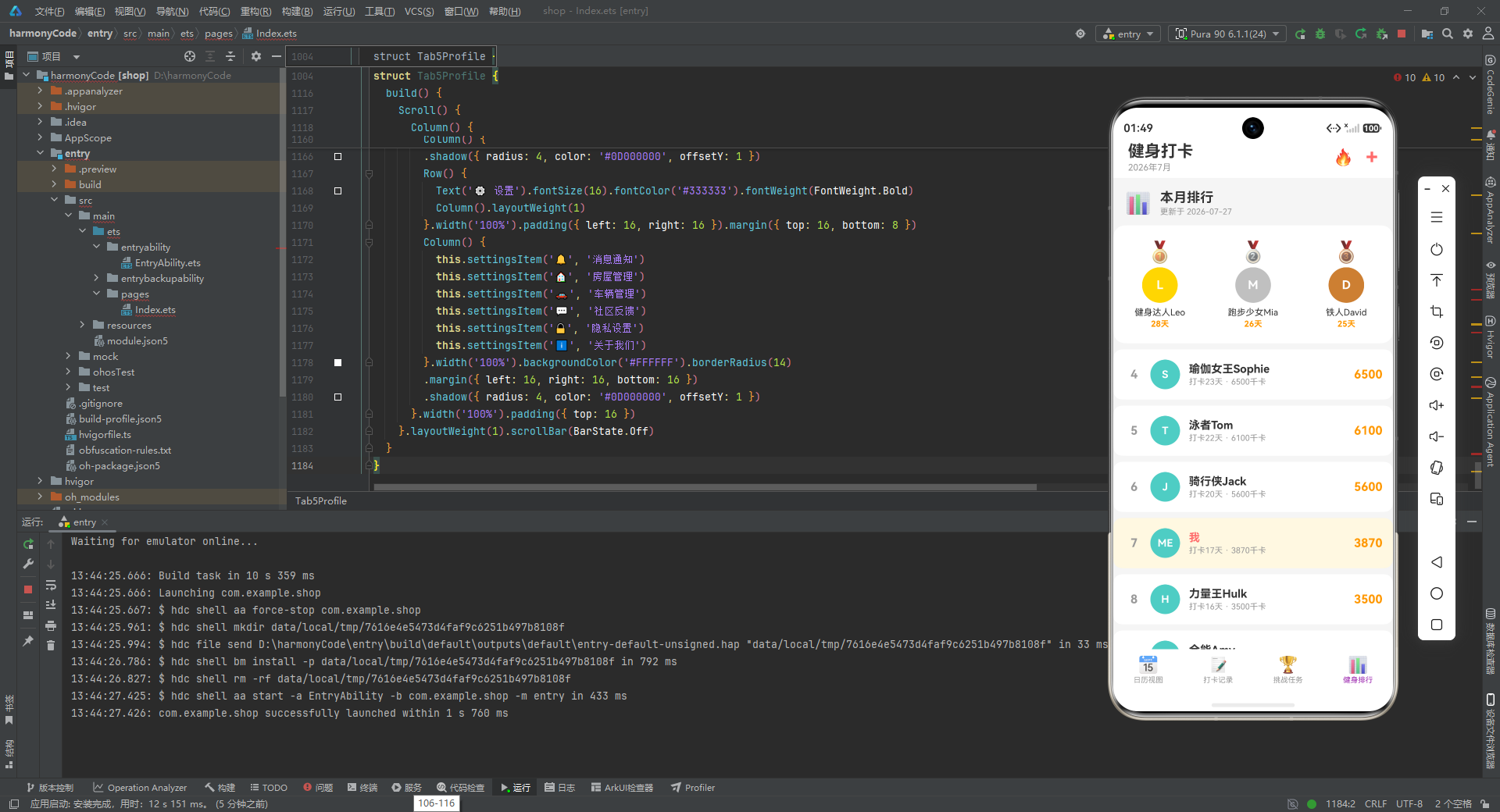
-
@Builder 的复用与组织:大量使用了
@Builder方法封装可复用的 UI 片段,使build()方法保持清晰的高层次结构,同时细粒度 Builder 可以在不同页面间复用(如noticeCard和noticeCardFull的变体设计)。 -
状态分层管理:根组件
MainApp管理跨 Tab 的全局状态和模态框,子组件管理局部筛选状态,形成了清晰的状态层级。回调函数作为属性向下传递,实现了子到父的事件通信。 -
Mock 数据的场景化设计:Mock 数据并非随机生成,而是精心构造了状态分布、时间序列、评价组合等,确保了 UI 调试时能够覆盖各种边界情况。
-
视觉一致性体系:全应用统一使用青色(#00897B)作为主品牌色,辅以橙色(#FF8F00)作为强调色,各业务模块分配了固定的辅助色。渐变角度统一为 135 度,卡片圆角统一为 14 或 16,阴影参数保持一致,形成了高度统一的视觉语言。
-
Emoji 图标方案:在全应用中使用了 Emoji 作为图标系统,这种方案无需引入图标字体或图片资源,极大地简化了项目的资源管理,同时也保证了跨平台的兼容性。

讨论HarmonyOS开发技术,专注于API与组件、DevEco Studio、测试、元服务和应用上架分发等。
更多推荐



 4
4 0
0- 0


 已为社区贡献129条内容

所有评论(0)