HarmonyOS7 ArkUI 多步骤表单 - 账号注册、表单验证、步骤指示器实战
文章目录
前言
这篇不讲空概念,直接从页面代码拆。能复用的不是某个颜色值,而是状态、派生数据和布局之间的组织方式。
它的主线是 多步骤表单,细节落在 账号注册、表单验证、步骤指示器。这些细节刚好能把页面状态、用户操作和组件刷新串起来。
从界面倒推代码
MultiStepFormPage 不是一个只展示静态内容的页面。它会根据用户点击、输入、切换或计时来改变界面,所以阅读代码时可以先抓三条线:
| 观察点 | 在这个案例里的表现 |
|---|---|
| 页面主题 | 多步骤表单 |
| 主要文案 | 账号信息, 手机验证, 完善资料, 前端开发, UI设计, 人工智能 |
| 常用组件 | Column, Flex, ForEach, Row, Scroll, Stack, Text, TextInput, Toggle |
| 适合练习 | 状态驱动 UI、条件样式、列表渲染、事件回调 |
交互入口在哪里
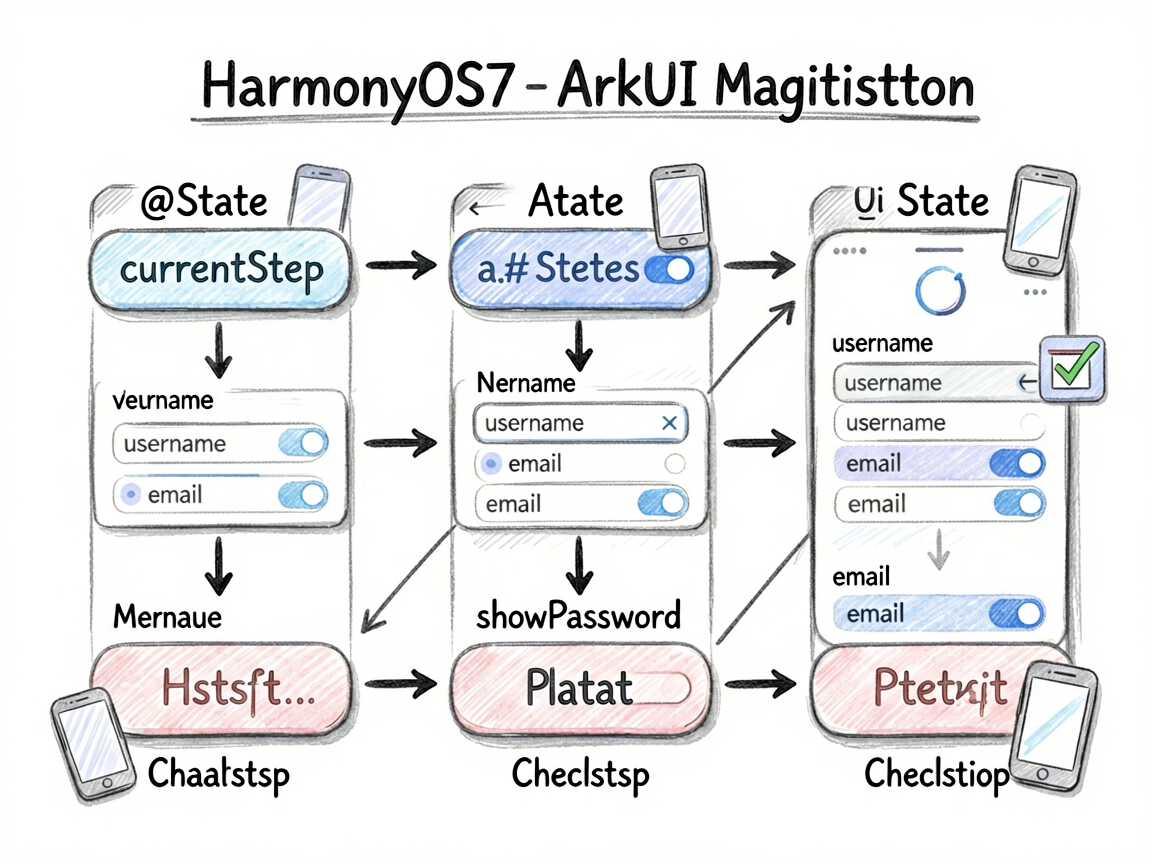
ArkUI 的页面刷新依赖状态变化。下面这些 @State 字段就是页面的“开关”和“数据源”,不用手动找 DOM,也不用自己通知某个控件刷新。
| 状态字段 | 类型 | 我会怎么理解它 |
| — | — | — |
| currentStep | number | 当前选中项,决定高亮和内容切换 |
| totalSteps | number | 记录页面当前选择、输入或展示状态 |
| username | string | 记录页面当前选择、输入或展示状态 |
| email | string | 记录页面当前选择、输入或展示状态 |
| password | string | 记录页面当前选择、输入或展示状态 |
| confirmPassword | string | 记录页面当前选择、输入或展示状态 |
| showPassword | boolean | 布尔开关,控制显示隐藏或模式切换 |
| showConfirmPwd | boolean | 布尔开关,控制显示隐藏或模式切换 |
| phone | string | 记录页面当前选择、输入或展示状态 |
一个经验:先把
@State看完,再看build(),页面逻辑会清楚很多。否则很容易被一长串布局代码带偏。
代码里的重点
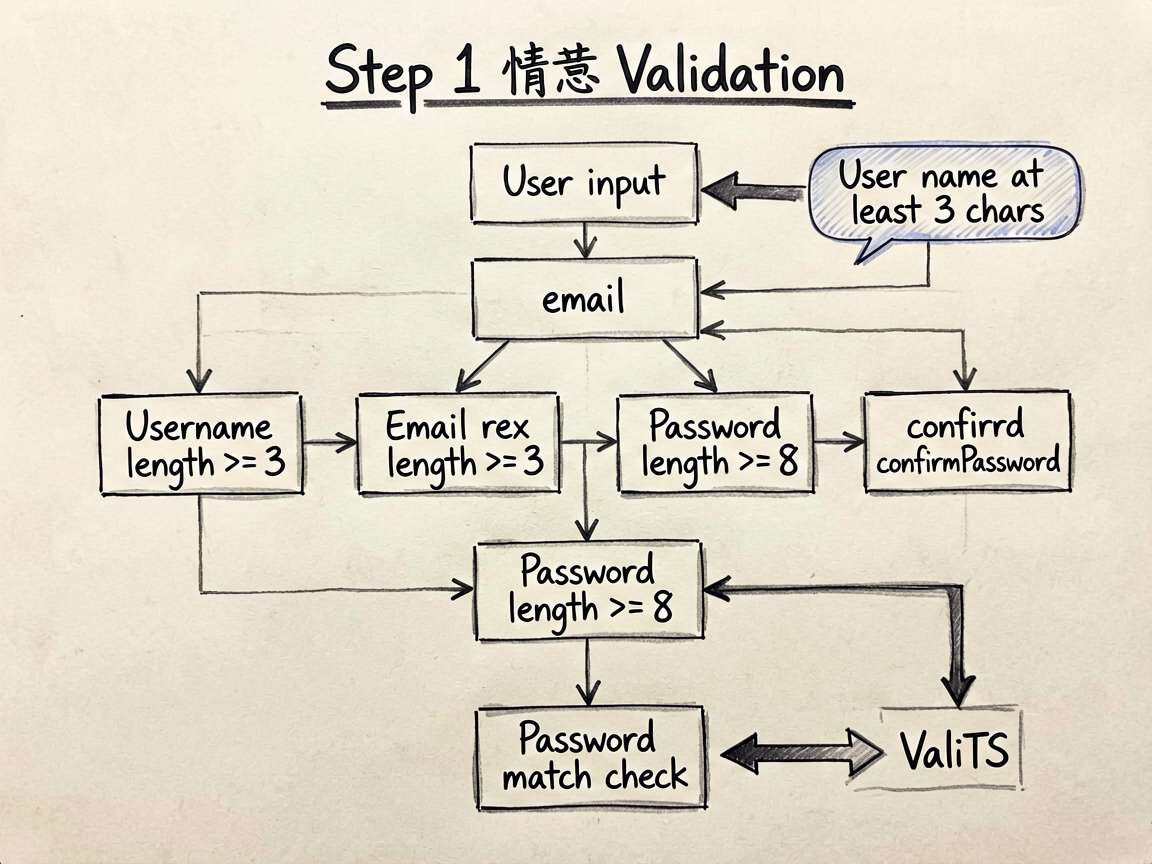
片段 1:validateStep1(): boolean {
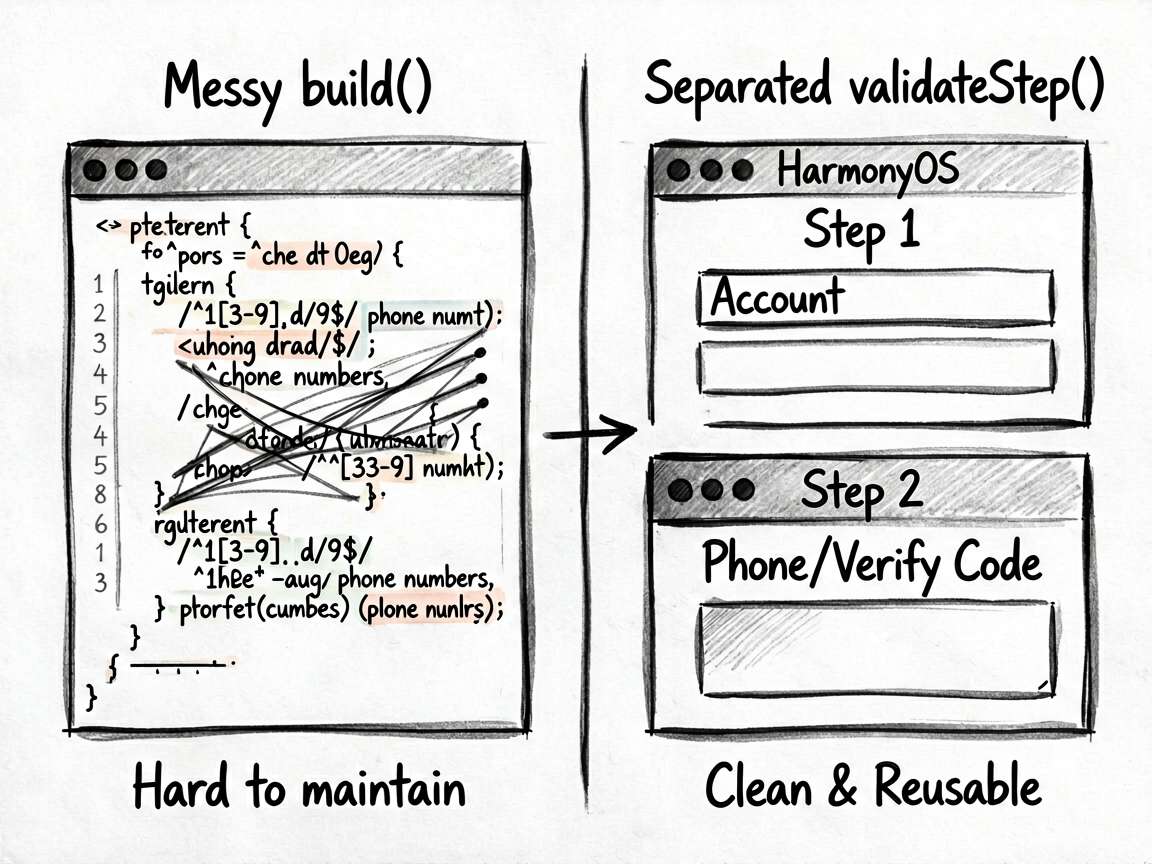
这段代码承担的是页面里的“判断”或“动作”,把它从布局里抽出来后,build() 会清爽很多。后面要加新条件,也不会到处翻 UI 代码。
  validateStep1(): boolean {
    let valid = true
    if (!this.username || this.username.length < 3) {
      this.errors.username = '用户名至少3个字符'
      valid = false
    } else this.errors.username = ''

    if (!this.email || !/^[^\s@]+@[^\s@]+\.[^\s@]+$/.test(this.email)) {
      this.errors.email = '请输入有效的邮箱地址'
      valid = false
    } else this.errors.email = ''

    if (!this.password || this.password.length < 8) {
      this.errors.password = '密码至少8位字符'
      valid = false
    } else this.errors.password = ''

    if (this.password !== this.confirmPassword) {
      this.errors.confirmPassword = '两次密码不一致'
      valid = false
    } else this.errors.confirmPassword = ''
    return valid
  }
片段 2:validateStep2(): boolean {
这段代码承担的是页面里的“判断”或“动作”,把它从布局里抽出来后,build() 会清爽很多。后面要加新条件,也不会到处翻 UI 代码。
  validateStep2(): boolean {
    let valid = true
    if (!this.phone || !/^1[3-9]\d{9}$/.test(this.phone)) {
      this.errors.phone = '请输入有效的手机号'
      valid = false
    } else this.errors.phone = ''

    if (!this.verifyCode || this.verifyCode.length !== 6) {
      this.errors.code = '请输入6位验证码'
      valid = false
    } else this.errors.code = ''

    return valid
  }
使用方式
把下面代码放进 ArkTS 页面文件中即可运行。用于正式项目时,我会继续把数据模型、卡片 Builder 和页面事件拆出去,页面文件只负责组合。
建议练习顺序:先改状态字段 -> 再改交互事件 -> 最后调整 UI 样式
检查重点:点击是否刷新、列表 key 是否稳定、条件样式是否集中管理
- 把模拟数据替换成接口数据
- 抽出复用卡片组件
- 增加空状态和异常状态
- 补充深色模式或主题色适配
- 对输入类场景增加校验提示
完整代码
// MultiStepFormPage - 多步骤表单(账号注册、表单验证、步骤指示器)
interface FormStep {
id: number
title: string
icon: string
}
interface FormErrors {
username: string
email: string
password: string
confirmPassword: string
phone: string
code: string
agree: boolean
}
@Entry
@Component
struct MultiStepFormPage {
@State currentStep: number = 1
@State totalSteps: number = 3
// Step 1: 账号信息
@State username: string = ''
@State email: string = ''
@State password: string = ''
@State confirmPassword: string = ''
@State showPassword: boolean = false
@State showConfirmPwd: boolean = false
// Step 2: 手机验证
@State phone: string = ''
@State verifyCode: string = ''
@State codeSent: boolean = false
@State countdown: number = 0
// Step 3: 完善信息
@State nickname: string = ''
@State selectedInterests: string[] = []
@State agreeTerms: boolean = false
@State errors: FormErrors = {
username: '', email: '', password: '', confirmPassword: '',
phone: '', code: '', agree: false
}
@State isSubmitting: boolean = false
@State registerSuccess: boolean = false
private steps: FormStep[] = [
{ id: 1, title: '账号信息', icon: '👤' },
{ id: 2, title: '手机验证', icon: '📱' },
{ id: 3, title: '完善资料', icon: '✨' }
]
private interests: string[] = ['HarmonyOS', '前端开发', 'UI设计', '人工智能', '云计算', '游戏开发', '开源项目', '安全研究']
validateStep1(): boolean {
let valid = true
if (!this.username || this.username.length < 3) {
this.errors.username = '用户名至少3个字符'
valid = false
} else this.errors.username = ''
if (!this.email || !/^[^\s@]+@[^\s@]+\.[^\s@]+$/.test(this.email)) {
this.errors.email = '请输入有效的邮箱地址'
valid = false
} else this.errors.email = ''
if (!this.password || this.password.length < 8) {
this.errors.password = '密码至少8位字符'
valid = false
} else this.errors.password = ''
if (this.password !== this.confirmPassword) {
this.errors.confirmPassword = '两次密码不一致'
valid = false
} else this.errors.confirmPassword = ''
return valid
}
validateStep2(): boolean {
let valid = true
if (!this.phone || !/^1[3-9]\d{9}$/.test(this.phone)) {
this.errors.phone = '请输入有效的手机号'
valid = false
} else this.errors.phone = ''
if (!this.verifyCode || this.verifyCode.length !== 6) {
this.errors.code = '请输入6位验证码'
valid = false
} else this.errors.code = ''
return valid
}
sendCode() {
if (!/^1[3-9]\d{9}$/.test(this.phone)) {
this.errors.phone = '请先输入有效手机号'
return
}
this.codeSent = true
this.countdown = 60
const timer = setInterval(() => {
this.countdown -= 1
if (this.countdown <= 0) {
clearInterval(timer)
this.countdown = 0
}
}, 1000)
}
nextStep() {
if (this.currentStep === 1 && !this.validateStep1()) return
if (this.currentStep === 2 && !this.validateStep2()) return
if (this.currentStep < this.totalSteps) {
this.currentStep++
} else {
this.handleSubmit()
}
}
prevStep() {
if (this.currentStep > 1) this.currentStep--
}
handleSubmit() {
if (!this.agreeTerms) {
this.errors.agree = true
return
}
this.isSubmitting = true
setTimeout(() => {
this.isSubmitting = false
this.registerSuccess = true
}, 1500)
}
toggleInterest(tag: string) {
if (this.selectedInterests.includes(tag)) {
this.selectedInterests = this.selectedInterests.filter(t => t !== tag)
} else {
this.selectedInterests = this.selectedInterests.concat([tag])
}
}
build() {
Column() {
// 顶部标题
Column({ space: 4 }) {
Text('创建账号')
.fontSize(24)
.fontWeight(FontWeight.Bold)
.fontColor('#111827')
Text('加入鸿蒙开发者社区')
.fontSize(14)
.fontColor('#9CA3AF')
}
.width('100%')
.padding({ left: 24, right: 24, top: 50, bottom: 20 })
.backgroundColor('#FFFFFF')
// 步骤指示器
Row({ space: 0 }) {
ForEach(this.steps, (step: FormStep, idx: number) => {
Row({ space: 0 }) {
Column({ space: 6 }) {
Stack() {
Circle({ width: 40, height: 40 })
.fill(
this.currentStep > step.id ? '#22C55E' :
this.currentStep === step.id ? '#3B82F6' : '#F3F4F6'
)
Text(this.currentStep > step.id ? '✓' : step.icon)
.fontSize(16)
.fontColor(this.currentStep >= step.id ? '#FFFFFF' : '#9CA3AF')
}
Text(step.title)
.fontSize(12)
.fontColor(
this.currentStep > step.id ? '#22C55E' :
this.currentStep === step.id ? '#3B82F6' : '#9CA3AF'
)
.fontWeight(this.currentStep === step.id ? FontWeight.Bold : FontWeight.Normal)
}
if (idx < this.steps.length - 1) {
Column()
.height(2)
.layoutWeight(1)
.backgroundColor(this.currentStep > step.id ? '#22C55E' : '#E5E7EB')
.margin({ bottom: 20 })
}
}
.layoutWeight(idx < this.steps.length - 1 ? 1 : 0)
.alignItems(VerticalAlign.Center)
})
}
.width('100%')
.padding({ left: 24, right: 24, bottom: 20 })
.backgroundColor('#FFFFFF')
// 表单内容
Scroll() {
Column({ space: 16 }) {
if (this.registerSuccess) {
// 成功状态
Column({ space: 16 }) {
Text('🎉')
.fontSize(80)
Text('注册成功!')
.fontSize(24)
.fontWeight(FontWeight.Bold)
.fontColor('#22C55E')
Text('欢迎加入鸿蒙开发者社区')
.fontSize(16)
.fontColor('#6B7280')
if (this.selectedInterests.length > 0) {
Column({ space: 8 }) {
Text('您的兴趣标签')
.fontSize(13)
.fontColor('#9CA3AF')
Row({ space: 8 }) {
ForEach(this.selectedInterests, (tag: string) => {
Text(tag)
.fontSize(13)
.fontColor('#3B82F6')
.padding({ left: 12, right: 12, top: 5, bottom: 5 })
.backgroundColor('#EFF6FF')
.borderRadius(16)
})
}
}
}
Text('立即进入社区 →')
.fontSize(16)
.fontColor('#FFFFFF')
.fontWeight(FontWeight.Medium)
.padding({ left: 40, right: 40, top: 14, bottom: 14 })
.backgroundColor('#3B82F6')
.borderRadius(28)
}
.width('100%')
.padding(40)
.justifyContent(FlexAlign.Center)
} else if (this.currentStep === 1) {
// Step 1: 账号信息
Column({ space: 14 }) {
// 用户名
Column({ space: 6 }) {
Text('用户名')
.fontSize(14)
.fontColor('#374151')
.alignSelf(ItemAlign.Start)
TextInput({ placeholder: '3-20位字母/数字/下划线', text: this.username })
.fontSize(15)
.height(50)
.backgroundColor('#F9FAFB')
.border({ width: 1, color: this.errors.username ? '#EF4444' : '#E5E7EB' })
.borderRadius(10)
.onChange((val) => { this.username = val })
if (this.errors.username) {
Text(this.errors.username)
.fontSize(12)
.fontColor('#EF4444')
.alignSelf(ItemAlign.Start)
}
}
// 邮箱
Column({ space: 6 }) {
Text('邮箱')
.fontSize(14)
.fontColor('#374151')
.alignSelf(ItemAlign.Start)
TextInput({ placeholder: 'example@email.com', text: this.email })
.type(InputType.Email)
.fontSize(15)
.height(50)
.backgroundColor('#F9FAFB')
.border({ width: 1, color: this.errors.email ? '#EF4444' : '#E5E7EB' })
.borderRadius(10)
.onChange((val) => { this.email = val })
if (this.errors.email) {
Text(this.errors.email)
.fontSize(12)
.fontColor('#EF4444')
.alignSelf(ItemAlign.Start)
}
}
// 密码
Column({ space: 6 }) {
Text('密码')
.fontSize(14)
.fontColor('#374151')
.alignSelf(ItemAlign.Start)
TextInput({ placeholder: '至少8位,包含数字和字母', text: this.password })
.type(this.showPassword ? InputType.Normal : InputType.Password)
.fontSize(15)
.height(50)
.backgroundColor('#F9FAFB')
.border({ width: 1, color: this.errors.password ? '#EF4444' : '#E5E7EB' })
.borderRadius(10)
.showPasswordIcon(true)
.onChange((val) => { this.password = val })
if (this.errors.password) {
Text(this.errors.password)
.fontSize(12)
.fontColor('#EF4444')
.alignSelf(ItemAlign.Start)
}
}
// 确认密码
Column({ space: 6 }) {
Text('确认密码')
.fontSize(14)
.fontColor('#374151')
.alignSelf(ItemAlign.Start)
TextInput({ placeholder: '再次输入密码', text: this.confirmPassword })
.type(InputType.Password)
.fontSize(15)
.height(50)
.backgroundColor('#F9FAFB')
.border({ width: 1, color: this.errors.confirmPassword ? '#EF4444' : '#E5E7EB' })
.borderRadius(10)
.onChange((val) => { this.confirmPassword = val })
if (this.errors.confirmPassword) {
Text(this.errors.confirmPassword)
.fontSize(12)
.fontColor('#EF4444')
.alignSelf(ItemAlign.Start)
}
}
}
} else if (this.currentStep === 2) {
// Step 2: 手机验证
Column({ space: 14 }) {
Column({ space: 6 }) {
Text('手机号')
.fontSize(14)
.fontColor('#374151')
.alignSelf(ItemAlign.Start)
Row({ space: 10 }) {
TextInput({ placeholder: '请输入手机号', text: this.phone })
.type(InputType.PhoneNumber)
.fontSize(15)
.height(50)
.layoutWeight(1)
.backgroundColor('#F9FAFB')
.border({ width: 1, color: this.errors.phone ? '#EF4444' : '#E5E7EB' })
.borderRadius(10)
.onChange((val) => { this.phone = val })
Text(this.countdown > 0 ? this.countdown + 's' : '发送验证码')
.fontSize(13)
.fontColor(this.countdown > 0 ? '#9CA3AF' : '#3B82F6')
.padding({ left: 12, right: 12, top: 14, bottom: 14 })
.border({ width: 1, color: this.countdown > 0 ? '#E5E7EB' : '#3B82F6' })
.borderRadius(10)
.onClick(() => { if (this.countdown === 0) this.sendCode() })
}
if (this.errors.phone) {
Text(this.errors.phone)
.fontSize(12)
.fontColor('#EF4444')
.alignSelf(ItemAlign.Start)
}
}
Column({ space: 6 }) {
Text('验证码')
.fontSize(14)
.fontColor('#374151')
.alignSelf(ItemAlign.Start)
TextInput({ placeholder: '请输入6位验证码', text: this.verifyCode })
.type(InputType.Number)
.maxLength(6)
.fontSize(20)
.height(54)
.textAlign(TextAlign.Center)
.letterSpacing(12)
.backgroundColor('#F9FAFB')
.border({ width: 1, color: this.errors.code ? '#EF4444' : '#E5E7EB' })
.borderRadius(10)
.onChange((val) => { this.verifyCode = val })
if (this.errors.code) {
Text(this.errors.code)
.fontSize(12)
.fontColor('#EF4444')
.alignSelf(ItemAlign.Start)
}
if (this.codeSent) {
Text('验证码已发送到 ' + this.phone.replace(/(\d{3})\d{4}(\d{4})/, '$1****$2'))
.fontSize(12)
.fontColor('#22C55E')
.alignSelf(ItemAlign.Start)
}
}
}
} else {
// Step 3: 完善信息
Column({ space: 16 }) {
Column({ space: 6 }) {
Text('昵称(选填)')
.fontSize(14)
.fontColor('#374151')
.alignSelf(ItemAlign.Start)
TextInput({ placeholder: '给自己起一个响亮的名字', text: this.nickname })
.fontSize(15)
.height(50)
.backgroundColor('#F9FAFB')
.border({ width: 1, color: '#E5E7EB' })
.borderRadius(10)
.onChange((val) => { this.nickname = val })
}
Column({ space: 8 }) {
Text('感兴趣的方向(可多选)')
.fontSize(14)
.fontColor('#374151')
.alignSelf(ItemAlign.Start)
Flex({ wrap: FlexWrap.Wrap }) {
ForEach(this.interests, (tag: string) => {
Text(tag)
.fontSize(14)
.fontColor(this.selectedInterests.includes(tag) ? '#FFFFFF' : '#374151')
.padding({ left: 16, right: 16, top: 8, bottom: 8 })
.backgroundColor(this.selectedInterests.includes(tag) ? '#3B82F6' : '#F3F4F6')
.borderRadius(20)
.border({ width: 1, color: this.selectedInterests.includes(tag) ? '#3B82F6' : '#E5E7EB' })
.onClick(() => this.toggleInterest(tag))
})
}
}
// 服务协议
Row({ space: 10 }) {
Toggle({ type: ToggleType.Checkbox, isOn: this.agreeTerms })
.selectedColor('#3B82F6')
.onChange((val) => {
this.agreeTerms = val
if (val) this.errors.agree = false
})
Text() {
Span('我已阅读并同意')
.fontColor('#9CA3AF')
.fontSize(13)
Span('《用户服务协议》')
.fontColor('#3B82F6')
.fontSize(13)
Span(' 和 ')
.fontColor('#9CA3AF')
.fontSize(13)
Span('《隐私政策》')
.fontColor('#3B82F6')
.fontSize(13)
}
}
.alignItems(VerticalAlign.Center)
if (this.errors.agree) {
Text('请先同意服务协议')
.fontSize(12)
.fontColor('#EF4444')
.alignSelf(ItemAlign.Start)
}
}
}
}
.padding({ left: 24, right: 24, top: 8, bottom: 100 })
}
.layoutWeight(1)
.backgroundColor('#FFFFFF')
// 底部按钮
if (!this.registerSuccess) {
Row({ space: 12 }) {
if (this.currentStep > 1) {
Text('上一步')
.fontSize(16)
.fontColor('#374151')
.layoutWeight(1)
.height(52)
.textAlign(TextAlign.Center)
.backgroundColor('#F3F4F6')
.borderRadius(26)
.onClick(() => this.prevStep())
}
Text(this.currentStep === this.totalSteps
? (this.isSubmitting ? '提交中...' : '完成注册')
: '下一步')
.fontSize(16)
.fontColor('#FFFFFF')
.fontWeight(FontWeight.Medium)
.layoutWeight(2)
.height(52)
.textAlign(TextAlign.Center)
.backgroundColor(this.isSubmitting ? '#93C5FD' : '#3B82F6')
.borderRadius(26)
.onClick(() => this.nextStep())
}
.width('100%')
.padding({ left: 24, right: 24, top: 16, bottom: 36 })
.backgroundColor('#FFFFFF')
.border({ width: { top: 0.5 }, color: '#F3F4F6' })
}
}
.width('100%')
.height('100%')
.backgroundColor('#FFFFFF')
}
}
收个尾
这个案例可以当成一个小模板:先把页面会变的东西放进状态,再用函数或 Builder 处理重复逻辑,最后让布局只关心展示。写 HarmonyOS7 页面时,这个顺序通常比一上来堆 UI 更稳。

讨论HarmonyOS开发技术,专注于API与组件、DevEco Studio、测试、元服务和应用上架分发等。
更多推荐



 9
9 0
0- 0


 已为社区贡献79条内容

所有评论(0)