HarmonyOS应用开发实战:猫猫大作战-pauseOverlay 暂停遮罩
·
前言
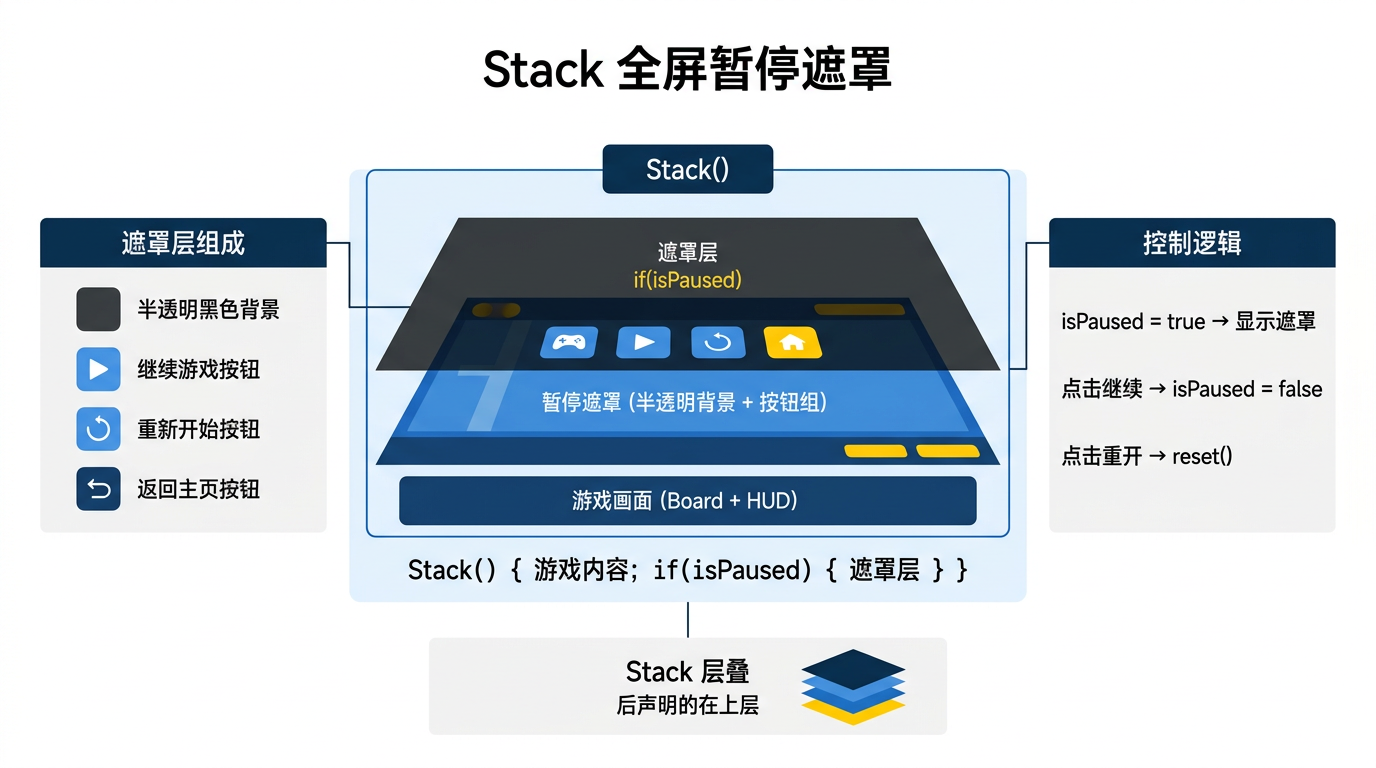
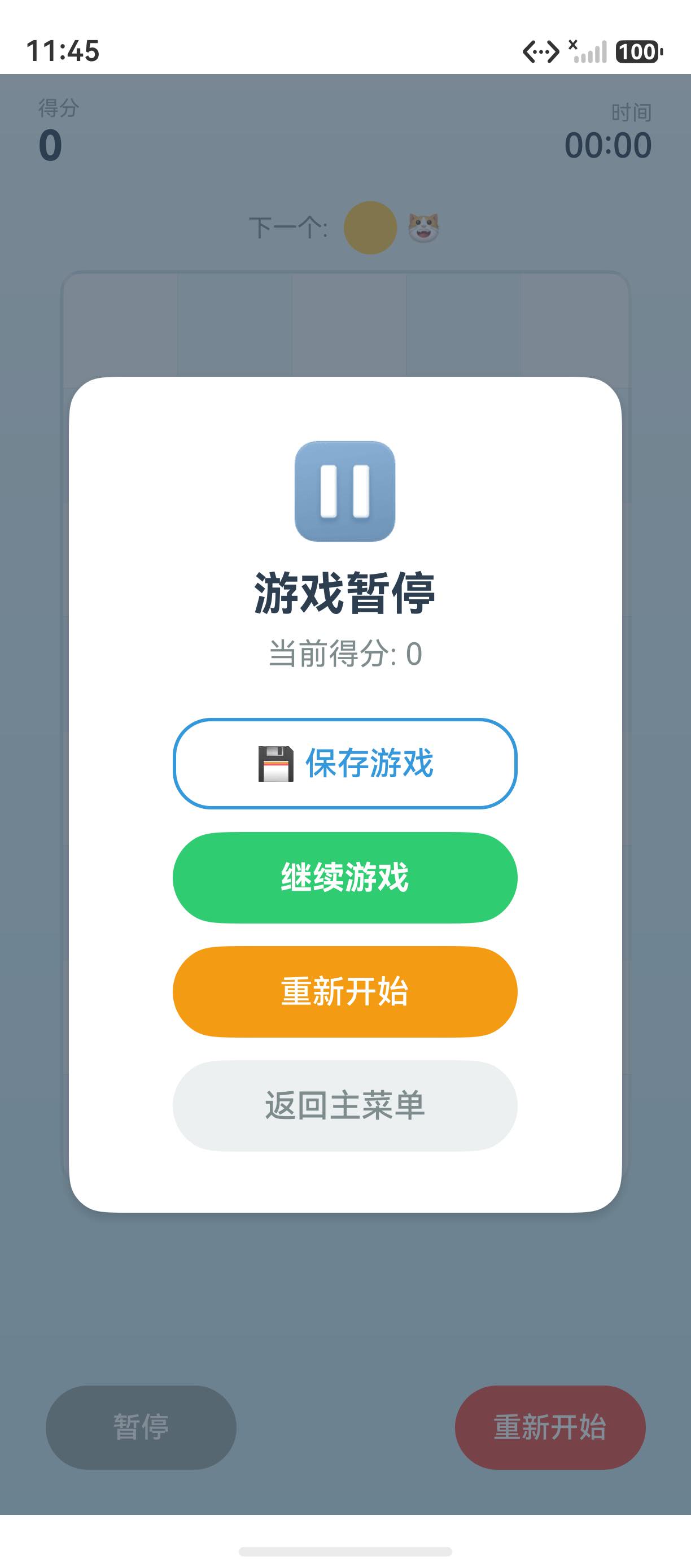
暂停遮罩是游戏中的通用交互——游戏进行时玩家点击暂停,弹出一个半透明遮罩覆盖游戏画面,显示暂停菜单。
一、暂停遮罩组件
@Component
export struct PauseOverlay {
  @Prop score: number;
  @Link onResume: () => void;
  @Link onRestart: () => void;
  @Link onBackToMenu: () => void;

  build() {
    Column() {
      Column() {
        Text('⏸️').fontSize(48).margin({ bottom: 12 })
        Text('游戏暂停')
          .fontSize(24).fontWeight(FontWeight.Bold)
          .fontColor('#2C3E50').margin({ bottom: 8 })

        Text(`当前得分: ${this.score}`)
          .fontSize(16).fontColor('#7F8C8D')
          .margin({ bottom: 24 })

        Button('继续游戏')
          .width('80%').height(48)
          .fontSize(17).fontWeight(FontWeight.Bold)
          .fontColor('#FFFFFF').backgroundColor('#2ECC71')
          .borderRadius(24).margin({ bottom: 12 })
          .onClick(() => this.onResume())

        Button('重新开始')
          .width('80%').height(48)
          .fontColor('#FFFFFF').backgroundColor('#F39C12')
          .borderRadius(24).margin({ bottom: 12 })
          .onClick(() => this.onRestart())

        Button('返回主菜单')
          .width('80%').height(48)
          .fontColor('#7F8C8D').backgroundColor('#ECF0F1')
          .borderRadius(24)
          .onClick(() => this.onBackToMenu())
      }
      .width('80%').padding(32)
      .backgroundColor('#FFFFFF').borderRadius(20)
      .shadow({ radius: 20, color: 'rgba(0,0,0,0.15)' })
    }
    .width('100%').height('100%')
    .backgroundColor('rgba(44, 62, 80, 0.6)')
    .justifyContent(FlexAlign.Center)
  }
}
二、暂停流程
// 暂停
pauseGame() {
  if (this.gameState === GameState.PLAYING) {
    this.gameState = GameState.PAUSED;
    this.clearTimers();
  }
}

// 恢复
resumeGame() {
  if (this.gameState === GameState.PAUSED) {
    this.gameState = GameState.PLAYING;
    this.startTimers();
  }
}

// 在 build 中
if (this.gameState === GameState.PAUSED) {
  PauseOverlay({ ... })
}
三、暂停时的数据保留
| 数据 | 暂停时 | 恢复时 |
|---|---|---|
| 棋盘 | 保留 | 保留 |
| 得分 | 保留 | 保留 |
| 定时器 | 清除 | 重建 |
| 动画 | 暂停 | 恢复 |
四、最佳实践
- 半透明遮罩:让玩家仍能看到游戏画面
- 定时器停启:暂停停定时器,恢复重启
- 数据保留:暂停不销毁游戏状态
- 三个按钮:继续、重新开始、返回主菜单
总结
暂停遮罩覆盖游戏画面,提供继续、重开、返回菜单三个操作。核心要点:半透明遮罩 rgba(44,62,80,0.6)、 clearTimers() 暂停定时器、 数据保留恢复时重建。
如果这篇文章对你有帮助,欢迎点赞👍、收藏⭐、关注🔔,你的支持是我持续创作的动力!
相关资源:

讨论HarmonyOS开发技术,专注于API与组件、DevEco Studio、测试、元服务和应用上架分发等。
更多推荐

 18
18 0
0- 0


 已为社区贡献48条内容

所有评论(0)