HarmonyOS应用开发实战:猫猫大作战-bindContentCover 的使用方式
·
前言
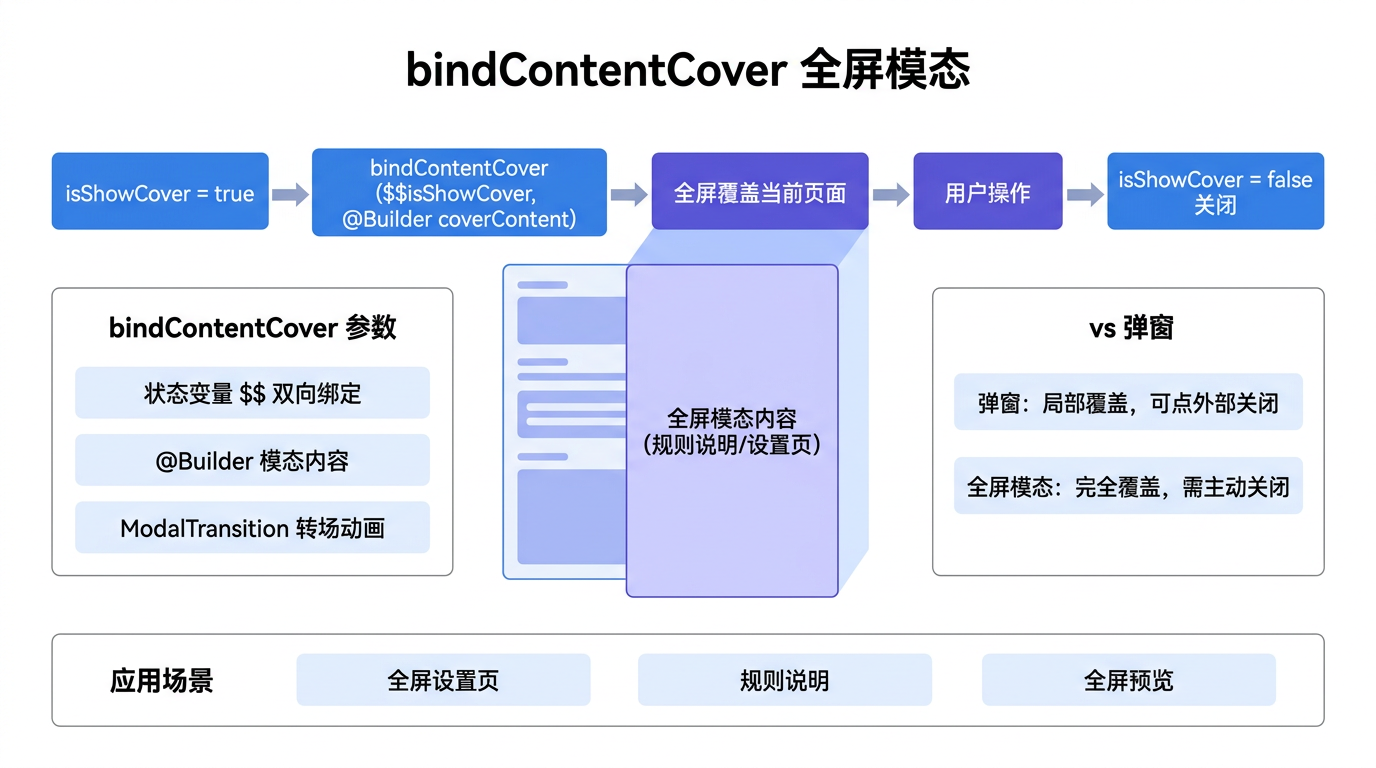
在某些场景下,需要以全屏模态方式展示内容——例如游戏结束页面、全屏广告、视频播放器等。HarmonyOS 提供了 bindContentCover 方法,可以将自定义组件以全屏模态的方式覆盖在当前页面上。
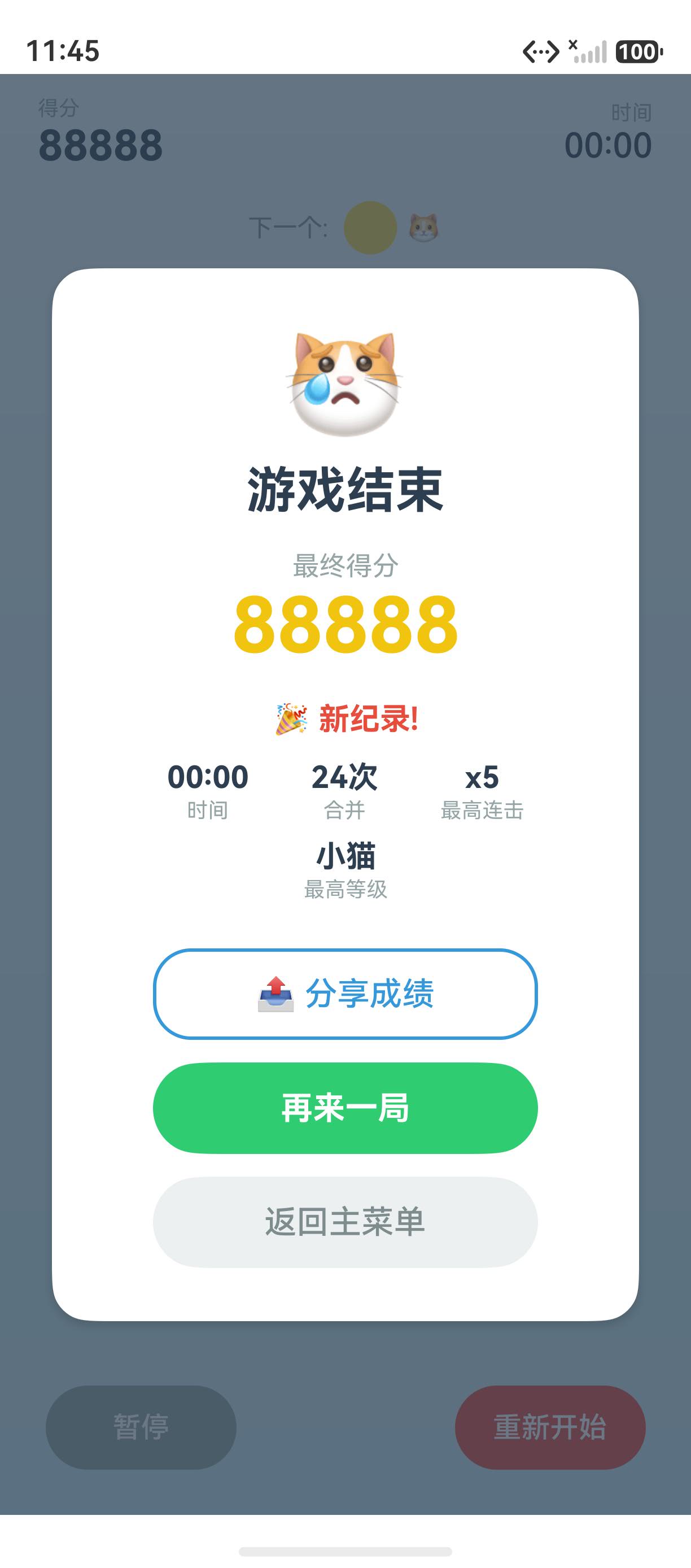
本文以「猫猫大作战」的游戏结束全屏页为锚点,讲解 bindContentCover 的使用方式。
提示:本系列不讲 ArkTS 基础语法与环境搭建,假设你已跟完第 1–97 篇。本篇是阶段三第 98 篇。
一、bindContentCover 基本用法
1.1 基本结构
@Entry
@Component
struct Index {
  @State showGameOver: boolean = false;

  build() {
    Column() {
      Button('结束游戏')
        .onClick(() => { this.showGameOver = true })
    }
    .bindContentCover(this.showGameOver, this.GameOverCover())
  }

  @Builder
  GameOverCover() {
    Column() {
      Text('🎮 游戏结束').fontSize(32).fontWeight(FontWeight.Bold)
      Text('得分: 88888').fontSize(24).margin({ top: 16 })
      Button('关闭').onClick(() => { this.showGameOver = false })
    }
    .width('100%').height('100%')
    .backgroundColor('#FFF')
    .justifyContent(FlexAlign.Center)
  }
}
1.2 参数说明
| 参数 | 类型 | 说明 |
|---|---|---|
isShow | boolean | 是否显示 |
builder | CustomBuilder | 全屏模态内容 |
options | ContentCoverOptions | 配置选项 |
二、游戏结束页
2.1 完整实现
@Builder
GameOverCover() {
  Column() {
    Text('🎮 游戏结束').fontSize(32).fontWeight(FontWeight.Bold)
    Text(`得分: ${this.score}`).fontSize(24).margin({ top: 16 })
    Text(`最高连击: ${this.maxCombo}`).fontSize(16).fontColor('#666')
    Text(`合并次数: ${this.mergeCount}`).fontSize(16).fontColor('#666')

    Button('再来一局')
      .width(200).height(48).backgroundColor('#2ECC71').margin({ top: 32 })
      .onClick(() => { this.restartGame() })
    Button('返回主菜单')
      .width(200).height(48).backgroundColor('#95A5A6').margin({ top: 12 })
      .onClick(() => { this.goToMainMenu() })
  }
  .width('100%').height('100%')
  .backgroundColor('#F5F6FA')
  .justifyContent(FlexAlign.Center)
}
三、总结
bindContentCover 以全屏模态方式覆盖自定义组件,适合游戏结束、全屏广告等场景。
核心要点:
.bindContentCover(isShow, builder)绑定全屏模态isShow布尔值控制显隐- 适合游戏结束页、全屏广告、视频播放等
下一篇预告:第 99 篇将深入 openBindSheet——底部抽屉半模态的实现。
如果这篇文章对你有帮助,欢迎点赞👍、收藏⭐、关注🔔,你的支持是我持续创作的动力!
相关资源:

讨论HarmonyOS开发技术,专注于API与组件、DevEco Studio、测试、元服务和应用上架分发等。
更多推荐



 7
7 0
0- 0


 已为社区贡献72条内容

所有评论(0)