HarmonyOS应用开发实战:猫猫大作战-@Builder 装饰器与自定义组件
·
前言
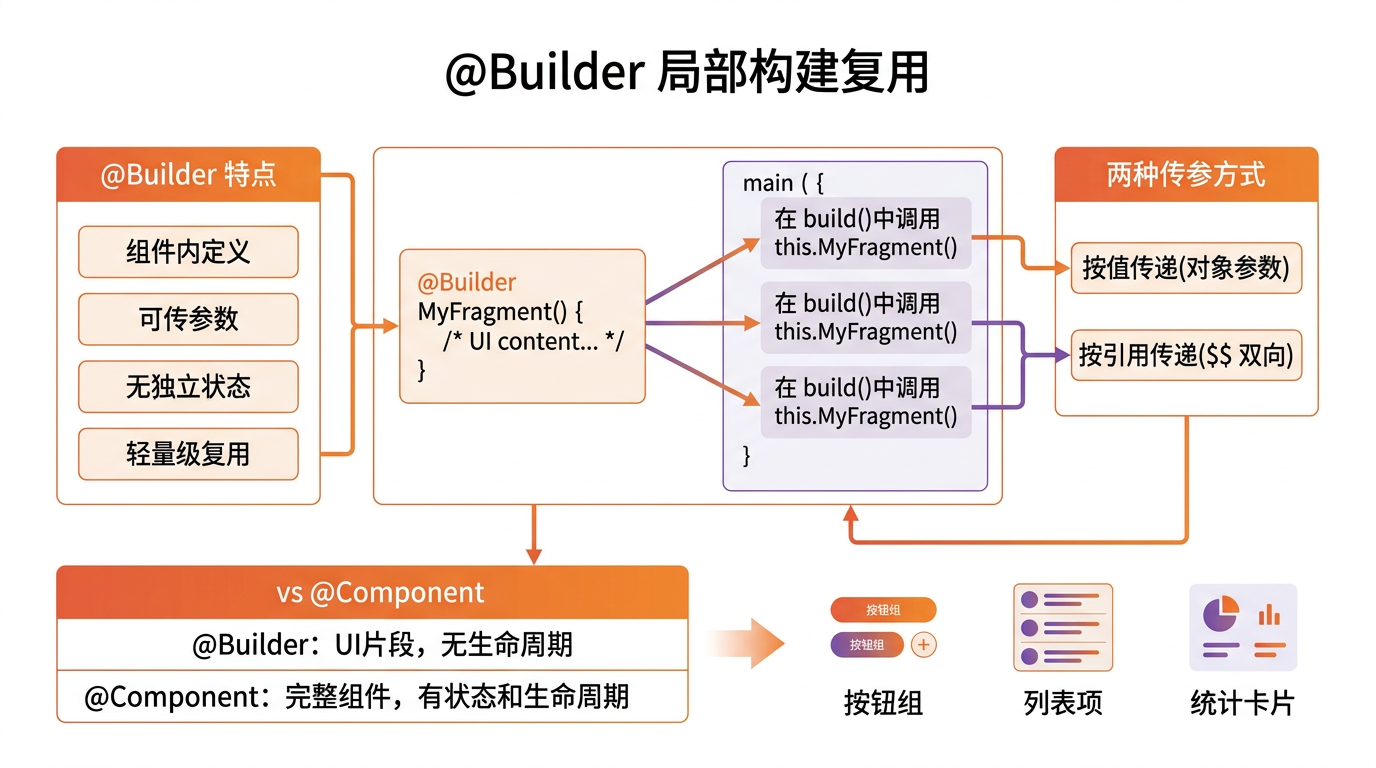
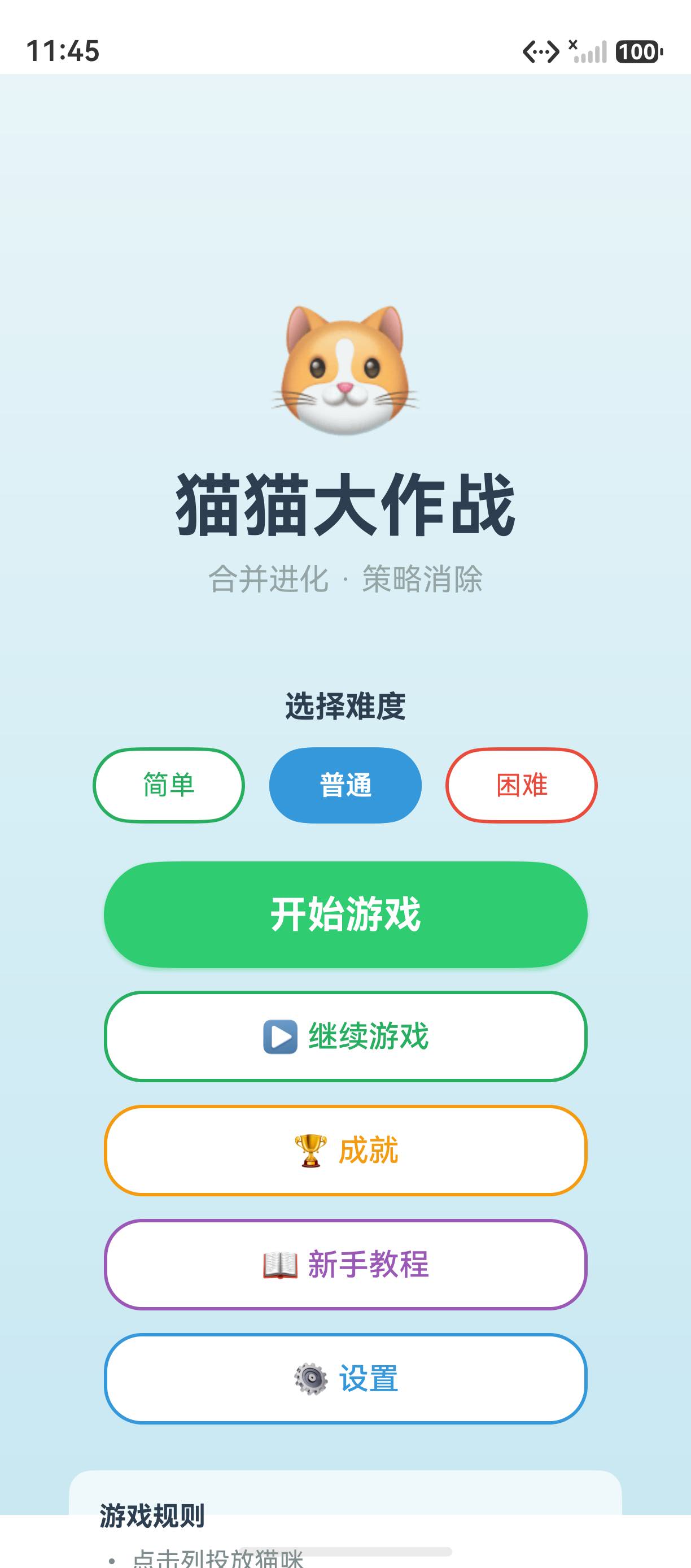
@Builder 是 ArkUI 中用于自定义 UI 构建函数的装饰器。在「猫猫大作战」中,@Builder 用于封装按钮样式、游戏面板、猫咪卡片等可复用的 UI 片段。
一、@Builder 基础
@Builder
MainMenuButton(text: string, onClick: () => void) {
  Button(text)
    .width('80%').height(48)
    .fontSize(17).fontWeight(FontWeight.Bold)
    .fontColor('#FFFFFF')
    .backgroundColor('#2ECC71')
    .borderRadius(24)
    .onClick(() => onClick())
}

// 使用
Column() {
  MainMenuButton('开始游戏', () => this.startGame())
  MainMenuButton('游戏设置', () => this.openSettings())
  MainMenuButton('排行榜', () => this.showRank())
}
二、@Builder 参数
@Builder
ScoreDisplay(score: number, label: string, color: string) {
  Column() {
    Text(label).fontSize(12).fontColor('#95A5A6')
    Text(`${score}`)
      .fontSize(28).fontWeight(FontWeight.Bold)
      .fontColor(color)
  }
  .alignItems(HorizontalAlign.Center)
}
三、@Builder vs @Component
| 特性 | @Builder | @Component |
|---|---|---|
| 定义 | 函数 | struct |
| 状态管理 | 无独立状态 | 有 @State |
| 复用性 | 适合小片段 | 适合大组件 |
| 传参 | 函数参数 | @Prop/@Link |
四、游戏中的应用
// 游戏 HUD 组件化
@Builder
GameHUD(score: number, combo: number, time: number) {
  Row() {
    ScoreDisplay(score, '得分', '#E74C3C')
    ScoreDisplay(combo, '连击', '#F39C12')
    ScoreDisplay(time, '时间', '#95A5A6')
  }
  .width('100%')
  .padding(16)
  .justifyContent(FlexAlign.SpaceEvenly)
}
五、最佳实践
- 参数化:将颜色、大小等可变的属性作为参数传入
- 单一职责:每个 @Builder 只封装一个 UI 功能
- 与 @Component 配合:小片段用 @Builder,大模块用 @Component
总结
@Builder 装饰自定义 UI 函数,参数化复用布局片段。核心要点:可传参的 UI 函数、 适合按钮/面板等小片段、 与 @Component 配合使用。
如果这篇文章对你有帮助,欢迎点赞👍、收藏⭐、关注🔔,你的支持是我持续创作的动力!
相关资源:

讨论HarmonyOS开发技术,专注于API与组件、DevEco Studio、测试、元服务和应用上架分发等。
更多推荐
 3
3 0
0- 0


 已为社区贡献85条内容

所有评论(0)