HarmonyOS NEXT 企业级记账APP:账单搜索与筛选
·
账单搜索与筛选
本文是《HarmonyOS NEXT 企业级开发实战:30篇打造智能记账APP》系列的第 15 篇,对应 Git Tag v0.1.5。承接第 14 篇的编辑删除,本篇开发 SearchView 搜索页,支持关键字、分类、日期范围、金额范围多维筛选。
前言
账单积累到几百条后,搜索与筛选 成为必备功能。HarmonyLedger 搜索页支持四种筛选条件组合:关键字(备注模糊匹配)、分类(多选)、日期范围(起止)、金额范围(最小最大)。本章封装 SearchBar 组件并扩展 BillRepository 的复合查询。
本文将带你:
- 封装 SearchBar 通用搜索栏(输入 + 清除 + 提交)
- 开发 SearchView 支持四维筛选条件
- 扩展 BillRepository 复合查询(AND 条件拼接)
- 添加搜索历史持久化(最近 10 条)
- 空结果展示 EmptyView + “重置筛选” 入口
企业级核心原则:搜索必须 多维组合、即时反馈、历史可查。参考 ArkUI TextInput 了解官方约定。
一、SearchBar 通用搜索栏
1.1 完整实现
// components/input/SearchBar.ets
import { AppColors } from '../../theme/Colors';
import { AppFontSize } from '../../theme/Typography';
import { AppSpace } from '../../theme/Spacing';

@Component
export struct SearchBar {
  @Link keyword: string;
  @Prop placeholder: string = '搜索账单备注';
  @BuilderParam onSubmit: () => void;
  @BuilderParam onChange: (value: string) => void;
  private controller: TextInputController = new TextInputController();

  build() {
    Row({ space: AppSpace.SM }) {
      Image($r('app.media.icon_search'))
        .width(18).height(18).fillColor(AppColors.SecondaryText)

      TextInput({
        text: this.keyword,
        placeholder: this.placeholder,
        controller: this.controller
      })
      .layoutWeight(1)
      .fontSize(AppFontSize.MD)
      .backgroundColor(Color.Transparent)
      .borderWidth(0)
      .onChange((value: string) => {
        this.keyword = value;
        this.onChange(value);
      })
      .onSubmit(() => { this.onSubmit(); })

      if (this.keyword.length > 0) {
        Image($r('app.media.icon_clear'))
          .width(16).height(16).fillColor(AppColors.SecondaryText)
          .onClick(() => {
            this.keyword = '';
            this.onChange('');
          })
      }
    }
    .width('100%')
    .height(40)
    .padding({ left: AppSpace.MD, right: AppSpace.MD })
    .backgroundColor(AppColors.CardBackground)
    .borderRadius(20)
  }
}
1.2 接口与设计
| Prop/Event | 类型 | 说明 |
|---|---|---|
keyword | string | 双向绑定关键字 |
placeholder | string | 占位文字 |
onSubmit | builder | 提交搜索(回车) |
onChange | builder | 实时变化回调 |
设计要点:① 圆角胶囊样式(20dp)② 左侧搜索图标右侧清除按钮 ③ 实时输入反馈 ④ 回车提交搜索。
二、SearchViewModel 业务层
2.1 完整实现
// viewmodel/SearchViewModel.ets
import { Bill } from '../model/Bill';
import { BillType } from '../constants/BillType';
import { BillRepository } from '../repository/BillRepository';
import { Category } from '../model/Category';
import { CategoryRepository } from '../repository/CategoryRepository';
import { DateUtil } from '../utils/DateUtil';
import { MoneyUtil } from '../utils/MoneyUtil';
import { PreferenceUtil } from '../utils/PreferenceUtil';

export class SearchFilter {
  keyword: string = '';
  categoryIds: string[] = [];
  startDate: number = 0;
  endDate: number = 0;
  minAmount: number = 0;   // 分
  maxAmount: number = 0;   // 分
  type: BillType | null = null;
}

export class SearchViewModel {
  filter: SearchFilter = new SearchFilter();
  results: Bill[] = [];
  allCategories: Category[] = [];
  searchHistory: string[] = [];

  private billRepo = BillRepository.getInstance();
  private catRepo = CategoryRepository.getInstance();

  async loadCategories(): Promise<void> {
    this.allCategories = await this.catRepo.findAll();
  }

  async loadHistory(): Promise<void> {
    const json = await PreferenceUtil.getString('search_history', '');
    this.searchHistory = json.length > 0 ? JSON.parse(json) : [];
  }

  async search(): Promise<void> {
    this.results = await this.billRepo.complexSearch(this.filter);
    this.saveHistory(this.filter.keyword);
  }

  private async saveHistory(keyword: string): Promise<void> {
    if (keyword.length === 0) return;
    this.searchHistory = [keyword, ...this.searchHistory.filter(k => k !== keyword)].slice(0, 10);
    await PreferenceUtil.setString('search_history', JSON.stringify(this.searchHistory));
  }

  async clearHistory(): Promise<void> {
    this.searchHistory = [];
    await PreferenceUtil.delete('search_history');
  }

  resetFilter(): void {
    this.filter = new SearchFilter();
    this.results = [];
  }

  hasActiveFilter(): boolean {
    return this.filter.keyword.length > 0
      || this.filter.categoryIds.length > 0
      || this.filter.startDate > 0
      || this.filter.minAmount > 0;
  }
}
2.2 SearchFilter 字段说明
| 字段 | 类型 | 默认 | 用途 |
|---|---|---|---|
keyword | string | ‘’ | 备注 LIKE 匹配 |
categoryIds | string[] | [] | 多选分类 IN 查询 |
startDate/endDate | number | 0 | 日期 BETWEEN |
minAmount/maxAmount | number | 0 | 金额 BETWEEN |
type | BillType | null | 收入/支出筛选 |
三、BillRepository 复合查询升级
3.1 complexSearch 实现
// repository/BillRepository.ets(新增方法)
import { SearchFilter } from '../viewmodel/SearchViewModel';

async complexSearch(filter: SearchFilter): Promise<Bill[]> {
  const conditions: string[] = [];
  const args: Object[] = [];

  // 关键字
  if (filter.keyword.length > 0) {
    conditions.push('remark LIKE ?');
    args.push(`%${filter.keyword}%`);
  }
  // 分类
  if (filter.categoryIds.length > 0) {
    const placeholders = filter.categoryIds.map(() => '?').join(', ');
    conditions.push(`categoryId IN (${placeholders})`);
    args.push(...filter.categoryIds);
  }
  // 日期范围
  if (filter.startDate > 0 && filter.endDate > 0) {
    conditions.push('date >= ? AND date <= ?');
    args.push(filter.startDate, filter.endDate);
  } else if (filter.startDate > 0) {
    conditions.push('date >= ?');
    args.push(filter.startDate);
  } else if (filter.endDate > 0) {
    conditions.push('date <= ?');
    args.push(filter.endDate);
  }
  // 金额范围
  if (filter.minAmount > 0) {
    conditions.push('money >= ?');
    args.push(filter.minAmount);
  }
  if (filter.maxAmount > 0) {
    conditions.push('money <= ?');
    args.push(filter.maxAmount);
  }
  // 类型
  if (filter.type !== null) {
    conditions.push('type = ?');
    args.push(filter.type);
  }

  const where = conditions.length > 0 ? conditions.join(' AND ') : '';
  return await this.db.query(Bill, where, ...args);
}
3.2 查询示例矩阵
| 筛选组合 | SQL WHERE |
|---|---|
| 仅关键字 | remark LIKE ? |
| 分类+日期 | categoryId IN (?, ?) AND date >= ? AND date <= ? |
| 全条件 | remark LIKE ? AND categoryId IN (?) AND date >= ? AND date <= ? AND money >= ? AND money <= ? AND type = ? |
安全要点:用
?占位符避免 SQL 注入,禁止字符串拼接 keyword。
四、SearchView 页面实现
4.1 完整源码
// pages/SearchView.ets
import { SearchBar } from '../components/input/SearchBar';
import { SearchViewModel, SearchFilter } from '../viewmodel/SearchViewModel';
import { BillCard } from '../components/bill/BillCard';
import { EmptyView } from '../components/common/EmptyView';
import { DateSelector } from '../components/selector/DateSelector';
import { AppColors } from '../theme/Colors';
import { AppFontSize } from '../../theme/Typography';
import { AppSpace } from '../../theme/Spacing';
import { BillType } from '../constants/BillType';
import { MoneyUtil } from '../utils/MoneyUtil';
import { DateUtil } from '../utils/DateUtil';

@Entry
@Component
struct SearchView {
  @State viewModel: SearchViewModel = new SearchViewModel();
  @State showFilterPanel: boolean = false;

  aboutToAppear() {
    this.viewModel.loadCategories();
    this.viewModel.loadHistory();
  }

  build() {
    Column() {
      // 搜索栏
      SearchBar({
        keyword: this.viewModel.filter.keyword,
        placeholder: '搜索备注、分类',
        onSubmit: () => { this.handleSearch(); },
        onChange: (value: string) => { this.viewModel.filter.keyword = value; }
      })

      // 筛选触发按钮
      Row() {
        Text(this.viewModel.hasActiveFilter() ? '筛选已应用' : '高级筛选')
          .fontSize(AppFontSize.SM)
          .fontColor(this.viewModel.hasActiveFilter() ? AppColors.Budget : AppColors.SecondaryText)
        if (this.viewModel.hasActiveFilter()) {
          Text('重置')
            .fontSize(AppFontSize.SM).fontColor(AppColors.Expense)
            .margin({ left: AppSpace.MD })
            .onClick(() => { this.viewModel.resetFilter(); })
        }
      }
      .width('100%').margin({ top: AppSpace.SM, bottom: AppSpace.SM })
      .onClick(() => { this.showFilterPanel = !this.showFilterPanel; })

      // 筛选面板
      if (this.showFilterPanel) {
        this.buildFilterPanel()
      }

      // 搜索历史
      if (this.viewModel.results.length === 0 && this.viewModel.searchHistory.length > 0) {
        this.buildHistory()
      }

      // 搜索结果
      if (this.viewModel.results.length > 0) {
        List({ space: AppSpace.SM }) {
          ForEach(this.viewModel.results, (bill: Bill) => {
            ListItem() {
              BillCard({
                billId: bill.id, money: bill.money, type: bill.type,
                categoryName: bill.categoryName, remark: bill.remark,
                date: DateUtil.formatDate(bill.date),
                onClick: () => { /* 跳详情 */ }
              })
            }
          }, (bill: Bill) => bill.id)
        }
        .layoutWeight(1)
      } else if (this.viewModel.filter.keyword.length > 0) {
        EmptyView({ message: '未找到匹配账单', actionText: '重置筛选', onAction: () => { this.viewModel.resetFilter(); } })
      }
    }
    .height('100%').padding({ left: AppSpace.XL, right: AppSpace.XL, top: AppSpace.MD })
    .backgroundColor(AppColors.Background)
  }

  @Builder
  buildFilterPanel() {
    Column() {
      // 分类多选网格
      Text('分类').fontSize(AppFontSize.SM).fontColor(AppColors.SecondaryText)
      Grid() {
        ForEach(this.viewModel.allCategories, (cat: Category) => {
          GridItem() {
            Text(cat.name)
              .padding(8).fontSize(AppFontSize.XS)
              .backgroundColor(this.viewModel.filter.categoryIds.includes(cat.id) ? AppColors.Budget : AppColors.CardBackground)
              .fontColor(this.viewModel.filter.categoryIds.includes(cat.id) ? '#FFFFFF' : AppColors.PrimaryText)
              .borderRadius(12)
              .onClick(() => { this.toggleCategory(cat.id); })
          }
        }, (cat: Category) => cat.id)
      }
      .columns(4).columnsGap(8).rowsGap(8).height(120)

      // 日期范围
      Row() {
        DateSelector({ date: this.viewModel.filter.startDate, label: '起', onSelect: (t) => { this.viewModel.filter.startDate = t; } })
        DateSelector({ date: this.viewModel.filter.endDate, label: '止', onSelect: (t) => this.viewModel.filter.endDate = t })
      }

      // 金额范围
      Row() {
        TextInput({ placeholder: '最小金额' }).onChange((v) => { this.viewModel.filter.minAmount = MoneyUtil.parseToCents(v); })
        Text('-').margin({ left: 8, right: 8 })
        TextInput({ placeholder: '最大金额' }).onChange((v) => { this.viewModel.filter.maxAmount = MoneyUtil.parseToCents(v); })
      }
      .margin({ top: AppSpace.SM })

      // 类型筛选
      Row() {
        Text('全部').padding(8).onClick(() => { this.viewModel.filter.type = null; })
        Text('支出').padding(8).onClick(() => { this.viewModel.filter.type = BillType.EXPENSE; })
        Text('收入').padding(8).onClick(() => { this.viewModel.filter.type = BillType.INCOME; })
      }
    }
    .padding(AppSpace.MD).backgroundColor(AppColors.CardBackground).borderRadius(12)
  }

  @Builder
  buildHistory() {
    Column() {
      Row() {
        Text('搜索历史').fontSize(AppFontSize.SM).fontColor(AppColors.SecondaryText)
        Text('清空').fontSize(AppFontSize.SM).fontColor(AppColors.Expense).margin({ left: AppSpace.MD })
          .onClick(() => { this.viewModel.clearHistory(); })
      }
      Flex({ wrap: FlexWrap.Wrap }) {
        ForEach(this.viewModel.searchHistory, (kw: string) => {
          Text(kw).padding(8).margin(4).fontSize(AppFontSize.XS)
            .backgroundColor(AppColors.CardBackground).borderRadius(12)
            .onClick(() => { this.viewModel.filter.keyword = kw; this.handleSearch(); })
        }, (kw: string) => kw)
      }
    }
  }

  private toggleCategory(id: string): void {
    const idx = this.viewModel.filter.categoryIds.indexOf(id);
    if (idx >= 0) this.viewModel.filter.categoryIds.splice(idx, 1);
    else this.viewModel.filter.categoryIds.push(id);
  }

  private async handleSearch(): Promise<void> {
    await this.viewModel.search();
    this.showFilterPanel = false;
  }
}
五、最佳实践
5.1 多维筛选条件拼接
// 用数组动态拼接 WHERE,避免空条件导致 SQL 语法错
const conditions: string[] = [];
if (keyword) conditions.push('remark LIKE ?');
if (categoryId) conditions.push('categoryId = ?');
const where = conditions.join(' AND ');
// 空条件时 where = '',查询全部
5.2 搜索历史存储
// 最近 10 条,重复去重,新搜索前置
this.searchHistory = [keyword, ...this.searchHistory.filter(k => k !== keyword)].slice(0, 10);
await PreferenceUtil.setString('search_history', JSON.stringify(this.searchHistory));
5.3 空结果引导
// 无结果时展示 EmptyView + 重置入口,避免死胡同
EmptyView({
  message: '未找到匹配账单',
  actionText: '重置筛选',
  onAction: () => { this.viewModel.resetFilter(); }
})
5.4 实时搜索 vs 提交搜索
// 实时搜索:onChange 每次触发查询,体验好但耗性能
// 提交搜索:onSubmit 回车触发,性能好但反馈延迟
// HarmonyLedger 选提交搜索,避免大量数据实时卡顿
六、运行验证
6.1 编译检查
hvigorw assembleHap --mode module -p product=default
6.2 功能验证
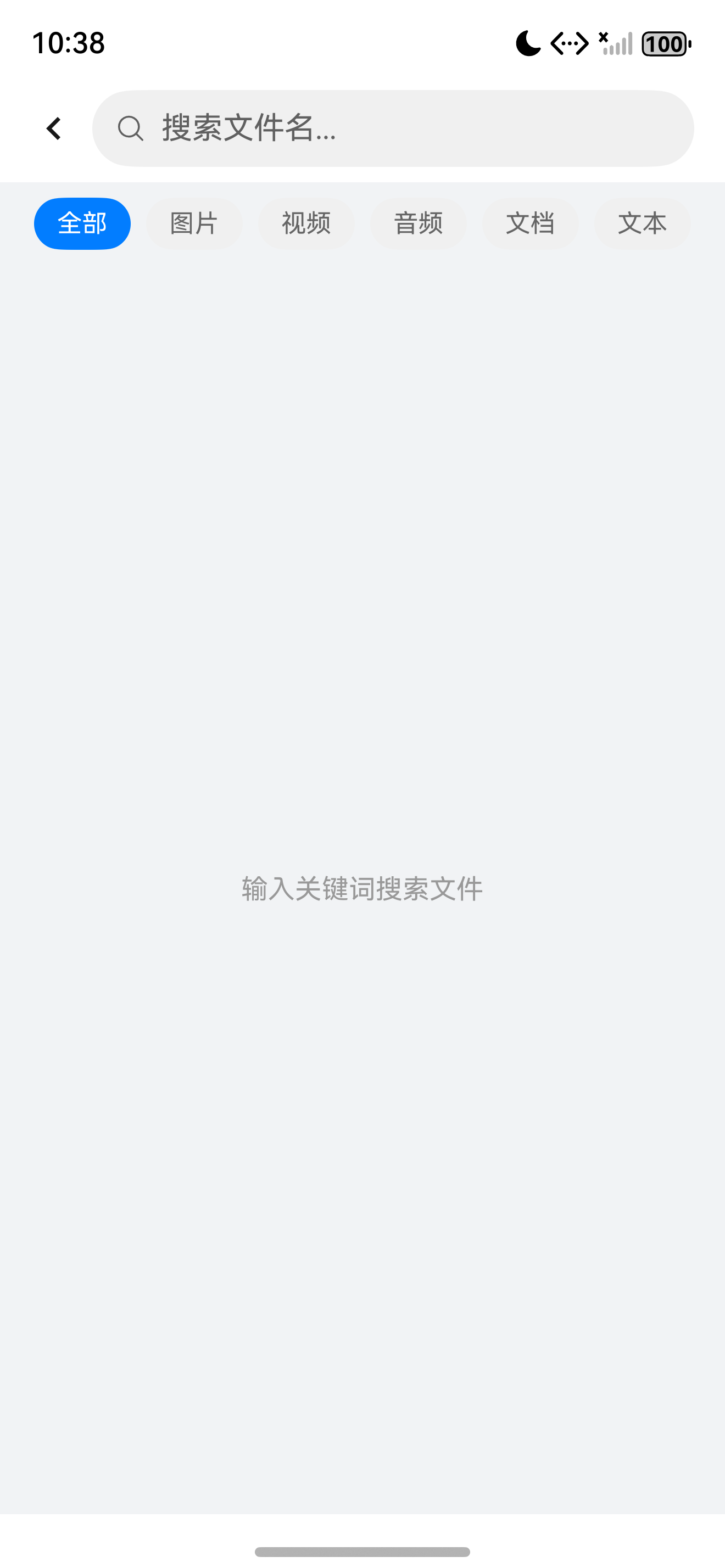
- 输入"午餐"回车,显示备注含"午餐"的账单
- 高级筛选选"餐饮"+"交通"分类,结果仅含这两类
- 日期范围选 7-1 至 7-15,结果仅含该区间账单
- 金额范围 100-1000,结果金额在该区间
- 搜索历史显示最近 10 条,点击历史快速搜索
七、常见问题
7.1 SQL 占位符数量不匹配
// 错误:categoryId IN (?, ?) 但只传 1 个参数
// 解决:用 map 动态生成占位符
const placeholders = filter.categoryIds.map(() => '?').join(', ');
7.2 历史记录 JSON 序列化失败
// PreferenceUtil 只能存 string/number/boolean
// 数组需 JSON.stringify 转字符串存储
await PreferenceUtil.setString('history', JSON.stringify(arr));
const arr = JSON.parse(await PreferenceUtil.getString('history', '[]'));
7.3 筛选状态丢失
// 筛选条件存在 ViewModel,页面切走会被销毁
// 解决:用 AppStorage 持久化或 PreferenceUtil 临时存
八、Git 提交
git add .
git commit -m "feat(search): 开发账单搜索与多维筛选

- 新增 SearchBar 通用搜索栏组件
- 新增 SearchView 支持关键字+分类+日期+金额四维筛选
- 新增 SearchViewModel 与 SearchFilter 数据模型
- 扩展 BillRepository.complexSearch 复合条件查询
- 持久化搜索历史(最近 10 条)
- 空结果展示 EmptyView + 重置入口"
总结
本文完整介绍了 账单搜索与筛选,涵盖 SearchBar、SearchView、复合查询、搜索历史、EmptyView。通过本篇你可以:
- 封装可复用的搜索栏组件
- 动态拼接 SQL WHERE 实现多维筛选
- 用 PreferenceUtil 持久化搜索历史
- 用 EmptyView 处理空结果避免死胡同
- 理解实时搜索 vs 提交搜索的取舍
下一篇预告:《预算中心开发》将开发 BudgetView 预算中心,支持月度预算设置、已用进度、剩余金额、超支提醒。
如果这篇文章对你有帮助,欢迎点赞👍、收藏⭐、关注🔔,你的支持是我持续创作的动力!
相关资源
- 本篇源码:GitHub Tag v0.1.5
- ArkUI TextInput:textinput
- ArkUI Grid 多选:grid-multi-select
- PersistenceV2 复合查询:persistencev2-query
- 搜索历史 UX 实践:search-history-ux
- SQL 注入防护:sql-injection-prevention
- ArkUI EmptyView:empty-view

讨论HarmonyOS开发技术,专注于API与组件、DevEco Studio、测试、元服务和应用上架分发等。
更多推荐

 9
9 0
0- 0


 已为社区贡献100条内容

所有评论(0)