HarmonyOS NEXT 收藏夹功能开发:Favorite 数据模型、Preferences 持久化与 FileCard 组件复用实战
HarmonyOS NEXT 收藏夹功能开发:Favorite 数据模型、Preferences 持久化与 FileCard 组件复用实战
前言
在文件管理类应用中,收藏夹(Favorites)是提升用户体验的核心功能之一。用户在浏览大量文件时,需要快速标记和访问重要文件,而收藏夹正是满足这一需求的关键机制。本文基于 HarmonyExplorer 项目,深入讲解收藏夹功能的完整开发流程,涵盖 Favorite 数据模型设计、Preferences 持久化存储、收藏 ViewModel 状态管理、FileCard 组件复用、收藏排序与空状态处理等核心技术与实现细节。通过本文的学习,开发者可以掌握鸿蒙原生收藏功能的设计模式,并在实际项目中灵活运用。
收藏夹功能涉及数据持久化、状态管理和 UI 组件复用三大核心知识点,是 HarmonyOS NEXT 应用开发中的典型场景,参考 HarmonyOS 数据存储开发指南。
一、收藏夹功能概述
1.1 功能背景
在企业级文件管理场景中,用户每天需要处理数十甚至上百个文件。文件分布在不同的目录层级中,频繁导航查找耗时费力。收藏夹功能允许用户将常用或重要文件标记为收藏项,并在独立的收藏页面中集中访问,大幅提升文件检索效率。
1.2 设计目标
收藏夹功能的设计目标如下:
| 设计目标 | 说明 |
|---|---|
| 快速收藏 | 一键添加/取消收藏,操作响应时间小于 100ms |
| 持久化存储 | 收藏数据通过 Preferences 持久化,应用重启后不丢失 |
| 组件复用 | 复用 FileCard 组件展示收藏列表,保持 UI 一致性 |
| 灵活排序 | 支持按名称、收藏时间、文件大小等多种排序方式 |
| 空状态友好 | 无收藏数据时展示 EmptyView 引导用户操作 |
二、Favorite 数据模型设计
2.1 数据结构定义
Favorite 模型用于记录用户收藏的文件信息,采用轻量化设计,仅存储必要的标识字段,文件详情通过路径动态查询获取。
// model/Favorite.ets
export interface Favorite {
  id: string;
  path: string;
  createTime: number;
}

export interface FavoriteItem {
  favorite: Favorite;
  fileInfo: FileInfo;
}
2.2 模型字段说明
Favorite 模型的字段设计遵循最小化原则,避免冗余数据存储:
| 字段 | 类型 | 说明 |
|---|---|---|
| id | string | 收藏记录唯一标识,采用 UUID 生成 |
| path | string | 文件完整路径,用于后续查询文件详情 |
| createTime | number | 收藏时间戳,用于排序与展示 |
提示:Favorite 模型仅存储文件路径而不存储完整 FileInfo,是因为文件属性可能随时变化。通过路径动态查询可保证数据一致性,参考 HarmonyOS 文件管理开发指南。
三、Preferences 持久化方案
3.1 Preferences 简介
HarmonyOS NEXT 提供了 Preferences 轻量级数据存储能力,适用于保存少量结构化数据。收藏夹数据量通常在百条以内,使用 Preferences 是最佳选择,具有读写速度快、API 简洁的优势。
3.2 PreferenceUtil 工具类封装
// utils/PreferenceUtil.ets
import dataPreferences from '@ohos.data.preferences';

const PREFERENCE_NAME: string = 'harmony_explorer_prefs';
const FAVORITE_KEY: string = 'favorite_list';

export class PreferenceUtil {
  private static preferenceInstance: dataPreferences.Preferences | null = null;

  public static async init(context: Context): Promise<void> {
    this.preferenceInstance = await dataPreferences.getPreferences(context, PREFERENCE_NAME);
  }

  public static async saveFavorites(favorites: Array<Favorite>): Promise<void> {
    if (this.preferenceInstance === null) {
      return;
    }
    const jsonStr: string = JSON.stringify(favorites);
    await this.preferenceInstance.put(FAVORITE_KEY, jsonStr);
    await this.preferenceInstance.flush();
  }

  public static async loadFavorites(): Promise<Array<Favorite>> {
    if (this.preferenceInstance === null) {
      return [];
    }
    const value: dataPreferences.ValueType = await this.preferenceInstance.get(FAVORITE_KEY, '');
    if (typeof value !== 'string' || value.length === 0) {
      return [];
    }
    const parsed: Array<Favorite> = JSON.parse(value);
    return parsed;
  }
}
四、收藏 Repository 层实现
4.1 Repository 接口设计
Repository 层负责收藏数据的增删查改操作,向上为 ViewModel 提供统一的数据访问接口,向下调用 PreferenceUtil 完成持久化。
// repository/FavoriteRepository.ets
export class FavoriteRepository {
  private favorites: Array<Favorite> = [];

  public async loadAll(): Promise<Array<Favorite>> {
    this.favorites = await PreferenceUtil.loadFavorites();
    return this.favorites;
  }

  public async addFavorite(path: string): Promise<Favorite> {
    const favorite: Favorite = {
      id: this.generateId(),
      path: path,
      createTime: Date.now()
    };
    this.favorites.push(favorite);
    await PreferenceUtil.saveFavorites(this.favorites);
    return favorite;
  }

  public async removeFavorite(path: string): Promise<void> {
    this.favorites = this.favorites.filter((item: Favorite): boolean => {
      return item.path !== path;
    });
    await PreferenceUtil.saveFavorites(this.favorites);
  }

  public isFavorite(path: string): boolean {
    return this.favorites.some((item: Favorite): boolean => {
      return item.path === path;
    });
  }

  private generateId(): string {
    return 'fav_' + Date.now().toString() + Math.floor(Math.random() * 1000).toString();
  }
}
4.2 增删改查实现
Repository 层的核心操作包括加载、添加、删除和查询,每个操作均通过 PreferenceUtil 进行持久化:
- 加载收藏:从 Preferences 读取全部收藏记录,初始化内存缓存
- 添加收藏:生成唯一 ID,追加到列表末尾,持久化保存
- 删除收藏:根据路径过滤移除,持久化保存
- 查询状态:检查指定路径是否已被收藏,用于 UI 状态同步
五、FavoritesViewModel 实现
5.1 ViewModel 状态管理
FavoritesViewModel 使用 @Observed 装饰器实现状态响应式更新,管理收藏列表、加载状态和排序方式。
// viewmodel/FavoritesViewModel.ets
import { ObservedObject } from '@kit.ArkUI';

@Observed
export class FavoritesViewModel extends ObservedObject {
  public favoriteItems: Array<FavoriteItem> = [];
  public isLoading: boolean = false;
  public sortType: SortType = SortType.BY_TIME_DESC;
  private repository: FavoriteRepository = new FavoriteRepository();

  public async loadFavorites(): Promise<void> {
    this.isLoading = true;
    const favorites: Array<Favorite> = await this.repository.loadAll();
    this.favoriteItems = await this.buildFavoriteItems(favorites);
    this.sortFavorites();
    this.isLoading = false;
  }

  public async toggleFavorite(path: string): Promise<boolean> {
    const isFav: boolean = this.repository.isFavorite(path);
    if (isFav) {
      await this.repository.removeFavorite(path);
    } else {
      await this.repository.addFavorite(path);
    }
    await this.loadFavorites();
    return !isFav;
  }

  private async buildFavoriteItems(favorites: Array<Favorite>): Promise<Array<FavoriteItem>> {
    const items: Array<FavoriteItem> = [];
    for (const fav of favorites) {
      const fileInfo: FileInfo | null = await FileUtil.getFileInfo(fav.path);
      if (fileInfo !== null) {
        items.push({ favorite: fav, fileInfo: fileInfo });
      }
    }
    return items;
  }
}
5.2 收藏列表加载
收藏列表加载流程包含三个步骤:读取持久化数据、构建展示模型、执行排序。buildFavoriteItems 方法通过路径查询文件详情,过滤已删除的文件,确保列表数据有效。
六、添加与取消收藏逻辑
6.1 添加收藏流程
添加收藏的完整流程如下:
- 用户在文件详情页或列表页点击收藏按钮
- ViewModel 调用 Repository 添加收藏记录
- Repository 生成 Favorite 对象并持久化
- ViewModel 刷新收藏列表
- UI 更新收藏图标状态
// pages/FileDetailPage.ets 中的收藏按钮逻辑
@Component
export struct FavoriteButton {
  @Prop filePath: string;
  @State isFavorite: boolean = false;
  private viewModel: FavoritesViewModel = new FavoritesViewModel();

  async aboutToAppear(): Promise<void> {
    const favorites: Array<Favorite> = await this.viewModel.repository.loadAll();
    this.isFavorite = favorites.some((item: Favorite): boolean => {
      return item.path === this.filePath;
    });
  }

  async handleFavoriteClick(): Promise<void> {
    const result: boolean = await this.viewModel.toggleFavorite(this.filePath);
    this.isFavorite = result;
    ToastUtil.show(result ? '已收藏' : '已取消收藏');
  }

  build(): void {
    Image(this.isFavorite ? $r('app.media.star_filled') : $r('app.media.star_outline'))
      .width(24)
      .height(24)
      .onClick((): void => { this.handleFavoriteClick(); })
  }
}
6.2 取消收藏流程
取消收藏可通过两个入口触发:文件详情页的收藏按钮和收藏列表页的取消按钮。两种入口共用 toggleFavorite 方法,保证逻辑一致性。
七、收藏列表页面 UI 实现
7.1 页面布局设计
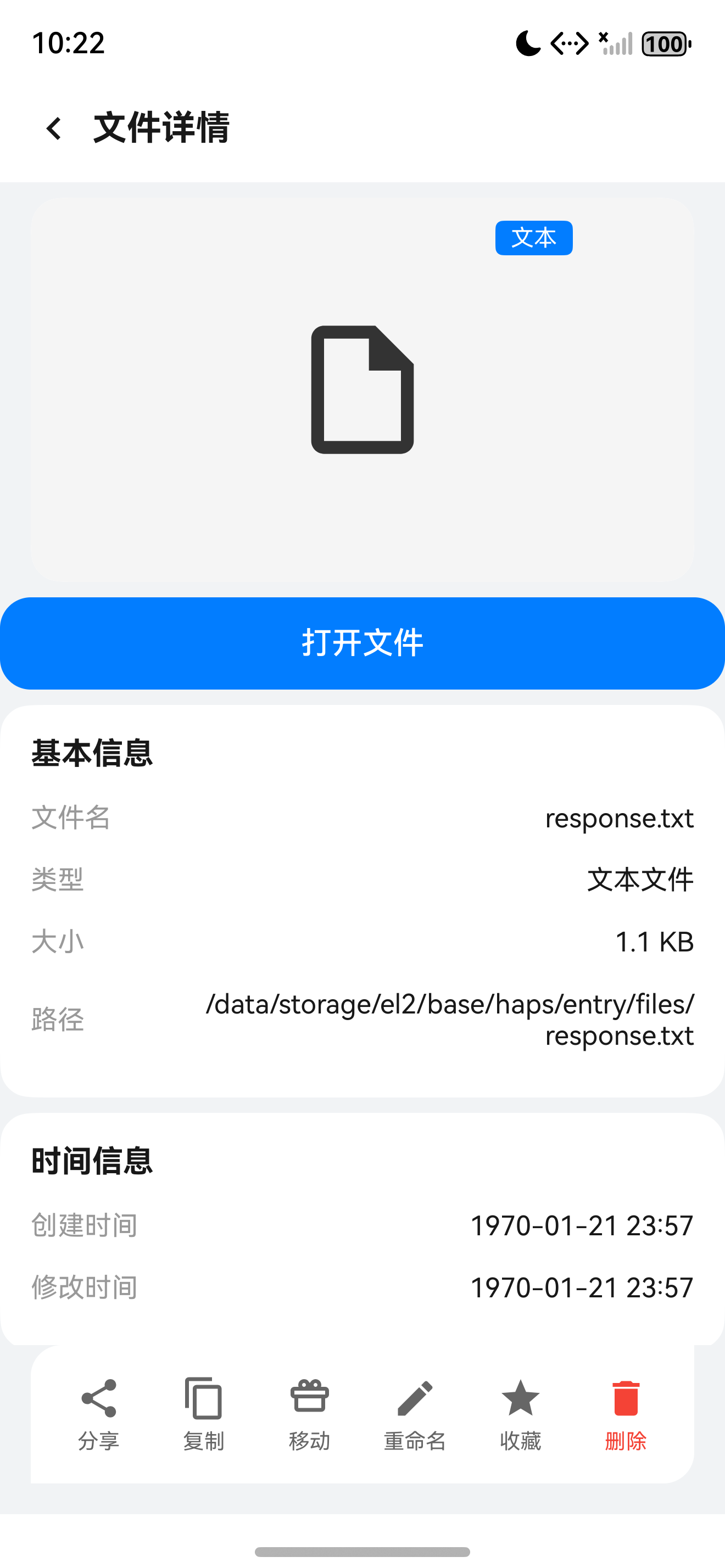
收藏页面采用列表布局,顶部为 AppNavigationBar,中间为排序工具栏,底部为 FileCard 列表区域。
7.2 FileCard 组件复用
收藏列表复用 FileCard 组件,通过传入不同的回调函数实现收藏特有的交互行为。
// pages/FavoritesPage.ets
@Entry
@Component
struct FavoritesPage {
  @State viewModel: FavoritesViewModel = new FavoritesViewModel();

  async aboutToAppear(): Promise<void> {
    await this.viewModel.loadFavorites();
  }

  build(): void {
    Column() {
      AppNavigationBar({ title: '收藏夹', showBack: true })

      if (this.viewModel.isLoading) {
        LoadingView()
      } else if (this.viewModel.favoriteItems.length === 0) {
        EmptyView({ message: '暂无收藏文件', icon: $r('app.media.empty_star') })
      } else {
        List({ space: 8 }) {
          ForEach(this.viewModel.favoriteItems, (item: FavoriteItem): void => {
            ListItem() {
              FileCard({
                fileInfo: item.fileInfo,
                isFavorite: true,
                onFavoriteClick: (): Promise<void> => this.handleRemove(item.favorite.path)
              })
            }
          }, (item: FavoriteItem): string => item.favorite.id)
        }
        .layoutWeight(1)
      }
    }
  }

  private async handleRemove(path: string): Promise<void> {
    await this.viewModel.toggleFavorite(path);
  }
}
八、收藏排序功能
8.1 排序策略
收藏列表支持多种排序方式,用户可通过工具栏切换排序类型:
| 排序方式 | 字段 | 排序方向 |
|---|---|---|
| 按名称排序 | fileInfo.name | 升序 |
| 按收藏时间排序 | favorite.createTime | 降序 |
| 按文件大小排序 | fileInfo.size | 降序 |
| 按修改时间排序 | fileInfo.modifyTime | 降序 |
8.2 排序实现
// viewmodel/FavoritesViewModel.ets 中的排序方法
private sortFavorites(): void {
  switch (this.sortType) {
    case SortType.BY_NAME_ASC:
      this.favoriteItems.sort((a: FavoriteItem, b: FavoriteItem): number => {
        return a.fileInfo.name.localeCompare(b.fileInfo.name);
      });
      break;
    case SortType.BY_TIME_DESC:
      this.favoriteItems.sort((a: FavoriteItem, b: FavoriteItem): number => {
        return b.favorite.createTime - a.favorite.createTime;
      });
      break;
    case SortType.BY_SIZE_DESC:
      this.favoriteItems.sort((a: FavoriteItem, b: FavoriteItem): number => {
        return b.fileInfo.size - a.fileInfo.size;
      });
      break;
    default:
      break;
  }
}
九、EmptyView 空状态处理
9.1 空状态设计
当收藏列表为空时,应用展示 EmptyView 组件引导用户操作。空状态设计遵循以下原则:
- 清晰的视觉提示图标
- 简洁的文字说明
- 可选的操作引导按钮
9.2 实现代码
// components/EmptyView.ets
@Component
export struct EmptyView {
  private message: string = '暂无数据';
  private icon: Resource = $r('app.media.empty_default');

  build(): void {
    Column() {
      Image(this.icon)
        .width(80)
        .height(80)
        .margin({ bottom: 16 })

      Text(this.message)
        .fontSize(16)
        .fontColor($r('app.color.text_secondary'))
    }
    .width('100%')
    .height('100%')
    .justifyContent(FlexAlign.Center)
  }
}
十、收藏与文件详情联动
10.1 联动设计
收藏功能需要与文件详情页实现状态联动。当用户在详情页收藏或取消收藏文件后,返回收藏列表时列表数据应自动更新。HarmonyExplorer 采用 事件总线机制 实现跨页面通信。
10.2 实现方案
// tools/EventBus.ets
interface EventCallback {
  (data: Object): void;
}

export class EventBus {
  private static listeners: Map<string, Array<EventCallback>> = new Map();

  public static on(event: string, callback: EventCallback): void {
    if (!this.listeners.has(event)) {
      this.listeners.set(event, []);
    }
    this.listeners.get(event)?.push(callback);
  }

  public static emit(event: string, data: Object): void {
    const callbacks: Array<EventCallback> | undefined = this.listeners.get(event);
    if (callbacks !== undefined) {
      for (const callback of callbacks) {
        callback(data);
      }
    }
  }
}

// 文件详情页收藏后发送事件
EventBus.emit('favorite_changed', { path: filePath, action: 'add' });

// 收藏列表页监听事件
async aboutToAppear(): Promise<void> {
  EventBus.on('favorite_changed', (data: Object): void => {
    this.viewModel.loadFavorites();
  });
  await this.viewModel.loadFavorites();
}
提示:EventBus 在页面销毁时应注销监听,避免内存泄漏。建议在
aboutToDisappear生命周期中调用EventBus.off方法,参考 HarmonyOS 应用生命周期管理。
总结
本文详细介绍了 HarmonyExplorer 收藏夹功能的完整实现方案,从 Favorite 数据模型设计到 Preferences 持久化,从 ViewModel 状态管理到 FileCard 组件复用,覆盖了收藏功能开发的全流程。通过 Repository 分层架构和 EventBus 事件机制,实现了收藏状态跨页面联动和数据的可靠持久化。开发者可以将此设计模式推广到收藏、历史记录、标签等类似功能场景中。
如果这篇文章对你有帮助,欢迎点赞👍、收藏⭐、关注🔔,你的支持是我持续创作的动力!
相关资源

讨论HarmonyOS开发技术,专注于API与组件、DevEco Studio、测试、元服务和应用上架分发等。
更多推荐

 1
1 0
0- 0


 已为社区贡献60条内容

所有评论(0)