HarmonyOS7 ArkUI 二维码名片 - 个人信息展示与名片分享实战
·
文章目录
前言
这个案例看着是一个小页面,里面其实塞了不少常见业务写法:列表、筛选、按钮事件、条件样式,基本都能练到。
它的主线是 二维码名片,细节落在 个人信息展示与名片分享。这些细节刚好能把页面状态、用户操作和组件刷新串起来。
先把业务看明白
QrBusinessCardPage 不是一个只展示静态内容的页面。它会根据用户点击、输入、切换或计时来改变界面,所以阅读代码时可以先抓三条线:
| 观察点 | 在这个案例里的表现 |
|---|---|
| 页面主题 | 二维码名片 |
| 主要文案 | 手机, 邮箱, 公司, 腾讯科技有限公司, 职位, 高级前端工程师 |
| 常用组件 | Button, Column, Divider, ForEach, Row, Scroll, Stack, Text |
| 适合练习 | 状态驱动 UI、条件样式、列表渲染、事件回调 |
状态和 UI 的关系
ArkUI 的页面刷新依赖状态变化。下面这些 @State 字段就是页面的“开关”和“数据源”,不用手动找 DOM,也不用自己通知某个控件刷新。
| 状态字段 | 类型 | 我会怎么理解它 |
|---|---|---|
isFlipped |
boolean |
布尔开关,控制显示隐藏或模式切换 |
rotateY |
number |
记录页面当前选择、输入或展示状态 |
showSharePanel |
boolean |
布尔开关,控制显示隐藏或模式切换 |
copiedField |
string |
记录页面当前选择、输入或展示状态 |
一个经验:先把
@State看完,再看build(),页面逻辑会清楚很多。否则很容易被一长串布局代码带偏。
核心逻辑拆读
片段 1:flipCard() {
这段代码承担的是页面里的“判断”或“动作”,把它从布局里抽出来后,build() 会清爽很多。后面要加新条件,也不会到处翻 UI 代码。
  flipCard() {
    animateTo({ duration: 400, curve: Curve.EaseInOut }, () => {
      this.rotateY = this.isFlipped ? 0 : 180
      this.isFlipped = !this.isFlipped
    })
  }
片段 2:copyToClipboard(value: string, label: string) {
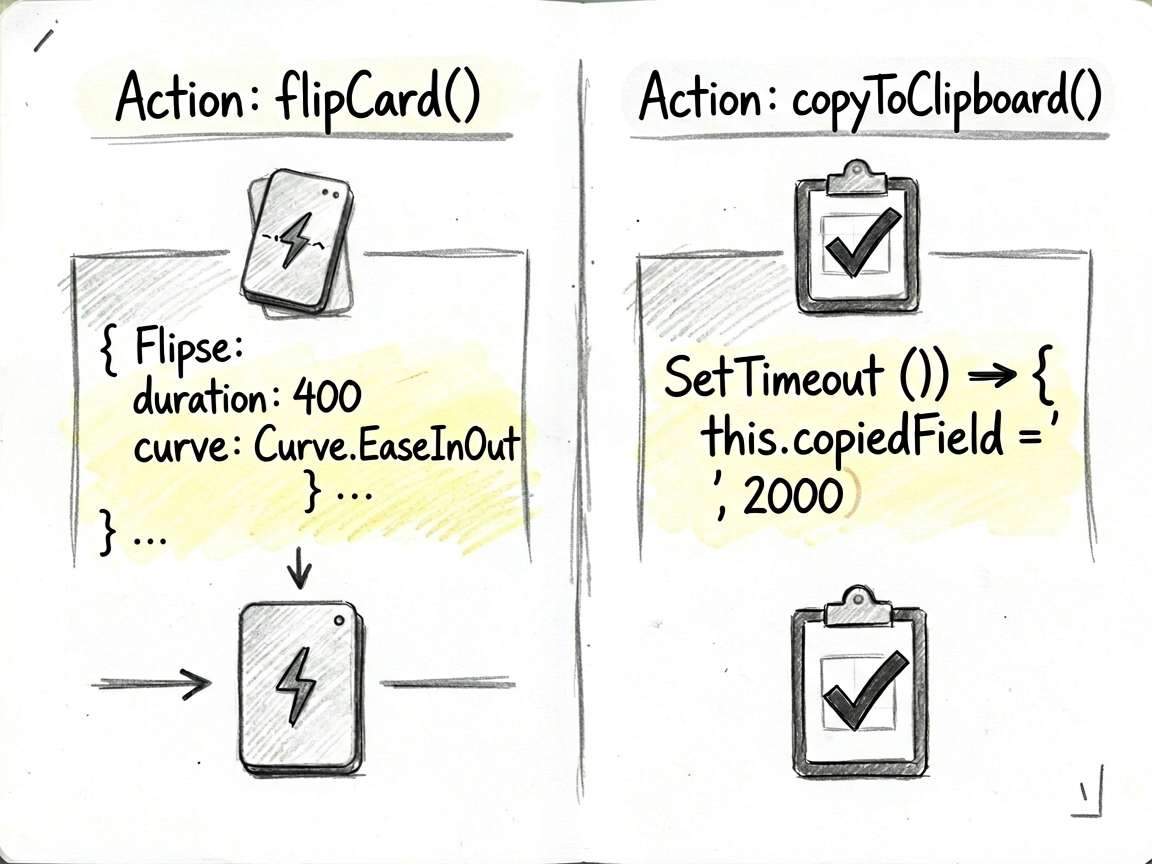
这段代码承担的是页面里的“判断”或“动作”,把它从布局里抽出来后,build() 会清爽很多。后面要加新条件,也不会到处翻 UI 代码。
  copyToClipboard(value: string, label: string) {
    this.copiedField = label
    setTimeout(() => {
      this.copiedField = ''
    }, 2000)
  }
使用方式
把下面代码放进 ArkTS 页面文件中即可运行。用于正式项目时,我会继续把数据模型、卡片 Builder 和页面事件拆出去,页面文件只负责组合。
建议练习顺序:先改状态字段 -> 再改交互事件 -> 最后调整 UI 样式
检查重点:点击是否刷新、列表 key 是否稳定、条件样式是否集中管理
- 把模拟数据替换成接口数据
- 抽出复用卡片组件
- 增加空状态和异常状态
- 补充深色模式或主题色适配
- 对输入类场景增加校验提示
完整代码
// QrBusinessCardPage - 二维码名片 - 个人信息展示与名片分享

interface ContactInfo_uceg {
  label: string
  value: string
  icon: string
}

interface SocialLink {
  platform: string
  account: string
  color: string
}

@Entry
@Component
struct QrBusinessCardPage {
  @State isFlipped: boolean = false
  @State rotateY: number = 0
  @State showSharePanel: boolean = false
  @State copiedField: string = ''

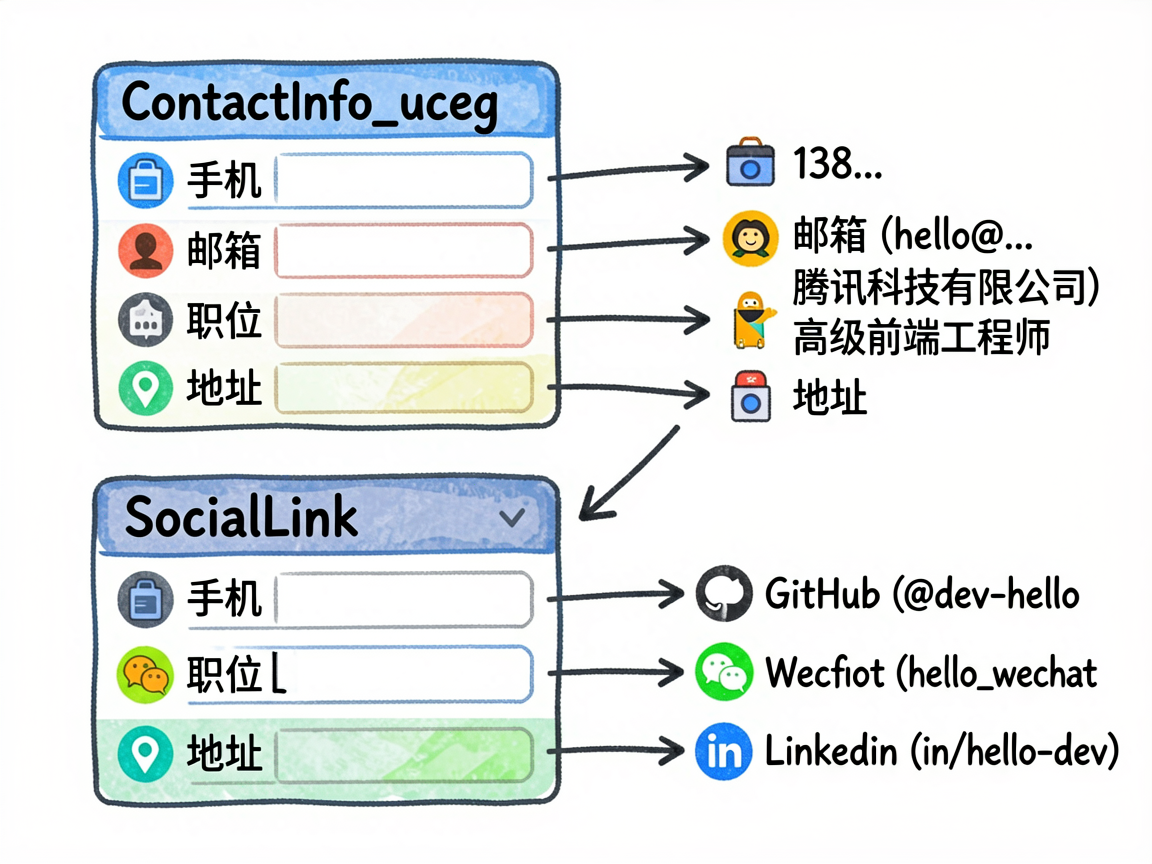
  private contacts: ContactInfo_uceg[] = [
    { label: '手机', value: '138 0000 8888', icon: '📱' },
    { label: '邮箱', value: 'hello@example.com', icon: '📧' },
    { label: '公司', value: '腾讯科技有限公司', icon: '🏢' },
    { label: '职位', value: '高级前端工程师', icon: '💼' },
    { label: '地址', value: '深圳市南山区科技园', icon: '📍' },
  ]

  private socials: SocialLink[] = [
    { platform: 'GitHub', account: '@dev-hello', color: '#24292e' },
    { platform: 'WeChat', account: 'hello_wechat', color: '#07c160' },
    { platform: 'LinkedIn', account: 'in/hello-dev', color: '#0a66c2' },
  ]

  flipCard() {
    animateTo({ duration: 400, curve: Curve.EaseInOut }, () => {
      this.rotateY = this.isFlipped ? 0 : 180
      this.isFlipped = !this.isFlipped
    })
  }

  copyToClipboard(value: string, label: string) {
    this.copiedField = label
    setTimeout(() => {
      this.copiedField = ''
    }, 2000)
  }

  @Builder
  CardFront() {
    Column({ space: 16 }) {
      // 头像区域
      Stack() {
        Circle()
          .width(80)
          .height(80)
          .fill('#e8f4ff')
        Text('陈')
          .fontSize(32)
          .fontWeight(FontWeight.Bold)
          .fontColor('#1890ff')
      }

      Column({ space: 4 }) {
        Text('陈开发')
          .fontSize(22)
          .fontWeight(FontWeight.Bold)
          .fontColor('#1a1a1a')
        Text('高级前端工程师')
          .fontSize(14)
          .fontColor('#666666')
        Text('腾讯科技有限公司')
          .fontSize(13)
          .fontColor('#999999')
      }
      .alignItems(HorizontalAlign.Center)

      // 分割线
      Divider().strokeWidth(1).color('#f0f0f0').margin({ top: 4, bottom: 4 })

      // 联系信息
      Column({ space: 10 }) {
        ForEach(this.contacts.slice(0, 3), (item: ContactInfo_uceg) => {
          Row({ space: 10 }) {
            Text(item.icon).fontSize(16)
            Text(item.value)
              .fontSize(13)
              .fontColor('#444444')
              .layoutWeight(1)
          }
          .width('100%')
        })
      }

      // 翻转提示
      Text('点击查看二维码 →')
        .fontSize(12)
        .fontColor('#1890ff')
        .margin({ top: 8 })
    }
    .width('100%')
    .padding(24)
    .alignItems(HorizontalAlign.Center)
  }

  @Builder
  CardBack() {
    Column({ space: 20 }) {
      Text('扫码添加名片')
        .fontSize(16)
        .fontWeight(FontWeight.Bold)
        .fontColor('#1a1a1a')

      // 模拟二维码
      Stack() {
        Column() {
          ForEach([0, 1, 2, 3, 4, 5, 6], () => {
            Row() {
              ForEach([0, 1, 2, 3, 4, 5, 6], (col: number) => {
                Column()
                  .width(14)
                  .height(14)
                  .backgroundColor(Math.random() > 0.5 ? '#1a1a1a' : '#ffffff')
                  .margin(1)
              })
            }
          })
        }
        .padding(12)
        .backgroundColor('#ffffff')
        .borderRadius(8)
        .shadow({ radius: 4, color: '#00000020', offsetX: 0, offsetY: 2 })

        // 中心 logo
        Stack() {
          Circle().width(28).height(28).fill('#1890ff')
          Text('名')
            .fontSize(12)
            .fontColor('#ffffff')
            .fontWeight(FontWeight.Bold)
        }
      }

      Column({ space: 8 }) {
        ForEach(this.socials, (item: SocialLink) => {
          Row({ space: 10 }) {
            Text(item.platform)
              .fontSize(13)
              .fontColor('#ffffff')
              .backgroundColor(item.color)
              .padding({ left: 8, right: 8, top: 3, bottom: 3 })
              .borderRadius(4)
            Text(item.account)
              .fontSize(13)
              .fontColor('#444444')
          }
          .width('100%')
        })
      }

      Text('← 返回名片')
        .fontSize(12)
        .fontColor('#1890ff')
    }
    .width('100%')
    .padding(24)
    .alignItems(HorizontalAlign.Center)
    .rotate({ x: 0, y: 1, z: 0, angle: 180 })
  }

  build() {
    Column({ space: 0 }) {
      // 顶部标题栏
      Row() {
        Text('我的名片')
          .fontSize(18)
          .fontWeight(FontWeight.Bold)
          .fontColor('#1a1a1a')
        Blank()
        Button('分享')
          .fontSize(14)
          .height(32)
          .backgroundColor('#1890ff')
          .onClick(() => {
            this.showSharePanel = !this.showSharePanel
          })
      }
      .width('100%')
      .padding({ left: 20, right: 20, top: 16, bottom: 16 })
      .backgroundColor('#ffffff')

      Scroll() {
        Column({ space: 20 }) {
          // 名片主体(翻转效果)
          Stack() {
            if (!this.isFlipped) {
              Column() {
                this.CardFront()
              }
              .width('100%')
              .backgroundColor('#ffffff')
              .borderRadius(16)
              .shadow({ radius: 12, color: '#00000015', offsetX: 0, offsetY: 4 })
              .rotate({ x: 0, y: 1, z: 0, angle: this.rotateY })
              .opacity(this.rotateY <= 90 ? 1 : 0)
            } else {
              Column() {
                this.CardBack()
              }
              .width('100%')
              .backgroundColor('#ffffff')
              .borderRadius(16)
              .shadow({ radius: 12, color: '#00000015', offsetX: 0, offsetY: 4 })
              .rotate({ x: 0, y: 1, z: 0, angle: this.rotateY })
              .opacity(this.rotateY >= 90 ? 1 : 0)
            }
          }
          .width('100%')
          .onClick(() => this.flipCard())

          // 详细联系方式
          Column({ space: 0 }) {
            Text('联系方式')
              .fontSize(14)
              .fontWeight(FontWeight.Medium)
              .fontColor('#999999')
              .padding({ left: 16, top: 16, bottom: 12 })
              .width('100%')

            ForEach(this.contacts, (item: ContactInfo_uceg, index: number) => {
              Column() {
                Row({ space: 12 }) {
                  Text(item.icon).fontSize(18).width(28).textAlign(TextAlign.Center)
                  Column({ space: 2 }) {
                    Text(item.label)
                      .fontSize(12)
                      .fontColor('#999999')
                    Text(item.value)
                      .fontSize(15)
                      .fontColor('#1a1a1a')
                  }
                  .layoutWeight(1)
                  .alignItems(HorizontalAlign.Start)

                  if (this.copiedField === item.label) {
                    Text('已复制')
                      .fontSize(12)
                      .fontColor('#52c41a')
                  } else {
                    Text('复制')
                      .fontSize(12)
                      .fontColor('#1890ff')
                      .onClick(() => this.copyToClipboard(item.value, item.label))
                  }
                }
                .width('100%')
                .padding({ left: 16, right: 16, top: 14, bottom: 14 })

                if (index < this.contacts.length - 1) {
                  Divider().strokeWidth(0.5).color('#f5f5f5').margin({ left: 56 })
                }
              }
            })
          }
          .backgroundColor('#ffffff')
          .borderRadius(12)

          // 社交账号
          Column({ space: 0 }) {
            Text('社交账号')
              .fontSize(14)
              .fontWeight(FontWeight.Medium)
              .fontColor('#999999')
              .padding({ left: 16, top: 16, bottom: 12 })
              .width('100%')

            ForEach(this.socials, (item: SocialLink, index: number) => {
              Column() {
                Row({ space: 12 }) {
                  Text(item.platform.charAt(0))
                    .fontSize(14)
                    .fontColor('#ffffff')
                    .fontWeight(FontWeight.Bold)
                    .width(32)
                    .height(32)
                    .borderRadius(8)
                    .backgroundColor(item.color)
                    .textAlign(TextAlign.Center)
                    .lineHeight(32)

                  Column({ space: 2 }) {
                    Text(item.platform)
                      .fontSize(12)
                      .fontColor('#999999')
                    Text(item.account)
                      .fontSize(15)
                      .fontColor('#1a1a1a')
                  }
                  .layoutWeight(1)
                  .alignItems(HorizontalAlign.Start)

                  Text('关注')
                    .fontSize(13)
                    .fontColor(item.color)
                    .border({ width: 1, color: item.color })
                    .padding({ left: 12, right: 12, top: 4, bottom: 4 })
                    .borderRadius(14)
                }
                .width('100%')
                .padding({ left: 16, right: 16, top: 14, bottom: 14 })

                if (index < this.socials.length - 1) {
                  Divider().strokeWidth(0.5).color('#f5f5f5').margin({ left: 56 })
                }
              }
            })
          }
          .backgroundColor('#ffffff')
          .borderRadius(12)

          // 分享面板
          if (this.showSharePanel) {
            Column({ space: 16 }) {
              Text('分享名片').fontSize(16).fontWeight(FontWeight.Bold).fontColor('#1a1a1a')
              Row({ space: 20 }) {
                ForEach(['微信', '朋友圈', '短信', '邮件'], (method: string) => {
                  Column({ space: 6 }) {
                    Circle()
                      .width(48)
                      .height(48)
                      .fill('#f0f7ff')
                    Text(method).fontSize(12).fontColor('#444444')
                  }
                  .alignItems(HorizontalAlign.Center)
                })
              }
              .justifyContent(FlexAlign.SpaceAround)
              .width('100%')
            }
            .width('100%')
            .padding(20)
            .backgroundColor('#ffffff')
            .borderRadius(12)
          }
        }
        .padding({ left: 16, right: 16, top: 16, bottom: 32 })
      }
      .layoutWeight(1)
      .backgroundColor('#f5f7fa')
    }
    .width('100%')
    .height('100%')
    .backgroundColor('#f5f7fa')
  }
}
一个小复盘
这个案例可以当成一个小模板:先把页面会变的东西放进状态,再用函数或 Builder 处理重复逻辑,最后让布局只关心展示。写 HarmonyOS7 页面时,这个顺序通常比一上来堆 UI 更稳。

讨论HarmonyOS开发技术,专注于API与组件、DevEco Studio、测试、元服务和应用上架分发等。
更多推荐
 2
2 0
0- 0


 已为社区贡献99条内容

所有评论(0)