HarmonyOS 7 API26 build-profile 升级避坑:targetSdkVersion 字符串、product 对齐与 CI 拦截
适用范围:HarmonyOS 7 / API 26,Stage 模型工程,重点关注 build-profile.json5、module.json5、DevEco Studio / Hvigor 构建链路。
核心结论:升级不是只改一个数字,而是要把版本字段、product 配置、模块配置和 CI 检查放到同一套规则里。
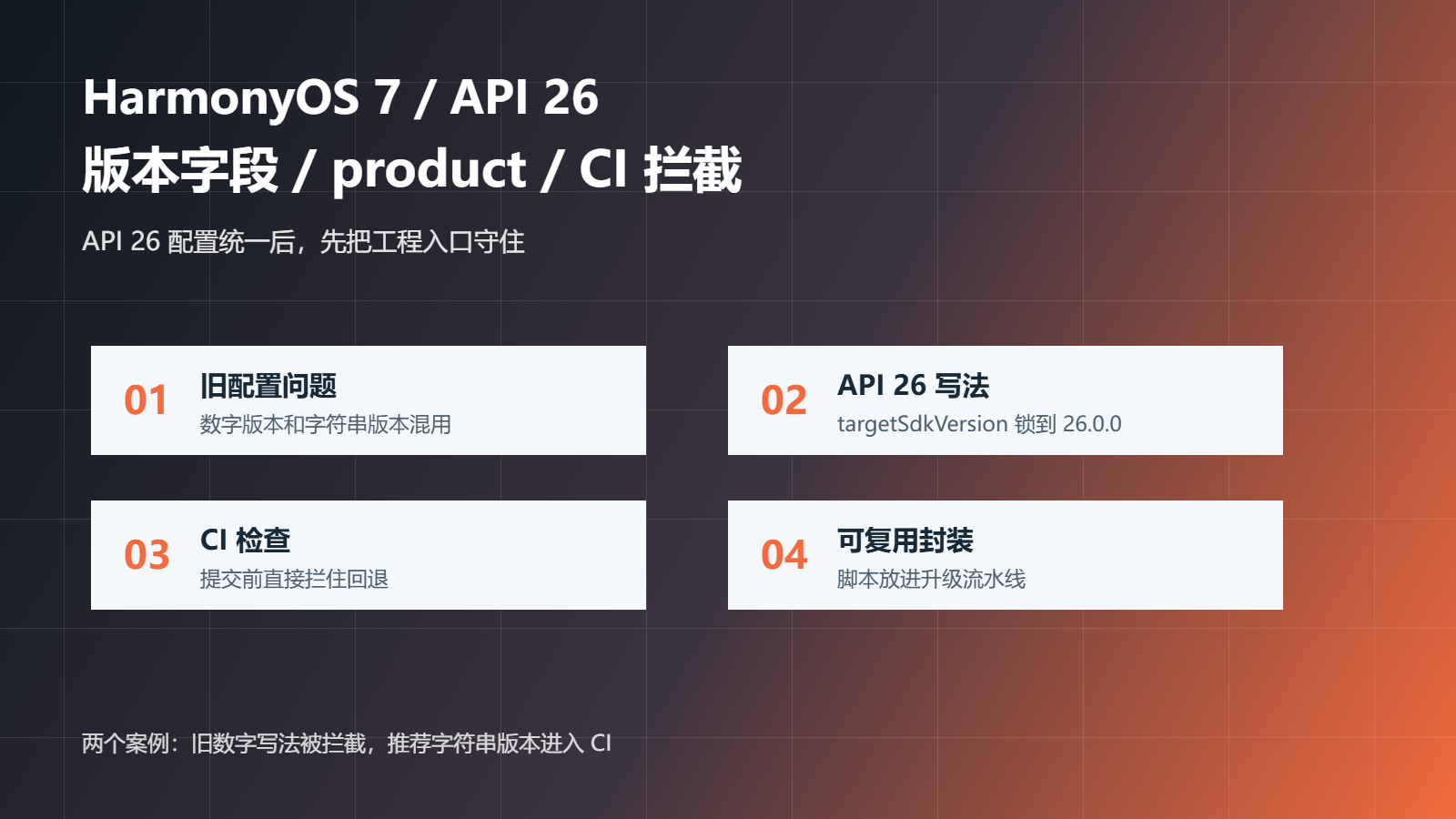
项目升级到 HarmonyOS 7 / API 26 时,很多人第一反应是先改 SDK,再跑一遍构建。真正容易卡住的地方不一定在业务代码,而是在 build-profile.json5 这类工程配置里。
API 26 以后,工程配置里一部分版本字段更适合按完整字符串写清楚,比如 targetSdkVersion 用 “26.0.0” 表达,比只写 26 更适合团队协作和 CI 检查。这个变化看着很小,但放到多人项目里,很容易出现本地能跑、CI 失败,或者不同 module 版本写法不一致。
这篇只拆一个问题:API 26 工程配置升级时,怎么把版本号、product、module 和 CI 检查收住。
| 项目 | 取值 |
|---|---|
| 系统方向 | HarmonyOS 7 / API 26 |
| 工程工具 | DevEco Studio / Hvigor |
| 配置文件 | build-profile.json5、module.json5 |
| 目标 | 升级前能检查,升级后能复现,CI 里能拦住错误配置 |
很多项目早期配置是这样写的:
{
  "app": {
    "products": [
      {
        "name": "default",
        "compileSdkVersion": 12,
        "compatibleSdkVersion": 12,
        "targetSdkVersion": 12
      }
    ]
  }
}
升级到 API 26 后,如果只把数字改大,表面上像是完成了:
{
  "app": {
    "products": [
      {
        "name": "default",
        "compileSdkVersion": 26,
        "compatibleSdkVersion": 12,
        "targetSdkVersion": 26
      }
    ]
  }
}
问题在于,这种改法没有表达出 26.0.0 的完整版本语义,也容易跟其它 module 的写法不一致。项目越大,越不能靠人工扫配置。
下面这个脚本不是替代 Hvigor,而是放在提交前或 CI 前面做第一道检查。它只做几件事:targetSdkVersion 必须是字符串,compileSdkVersion 必须和目标版本一致,compatibleSdkVersion 不能高于 targetSdkVersion。
interface ProductConfig {
  name: string
  compileSdkVersion: string | number
  compatibleSdkVersion: string | number
  targetSdkVersion: string | number
}

function versionToNumber(value: string | number): number {
  const text = String(value)
  return Number(text.split(".")[0])
}

function checkApi26Product(product: ProductConfig) {
  const problems: string[] = []
  if (!product.name || product.name.trim().length === 0) {
    problems.push("product.name 不能为空")
  }
  if (typeof product.targetSdkVersion !== "string") {
    problems.push("API 26 起 targetSdkVersion 建议写成字符串,例如 26.0.0")
  }
  if (String(product.compileSdkVersion) !== "26.0.0") {
    problems.push("compileSdkVersion 没有锁到 26.0.0")
  }
  const compatible = versionToNumber(product.compatibleSdkVersion)
  const target = versionToNumber(product.targetSdkVersion)
  if (compatible > target) {
    problems.push("compatibleSdkVersion 不能高于 targetSdkVersion")
  }
  return problems
}
把旧配置丢进去,结果会很直接:
const legacyProduct = {
  name: "default",
  compileSdkVersion: 26,
  compatibleSdkVersion: 12,
  targetSdkVersion: 26
}
console.log(checkApi26Product(legacyProduct))
输出:
[
  "API 26 起 targetSdkVersion 建议写成字符串,例如 26.0.0",
  "compileSdkVersion 没有锁到 26.0.0"
]
这个结果说明问题不是“能不能写数字”,而是团队要不要把升级规则写死。只靠口头约定,迟早会有人在某个分支里写回旧格式。
我更建议把 API 26 配置写成明确版本:
{
  "app": {
    "products": [
      {
        "name": "default",
        "compileSdkVersion": "26.0.0",
        "compatibleSdkVersion": "12.0.0",
        "targetSdkVersion": "26.0.0"
      }
    ]
  }
}
再把检查脚本接到 CI。比如用一个最小 Node 脚本读取 build-profile.json5,解析后逐个 product 检查:
import { readFileSync } from "node:fs"
const raw = readFileSync("build-profile.json5", "utf-8")
const normalized = raw.replace(///.*$/gm, "").replace(/,\s*([}\]])/g, "$1")
const profile = JSON.parse(normalized)
const products = profile.app?.products ?? []
let failed = false
for (const product of products) {
  const problems = checkApi26Product(product)
  if (problems.length > 0) {
    failed = true
    console.error("[build-profile] " + (product.name || "unknown") + ":")
    for (const problem of problems) console.error("- " + problem)
  }
}
if (failed) process.exit(1)
console.log("[build-profile] API 26 配置检查通过")
推荐写法的输出应该是:
[build-profile] API 26 配置检查通过
| 方案 | 优点 | 问题 | 适合场景 |
|---|---|---|---|
| 只手动改配置 | 快 | 容易漏 module、漏 product | 一次性小 Demo |
| 在 README 写规范 | 成本低 | 没有强约束 | 小团队过渡期 |
| CI 加检查脚本 | 能挡回归 | 初次要写脚本 | 正式项目、多人协作、活动文章 Demo |
我的选择是第三种。API 26 的升级点很多,越是工具链和配置类问题,越不应该靠人肉检查。
可以把检查逻辑单独放到 scripts/check-api26-profile.ts:
export function assertApi26BuildProfile(profile: any) {
  const products = profile.app?.products ?? []
  const errors: string[] = []
  for (const product of products) {
    const problems = checkApi26Product(product)
    errors.push(...problems.map((item) => product.name + ": " + item))
  }
  if (errors.length > 0) {
    throw new Error(errors.join("\n"))
  }
}
然后在本地 precheck、CI、发版前检查里复用。这样后面再升级 API 27,也只是扩展规则,不需要每个项目都重新写一遍。
我会用四个结果判断这次升级有没有收住:旧数字写法能被脚本拦住;targetSdkVersion 的 26.0.0 能稳定通过;多 product 工程里,每个 product 都被检查;CI 输出能直接告诉你是哪一个字段错了,而不是只给一个构建失败。
这类文章解决的是升级工程里最常见的一类问题:规则没人记得住,脚本能记住。API 26 升级前,先把配置入口守住,后面排查编译、权限、审核问题才不会混在一起。
单 product 工程里,targetSdkVersion 写错通常很快能发现;多 product 工程就不一样了。比如一个项目同时有 phone、tablet、wearable 三套 product,本地开发只跑 phone,CI 或发版时才跑全量构建,错误就会晚很多才暴露。
可以用下面这个例子复现:
{
  "app": {
    "products": [
      {
        "name": "phone",
        "compileSdkVersion": "26.0.0",
        "targetSdkVersion": "26.0.0"
      },
      {
        "name": "tablet",
        "compileSdkVersion": "26.0.0",
        "targetSdkVersion": 26
      },
      {
        "name": "wearable",
        "compileSdkVersion": "26.0.0",
        "targetSdkVersion": "25.0.0"
      }
    ]
  }
}
这里有两个坑:tablet 用了数字写法,wearable 还停在旧目标版本。只看 phone 是发现不了的,所以检查脚本必须遍历每一个 product。
CI 里最怕只看到一句“构建失败”。我会让检查脚本输出到字段级别:
type ProductConfig = {
  name: string
  compileSdkVersion: string | number
  targetSdkVersion: string | number
}

function expectVersionString(value: string | number, field: string, productName: string): string[] {
  const errors: string[] = []
  if (typeof value !== 'string') {
    errors.push(productName + '.' + field + ' 必须写成字符串,例如 26.0.0')
    return errors
  }
  if (!/^26\.0\.0$/.test(value)) {
    errors.push(productName + '.' + field + ' 当前是 ' + value + ',需要对齐到 26.0.0')
  }
  return errors
}

function checkProducts(products: ProductConfig[]): string[] {
  const errors: string[] = []
  products.forEach((product) => {
    errors.push(...expectVersionString(product.compileSdkVersion, 'compileSdkVersion', product.name))
    errors.push(...expectVersionString(product.targetSdkVersion, 'targetSdkVersion', product.name))
  })
  return errors
}
这段代码不是为了替代 Hvigor 构建,而是让错误提前出现。构建失败以后再查配置,成本比提交前拦截高得多。
输入:
const products = [
  { name: 'phone', compileSdkVersion: '26.0.0', targetSdkVersion: 26 }
]
console.log(checkProducts(products))
预期输出:
phone.targetSdkVersion 必须写成字符串,例如 26.0.0
这个用例解决的是“本地写 26 也能看懂,为什么 CI 要拦”的争议。团队规则要稳定,就不要让同一个字段出现两种写法。
输入:
const products = [
  { name: 'phone', compileSdkVersion: '26.0.0', targetSdkVersion: '26.0.0' },
  { name: 'wearable', compileSdkVersion: '26.0.0', targetSdkVersion: '25.0.0' }
]
console.log(checkProducts(products))
预期输出:
wearable.targetSdkVersion 当前是 25.0.0,需要对齐到 26.0.0
这个用例解决的是“只测默认 product 导致其它设备形态漏升级”的问题。多设备应用尤其要注意这一点,折叠屏、平板、穿戴或鸿蒙电脑 product 不能只靠人工记忆。
| 阶段 | 检查内容 | 失败后怎么处理 |
|---|---|---|
| 本地提交前 | targetSdkVersion、compileSdkVersion 写法 | 直接阻断提交 |
| CI 构建前 | 所有 product 是否都对齐 API 26 | 阻断流水线 |
| 发版前 | module、product、权限声明是否一致 | 进入发版检查清单 |
这样做的好处是,配置问题不会拖到上架审核前才暴露。API 26 升级不是只改一个数字,而是把工程里所有会影响构建、适配和审核的版本入口一起收住。
我会把版本配置检查做成一个单独脚本,放到工程的 tools 目录里,CI 和本地都调用同一份逻辑。以后升级 API 27、API 28,只需要改允许版本和规则提示,不需要每个模块都重新排查。
这类检查越早自动化,越不容易出现“我本地没问题,流水线怎么挂了”的情况。尤其是多 product、多设备形态的 HarmonyOS 工程,配置一致性本身就是稳定性的一部分。

讨论HarmonyOS开发技术,专注于API与组件、DevEco Studio、测试、元服务和应用上架分发等。
更多推荐
 6
6 0
0- 0


 已为社区贡献852条内容

所有评论(0)