HarmonyOS 7 / API 26 RDB 查询变慢怎么查:索引设计、查询条件和 explain 检查怎么拆
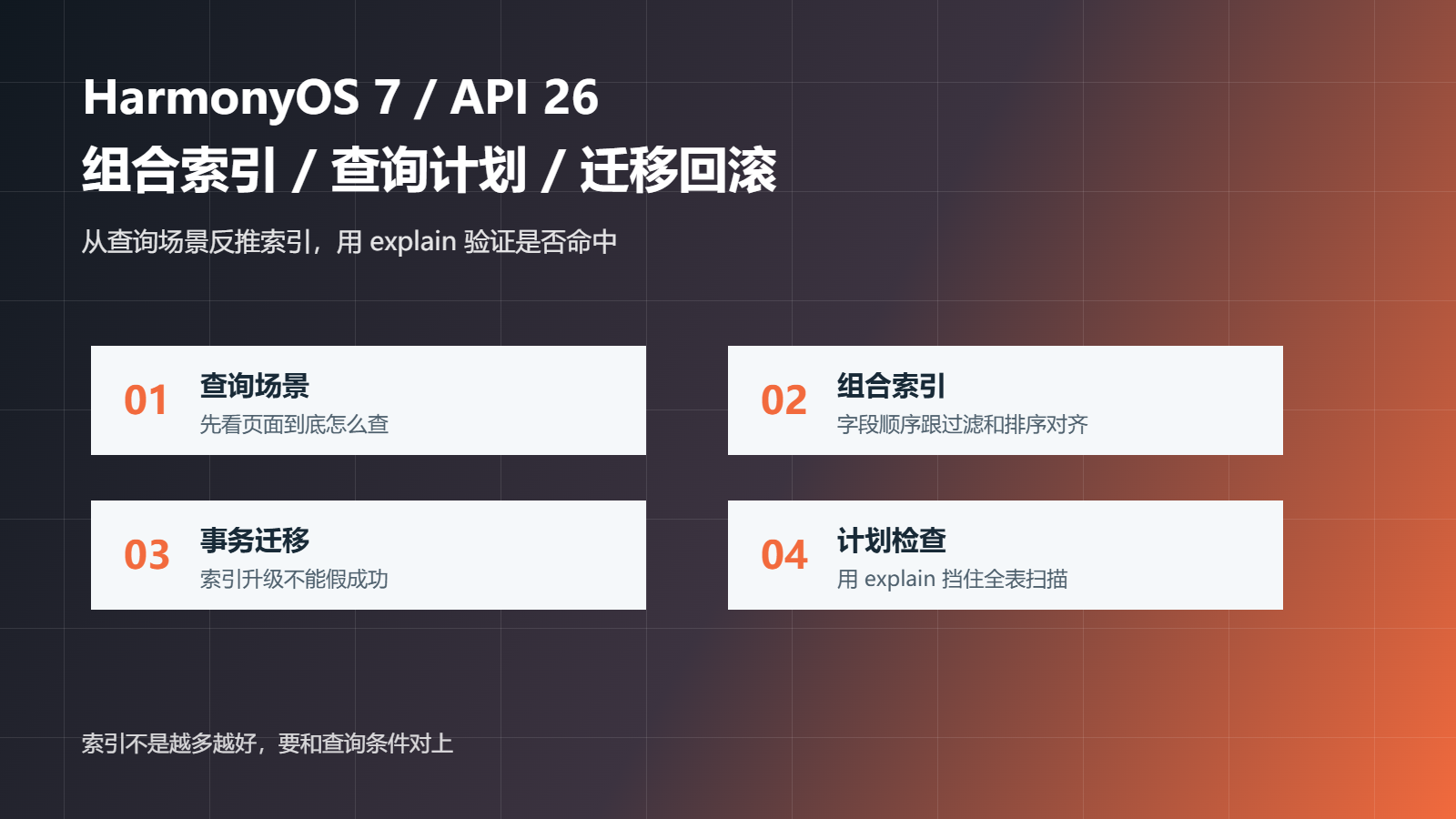
RDB 查询慢,很多时候不是数据库本身慢,而是查询条件和索引没对上。HarmonyOS 7.0.0 / API 26 项目里,如果列表页、搜索页、历史记录页都开始查本地库,索引设计就不能靠感觉。
这篇只拆一个问题:RDB 查询变慢时,怎么确认该不该建索引、索引字段顺序怎么定、查询语句有没有真正命中索引。
| 项目 | 取值 |
|---|---|
| 系统版本 | HarmonyOS 7.0.0,满足 HarmonyOS 5.0.0 及以上范围 |
| API 版本 | API 26 |
| 工程模型 | Stage 模型 |
| 开发语言 | ArkTS |
| 数据能力 | RDB 本地关系型数据库 |
| 验证目标 | 查询条件和索引匹配,慢查询能被复现和解释 |
坏例子通常是页面查得越来越多,但表结构还是最初那一版:
const sql = 'SELECT * FROM recipe WHERE category = ? AND updated_at > ? ORDER BY updated_at DESC'
const cursor = await rdbStore.querySql(sql, ['hot', String(lastTime)])
如果表里没有合适索引,这条查询数据少时没感觉,数据一多就会变成全表扫描。用户看到的就是页面打开慢、搜索慢、筛选后列表卡住。
我会先用检查脚本确认四件事:有没有索引计划、查询条件是否和索引顺序匹配、有没有 explain 检查、迁移失败能不能回滚。
const cases = [
  { name: 'bad-rdb-index-check', hasIndexPlan: false, verifiesQueryCondition: false, hasExplainCheck: false, hasRollbackPlan: false },
  { name: 'good-rdb-index-normal', hasIndexPlan: true, verifiesQueryCondition: true, hasExplainCheck: true, hasRollbackPlan: true },
  { name: 'good-rdb-index-boundary', hasIndexPlan: true, verifiesQueryCondition: true, hasExplainCheck: true, hasRollbackPlan: true },
];

function inspect(item) {
  const errors = [];
  if (!item.hasIndexPlan) errors.push('index plan is missing');
  if (!item.verifiesQueryCondition) errors.push('query condition does not match index');
  if (!item.hasExplainCheck) errors.push('explain check is missing');
  if (!item.hasRollbackPlan) errors.push('rollback plan is missing');
  return { ...item, passed: errors.length === 0, errors };
}
本地验证结果是 3 个用例里 2 个通过、1 个失败。失败项就是没有索引计划、没有 explain 检查的写法。
{
  "total": 3,
  "passed": 2,
  "failed": 1
}
不要看到字段就建索引。先看页面到底怎么查。比如常见场景是按分类过滤,再按更新时间倒序展示。
const listSql = 'SELECT id, title, category, updated_at FROM recipe WHERE category = ? ORDER BY updated_at DESC LIMIT ? OFFSET ?'
const args = ['hot', '20', '0']
这个查询更适合组合索引:先 category,再 updated_at。
await rdbStore.executeSql('CREATE INDEX IF NOT EXISTS idx_recipe_category_updated ON recipe(category, updated_at DESC)')
字段顺序要跟查询条件贴近。category 是等值过滤,updated_at 是排序字段,这样组合起来比单独给每个字段建索引更有意义。
索引不是随便启动时建一下就完事。它属于数据库结构的一部分,也要跟 schemaVersion 走。
async function migrateV2ToV3(rdbStore: relationalStore.RdbStore) {
  await rdbStore.beginTransaction()
  try {
    await rdbStore.executeSql('CREATE INDEX IF NOT EXISTS idx_recipe_category_updated ON recipe(category, updated_at DESC)')
    await saveSchemaVersion(rdbStore, 3)
    await rdbStore.commit()
  } catch (error) {
    await rdbStore.rollBack()
    throw error
  }
}
这样做的好处是,索引创建失败不会把版本号错误推进到 v3。下次启动还能继续修复,而不是卡在一个假成功状态。
建了索引不等于命中了索引。发布前要验证查询计划,至少确认关键 SQL 没有继续全表扫描。
const explainSql = 'EXPLAIN QUERY PLAN SELECT id, title FROM recipe WHERE category = ? ORDER BY updated_at DESC LIMIT 20'
const cursor = await rdbStore.querySql(explainSql, ['hot'])
while (cursor.goToNextRow()) {
  const detail = cursor.getString(cursor.getColumnIndex('detail'))
  if (detail.includes('SCAN recipe')) {
    throw new Error('recipe query still scans full table')
  }
}
cursor.close()
如果查询计划里还是 SCAN,大概率是索引顺序、查询条件或排序方式没有对上。
第一个用例是普通分页查询。准备 5000 条数据,按分类筛选并按更新时间排序,确认查询计划命中组合索引。
第二个用例是索引迁移失败。故意让创建索引时抛错,确认事务回滚,schemaVersion 不能被写成新版本。
| 方案 | 好处 | 风险 |
|---|---|---|
| 发现慢了再随手建索引 | 快 | 字段顺序容易错,迁移不可控 |
| 每个字段都单独建索引 | 看起来全面 | 写入变慢,查询未必命中 |
| 查询场景反推组合索引,再用 explain 验证 | 最稳 | 需要补迁移和验证脚本 |
我会选第三种。索引不是越多越好,而是要刚好匹配页面的查询方式。
以后新增列表筛选、搜索、排序时,我会同步补三件事:关键 SQL、索引迁移、查询计划检查。没有 explain 结果的索引优化,只能算猜测,不能算真正完成。

讨论HarmonyOS开发技术,专注于API与组件、DevEco Studio、测试、元服务和应用上架分发等。
更多推荐


 7
7 0
0- 0


 已为社区贡献188条内容

所有评论(0)