HarmonyOS 应用开发《掌上英语》第93篇:相机模式切换过程中的基础动效
相机基础动效(ArkTS)
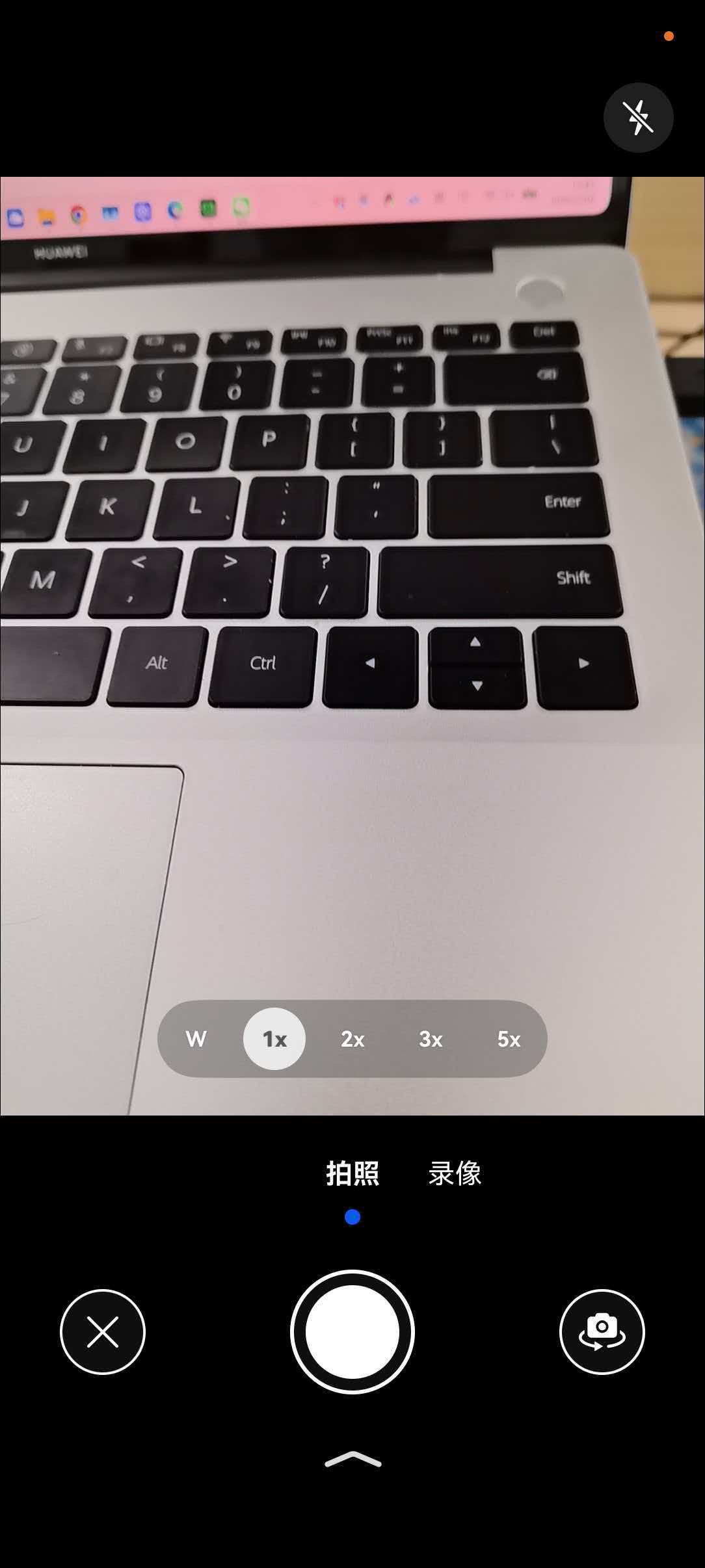
在使用相机过程中,当遇到相机模式切换、前后置镜头切换等场景时,会不可避免地出现预览流替换。为优化用户体验,可合理使用动效过渡。本文主要介绍如何使用预览流截图,并通过ArkUI提供的animateToImmediately接口触发显式动画功能,实现下方三种核心场景动效。
-
模式切换动效,使用预览流截图做模糊动效过渡。
图片为从录像模式切换为拍照模式的效果。

-
前后置切换动效,使用预览流截图做翻转模糊动效过渡。
图片为从前置相机切换为后置相机的效果。

-
拍照闪黑动效,使用闪黑组件覆盖预览流实现闪黑动效过渡。
图片为点击完成拍摄的效果。

闪黑动效
使用组件覆盖的形式实现闪黑效果。
以下步骤中的示例代码均为自定义组件(即被@Component修饰的组件)的内部方法或逻辑。
-
导入依赖,需要导入相机框架、图片、ArkUI相关领域依赖。
import { camera } from '@kit.CameraKit'; import { image } from '@kit.ImageKit'; import { curves } from '@kit.ArkUI'; -
构建闪黑组件。
此处定义一个闪黑组件,在拍照闪黑及前后置切换时显示,用来遮挡XComponent组件。
属性定义:
@State isShowBlur: boolean = false;
@State isShowBlack: boolean = false;
@StorageLink('modeChange') @Watch('onModeChange') modeChangeFlag: number = 0;
@StorageLink('switchCamera') @Watch('onSwitchCamera') switchCameraFlag: number = 0;
@StorageLink('frameStart') @Watch('onFrameStart') frameStartFlag: number = 0;
@StorageLink('captureClick') @Watch('onCaptureClick') captureClickFlag: number = 0;
@StorageLink('surfaceShot') screenshotPixelMap: image.PixelMap | undefined = undefined; // 预览流截图。
@StorageLink('curPosition') curPosition: number = 0; // 当前镜头前后置状态。
@State shotImgBlur: number = 0;
@State shotImgOpacity: number = 1;
@State shotImgScale: ScaleOptions = { x: 1, y: 1 };
@State shotImgRotation: RotateOptions = { y: BlurAnimateUtil.ROTATE_AXIS, angle: BlurAnimateUtil.IMG_FLIP_ANGLE_0 }
@State flashBlackOpacity: number = 1;
闪黑组件的实现逻辑参考:
// 拍照闪黑及前后置切换时显示,用来遮挡XComponent组件。 if (this.isShowBlack) { Column() .key('black') .width(this.getUIContext().px2vp(Constants.X_COMPONENT_SURFACE_HEIGHT)) .height(this.getUIContext().px2vp(Constants.X_COMPONENT_SURFACE_WIDTH)) .backgroundColor(Color.Black) .opacity(this.flashBlackOpacity) } -
实现闪黑动效。
private flashBlackAnim() { Logger.info(TAG, 'flashBlackAnim E'); this.flashBlackOpacity = 1; this.isShowBlack = true; animateToImmediately({ curve: curves.interpolatingSpring(1, 1, 410, 38), delay: 50, onFinish: () => { this.isShowBlack = false; this.flashBlackOpacity = 1; Logger.info(TAG, 'flashBlackAnim X'); } }, () => { this.flashBlackOpacity = 0; }) } -
触发闪黑动效。
点击或触控拍照按钮,更新https://devpress.csdn.net/application-dev/ui/state-management/arkts-appstorage.md#storagelink@StorageLink绑定CaptureClick的值,触发onCaptureClick方法,动效开始播放。
onCaptureClick(): void {
  Logger.info(TAG, 'onCaptureClick');
  this.flashBlackAnim();
}
模糊动效
通过预览流截图,实现模糊动效,从而完成模式切换,或是前后置切换的动效。
以下除了步骤2,其他步骤中的示例代码均为自定义组件(即被@Component修饰的组件)的内部方法或逻辑。
-
导入依赖,需要导入相机框架、图片、ArkUI相关领域依赖。
import { camera } from '@kit.CameraKit'; import { image } from '@kit.ImageKit'; import { curves } from '@kit.ArkUI'; -
获取预览流截图。
预览流截图通过图形提供的image.createPixelMapFromSurface接口实现,surfaceId为当前预览流的surfaceId,size为当前预览流profile的宽高。创建截图工具类(ts文件),导入依赖,导出获取截图方法供页面使用,截图工具类实现参考:
export class BlurAnimateUtil { public static surfaceShot: image.PixelMap; // ... /** * 获取surface截图 * @param surfaceId * @returns */ public static async doSurfaceShot(surfaceId: string) { Logger.info(TAG, `doSurfaceShot surfaceId:${surfaceId}.`); if ('' === surfaceId) { Logger.error(TAG, 'surface not ready!'); return; } try { if (this.surfaceShot) { await this.surfaceShot.release(); } this.surfaceShot = await image.createPixelMapFromSurface(surfaceId, { size: { width: Constants.X_COMPONENT_SURFACE_WIDTH, height: Constants.X_COMPONENT_SURFACE_HEIGHT }, // 取预览流profile的宽高。 x: 0, y: 0 }); let imageInfo: image.ImageInfo = await this.surfaceShot.getImageInfo(); Logger.info('doSurfaceShot surfaceShot:' + JSON.stringify(imageInfo.size)); } catch (err) { Logger.error(JSON.stringify(err)) } } public static getSurfaceShot() { return this.surfaceShot; } } -
构建截图组件。
此处定义一个截图组件,置于预览流XComponent组件之上,用来遮挡XComponent组件。
属性定义:
@State isShowBlur: boolean = false;
@State isShowBlack: boolean = false;
@StorageLink('modeChange') @Watch('onModeChange') modeChangeFlag: number = 0;
@StorageLink('switchCamera') @Watch('onSwitchCamera') switchCameraFlag: number = 0;
@StorageLink('frameStart') @Watch('onFrameStart') frameStartFlag: number = 0;
@StorageLink('captureClick') @Watch('onCaptureClick') captureClickFlag: number = 0;
@StorageLink('surfaceShot') screenshotPixelMap: image.PixelMap | undefined = undefined; // 预览流截图。
@StorageLink('curPosition') curPosition: number = 0; // 当前镜头前后置状态。
@State shotImgBlur: number = 0;
@State shotImgOpacity: number = 1;
@State shotImgScale: ScaleOptions = { x: 1, y: 1 };
@State shotImgRotation: RotateOptions = { y: BlurAnimateUtil.ROTATE_AXIS, angle: BlurAnimateUtil.IMG_FLIP_ANGLE_0 }
@State flashBlackOpacity: number = 1;
截图组件的实现参考:
if (this.isShowBlur) { Column() { Image(this.screenshotPixelMap) .blur(this.shotImgBlur) .opacity(this.shotImgOpacity) .rotate(this.shotImgRotation)// ArkUI提供的旋转,用于组件沿指定坐标系进行旋转。 .scale(this.shotImgScale) .width(this.getUIContext().px2vp(Constants.X_COMPONENT_SURFACE_HEIGHT)) .height(this.getUIContext().px2vp(Constants.X_COMPONENT_SURFACE_WIDTH)) .syncLoad(true) } .width(this.getUIContext().px2vp(Constants.X_COMPONENT_SURFACE_HEIGHT)) .height(this.getUIContext().px2vp(Constants.X_COMPONENT_SURFACE_WIDTH)) } -
(按实际情况选择)实现模糊出现动效。
模式切换动效分两段实现,模糊出现动效和模糊消失动效。
模糊出现动效:用户点击或触控事件触发预览流截图,显示截图组件,截图清晰到模糊,覆盖旧预览流。
注意:
由于图形提供的image.createPixelMapFromSurface接口是通过截取surface内容获取PixelMap,其内容和XComponent组件绘制逻辑不同,需要根据前后置镜头做不同的图片内容旋转补偿和组件旋转补偿。
private async showBlurAnim() { Logger.info(TAG, 'showBlurAnim E'); // 获取已完成的surface截图。 let shotPixel = BlurAnimateUtil.getSurfaceShot(); // 后置。 if (this.curPosition === 0) { Logger.info(TAG, 'showBlurAnim BACK'); // 直板机后置截图旋转补偿90°。 await shotPixel.rotate(BlurAnimateUtil.IMG_ROTATE_ANGLE_90); // 直板机后置截图初始翻转0°。 this.shotImgRotation = { y: BlurAnimateUtil.ROTATE_AXIS, angle: BlurAnimateUtil.IMG_FLIP_ANGLE_0 }; } else { Logger.info(TAG, 'showBlurAnim FRONT'); // 直板机前置截图旋转补偿270°。 await shotPixel.rotate(BlurAnimateUtil.IMG_ROTATE_ANGLE_270); // 直板机前置截图镜像补偿。 this.shotImgRotation = { y: BlurAnimateUtil.ROTATE_AXIS, angle: BlurAnimateUtil.IMG_FLIP_ANGLE_180 }; } this.screenshotPixelMap = shotPixel; // 初始化动效参数。 this.shotImgBlur = 0; // 无模糊。 this.shotImgOpacity = 1; // 不透明。 // 触发页面渲染。 this.isShowBlur = true; animateToImmediately( { duration: BlurAnimateUtil.SHOW_BLUR_DURATION, curve: Curve.Friction, onFinish: async () => { Logger.info(TAG, 'showBlurAnim X'); } }, () => { // 截图模糊度变化动效。 this.shotImgBlur = BlurAnimateUtil.ANIM_MODE_SWITCH_BLUR; } ); } -
实现模糊消失动效。
模糊消失动效:由新模式预览流首帧回调on('frameStart')触发,截图组件模糊到清晰,显示新预览流。
private hideBlurAnim(): void { this.isShowBlack = false; Logger.info(TAG, 'hideBlurAnim E'); animateToImmediately({ duration: BlurAnimateUtil.HIDE_BLUR_DURATION, curve: Curve.FastOutSlowIn, onFinish: () => { // 模糊组件下树。 this.isShowBlur = false; this.shotImgBlur = 0; this.shotImgOpacity = 1; Logger.info(TAG, 'hideBlurAnim X'); } }, () => { // 截图透明度变化动效。 this.shotImgOpacity = 0; }); } -
(按实际情况选择)实现模糊翻转动效。
模糊翻转动效分两段实现,模糊翻转动效和模糊消失动效,其中模糊消失动效同第5步。
模糊翻转动效:分两段组件翻转实现,先向外翻转90°再向内翻转90°,同时还执行了模糊度、透明度、比例缩放等动效。
为保证预览流在翻转时不露出,需要构建一个闪黑组件用于遮挡XComponent组件,构建方式参考闪黑动效-步骤2。
/** * 先向外翻转90°,前后置切换触发 */ private async rotateFirstAnim() { Logger.info(TAG, 'rotateFirstAnim E'); // 获取已完成的surface截图。 let shotPixel = BlurAnimateUtil.getSurfaceShot(); // 后置切前置。 if (this.curPosition === 1) { Logger.info(TAG, 'rotateFirstAnim BACK'); // 直板机后置切前置截图旋转补偿90°。 await shotPixel.rotate(BlurAnimateUtil.IMG_ROTATE_ANGLE_90); // Image Kit提供的旋转,用于处理图片本身的旋转。 // 直板机后置切前置截图初始翻转0°。 this.shotImgRotation = { y: BlurAnimateUtil.ROTATE_AXIS, angle: BlurAnimateUtil.IMG_FLIP_ANGLE_0 }; } else { Logger.info(TAG, 'rotateFirstAnim FRONT'); // 直板机前置切后置截图旋转补偿270°。 await shotPixel.rotate(BlurAnimateUtil.IMG_ROTATE_ANGLE_270); // 直板机前置切后置截图初始翻转180°。 this.shotImgRotation = { y: BlurAnimateUtil.ROTATE_AXIS, angle: BlurAnimateUtil.IMG_FLIP_ANGLE_180 }; } this.screenshotPixelMap = shotPixel; // 触发页面渲染。 this.isShowBlack = true; this.isShowBlur = true; animateToImmediately( { duration: BlurAnimateUtil.ROTATION_DURATION, delay: BlurAnimateUtil.FLIP_DELAY, // 时延保证组件缩放模糊动效先行,再翻转后视觉效果更好。 curve: curves.cubicBezierCurve(0.20, 0.00, 0.83, 1.00), onFinish: () => { Logger.info(TAG, 'rotateFirstAnim X'); // 在onFinish后触发二段旋转。 this.rotateSecondAnim(); } }, () => { // 截图向翻转动效。 if (this.curPosition === 1) { this.shotImgRotation = { y: BlurAnimateUtil.ROTATE_AXIS, angle: BlurAnimateUtil.IMG_FLIP_ANGLE_90 }; } else { this.shotImgRotation = { y: BlurAnimateUtil.ROTATE_AXIS, angle: BlurAnimateUtil.IMG_FLIP_ANGLE_270 }; } } ) } /** * 再向内翻转90° */ async rotateSecondAnim() { Logger.info(TAG, 'rotateSecondAnim E'); // 获取已完成的surface截图。 let shotPixel = BlurAnimateUtil.getSurfaceShot(); // 后置。 if (this.curPosition === 1) { // 直板机后置镜头旋转补偿90°。 await shotPixel.rotate(BlurAnimateUtil.IMG_ROTATE_ANGLE_90); // Image Kit提供的旋转,用于处理图片本身的旋转。 // 瞬时调整为-90°,保证二段旋转后,图片不是镜像的。 this.shotImgRotation = { y: BlurAnimateUtil.ROTATE_AXIS, angle: BlurAnimateUtil.IMG_FLIP_ANGLE_MINUS_90 }; } else { // 前置。 // 直板机前置截图旋转补偿270°。 await shotPixel.rotate(BlurAnimateUtil.IMG_ROTATE_ANGLE_270); // 直板机前置截图镜像补偿。 this.shotImgRotation = { y: BlurAnimateUtil.ROTATE_AXIS, angle: BlurAnimateUtil.IMG_FLIP_ANGLE_180 }; } this.screenshotPixelMap = shotPixel; animateToImmediately( { duration: BlurAnimateUtil.ROTATION_DURATION, curve: curves.cubicBezierCurve(0.17, 0.00, 0.20, 1.00), onFinish: () => { Logger.info(TAG, 'rotateSecondAnim X'); } }, () => { // 截图翻转为初始状态。 if (this.curPosition === 1) { this.shotImgRotation = { y: BlurAnimateUtil.ROTATE_AXIS, angle: BlurAnimateUtil.IMG_FLIP_ANGLE_0 }; } else { this.shotImgRotation = { y: BlurAnimateUtil.ROTATE_AXIS, angle: BlurAnimateUtil.IMG_FLIP_ANGLE_180 }; } } ) } /** * 向外翻转90°同时 */ blurFirstAnim() { Logger.info(TAG, 'blurFirstAnim E'); // 初始化动效参数。 this.shotImgBlur = 0; // 无模糊。 this.shotImgOpacity = 1; // 不透明。 this.shotImgScale = { x: 1, y: 1 }; animateToImmediately( { duration: BlurAnimateUtil.ROTATION_DURATION, curve: Curve.Sharp, onFinish: () => { Logger.info(TAG, 'blurFirstAnim X'); this.blurSecondAnim(); } }, () => { // 截图模糊度变化动效。 this.shotImgBlur = BlurAnimateUtil.ANIM_MODE_SWITCH_BLUR; // 截图比例动效。 this.shotImgScale = { x: BlurAnimateUtil.IMG_SCALE, y: BlurAnimateUtil.IMG_SCALE }; } ); } /** * 向内翻转90°同时 */ blurSecondAnim() { Logger.info(TAG, 'blurSecondAnim E'); animateToImmediately( { duration: BlurAnimateUtil.ROTATION_DURATION, curve: Curve.Sharp, onFinish: () => { Logger.info(TAG, 'blurSecondAnim X'); } }, () => { this.shotImgScale = { x: 1, y: 1 }; } ) } -
按需触发动效。
模式切换动效触发:点击或触控模式按钮立即执行doSurfaceShot截图方法,更新https://devpress.csdn.net/application-dev/ui/state-management/arkts-appstorage.md#storagelink@StorageLink绑定modeChange的值,触发onModeChange方法,开始动效。
onModeChange(): void { Logger.info(TAG, 'onModeChange'); this.showBlurAnim(); }前后置切换动效触发:点击或触控前后置切换按钮立即执行doSurfaceShot截图方法,更新https://devpress.csdn.net/application-dev/ui/state-management/arkts-appstorage.md#storagelink@StorageLink绑定switchCamera的值,触发onSwitchCamera方法,开始动效。
onSwitchCamera(): void { Logger.info(TAG, 'onSwitchCamera'); this.blurFirstAnim(); this.rotateFirstAnim(); }模糊消失动效触发:监听预览流首帧回调on('frameStart'),更新https://devpress.csdn.net/application-dev/ui/state-management/arkts-appstorage.md#storagelink@StorageLink绑定frameStart的值,触发onFrameStart方法,开始动效。
onFrameStart(): void {
  Logger.info(TAG, 'onFrameStart');
  this.hideBlurAnim();
}

讨论HarmonyOS开发技术,专注于API与组件、DevEco Studio、测试、元服务和应用上架分发等。
更多推荐


 0
0 0
0- 0


 已为社区贡献220条内容

所有评论(0)