鸿蒙 ArkTS 实战|定滑轮模拟器:Canvas 滑轮图 + 力的方向状态切换
·
一、设计思路
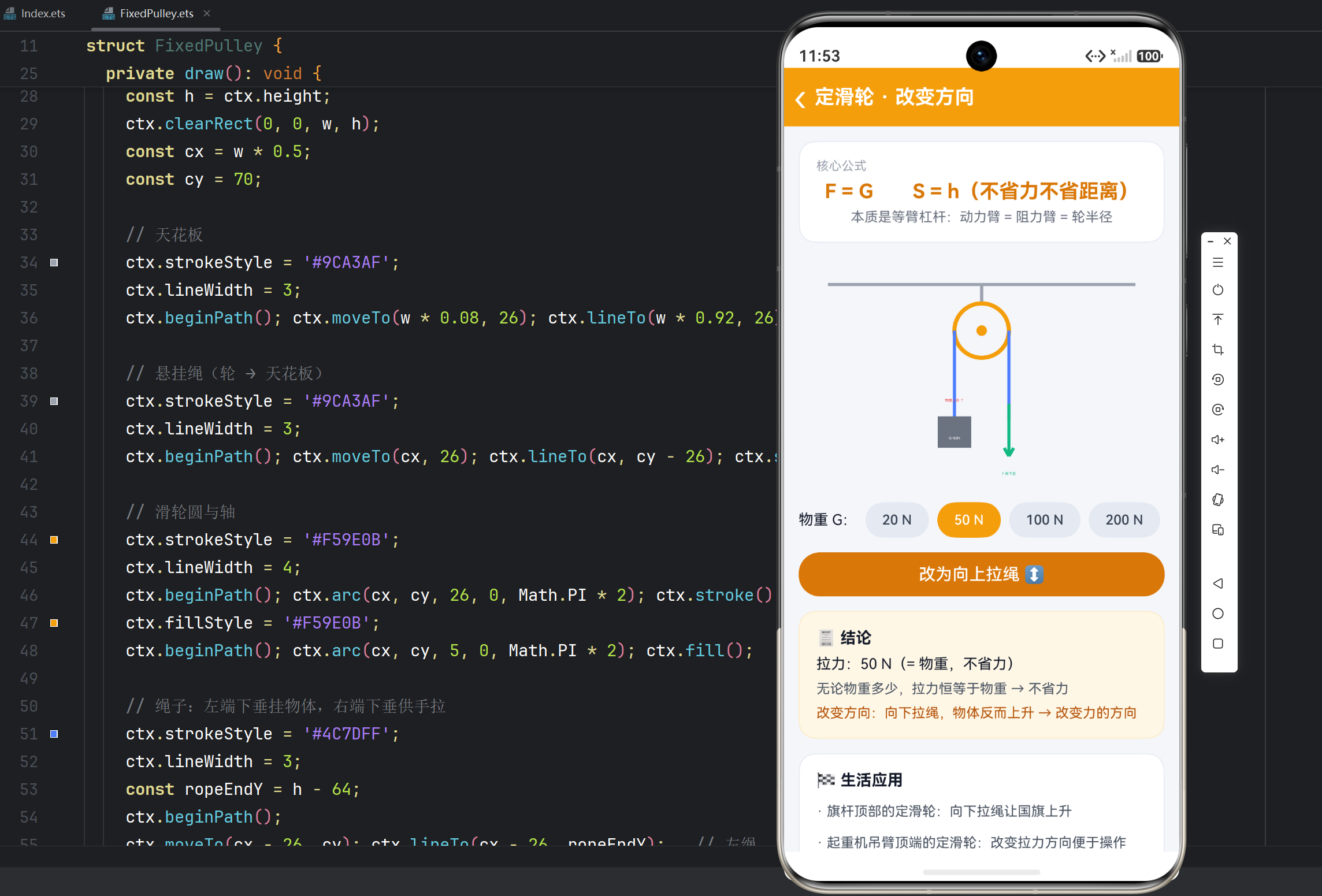
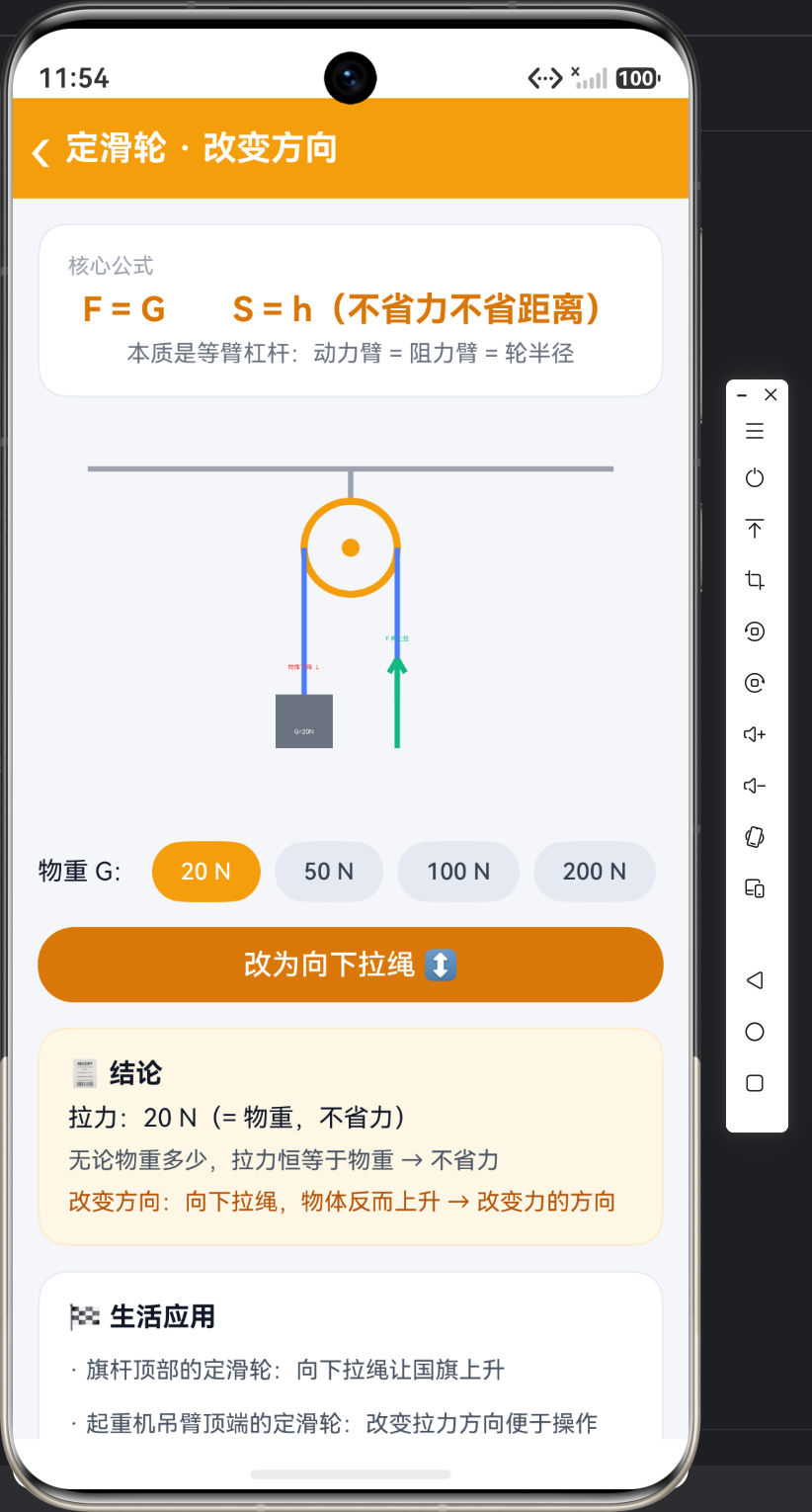
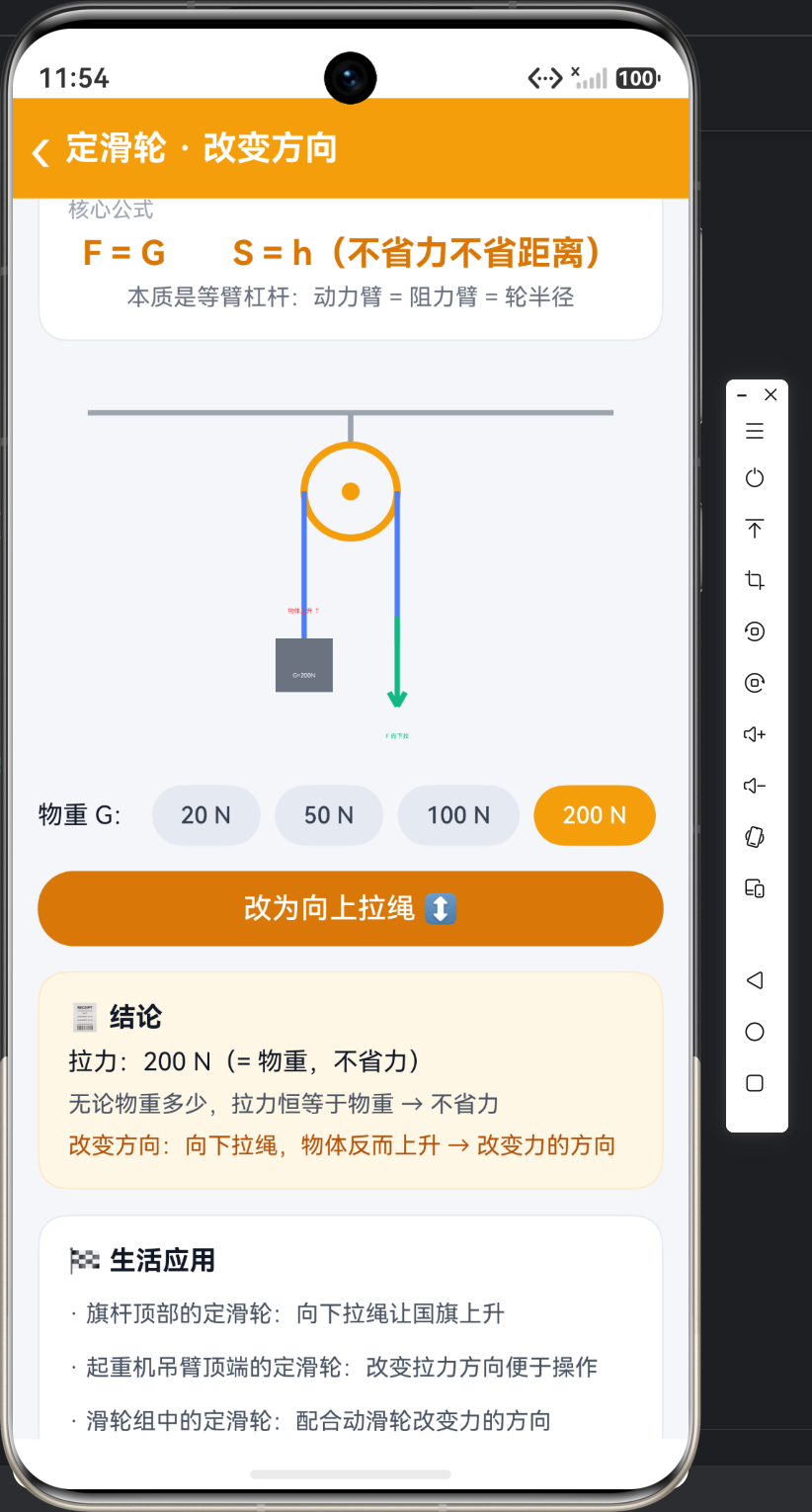
定滑轮的特点一句话概括:不省力、不省距离,但改变力的方向。技术演示的重点是"方向改变"——做一个下拉/上拉的状态开关,物体上升/下降随拉力方向切换,同时 Canvas 上的拉力箭头与物体运动提示实时变化。物重可选(20/50/100/200N),结论卡动态显示"拉力 = 物重"。
二、状态与核心计算
import { router } from '@kit.ArkUI';

@Entry
@Component
struct FixedPulley {
  @State weight: number = 50;          // 物重 G(N)—— 可选按钮切换
  @State pullDown: boolean = true;     // true=向下拉绳 / false=向上拉绳
  @State objectY: number = 0;          // 物体位移状态(预留动画扩展位)

  private settings: RenderingContextSettings = new RenderingContextSettings(true);
  private ctx: CanvasRenderingContext2D = new CanvasRenderingContext2D(this.settings);

  // 定滑轮核心规律:F = G,方向改变一次
  private pullForce(): string {
    return this.weight + ' N(= 物重,不省力)';
  }
}
三、Canvas 绘制定滑轮结构
  private draw(): void {
    const ctx = this.ctx;
    const w = ctx.width;
    const h = ctx.height;
    ctx.clearRect(0, 0, w, h);
    const cx = w * 0.5;
    const cy = 70;

    // 天花板横梁
    ctx.strokeStyle = '#9CA3AF';
    ctx.lineWidth = 3;
    ctx.beginPath(); ctx.moveTo(w * 0.08, 26); ctx.lineTo(w * 0.92, 26); ctx.stroke();

    // 悬挂绳(轮中心 → 天花板)
    ctx.beginPath(); ctx.moveTo(cx, 26); ctx.lineTo(cx, cy - 26); ctx.stroke();

    // 滑轮圆与中心轴
    ctx.strokeStyle = '#F59E0B';
    ctx.lineWidth = 4;
    ctx.beginPath(); ctx.arc(cx, cy, 26, 0, Math.PI * 2); ctx.stroke();
    ctx.fillStyle = '#F59E0B';
    ctx.beginPath(); ctx.arc(cx, cy, 5, 0, Math.PI * 2); ctx.fill();

    // 绳子:左端下垂挂物体,右端下垂供手拉
    ctx.strokeStyle = '#4C7DFF';
    ctx.lineWidth = 3;
    const ropeEndY = h - 64;
    ctx.beginPath();
    ctx.moveTo(cx - 26, cy); ctx.lineTo(cx - 26, ropeEndY);   // 左绳
    ctx.moveTo(cx + 26, cy); ctx.lineTo(cx + 26, ropeEndY);   // 右绳
    ctx.stroke();

    // 物体(挂在左端):矩形 + 物重文字
    ctx.fillStyle = '#6B7280';
    ctx.fillRect(cx - 26 - 16, ropeEndY - 4, 32, 30);
    ctx.fillStyle = Color.White;
    ctx.font = '12px sans-serif';
    ctx.textAlign = 'center';
    ctx.fillText('G=' + this.weight + 'N', cx - 26, ropeEndY + 18);

    // 拉力箭头方向:由 pullDown 状态决定(核心演示点)
    if (this.pullDown) {
      this.arrow(cx + 26, ropeEndY - 16, cx + 26, ropeEndY + 34, '#10B981');
      ctx.fillStyle = '#10B981';
      ctx.fillText('F 向下拉', cx + 26, ropeEndY + 52);
    } else {
      this.arrow(cx + 26, ropeEndY + 26, cx + 26, ropeEndY - 24, '#10B981');
      ctx.fillStyle = '#10B981';
      ctx.fillText('F 向上拉', cx + 26, ropeEndY - 34);
    }

    // 物体运动方向提示:向下拉绳 → 物体上升
    ctx.fillStyle = '#EF4444';
    ctx.fillText(this.pullDown ? '物体上升 ↑' : '物体下降 ↓', cx - 26, ropeEndY - 18);
  }
四、UI 交互(物重选择 + 方向切换)
  build() {
    Column() {
      // 顶部标题栏(略)
      Scroll() {
        Column({ space: 14 }) {
          // 公式卡
          Text('F = G  S = h(不省力不省距离)')
            .fontSize(19).fontWeight(FontWeight.Bold)
            .fontColor('#D97706').width('100%').textAlign(TextAlign.Center)

          // 滑轮示意图
          Canvas(this.ctx)
            .width('100%').height(220)
            .onReady(() => { this.draw(); })

          // 物重选择:ForEach 渲染按钮组,选中高亮
          Row({ space: 8 }) {
            Text('物重 G:').fontSize(14).fontColor('#111827')
            ForEach(['20', '50', '100', '200'], (g: string) => {
              Button(g + ' N').height(34).fontSize(13)
                .backgroundColor(Number(g) === this.weight ? '#F59E0B' : '#E5EAF2')
                .fontColor(Number(g) === this.weight ? Color.White : '#374151')
                .onClick(() => {
                  this.weight = Number(g);   // 改 @State → 结论卡自动刷新
                  this.draw();               // 重绘物体上的物重文字
                })
            }, (g: string) => g)
          }.width('100%')

          // 方向切换:翻转 pullDown,重绘箭头与物体方向
          Button(this.pullDown ? '改为向上拉绳 ↕' : '改为向下拉绳 ↕')
            .width('100%').height(42).backgroundColor('#D97706')
            .onClick(() => {
              this.pullDown = !this.pullDown;
              this.draw();
            })

          // 结论卡(声明式自动刷新)
          Column({ space: 8 }) {
            Text('🧾 结论').fontSize(15).fontWeight(FontWeight.Bold)
              .fontColor('#111827').width('100%')
            Text(`拉力:${this.pullForce()}`)
              .fontSize(14).fontColor('#111827').width('100%')
            Text('无论物重多少,拉力恒等于物重 → 不省力')
              .fontSize(13).fontColor('#4B5563').width('100%')
            Text('改变方向:向下拉绳,物体反而上升 → 改变力的方向')
              .fontSize(13).fontColor('#B45309').width('100%')
          }
          .width('100%').padding(16).borderRadius(16)
          .backgroundColor('#FFF7E6').border({ width: 1, color: '#FDEBC8' })
        }
        .padding(14)
      }
      .layoutWeight(1).scrollBar(BarState.Off)
    }
    .height('100%').width('100%').backgroundColor('#F4F6FA')
  }
五、代码要点
- 状态即规律:
@State pullDown直接对应"力的方向",Canvas 箭头与物体运动提示由它推导,无需额外变量。 - Canvas 结构绘制:
arc()画轮、fillRect()画物体、moveTo/lineTo画绳子,几何关系全在坐标里。 - ForEach 按钮组:选中项变色用三元表达式
Number(g) === this.weight ? 高亮 : 普通,key 用字符串本身。 - 手动重绘时机:
onReady首绘,按钮点击后手动调draw();而结论卡靠@State自动刷新——两种刷新方式配合使用。
六、定滑轮核心知识点
| 要点 | 内容 |
|---|---|
| 特点 | 不省力(F = G)、不省距离(S = h)、能改变力的方向 |
| 本质 | 等臂杠杆:支点在轮中心,动力臂 = 阻力臂 = 轮半径 |
| 应用 | 旗杆顶部、起重机吊臂、滑轮组中的方向改变部分 |
| 易错 | 定滑轮"不省力"指拉力 = 物重,但可站在地面向下拉绳让物体上升 |
| 口诀 | 定滑轮,方向改;力不变,距离全 |

讨论HarmonyOS开发技术,专注于API与组件、DevEco Studio、测试、元服务和应用上架分发等。
更多推荐
 0
0 0
0- 0


 已为社区贡献82条内容

所有评论(0)