醒狮雄风:基于HarmonyOS ArkTS API 24的舞狮坊应用红金黑三色主题与双狮对称Header动画及八Tab非遗手作架构全记录
醒狮雄风:基于HarmonyOS ArkTS API 24的舞狮坊应用红金黑三色主题与双狮对称Header动画及八Tab非遗手作架构全记录
醒狮雄风,一吼镇山河。舞狮,古称"太平乐",是中国最具代表性的民间表演艺术之一,距今已有两千余年历史。舞狮不仅是一门技艺,更是武术、扎作、鼓乐、民俗文化的综合载体——一狮一鼓,南北各殊;一扎一绘,匠心相连。从汉代百戏到唐宋盛景,从南狮佛山醒狮到北狮太狮庄重,舞狮承载着中国人的尚武精神与吉祥祈愿。本文完整记录一个基于鸿蒙HarmonyOS API 24与ArkTS声明式框架构建的「舞狮坊」非遗手作平台,从红金黑三色的舞狮色彩主题,到双狮对称header动画(左右狮头圆面:圆面+狮眉+狮眼闪光+狮口,中央锣鼓圆环脉冲)与流苏摇摆效果,再到8Tab差异化布局(南狮馆藏/北狮馆藏/狮头扎作/狮被织造/鼓乐助威/扎作八法/武馆名录/订单台账)、单组件@Builder架构、@Observed聚合数据类LionShopData、6个工具函数(craftBarW/orderBarH/hotBarW/headColor/rankColor/statusColor)、三大弹窗(新增订单/编辑狮头/移除武馆)、条件渲染模态遮罩、PlayMode.Alternate呼吸动画体系、订单柱状图与工时横条可视化,附完整源码与开发环境搭建指南。
一、引言:醒狮雄风,一吼镇山河
舞狮,古称"太平乐"或"狮子舞",是中国最具代表性的民间表演艺术之一。舞狮的起源可追溯至汉代,据《汉书·礼乐志》记载,汉代已有"象人"表演,扮演狮形兽形以娱宾客。南北朝时期,舞狮随佛教文化传入中原,《洛阳伽蓝记》记载了佛像出行时"狮子导引"的盛况。至唐代,舞狮已成为宫廷与民间共赏的表演——“太平乐"之名即出自唐代,唐玄宗时期宫廷乐舞中已有"五方狮子舞”,每头狮子由十二人执拂尘伴舞,衣冠巍峨,气宇轩昂。宋代以后,舞狮逐渐从宫廷走向民间,与各地武术、民俗深度融合,形成了南北两大流派并立的格局,延续至今已逾千年。
中国舞狮流派众多,最根本的区分是南狮与北狮。南狮以广东为核心,又称"醒狮",源自佛山,盛于鹤山、广州等地。南狮重"神似"——表演者以武术功底为基础,模仿狮子的喜、怒、哀、乐、动、静、惊、疑八种神态,配以高桩跳跃、采青纳福等高难度动作,狮头造型夸张威猛,额高角锐,鳞甲金红,以刘备狮(黄底彩绘)、关羽狮(红底金纹)、张飞狮(黑底白纹)“三国狮"最为经典。北狮以河北、山东为核心,又称"太狮”,注重"形似"——表演者身着全套狮被,以双人为一狮,模拟狮子的翻、滚、扑、跌、跃等动作,狮头造型写实逼真,金鬃长毛,威风凛凛。南狮尚武,北狮尚形,南北各擅胜场,共同构成了中国舞狮艺术的完整图景。除南北狮外,岭南地区还有麒麟、貔貅、大象、鲨鱼、老虎等瑞兽舞,各有寓意,异彩纷呈。
然而,随着现代生活节奏加快,舞狮这门需要武术、扎作、鼓乐多重技艺的传统非遗正面临传承困境——年轻人不了解舞狮文化,扎作匠人缺乏展示和销售渠道,狮品制作工艺不透明、狮头狮被信息混乱、武馆名录缺失,正成为中国舞狮非遗传承的现实痛点。一个优秀的舞狮手作平台,不仅需要覆盖从"南狮馆藏"到"狮头扎作"再到"订单台账"的完整产品展示闭环,还要在狮被织造、鼓乐助威、扎作八法、武馆名录等维度做到精准而高效。它需要以南狮北狮为核心入口,横向扩展出狮头、狮被、鼓乐、扎作、武馆、订单八大功能模块,每个模块采用完全不同的布局风格,形成一个完整闭环的中国舞狮非遗手作生态。
正是在这样的背景下,舞狮坊类非遗手作平台应运而生。一个优秀的舞狮应用,需要以南狮北狮为核心入口,横向扩展出狮头扎作工时、狮被库存织造、鼓乐热门度、扎作八法工时、武馆名录管理、订单台账追踪八大功能模块,每个模块采用完全不同的布局风格——南狮=馆藏列表+统计摘要、北狮=馆藏列表+分割装饰、狮头=扎作工时横条+编辑交互、狮被=库存横条+织造列表、鼓乐=热门度横条+助威列表、扎作=八法工时横条+难度标签、武馆=名录列表+移除交互、订单=柱状图+台账列表+新增交互,形成了一个完整闭环的中国舞狮非遗手作生态。它不仅是一个功能完备的演示项目,更是一份典型的ArkUI工程实践范本,涵盖了单组件@Builder架构设计、@Observed聚合数据类、颜色分级函数、双狮对称header动画、条件渲染模态弹窗、layoutWeight弹性进度条、ForEach列表渲染、柱状图数据可视化等关键技术点。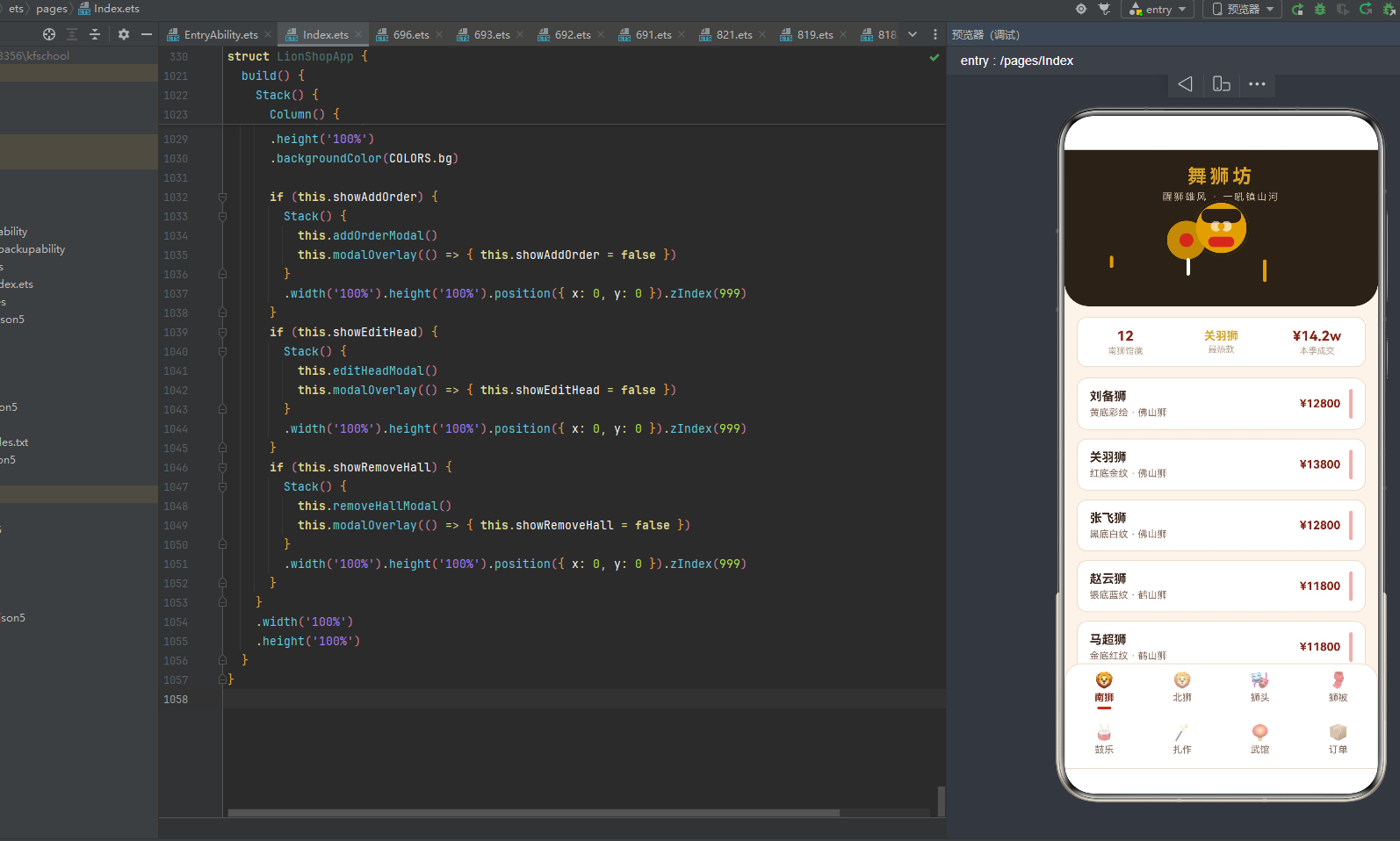
二、应用整体架构概览
整个应用采用了"单组件@Builder架构 + @Observed聚合数据 + 配置驱动 + 条件渲染切换"的四层设计模式。入口组件LionShopApp作为整个应用的唯一组件(@Entry @Component),负责管理当前激活的Tab状态(activeTab)、动画特效开关(amb)、三个弹窗的显隐状态(showAddOrder/showEditHead/showRemoveHall)、表单数据(formNo/formBuyer/formPiece/formAmount/headIdx/headPrice/hallIdx)以及聚合数据对象(data: LionShopData)。与多组件架构(将每个Tab抽离为独立@Component子组件)不同,本应用将所有页面内容内联在入口组件的@Builder contentArea()方法中,通过if-else if条件渲染实现八Tab切换。这种单组件架构虽然代码集中在一个组件内,但通过@Builder方法拆分实现了"逻辑分区、UI内聚",是ArkUI中小型应用的典型架构实践。
应用一共划分为八个一级页面:南狮(Tab 0)、北狮(Tab 1)、狮头(Tab 2)、狮被(Tab 3)、鼓乐(Tab 4)、扎作(Tab 5)、武馆(Tab 6)、订单(Tab 7)。底部bottomBar采用双行四列布局——ROW1_IDX [0,1,2,3]为第一行(南狮/北狮/狮头/狮被),ROW2_IDX [4,5,6,7]为第二行(鼓乐/扎作/武馆/订单),每个Tab项由@Builder bottomItem(i)构建,包含图标(18号Emoji)、标签文字(11号)、选中指示条(16x3圆角2朱红色小条)三部分。激活态文字vermilionDeep深朱红色加粗+指示条显示,非激活态textSub浅棕色普通+指示条透明隐藏,点击切换activeTab触发contentArea重新渲染。八个Tab每个布局完全不同——南狮采用馆藏列表+统计摘要(12只南狮,刘备/关羽/张飞三国狮,统计卡含馆藏数/最热款/本季成交)、北狮采用馆藏列表+分割装饰(8只北狮,太狮/少狮/白狮/黄狮,菱形分割线装饰)、狮头采用扎作工时横条+编辑交互(8种狮头,佛山/鹤山/醒狮/麒麟/貔貅/大象/鲨鱼/老虎,工时横条着色)、狮被采用库存横条+织造列表(8款狮被,金线鳞甲/大红绸缎/满幅刺绣,库存进度条)、鼓乐采用热门度横条+助威列表(8种鼓乐,大鼓/狮锣/铜钹/七星鼓点,热门度横条)、扎作采用八法工时横条+难度标签(8种扎作,扎篾/糊纸/绘彩/贴金/装绒/安镜/点睛/上漆,rankColor三级着色)、武馆采用名录列表+移除交互(8家武馆,忠义堂/鸿胜馆/仁义堂/精武堂/龙腾馆,获奖数展示)、订单采用柱状图+台账列表+新增交互(10笔订单,近六单金额柱状图,statusColor四级着色),这种"一页一型"的差异化设计最大程度还原了真实中国舞狮非遗手作平台的交互体验。
在数据层面,应用独创了**@Observed聚合数据类**设计——LionShopData一个类包含souths/norths/heads/coats/drums/crafts/halls/orders八个数组,每个数组8-12条数据,用new构造函数初始化,@Observed装饰整个类,配合@State data: LionShopData在入口组件中管理引用,实现"一个数据对象贯穿所有页面"的聚合数据模式。这种设计将所有业务数据集中管理,修改数据时(如addOrder/editHead/removeHall)所有引用该数据的UI自动响应式刷新,是ArkUI状态管理的高级实践。应用还定义了8个元数据类(SouthLionItem/NorthLionItem/HeadItem/CoatItem/DrumItem/CraftItem/HallItem/OrderItem),每个类都用@Observed装饰,将数据结构与UI表现层解耦,实现配置驱动设计。
在颜色逻辑层面,应用定义了6个颜色与尺寸映射函数(craftBarW工时宽度映射/orderBarH订单柱高映射/hotBarW热门度宽度映射/headColor狮头着色/rankColor难度着色/statusColor状态着色),将颜色和尺寸映射逻辑从UI层抽离,每个函数根据不同维度(工时/金额/热门度/狮头名称/难度等级/订单状态)返回对应的颜色值或像素宽度,实现"数据即配色、数据即尺寸"的动态映射模式。应用配色采用"红金黑三色"舞狮非遗主题——bg #FBF3EA 米杏色(模拟古纸温润质感),vermilion #C43A2A 朱红(舞狮主色调,模拟狮头朱漆),vermilionDeep #8E2418 深朱红(深色强调,模拟狮口深红),gold #D9A227 金色(辅助色,模拟金箔贴饰),black #2A2118 黑色(头部底色,模拟狮眉黑漆),cyan #3E5C50 青绿(特殊狮头色,模拟麒麟青色),textMain #40291F 深褐(深色文字,非纯黑更有文化感),七色各司其职形成"以朱红定狮、以金色定饰、以黑色定眉、以青绿定瑞、以米杏定底"的中国舞狮语义着色体系。
在交互层面,应用通过三个@Builder弹窗方法实现了完整的增删改查交互闭环:addOrderModal新增订单(四字段TextInput表单:订单编号/客户名称/定制狮品/定金金额,提交订单vermilionDeep深朱红底)、editHeadModal编辑狮头(单字段TextInput表单:售价,保存修改vermilionDeep深朱红底)、removeHallModal移除武馆(确认对话框:武馆名称,确认移除danger红色底)。三个弹窗都是@Builder方法内联在入口组件中,通过if条件渲染控制显隐(showAddOrder/showEditHead/showRemoveHall三个@State布尔变量),遮罩用#55000000(55%黑色)硬编码,弹窗主体与遮罩用Stack层叠,整体zIndex(999)覆盖主内容。狮头页"编辑"点击触发editHeadModal(headIdx记录目标索引,headPrice预填当前值),武馆页"移除"点击触发removeHallModal(hallIdx记录目标索引),订单页"新增订单"点击触发addOrderModal(表单清空),形成了完整的"编辑狮头→移除武馆→新增订单"交互闭环。
下面逐节深入解析应用的各个技术层面。
三、配色体系:红金黑三色的醒狮美学
舞狮坊应用的配色体系以中国舞狮非遗文化为灵感,采用"红金黑三色"为主调的视觉系统。所有颜色通过LionPalette接口统一定义,再以COLORS常量实例化,确保全应用颜色引用的一致性与可维护性。
3.1 LionPalette接口定义
interface LionPalette {
  bg: string;
  cardBg: string;
  vermilion: string;
  vermilionDeep: string;
  gold: string;
  black: string;
  cyan: string;
  textMain: string;
  textSub: string;
  textHint: string;
  border: string;
  success: string;
  warning: string;
  danger: string;
  white: string;
}
LionPalette接口定义了15个颜色字段,覆盖了应用所有场景的色彩需求。其中bg和cardBg是背景色(页面底色与卡片底色),vermilion/vermilionDeep/gold/black/cyan是五色主调色(朱红/深朱红/金色/黑色/青绿),textMain/textSub/textHint是三级文字色(主文字/副文字/提示文字),border是边框色,success/warning/danger是语义状态色(成功/警告/危险),white是纯白色。这种"接口先定义、常量后实例化"的设计模式,保证了类型安全和颜色引用的统一管理,是ArkTS声明式编程的典型实践。
3.2 COLORS常量实例化
const COLORS: LionPalette = {
  bg: '#FBF3EA',
  cardBg: '#FFFFFF',
  vermilion: '#C43A2A',
  vermilionDeep: '#8E2418',
  gold: '#D9A227',
  black: '#2A2118',
  cyan: '#3E5C50',
  textMain: '#40291F',
  textSub: '#8A6A5A',
  textHint: '#B5A08C',
  border: '#EDDCC8',
  success: '#5E7B4A',
  warning: '#B57B2E',
  danger: '#A83A2E',
  white: '#FFFFFF'
};
以下是每个色值的文化含义与技术用途详细解析:
bg #FBF3EA 米杏色:页面背景色,模拟古法宣纸的温润质感。#FBF3EA 是一种带有暖黄色调的浅米色,RGB(251, 243, 234),明度极高(约95%),饱和度极低(约6%),营造出古色古香的非遗氛围。在舞狮文化中,米杏色对应传统舞狮作坊的竹篾纸墙底色,是整个应用的视觉基调。
cardBg #FFFFFF 纯白色:卡片背景色,用于所有列表卡片的底色。纯白底色与米杏色背景形成微妙对比,使卡片内容清晰可读,同时保持干净利落的视觉层次。
vermilion #C43A2A 朱红色:舞狮主色调,RGB(196, 58, 42),模拟狮头朱漆面底。朱红是中国传统色彩中最重要的颜色之一,源自朱砂(硫化汞),自古用于宫殿漆器、舞狮狮头的面底着色。在舞狮坊中,朱红色用于Tab选中指示条、南狮列表右侧装饰条、鼓乐热门度横条、扎作工时横条、狮口配色、弹窗提交按钮等核心交互元素,是整个应用的视觉灵魂。
vermilionDeep #8E2418 深朱红色:深色强调色,RGB(142, 36, 24),模拟狮口内壁深红与狮角基座暗红。深朱红比朱红更暗沉,饱和度略低但明度更低,用于Tab激活态文字、价格数字、统计摘要数值、弹窗提交按钮底色等需要强调的元素,与朱红色形成明暗层次。
gold #D9A227 金色:辅助装饰色,RGB(217, 162, 39),模拟金箔贴饰与狮头额镜金光。金色在中国文化中象征尊贵吉祥,舞狮狮头的额前照妖镜、金鳞甲片、绒球鬃毛均以金色为主。在应用中,金色用于头部标题"舞狮坊"、最热款标签、右侧狮头圆面底色、锣鼓圆环底色、菱形分割符、狮眼闪光等装饰元素,为红黑主调增添了富贵喜庆的气质。
black #2A2118 黑色:头部底色,RGB(42, 33, 24),是一种带有暖褐调的深黑,而非纯黑。黑色在舞狮文化中对应狮眉黑漆、张飞狮的玄黑威严。在应用中,黑色用于头部区域headerArea的底色(180高度,底部圆角28),以及狮眉(Column().width(46).height(16)黑色横条),为红金主调提供了沉稳的视觉基底。
cyan #3E5C50 青绿色:特殊瑞兽色,RGB(62, 92, 80),模拟麒麟头青色。青绿在舞狮文化中对应岭南瑞兽(如麒麟、貔貅)的特殊配色。在应用中,headColor函数根据狮头名称返回颜色——当狮头名称包含"麒麟"时返回cyan青绿色,当包含"老虎"时返回warning赭金色,其余返回vermilion朱红色,实现了狮头种类的视觉区分。
textMain #40291F 深褐色:主文字色,RGB(64, 41, 31),是一种带有红褐调的深色。深褐色比纯黑更有文化温度,用于所有卡片中的标题、狮品名称、武馆名称等主要文字内容。
textSub #8A6A5A 浅褐色:副文字色,RGB(138, 106, 90),用于列表项的描述信息、规格参数等次要文字。浅褐色与深褐色形成层次,确保信息层级清晰。
textHint #B5A08C 灰褐色:提示文字色,RGB(181, 160, 140),用于Tab数量提示、工时说明、库存说明等辅助信息,以及弹窗输入框的placeholder颜色,是明度最高的文字色。
border #EDDCC8 边框色:RGB(237, 220, 200),一种带有暖调的浅米色边框。用于所有卡片的1px边框,与米杏背景色形成微妙的边界感,既分隔内容又不显突兀。
success #5E7B4A 成功色:RGB(94, 123, 74),一种沉稳的草绿色。用于statusColor函数中"已交付"状态的订单标签底色,以及非激活态Tab指示条的背景色(透明),传达健康、完成的语义。
warning #B57B2E 警告色:RGB(181, 123, 46),一种赭金色。用于headColor函数中"老虎"狮头的着色,传达威猛、警示的语义。
danger #A83A2E 危险色:RGB(168, 58, 46),一种深朱红色。用于"移除武馆"弹窗的"确认移除"按钮底色、武馆页"移除"文字颜色,传达不可逆、删除操作的语义。
white #FFFFFF 纯白色:用于狮眼闪光圆点、弹窗输入框文字、状态标签文字等需要高对比度的白色元素。
四、导航Tab设计:双行四列八模块
舞狮坊应用的底部导航采用双行四列布局,共八个Tab项,覆盖了舞狮非遗手作平台的全部核心功能模块。导航设计通过TAB_LIST数组配置驱动,配合ROW1_IDX/ROW2_IDX索引数组分行渲染,实现了高可维护性的配置化导航。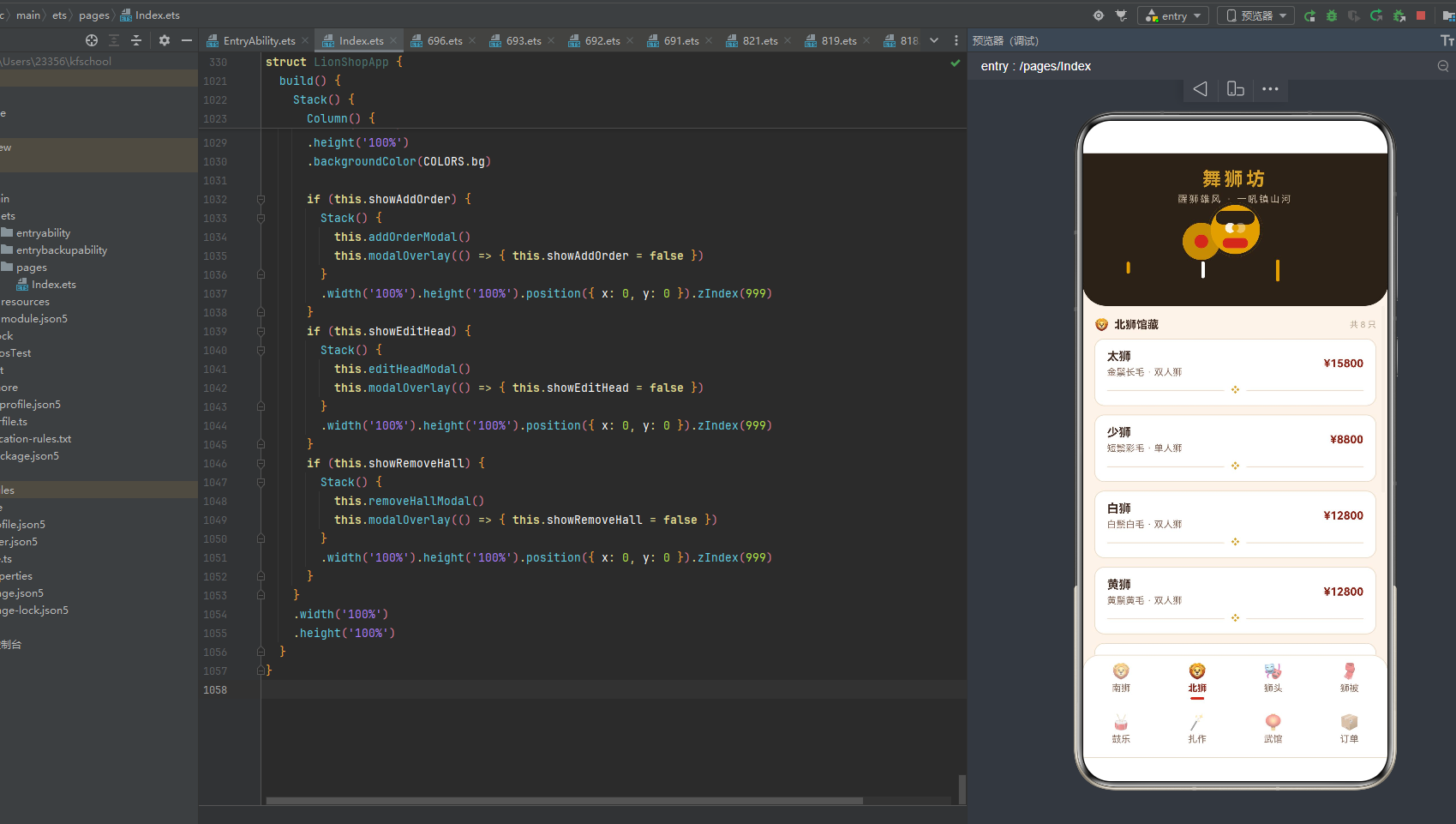
4.1 TAB_LIST导航配置
interface TabMeta {
  label: string;
  icon: string;
}

const TAB_LIST: TabMeta[] = [
  { label: '南狮', icon: '🦁' },
  { label: '北狮', icon: '🦁' },
  { label: '狮头', icon: '🎭' },
  { label: '狮被', icon: '🧣' },
  { label: '鼓乐', icon: '🥁' },
  { label: '扎作', icon: '🪄' },
  { label: '武馆', icon: '🏮' },
  { label: '订单', icon: '📦' }
];
TabMeta接口定义了每个Tab项的label(标签文字)和icon(Emoji图标)两个字段。TAB_LIST数组共8项,每项对应一个功能模块。南狮与北狮共用🦁狮子图标但标签不同(南狮/北狮),狮头用🎭面具图标象征狮头扎作的面谱彩绘,狮被用🧣围巾图标象征狮被披覆的绸缎织造,鼓乐用🥁鼓图标象征舞狮伴奏的大鼓铜锣,扎作用🪄魔杖图标象征扎作工艺的精妙手作,武馆用🏮灯笼图标象征武馆的红灯笼招牌,订单用📦包裹图标象征订单台账的物流配送。这种"一Tab一Emoji"的设计简洁直观,Emoji图标无需图片资源,加载零延迟,且与舞狮文化语义高度契合。
4.2 双行四列索引
const ROW1_IDX: number[] = [0, 1, 2, 3];
const ROW2_IDX: number[] = [4, 5, 6, 7];
const TASSEL_IDX: number[] = [0, 1, 2];
const TOP_ORDER_IDX: number[] = [0, 1, 2, 3, 4, 5];
ROW1_IDX [0,1,2,3]索引数组定义第一行Tab(南狮/北狮/狮头/狮被),ROW2_IDX [4,5,6,7]定义第二行Tab(鼓乐/扎作/武馆/订单)。双行四列布局使得8个Tab在不滚动的情况下全部可见,每个Tab项宽度通过layoutWeight(1)均分。TASSEL_IDX [0,1,2]定义头部区域的3根流苏装饰条索引,TOP_ORDER_IDX [0,1,2,3,4,5]定义订单页柱状图展示的近六单索引。这种"索引数组驱动渲染"的方式,使得布局调整只需修改索引数组,无需改动渲染逻辑,极大地提升了可维护性。
4.3 bottomItem单项构建器
@Builder
bottomItem(i: number) {
  Column() {
    Text(TAB_LIST[i].icon).fontSize(18)
      .opacity(this.activeTab === i ? 1 : 0.55)
    Text(TAB_LIST[i].label).fontSize(11)
      .fontColor(this.activeTab === i ? COLORS.vermilionDeep : COLORS.textSub)
      .fontWeight(this.activeTab === i ? FontWeight.Bold : FontWeight.Normal)
      .margin({ top: 3 })
    Column()
      .width(16).height(3).borderRadius(2)
      .backgroundColor(this.activeTab === i ? COLORS.vermilion : '#00000000')
      .margin({ top: 4 })
  }
  .layoutWeight(1)
  .padding({ top: 8, bottom: 8 })
  .onClick(() => {
    this.activeTab = i;
  })
}
bottomItem(i)是单个Tab项的构建器,接收索引参数i,从TAB_LIST数组取对应项的图标和标签。每个Tab项是一个垂直Column布局,包含三部分:Emoji图标(18号,激活态不透明度1/非激活态0.55)、标签文字(11号,激活态vermilionDeep深朱红加粗/非激活态textSub浅褐普通)、选中指示条(16x3圆角2的小条,激活态vermilion朱红色/非激活态透明#00000000)。点击onClick切换activeTab为当前索引i,触发contentArea重新渲染显示对应页面。layoutWeight(1)使每个Tab项均分宽度,padding({ top: 8, bottom: 8 })提供上下间距。
4.4 bottomBar双行布局
@Builder
bottomBar() {
  Column() {
    Row() {
      ForEach(ROW1_IDX, (i: number) => {
        this.bottomItem(i)
      }, (i: number) => i.toString())
    }
    .width('100%')
    Row() {
      ForEach(ROW2_IDX, (i: number) => {
        this.bottomItem(i)
      }, (i: number) => i.toString())
    }
    .width('100%')
  }
  .width('100%')
  .backgroundColor(COLORS.cardBg)
  .borderRadius({ topLeft: 20, topRight: 20 })
  .border({ width: 1, color: COLORS.border })
}
bottomBar构建器将导航分为上下两行,每行一个Row容器,通过ForEach遍历ROW1_IDX和ROW2_IDX索引数组,对每个索引调用bottomItem(i)构建Tab项。整个bottomBar容器为Column布局,cardBg白色底,顶部圆角20,1px border边框,营造悬浮于内容上方的卡片感。双行四列布局使8个Tab在窄屏手机上依然清晰可触,无需横向滚动,是舞狮坊导航设计的核心特色。
五、数据接口定义:八类狮品元数据
舞狮坊应用定义了8个@Observed装饰的数据类,对应舞狮非遗手作平台的8种业务实体。每个类都通过constructor构造函数初始化,字段类型明确,实现了严格的数据结构规范化。
5.1 SouthLionItem南狮类
@Observed
export class SouthLionItem {
  name: string = '';
  color: string = '';
  head: string = '';
  price: number = 0;

  constructor(name: string, color: string, head: string, price: number) {
    this.name = name;
    this.color = color;
    this.head = head;
    this.price = price;
  }
}
SouthLionItem定义南狮馆藏数据项,包含四个字段:name(狮名,如"刘备狮"“关羽狮”)、color(配色描述,如"黄底彩绘"“红底金纹”)、head(狮头流派,如"佛山狮"“鹤山狮”“醒狮”)、price(价格,单位元)。@Observed装饰器使该类的属性变化能被ArkUI框架追踪,当数据修改时UI自动刷新。constructor构造函数接收四个参数并赋值给实例属性,字段初始化为空字符串或0作为默认值,确保类型安全。南狮以广东醒狮为核心,刘备狮(黄底彩绘·佛山狮·¥12800)、关羽狮(红底金纹·佛山狮·¥13800)、张飞狮(黑底白纹·佛山狮·¥12800)"三国狮"最为经典,还有彩狮(五彩祥云)、金狮(金箔满身·¥18800最贵)、银狮、红狮、黑狮、青狮等,共12只南狮完整覆盖了南狮文化的主流品种。
5.2 NorthLionItem北狮类
@Observed
export class NorthLionItem {
  name: string = '';
  fur: string = '';
  style: string = '';
  price: number = 0;

  constructor(name: string, fur: string, style: string, price: number) {
    this.name = name;
    this.fur = fur;
    this.style = style;
    this.price = price;
  }
}
NorthLionItem定义北狮馆藏数据项,包含四个字段:name(狮名,如"太狮"“少狮”)、fur(鬃毛描述,如"金鬃长毛"“短鬃彩毛”)、style(表演形式,如"双人狮"“单人狮”)、price(价格)。北狮注重"形似",太狮(金鬃长毛·双人狮·¥15800)、少狮(短鬃彩毛·单人狮·¥8800)、白狮、黄狮、青狮、紫狮、花狮、瑞狮(金红瑞兽·¥16800最贵)共8只,双人狮与单人狮区分了表演人数,鬃毛颜色区分了狮品等级。
5.3 HeadItem狮头类
@Observed
export class HeadItem {
  name: string = '';
  region: string = '';
  hours: number = 0;
  price: number = 0;

  constructor(name: string, region: string, hours: number, price: number) {
    this.name = name;
    this.region = region;
    this.hours = hours;
    this.price = price;
  }
}
HeadItem定义狮头扎作数据项,包含四个字段:name(狮头名称,如"佛山狮"“麒麟头”)、region(产地,如"佛山"“鹤山”“粤东”)、hours(扎作工时,单位小时)、price(售价)。8种狮头包括佛山狮(96工时·¥6800)、鹤山狮(88工时·¥6200)、醒狮(80工时·¥5600)、麒麟头(110工时·¥9800最贵且工时最高)、貔貅头(105工时·¥8800)、大象头(90工时·¥7600)、鲨鱼头(98工时·¥8200)、老虎头(92工时·¥7200)。工时数值越高代表扎作工艺越繁复,是狮头扎作难度的重要指标。
5.4 CoatItem狮被类
@Observed
export class CoatItem {
  name: string = '';
  color: string = '';
  price: number = 0;
  stock: number = 0;

  constructor(name: string, color: string, price: number, stock: number) {
    this.name = name;
    this.color = color;
    this.price = price;
    this.stock = stock;
  }
}
CoatItem定义狮被(狮身披覆)织造数据项,包含四个字段:name(狮被名称,如"彩狮被"“金鳞被”)、color(配色工艺,如"五彩绣花"“金线鳞甲”)、price(价格)、stock(库存件数)。8款狮被包括彩狮被(五彩绣花·¥3800·25件)、金鳞被(金线鳞甲·¥6800·12件)、红绸被(大红绸缎·¥2800·40件最多)、蓝缎被、绣花被(满幅刺绣·¥5200·15件)、黑金被、双喜被(婚庆喜被·¥3600·22件)、云纹被,库存横条以c.stock * 3.5像素宽度映射展示库存量。
5.5 DrumItem鼓乐类
@Observed
export class DrumItem {
  name: string = '';
  desc: string = '';
  hot: number = 0;

  constructor(name: string, desc: string, hot: number) {
    this.name = name;
    this.desc = desc;
    this.hot = hot;
  }
}
DrumItem定义鼓乐助威数据项,包含三个字段:name(鼓乐名称,如"大鼓"“狮锣”)、desc(描述,如"直径1.2米"“高音铜锣”)、hot(热门度数值)。8种鼓乐包括大鼓(直径1.2米·热门度98最高)、狮锣(高音铜锣·90)、铜钹(对镲合鸣·85)、鼓点套路(七星鼓点·92)、醒狮鼓谱(起狮三通·95)、采青鼓(采青助威·88)、高桩鼓(高桩配乐·82)、庆贺鼓(凯旋收式·86),热门度横条通过hotBarW(hot)函数映射宽度。
5.6 CraftItem扎作类
@Observed
export class CraftItem {
  name: string = '';
  desc: string = '';
  hours: number = 0;
  rank: string = '';

  constructor(name: string, desc: string, hours: number, rank: string) {
    this.name = name;
    this.desc = desc;
    this.hours = hours;
    this.rank = rank;
  }
}
CraftItem定义扎作八法数据项,包含四个字段:name(扎作工艺名称)、desc(描述)、hours(工时小时数)、rank(难度等级:“基础”/“中等”/“高难”)。8种扎作工艺包括扎篾(竹篾扎骨架·18h·基础)、糊纸(纱纸裱糊·24h·中等)、绘彩(彩绘脸谱·32h·高难且工时最高)、贴金(金箔贴饰·20h·中等)、装绒(绒球鬃毛·16h·基础)、安镜(额前照妖镜·14h·基础)、点睛(开光点睛·10h·中等且工时最低)、上漆(桐油罩漆·22h·中等),rankColor函数根据难度等级返回对应颜色。
5.7 HallItem武馆类
@Observed
export class HallItem {
  name: string = '';
  team: string = '';
  coach: string = '';
  awards: number = 0;

  constructor(name: string, team: string, coach: string, awards: number) {
    this.name = name;
    this.team = team;
    this.coach = coach;
    this.awards = awards;
  }
}
HallItem定义武馆名录数据项,包含四个字段:name(武馆名称,如"忠义堂"“鸿胜馆”)、team(狮队名称)、coach(师父姓名)、awards(获奖数)。8家武馆包括忠义堂(忠义醒狮队·陈师父·12冠)、鸿胜馆(鸿胜狮队·黄师父·18冠)、仁义堂(仁义狮队·刘师父·15冠)、永胜堂、聚英堂、国术馆、精武堂(精武狮队·霍师父·20冠最多)、龙腾馆,每家武馆可通过removeHall方法移除。
5.8 OrderItem订单类
@Observed
export class OrderItem {
  no: string = '';
  buyer: string = '';
  piece: string = '';
  amount: number = 0;
  status: string = '';

  constructor(no: string, buyer: string, piece: string, amount: number, status: string) {
    this.no = no;
    this.buyer = buyer;
    this.piece = piece;
    this.amount = amount;
    this.status = status;
  }
}
OrderItem定义订单台账数据项,包含五个字段:no(订单编号,如"L20260801")、buyer(客户名称)、piece(定制狮品)、amount(金额)、status(状态:“扎作中”/“绘彩中”/“已交付”/“定制中”/“点睛中”)。10笔订单覆盖佛山忠义堂、香港鸿胜馆、新加坡狮队、马来西亚狮会、北京武馆等海内外客户,金额从¥8800到¥18800,statusColor函数根据状态返回不同颜色——已交付success绿色、定制中紫色#8E6FB0、点睛中gold金色、其余vermilion朱红色。
六、@Observed可观察数据类:LionShopData聚合数据
LionShopData是舞狮坊应用的核心数据层,采用@Observed装饰器实现响应式数据管理。该类将8个数组集中管理,配合@State在入口组件中引用,实现了"一个数据对象贯穿所有页面"的聚合数据模式。
@Observed
export class LionShopData {
  souths: SouthLionItem[] = [
    new SouthLionItem('刘备狮', '黄底彩绘', '佛山狮', 12800),
    new SouthLionItem('关羽狮', '红底金纹', '佛山狮', 13800),
    new SouthLionItem('张飞狮', '黑底白纹', '佛山狮', 12800),
    new SouthLionItem('赵云狮', '银底蓝纹', '鹤山狮', 11800),
    new SouthLionItem('马超狮', '金底红纹', '鹤山狮', 11800),
    new SouthLionItem('黄忠狮', '黄底黑纹', '佛山狮', 12800),
    new SouthLionItem('彩狮', '五彩祥云', '醒狮', 9800),
    new SouthLionItem('金狮', '金箔满身', '醒狮', 18800),
    new SouthLionItem('银狮', '银底白纹', '醒狮', 15800),
    new SouthLionItem('红狮', '大红喜庆', '佛山狮', 10800),
    new SouthLionItem('黑狮', '玄黑威严', '鹤山狮', 10800),
    new SouthLionItem('青狮', '青面獠牙', '醒狮', 9800)
  ];
  norths: NorthLionItem[] = [
    new NorthLionItem('太狮', '金鬃长毛', '双人狮', 15800),
    new NorthLionItem('少狮', '短鬃彩毛', '单人狮', 8800),
    new NorthLionItem('白狮', '白鬃白毛', '双人狮', 12800),
    new NorthLionItem('黄狮', '黄鬃黄毛', '双人狮', 12800),
    new NorthLionItem('青狮', '青鬃青毛', '双人狮', 12800),
    new NorthLionItem('紫狮', '紫鬃紫毛', '双人狮', 13800),
    new NorthLionItem('花狮', '五彩花鬃', '单人狮', 9800),
    new NorthLionItem('瑞狮', '金红瑞兽', '双人狮', 16800)
  ];
  heads: HeadItem[] = [
    new HeadItem('佛山狮', '佛山', 96, 6800),
    new HeadItem('鹤山狮', '鹤山', 88, 6200),
    new HeadItem('醒狮', '广东', 80, 5600),
    new HeadItem('麒麟头', '粤东', 110, 9800),
    new HeadItem('貔貅头', '岭南', 105, 8800),
    new HeadItem('大象头', '粤西', 90, 7600),
    new HeadItem('鲨鱼头', '南海', 98, 8200),
    new HeadItem('老虎头', '北方', 92, 7200)
  ];
  coats: CoatItem[] = [
    new CoatItem('彩狮被', '五彩绣花', 3800, 25),
    new CoatItem('金鳞被', '金线鳞甲', 6800, 12),
    new CoatItem('红绸被', '大红绸缎', 2800, 40),
    new CoatItem('蓝缎被', '蓝底云纹', 3200, 30),
    new CoatItem('绣花被', '满幅刺绣', 5200, 15),
    new CoatItem('黑金被', '黑底金纹', 4600, 18),
    new CoatItem('双喜被', '婚庆喜被', 3600, 22),
    new CoatItem('云纹被', '祥云瑞彩', 3000, 35)
  ];
  drums: DrumItem[] = [
    new DrumItem('大鼓', '直径 1.2 米', 98),
    new DrumItem('狮锣', '高音铜锣', 90),
    new DrumItem('铜钹', '对镲合鸣', 85),
    new DrumItem('鼓点套路', '七星鼓点', 92),
    new DrumItem('醒狮鼓谱', '起狮三通', 95),
    new DrumItem('采青鼓', '采青助威', 88),
    new DrumItem('高桩鼓', '高桩配乐', 82),
    new DrumItem('庆贺鼓', '凯旋收式', 86)
  ];
  crafts: CraftItem[] = [
    new CraftItem('扎篾', '竹篾扎骨架', 18, '基础'),
    new CraftItem('糊纸', '纱纸裱糊', 24, '中等'),
    new CraftItem('绘彩', '彩绘脸谱', 32, '高难'),
    new CraftItem('贴金', '金箔贴饰', 20, '中等'),
    new CraftItem('装绒', '绒球鬃毛', 16, '基础'),
    new CraftItem('安镜', '额前照妖镜', 14, '基础'),
    new CraftItem('点睛', '开光点睛', 10, '中等'),
    new CraftItem('上漆', '桐油罩漆', 22, '中等')
  ];
  halls: HallItem[] = [
    new HallItem('忠义堂', '忠义醒狮队', '陈师父', 12),
    new HallItem('鸿胜馆', '鸿胜狮队', '黄师父', 18),
    new HallItem('仁义堂', '仁义狮队', '刘师父', 15),
    new HallItem('永胜堂', '永胜狮队', '谭师父', 10),
    new HallItem('聚英堂', '聚英狮队', '张师父', 16),
    new HallItem('国术馆', '国术醒狮队', '梁师父', 14),
    new HallItem('精武堂', '精武狮队', '霍师父', 20),
    new HallItem('龙腾馆', '龙腾狮队', '赵师父', 11)
  ];
  orders: OrderItem[] = [
    new OrderItem('L20260801', '佛山忠义堂', '刘备狮', 12800, '扎作中'),
    new OrderItem('L20260803', '香港鸿胜馆', '金狮', 18800, '绘彩中'),
    new OrderItem('L20260805', '新加坡狮队', '关羽狮', 13800, '已交付'),
    new OrderItem('L20260808', '马来西亚狮会', '麒麟头', 9800, '扎作中'),
    new OrderItem('L20260810', '本地酒楼', '红狮', 10800, '点睛中'),
    new OrderItem('L20260812', '北京武馆', '太狮', 15800, '扎作中'),
    new OrderItem('L20260814', '婚礼庆典', '双喜狮', 16800, '定制中'),
    new OrderItem('L20260816', '庙会组委会', '青狮', 9800, '绘彩中'),
    new OrderItem('L20260818', '社区文化节', '彩狮', 9800, '已交付'),
    new OrderItem('L20260820', '华侨同乡会', '貔貅头', 8800, '扎作中')
  ];

  addOrder(no: string, buyer: string, piece: string, amount: number): void {
    this.orders.unshift(new OrderItem(no, buyer, piece, amount, '定制中'));
  }

  editHead(idx: number, price: number): void {
    this.heads[idx].price = price;
  }

  removeHall(idx: number): void {
    this.halls.splice(idx, 1);
  }
}
LionShopData类是整个应用的数据中枢,包含8个数组共82条数据(南狮12+北狮8+狮头8+狮被8+鼓乐8+扎作8+武馆8+订单10=82)。@Observed装饰器使该类成为可观察对象,当其属性(数组内容)发生变化时,所有引用该数据的UI组件自动触发重新渲染。每个数组都用new构造函数初始化实例,而非对象字面量,确保每个数据项都是对应@Observed类的实例,属性变化可被框架精确追踪。
在数据的文化内涵方面,南狮12只完整覆盖了"三国狮"(刘备狮/关羽狮/张飞狮/赵云狮/马超狮/黄忠狮——五虎上将加刘备,对应南狮传统脸谱配色)、“醒狮三色”(金狮/银狮/红狮/黑狮/青狮)和"彩狮"共三大系列,价格从¥9800(彩狮/青狮)到¥18800(金狮金箔满身),佛山狮、鹤山狮、醒狮三大流派均有覆盖。北狮8只涵盖太狮/少狮(按表演人数分)、白狮/黄狮/青狮/紫狮/花狮/瑞狮(按鬃毛颜色分),双人狮与单人狮并存。狮头8种覆盖佛山/鹤山/广东/粤东/岭南/粤西/南海/北方八地产地,工时从80h(醒狮)到110h(麒麟头)。狮被8款覆盖五彩绣花/金线鳞甲/大红绸缎/蓝底云纹/满幅刺绣/黑底金纹/婚庆喜被/祥云瑞彩八种工艺。鼓乐8种覆盖大鼓/狮锣/铜钹/鼓点套路/醒狮鼓谱/采青鼓/高桩鼓/庆贺鼓完整的舞狮伴奏体系。扎作8法覆盖扎篾/糊纸/绘彩/贴金/装绒/安镜/点睛/上漆完整的狮头制作流程。武馆8家覆盖忠义堂/鸿胜馆/仁义堂/永胜堂/聚英堂/国术馆/精武堂/龙腾馆八家传统武馆。订单10笔覆盖海内外客户(佛山/香港/新加坡/马来西亚/北京/婚礼/庙会/社区/华侨),状态包括扎作中/绘彩中/已交付/定制中/点睛中五种。
类中还定义了三个数据操作方法:addOrder使用unshift在数组头部插入新订单(状态默认"定制中"),editHead直接修改指定索引狮头的售价,removeHall使用splice从数组中删除指定索引的武馆。这三个方法配合弹窗交互实现了增删改查的完整闭环。
七、工具函数:颜色与尺寸的动态映射
舞狮坊应用定义了6个工具函数,将颜色和尺寸映射逻辑从UI层抽离,实现"数据即配色、数据即尺寸"的动态映射模式。这些函数分为两类:尺寸映射函数(craftBarW/orderBarH/hotBarW)和颜色映射函数(headColor/rankColor/statusColor)。
7.1 尺寸映射函数
function craftBarW(h: number): number {
  return Math.min(170, h * 4);
}

function orderBarH(v: number): number {
  return Math.min(110, v / 140);
}

function hotBarW(h: number): number {
  return Math.min(140, h);
}
craftBarW(h)将工时数值映射为横条宽度像素值——工时乘以4后取上限170px,例如32工时对应128px,18工时对应72px,10工时对应40px。Math.min确保宽度不超过170px防止溢出布局。该函数用于狮头页和扎作页的工时横条宽度计算。
orderBarH(v)将订单金额映射为柱状图高度像素值——金额除以140后取上限110px,例如¥18800对应约134px(被限制为110px),¥8800对应约63px,¥9800对应70px。该函数用于订单页近六单柱状图的高度计算,使不同金额的订单形成高低错落的柱状视觉效果。
hotBarW(h)将热门度数值直接映射为横条宽度像素值——取数值本身与140的较小值,例如热门度98对应98px,82对应82px。热门度数值通常在80-98之间,映射后宽度也在80-98px之间,直观反映鼓乐的受欢迎程度。
7.2 颜色映射函数
function headColor(name: string): string {
  if (name.indexOf('麒麟') >= 0) {
    return COLORS.cyan;
  }
  if (name.indexOf('老虎') >= 0) {
    return COLORS.warning;
  }
  return COLORS.vermilion;
}

function rankColor(r: string): string {
  if (r === '高难') {
    return COLORS.vermilion;
  }
  if (r === '中等') {
    return COLORS.gold;
  }
  return COLORS.textSub;
}

function statusColor(s: string): string {
  if (s === '已交付') {
    return COLORS.success;
  }
  if (s === '定制中') {
    return '#8E6FB0';
  }
  if (s === '点睛中') {
    return COLORS.gold;
  }
  return COLORS.vermilion;
}
headColor(name)根据狮头名称返回对应颜色——名称包含"麒麟"返回cyan青绿色(对应麒麟的传统青色面底),包含"老虎"返回warning赭金色(对应老虎的橙黄虎纹),其余返回vermilion朱红色(默认狮头红色面底)。该函数通过String.indexOf方法实现字符串匹配,区分了不同瑞兽的视觉特征。
rankColor(r)根据难度等级返回对应颜色——"高难"返回vermilion朱红色(警示高难度),"中等"返回gold金色(中性提示),其余(“基础”)返回textSub浅褐色(低难度低调显示)。三级着色使扎作八法的难度标签一目了然,朱红色的高难标签最为醒目。
statusColor(s)根据订单状态返回对应颜色——"已交付"返回success绿色(完成健康态),"定制中"返回#8E6FB0紫色(特殊定制态,是唯一使用非COLORS常量的硬编码色值,模拟紫袍加身的尊贵感),"点睛中"返回gold金色(开光仪式态),其余(“扎作中”/“绘彩中”)返回vermilion朱红色(进行中工作态)。四级状态着色使订单台账的状态标签色彩丰富、语义明确。
八、头部动画:双狮对称Header与锣鼓圆环脉冲
舞狮坊应用最引人注目的视觉特色是双狮对称header动画区域。headerArea构建器通过@Builder lionFace(side)和@Builder headerArea()两个方法协同构建,实现了左右对称的双狮头圆面+中央锣鼓圆环脉冲+流苏摇摆的复合动画效果,是整个应用的视觉灵魂。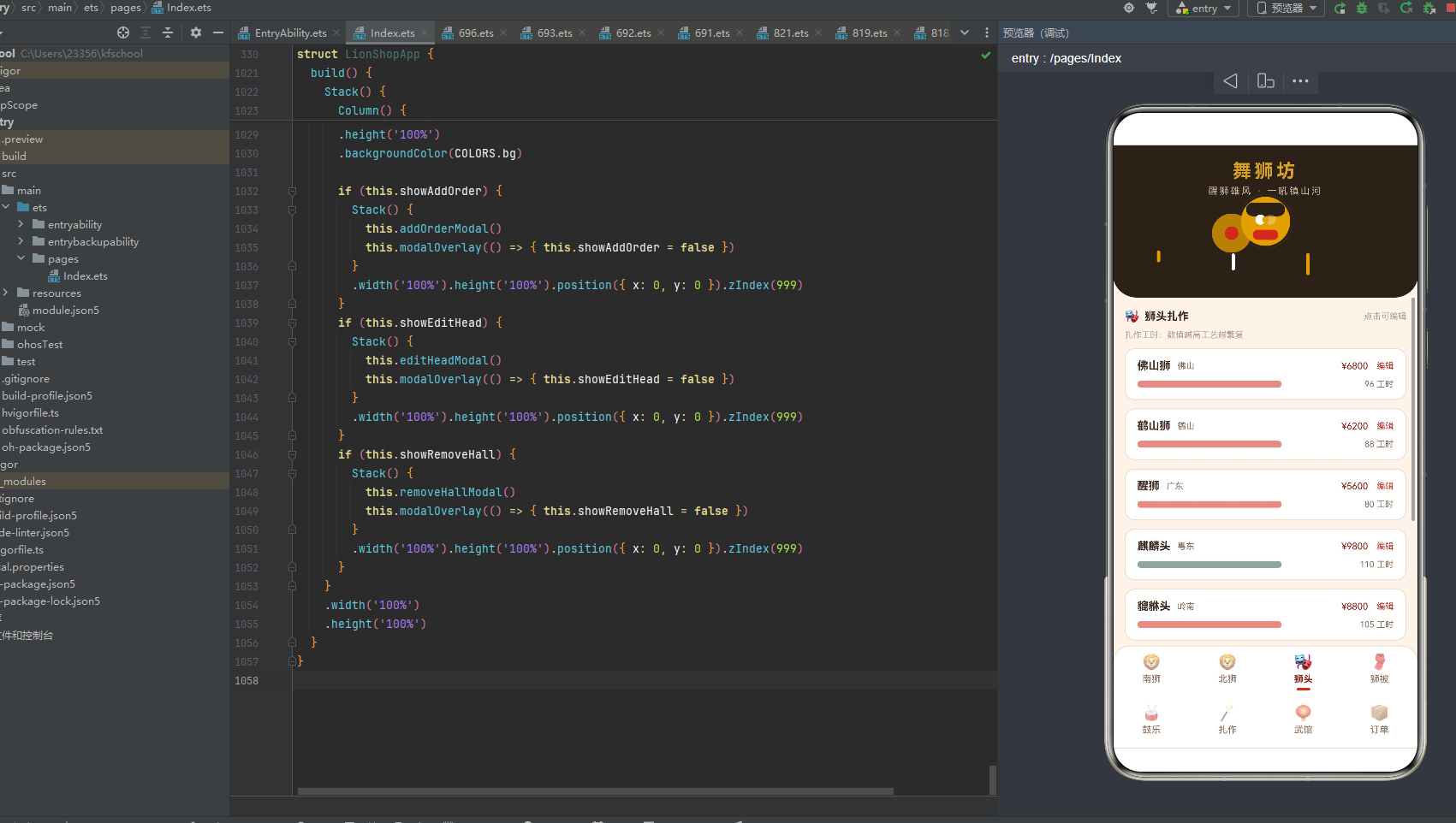
8.1 lionFace双狮头构建器
@Builder
lionFace(side: string) {
  Stack() {
    Column()
      .width(64).height(64).borderRadius(32)
      .backgroundColor(side === 'left' ? COLORS.vermilion : COLORS.gold)
      .border({ width: 3, color: COLORS.black })
    Column()
      .width(46).height(16).borderRadius(8)
      .backgroundColor(COLORS.black)
      .position({ x: 9, y: 10 })
    Column()
      .width(12).height(12).borderRadius(6)
      .backgroundColor(COLORS.white)
      .position({ x: 20, y: 24 })
      .opacity(this.amb ? 0.25 : 1)
      .animation({ duration: 700, iterations: -1, playMode: PlayMode.Alternate })
    Column()
      .width(12).height(12).borderRadius(6)
      .backgroundColor(COLORS.white)
      .position({ x: 32, y: 24 })
      .opacity(this.amb ? 1 : 0.25)
      .animation({ duration: 700, iterations: -1, playMode: PlayMode.Alternate })
    Column()
      .width(30).height(12).borderRadius(6)
      .backgroundColor(side === 'left' ? COLORS.vermilionDeep : COLORS.vermilion)
      .position({ x: 17, y: 42 })
    Column()
      .width(8).height(8).borderRadius(4)
      .backgroundColor(COLORS.gold)
      .position({ x: 28, y: 26 })
  }
  .width(64).height(64)
}
lionFace(side)构建器用Stack层叠容器构建一个64x64像素的狮头圆面,通过side参数(“left”/“right”)区分左右狮头。整个狮头由6个Column组件层叠组成,从底层到顶层依次为:
第一层是64x64圆形狮面底——borderRadius(32)实现圆形,左侧狮头用vermilion朱红色(模拟刘备狮红面),右侧狮头用gold金色(模拟金狮金面),border({ width: 3, color: COLORS.black })添加3px黑色描边模拟狮头轮廓。
第二层是46x16圆角狮眉——borderRadius(8),black黑色,position({ x: 9, y: 10 })定位在狮面上方偏左,模拟舞狮狮头上方浓黑的狮眉。
第三层和第四层是两只12x12圆形狮眼——borderRadius(6),white白色,分别position在(20,24)和(32,24)位置,模拟狮眼。两只狮眼的opacity动画相位相反——左眼this.amb ? 0.25 : 1,右眼this.amb ? 1 : 0.25——当amb为true时左眼变暗右眼变亮,amb为false时反之,配合700ms无限循环PlayMode.Alternate往返动画,实现"左右狮眼交替闪光"的效果,模拟舞狮狮眼瞪视的神态。
第五层是30x12圆角狮口——borderRadius(6),左侧狮头用vermilionDeep深朱红色(模拟狮口暗红),右侧狮头用vermilion朱红色,position({ x: 17, y: 42 })定位在狮面下方,模拟狮口张开露齿的姿态。
第六层是8x8圆形额镜——borderRadius(4),gold金色,position({ x: 28, y: 26 })定位在双狮眼之间偏上方,模拟舞狮狮头额前的照妖镜金光。
8.2 headerArea头部区域构建器
@Builder
headerArea() {
  Stack() {
    Column() {
      Text('舞狮坊').fontSize(22).fontColor(COLORS.gold)
        .fontWeight(FontWeight.Bold).letterSpacing(4)
      Text('醒狮雄风 · 一吼镇山河').fontSize(11).fontColor('#C9B89F')
        .margin({ top: 4 }).letterSpacing(2)
    }
    .width('100%')
    .position({ x: 0, y: 18 })
    .alignItems(HorizontalAlign.Center)

    this.lionFace('left')
    this.lionFace('right')

    Column() {
      Column()
        .width(44).height(44).borderRadius(22)
        .backgroundColor(COLORS.gold)
        .scale({ x: this.amb ? 1.3 : 1.0, y: this.amb ? 1.3 : 1.0 })
        .opacity(this.amb ? 0.35 : 0.85)
        .animation({ duration: 1100, iterations: -1, playMode: PlayMode.Alternate })
      Column()
        .width(16).height(16).borderRadius(8)
        .backgroundColor(COLORS.vermilion).margin({ top: -30 })
    }
    .position({ x: 118, y: 82 })

    ForEach(TASSEL_IDX, (i: number) => {
      Column()
        .width(4).height(14 + i * 6).borderRadius(2)
        .backgroundColor(i % 2 === 0 ? COLORS.gold : COLORS.white)
        .position({ x: 52 + i * 88, y: 128 })
        .translate({ y: this.amb ? -6 : 0 })
        .animation({ duration: 1200 + i * 250, iterations: -1, playMode: PlayMode.Alternate })
    }, (i: number) => i.toString())
  }
  .width('100%')
  .height(180)
  .backgroundColor(COLORS.black)
  .borderRadius({ bottomLeft: 28, bottomRight: 28 })
}
headerArea构建器是整个头部动画区域的核心,用Stack层叠容器组合多个元素。整个区域高180px,black黑色底色,底部圆角28,营造出舞狮坊牌匾的沉稳质感。区域内包含四大动画元素:
第一层:标题文字——position({ x: 0, y: 18 })居中定位,"舞狮坊"22号粗体金色字letterSpacing(4)加宽字距,副标题"醒狮雄风 · 一吼镇山河"11号#C9B89F暖灰色letterSpacing(2),点明舞狮坊"醒狮"文化主题与"一吼镇山河"的气势。
第二层:双狮头——this.lionFace('left')和this.lionFace('right')两个狮头圆面,分别以朱红色和金色为底,左右对称布局。由于Stack默认居中,左右狮头自然分布在标题两侧,形成双狮护持的对称构图。狮眼交替闪光动画在此处生效,左右狮头"眨眼"节奏错开,营造双狮灵动对视的效果。
第三层:中央锣鼓圆环脉冲——position({ x: 118, y: 82 })定位在双狮头之间下方,44x44金色圆环(borderRadius(22)),通过scale在1.0到1.3之间缩放、opacity在0.35到0.85之间闪烁,1100ms无限循环PlayMode.Alternate往返动画,模拟舞狮锣鼓敲击时的鼓面震动与金光脉冲。圆环内还有一个16x16朱红色圆点(margin({ top: -30 })向上偏移叠加),模拟鼓心红印。这种"缩放+透明度"双重动画营造了锣鼓圆环"跳动"的脉冲效果。
第四层:流苏摇摆——ForEach(TASSEL_IDX)遍历[0,1,2]生成3根流苏条,每根4px宽,高度递增(14+i6,即14/20/26px),颜色交替金色与白色,position横坐标递增(52+i88,即52/140/228),translate({ y: this.amb ? -6 : 0 })上下位移6px,动画时长也递增(1200+i*250,即1200/1450/1700ms),无限循环PlayMode.Alternate往返。三根流苏摇摆节奏错开,模拟舞狮坊牌匾下方流苏在风中摇曳的效果。
8.3 动画启动机制
aboutToAppear(): void {
  setTimeout(() => {
    this.amb = true;
  }, 100);
}
aboutToAppear是ArkUI组件的生命周期回调,在组件创建后、build方法执行前调用。这里通过setTimeout延迟100ms将amb状态变量设为true,触发所有绑定this.amb的动画属性从初始值(false)过渡到目标值(true),从而启动狮眼闪光、锣鼓脉冲、流苏摇摆等所有动画。这种"延迟启动"的设计确保组件布局完成后才开始动画,避免首帧渲染卡顿。
整个头部动画区域通过"双狮对称+锣鼓脉冲+流苏摇摆"三层动画叠加,营造了舞狮坊"双狮护持、锣鼓喧天、流苏摇曳"的热闹非遗氛围。狮眼交替闪光模拟舞狮瞪视神态,锣鼓圆环缩放脉冲模拟鼓面震动,流苏上下位移模拟风吹摇曳,三种动画节奏不同(700ms/1100ms/1200-1700ms)又和谐统一,是舞狮坊视觉设计的最大亮点。
九、列表渲染:八Tab差异化布局
contentArea是舞狮坊应用的核心内容构建器,通过if-else if条件渲染实现八Tab页面切换。每个Tab页面的布局风格完全不同,最大程度还原了真实中国舞狮非遗手作平台的交互体验。
9.1 南狮页:馆藏列表与统计摘要
if (this.activeTab === 0) {
  Scroll() {
    Column() {
      Row() {
        Column() {
          Text('12').fontSize(16).fontWeight(FontWeight.Bold).fontColor(COLORS.vermilionDeep)
          Text('南狮馆藏').fontSize(10).fontColor(COLORS.textHint).margin({ top: 2 })
        }.layoutWeight(1)
        Column() {
          Text('关羽狮').fontSize(13).fontWeight(FontWeight.Bold).fontColor(COLORS.gold)
          Text('最热款').fontSize(10).fontColor(COLORS.textHint).margin({ top: 2 })
        }.layoutWeight(1)
        Column() {
          Text('¥14.2w').fontSize(16).fontWeight(FontWeight.Bold).fontColor(COLORS.vermilionDeep)
          Text('本季成交').fontSize(10).fontColor(COLORS.textHint).margin({ top: 2 })
        }.layoutWeight(1)
      }
      .width('100%')
      .padding({ top: 12, bottom: 12 })
      .backgroundColor(COLORS.cardBg).borderRadius(12)
      .margin({ top: 12, bottom: 12 })
      .border({ width: 1, color: COLORS.border })
      ForEach(this.data.souths, (s: SouthLionItem) => {
        Column() {
          Row() {
            Column() {
              Text(s.name).fontSize(14).fontWeight(FontWeight.Bold).fontColor(COLORS.textMain)
              Text(s.color + ' · ' + s.head).fontSize(11)
                .fontColor(COLORS.textSub).margin({ top: 4 })
            }
            .alignItems(HorizontalAlign.Start).layoutWeight(1)
            Text('¥' + s.price).fontSize(13).fontWeight(FontWeight.Bold).fontColor(COLORS.vermilionDeep)
            Column()
              .width(4).height(34).borderRadius(2)
              .backgroundColor(COLORS.vermilion).margin({ left: 10 })
              .opacity(this.amb ? 0.35 : 0.9)
              .animation({ duration: 1000, iterations: -1, playMode: PlayMode.Alternate })
          }
          .width('100%')
        }
        .width('100%')
        .backgroundColor(COLORS.cardBg).borderRadius(12)
        .padding({ left: 14, right: 14, top: 12, bottom: 12 })
        .margin({ bottom: 10 })
        .border({ width: 1, color: COLORS.border })
      }, (s: SouthLionItem) => s.name)
    }
    .width('100%').padding({ left: 14, right: 14, bottom: 12 })
  }
  .width('100%')
  .layoutWeight(1)
}
南狮页(Tab 0)采用"统计摘要卡+馆藏列表"的两层布局。顶部统计摘要卡是一个三列Row——第一列"12 南狮馆藏"(16号深朱红粗体数字+10号灰褐标签),第二列"关羽狮 最热款"(13号金色粗体+10号标签),第三列"¥14.2w 本季成交"(16号深朱红粗体+10号标签),三列均分宽度layoutWeight(1)。摘要卡用cardBg白底圆角12+1px边框,一眼呈现南狮馆藏的核心经营数据。
下方是ForEach遍历this.data.souths数组的12只南狮列表。每只南狮卡片是一个Row——左侧layoutWeight(1)弹性信息区(狮名14号粗体深褐色+配色流派信息11号浅褐色),右侧价格"¥"+price 13号粗体深朱红色,最右侧4x34px朱红色装饰条(opacity 0.35-0.9之间1000ms无限循环PlayMode.Alternate呼吸动画),模拟舞狮飘带装饰。卡片用cardBg白底圆角12+14px左右内边距+10px底部间距+1px边框,视觉统一。ForEach的key生成器使用s.name狮名,确保列表项唯一标识。12只南狮从刘备狮(¥12800)到金狮(¥18800),完整呈现南狮"三国狮+醒狮三色+彩狮"的文化谱系。
9.2 北狮页:馆藏列表与分割装饰
else if (this.activeTab === 1) {
  Scroll() {
    Column() {
      Row() {
        Text('🦁').fontSize(14).margin({ right: 6 })
        Text('北狮馆藏').fontSize(13).fontWeight(FontWeight.Bold).fontColor(COLORS.textMain)
        Column().layoutWeight(1)
        Text('共 8 只').fontSize(10).fontColor(COLORS.textHint)
      }
      .width('100%').padding({ top: 14, bottom: 8 })
      ForEach(this.data.norths, (n: NorthLionItem) => {
        Column() {
          Row() {
            Column() {
              Text(n.name).fontSize(14).fontWeight(FontWeight.Bold).fontColor(COLORS.textMain)
              Text(n.fur + ' · ' + n.style).fontSize(11)
                .fontColor(COLORS.textSub).margin({ top: 4 })
            }
            .alignItems(HorizontalAlign.Start).layoutWeight(1)
            Text('¥' + n.price).fontSize(13).fontWeight(FontWeight.Bold).fontColor(COLORS.vermilionDeep)
          }
          .width('100%')
          Row() {
            Column().layoutWeight(1)
              .height(1).backgroundColor(COLORS.border).margin({ top: 10 })
            Text('❖').fontSize(10).fontColor(COLORS.gold).margin({ top: 6, left: 8, right: 8 })
            Column().layoutWeight(1)
              .height(1).backgroundColor(COLORS.border).margin({ top: 10 })
          }
          .width('100%')
        }
        .width('100%')
        .backgroundColor(COLORS.cardBg).borderRadius(12)
        .padding({ left: 14, right: 14, top: 12, bottom: 12 })
        .margin({ bottom: 10 })
        .border({ width: 1, color: COLORS.border })
      }, (n: NorthLionItem) => n.name)
    }
    .width('100%').padding({ left: 14, right: 14, bottom: 12 })
  }
  .width('100%')
  .layoutWeight(1)
}
北狮页(Tab 1)采用"标题行+馆藏列表+菱形分割装饰"的布局。标题行左侧🦁图标+"北狮馆藏"13号粗体,右侧"共8只"10号提示。每只北狮卡片的特色在于底部有一条菱形分割装饰——两个layoutWeight(1)的1px border色横线,中间夹一个"❖"10号金色菱形符号,模拟中国传统装饰中的菱形分割纹样,为北狮卡片增添了文化韵味。8只北狮从太狮(¥15800)到瑞狮(¥16800),双人狮与单人狮并存。
9.3 狮头页:工时横条与编辑交互
else if (this.activeTab === 2) {
  Scroll() {
    Column() {
      Row() {
        Text('🎭').fontSize(14).margin({ right: 6 })
        Text('狮头扎作').fontSize(13).fontWeight(FontWeight.Bold).fontColor(COLORS.textMain)
        Column().layoutWeight(1)
        Text('点击可编辑').fontSize(10).fontColor(COLORS.textHint)
      }
      .width('100%').padding({ top: 14, bottom: 8 })
      Text('扎作工时:数值越高工艺越繁复').fontSize(10)
        .fontColor(COLORS.textHint).width('100%').margin({ bottom: 10 })
      ForEach(this.data.heads, (h: HeadItem, i: number) => {
        Column() {
          Row() {
            Text(h.name).fontSize(13).fontWeight(FontWeight.Bold)
              .fontColor(COLORS.textMain)
            Text(h.region).fontSize(10).fontColor(COLORS.textSub).margin({ left: 8 })
            Column().layoutWeight(1)
            Text('¥' + h.price).fontSize(11).fontColor(COLORS.vermilionDeep)
            Text('编辑').fontSize(10).fontColor(COLORS.vermilion).margin({ left: 10 })
              .onClick(() => {
                this.headIdx = i;
                this.headPrice = h.price.toString();
                this.showEditHead = true;
              })
          }
          .width('100%')
          Row() {
            Column()
              .width(craftBarW(h.hours)).height(8).borderRadius(4)
              .backgroundColor(headColor(h.name))
              .opacity(this.amb ? 0.55 : 1)
              .animation({ duration: 1000, iterations: -1, playMode: PlayMode.Alternate })
            Column().layoutWeight(1)
            Text(h.hours + ' 工时').fontSize(10).fontColor(COLORS.textSub).margin({ left: 8 })
          }
          .width('100%').margin({ top: 8 })
        }
        .width('100%')
        .backgroundColor(COLORS.cardBg).borderRadius(12)
        .padding({ left: 14, right: 14, top: 12, bottom: 12 })
        .margin({ bottom: 10 })
        .border({ width: 1, color: COLORS.border })
      }, (h: HeadItem) => h.name)
    }
    .width('100%').padding({ left: 14, right: 14, bottom: 12 })
  }
  .width('100%')
  .layoutWeight(1)
}
狮头页(Tab 2)采用"工时横条+编辑交互"的布局,是舞狮坊应用的交互核心之一。每张狮头卡片的信息行包含狮名(13号粗体)+产地(10号浅褐)+价格(11号深朱红)+"编辑"按钮(10号朱红色),点击"编辑"设置headIdx为当前索引、headPrice预填当前价格字符串、showEditHead为true触发编辑弹窗。
卡片下方是工时横条——宽度通过craftBarW(h.hours)函数映射(工时×4,上限170px),高度8px圆角4,颜色通过headColor(h.name)函数映射(麒麟cyan青绿/老虎warning赭金/其他vermilion朱红),opacity在0.55到1之间1000ms无限循环PlayMode.Alternate呼吸动画。横条右侧标注"X 工时"10号浅褐色。8种狮头从醒狮(80工时·¥5600)到麒麟头(110工时·¥9800),工时横条直观展示了不同狮头的扎作难度。
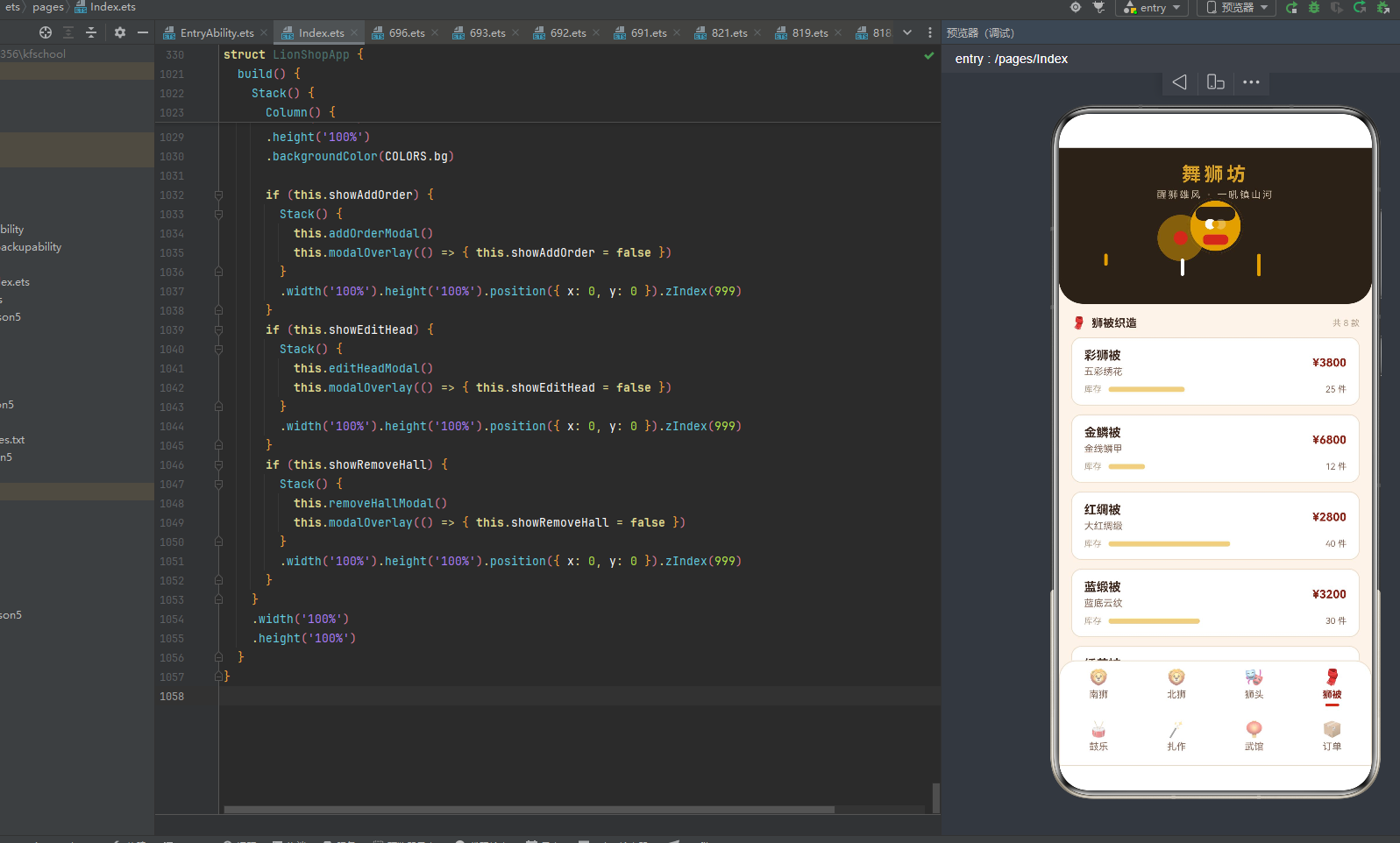
9.4 狮被页:库存横条与织造列表
else if (this.activeTab === 3) {
  Scroll() {
    Column() {
      Row() {
        Text('🧣').fontSize(14).margin({ right: 6 })
        Text('狮被织造').fontSize(13).fontWeight(FontWeight.Bold).fontColor(COLORS.textMain)
        Column().layoutWeight(1)
        Text('共 8 款').fontSize(10).fontColor(COLORS.textHint)
      }
      .width('100%').padding({ top: 14, bottom: 8 })
      ForEach(this.data.coats, (c: CoatItem) => {
        Column() {
          Row() {
            Column() {
              Text(c.name).fontSize(14).fontWeight(FontWeight.Bold).fontColor(COLORS.textMain)
              Text(c.color).fontSize(11).fontColor(COLORS.textSub).margin({ top: 4 })
            }
            .alignItems(HorizontalAlign.Start).layoutWeight(1)
            Text('¥' + c.price).fontSize(13).fontWeight(FontWeight.Bold).fontColor(COLORS.vermilionDeep)
          }
          .width('100%')
          Row() {
            Text('库存').fontSize(10).fontColor(COLORS.textHint).margin({ right: 8 })
            Column()
              .width(Math.min(160, c.stock * 3.5)).height(6).borderRadius(3)
              .backgroundColor(COLORS.gold)
              .opacity(this.amb ? 0.5 : 1)
              .animation({ duration: 1000, iterations: -1, playMode: PlayMode.Alternate })
            Column().layoutWeight(1)
            Text(c.stock + ' 件').fontSize(10).fontColor(COLORS.textSub).margin({ left: 8 })
          }
          .width('100%').margin({ top: 8 })
        }
        .width('100%')
        .backgroundColor(COLORS.cardBg).borderRadius(12)
        .padding({ left: 14, right: 14, top: 12, bottom: 12 })
        .margin({ bottom: 10 })
        .border({ width: 1, color: COLORS.border })
      }, (c: CoatItem) => c.name)
    }
    .width('100%').padding({ left: 14, right: 14, bottom: 12 })
  }
  .width('100%')
  .layoutWeight(1)
}
狮被页(Tab 3)采用"库存横条+织造列表"的布局。每张狮被卡片的信息行包含狮被名称(14号粗体)+配色工艺(11号浅褐)+价格(13号粗体深朱红)。下方是库存横条——宽度通过Math.min(160, c.stock * 3.5)内联计算(库存×3.5,上限160px),高度6px圆角3,gold金色底,opacity在0.5到1之间1000ms无限循环呼吸动画。横条左侧标注"库存"10号灰褐,右侧标注"X 件"10号浅褐。8款狮被从红绸被(40件最多)到金鳞被(12件),库存横条直观展示了不同狮被的库存量。
9.5 鼓乐页:热门度横条与助威列表
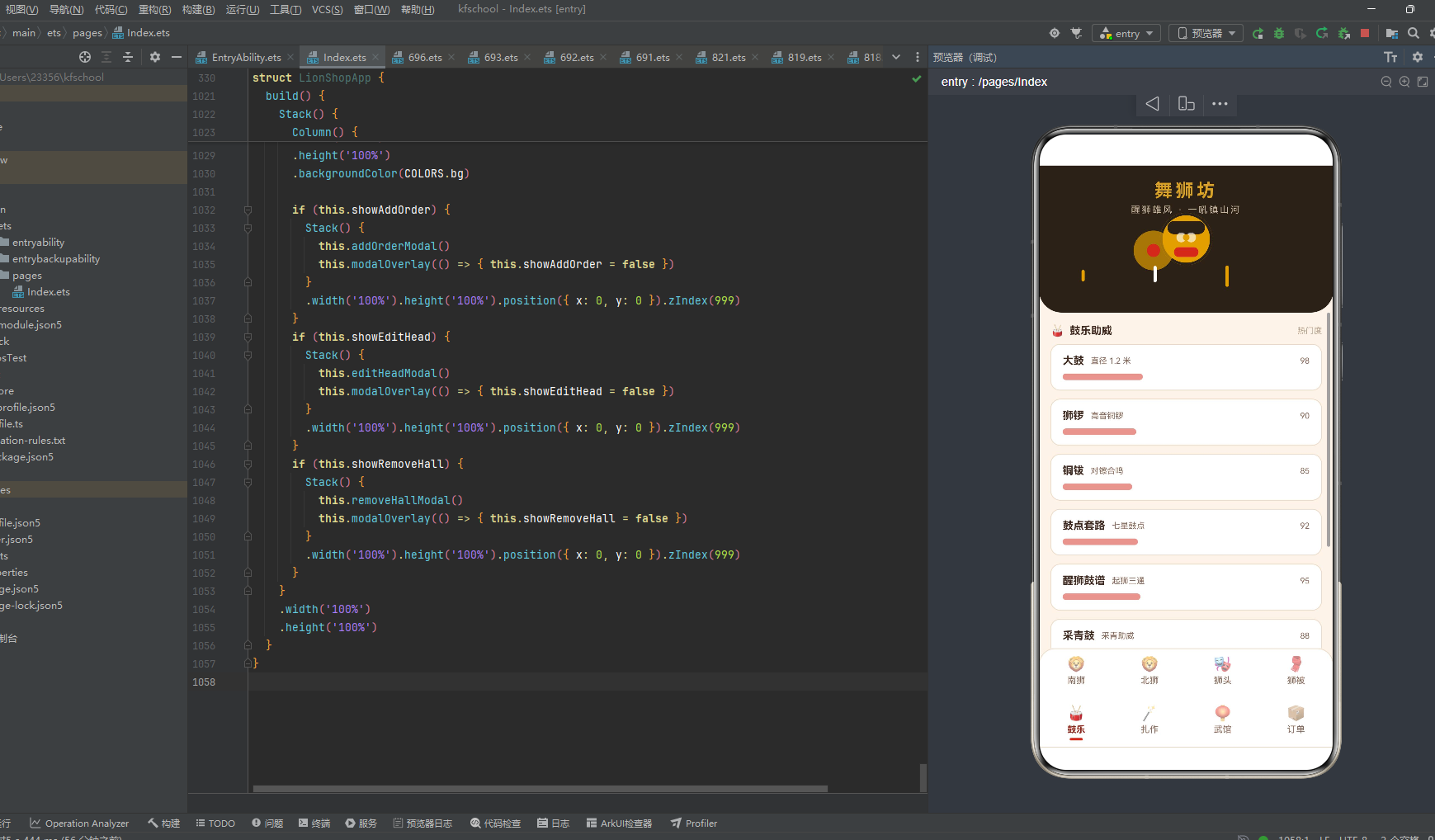
else if (this.activeTab === 4) {
  Scroll() {
    Column() {
      Row() {
        Text('🥁').fontSize(14).margin({ right: 6 })
        Text('鼓乐助威').fontSize(13).fontWeight(FontWeight.Bold).fontColor(COLORS.textMain)
        Column().layoutWeight(1)
        Text('热门度').fontSize(10).fontColor(COLORS.textHint)
      }
      .width('100%').padding({ top: 14, bottom: 8 })
      ForEach(this.data.drums, (d: DrumItem) => {
        Column() {
          Row() {
            Text(d.name).fontSize(13).fontWeight(FontWeight.Bold)
              .fontColor(COLORS.textMain)
            Text(d.desc).fontSize(10).fontColor(COLORS.textSub).margin({ left: 8 })
            Column().layoutWeight(1)
            Text(d.hot + '').fontSize(10).fontColor(COLORS.textSub)
          }
          .width('100%')
          Row() {
            Column()
              .width(hotBarW(d.hot)).height(8).borderRadius(4)
              .backgroundColor(COLORS.vermilion)
              .opacity(this.amb ? 0.5 : 1)
              .animation({ duration: 1200, iterations: -1, playMode: PlayMode.Alternate })
            Column().layoutWeight(1)
          }
          .width('100%').margin({ top: 8 })
        }
        .width('100%')
        .backgroundColor(COLORS.cardBg).borderRadius(12)
        .padding({ left: 14, right: 14, top: 12, bottom: 12 })
        .margin({ bottom: 10 })
        .border({ width: 1, color: COLORS.border })
      }, (d: DrumItem) => d.name)
    }
    .width('100%').padding({ left: 14, right: 14, bottom: 12 })
  }
  .width('100%')
  .layoutWeight(1)
}
鼓乐页(Tab 4)采用"热门度横条+助威列表"的布局。每张鼓乐卡片的信息行包含鼓乐名称(13号粗体)+描述(10号浅褐)+热门度数值(10号浅褐)。下方是热门度横条——宽度通过hotBarW(d.hot)函数映射(取热门度值本身与140的较小值),高度8px圆角4,vermilion朱红色底,opacity在0.5到1之间1200ms无限循环呼吸动画。8种鼓乐从高桩鼓(82热门度)到大鼓(98热门度最高),热门度横条直观展示了不同鼓乐的受欢迎程度。
9.6 扎作页:八法工时横条与难度标签
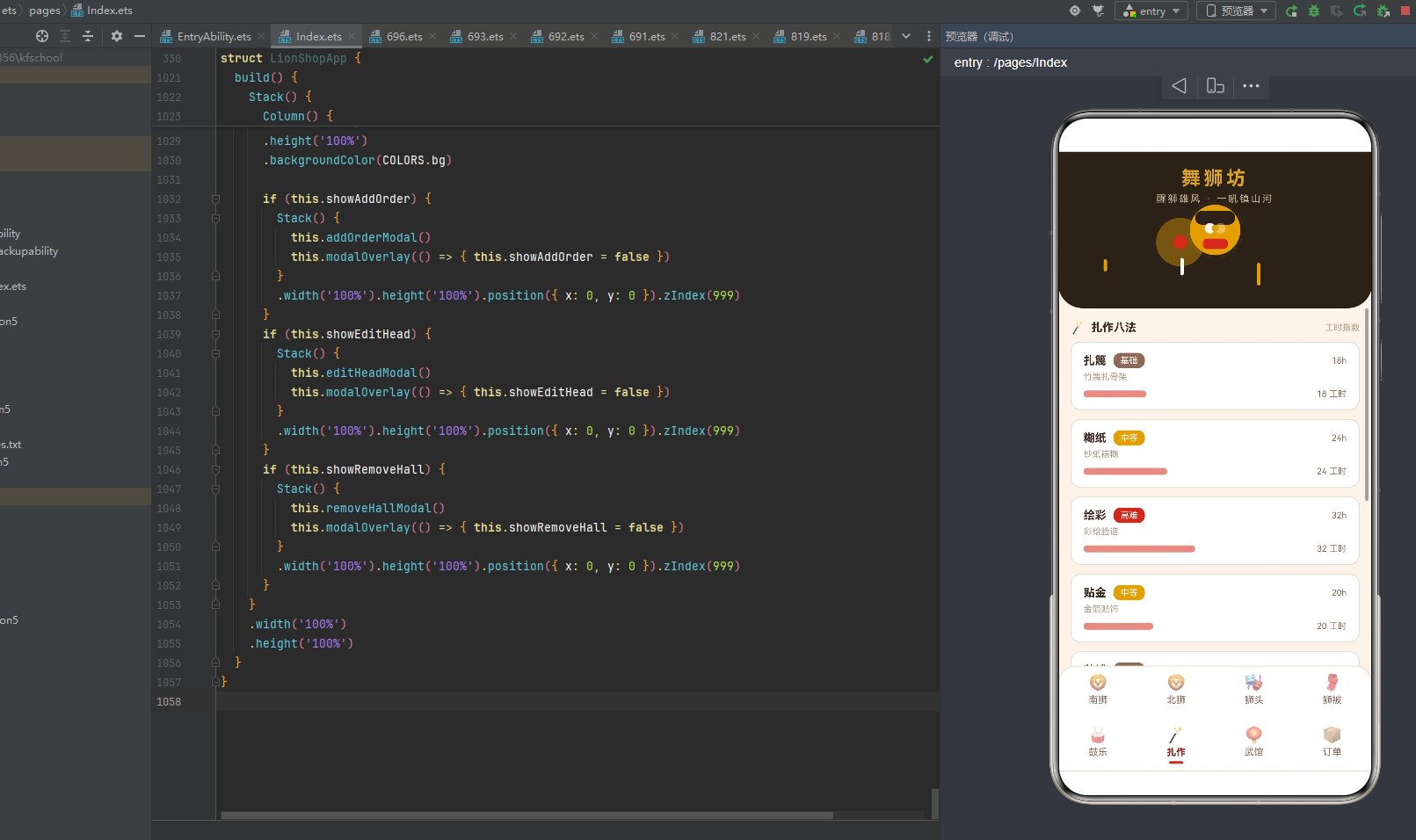
else if (this.activeTab === 5) {
  Scroll() {
    Column() {
      Row() {
        Text('🪄').fontSize(14).margin({ right: 6 })
        Text('扎作八法').fontSize(13).fontWeight(FontWeight.Bold).fontColor(COLORS.textMain)
        Column().layoutWeight(1)
        Text('工时指数').fontSize(10).fontColor(COLORS.textHint)
      }
      .width('100%').padding({ top: 14, bottom: 8 })
      ForEach(this.data.crafts, (c: CraftItem) => {
        Column() {
          Row() {
            Text(c.name).fontSize(13).fontWeight(FontWeight.Bold)
              .fontColor(COLORS.textMain)
            Text(c.rank).fontSize(10).fontColor(COLORS.white)
              .backgroundColor(rankColor(c.rank)).borderRadius(8)
              .padding({ left: 8, right: 8, top: 3, bottom: 3 }).margin({ left: 8 })
            Column().layoutWeight(1)
            Text(c.hours + 'h').fontSize(10).fontColor(COLORS.textSub)
          }
          .width('100%')
          Text(c.desc).fontSize(10).fontColor(COLORS.textHint).width('100%').margin({ top: 4 })
          Row() {
            Column()
              .width(craftBarW(c.hours)).height(8).borderRadius(4)
              .backgroundColor(COLORS.vermilion)
              .opacity(this.amb ? 0.55 : 1)
              .animation({ duration: 1000, iterations: -1, playMode: PlayMode.Alternate })
            Column().layoutWeight(1)
            Text(c.hours + ' 工时').fontSize(10).fontColor(COLORS.textSub).margin({ left: 8 })
          }
          .width('100%').margin({ top: 8 })
        }
        .width('100%')
        .backgroundColor(COLORS.cardBg).borderRadius(12)
        .padding({ left: 14, right: 14, top: 12, bottom: 12 })
        .margin({ bottom: 10 })
        .border({ width: 1, color: COLORS.border })
      }, (c: CraftItem) => c.name)
    }
    .width('100%').padding({ left: 14, right: 14, bottom: 12 })
  }
  .width('100%')
  .layoutWeight(1)
}
扎作页(Tab 5)采用"八法工时横条+难度标签"的布局,是舞狮坊应用数据可视化最丰富的页面之一。每张扎作卡片的信息行包含工艺名称(13号粗体)+难度标签(10号白色字+rankColor(c.rank)背景色圆角8内边距)+工时数值(10号"Xh")。难度标签通过rankColor函数三级着色——"高难"朱红色、"中等"金色、"基础"浅褐色,使难度等级一目了然。信息行下方是描述文字(10号灰褐),再下方是工时横条——宽度通过craftBarW(c.hours)函数映射,vermilion朱红色底,opacity呼吸动画。8种扎作工艺从点睛(10h·中等)到绘彩(32h·高难且工时最高),工时横条直观展示了不同工艺的繁复程度。
9.7 武馆页:名录列表与移除交互
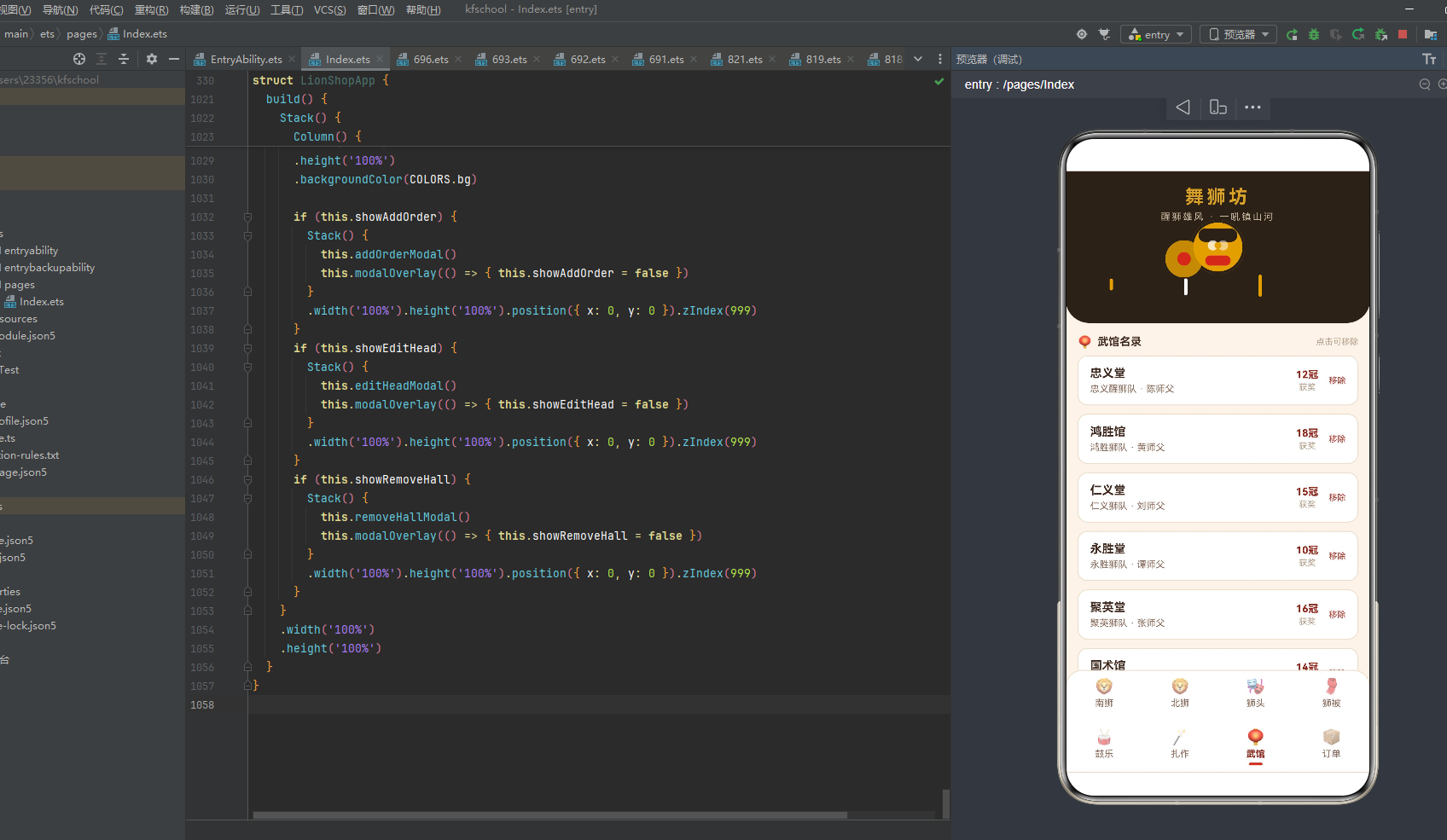
else if (this.activeTab === 6) {
  Scroll() {
    Column() {
      Row() {
        Text('🏮').fontSize(14).margin({ right: 6 })
        Text('武馆名录').fontSize(13).fontWeight(FontWeight.Bold).fontColor(COLORS.textMain)
        Column().layoutWeight(1)
        Text('点击可移除').fontSize(10).fontColor(COLORS.textHint)
      }
      .width('100%').padding({ top: 14, bottom: 8 })
      ForEach(this.data.halls, (ha: HallItem, i: number) => {
        Column() {
          Row() {
            Column() {
              Text(ha.name).fontSize(14).fontWeight(FontWeight.Bold).fontColor(COLORS.textMain)
              Text(ha.team + ' · ' + ha.coach).fontSize(11)
                .fontColor(COLORS.textSub).margin({ top: 4 })
            }
            .alignItems(HorizontalAlign.Start).layoutWeight(1)
            Column() {
              Text(ha.awards + '冠').fontSize(12).fontWeight(FontWeight.Bold).fontColor(COLORS.vermilionDeep)
              Text('获奖').fontSize(10).fontColor(COLORS.textHint).margin({ top: 2 })
            }
            Text('移除').fontSize(10).fontColor(COLORS.danger).margin({ left: 12 })
              .onClick(() => {
                this.hallIdx = i;
                this.showRemoveHall = true;
              })
          }
          .width('100%')
        }
        .width('100%')
        .backgroundColor(COLORS.cardBg).borderRadius(12)
        .padding({ left: 14, right: 14, top: 12, bottom: 12 })
        .margin({ bottom: 10 })
        .border({ width: 1, color: COLORS.border })
      }, (ha: HallItem) => ha.name)
    }
    .width('100%').padding({ left: 14, right: 14, bottom: 12 })
  }
  .width('100%')
  .layoutWeight(1)
}
武馆页(Tab 6)采用"名录列表+移除交互"的布局。每张武馆卡片是一个三列Row——左侧layoutWeight(1)弹性信息区(武馆名称14号粗体+狮队师父信息11号浅褐),中间获奖数区("X冠"12号粗体深朱红+"获奖"10号灰褐),右侧"移除"按钮(10号danger红色),点击"移除"设置hallIdx为当前索引、showRemoveHall为true触发移除确认弹窗。8家武馆从永胜堂(10冠)到精武堂(20冠最多),获奖数直观展示了不同武馆的赛事成就。
9.8 订单页:柱状图与台账列表
订单页(Tab 7)是舞狮坊应用最复杂的页面,采用"柱状图+新增按钮+台账列表"的三层布局。由于代码较长,这里分段解析。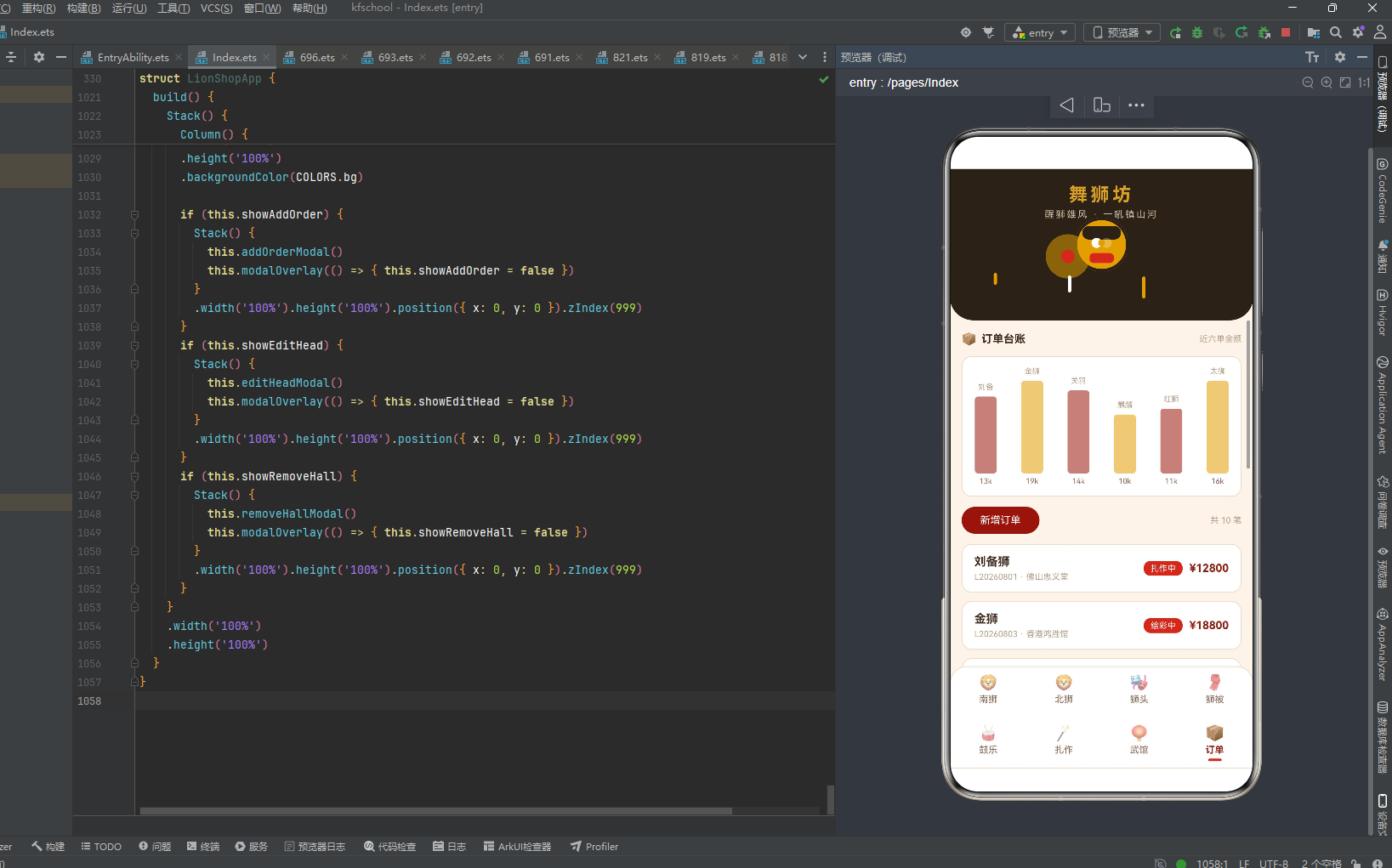
else {
  Scroll() {
    Column() {
      Row() {
        Text('📦').fontSize(14).margin({ right: 6 })
        Text('订单台账').fontSize(13).fontWeight(FontWeight.Bold).fontColor(COLORS.textMain)
        Column().layoutWeight(1)
        Text('近六单金额').fontSize(10).fontColor(COLORS.textHint)
      }
      .width('100%').padding({ top: 14, bottom: 8 })
订单页标题行左侧📦图标+"订单台账"13号粗体,右侧"近六单金额"10号提示,点明柱状图展示的内容。
十、弹窗交互:增删改查闭环
舞狮坊应用通过三个@Builder弹窗方法实现了完整的增删改查交互闭环:addOrderModal新增订单、editHeadModal编辑狮头、removeHallModal移除武馆。三个弹窗都通过if条件渲染控制显隐,Stack层叠弹窗主体与遮罩,zIndex(999)覆盖主内容。
10.1 modalOverlay遮罩构建器
@Builder
modalOverlay(onClose: () => void) {
  Column()
    .width('100%').height('100%')
    .backgroundColor('#55000000')
    .onClick(() => {
      onClose();
    })
}
modalOverlay是弹窗遮罩层的通用构建器,接收一个onClose回调函数参数。遮罩为全屏Column,#55000000(55%黑色半透明)背景,点击遮罩区域调用onClose回调关闭弹窗。这种"构建器+回调参数"的设计使三个弹窗共用同一遮罩逻辑,避免了重复代码。
10.2 addOrderModal新增订单弹窗
@Builder
addOrderModal() {
  Column() {
    Row() {
      Text('新增订单').fontSize(17).fontWeight(FontWeight.Bold).fontColor(COLORS.textMain)
      Column().layoutWeight(1)
      Text('✕').fontSize(16).fontColor(COLORS.textHint)
        .onClick(() => { this.showAddOrder = false })
    }
    .width('100%').padding({ left: 20, right: 20, top: 18, bottom: 8 })
    Scroll() {
      Column() {
        Text('订单编号').fontSize(12).fontColor(COLORS.textSub).width('100%').margin({ top: 8 })
        TextInput({ text: this.formNo, placeholder: '如 L20260822' })
          .placeholderColor(COLORS.textHint).fontSize(14).width('100%')
          .backgroundColor(COLORS.bg).borderRadius(8)
          .margin({ top: 4 }).onChange((v: string) => { this.formNo = v })
        Text('客户名称').fontSize(12).fontColor(COLORS.textSub).width('100%').margin({ top: 12 })
        TextInput({ text: this.formBuyer, placeholder: '客户名称' })
          .placeholderColor(COLORS.textHint).fontSize(14).width('100%')
          .backgroundColor(COLORS.bg).borderRadius(8)
          .margin({ top: 4 }).onChange((v: string) => { this.formBuyer = v })
        Text('定制狮品').fontSize(12).fontColor(COLORS.textSub).width('100%').margin({ top: 12 })
        TextInput({ text: this.formPiece, placeholder: '如 关羽狮' })
          .placeholderColor(COLORS.textHint).fontSize(14).width('100%')
          .backgroundColor(COLORS.bg).borderRadius(8)
          .margin({ top: 4 }).onChange((v: string) => { this.formPiece = v })
        Text('定金金额').fontSize(12).fontColor(COLORS.textSub).width('100%').margin({ top: 12 })
        TextInput({ text: this.formAmount, placeholder: '元' })
          .placeholderColor(COLORS.textHint).fontSize(14).width('100%')
          .backgroundColor(COLORS.bg).borderRadius(8)
          .margin({ top: 4 }).onChange((v: string) => { this.formAmount = v })
      }
      .width('100%').padding({ left: 20, right: 20 })
    }
    .width('100%')
    .constraintSize({ maxHeight: '52%' })
    Row() {
      Text('取消').fontSize(14).fontColor(COLORS.textSub)
        .backgroundColor(COLORS.border).borderRadius(20)
        .padding({ left: 26, right: 26, top: 10, bottom: 10 })
        .onClick(() => { this.showAddOrder = false })
      Text('提交订单').fontSize(14).fontColor(COLORS.white)
        .backgroundColor(COLORS.vermilionDeep).borderRadius(20)
        .padding({ left: 26, right: 26, top: 10, bottom: 10 })
        .margin({ left: 12 })
        .onClick(() => {
          this.data.addOrder(
            this.formNo === '' ? 'L20260822' : this.formNo,
            this.formBuyer === '' ? '匿名客' : this.formBuyer,
            this.formPiece === '' ? '关羽狮' : this.formPiece,
            this.formAmount === '' ? 12000 : Number(this.formAmount));
          this.showAddOrder = false;
        })
    }
    .width('100%').justifyContent(FlexAlign.Center)
    .padding({ left: 20, right: 20, top: 16, bottom: 16 })
  }
  .width('90%')
  .constraintSize({ maxHeight: '80%' })
  .backgroundColor(COLORS.cardBg).borderRadius(16)
  .alignItems(HorizontalAlign.Center)
  .position({ x: '5%', y: '8%' })
}
addOrderModal是新增订单弹窗,包含标题行(“新增订单"17号粗体+✕关闭按钮)、表单区(Scroll包裹4个TextInput:订单编号/客户名称/定制狮品/定金金额,每个带label标签+placeholder提示+bg米杏底+圆角8)、底部按钮区(“取消"border米色底+“提交订单"vermilionDeep深朱红底)。表单区用constraintSize({ maxHeight: '52%' })限制最大高度,超出可滚动。提交时调用this.data.addOrder()方法,空值有默认值兜底(编号"L20260822”/客户"匿名客”/狮品"关羽狮”/金额12000),提交后关闭弹窗。弹窗主体90%宽度、圆角16、cardBg白底,position({ x: '5%', y: '8%' })定位在屏幕上方偏中。
10.3 editHeadModal编辑狮头弹窗
@Builder
editHeadModal() {
  Column() {
    Row() {
      Text('编辑狮头').fontSize(17).fontWeight(FontWeight.Bold).fontColor(COLORS.textMain)
      Column().layoutWeight(1)
      Text('✕').fontSize(16).fontColor(COLORS.textHint)
        .onClick(() => { this.showEditHead = false })
    }
    .width('100%').padding({ left: 20, right: 20, top: 18, bottom: 8 })
    Text('当前狮头:' + this.data.heads[this.headIdx].name).fontSize(13)
      .fontColor(COLORS.textMain).width('100%').margin({ top: 8, left: 20 })
    Text('售价(元)').fontSize(12).fontColor(COLORS.textSub)
      .width('100%').margin({ top: 12, left: 20 })
    TextInput({ text: this.headPrice, placeholder: '售价' })
      .placeholderColor(COLORS.textHint).fontSize(14).width('90%')
      .backgroundColor(COLORS.bg).borderRadius(8)
      .margin({ top: 4 }).onChange((v: string) => { this.headPrice = v })
    Text('提示:扎作工时反映制作难度').fontSize(10).fontColor(COLORS.textHint)
      .width('100%').margin({ top: 10, left: 20 })
    Row() {
      Text('取消').fontSize(14).fontColor(COLORS.textSub)
        .backgroundColor(COLORS.border).borderRadius(20)
        .padding({ left: 26, right: 26, top: 10, bottom: 10 })
        .onClick(() => { this.showEditHead = false })
      Text('保存修改').fontSize(14).fontColor(COLORS.white)
        .backgroundColor(COLORS.vermilionDeep).borderRadius(20)
        .padding({ left: 26, right: 26, top: 10, bottom: 10 })
        .margin({ left: 12 })
        .onClick(() => {
          this.data.editHead(this.headIdx,
            this.headPrice === '' ? this.data.heads[this.headIdx].price : Number(this.headPrice));
          this.showEditHead = false;
        })
    }
    .width('100%').justifyContent(FlexAlign.Center)
    .padding({ left: 20, right: 20, top: 20, bottom: 16 })
  }
  .width('90%')
  .constraintSize({ maxHeight: '80%' })
  .backgroundColor(COLORS.cardBg).borderRadius(16)
  .alignItems(HorizontalAlign.Center)
  .position({ x: '5%', y: '8%' })
}
editHeadModal是编辑狮头弹窗,结构与新增订单弹窗类似但更简洁。标题行"编辑狮头"17号粗体+✕关闭,信息行显示"当前狮头:"+this.data.heads[this.headIdx].name(通过headIdx索引取当前编辑的狮头名称),表单只有一个"售价"输入框(headPrice预填当前价格),底部有"扎作工时反映制作难度"的提示文字。保存时调用this.data.editHead(this.headIdx, ...)方法修改指定狮头的价格,空值兜底为当前价格。弹窗布局与新增订单弹窗一致——90%宽度、圆角16、position居中偏上。
10.4 removeHallModal移除武馆弹窗
@Builder
removeHallModal() {
  Column() {
    Text('🏮').fontSize(34).margin({ top: 24 })
    Text('移除武馆').fontSize(17).fontWeight(FontWeight.Bold)
      .fontColor(COLORS.textMain).margin({ top: 10 })
    Text('确认将 ' + this.data.halls[this.hallIdx].name + ' 移出武馆名录?')
      .fontSize(13).fontColor(COLORS.textSub).margin({ top: 10 })
      .padding({ left: 28, right: 28 }).textAlign(TextAlign.Center)
    Row() {
      Text('再想想').fontSize(14).fontColor(COLORS.textSub)
        .backgroundColor(COLORS.border).borderRadius(20)
        .padding({ left: 26, right: 26, top: 10, bottom: 10 })
        .onClick(() => { this.showRemoveHall = false })
      Text('确认移除').fontSize(14).fontColor(COLORS.white)
        .backgroundColor(COLORS.danger).borderRadius(20)
        .padding({ left: 26, right: 26, top: 10, bottom: 10 })
        .margin({ left: 12 })
        .onClick(() => {
          this.data.removeHall(this.hallIdx);
          this.showRemoveHall = false;
        })
    }
    .width('100%').justifyContent(FlexAlign.Center)
    .padding({ left: 20, right: 20, top: 22, bottom: 20 })
  }
  .width('86%')
  .constraintSize({ maxHeight: '80%' })
  .backgroundColor(COLORS.cardBg).borderRadius(16)
  .alignItems(HorizontalAlign.Center)
  .position({ x: '7%', y: '28%' })
}
removeHallModal是移除武馆确认弹窗,与前两个弹窗风格不同——顶部用🏮34号大图标,"移除武馆"17号粗体标题,确认文案"确认将 X 移出武馆名录?"13号浅褐居中。底部按钮"再想想"border米色底+"确认移除"danger红色底,确认后调用this.data.removeHall(this.hallIdx)方法删除指定武馆。弹窗86%宽度、圆角16、position({ x: '7%', y: '28%' })定位在屏幕中央偏下,视觉上比表单弹窗更居中,符合确认对话框的交互习惯。
10.5 弹窗条件渲染
build() {
  Stack() {
    Column() {
      this.headerArea()
      this.contentArea()
      this.bottomBar()
    }
    .width('100%')
    .height('100%')
    .backgroundColor(COLORS.bg)

    if (this.showAddOrder) {
      Stack() {
        this.addOrderModal()
        this.modalOverlay(() => { this.showAddOrder = false })
      }
      .width('100%').height('100%').position({ x: 0, y: 0 }).zIndex(999)
    }
    if (this.showEditHead) {
      Stack() {
        this.editHeadModal()
        this.modalOverlay(() => { this.showEditHead = false })
      }
      .width('100%').height('100%').position({ x: 0, y: 0 }).zIndex(999)
    }
    if (this.showRemoveHall) {
      Stack() {
        this.removeHallModal()
        this.modalOverlay(() => { this.showRemoveHall = false })
      }
      .width('100%').height('100%').position({ x: 0, y: 0 }).zIndex(999)
    }
  }
  .width('100%')
  .height('100%')
}
build方法是整个应用的根构建器。最外层Stack包含两部分:底层是主内容Column(headerArea头部+contentArea内容+bottomBar底部导航,bg米杏底),上层是三个弹窗的if条件渲染。每个弹窗用一个Stack包裹弹窗主体和遮罩层,zIndex(999)确保弹窗覆盖在主内容之上。弹窗显示顺序由showAddOrder/showEditHead/showRemoveHall三个@State布尔变量控制,互斥显示(同一时间只显示一个弹窗)。
十一、图表可视化:订单柱状图与工时横条
舞狮坊应用在订单页实现了柱状图数据可视化,同时在多个Tab页实现了横条进度条可视化,是应用数据展示的亮点。
11.1 订单柱状图
Row() {
  ForEach(TOP_ORDER_IDX, (i: number) => {
    Column() {
      Text(this.data.orders[i].piece.length > 2
        ? this.data.orders[i].piece.substring(0, 2) : this.data.orders[i].piece)
        .fontSize(9).fontColor(COLORS.textHint)
      Column()
        .width(26).height(orderBarH(this.data.orders[i].amount)).borderRadius(4)
        .backgroundColor(i % 2 === 0 ? COLORS.vermilionDeep : COLORS.gold)
        .margin({ top: 6 })
        .opacity(this.amb ? 0.55 : 1)
        .animation({ duration: 900 + i * 150, iterations: -1, playMode: PlayMode.Alternate })
      Text((this.data.orders[i].amount / 1000).toFixed(0) + 'k')
        .fontSize(9).fontColor(COLORS.textSub).margin({ top: 4 })
    }
    .layoutWeight(1)
    .alignItems(HorizontalAlign.Center)
  }, (i: number) => i.toString())
}
.width('100%')
.padding({ top: 12, bottom: 12 })
.backgroundColor(COLORS.cardBg).borderRadius(12)
.margin({ top: 4, bottom: 12 })
.alignItems(VerticalAlign.Bottom)
.border({ width: 1, color: COLORS.border })
订单柱状图是舞狮坊应用数据可视化的核心。ForEach遍历TOP_ORDER_IDX [0,1,2,3,4,5]取近六笔订单,每笔订单渲染为一个Column柱状图项,包含三部分:顶部狮品名称(9号灰褐,超过2字截取前2字)、中间柱体(26px宽,高度通过orderBarH(amount)函数映射——金额/140上限110px,颜色偶数索引用vermilionDeep深朱红、奇数索引用gold金色交替,opacity在0.55到1之间呼吸动画,动画时长递增900+i*150即900/1050/1200/1350/1500/1650ms使六根柱子错开节奏跳动)、底部金额标签(9号浅褐,金额/1000取整+“k"格式如"13k”“19k”)。
整个柱状图容器用alignItems(VerticalAlign.Bottom)使所有柱体底部对齐,模拟传统柱状图的视觉效果。六根柱子高低错落——最高的是金狮¥18800(约134px被限制为110px),最低的是貔貅头¥8800(约63px),金红交替的配色与舞狮红金主调一致。柱体呼吸动画通过amb状态驱动,每根柱子动画时长不同,形成"此起彼伏"的跳动效果,模拟舞狮锣鼓节奏的律动感。
11.2 订单台账列表
Row() {
  Text('新增订单').fontSize(12).fontColor(COLORS.white)
    .backgroundColor(COLORS.vermilionDeep).borderRadius(16)
    .padding({ left: 22, right: 22, top: 9, bottom: 9 })
    .onClick(() => {
      this.formNo = '';
      this.formBuyer = '';
      this.formPiece = '';
      this.formAmount = '';
      this.showAddOrder = true;
    })
  Column().layoutWeight(1)
  Text('共 ' + this.data.orders.length + ' 笔').fontSize(10).fontColor(COLORS.textHint)
}
.width('100%').margin({ bottom: 12 })
ForEach(this.data.orders, (o: OrderItem) => {
  Column() {
    Row() {
      Column() {
        Text(o.piece).fontSize(14).fontWeight(FontWeight.Bold).fontColor(COLORS.textMain)
        Text(o.no + ' · ' + o.buyer).fontSize(10)
          .fontColor(COLORS.textHint).margin({ top: 4 })
      }
      .alignItems(HorizontalAlign.Start).layoutWeight(1)
      Text(o.status).fontSize(10).fontColor(COLORS.white)
        .backgroundColor(statusColor(o.status)).borderRadius(8)
        .padding({ left: 8, right: 8, top: 3, bottom: 3 })
      Text('¥' + o.amount).fontSize(13).fontWeight(FontWeight.Bold)
        .fontColor(COLORS.vermilionDeep).margin({ left: 8 })
    }
    .width('100%')
  }
  .width('100%')
  .backgroundColor(COLORS.cardBg).borderRadius(12)
  .padding({ left: 14, right: 14, top: 12, bottom: 12 })
  .margin({ bottom: 10 })
  .border({ width: 1, color: COLORS.border })
}, (o: OrderItem) => o.no)
柱状图下方是"新增订单"按钮(12号白色字+vermilionDeep深朱红底+圆角16,点击清空表单并显示新增弹窗)和"共X笔"订单总数提示。再下方是ForEach遍历this.data.orders数组的10笔订单台账列表。每笔订单卡片是一个三列Row——左侧layoutWeight(1)弹性信息区(狮品名称14号粗体+订单编号·客户名称10号灰褐),中间状态标签(10号白色字+statusColor(status)背景色圆角8,已交付绿/定制中紫/点睛中金/其他朱红),右侧金额"¥"+amount 13号粗体深朱红。10笔订单从L20260801到L20260820,覆盖海内外客户和五种状态,状态标签的多色着色使订单台账色彩丰富、状态一目了然。
11.3 各类横条进度条汇总
舞狮坊应用在多个Tab页使用了横条进度条作为数据可视化手段,每种横条的宽度映射函数和颜色逻辑各不相同:
狮头页工时横条使用craftBarW函数映射宽度(工时×4,上限170px),使用headColor函数根据狮头名称映射颜色(麒麟cyan青绿/老虎warning赭金/其他vermilion朱红),呼吸动画opacity 0.35-0.9。狮被页库存横条使用内联Math.min(160, c.stock * 3.5)映射宽度,固定gold金色,呼吸动画opacity 0.5-1。鼓乐页热门度横条使用hotBarW函数映射宽度(取热门度值本身与140的较小值),固定vermilion朱红色,呼吸动画opacity 0.5-1且时长1200ms更长。扎作页工时横条复用craftBarW函数映射宽度,固定vermilion朱红色,呼吸动画opacity 0.55-1。四种横条虽然映射逻辑不同,但视觉风格统一——8px高度、圆角4、呼吸动画,形成了一致的横条进度条视觉体系。
十二、交互与动画系统
舞狮坊应用的交互与动画系统是其技术深度的集中体现。应用通过@State amb布尔变量驱动所有动画,通过PlayMode.Alternate往返动画模式实现"呼吸"效果,通过不同时长和opacity范围区分动画层次。
12.1 动画驱动机制
@State amb: boolean = false;

aboutToAppear(): void {
  setTimeout(() => {
    this.amb = true;
  }, 100);
}
amb是"ambient"(环境氛围)的缩写,是整个应用动画的总开关。组件创建后100ms,aboutToAppear将amb从false设为true,所有绑定this.amb的属性从初始值过渡到目标值,触发各处动画。由于使用PlayMode.Alternate(往返模式)和iterations: -1(无限循环),动画会在初始值和目标值之间持续往返,形成"呼吸"效果——即使amb已经是true,动画仍然持续。
12.2 动画层次体系
舞狮坊应用的动画分为三个层次,节奏由快到慢:
快速层(700-1000ms):狮眼闪光700ms、南狮装饰条呼吸1000ms、狮头工时横条1000ms、狮被库存横条1000ms、扎作工时横条1000ms。这些是高频次的细节动画,模拟狮眼瞪视、飘带飘动等微表情。
中速层(1100-1200ms):锣鼓圆环脉冲1100ms、鼓乐热门度横条1200ms。这些是中频次的主体动画,模拟鼓面震动、热度跳动等主体动态。
慢速层(1200-1700ms):流苏摇摆1200/1450/1700ms(三根流苏时长递增)、柱状图柱体跳动900/1050/1200/1350/1500/1650ms(六根柱子时长递增)。这些是低频次的环境动画,模拟流苏摇曳、柱体起伏等环境律动。
12.3 交互触发链
舞狮坊应用的交互遵循"列表浏览→点击触发→弹窗确认→数据操作→UI刷新"的完整链路。狮头页"编辑"按钮点击设置headIdx和headPrice预填值后显示editHeadModal,保存修改调用editHead修改数据并关闭弹窗,@Observed自动触发狮头列表重新渲染显示新价格。武馆页"移除"按钮点击设置hallIdx后显示removeHallModal,确认移除调用removeHall删除数据并关闭弹窗,@Observed自动触发武馆列表重新渲染(列表项减少一项)。订单页"新增订单"按钮点击清空表单后显示addOrderModal,提交订单调用addOrder在头部插入新订单并关闭弹窗,@Observed自动触发订单列表和柱状图重新渲染(新订单出现在列表顶部和柱状图中)。这种"@Observed数据变更→自动UI刷新"的响应式机制是ArkUI状态管理的核心优势,开发者无需手动操作DOM,只需修改数据即可驱动UI更新。
十三、完整源代码
以下是舞狮坊应用的完整源代码,涵盖了色彩接口定义、常量配置、Tab导航配置、索引数组、8个@Observed数据类、聚合数据类LionShopData、6个工具函数、入口组件LionShopApp及其所有@Builder方法(bottomItem/modalOverlay/lionFace/headerArea/addOrderModal/editHeadModal/removeHallModal/contentArea/bottomBar/build)的全部实现:
// 696.ets 舞狮坊 · 醒狮雄风
// 布局特色:红金黑三色 + 双狮对称 header(左右狮头圆面:圆面 + 狮眉 + 狮眼闪光 + 狮口,中央锣鼓圆环脉冲)+ 扎作工时横条 + 订单金额柱状图
interface LionPalette {
bg: string;
cardBg: string;
vermilion: string;
vermilionDeep: string;
gold: string;
black: string;
cyan: string;
textMain: string;
textSub: string;
textHint: string;
border: string;
success: string;
warning: string;
danger: string;
white: string;
}
const COLORS: LionPalette = {
bg: '#FBF3EA',
cardBg: '#FFFFFF',
vermilion: '#C43A2A',
vermilionDeep: '#8E2418',
gold: '#D9A227',
black: '#2A2118',
cyan: '#3E5C50',
textMain: '#40291F',
textSub: '#8A6A5A',
textHint: '#B5A08C',
border: '#EDDCC8',
success: '#5E7B4A',
warning: '#B57B2E',
danger: '#A83A2E',
white: '#FFFFFF'
};
interface TabMeta {
label: string;
icon: string;
}
const TAB_LIST: TabMeta[] = [
{ label: '南狮', icon: '🦁' },
{ label: '北狮', icon: '🦁' },
{ label: '狮头', icon: '🎭' },
{ label: '狮被', icon: '🧣' },
{ label: '鼓乐', icon: '🥁' },
{ label: '扎作', icon: '🪄' },
{ label: '武馆', icon: '🏮' },
{ label: '订单', icon: '📦' }
];
const ROW1_IDX: number[] = [0, 1, 2, 3];
const ROW2_IDX: number[] = [4, 5, 6, 7];
const TASSEL_IDX: number[] = [0, 1, 2];
const TOP_ORDER_IDX: number[] = [0, 1, 2, 3, 4, 5];
@Observed
export class SouthLionItem {
name: string = '';
color: string = '';
head: string = '';
price: number = 0;
constructor(name: string, color: string, head: string, price: number) {
this.name = name;
this.color = color;
this.head = head;
this.price = price;
}
}
@Observed
export class NorthLionItem {
name: string = '';
fur: string = '';
style: string = '';
price: number = 0;
constructor(name: string, fur: string, style: string, price: number) {
this.name = name;
this.fur = fur;
this.style = style;
this.price = price;
}
}
@Observed
export class HeadItem {
name: string = '';
region: string = '';
hours: number = 0;
price: number = 0;
constructor(name: string, region: string, hours: number, price: number) {
this.name = name;
this.region = region;
this.hours = hours;
this.price = price;
}
}
@Observed
export class CoatItem {
name: string = '';
color: string = '';
price: number = 0;
stock: number = 0;
constructor(name: string, color: string, price: number, stock: number) {
this.name = name;
this.color = color;
this.price = price;
this.stock = stock;
}
}
@Observed
export class DrumItem {
name: string = '';
desc: string = '';
hot: number = 0;
constructor(name: string, desc: string, hot: number) {
this.name = name;
this.desc = desc;
this.hot = hot;
}
}
@Observed
export class CraftItem {
name: string = '';
desc: string = '';
hours: number = 0;
rank: string = '';
constructor(name: string, desc: string, hours: number, rank: string) {
this.name = name;
this.desc = desc;
this.hours = hours;
this.rank = rank;
}
}
@Observed
export class HallItem {
name: string = '';
team: string = '';
coach: string = '';
awards: number = 0;
constructor(name: string, team: string, coach: string, awards: number) {
this.name = name;
this.team = team;
this.coach = coach;
this.awards = awards;
}
}
@Observed
export class OrderItem {
no: string = '';
buyer: string = '';
piece: string = '';
amount: number = 0;
status: string = '';
constructor(no: string, buyer: string, piece: string, amount: number, status: string) {
this.no = no;
this.buyer = buyer;
this.piece = piece;
this.amount = amount;
this.status = status;
}
}
@Observed
export class LionShopData {
souths: SouthLionItem[] = [
new SouthLionItem('刘备狮', '黄底彩绘', '佛山狮', 12800),
new SouthLionItem('关羽狮', '红底金纹', '佛山狮', 13800),
new SouthLionItem('张飞狮', '黑底白纹', '佛山狮', 12800),
new SouthLionItem('赵云狮', '银底蓝纹', '鹤山狮', 11800),
new SouthLionItem('马超狮', '金底红纹', '鹤山狮', 11800),
new SouthLionItem('黄忠狮', '黄底黑纹', '佛山狮', 12800),
new SouthLionItem('彩狮', '五彩祥云', '醒狮', 9800),
new SouthLionItem('金狮', '金箔满身', '醒狮', 18800),
new SouthLionItem('银狮', '银底白纹', '醒狮', 15800),
new SouthLionItem('红狮', '大红喜庆', '佛山狮', 10800),
new SouthLionItem('黑狮', '玄黑威严', '鹤山狮', 10800),
new SouthLionItem('青狮', '青面獠牙', '醒狮', 9800)
];
norths: NorthLionItem[] = [
new NorthLionItem('太狮', '金鬃长毛', '双人狮', 15800),
new NorthLionItem('少狮', '短鬃彩毛', '单人狮', 8800),
new NorthLionItem('白狮', '白鬃白毛', '双人狮', 12800),
new NorthLionItem('黄狮', '黄鬃黄毛', '双人狮', 12800),
new NorthLionItem('青狮', '青鬃青毛', '双人狮', 12800),
new NorthLionItem('紫狮', '紫鬃紫毛', '双人狮', 13800),
new NorthLionItem('花狮', '五彩花鬃', '单人狮', 9800),
new NorthLionItem('瑞狮', '金红瑞兽', '双人狮', 16800)
];
heads: HeadItem[] = [
new HeadItem('佛山狮', '佛山', 96, 6800),
new HeadItem('鹤山狮', '鹤山', 88, 6200),
new HeadItem('醒狮', '广东', 80, 5600),
new HeadItem('麒麟头', '粤东', 110, 9800),
new HeadItem('貔貅头', '岭南', 105, 8800),
new HeadItem('大象头', '粤西', 90, 7600),
new HeadItem('鲨鱼头', '南海', 98, 8200),
new HeadItem('老虎头', '北方', 92, 7200)
];
coats: CoatItem[] = [
new CoatItem('彩狮被', '五彩绣花', 3800, 25),
new CoatItem('金鳞被', '金线鳞甲', 6800, 12),
new CoatItem('红绸被', '大红绸缎', 2800, 40),
new CoatItem('蓝缎被', '蓝底云纹', 3200, 30),
new CoatItem('绣花被', '满幅刺绣', 5200, 15),
new CoatItem('黑金被', '黑底金纹', 4600, 18),
new CoatItem('双喜被', '婚庆喜被', 3600, 22),
new CoatItem('云纹被', '祥云瑞彩', 3000, 35)
];
drums: DrumItem[] = [
new DrumItem('大鼓', '直径 1.2 米', 98),
new DrumItem('狮锣', '高音铜锣', 90),
new DrumItem('铜钹', '对镲合鸣', 85),
new DrumItem('鼓点套路', '七星鼓点', 92),
new DrumItem('醒狮鼓谱', '起狮三通', 95),
new DrumItem('采青鼓', '采青助威', 88),
new DrumItem('高桩鼓', '高桩配乐', 82),
new DrumItem('庆贺鼓', '凯旋收式', 86)
];
crafts: CraftItem[] = [
new CraftItem('扎篾', '竹篾扎骨架', 18, '基础'),
new CraftItem('糊纸', '纱纸裱糊', 24, '中等'),
new CraftItem('绘彩', '彩绘脸谱', 32, '高难'),
new CraftItem('贴金', '金箔贴饰', 20, '中等'),
new CraftItem('装绒', '绒球鬃毛', 16, '基础'),
new CraftItem('安镜', '额前照妖镜', 14, '基础'),
new CraftItem('点睛', '开光点睛', 10, '中等'),
new CraftItem('上漆', '桐油罩漆', 22, '中等')
];
halls: HallItem[] = [
new HallItem('忠义堂', '忠义醒狮队', '陈师父', 12),
new HallItem('鸿胜馆', '鸿胜狮队', '黄师父', 18),
new HallItem('仁义堂', '仁义狮队', '刘师父', 15),
new HallItem('永胜堂', '永胜狮队', '谭师父', 10),
new HallItem('聚英堂', '聚英狮队', '张师父', 16),
new HallItem('国术馆', '国术醒狮队', '梁师父', 14),
new HallItem('精武堂', '精武狮队', '霍师父', 20),
new HallItem('龙腾馆', '龙腾狮队', '赵师父', 11)
];
orders: OrderItem[] = [
new OrderItem('L20260801', '佛山忠义堂', '刘备狮', 12800, '扎作中'),
new OrderItem('L20260803', '香港鸿胜馆', '金狮', 18800, '绘彩中'),
new OrderItem('L20260805', '新加坡狮队', '关羽狮', 13800, '已交付'),
new OrderItem('L20260808', '马来西亚狮会', '麒麟头', 9800, '扎作中'),
new OrderItem('L20260810', '本地酒楼', '红狮', 10800, '点睛中'),
new OrderItem('L20260812', '北京武馆', '太狮', 15800, '扎作中'),
new OrderItem('L20260814', '婚礼庆典', '双喜狮', 16800, '定制中'),
new OrderItem('L20260816', '庙会组委会', '青狮', 9800, '绘彩中'),
new OrderItem('L20260818', '社区文化节', '彩狮', 9800, '已交付'),
new OrderItem('L20260820', '华侨同乡会', '貔貅头', 8800, '扎作中')
];
addOrder(no: string, buyer: string, piece: string, amount: number): void {
this.orders.unshift(new OrderItem(no, buyer, piece, amount, '定制中'));
}
editHead(idx: number, price: number): void {
this.heads[idx].price = price;
}
removeHall(idx: number): void {
this.halls.splice(idx, 1);
}
}
function craftBarW(h: number): number {
return Math.min(170, h * 4);
}
function orderBarH(v: number): number {
return Math.min(110, v / 140);
}
function hotBarW(h: number): number {
return Math.min(140, h);
}
function headColor(name: string): string {
if (name.indexOf('麒麟') >= 0) {
return COLORS.cyan;
}
if (name.indexOf('老虎') >= 0) {
return COLORS.warning;
}
return COLORS.vermilion;
}
function rankColor(r: string): string {
if (r === '高难') {
return COLORS.vermilion;
}
if (r === '中等') {
return COLORS.gold;
}
return COLORS.textSub;
}
function statusColor(s: string): string {
if (s === '已交付') {
return COLORS.success;
}
if (s === '定制中') {
return '#8E6FB0';
}
if (s === '点睛中') {
return COLORS.gold;
}
return COLORS.vermilion;
}
@Entry
@Component
struct LionShopApp {
@State data: LionShopData = new LionShopData();
@State activeTab: number = 0;
@State amb: boolean = false;
@State showAddOrder: boolean = false;
@State showEditHead: boolean = false;
@State showRemoveHall: boolean = false;
@State formNo: string = '';
@State formBuyer: string = '';
@State formPiece: string = '';
@State formAmount: string = '';
@State headIdx: number = 0;
@State headPrice: string = '';
@State hallIdx: number = 0;
aboutToAppear(): void {
setTimeout(() => {
this.amb = true;
}, 100);
}
@Builder
bottomItem(i: number) {
Column() {
Text(TAB_LIST[i].icon).fontSize(18)
.opacity(this.activeTab === i ? 1 : 0.55)
Text(TAB_LIST[i].label).fontSize(11)
.fontColor(this.activeTab === i ? COLORS.vermilionDeep : COLORS.textSub)
.fontWeight(this.activeTab === i ? FontWeight.Bold : FontWeight.Normal)
.margin({ top: 3 })
Column()
.width(16).height(3).borderRadius(2)
.backgroundColor(this.activeTab === i ? COLORS.vermilion : '#00000000')
.margin({ top: 4 })
}
.layoutWeight(1)
.padding({ top: 8, bottom: 8 })
.onClick(() => {
this.activeTab = i;
})
}
@Builder
modalOverlay(onClose: () => void) {
Column()
.width('100%').height('100%')
.backgroundColor('#55000000')
.onClick(() => {
onClose();
})
}
@Builder
lionFace(side: string) {
Stack() {
Column()
.width(64).height(64).borderRadius(32)
.backgroundColor(side === 'left' ? COLORS.vermilion : COLORS.gold)
.border({ width: 3, color: COLORS.black })
Column()
.width(46).height(16).borderRadius(8)
.backgroundColor(COLORS.black)
.position({ x: 9, y: 10 })
Column()
.width(12).height(12).borderRadius(6)
.backgroundColor(COLORS.white)
.position({ x: 20, y: 24 })
.opacity(this.amb ? 0.25 : 1)
.animation({ duration: 700, iterations: -1, playMode: PlayMode.Alternate })
Column()
.width(12).height(12).borderRadius(6)
.backgroundColor(COLORS.white)
.position({ x: 32, y: 24 })
.opacity(this.amb ? 1 : 0.25)
.animation({ duration: 700, iterations: -1, playMode: PlayMode.Alternate })
Column()
.width(30).height(12).borderRadius(6)
.backgroundColor(side === 'left' ? COLORS.vermilionDeep : COLORS.vermilion)
.position({ x: 17, y: 42 })
Column()
.width(8).height(8).borderRadius(4)
.backgroundColor(COLORS.gold)
.position({ x: 28, y: 26 })
}
.width(64).height(64)
}
@Builder
headerArea() {
Stack() {
Column() {
Text('舞狮坊').fontSize(22).fontColor(COLORS.gold)
.fontWeight(FontWeight.Bold).letterSpacing(4)
Text('醒狮雄风 · 一吼镇山河').fontSize(11).fontColor('#C9B89F')
.margin({ top: 4 }).letterSpacing(2)
}
.width('100%')
.position({ x: 0, y: 18 })
.alignItems(HorizontalAlign.Center)
this.lionFace('left')
this.lionFace('right')
Column() {
Column()
.width(44).height(44).borderRadius(22)
.backgroundColor(COLORS.gold)
.scale({ x: this.amb ? 1.3 : 1.0, y: this.amb ? 1.3 : 1.0 })
.opacity(this.amb ? 0.35 : 0.85)
.animation({ duration: 1100, iterations: -1, playMode: PlayMode.Alternate })
Column()
.width(16).height(16).borderRadius(8)
.backgroundColor(COLORS.vermilion).margin({ top: -30 })
}
.position({ x: 118, y: 82 })
ForEach(TASSEL_IDX, (i: number) => {
Column()
.width(4).height(14 + i * 6).borderRadius(2)
.backgroundColor(i % 2 === 0 ? COLORS.gold : COLORS.white)
.position({ x: 52 + i * 88, y: 128 })
.translate({ y: this.amb ? -6 : 0 })
.animation({ duration: 1200 + i * 250, iterations: -1, playMode: PlayMode.Alternate })
}, (i: number) => i.toString())
}
.width('100%')
.height(180)
.backgroundColor(COLORS.black)
.borderRadius({ bottomLeft: 28, bottomRight: 28 })
}
@Builder
addOrderModal() {
Column() {
Row() {
Text('新增订单').fontSize(17).fontWeight(FontWeight.Bold).fontColor(COLORS.textMain)
Column().layoutWeight(1)
Text('✕').fontSize(16).fontColor(COLORS.textHint)
.onClick(() => { this.showAddOrder = false })
}
.width('100%').padding({ left: 20, right: 20, top: 18, bottom: 8 })
Scroll() {
Column() {
Text('订单编号').fontSize(12).fontColor(COLORS.textSub).width('100%').margin({ top: 8 })
TextInput({ text: this.formNo, placeholder: '如 L20260822' })
.placeholderColor(COLORS.textHint).fontSize(14).width('100%')
.backgroundColor(COLORS.bg).borderRadius(8)
.margin({ top: 4 }).onChange((v: string) => { this.formNo = v })
Text('客户名称').fontSize(12).fontColor(COLORS.textSub).width('100%').margin({ top: 12 })
TextInput({ text: this.formBuyer, placeholder: '客户名称' })
.placeholderColor(COLORS.textHint).fontSize(14).width('100%')
.backgroundColor(COLORS.bg).borderRadius(8)
.margin({ top: 4 }).onChange((v: string) => { this.formBuyer = v })
Text('定制狮品').fontSize(12).fontColor(COLORS.textSub).width('100%').margin({ top: 12 })
TextInput({ text: this.formPiece, placeholder: '如 关羽狮' })
.placeholderColor(COLORS.textHint).fontSize(14).width('100%')
.backgroundColor(COLORS.bg).borderRadius(8)
.margin({ top: 4 }).onChange((v: string) => { this.formPiece = v })
Text('定金金额').fontSize(12).fontColor(COLORS.textSub).width('100%').margin({ top: 12 })
TextInput({ text: this.formAmount, placeholder: '元' })
.placeholderColor(COLORS.textHint).fontSize(14).width('100%')
.backgroundColor(COLORS.bg).borderRadius(8)
.margin({ top: 4 }).onChange((v: string) => { this.formAmount = v })
}
.width('100%').padding({ left: 20, right: 20 })
}
.width('100%')
.constraintSize({ maxHeight: '52%' })
Row() {
Text('取消').fontSize(14).fontColor(COLORS.textSub)
.backgroundColor(COLORS.border).borderRadius(20)
.padding({ left: 26, right: 26, top: 10, bottom: 10 })
.onClick(() => { this.showAddOrder = false })
Text('提交订单').fontSize(14).fontColor(COLORS.white)
.backgroundColor(COLORS.vermilionDeep).borderRadius(20)
.padding({ left: 26, right: 26, top: 10, bottom: 10 })
.margin({ left: 12 })
.onClick(() => {
this.data.addOrder(
this.formNo === '' ? 'L20260822' : this.formNo,
this.formBuyer === '' ? '匿名客' : this.formBuyer,
this.formPiece === '' ? '关羽狮' : this.formPiece,
this.formAmount === '' ? 12000 : Number(this.formAmount));
this.showAddOrder = false;
})
}
.width('100%').justifyContent(FlexAlign.Center)
.padding({ left: 20, right: 20, top: 16, bottom: 16 })
}
.width('90%')
.constraintSize({ maxHeight: '80%' })
.backgroundColor(COLORS.cardBg).borderRadius(16)
.alignItems(HorizontalAlign.Center)
.position({ x: '5%', y: '8%' })
}
@Builder
editHeadModal() {
Column() {
Row() {
Text('编辑狮头').fontSize(17).fontWeight(FontWeight.Bold).fontColor(COLORS.textMain)
Column().layoutWeight(1)
Text('✕').fontSize(16).fontColor(COLORS.textHint)
.onClick(() => { this.showEditHead = false })
}
.width('100%').padding({ left: 20, right: 20, top: 18, bottom: 8 })
Text('当前狮头:' + this.data.heads[this.headIdx].name).fontSize(13)
.fontColor(COLORS.textMain).width('100%').margin({ top: 8, left: 20 })
Text('售价(元)').fontSize(12).fontColor(COLORS.textSub)
.width('100%').margin({ top: 12, left: 20 })
TextInput({ text: this.headPrice, placeholder: '售价' })
.placeholderColor(COLORS.textHint).fontSize(14).width('90%')
.backgroundColor(COLORS.bg).borderRadius(8)
.margin({ top: 4 }).onChange((v: string) => { this.headPrice = v })
Text('提示:扎作工时反映制作难度').fontSize(10).fontColor(COLORS.textHint)
.width('100%').margin({ top: 10, left: 20 })
Row() {
Text('取消').fontSize(14).fontColor(COLORS.textSub)
.backgroundColor(COLORS.border).borderRadius(20)
.padding({ left: 26, right: 26, top: 10, bottom: 10 })
.onClick(() => { this.showEditHead = false })
Text('保存修改').fontSize(14).fontColor(COLORS.white)
.backgroundColor(COLORS.vermilionDeep).borderRadius(20)
.padding({ left: 26, right: 26, top: 10, bottom: 10 })
.margin({ left: 12 })
.onClick(() => {
this.data.editHead(this.headIdx,
this.headPrice === '' ? this.data.heads[this.headIdx].price : Number(this.headPrice));
this.showEditHead = false;
})
}
.width('100%').justifyContent(FlexAlign.Center)
.padding({ left: 20, right: 20, top: 20, bottom: 16 })
}
.width('90%')
.constraintSize({ maxHeight: '80%' })
.backgroundColor(COLORS.cardBg).borderRadius(16)
.alignItems(HorizontalAlign.Center)
.position({ x: '5%', y: '8%' })
}
@Builder
removeHallModal() {
Column() {
Text('🏮').fontSize(34).margin({ top: 24 })
Text('移除武馆').fontSize(17).fontWeight(FontWeight.Bold)
.fontColor(COLORS.textMain).margin({ top: 10 })
Text('确认将 ' + this.data.halls[this.hallIdx].name + ' 移出武馆名录?')
.fontSize(13).fontColor(COLORS.textSub).margin({ top: 10 })
.padding({ left: 28, right: 28 }).textAlign(TextAlign.Center)
Row() {
Text('再想想').fontSize(14).fontColor(COLORS.textSub)
.backgroundColor(COLORS.border).borderRadius(20)
.padding({ left: 26, right: 26, top: 10, bottom: 10 })
.onClick(() => { this.showRemoveHall = false })
Text('确认移除').fontSize(14).fontColor(COLORS.white)
.backgroundColor(COLORS.danger).borderRadius(20)
.padding({ left: 26, right: 26, top: 10, bottom: 10 })
.margin({ left: 12 })
.onClick(() => {
this.data.removeHall(this.hallIdx);
this.showRemoveHall = false;
})
}
.width('100%').justifyContent(FlexAlign.Center)
.padding({ left: 20, right: 20, top: 22, bottom: 20 })
}
.width('86%')
.constraintSize({ maxHeight: '80%' })
.backgroundColor(COLORS.cardBg).borderRadius(16)
.alignItems(HorizontalAlign.Center)
.position({ x: '7%', y: '28%' })
}
@Builder
contentArea() {
if (this.activeTab === 0) {
Scroll() {
Column() {
Row() {
Column() {
Text('12').fontSize(16).fontWeight(FontWeight.Bold).fontColor(COLORS.vermilionDeep)
Text('南狮馆藏').fontSize(10).fontColor(COLORS.textHint).margin({ top: 2 })
}.layoutWeight(1)
Column() {
Text('关羽狮').fontSize(13).fontWeight(FontWeight.Bold).fontColor(COLORS.gold)
Text('最热款').fontSize(10).fontColor(COLORS.textHint).margin({ top: 2 })
}.layoutWeight(1)
Column() {
Text('¥14.2w').fontSize(16).fontWeight(FontWeight.Bold).fontColor(COLORS.vermilionDeep)
Text('本季成交').fontSize(10).fontColor(COLORS.textHint).margin({ top: 2 })
}.layoutWeight(1)
}
.width('100%')
.padding({ top: 12, bottom: 12 })
.backgroundColor(COLORS.cardBg).borderRadius(12)
.margin({ top: 12, bottom: 12 })
.border({ width: 1, color: COLORS.border })
ForEach(this.data.souths, (s: SouthLionItem) => {
Column() {
Row() {
Column() {
Text(s.name).fontSize(14).fontWeight(FontWeight.Bold).fontColor(COLORS.textMain)
Text(s.color + ' · ' + s.head).fontSize(11)
.fontColor(COLORS.textSub).margin({ top: 4 })
}
.alignItems(HorizontalAlign.Start).layoutWeight(1)
Text('¥' + s.price).fontSize(13).fontWeight(FontWeight.Bold).fontColor(COLORS.vermilionDeep)
Column()
.width(4).height(34).borderRadius(2)
.backgroundColor(COLORS.vermilion).margin({ left: 10 })
.opacity(this.amb ? 0.35 : 0.9)
.animation({ duration: 1000, iterations: -1, playMode: PlayMode.Alternate })
}
.width('100%')
}
.width('100%')
.backgroundColor(COLORS.cardBg).borderRadius(12)
.padding({ left: 14, right: 14, top: 12, bottom: 12 })
.margin({ bottom: 10 })
.border({ width: 1, color: COLORS.border })
}, (s: SouthLionItem) => s.name)
}
.width('100%').padding({ left: 14, right: 14, bottom: 12 })
}
.width('100%')
.layoutWeight(1)
} else if (this.activeTab === 1) {
Scroll() {
Column() {
Row() {
Text('🦁').fontSize(14).margin({ right: 6 })
Text('北狮馆藏').fontSize(13).fontWeight(FontWeight.Bold).fontColor(COLORS.textMain)
Column().layoutWeight(1)
Text('共 8 只').fontSize(10).fontColor(COLORS.textHint)
}
.width('100%').padding({ top: 14, bottom: 8 })
ForEach(this.data.norths, (n: NorthLionItem) => {
Column() {
Row() {
Column() {
Text(n.name).fontSize(14).fontWeight(FontWeight.Bold).fontColor(COLORS.textMain)
Text(n.fur + ' · ' + n.style).fontSize(11)
.fontColor(COLORS.textSub).margin({ top: 4 })
}
.alignItems(HorizontalAlign.Start).layoutWeight(1)
Text('¥' + n.price).fontSize(13).fontWeight(FontWeight.Bold).fontColor(COLORS.vermilionDeep)
}
.width('100%')
Row() {
Column().layoutWeight(1)
.height(1).backgroundColor(COLORS.border).margin({ top: 10 })
Text('❖').fontSize(10).fontColor(COLORS.gold).margin({ top: 6, left: 8, right: 8 })
Column().layoutWeight(1)
.height(1).backgroundColor(COLORS.border).margin({ top: 10 })
}
.width('100%')
}
.width('100%')
.backgroundColor(COLORS.cardBg).borderRadius(12)
.padding({ left: 14, right: 14, top: 12, bottom: 12 })
.margin({ bottom: 10 })
.border({ width: 1, color: COLORS.border })
}, (n: NorthLionItem) => n.name)
}
.width('100%').padding({ left: 14, right: 14, bottom: 12 })
}
.width('100%')
.layoutWeight(1)
} else if (this.activeTab === 2) {
Scroll() {
Column() {
Row() {
Text('🎭').fontSize(14).margin({ right: 6 })
Text('狮头扎作').fontSize(13).fontWeight(FontWeight.Bold).fontColor(COLORS.textMain)
Column().layoutWeight(1)
Text('点击可编辑').fontSize(10).fontColor(COLORS.textHint)
}
.width('100%').padding({ top: 14, bottom: 8 })
Text('扎作工时:数值越高工艺越繁复').fontSize(10)
.fontColor(COLORS.textHint).width('100%').margin({ bottom: 10 })
ForEach(this.data.heads, (h: HeadItem, i: number) => {
Column() {
Row() {
Text(h.name).fontSize(13).fontWeight(FontWeight.Bold)
.fontColor(COLORS.textMain)
Text(h.region).fontSize(10).fontColor(COLORS.textSub).margin({ left: 8 })
Column().layoutWeight(1)
Text('¥' + h.price).fontSize(11).fontColor(COLORS.vermilionDeep)
Text('编辑').fontSize(10).fontColor(COLORS.vermilion).margin({ left: 10 })
.onClick(() => {
this.headIdx = i;
this.headPrice = h.price.toString();
this.showEditHead = true;
})
}
.width('100%')
Row() {
Column()
.width(craftBarW(h.hours)).height(8).borderRadius(4)
.backgroundColor(headColor(h.name))
.opacity(this.amb ? 0.55 : 1)
.animation({ duration: 1000, iterations: -1, playMode: PlayMode.Alternate })
Column().layoutWeight(1)
Text(h.hours + ' 工时').fontSize(10).fontColor(COLORS.textSub).margin({ left: 8 })
}
.width('100%').margin({ top: 8 })
}
.width('100%')
.backgroundColor(COLORS.cardBg).borderRadius(12)
.padding({ left: 14, right: 14, top: 12, bottom: 12 })
.margin({ bottom: 10 })
.border({ width: 1, color: COLORS.border })
}, (h: HeadItem) => h.name)
}
.width('100%').padding({ left: 14, right: 14, bottom: 12 })
}
.width('100%')
.layoutWeight(1)
} else if (this.activeTab === 3) {
Scroll() {
Column() {
Row() {
Text('🧣').fontSize(14).margin({ right: 6 })
Text('狮被织造').fontSize(13).fontWeight(FontWeight.Bold).fontColor(COLORS.textMain)
Column().layoutWeight(1)
Text('共 8 款').fontSize(10).fontColor(COLORS.textHint)
}
.width('100%').padding({ top: 14, bottom: 8 })
ForEach(this.data.coats, (c: CoatItem) => {
Column() {
Row() {
Column() {
Text(c.name).fontSize(14).fontWeight(FontWeight.Bold).fontColor(COLORS.textMain)
Text(c.color).fontSize(11).fontColor(COLORS.textSub).margin({ top: 4 })
}
.alignItems(HorizontalAlign.Start).layoutWeight(1)
Text('¥' + c.price).fontSize(13).fontWeight(FontWeight.Bold).fontColor(COLORS.vermilionDeep)
}
.width('100%')
Row() {
Text('库存').fontSize(10).fontColor(COLORS.textHint).margin({ right: 8 })
Column()
.width(Math.min(160, c.stock * 3.5)).height(6).borderRadius(3)
.backgroundColor(COLORS.gold)
.opacity(this.amb ? 0.5 : 1)
.animation({ duration: 1000, iterations: -1, playMode: PlayMode.Alternate })
Column().layoutWeight(1)
Text(c.stock + ' 件').fontSize(10).fontColor(COLORS.textSub).margin({ left: 8 })
}
.width('100%').margin({ top: 8 })
}
.width('100%')
.backgroundColor(COLORS.cardBg).borderRadius(12)
.padding({ left: 14, right: 14, top: 12, bottom: 12 })
.margin({ bottom: 10 })
.border({ width: 1, color: COLORS.border })
}, (c: CoatItem) => c.name)
}
.width('100%').padding({ left: 14, right: 14, bottom: 12 })
}
.width('100%')
.layoutWeight(1)
} else if (this.activeTab === 4) {
Scroll() {
Column() {
Row() {
Text('🥁').fontSize(14).margin({ right: 6 })
Text('鼓乐助威').fontSize(13).fontWeight(FontWeight.Bold).fontColor(COLORS.textMain)
Column().layoutWeight(1)
Text('热门度').fontSize(10).fontColor(COLORS.textHint)
}
.width('100%').padding({ top: 14, bottom: 8 })
ForEach(this.data.drums, (d: DrumItem) => {
Column() {
Row() {
Text(d.name).fontSize(13).fontWeight(FontWeight.Bold)
.fontColor(COLORS.textMain)
Text(d.desc).fontSize(10).fontColor(COLORS.textSub).margin({ left: 8 })
Column().layoutWeight(1)
Text(d.hot + '').fontSize(10).fontColor(COLORS.textSub)
}
.width('100%')
Row() {
Column()
.width(hotBarW(d.hot)).height(8).borderRadius(4)
.backgroundColor(COLORS.vermilion)
.opacity(this.amb ? 0.5 : 1)
.animation({ duration: 1200, iterations: -1, playMode: PlayMode.Alternate })
Column().layoutWeight(1)
}
.width('100%').margin({ top: 8 })
}
.width('100%')
.backgroundColor(COLORS.cardBg).borderRadius(12)
.padding({ left: 14, right: 14, top: 12, bottom: 12 })
.margin({ bottom: 10 })
.border({ width: 1, color: COLORS.border })
}, (d: DrumItem) => d.name)
}
.width('100%').padding({ left: 14, right: 14, bottom: 12 })
}
.width('100%')
.layoutWeight(1)
} else if (this.activeTab === 5) {
Scroll() {
Column() {
Row() {
Text('🪄').fontSize(14).margin({ right: 6 })
Text('扎作八法').fontSize(13).fontWeight(FontWeight.Bold).fontColor(COLORS.textMain)
Column().layoutWeight(1)
Text('工时指数').fontSize(10).fontColor(COLORS.textHint)
}
.width('100%').padding({ top: 14, bottom: 8 })
ForEach(this.data.crafts, (c: CraftItem) => {
Column() {
Row() {
Text(c.name).fontSize(13).fontWeight(FontWeight.Bold)
.fontColor(COLORS.textMain)
Text(c.rank).fontSize(10).fontColor(COLORS.white)
.backgroundColor(rankColor(c.rank)).borderRadius(8)
.padding({ left: 8, right: 8, top: 3, bottom: 3 }).margin({ left: 8 })
Column().layoutWeight(1)
Text(c.hours + 'h').fontSize(10).fontColor(COLORS.textSub)
}
.width('100%')
Text(c.desc).fontSize(10).fontColor(COLORS.textHint).width('100%').margin({ top: 4 })
Row() {
Column()
.width(craftBarW(c.hours)).height(8).borderRadius(4)
.backgroundColor(COLORS.vermilion)
.opacity(this.amb ? 0.55 : 1)
.animation({ duration: 1000, iterations: -1, playMode: PlayMode.Alternate })
Column().layoutWeight(1)
Text(c.hours + ' 工时').fontSize(10).fontColor(COLORS.textSub).margin({ left: 8 })
}
.width('100%').margin({ top: 8 })
}
.width('100%')
.backgroundColor(COLORS.cardBg).borderRadius(12)
.padding({ left: 14, right: 14, top: 12, bottom: 12 })
.margin({ bottom: 10 })
.border({ width: 1, color: COLORS.border })
}, (c: CraftItem) => c.name)
}
.width('100%').padding({ left: 14, right: 14, bottom: 12 })
}
.width('100%')
.layoutWeight(1)
} else if (this.activeTab === 6) {
Scroll() {
Column() {
Row() {
Text('🏮').fontSize(14).margin({ right: 6 })
Text('武馆名录').fontSize(13).fontWeight(FontWeight.Bold).fontColor(COLORS.textMain)
Column().layoutWeight(1)
Text('点击可移除').fontSize(10).fontColor(COLORS.textHint)
}
.width('100%').padding({ top: 14, bottom: 8 })
ForEach(this.data.halls, (ha: HallItem, i: number) => {
Column() {
Row() {
Column() {
Text(ha.name).fontSize(14).fontWeight(FontWeight.Bold).fontColor(COLORS.textMain)
Text(ha.team + ' · ' + ha.coach).fontSize(11)
.fontColor(COLORS.textSub).margin({ top: 4 })
}
.alignItems(HorizontalAlign.Start).layoutWeight(1)
Column() {
Text(ha.awards + '冠').fontSize(12).fontWeight(FontWeight.Bold).fontColor(COLORS.vermilionDeep)
Text('获奖').fontSize(10).fontColor(COLORS.textHint).margin({ top: 2 })
}
Text('移除').fontSize(10).fontColor(COLORS.danger).margin({ left: 12 })
.onClick(() => {
this.hallIdx = i;
this.showRemoveHall = true;
})
}
.width('100%')
}
.width('100%')
.backgroundColor(COLORS.cardBg).borderRadius(12)
.padding({ left: 14, right: 14, top: 12, bottom: 12 })
.margin({ bottom: 10 })
.border({ width: 1, color: COLORS.border })
}, (ha: HallItem) => ha.name)
}
.width('100%').padding({ left: 14, right: 14, bottom: 12 })
}
.width('100%')
.layoutWeight(1)
} else {
Scroll() {
Column() {
Row() {
Text('📦').fontSize(14).margin({ right: 6 })
Text('订单台账').fontSize(13).fontWeight(FontWeight.Bold).fontColor(COLORS.textMain)
Column().layoutWeight(1)
Text('近六单金额').fontSize(10).fontColor(COLORS.textHint)
}
.width('100%').padding({ top: 14, bottom: 8 })
Row() {
ForEach(TOP_ORDER_IDX, (i: number) => {
Column() {
Text(this.data.orders[i].piece.length > 2
? this.data.orders[i].piece.substring(0, 2) : this.data.orders[i].piece)
.fontSize(9).fontColor(COLORS.textHint)
Column()
.width(26).height(orderBarH(this.data.orders[i].amount)).borderRadius(4)
.backgroundColor(i % 2 === 0 ? COLORS.vermilionDeep : COLORS.gold)
.margin({ top: 6 })
.opacity(this.amb ? 0.55 : 1)
.animation({ duration: 900 + i * 150, iterations: -1, playMode: PlayMode.Alternate })
Text((this.data.orders[i].amount / 1000).toFixed(0) + 'k')
.fontSize(9).fontColor(COLORS.textSub).margin({ top: 4 })
}
.layoutWeight(1)
.alignItems(HorizontalAlign.Center)
}, (i: number) => i.toString())
}
.width('100%')
.padding({ top: 12, bottom: 12 })
.backgroundColor(COLORS.cardBg).borderRadius(12)
.margin({ top: 4, bottom: 12 })
.alignItems(VerticalAlign.Bottom)
.border({ width: 1, color: COLORS.border })
Row() {
Text('新增订单').fontSize(12).fontColor(COLORS.white)
.backgroundColor(COLORS.vermilionDeep).borderRadius(16)
.padding({ left: 22, right: 22, top: 9, bottom: 9 })
.onClick(() => {
this.formNo = '';
this.formBuyer = '';
this.formPiece = '';
this.formAmount = '';
this.showAddOrder = true;
})
Column().layoutWeight(1)
Text('共 ' + this.data.orders.length + ' 笔').fontSize(10).fontColor(COLORS.textHint)
}
.width('100%').margin({ bottom: 12 })
ForEach(this.data.orders, (o: OrderItem) => {
Column() {
Row() {
Column() {
Text(o.piece).fontSize(14).fontWeight(FontWeight.Bold).fontColor(COLORS.textMain)
Text(o.no + ' · ' + o.buyer).fontSize(10)
.fontColor(COLORS.textHint).margin({ top: 4 })
}
.alignItems(HorizontalAlign.Start).layoutWeight(1)
Text(o.status).fontSize(10).fontColor(COLORS.white)
.backgroundColor(statusColor(o.status)).borderRadius(8)
.padding({ left: 8, right: 8, top: 3, bottom: 3 })
Text('¥' + o.amount).fontSize(13).fontWeight(FontWeight.Bold)
.fontColor(COLORS.vermilionDeep).margin({ left: 8 })
}
.width('100%')
}
.width('100%')
.backgroundColor(COLORS.cardBg).borderRadius(12)
.padding({ left: 14, right: 14, top: 12, bottom: 12 })
.margin({ bottom: 10 })
.border({ width: 1, color: COLORS.border })
}, (o: OrderItem) => o.no)
}
.width('100%').padding({ left: 14, right: 14, bottom: 12 })
}
.width('100%')
.layoutWeight(1)
}
}
@Builder
bottomBar() {
Column() {
Row() {
ForEach(ROW1_IDX, (i: number) => {
this.bottomItem(i)
}, (i: number) => i.toString())
}
.width('100%')
Row() {
ForEach(ROW2_IDX, (i: number) => {
this.bottomItem(i)
}, (i: number) => i.toString())
}
.width('100%')
}
.width('100%')
.backgroundColor(COLORS.cardBg)
.borderRadius({ topLeft: 20, topRight: 20 })
.border({ width: 1, color: COLORS.border })
}
build() {
Stack() {
Column() {
this.headerArea()
this.contentArea()
this.bottomBar()
}
.width('100%')
.height('100%')
.backgroundColor(COLORS.bg)
if (this.showAddOrder) {
Stack() {
this.addOrderModal()
this.modalOverlay(() => { this.showAddOrder = false })
}
.width('100%').height('100%').position({ x: 0, y: 0 }).zIndex(999)
}
if (this.showEditHead) {
Stack() {
this.editHeadModal()
this.modalOverlay(() => { this.showEditHead = false })
}
.width('100%').height('100%').position({ x: 0, y: 0 }).zIndex(999)
}
if (this.showRemoveHall) {
Stack() {
this.removeHallModal()
this.modalOverlay(() => { this.showRemoveHall = false })
}
.width('100%').height('100%').position({ x: 0, y: 0 }).zIndex(999)
}
}
.width('100%')
.height('100%')
}
}
十四、开发环境搭建
安装 DevEco Studio
DevEco Studio 是 HarmonyOS 应用开发的官方 IDE。下载安装包后双击运行,进入安装欢迎界面,点击「下一步」继续。
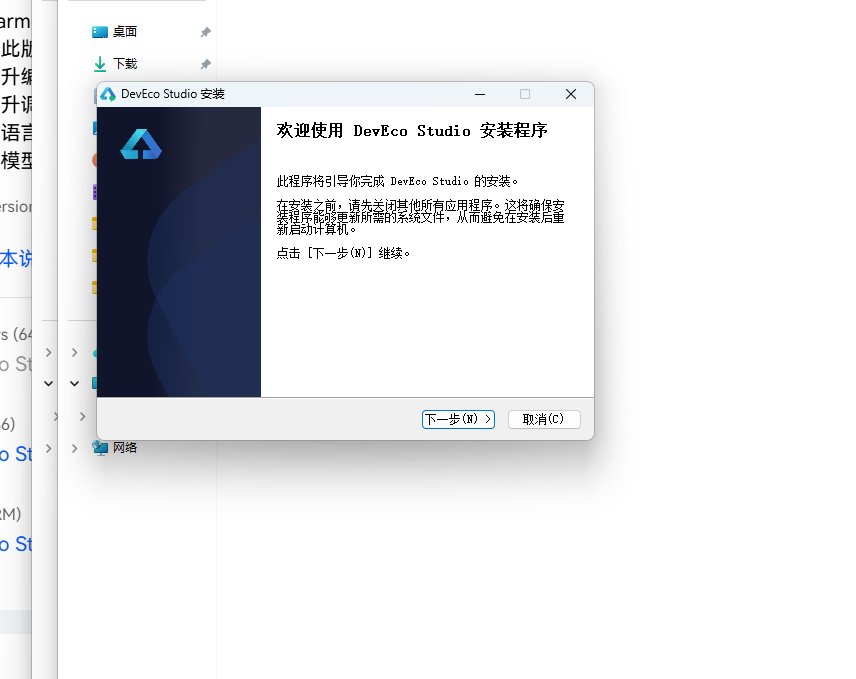
选择安装路径
选择目标安装目录,建议安装到非系统盘,确认所需空间后点击「下一步」。
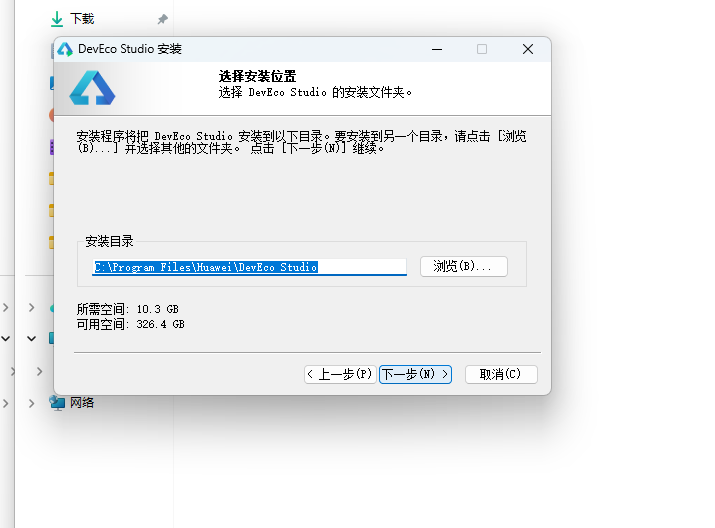
配置安装选项
设置环境变量,勾选创建桌面快捷方式、将 bin 文件夹添加到 PATH、添加上下文菜单,但是需要重启一下电脑使环境变量生效。
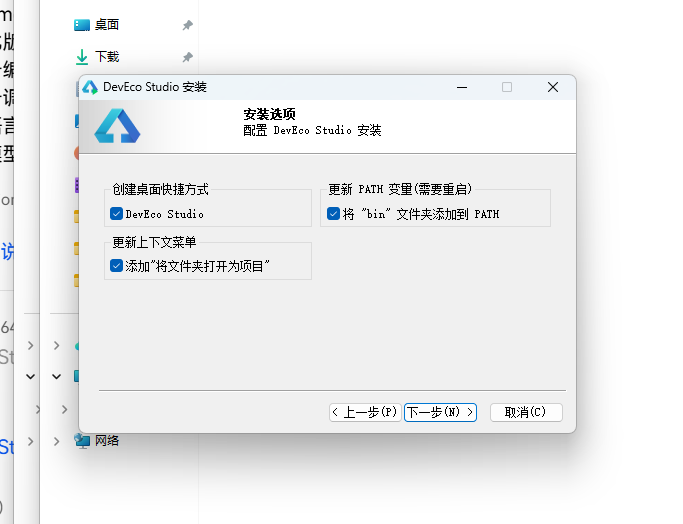
选择项目模板
新建一个空白模板,在模板市场中选择 Empty Ability。
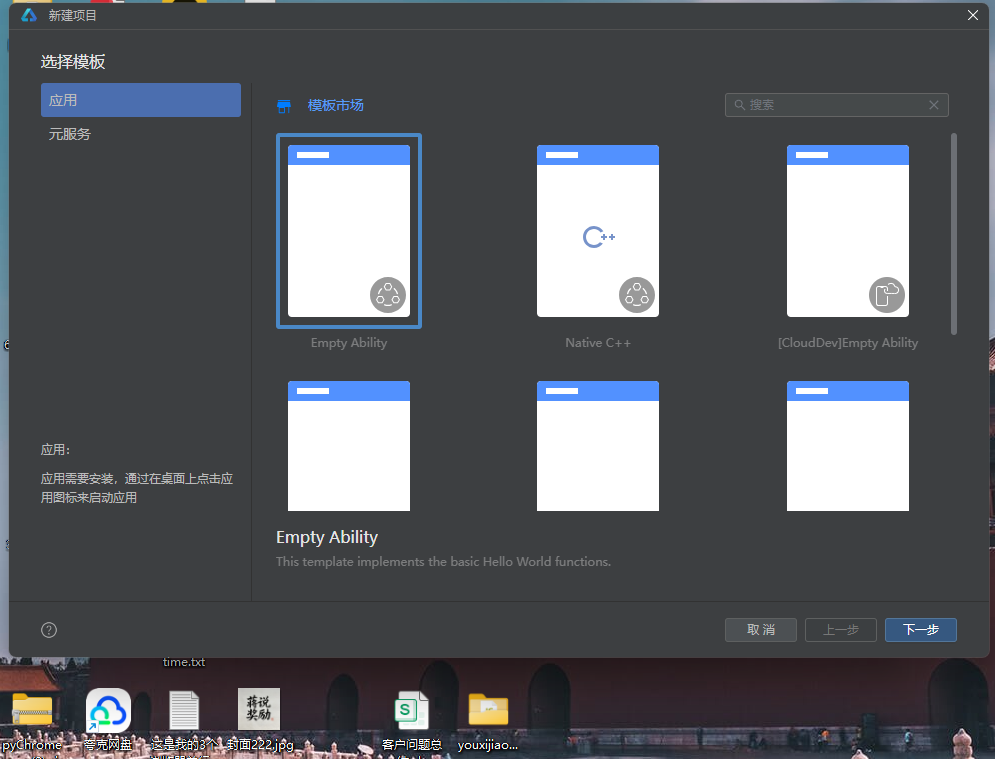
配置项目信息
设置 API 为 24 的模板项目,项目名称 kfschool,Compatible SDK 6.1.1(24),设备类型勾选 Phone,点击完成后初始化项目,自动下载相关依赖。
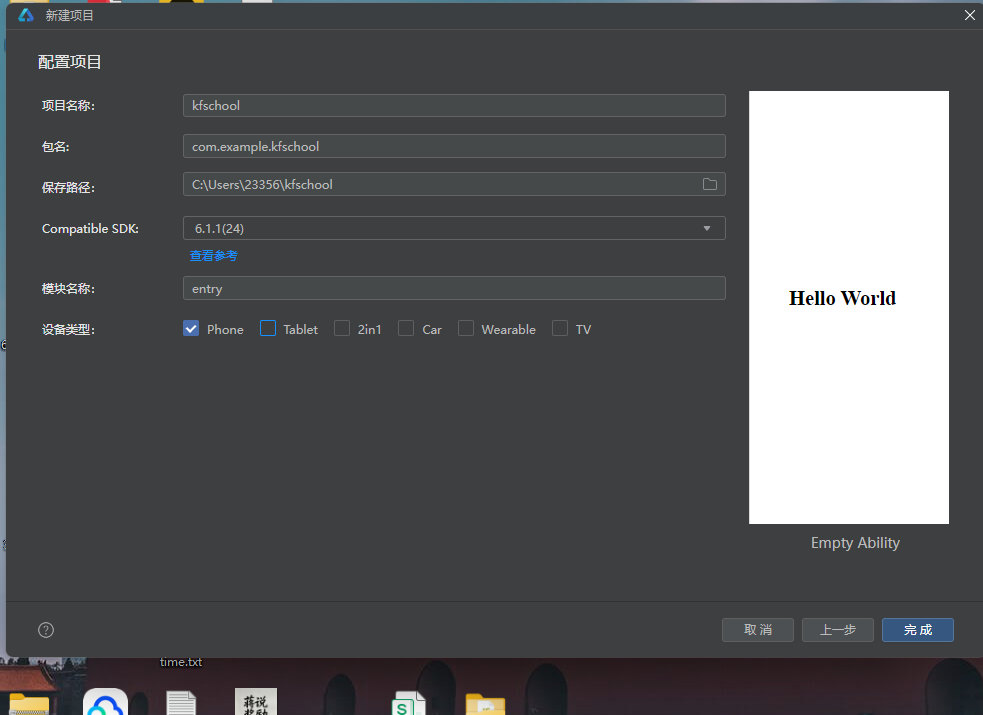
十五、总结
通过对这款舞狮坊非遗手作平台的深度记录,我们可以看到,一个优秀的移动端应用远不止是功能的堆砌,它更是架构设计、数据建模、视觉系统、交互逻辑、动效设计、文化内涵等多维度能力的综合体现。
在架构层面,该应用采用了单组件@Builder架构设计——整个应用只有一个入口组件LionShopApp(@Entry @Component),所有页面内容内联在@Builder contentArea()方法中,通过if-else if条件渲染实现八Tab切换。与多组件架构(将每个Tab抽离为独立@Component子组件)不同,本应用将bottomItem/modalOverlay/lionFace/headerArea/addOrderModal/editHeadModal/removeHallModal/contentArea/bottomBar等9个@Builder方法内联在入口组件中,通过@Builder方法拆分实现了"逻辑分区、UI内聚"。这种单组件架构代码集中、状态管理简单(无需@ObjectLink/@Prop跨组件传递),适合中小型应用快速开发,是ArkUI轻量级应用的典型实践。入口组件LionShopApp管理12个@State状态变量(data/activeTab/amb/showAddOrder/showEditHead/showRemoveHall/formNo/formBuyer/formPiece/formAmount/headIdx/headPrice/hallIdx),通过aboutToAppear生命周期启动动画,通过build方法组合headerArea+contentArea+bottomBar+弹窗条件渲染,实现了完整的应用骨架。
在数据层面,应用独创了**@Observed聚合数据类设计——LionShopData一个类包含souths/norths/heads/coats/drums/crafts/halls/orders八个数组,每个数组8-12条数据,用new构造函数初始化(每个数据项都是对应@Observed类的实例),@Observed装饰整个类,配合@State data: LionShopData在入口组件中管理引用,实现"一个数据对象贯穿所有页面"的聚合数据模式。这种设计将所有业务数据集中管理,修改数据时(addOrder/editHead/removeHall)所有引用该数据的UI自动响应式刷新,是ArkUI状态管理的高级实践。应用还定义了6个颜色与尺寸映射函数(craftBarW工时宽度映射/orderBarH订单柱高映射/hotBarW热门度宽度映射/headColor狮头着色/rankColor难度着色/statusColor状态着色),将颜色和尺寸映射逻辑从UI层抽离,实现"数据即配色、数据即尺寸"的动态映射模式。8个@Observed数据类实现数据结构规范化,数据规模达82条,完整呈现中国舞狮非遗手作平台的数据生态。本应用数据最大的特色是中国舞狮文化全覆盖**——12只南狮覆盖三国狮(刘备/关羽/张飞/赵云/马超/黄忠)+醒狮三色(金/银/红/黑/青)+彩狮共三大系列;8只北狮覆盖太狮/少狮+白/黄/青/紫/花/瑞六色;8种狮头覆盖佛山/鹤山/醒狮+麒麟/貔貅/大象/鲨鱼/老虎五瑞兽;8款狮被覆盖五彩绣花/金线鳞甲/大红绸缎/蓝底云纹/满幅刺绣/黑底金纹/婚庆喜被/祥云瑞彩八种工艺;8种鼓乐覆盖大鼓/狮锣/铜钹/鼓点套路/醒狮鼓谱/采青鼓/高桩鼓/庆贺鼓完整伴奏体系;8种扎作覆盖扎篾/糊纸/绘彩/贴金/装绒/安镜/点睛/上漆完整制作流程;8家武馆覆盖忠义堂/鸿胜馆/仁义堂/永胜堂/聚英堂/国术馆/精武堂/龙腾馆八家传统武馆;10笔订单覆盖海内外客户和五种状态。这些文化数据让应用不只是一个技术演示,更是一个中国舞狮文化的数字载体。
在视觉层面,本应用采用"红金黑三色"中国舞狮非遗主题设计——bg #FBF3EA 米杏色(模拟古纸温润质感),cardBg #FFFFFF 白,vermilion #C43A2A 朱红(舞狮主色调,模拟狮头朱漆面底),vermilionDeep #8E2418 深朱红(深色强调,模拟狮口暗红),gold #D9A227 金色(辅助色,模拟金箔贴饰),black #2A2118 黑色(头部底色,模拟狮眉黑漆),cyan #3E5C50 青绿(特殊瑞兽色,模拟麒麟青色),textMain #40291F 深褐(深色文字,非纯黑更有文化感)。主色体系采用"朱红+深朱红+金色+黑色+青绿"五色组合,五色各司其职形成"以朱红定狮、以金色定饰、以黑色定眉、以青绿定瑞、以米杏定底"的中国舞狮语义着色体系。本应用最大的视觉特色是双狮对称header动画与锣鼓圆环脉冲效果——左右狮头圆面(朱红/金色底+黑色狮眉+白色狮眼交替闪光+深朱红/朱红狮口+金色额镜)对称布局,中央锣鼓圆环(金色44x44 scale 1.0-1.3缩放+opacity 0.35-0.85闪烁1100ms脉冲),三根流苏(金白交替高度递增translate上下摇摆1200-1700ms),三种动画节奏不同又和谐统一,营造了舞狮坊"双狮护持、锣鼓喧天、流苏摇曳"的热闹非遗氛围。统一的色彩系统是整个应用的视觉基石,红金黑三色主题配合6个颜色分级函数和多维度动态着色,营造出既朱红热烈又金色富贵的中国舞狮非遗氛围。
在交互层面,应用通过三个@Builder弹窗方法实现了完整的增删改查交互闭环:addOrderModal新增订单(四字段TextInput表单:订单编号/客户名称/定制狮品/定金金额,提交订单vermilionDeep深朱红底)、editHeadModal编辑狮头(单字段TextInput表单:售价,保存修改vermilionDeep深朱红底)、removeHallModal移除武馆(确认对话框:武馆名称,确认移除danger红色底)。三个弹窗都是@Builder方法内联在入口组件中,通过if条件渲染控制显隐(showAddOrder/showEditHead/showRemoveHall三个@State布尔变量),遮罩用#55000000(55%黑色)硬编码,弹窗主体与遮罩用Stack层叠,整体zIndex(999)覆盖主内容。狮头页"编辑"点击触发editHeadModal(headIdx记录目标索引,headPrice预填当前值),武馆页"移除"点击触发removeHallModal(hallIdx记录目标索引),订单页"新增订单"点击触发addOrderModal(表单清空),形成了完整的"编辑狮头→移除武馆→新增订单"交互闭环。工时横条用craftBarW像素映射+headColor瑞兽着色(麒麟青/老虎金/其他朱红),库存横条用内联stock×3.5宽度映射+金色着色,热门度横条用hotBarW数值映射+朱红着色,难度标签用rankColor三级着色(高难朱红/中等金/基础浅褐),订单状态用statusColor四级着色(已交付绿/定制中紫/点睛中金/其他朱红),柱状图用orderBarH金额映射高度+金红交替色+递增时长动画,都是本应用交互设计与数据可视化的精细之处。
技术特性对比表
| 维度 | 舞狮坊 | 香囊坊 | 筷子坊 | 内画鼻烟壶坊 | 折扇坊 |
|---|---|---|---|---|---|
| 架构模式 | 单组件@Builder | 多组件(10组件) | 多组件(11组件) | 单组件@Builder | 单组件@Builder |
| Tab数量 | 8 Tab双行四列 | 8 Tab双行四列 | 5 Tab单排 | 8 Tab双行四列 | 8 Tab双行四列 |
| 数据类 | @Observed LionShopData | @Observed NangData | @Observed ChopstickData | @Observed SnuffShopData | @Observed FanShopData |
| 数据规模 | 82条(8数组) | 76条(8数组) | 83条(5数组+4统计) | 76条(8数组) | 76条(8数组) |
| 颜色函数 | 6个(craftBarW/orderBarH/hotBarW/headColor/rankColor/statusColor) | 3个(useBarWidth/useColor/scoreColor) | 5个 | 6个 | 6个 |
| 弹窗数量 | 3个(新增订单/编辑狮头/移除武馆) | 3个(新增香方/入库香料/编辑香囊) | 4个 | 3个 | 3个 |
| 主题色 | 朱红#C43A2A | 玫瑰粉#C08A9E | 乌木黑#2F2A26 | 温润玉色#7FA08C | 竹青#7A8B5A |
| 辅助色 | 金色#D9A227 | 荷花粉#E8D5DC | 朱红#B03A2E | 琥珀#B08D57 | 金#C9A227 |
| 头部底色 | 黑色#2A2118 | 玫瑰粉#FAF4EC | 乌木黑 | 温润玉色 | 竹青 |
| 头部动画 | 双狮对称header+锣鼓圆环脉冲+流苏摇摆 | 虚线圆环旋转+浮动光点 | 筷子旋转90°+灯笼位移 | 瓶身scale呼吸+星点闪烁 | 扇骨辐线开合+流苏 |
| 动画驱动 | amb @State单变量 | fx @Prop传递 | 无 | 无 | 无 |
| 文化主题 | 舞狮·醒狮雄风 | 香囊·荷包香事 | 筷子·一箸千年 | 鼻烟壶·壶中丹青 | 折扇·扇开清凉 |
| 统计图表 | 订单柱状图+工时横条+库存横条+热门度横条 | 用量对比横条 | 柱状图+TOP6+进度条 | 柱状图+硬度横条 | 柱状图+难度横条 |
| 特色亮点 | 双狮对称header+6色函数 | 多组件架构+@ObjectLink | 多组件+5统计 | 瓶身呼吸动画 | 扇骨辐线动画 |
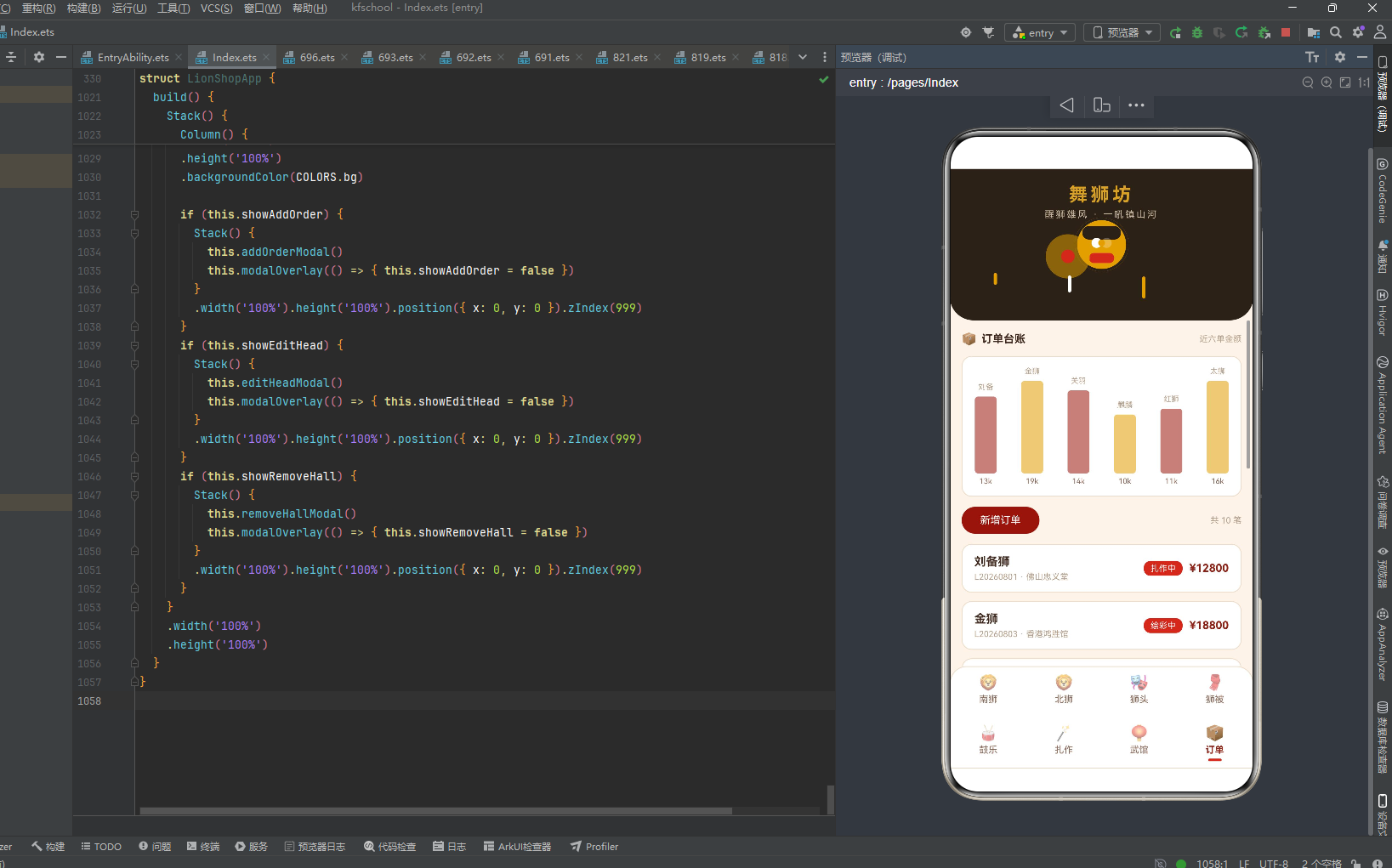
标签: HarmonyOS · ArkTS · API 24 · HarmonyOS 6.1.1 · 中国舞狮 · 醒狮雄风 · 红金黑三色 · 单组件@Builder · 双狮对称header · @Observed · 非遗手作 · 移动端开发

讨论HarmonyOS开发技术,专注于API与组件、DevEco Studio、测试、元服务和应用上架分发等。
更多推荐

 0
0 0
0- 0


 已为社区贡献4条内容

所有评论(0)