海岸蓝与珊瑚橙的备考航线为何适合HarmonyOS ArkUI 真题试卷下载平台
一、技术前言
在考研备考这一高强度的学习场景中,考生面临的核心矛盾是"资源分散"与"路径模糊"——真题试卷散落在各大教育站点,下载来源难以追溯导致真伪存疑;刷题进度缺乏可视化反馈容易产生懈怠心理;学习提醒铃声单一导致通知疲劳。一个优秀的备考平台必须在"资源聚合—下载溯源—进度追踪—智能提醒"四个维度上形成闭环。从中国教育考试网的官方真题发布,到研招网的报名节点提醒,再到学信网的学历核验,每一个教育环节都需要在移动端有清晰、可追溯、可追踪的数字化呈现。

HarmonyOS ArkUI 框架以其声明式 UI 范式为备考场景提供了系统级的架构支撑。ArkUI 基于 ArkTS 语言(TypeScript 超集),通过 @Component 装饰器封装可复用组件,通过 @State、@Observed 等状态管理装饰器实现数据驱动渲染——当状态变量变更时框架自动触发依赖视图的重新构建,无需手动操作 DOM。@Builder 方法将复杂 UI 结构拆分为可组合的构建块,配合 ForEach 实现列表数据的声明式渲染。这种架构天然适合备考场景中"多 Tab 数据孤岛—跨 Tab 状态联动—弹窗 CRUD 操作"的紧耦合需求。声明式渲染的优势在于:开发者只需描述界面在某一状态下的"快照",框架通过虚拟 DOM diff 算法自动计算最小化更新路径,使 UI 状态与数据模型始终保持同步。

本平台深度融合了 HarmonyOS 6.1.1 的三大前沿特性。ArkWeb 提供了 WebDownloadDelegate 四回调链路——onBeforeDownload 提供沙箱落盘路径使下载任务脱离 PENDING 阻塞,onDownloadUpdated 实时刷新进度百分比,onDownloadFailed 捕获失败 GUID,而 onDownloadFinish 回调中新增的 getOriginalUrl()(原始文件直链)与 getReferrerUrl()(引用页地址)双接口,让每次真题下载都能双向溯源来路,杜绝虚假资源。这意味着考生下载的每一份真题试卷,都可以追溯到两个来源:文件本身的直链地址(即文件托管在哪个 CDN 或服务器),以及触发下载的引用页 URL(即从哪个页面点击了下载按钮),双 URL 交叉验证为资源真伪提供了技术层面的保障。Notification Kit 实现了沙箱自定义铃声链路——通过 buildWavBytes 函数以正弦波算法生成 16bit 单声道 PCM 音频字节,写入 EL1 沙箱 filesDir 目录,再以 'uri::' + fileUri.getUriFromPath(沙箱路径) 填入 NotificationRequest.sound 字段,让不同备考提醒拥有差异化铃声。Canvas 绘制 通过 drawBar() 方法以 createLinearGradient 绘制六个月刷题量渐变柱状图,配合每秒翻转的呼吸动画定时器实现柱高微幅波动重绘,将静态数据赋予生命感。

二、整体架构流程图
整体架构以主组件为根,采用 Stack 容器实现页面层叠:底层是 Column 纵向布局的头部 Banner + 内容区 + 底部 Tab 栏,顶层是全屏弹窗遮罩。内容区通过 currentTab 状态索引在 6 个 @Builder 方法间切换,每个 Tab 拥有完全独立的布局结构。三大特性(ArkWeb 下载双 URL 溯源、Notification 沙箱铃声、Canvas 渐变柱状图)分别挂载在网页/下载、提醒/铃音、题库/我的 Tab 上,但它们的状态变量统一声明在组件顶层,实现跨 Tab 数据共享。值得注意的是,与标杆架构不同,本平台所有 6 个 Tab 共享同一个 Scroll 滚动容器(网页 Tab 通过 height('100%') 撑满而非独立有界高度),这是因为 Web 组件在 Scroll 内通过 layoutWeight(1) 同样可以获得有效渲染空间。

三、色彩体系设计
3.1 ColorPalette 接口定义
平台采用浅色海岸蓝白主题,通过 ColorPalette 接口集中声明全部颜色字段,使全文件色彩管理统一可控:
interface ColorPalette {
  bg: string;        // 页面底色·浅海雾蓝
  card: string;      // 卡片底色·纯白
  chip: string;      // 胶囊/输入底色·浅云蓝
  title: string;     // 主标题·深海墨蓝
  sub: string;       // 次级文字·青灰蓝
  text3: string;     // 弱化文字·雾蓝灰
  blue: string;      // 主色·海岸蓝
  orange: string;    // 辅色·珊瑚橙
  green: string;     // 辅色·海藻绿
  purple: string;    // 辅色·鸢尾紫
  line: string;      // 分割线·浅雾线
  tabOn: string;     // Tab 激活色·海岸蓝
  mask: string;      // 弹窗遮罩·深海墨
  white: string;     // 渐变卡上的纯白文字
  whiteSoft: string; // 渐变卡上的弱化白文字
  trackW: string;    // 渐变卡上的进度条轨道色
}
这段接口定义体现了 ArkTS 的类型安全优势。与普通 JavaScript 动态添加属性不同,ColorPalette 接口在编译期即约束所有颜色字段必须是 string 类型,任何拼写错误或类型不匹配都会在编译阶段暴露。接口注释采用"字段名 + 用途"的格式,使每个颜色的语义角色一目了然,后续维护者无需追踪代码即可理解色彩用途。接口中特别预留了 white、whiteSoft、trackW 三个专用于渐变卡片上的白色系字段——因为渐变卡片的底色是深海墨蓝到海岸蓝的渐变,普通文字色在深色底上不可读,必须使用白色系。这种将"浅色主题色"与"深色渐变卡专用色"统一收纳在同一接口中的设计,避免了颜色定义的碎片化。

3.2 COLORS 常量逐色分析
const COLORS: ColorPalette = {
  bg: '#F2F6FA',      // 浅海雾蓝底色,模拟清晨书桌的柔和光线
  card: '#FFFFFF',    // 纯白卡片,浅色主题下的内容载体
  chip: '#E7EEF5',    // 浅云蓝胶囊底,按钮与输入框的统一容器色
  title: '#22303C',   // 深海墨蓝标题,高对比度保证浅底可读
  sub: '#5E7285',     // 青灰蓝副标题,层次柔和过渡
  text3: '#93A5B5',   // 雾蓝灰弱文本,辅助信息不抢视觉
  blue: '#2F7BD9',    // 海岸蓝主色,备考进度的视觉锚点
  blueD: '#1F5FA8',   // 深海岸蓝,渐变起点与统计数值色
  orange: '#FF7E5A',  // 珊瑚橙辅色,待完成与错因标签
  green: '#34B37E',   // 海藻绿,已完成状态与下降趋势
  purple: '#8A6FD1',  // 鸢尾紫,408科目专属色
  line: '#DDE7F0',    // 浅雾分割线,低对比度不干扰内容
  tabOn: '#2F7BD9',   // Tab选中色与主色一致
  mask: 'rgba(34,48,60,0.5)', // 半透深海墨遮罩
  white: '#FFFFFF',   // 渐变卡纯白文字
  whiteSoft: 'rgba(255,255,255,0.82)', // 渐变卡弱化白
  trackW: 'rgba(255,255,255,0.32)'    // 渐变卡进度轨道
};
色彩设计遵循"海岸学习"原则,每一色都有明确的语义角色。bg 为 #F2F6FA 浅海雾蓝,模拟清晨海雾的柔和底色,降低白光对眼睛的刺激,适合长时间备考阅读场景。card 为纯白 #FFFFFF,卡片与背景形成柔和对比,保证信息区块的清晰边界。chip 为 #E7EEF5 浅云蓝,用于胶囊徽章和输入框底色,与卡片底色仅差一档亮度,既区分又不突兀。

title 为 #22303C 深海墨蓝,主标题文字色,与浅色背景形成高对比度但不刺眼。sub 为 #5E7285 青灰蓝,副标题色,在标题与弱文本之间架起层次过渡。text3 为 #93A5B5 雾蓝灰,三级弱文本,用于辅助说明和时间戳,视觉权重最低。

blue 为 #2F7BD9 海岸蓝,平台主色,象征理性与专注,贯穿进度条、Tab 选中态、按钮背景和统计数值。blueD 为 #1F5FA8 深海岸蓝,用于渐变起点和已入沙箱的铃声数值。orange 为 #FF7E5A 珊瑚橙,辅助暖色,用于待完成状态、错因标签和删除按钮,通过暖色提醒考生关注。green 为 #34B37E 海藻绿,用于已完成状态和错题下降趋势,传递进步的积极信号。purple 为 #8A6FD1 鸢尾紫,专用于 408 计算机科目,使科目着色系统覆盖五种考研科目。line 为 #DDE7F0 浅雾分割线,同时复用为 Canvas 网格线,低对比度不干扰内容。tabOn 与 blue 同值,保证 Tab 选中态与主色一致。mask 为半透明深色 rgba(34,48,60,0.5),弹窗遮罩使用 RGBA 格式实现 50% 透明度,与海岸蓝系协调。white、whiteSoft、trackW 三色专为渐变卡片设计,分别承载主文字、弱化文字和进度条轨道,在深色渐变底上形成清晰层次。
四、Tab 元数据与辅助数据
4.1 底部导航 Tab 定义
interface TabMeta {
  icon: string;
  label: string;
}

const TAB_LIST: TabMeta[] = [
  { icon: '📚', label: '题库' },
  { icon: '🌐', label: '网页' },
  { icon: '📥', label: '下载' },
  { icon: '⏰', label: '提醒' },
  { icon: '🎵', label: '铃音' },
  { icon: '👤', label: '我的' }
];
TabMeta 接口定义了 Tab 导航项的最小数据结构:icon 为 emoji 字符串,label 为中文标签文字。TAB_LIST 常量数组按顺序声明六个 Tab 项,分别对应题库、网页、下载、提醒、铃音和我的。这种将导航元数据与 UI 渲染分离的设计使 Tab 配置可独立维护,新增或调整 Tab 只需修改数组而无需触碰 @Builder 方法。底部导航栏在 tabBar() 构建器中通过 ForEach 遍历此数组渲染,选中态通过 currentTab 索引与 index 比较判断,ForEach 的键值生成函数使用 t.label 保证列表 diff 的高效性。
六个 Tab 覆盖了备考全链路:题库管理真题进度与刷题量统计、网页聚合教育资源站点、下载溯源文件来路、提醒驱动学习节奏、铃音定制通知听觉、我的展示备考画像与错题追溯。这种"资源管理—浏览聚合—下载溯源—学习驱动—听觉定制—画像反馈"的闭环设计,使考生在一个应用内即可完成从找题、下载、刷题到纠错的全流程。
4.2 科目标签与快捷站点
const SUBJECT_TAGS: string[] = ['全部', '考研数学', '英语一', '政治', '408', '管综'];
SUBJECT_TAGS 以"全部"为首项实现不过滤逻辑——当 cateIdx 为 0 时 visiblePapers() 方法直接返回完整列表,其余索引按科目关键词匹配过滤。这种"首项即全选"的设计避免了额外的全选状态变量,使分类筛选逻辑只需一个 cateIdx 索引即可驱动。六个标签覆盖了考研五大主流科目(数学、英语、政治、408 计算机、管综),与 subjectColor 函数的着色逻辑一一对应。
interface QuickSite {
  icon: string;  // 站点图标
  name: string;  // 站点名
  url: string;   // 站点地址
}

const QUICK_SITES: QuickSite[] = [
  { icon: '🏫', name: '中国教育考试网', url: 'https://www.neea.edu.cn' },
  { icon: '🎓', name: '研招网', url: 'https://yz.chsi.com.cn' },
  { icon: '📖', name: '学信网', url: 'https://www.chsi.com.cn' },
  { icon: '📚', name: '中国教育在线', url: 'https://www.eol.cn' }
];
QuickSite 接口定义了快捷站点的三字段结构:icon 为 emoji 图标、name 为站点中文名、url 为完整 HTTPS 地址。QUICK_SITES 收录了四个真实教育考试站点,点击即在 Web 组件中加载,为下载溯源提供真实场景来源。当前激活的站点通过 this.webUrl === site.url 比较判断,选中站点以海岸蓝填充背景、白色文字高亮,未选中站点以纯白底色显示。快捷站点的存在使考生无需手动输入网址即可直达官方资源页面,大幅降低了获取真题的操作门槛。
4.3 Canvas 数据与铃声预设
const MONTH_LABELS: string[] = ['03月', '04月', '05月', '06月', '07月', '08月'];

const BRUSH_VAL: number[] = [128, 196, 242, 168, 286, 324];

const MISTAKE_VAL: number[] = [46, 38, 52, 31, 27, 19];
MONTH_LABELS 为近 6 个月的月份标签,同时供 Canvas 柱状图和传统柱状图使用,实现标签数据的复用。BRUSH_VAL 为近 6 个月的刷题量 Mock 数据,从 128 题逐月上升到 324 题,呈现明显的"进步"趋势曲线,驱动 Canvas drawBar() 渐变柱状图的数据点。MISTAKE_VAL 为近 6 个月的错题量 Mock 数据,从 46 题波动下降到 19 题,形成"持续下降=进步"的叙事曲线,驱动"我的"Tab 的传统柱状图。两组数据一升一降的对比设计,使考生在"我的"页面同时看到刷题量增长与错题量减少的双重复盘反馈。
const RING_FREQ_PRESETS: number[] = [440, 660, 880, 1320];

const RING_DURATION_PRESETS: number[] = [600, 1200, 2000];
RING_FREQ_PRESETS 为正弦波生成器的频率四档预设,从 440Hz(标准 A4 音高)到 1320Hz,覆盖从低沉到清亮的不同听感。RING_DURATION_PRESETS 为时长三档预设,从 600ms 的短促提示音到 2000ms 的持续提醒音。两组预设通过 genFreq 和 genDuration 状态变量驱动生成器的当前参数,考生可以在铃声坊中自由组合频率与时长,生成个性化的备考提醒铃声。
五、工具函数分析
5.1 正弦波 WAV 音频生成器
function buildWavBytes(freq: number, durationMs: number): ArrayBuffer {
  const sampleRate = 44100;
  const numSamples = Math.floor(sampleRate * durationMs / 1000);
  const dataSize = numSamples * 2;
  const buf = new ArrayBuffer(44 + dataSize);
  const view = new DataView(buf);
  const writeStr = (offset: number, s: string) => {
    for (let i = 0; i < s.length; i++) {
      view.setUint8(offset + i, s.charCodeAt(i));
    }
  };
  writeStr(0, 'RIFF');
  view.setUint32(4, 36 + dataSize, true);
  writeStr(8, 'WAVE');
  writeStr(12, 'fmt ');
  view.setUint32(16, 16, true);
  view.setUint16(20, 1, true);          // PCM 编码
  view.setUint16(22, 1, true);          // 单声道
  view.setUint32(24, sampleRate, true); // 采样率
  view.setUint32(28, sampleRate * 2, true);
  view.setUint16(32, 2, true);
  view.setUint16(34, 16, true);         // 16bit 量化
  writeStr(36, 'data');
  view.setUint32(40, dataSize, true);
  for (let i = 0; i < numSamples; i++) {
    const t = i / sampleRate;
    const env = Math.min(1, i / (sampleRate * 0.02));       // 起音包络
    const decay = Math.max(0, 1 - t / (durationMs / 1000)); // 自然衰减
    const v = Math.sin(2 * Math.PI * freq * t) * 0.5 * env * decay;
    view.setInt16(44 + i * 2, Math.round(v * 32767), true);
  }
  return buf;
}
buildWavBytes 是整个铃声沙箱链路的起点,也是平台最底层的音频生成函数。该函数以 44100Hz 采样率(CD 音质标准)、16bit 单声道 PCM 格式生成标准 WAV 音频。函数内部定义了局部辅助函数 writeStr,将字符串按字节写入 DataView 的指定偏移位置,用于写入 RIFF/WAVE/fmt /data 四个标识符。
44 字节的 WAV 头包含四个块:RIFF 容器块(偏移 0-3 写入 “RIFF” 标识,偏移 4-7 写入文件总大小减 8 的值,偏移 8-11 写入 “WAVE” 格式标识)、fmt 子块(偏移 12-15 写入 "fmt " 标识,偏移 16-19 写入子块大小 16,偏移 20-21 写入音频格式 1 表示 PCM 编码,偏移 22-23 写入声道数 1 表示单声道,偏移 24-27 写入采样率 44100,偏移 28-31 写入字节率=采样率×块对齐,偏移 32-33 写入块对齐 2,偏移 34-35 写入量化位深 16)、data 子块头部(偏移 36-39 写入 “data” 标识,偏移 40-43 写入数据大小)。所有多字节整数的写入使用 true 参数表示小端序,符合 WAV 规范。
采样数据部分通过正弦波公式 sin(2πf·t) 生成波形,其中 f 为频率、t 为当前采样对应的时间秒数。波形叠加了两层包络:env 为起音包络(前 20ms 线性渐入至 1,避免点击噪声),decay 为自然衰减包络(从 1 线性降至 0,模拟铃铛敲击后的自然衰减)。最终波形为正弦函数乘以 0.5 振幅再乘以两个包络,setInt16 将浮点值映射到 16bit 整数范围(-32768 至 32767)并写入。此函数生成的 ArrayBuffer 字节流直接供 fs.writeSync 写入 EL1 沙箱文件,再通过 fileUri.getUriFromPath 转换为 uri:: 前缀的通知铃声,实现了从参数到可播放铃声的完整链路。
5.2 站点域名提取函数
function siteHost(url: string): string {
  const head = 'https://';
  if (url.startsWith(head)) {
    return url.slice(head.length);
  }
  return url;
}
siteHost 函数将完整的 URL 地址转换为展示用的域名文本。函数逻辑简洁:检测 URL 是否以 https:// 前缀开头,是则截掉前缀返回剩余部分,否则原样返回。该函数在地址栏提示和快捷站点卡中使用,使考生看到的是简洁的域名而非冗长的完整 URL。虽然函数体仅四行,但它体现了"数据展示层与数据原始层分离"的设计原则——内部存储完整 URL 供 Web 组件加载,展示层只截取人类可读的域名部分。
5.3 科目着色映射函数
function subjectColor(s: string): string {
  if (s.indexOf('数学') >= 0) { return COLORS.blue; }
  if (s.indexOf('英语') >= 0) { return COLORS.orange; }
  if (s.indexOf('政治') >= 0) { return COLORS.green; }
  if (s.indexOf('408') >= 0) { return COLORS.purple; }
  if (s.indexOf('管综') >= 0) { return COLORS.blueD; }
  return COLORS.sub;
}
subjectColor 函数通过关键词匹配为五个考研科目分配主题色。函数接收科目名称字符串,依次检测是否包含"数学"“英语”“政治”"408"“管综"关键词:数学配海岸蓝、英语配珊瑚橙、政治配海藻绿、408 配鸢尾紫、管综配深海岸蓝。这种着色方案使清单行的左侧年份色块、进度条颜色与错题本中的科目色条形成统一的色彩编码体系,考生凭颜色即可快速识别科目归属。末尾的 return COLORS.sub 作为兜底返回值,确保未匹配科目不会导致颜色为空。函数采用 indexOf 而非 === 的匹配方式,使其能处理"考研数学一”"408 计算机"等带后缀的科目名。
5.4 下载状态着色函数
function dlStateColor(s: string): string {
  if (s.indexOf('完成') >= 0) { return COLORS.green; }
  if (s.indexOf('失败') >= 0) { return COLORS.orange; }
  if (s === '空闲') { return COLORS.text3; }
  return COLORS.blue;
}
dlStateColor 函数将下载状态文案映射为颜色值。完成态(含"完成"关键词)配海藻绿,传递成功的积极信号;失败态(含"失败"关键词)配珊瑚橙,提醒考生注意异常;空闲态(精确匹配"空闲")配雾蓝灰弱文本色,表示当前无任务;其余状态(如"正在下载 45%“)配海岸蓝主色,表示活跃进行中。这种基于关键词的模糊匹配比精确匹配更健壮,能适应"下载完成”"下载完成 · 已保存"等多种文案变体。
5.5 完成度着色函数
function doneColor(v: number): string {
  if (v >= 80) { return COLORS.green; }
  if (v >= 50) { return COLORS.blue; }
  return COLORS.orange;
}
doneColor 函数以 80 和 50 为阈值将完成度分三档着色。80 及以上为高完成度配海藻绿,表示该试卷已基本刷完;50 及以上为中等完成度配海岸蓝,表示正在进行中;50 以下为偏低完成度配珊瑚橙,提示考生需优先关注。这种三档阈值设计使考生在真题清单列表中一眼识别哪些试卷需要加紧刷题——右侧的完成度百分比数字直接以颜色编码传递优先级信息。函数返回的颜色同时用于完成度数字文字色和进度条颜色(通过 subjectColor 区分),形成"科目维度着色 + 完成度维度着色"的双重视觉编码。
六、数据模型层
6.1 PaperItem 试卷条目模型
@Observed export class PaperItem {
  subject: string;  // 科目(考研数学一 / 英语一 / 政治 / 408 计算机 / 管综逻辑)
  year: string;     // 年份卷(2025 卷 / 2024 卷)
  count: string;    // 题量文本(23 题 / 52 题)
  done: number;     // 完成度百分数(0~100)

  constructor(subject: string, year: string, count: string, done: number) {
    this.subject = subject;
    this.year = year;
    this.count = count;
    this.done = done;
  }
}
PaperItem 是平台的业务主模型,用 @Observed 装饰器修饰,表示该类的实例具备可观察性。当任何实例的属性发生变化时(如编辑后修改 done 完成度),所有引用该实例的 @State 数组会收到通知并触发 UI 刷新。四个属性分别对应科目、年份卷、题量文本和完成度百分数,构造函数逐字段赋值。export 关键字使该类可被其他文件引用。
const PAPER_LIST: PaperItem[] = [
  new PaperItem('考研数学一', '2025 卷', '23 题', 86),
  new PaperItem('考研数学一', '2024 卷', '23 题', 72),
  new PaperItem('英语一', '2025 卷', '52 题', 64),
  new PaperItem('英语一', '2024 卷', '52 题', 48),
  new PaperItem('政治', '2025 卷', '38 题', 90),
  new PaperItem('408 计算机', '2024 卷', '47 题', 35),
  new PaperItem('管综逻辑', '2025 卷', '30 题', 58),
  new PaperItem('管综数学', '2024 卷', '25 题', 76)
];
PAPER_LIST 预置了 8 条真题试卷数据,覆盖五个科目的两年试卷。完成度从 35% 到 90% 不等,为题库 Tab 的清单列表提供丰富的展示样本——既有高完成度的政治 90% 也有刚起步的 408 计算机 35%,考生可以通过完成度排序快速找到需要优先攻克的试卷。
6.2 DownloadRecord 下载记录模型
@Observed export class DownloadRecord {
  fileName: string;     // 文件名
  fileSize: string;     // 大小文本
  finishTime: string;   // 完成时间
  originalUrl: string;  // getOriginalUrl() 结果:下载项原始 URL(文件直链来源)
  referrerUrl: string;  // getReferrerUrl() 结果:引用页 URL(触发下载的页面)

  constructor(fileName: string, fileSize: string, finishTime: string,
    originalUrl: string, referrerUrl: string) {
    this.fileName = fileName;
    this.fileSize = fileSize;
    this.finishTime = finishTime;
    this.originalUrl = originalUrl;
    this.referrerUrl = referrerUrl;
  }
}
DownloadRecord 是 ArkWeb 6.1.1 双 URL 溯源特性的数据载体。originalUrl 与 referrerUrl 两个字段直接承载 onDownloadFinish 回调中 getOriginalUrl() 与 getReferrerUrl() 的返回值。originalUrl 记录文件的直链来源(即文件实际托管在哪个服务器),referrerUrl 记录触发下载的引用页地址(即考生从哪个页面点击了下载按钮)。双 URL 的设计让资源溯源形成交叉验证:如果 originalUrl 的域名与 referrerUrl 的域名一致,说明文件直接从引用页所在站点下载;如果不一致,则说明引用页通过链接指向了第三方 CDN,考生需要警惕资源真伪。
const DOWNLOAD_RECORDS: DownloadRecord[] = [
  new DownloadRecord('math1_2025_full.pdf', '18.6 MB', '今天 09:42',
    'https://files.neea.edu.cn/exam/2026/kaoyan/math1_2025_full.pdf?track=official',
    'https://www.neea.edu.cn/exam/download?subject=kaoyan-math'),
  new DownloadRecord('english1_2024_answer.pdf', '9.8 MB', '今天 08:15',
    'https://cdn.neea.edu.cn/papers/kaoyan/english1_2024_answer.pdf?ver=2&track=official',
    'https://yz.chsi.com.cn/kyzx/kydt/202608/t20260812_2280731.html'),
  new DownloadRecord('politics_2025_analysis.pdf', '12.4 MB', '昨天 21:36',
    'https://files.kaoyan.cn/paper/politics/politics_2025_analysis.pdf?from=detail',
    'https://www.kaoyan.cn/shiti/zhengzhi/9021.html'),
  new DownloadRecord('cs408_2024_real.pdf', '22.1 MB', '昨天 19:04',
    'https://dl.eol.cn/408/cs408_2024_real.pdf?track=official&part=all',
    'https://www.eol.cn/e_ky/zt/common/cs408/index.html'),
  new DownloadRecord('guanzong_logic_2025.pdf', '7.5 MB', '昨天 12:48',
    'https://files.guanzong.cn/exam/2026/guanzong_logic_2025_paper.pdf?track=official',
    'https://www.guanzong.cn/zhenti/list?page=2'),
  new DownloadRecord('math2_2024_full.pdf', '16.9 MB', '08-27 10:22',
    'https://files.neea.edu.cn/exam/2026/kaoyan/math2_2024_full.pdf?track=official',
    'https://www.neea.edu.cn/exam/download?subject=kaoyan-math2'),
  new DownloadRecord('english2_2023_paper.pdf', '8.7 MB', '08-26 15:31',
    'https://cdn.kaoyan.cn/papers/kaoyan/english2_2023_paper.pdf?ver=3',
    'https://www.kaoyan.cn/shiti/english/8157.html')
];
DOWNLOAD_RECORDS 预置了 7 条历史下载记录,双 URL 均为带域名、路径、查询参数的完整真实感地址。注意 track=official 查询参数的设计——它模拟了官方渠道的追踪标记,考生看到此参数即可确认资源来自官方站点。每条记录的 originalUrl 域名与 referrerUrl 域名可以不同(如第一条的 files.neea.edu.cn 直链与 www.neea.edu.cn 引用页同域但子域不同),这种细微差异正是双 URL 溯源的价值所在。
6.3 RemindItem 提醒条目模型
@Observed export class RemindItem {
  time: string;    // 提醒时间(06:40)
  title: string;   // 提醒事项(背单词打卡)
  repeat: string;  // 重复规则(每天 / 周六 / 单次)
  on: boolean;     // 是否开启

  constructor(time: string, title: string, repeat: string, on: boolean) {
    this.time = time;
    this.title = title;
    this.repeat = repeat;
    this.on = on;
  }
}
RemindItem 封装学习提醒条目。time 为提醒时刻(如"06:40"),title 为提醒事项标题(如"背单词打卡"),repeat 为重复规则(每天/周六/单次),on 为开关状态。on 属性驱动时间轴中每行 Toggle 的选中态和文字色——开启时时间文字配海岸蓝、圆点配海岸蓝、状态文案配海藻绿;暂停时配雾蓝灰弱化色,视觉即含义。
const REMIND_LIST: RemindItem[] = [
  new RemindItem('06:40', '背单词打卡', '每天', true),
  new RemindItem('08:30', '晨间数学刷题', '每天', true),
  new RemindItem('09:00', '全真模考开始', '周六', true),
  new RemindItem('12:00', '午间错题回顾', '每天', false),
  new RemindItem('15:00', '研招网报名截止', '单次', true),
  new RemindItem('21:30', '睡前政治带背', '每天', false)
];
REMIND_LIST 预置了 6 条学习提醒,从 06:40 早间背单词到 21:30 睡前政治带背,覆盖全天学习时段。重复规则涵盖"每天"“周六”"单次"三种模式,其中"15:00 研招网报名截止"为单次提醒,模拟了考研报名节点的关键提醒。on 属性初始值有开有关,使时间轴在首屏即呈现差异化状态,展示了 Toggle 开关的视觉效果。
6.4 RingItem 铃声条目模型
@Observed export class RingItem {
  name: string;       // 铃声名(开考铃)
  file: string;       // 沙箱文件名(ring_880.wav)
  freq: number;       // 生成频率 Hz
  duration: number;   // 时长 ms
  size: string;       // 文件大小展示(未生成时为 '—')
  inSandbox: boolean; // 是否已写入沙箱 EL1

  constructor(name: string, file: string, freq: number,
    duration: number, size: string, inSandbox: boolean) {
    this.name = name;
    this.file = file;
    this.freq = freq;
    this.duration = duration;
    this.size = size;
    this.inSandbox = inSandbox;
  }
}
RingItem 封装铃声库条目。name 为铃声中文名,file 为沙箱文件名(如 ring_880.wav),freq 和 duration 驱动 buildWavBytes 生成音频参数,size 初始为 '—' 表示未生成,生成后回填 KB 大小,inSandbox 标记是否已写入 EL1 沙箱。inSandbox 布尔字段是铃声与通知之间的桥梁——发布通知前会检查当前铃声是否已入沙箱,未入则自动导入,确保通知发布时 sound 字段指向的文件确实存在。
const RING_LIST: RingItem[] = [
  new RingItem('开考铃', 'ring_880.wav', 880, 1200, '—', false),
  new RingItem('交卷铃', 'ring_660.wav', 660, 1500, '—', false),
  new RingItem('满分赞', 'ring_1320.wav', 1320, 800, '—', false),
  new RingItem('报名提醒铃', 'ring_440.wav', 440, 1000, '—', false),
  new RingItem('晚自习轻铃', 'ring_220.wav', 220, 2000, '—', false)
];
RING_LIST 预置了 5 条铃声(开考铃 880Hz、交卷铃 660Hz、满分赞 1320Hz、报名提醒铃 440Hz、晚自习轻铃 220Hz),频率从 220Hz 到 1320Hz 覆盖从低沉到清亮的不同听感。初始所有铃声均未写入沙箱(inSandbox: false、size: '—'),考生需要在铃音 Tab 中点击"生成到沙箱"按钮才能使铃声可用。这种"预置数据 + 按需生成"的设计既展示了铃声库的完整内容,又避免了应用启动时即写入大量音频文件的开销。
6.5 NoticeLog 与 MistakeItem 模型
@Observed export class NoticeLog {
  title: string;  // 通知标题
  text: string;   // 通知正文
  time: string;   // 发布时间

  constructor(title: string, text: string, time: string) {
    this.title = title;
    this.text = text;
    this.time = time;
  }
}
NoticeLog 封装通知历史条目,仅含标题、正文和时间三字段。NOTICE_LOGS 预置了 3 条种子数据(背单词提醒、模考开始提醒、资料下载完成),实际发布通知时通过 unshift 置顶新记录,保持通知历史流的完整可追溯。发布失败时(如未授权通知权限,错误码 1600004)不会新增通知历史记录,而是触发 requestAuth 重新申请授权。
@Observed export class MistakeItem {
  subject: string;  // 科目
  question: string; // 题目摘要
  reason: string;   // 错因标签(计算失误 / 概念混淆)
  time: string;     // 收录时间

  constructor(subject: string, question: string, reason: string, time: string) {
    this.subject = subject;
    this.question = question;
    this.reason = reason;
    this.time = time;
  }
}
MistakeItem 封装错题本条目。subject 为科目(通过 subjectColor 着色左侧色条),question 为题目摘要文本,reason 为错因标签(计算失误、概念混淆、主观臆断等),time 为收录时间。MISTAKE_LIST 预置了 7 条错题数据,覆盖五个科目的不同错因类型,为"我的"Tab 的错题本清单提供丰富的展示样本。错因标签以珊瑚橙突出显示,形成"问题→原因→时间"的追溯链。
const NOTICE_LOGS: NoticeLog[] = [
  new NoticeLog('背单词提醒', '今日计划 120 词,已完成 86 词', '今天 06:40'),
  new NoticeLog('模考开始提醒', '全真模考 3 小时后开始,请提前打印答题卡', '昨天 09:00'),
  new NoticeLog('资料下载完成', '数学一 2025 卷真题已保存到沙箱', '08-27 21:04')
];

const MISTAKE_LIST: MistakeItem[] = [
  new MistakeItem('考研数学一', '2025 卷 T19 二重积分换序', '计算失误', '今天 11:20'),
  new MistakeItem('考研数学一', '2024 卷 T12 级数收敛域', '概念混淆', '昨天 20:46'),
  new MistakeItem('英语一', '2025 卷 阅读 Text3 第 35 题', '主观臆断', '昨天 16:02'),
  new MistakeItem('政治', '2025 卷 马原多选第 27 题', '选项漏选', '08-27 19:33'),
  new MistakeItem('408 计算机', '2024 卷 数据结构 邻接矩阵', '公式记错', '08-26 14:18'),
  new MistakeItem('管综逻辑', '2025 卷 削弱型论证 T18', '偷换概念', '08-25 21:50'),
  new MistakeItem('英语一', '2024 卷 完形填空 第 12 空', '词义辨析', '08-24 09:27')
];
七、组件主体结构
7.1 状态变量声明
@Entry
@Component
struct Page1241 {
  @State currentTab: number = 0;
  @State breath: boolean = false;
  @State timer: number = -1;

  @State cateIdx: number = 0;

  @State addModal: boolean = false;
  @State editModal: boolean = false;
  @State delModal: boolean = false;
  @State editIdx: number = 0;
  @State delIdx: number = 0;

  @State paperList: PaperItem[] = PAPER_LIST;
  @State downloadRecords: DownloadRecord[] = DOWNLOAD_RECORDS;
  @State remindList: RemindItem[] = REMIND_LIST;
  @State ringList: RingItem[] = RING_LIST;
  @State noticeLogs: NoticeLog[] = NOTICE_LOGS;
  @State mistakeList: MistakeItem[] = MISTAKE_LIST;

  @State formSubject: string = '';
  @State formYear: string = '';
  @State formCount: string = '';
  @State formDone: number = 0;
  @State editDone: number = 0;
@Entry 装饰器标记此结构体为页面入口组件,@Component 声明其为可复用组件。状态变量按职责分为四组:
交互状态组(currentTab、breath、timer、cateIdx)控制 Tab 切换、呼吸动画和科目筛选。currentTab 为当前选中的 Tab 索引,驱动内容区的 if/else 链切换。breath 布尔值每秒翻转,联动 Canvas 柱状图和传统柱状图的柱高波动。timer 虽然标记为 @State,但其值(定时器 ID)不直接驱动 UI 刷新,存储在 @State 中是为了在 aboutToDisappear 中通过 clearInterval 清理。cateIdx 为科目 chips 选中索引,0 表示"全部"不过滤。
弹窗状态组(addModal、editModal、delModal、editIdx、delIdx)驱动三层弹窗的开关与索引。三个布尔值独立控制新增、编辑、删除弹窗的显隐,两个索引记录当前操作的试卷位置。editIdx 和 delIdx 初始为 0,在打开弹窗时由 openEditPaper 和长按事件分别赋值。
列表数据组(paperList、downloadRecords、remindList、ringList、noticeLogs、mistakeList)承载六个 Tab 的 Mock 数据,直接引用预置常量初始化。由于 @Observed 类的实例属性变更会自动触发关联 UI 刷新,这些数组支持增删改后自动重渲染。
表单缓存组(formSubject、formYear、formCount、formDone、editDone)暂存新增和编辑弹窗的输入值。formDone 和 editDone 为 number 类型驱动 Slider 组件的当前值。
  private webController: webview.WebviewController = new webview.WebviewController();
  private downloadDelegate: webview.WebDownloadDelegate = new webview.WebDownloadDelegate();
  @State urlInput: string = QUICK_SITES[0].url;
  @State webUrl: string = QUICK_SITES[0].url;
  @State dlName: string = '';
  @State dlPercent: number = 0;
  @State dlState: string = '空闲';

  @State granted: boolean = false;
  @State notifyId: number = 100;
  @State noticeCount: number = 3;
  @State currentRingIdx: number = 0;
  @State genFreq: number = 880;
  @State genDuration: number = 1200;
  @State sandboxCount: number = 0;

  @State canvasReady: boolean = false;
  private barCtx: CanvasRenderingContext2D = new CanvasRenderingContext2D(new RenderingContextSettings(true));
ArkWeb 状态组中,webController 和 downloadDelegate 为 private(不需 UI 刷新),在组件创建时即实例化。urlInput 与 webUrl 的双状态分离是 Web Tab 的关键设计——用户在地址栏敲字时只更新 urlInput,点"前往"按钮经过协议校验后才更新 webUrl 并触发 Web 组件重新加载,避免了输入过程中网页频繁刷新的体验问题。两者初始值均取 QUICK_SITES[0].url(即中国教育考试网地址),使应用首次进入网页 Tab 即有内容加载。dlName、dlPercent、dlState 三者管理下载任务的实时状态,dlState 初始为"空闲"表示无进行中任务。
Notification 状态组中,granted 驱动授权状态卡 UI,notifyId 为自增 ID(相同 ID 会覆盖上一条通知),noticeCount 统计已发布通知条数(初始 3 对应三条 Mock 历史),currentRingIdx 为当前默认铃声索引,genFreq 和 genDuration 为生成器当前参数(初始 880Hz/1200ms),sandboxCount 统计已落盘铃声数。
Canvas 状态组中,canvasReady 为 Canvas 就绪标志(onReady 回调后置位才允许定时器重绘),barCtx 为 private(Canvas 上下文不参与响应式渲染),通过 RenderingContextSettings(true) 开启抗锯齿。
7.2 生命周期方法
aboutToAppear() {
  this.setupDownloadDelegate();
  notificationManager.isNotificationEnabled().then((enabled: boolean) => {
    this.granted = enabled;
  }).catch(() => {
  });
  this.timer = setInterval(() => {
    this.breath = !this.breath;
    if (this.canvasReady) {
      this.drawBar();
    }
  }, 1000);
}

aboutToDisappear() {
  clearInterval(this.timer);
}
aboutToAppear 是组件创建后、build 执行前的生命周期回调,完成三项初始化。第一项调用 setupDownloadDelegate() 注册下载代理,将 ArkWeb 的四个回调(onBeforeDownload、onDownloadUpdated、onDownloadFailed、onDownloadFinish)绑定到 webController,使网页内的下载操作进入代理回调链路。第二项异步查询通知授权状态,通过 notificationManager.isNotificationEnabled() 返回的 Promise 将结果回填到 granted 状态,catch 分支为空表示查询失败时不改变初始值 false。第三项启动 1 秒间隔的呼吸动画定时器,每秒翻转 breath 布尔值并在 Canvas 就绪后重绘柱状图——canvasReady 标志位确保 Canvas 在 onReady 回调后才被重绘,避免了"Canvas 上下文未就绪即调用绘制方法"的潜在异常。
aboutToDisappear 在组件销毁前调用 clearInterval(this.timer) 清理定时器,防止组件销毁后定时器仍在运行导致的内存泄漏。这是 ArkUI 声明式范式中资源管理的标准实践——在 aboutToAppear 中获取的资源(定时器、监听器等)必须在 aboutToDisappear 中释放。
7.3 根构建方法
build() {
  Stack() {
    Column() {
      this.headerMain()
      Divider().strokeWidth(1).color(COLORS.line)
      Scroll() {
        Column() {
          if (this.currentTab === 0) {
            this.tabPaper()
          } else if (this.currentTab === 1) {
            this.tabWeb()
          } else if (this.currentTab === 2) {
            this.tabDownload()
          } else if (this.currentTab === 3) {
            this.tabRemind()
          } else if (this.currentTab === 4) {
            this.tabRing()
          } else {
            this.tabMine()
          }
        }
        .padding({ left: 14, right: 14, top: 12, bottom: 12 })
      }
      .layoutWeight(1)
      .scrollBar(BarState.Off)
      this.tabBar()
    }
    .width('100%')
    .height('100%')

    if (this.addModal) {
      this.panelAdd(() => { this.addModal = false; })
    }
    if (this.editModal) {
      this.panelEdit(() => { this.editModal = false; })
    }
    if (this.delModal) {
      this.panelDel(() => { this.delModal = false; })
    }
  }
  .width('100%')
  .height('100%')
  .backgroundColor(COLORS.bg)
}
build 方法采用 Stack 层叠布局实现"主界面 + 弹窗"两层结构。底层 Column 纵向排列三部分:头部区域(headerMain)、1px 浅雾分割线(Divider)、内容区(Scroll 包裹的 Column)和底部 Tab 栏(tabBar)。内容区通过 if/else if 链判断 currentTab 索引,在 6 个 @Builder 方法间切换。所有 6 个 Tab 共享同一个 Scroll 滚动容器,内部 Column 的内边距为 14/14/12/12,滚动条关闭(BarState.Off),内容区通过 layoutWeight(1) 占满头部与底部 Tab 栏之间的全部空间。
顶层三个弹窗通过各自 @State 布尔值控制显隐,每个弹窗接收一个关闭回调(箭头函数将对应布尔值置为 false)。Stack 容器未设置 alignContent,默认为 Alignment.Start(左上角对齐),但弹窗面板内部的 Stack 通过 alignContent(Alignment.Center) 保证面板居中显示。Stack 的背景色设为浅海雾蓝 COLORS.bg,作为整个页面的底色。
八、头部区域详解
@Builder
headerMain() {
  Column({ space: 12 }) {
    Column({ space: 8 }) {
      Row() {
        Text('🌊 真题航线').fontSize(18).fontColor(COLORS.white).fontWeight(FontWeight.Bold)
        Column().layoutWeight(1)
        Text('距 2027 初试 108 天').fontSize(9).fontColor(COLORS.blueD)
          .padding({ left: 10, right: 10, top: 5, bottom: 5 })
          .backgroundColor(COLORS.white).borderRadius(11)
      }
      .width('100%')
      Text('真题为岸 · 每一套都值得溯源收藏').fontSize(11).fontColor(COLORS.whiteSoft)
      Row({ space: 8 }) {
        Text('今日刷题 86 题').fontSize(9).fontColor(COLORS.whiteSoft)
          .padding({ left: 8, right: 8, top: 4, bottom: 4 }).backgroundColor(COLORS.trackW).borderRadius(9)
        Text('待完成 4 套').fontSize(9).fontColor(COLORS.whiteSoft)
          .padding({ left: 8, right: 8, top: 4, bottom: 4 }).backgroundColor(COLORS.trackW).borderRadius(9)
        Text('连续打卡 46 天').fontSize(9).fontColor(COLORS.whiteSoft)
          .padding({ left: 8, right: 8, top: 4, bottom: 4 }).backgroundColor(COLORS.trackW).borderRadius(9)
      }
      .width('100%')
    }
    .width('100%')
    .padding(14)
    .borderRadius(14)
    .linearGradient({ angle: 120, colors: [[COLORS.blueD, 0], [COLORS.blue, 0.65], [COLORS.blueD, 1]] })

    Row({ space: 8 }) {
      Row({ space: 6 }) {
        Text('🔍').fontSize(12)
        Text('搜真题 / 粘贴下载链接').fontSize(10).fontColor(COLORS.text3)
      }
      .layoutWeight(1).height(34).padding({ left: 10, right: 10 })
      .backgroundColor(COLORS.card).borderRadius(17)
      .onClick(() => { this.currentTab = 1; })
      Text('+ 新增真题').fontSize(10).fontColor(COLORS.white)
        .padding({ left: 12, right: 12, top: 9, bottom: 9 })
        .backgroundColor(COLORS.blue).borderRadius(17)
        .onClick(() => { this.addModal = true; })
    }
    .width('100%')
  }
  .width('100%')
  .padding({ left: 14, right: 14, top: 12, bottom: 10 })
  .backgroundColor(COLORS.bg)
}
头部由两层结构组成。上层是 linearGradient 渐变 Banner,角度 120 度的三段色(深海岸蓝 0% → 海岸蓝 65% → 深海岸蓝 100%)形成海浪般的色彩律动。Banner 内部纵向排列三行内容:第一行为品牌标题行,左侧"🌊 真题航线"18 号粗体白色文字,中间用 Column().layoutWeight(1) 占据弹性空间将右侧元素推至行尾,右侧"距 2027 初试 108 天"倒计时胶囊以纯白底色、深海岸蓝文字、圆角 11 呈现;第二行为品牌副标"真题为岸 · 每一套都值得溯源收藏",11 号 whiteSoft 弱化白文字;第三行为三枚备考数据胶囊(今日刷题 86 题、待完成 4 套、连续打卡 46 天),胶囊采用 trackW 半透白底色(rgba(255,255,255,0.32))在渐变底上形成浮层效果,9 号 whiteSoft 文字。
下层是搜索条与新增按钮的横向并列。搜索条用 layoutWeight(1) 填充剩余空间,内部左侧放大镜 emoji、右侧"搜真题 / 粘贴下载链接"占位提示文字,点击搜索条即跳转网页 Tab(this.currentTab = 1)。新增按钮固定宽度,海岸蓝底色白色文字"+ 新增真题",点击即打开 addModal 弹窗。搜索条与新增按钮形成主次分明的操作布局——搜索是高频低权重操作(仅切换 Tab),新增是低频高权重操作(打开弹窗),通过视觉权重(layoutWeight vs 固定宽度)和颜色(白底 vs 蓝底)的差异区分主次。
九、题库 Tab 深度分析
9.1 科目横滚 Chips 与统计卡
@Builder
tabPaper() {
  Column({ space: 12 }) {
    Scroll() {
      Row({ space: 8 }) {
        ForEach(SUBJECT_TAGS, (tag: string, idx: number) => {
          Text(tag).fontSize(10)
            .fontColor(this.cateIdx === idx ? COLORS.white : COLORS.sub)
            .padding({ left: 12, right: 12, top: 6, bottom: 6 })
            .backgroundColor(this.cateIdx === idx ? COLORS.blue : COLORS.card)
            .borderRadius(13)
            .onClick(() => { this.cateIdx = idx; })
        }, (tag: string) => tag)
      }
    }
    .scrollable(ScrollDirection.Horizontal)
    .scrollBar(BarState.Off)
    .width('100%')
题库 Tab 的第一层是科目分类横滚 chips。通过 Scroll + Row 的横滑容器实现,scrollable(ScrollDirection.Horizontal) 启用水平滚动,scrollBar(BarState.Off) 隐藏滚动条。ForEach 遍历 SUBJECT_TAGS 数组渲染六个 chips,选中态用海岸蓝填充背景白色文字,未选中态用纯白底色青灰蓝文字,点击切换 cateIdx 后驱动 visiblePapers() 方法按关键词过滤清单数据。chips 的圆角 13、内边距 12/6 形成胶囊形态,fontSize(10) 保证在窄屏上六个 chips 不换行也可横滑浏览。
    Row({ space: 8 }) {
      Column({ space: 4 }) {
        Text('1344').fontSize(16).fontColor(COLORS.blueD).fontWeight(FontWeight.Bold)
        Text('累计刷题(题)').fontSize(8).fontColor(COLORS.text3)
      }
      .layoutWeight(1).alignItems(HorizontalAlign.Center).padding({ top: 10, bottom: 10 })
      .backgroundColor(COLORS.card).borderRadius(12)

      Column({ space: 4 }) {
        Text('8').fontSize(16).fontColor(COLORS.orange).fontWeight(FontWeight.Bold)
        Text('真题卷(套)').fontSize(8).fontColor(COLORS.text3)
      }
      .layoutWeight(1).alignItems(HorizontalAlign.Center).padding({ top: 10, bottom: 10 })
      .backgroundColor(COLORS.card).borderRadius(12)

      Column({ space: 4 }) {
        Text('76%').fontSize(16).fontColor(COLORS.green).fontWeight(FontWeight.Bold)
        Text('平均完成度').fontSize(8).fontColor(COLORS.text3)
      }
      .layoutWeight(1).alignItems(HorizontalAlign.Center).padding({ top: 10, bottom: 10 })
      .backgroundColor(COLORS.card).borderRadius(12)
    }
    .width('100%')
第二层是三枚统计小卡,通过 Row({ space: 8 }) 等分排列。每张卡片的数值采用不同的主题色:累计刷题 1344 题用深海岸蓝(blueD),真题卷 8 套用珊瑚橙(orange),平均完成度 76% 用海藻绿(green)。三色分别对应"量、范围、质"三个维度,使统计信息通过色彩即意。数值用 16 号粗体,标签用 8 号雾蓝灰弱文本,形成"大数字 + 小标签"的信息层次。
9.2 真题清单行与 visiblePapers 过滤
visiblePapers(): PaperItem[] {
  if (this.cateIdx === 0) {
    return this.paperList;
  }
  const tag: string = SUBJECT_TAGS[this.cateIdx];
  const out: PaperItem[] = [];
  for (const p of this.paperList) {
    if (p.subject.indexOf(tag) >= 0) {
      out.push(p);
    }
  }
  return out;
}
visiblePapers 方法是题库 Tab 的数据过滤核心。当 cateIdx 为 0(“全部”)时直接返回完整 paperList,无需任何过滤。其余索引通过 SUBJECT_TAGS[this.cateIdx] 获取科目关键词,遍历 paperList 用 indexOf 检测科目名是否包含该关键词,包含则加入输出数组。这种基于 indexOf 的模糊匹配能正确处理"考研数学一""考研数学二"等带后缀的科目名——当 cateIdx 为 1(“考研数学”)时,"考研数学一"和"管综数学"都会被匹配,实现了宽口径的科目筛选。
    Column({ space: 10 }) {
      Row() {
        Text('📄 真题试卷清单').fontSize(13).fontColor(COLORS.title).fontWeight(FontWeight.Bold)
        Column().layoutWeight(1)
        Text(this.visiblePapers().length + ' 套 · 点击编辑 / 长按删除').fontSize(8).fontColor(COLORS.text3)
      }
      .width('100%')
      ForEach(this.visiblePapers(), (item: PaperItem, idx: number) => {
        this.paperRow(item, idx)
      }, (item: PaperItem) => item.subject + item.year)
    }
    .width('100%').padding(12).backgroundColor(COLORS.card).borderRadius(12)
第三层是真题清单列表,标题行右侧通过 this.visiblePapers().length 动态显示当前筛选后的试卷数量,并附"点击编辑 / 长按删除"操作提示。ForEach 遍历 visiblePapers() 返回的过滤数组渲染 paperRow,键值生成函数使用 item.subject + item.year 确保每行的唯一标识稳定。
@Builder
paperRow(item: PaperItem, idx: number) {
  Row({ space: 10 }) {
    Column() {
      Text(item.year.replace(' 卷', '')).fontSize(11).fontColor(COLORS.white).fontWeight(FontWeight.Bold)
      Text('卷').fontSize(7).fontColor(COLORS.whiteSoft)
    }
    .width(44).height(44).borderRadius(10)
    .justifyContent(FlexAlign.Center)
    .backgroundColor(subjectColor(item.subject))

    Column({ space: 5 }) {
      Text(item.subject + ' · ' + item.year).fontSize(12)
        .fontColor(COLORS.title).fontWeight(FontWeight.Bold)
        .maxLines(1).textOverflow({ overflow: TextOverflow.Ellipsis })
      Progress({ value: item.done, total: 100, type: ProgressType.Linear })
        .width('100%').height(4)
        .color(subjectColor(item.subject)).backgroundColor(COLORS.chip)
      Text('共 ' + item.count + ' · 已刷 ' + Math.round(item.done) + '%').fontSize(8).fontColor(COLORS.text3)
    }
    .layoutWeight(1).alignItems(HorizontalAlign.Start)

    Column({ space: 2 }) {
      Text(item.done.toString() + '%').fontSize(12).fontWeight(FontWeight.Bold)
        .fontColor(doneColor(item.done))
      Text('完成度').fontSize(7).fontColor(COLORS.text3)
    }
    .alignItems(HorizontalAlign.Center)
  }
  .width('100%').padding(10)
  .backgroundColor(COLORS.chip).borderRadius(10)
  .onClick(() => { this.openEditPaper(idx); })
  .onLongClick(() => {
    this.delIdx = idx;
    this.delModal = true;
  })
}
paperRow 采用三段式布局。左侧为 44x44 的年份色块,背景色由 subjectColor(item.subject) 着色,内部显示年份(如"2025")和"卷"字,通过 replace(' 卷', '') 去掉" 卷"后缀只显示数字部分。中部为科目信息区,包含科目名+年份卷标题(单行截断)、线性进度条(颜色与左侧色块一致,底色 chip)、题量与完成度文本。右侧为完成度数字,颜色由 doneColor(item.done) 按阈值着色(80+ 绿、50+ 蓝、50- 橙)。
整行的交互设计遵循移动端 CRUD 惯例:onClick 触发 openEditPaper(idx) 打开编辑弹窗,onLongClick 触发删除确认弹窗。这种"点击编辑 / 长按删除"的模式避免了行内操作按钮的视觉干扰,同时通过长按手势为删除操作设置了交互门槛,防止误删。
9.3 Canvas 柱状图卡
@Builder
barChartCard() {
  Column({ space: 8 }) {
    Row() {
      Text('📊 近 6 个月刷题量').fontSize(13).fontColor(COLORS.title).fontWeight(FontWeight.Bold)
      Column().layoutWeight(1)
      Text('合计 1344 题').fontSize(9).fontColor(COLORS.text3)
    }
    .width('100%')
    Canvas(this.barCtx)
      .width('100%')
      .height(210)
      .onReady(() => {
        this.canvasReady = true;
        this.drawBar();
      })
    Text('渐变柱随呼吸动画微幅波动,顶部实时标注刷题量').fontSize(8).fontColor(COLORS.text3)
  }
  .width('100%')
  .padding(14)
  .backgroundColor(COLORS.card)
  .borderRadius(12)
}
第四层是 Canvas 刷题量柱状图卡。标题行左侧"📊 近 6 个月刷题量",右侧"合计 1344 题"汇总文案。Canvas 组件宽 100%、高 210,绑定 barCtx 上下文,在 onReady 回调中设置 canvasReady = true 标志并首次调用 drawBar() 完成首绘。canvasReady 标志的作用是防止定时器在 Canvas 尚未就绪时调用绘制方法导致异常——只有 onReady 回调执行后才允许 aboutToAppear 中的定时器驱动重绘。底部附说明文字"渐变柱随呼吸动画微幅波动,顶部实时标注刷题量",告知考生图表的动态特性。
十、网页 Tab 深度分析:ArkWeb 下载代理四回调
10.1 下载代理注册
网页 Tab 是 ArkWeb 6.1.1 特性的核心载体。setupDownloadDelegate() 方法注册了 WebDownloadDelegate 的四个回调,构成完整的下载生命周期链路:
setupDownloadDelegate() {
  this.downloadDelegate.onBeforeDownload((item: webview.WebDownloadItem) => {
    const hostCtx = this.getUIContext().getHostContext();
    const dir = hostCtx ? hostCtx.filesDir : '';
    this.dlName = item.getSuggestedFileName();
    this.dlPercent = 0;
    this.dlState = '已开始';
    item.start(dir + '/' + item.getSuggestedFileName());
  });
  this.downloadDelegate.onDownloadUpdated((item: webview.WebDownloadItem) => {
    this.dlPercent = item.getPercentComplete();
    this.dlState = '正在下载 ' + item.getPercentComplete() + '%';
  });
  this.downloadDelegate.onDownloadFailed((item: webview.WebDownloadItem) => {
    this.dlState = '下载失败 · ' + item.getGuid();
    this.dlPercent = 0;
  });
  this.downloadDelegate.onDownloadFinish((item: webview.WebDownloadItem) => {
    const originalUrl: string = item.getOriginalUrl();
    const referrerUrl: string = item.getReferrerUrl();
    this.downloadRecords.unshift(new DownloadRecord(
      item.getSuggestedFileName(),
      Math.round(item.getTotalBytes() / 1048576) + ' MB',
      '刚刚', originalUrl, referrerUrl));
    this.dlState = '下载完成';
    this.dlPercent = 100;
  });
  try {
    this.webController.setDownloadDelegate(this.downloadDelegate);
  } catch (error) {
    console.error(`ErrorCode: ${(error as BusinessError).code}, Message: ${(error as BusinessError).message}`);
  }
}
四个回调构成了下载的完整生命周期。onBeforeDownload 是最关键的回调——必须调用 item.start(沙箱路径) 提供落盘位置,否则下载任务永远停在 PENDING 状态。路径取自 getHostContext().filesDir,即应用沙箱的 files 目录,拼接 item.getSuggestedFileName() 获取的文件名作为完整路径。同时更新 dlName、dlPercent、dlState 三个状态变量,驱动下载 Tab 的进度卡 UI。
onDownloadUpdated 在下载进行中被反复回调,通过 item.getPercentComplete() 获取实时进度百分比,更新 dlPercent 和 dlState 文案。onDownloadFailed 捕获 item.getGuid() 用于错误追踪,将状态文案设为"下载失败 · {GUID}"并清零进度。
onDownloadFinish 是 6.1.1 新特性的核心——调用了新增的 getOriginalUrl() 与 getReferrerUrl() 双接口,将原始文件直链与引用页地址封装为 DownloadRecord 并 unshift 置顶到下载列表。文件大小通过 item.getTotalBytes() 获取字节数,除以 1048576(1MB=1024×1024 字节)并四舍五入转为 MB 文本。最后通过 setDownloadDelegate 将代理绑定到 controller,try-catch 包裹消除可能的抛错告警。
10.2 地址栏双状态分离与主动下载
loadUrl() {
  let url = this.urlInput.trim();
  if (url === '') {
    return;
  }
  if (!url.startsWith('https://') && !url.startsWith('http://')) {
    url = 'https://' + url;
  }
  this.urlInput = url;
  this.webUrl = url;
}

triggerDownload(url: string) {
  try {
    this.dlName = url.slice(url.lastIndexOf('/') + 1);
    this.dlPercent = 0;
    this.dlState = '已发起下载请求';
    this.webController.startDownload(url);
  } catch (error) {
    this.dlState = '发起失败 ' + (error as BusinessError).code;
  }
}
loadUrl 方法在"前往"按钮中执行协议校验。首先 trim() 去除首尾空格,空字符串则直接返回不加载。检测是否以 https:// 或 http:// 开头,不是则自动补 https:// 前缀,保证 Web 组件加载的 URL 合法性。校验通过后将规范化的 URL 同时写入 urlInput(使地址栏显示规范化后的 URL)和 webUrl(触发 Web 组件重新加载)。这种"输入校验 + 双状态同步"的设计确保了即使用户输入"neea.edu.cn"这样的裸域名,也能正确加载为"https://neea.edu.cn"。
triggerDownload 方法实现了应用侧主动发起下载——调用 webController.startDownload(url) 无需网页内点击即可触发代理回调。文件名通过 url.slice(url.lastIndexOf('/') + 1) 从 URL 末段截取(如从 .../math1_2025_full.pdf?track=official 中截取时需注意查询参数,实际由 getSuggestedFileName 在回调中修正)。try-catch 包裹 BusinessError 处理异常,失败时将错误码写入状态文案。
10.3 网页 Tab 布局结构
@Builder
tabWeb() {
  Column({ space: 10 }) {
    Row({ space: 8 }) {
      TextInput({ text: this.urlInput, placeholder: '输入网址检索真题,如 neea.edu.cn' })
        .layoutWeight(1).height(38).fontSize(11).fontColor(COLORS.title)
        .backgroundColor(COLORS.card).borderRadius(10)
        .onChange((value: string) => { this.urlInput = value; })
      Text('前往').fontSize(11).fontColor(COLORS.white)
        .padding({ left: 14, right: 14, top: 10, bottom: 10 })
        .backgroundColor(COLORS.blue).borderRadius(10)
        .onClick(() => { this.loadUrl(); })
    }
    .width('100%')

    Scroll() {
      Row({ space: 8 }) {
        ForEach(QUICK_SITES, (site: QuickSite) => {
          Row({ space: 5 }) {
            Text(site.icon).fontSize(10)
            Text(site.name).fontSize(9)
              .fontColor(this.webUrl === site.url ? COLORS.white : COLORS.sub)
              .maxLines(1).textOverflow({ overflow: TextOverflow.Ellipsis })
          }
          .padding({ left: 10, right: 10, top: 6, bottom: 6 })
          .backgroundColor(this.webUrl === site.url ? COLORS.blue : COLORS.card)
          .borderRadius(12)
          .onClick(() => {
            this.urlInput = site.url;
            this.webUrl = site.url;
          })
        }, (site: QuickSite) => site.url)
      }
    }
    .scrollable(ScrollDirection.Horizontal)
    .scrollBar(BarState.Off)
    .width('100%')

    Web({ src: this.webUrl, controller: this.webController })
      .layoutWeight(1)
      .width('100%')
      .borderRadius(10)
      .backgroundColor(COLORS.chip)

    Column({ space: 8 }) {
      Row() {
        Column().layoutWeight(1)
        Text(this.dlState).fontSize(9).fontColor(dlStateColor(this.dlState))
      }
      .width('100%')
      Row({ space: 10 }) {
        Text('下载数学一真题卷').fontSize(10).fontColor(COLORS.white)
          .layoutWeight(1).textAlign(TextAlign.Center)
          .padding({ top: 9, bottom: 9 }).backgroundColor(COLORS.blue).borderRadius(9)
          .onClick(() => {
            this.triggerDownload('https://files.neea.edu.cn/exam/2026/kaoyan/math1_2025_full.pdf?track=official');
          })
        Text('下载 408 真题卷').fontSize(10).fontColor(COLORS.blue)
          .layoutWeight(1).textAlign(TextAlign.Center)
          .padding({ top: 9, bottom: 9 })
          .borderRadius(9).border({ width: 1, color: COLORS.blue })
          .onClick(() => {
            this.triggerDownload('https://dl.eol.cn/408/cs408_2024_real.pdf?track=official&part=all');
          })
      }
      .width('100%')
      Text('完成后在「下载」Tab 查看原始 URL 与引用页 URL 双溯源').fontSize(8).fontColor(COLORS.text3)
    }
    .width('100%').padding(12).backgroundColor(COLORS.card).borderRadius(12)
  }
  .width('100%')
  .height('100%')
}
网页 Tab 的布局分为四层。第一层是地址栏,TextInput 绑定 urlInput 状态,onChange 回调实时更新输入值但不触发加载,“前往"按钮点击调用 loadUrl() 完成协议校验和加载。第二层是快捷站点横滑,ForEach 遍历 QUICK_SITES 渲染站点卡片,当前激活站点(this.webUrl === site.url)以海岸蓝填充白色文字高亮,点击即同步更新 urlInput 和 webUrl。第三层是 Web 组件本体,src 绑定 webUrl,layoutWeight(1) 撑满中间区域,网页内点击真题下载链接自动进入 delegate 四回调。第四层是主动下载操作区,提供"下载数学一真题卷”(实心蓝按钮)和"下载 408 真题卷"(描边蓝按钮)两个主动下载入口,底部附说明文字引导考生查看下载 Tab 的双 URL 溯源信息。
十一、下载 Tab 深度分析:双 URL 溯源列表
11.1 进行中任务卡
@Builder
tabDownload() {
  Column({ space: 12 }) {
    Column({ space: 10 }) {
      Row() {
        Text('⬇ 下载任务').fontSize(13).fontColor(COLORS.title).fontWeight(FontWeight.Bold)
        Column().layoutWeight(1)
        Text(this.dlState).fontSize(9).fontColor(dlStateColor(this.dlState))
      }
      .width('100%')
      Text(this.dlName === '' ? '暂无进行中任务(可在网页 Tab 主动触发)' : this.dlName)
        .fontSize(10).fontColor(COLORS.sub)
        .maxLines(1).textOverflow({ overflow: TextOverflow.Ellipsis })
      Progress({ value: this.dlPercent, total: 100, type: ProgressType.Linear })
        .width('100%').height(6)
        .color(COLORS.blue).backgroundColor(COLORS.chip)
      Row() {
        Text('进度 ' + this.dlPercent + '%').fontSize(9).fontColor(COLORS.sub)
        Column().layoutWeight(1)
        Text('保存至沙箱 filesDir').fontSize(9).fontColor(COLORS.text3)
      }
      .width('100%')
    }
    .width('100%').padding(14).backgroundColor(COLORS.card).borderRadius(12)
进行中任务卡展示下载的实时状态。标题行右侧通过 dlStateColor(this.dlState) 动态着色状态文案——下载中为海岸蓝、完成为海藻绿、失败为珊瑚橙、空闲为雾蓝灰。文件名区域在 dlName 为空时显示占位提示"暂无进行中任务(可在网页 Tab 主动触发)",有值时显示文件名(单行截断)。进度条绑定 dlPercent,海岸蓝填充浅云蓝底色。底部行左侧显示进度百分比,右侧显示"保存至沙箱 filesDir"提示下载文件的落盘位置。
11.2 已完成记录列表与双 URL 溯源卡
    Column({ space: 10 }) {
      Row() {
        Text('🗂 已完成下载 · 双 URL 溯源').fontSize(13).fontColor(COLORS.title).fontWeight(FontWeight.Bold)
        Column().layoutWeight(1)
        Text(this.downloadRecords.length + ' 条').fontSize(9).fontColor(COLORS.text3)
      }
      .width('100%')
      ForEach(this.downloadRecords, (item: DownloadRecord) => {
        this.recordCard(item)
      }, (item: DownloadRecord) => item.fileName + item.finishTime)
    }
    .width('100%').padding(12).backgroundColor(COLORS.card).borderRadius(12)
  }
  .width('100%')
}
已完成记录列表通过 ForEach 遍历 downloadRecords 渲染 recordCard,键值生成函数使用 item.fileName + item.finishTime 确保每条记录的唯一标识稳定。标题行右侧显示记录条数。
@Builder
recordCard(item: DownloadRecord) {
  Column({ space: 6 }) {
    Row({ space: 8 }) {
      Text('📄 ' + item.fileName).fontSize(11).fontColor(COLORS.title).fontWeight(FontWeight.Bold)
        .layoutWeight(1)
        .maxLines(1).textOverflow({ overflow: TextOverflow.Ellipsis })
      Text(item.finishTime).fontSize(8).fontColor(COLORS.text3)
    }
    .width('100%')
    Row({ space: 6 }) {
      Text(item.fileSize).fontSize(8).fontColor(COLORS.sub)
        .padding({ left: 6, right: 6, top: 2, bottom: 2 })
        .backgroundColor(COLORS.chip).borderRadius(7)
      Text('官方渠道 · PDF').fontSize(8).fontColor(COLORS.green)
    }
    .width('100%')
    Row({ space: 4 }) {
      Text('🔗').fontSize(9)
      Text(item.originalUrl).fontSize(8).fontColor(COLORS.blueD)
        .fontFamily('monospace').layoutWeight(1)
        .maxLines(1).textOverflow({ overflow: TextOverflow.Ellipsis })
    }
    .width('100%')
    Row({ space: 4 }) {
      Text('📄').fontSize(9)
      Text(item.referrerUrl).fontSize(8).fontColor(COLORS.sub)
        .fontFamily('monospace').layoutWeight(1)
        .maxLines(1).textOverflow({ overflow: TextOverflow.Ellipsis })
    }
    .width('100%')
  }
  .width('100%').padding(10)
  .backgroundColor(COLORS.chip).borderRadius(10)
}
recordCard 是双 URL 溯源特性的展示核心。每张卡片包含四行:第一行为文件名(📄 图标 + 粗体标题,单行截断)和完成时间(右对齐弱文本);第二行为文件大小徽章(浅云蓝底青灰蓝文字)和"官方渠道 · PDF"标签(海藻绿文字);第三行为 🔗 原始 URL 行,展示 getOriginalUrl 结果,深海岸蓝文字、等宽字体(monospace)、单行截断;第四行为 📄 引用页 URL 行,展示 getReferrerUrl 结果,青灰蓝文字、等宽字体、单行截断。
双 URL 溯源让考生能验证真题来源是否为官方渠道——如果 🔗 原始 URL 的域名(如 files.neea.edu.cn)属于已知官方站点,且 📄 引用页 URL 的域名(如 www.neea.edu.cn)也是官方站点,即可确认资源真实。等宽字体的选择使 URL 中的路径分隔符(/)和查询参数(?、&)对齐整齐,便于考生视觉扫描比对域名。
十二、提醒 Tab 深度分析:通知授权与时间轴
12.1 通知授权状态卡
@Builder
tabRemind() {
  Column({ space: 12 }) {
    Column({ space: 10 }) {
      Row({ space: 8 }) {
        Text('🔔').fontSize(16)
        Column({ space: 3 }) {
          Text('通知授权状态').fontSize(12).fontColor(COLORS.title).fontWeight(FontWeight.Bold)
          Text(this.granted ? 'isNotificationEnabled = true' : 'isNotificationEnabled = false')
            .fontSize(8).fontColor(COLORS.text3).fontFamily('monospace')
        }
        .layoutWeight(1).alignItems(HorizontalAlign.Start)
        Text(this.granted ? '已授权' : '未授权').fontSize(9)
          .fontColor(this.granted ? COLORS.green : COLORS.orange)
          .padding({ left: 8, right: 8, top: 4, bottom: 4 })
          .backgroundColor(COLORS.chip).borderRadius(9)
      }
      .width('100%')
      Text(this.granted ? '已授权 · 学习提醒将携带沙箱自定义铃声送达' : '未授权 · 点击右侧按钮申请通知权限')
        .fontSize(9).fontColor(COLORS.sub)
      Row({ space: 10 }) {
        Text(this.granted ? '重新检测授权' : '请求通知授权').fontSize(11).fontColor(COLORS.white)
          .layoutWeight(1).textAlign(TextAlign.Center)
          .padding({ top: 9, bottom: 9 }).backgroundColor(COLORS.blue).borderRadius(9)
          .onClick(() => { this.requestAuth(); })
        Text('已发布 ' + this.noticeCount + ' 条').fontSize(9).fontColor(COLORS.blue)
          .layoutWeight(1).textAlign(TextAlign.Center)
          .padding({ top: 9, bottom: 9 })
          .borderRadius(9).border({ width: 1, color: COLORS.blue })
      }
      .width('100%')
    }
    .width('100%').padding(14).backgroundColor(COLORS.card).borderRadius(12)
通知授权状态卡是提醒 Tab 的第一层。卡片采用"图标 + 标题 + API 返回值 + 状态徽章"的信息架构:左侧🔔图标、中部标题"通知授权状态"和等宽字体的 API 返回值(isNotificationEnabled = true/false)、右侧状态徽章(已授权海藻绿/未授权珊瑚橙)。状态说明文字根据 granted 切换文案,已授权时提示"学习提醒将携带沙箱自定义铃声送达",未授权时引导考生"点击右侧按钮申请通知权限"。操作行提供两个按钮:实心蓝按钮"请求通知授权"(或"重新检测授权")调用 requestAuth(),描边蓝按钮显示已发布通知条数。
12.2 通知授权请求与沙箱铃声发布
requestAuth() {
  const hostCtx = this.getUIContext().getHostContext() as common.UIAbilityContext;
  if (!hostCtx) {
    return;
  }
  notificationManager.requestEnableNotification(hostCtx).then(() => {
    this.granted = true;
  }).catch((err: BusinessError) => {
    notificationManager.openNotificationSettings(hostCtx).then(() => {
    }).catch(() => {
      this.granted = false;
    });
  });
}
requestAuth 方法实现了两级授权策略。首先通过 getHostContext() 获取 UIAbility 上下文,空则直接返回(防御性编程)。第一级调用 requestEnableNotification 弹出系统授权对话框,考生点击允许后 granted 置为 true。若考生曾拒绝授权(catch 分支),则调用 openNotificationSettings 拉起系统通知设置页,引导考生在设置页中手动开启通知——这种"首次弹框 + 拒绝后跳设置页"的两级策略是 HarmonyOS 通知授权的标准实践,兼顾了首次引导和二次挽回。
publishNotice(title: string, text: string) {
  const ring = this.ringList[this.currentRingIdx];
  if (!ring.inSandbox) {
    this.importRingToSandbox(this.currentRingIdx);
  }
  const soundVal = this.getSoundValue();
  const ringName = ring.name;
  const request: notificationManager.NotificationRequest = {
    id: this.notifyId++,
    notificationSlotType: notificationManager.SlotType.SOCIAL_COMMUNICATION,
    content: {
      notificationContentType: notificationManager.ContentType.NOTIFICATION_CONTENT_BASIC_TEXT,
      normal: {
        title: title,
        text: text,
        additionalText: '自定义铃声:' + ringName
      }
    },
    sound: soundVal
  };
  notificationManager.publish(request).then(() => {
    this.noticeCount++;
    this.noticeLogs.unshift(new NoticeLog(title, text, '刚刚'));
    this.noticeLogs = this.noticeLogs.slice();
  }).catch((err: BusinessError) => {
    if (err.code === 1600004) {
      this.requestAuth();
    }
  });
}
publishNotice 是通知发布的核心方法。发布前检查当前铃声是否已入沙箱,未入则自动调用 importRingToSandbox 导入。通知请求的 id 使用 notifyId++ 自增(相同 ID 会覆盖上一条通知),notificationSlotType 设为 SOCIAL_COMMUNICATION(社交通信类型,重要级高),content 使用 BASIC_TEXT 类型包含标题、正文和附加文本(附加文本显示"自定义铃声:{铃声名}")。sound 字段填入 getSoundValue() 返回的沙箱 URI。
发布成功后 noticeCount 自增、noticeLogs 通过 unshift 置顶新记录并 slice() 刷新数组引用。发布失败时检查错误码 1600004(未授权通知),自动触发 requestAuth 重新申请授权——这种"失败自动挽回"的设计使通知发布链路更加健壮,考生无需手动处理授权问题。
12.3 学习提醒时间轴
@Builder
remindRow(item: RemindItem, idx: number) {
  Row({ space: 10 }) {
    Column({ space: 3 }) {
      Text(item.time).fontSize(12).fontColor(item.on ? COLORS.blue : COLORS.text3)
        .fontWeight(FontWeight.Bold)
      Text(item.repeat).fontSize(8).fontColor(COLORS.text3)
    }
    .width(50).height('100%')
    .justifyContent(FlexAlign.Center)

    Column() {
      Column()
        .width(10).height(10).borderRadius(5)
        .backgroundColor(item.on ? COLORS.blue : COLORS.text3)
      Column()
        .layoutWeight(1).width(2)
        .backgroundColor(COLORS.line)
    }
    .height('100%')
    .alignItems(HorizontalAlign.Center)

    Row({ space: 8 }) {
      Column({ space: 4 }) {
        Text(item.title).fontSize(11).fontColor(COLORS.title).fontWeight(FontWeight.Bold)
          .maxLines(1).textOverflow({ overflow: TextOverflow.Ellipsis })
        Text(item.on ? '已开启 · 到点提醒' : '已暂停 · 不打扰').fontSize(8)
          .fontColor(item.on ? COLORS.green : COLORS.text3)
      }
      .layoutWeight(1).alignItems(HorizontalAlign.Start)
      Toggle({ type: ToggleType.Switch, isOn: item.on })
        .scale({ x: 0.8, y: 0.8 })
        .onChange((isOn: boolean) => {
          this.toggleRemind(idx, isOn);
        })
    }
    .layoutWeight(1).height('100%')
    .padding({ left: 10, right: 10 })
    .backgroundColor(COLORS.chip).borderRadius(10)
    .alignItems(VerticalAlign.Center)
  }
  .width('100%')
  .height(72)
  .margin({ bottom: 6 })
}
学习提醒时间轴采用固定行高 72 的三段式布局。第一段为时间列(50px 固定宽),居中显示提醒时间(12 号粗体,开启时海岸蓝、暂停时雾蓝灰)和重复规则(8 号弱文本)。第二段为时间轴竖线,由圆点(10x10 圆形,颜色随 on 状态切换)和 layoutWeight(1) 的 2px 宽竖线组成,竖线在固定行高 72 内通过 layoutWeight(1) 填满圆点到底部的空间,形成连贯的时间线视觉。第三段为提醒卡,浅云蓝底色圆角 10,左侧为事项标题和状态文案(“已开启 · 到点提醒"或"已暂停 · 不打扰”),右侧为 Toggle 开关(scale({ x: 0.8, y: 0.8 }) 缩小至 80% 适配行高)。
Toggle 的 onChange 回调调用 toggleRemind(idx, isOn),该方法修改 remindList[idx].on 后通过 slice() 刷新数组引用驱动列表重绘。onRemindCount() 方法遍历 remindList 统计已开启数量,在时间轴标题右侧显示"已开启 N 项"。
12.4 通知历史
    Column({ space: 10 }) {
      Row() {
        Text('🗒 通知历史').fontSize(13).fontColor(COLORS.title).fontWeight(FontWeight.Bold)
        Column().layoutWeight(1)
        Text(this.noticeLogs.length + ' 条').fontSize(9).fontColor(COLORS.text3)
      }
      .width('100%')
      ForEach(this.noticeLogs, (item: NoticeLog) => {
        Column({ space: 3 }) {
          Row({ space: 8 }) {
            Text(item.title).fontSize(11).fontColor(COLORS.title).fontWeight(FontWeight.Bold)
              .layoutWeight(1)
              .maxLines(1).textOverflow({ overflow: TextOverflow.Ellipsis })
            Text(item.time).fontSize(8).fontColor(COLORS.text3)
          }
          .width('100%')
          Text(item.text).fontSize(9).fontColor(COLORS.sub)
            .maxLines(1).textOverflow({ overflow: TextOverflow.Ellipsis })
        }
        .width('100%').padding(10)
        .backgroundColor(COLORS.chip).borderRadius(10)
      }, (item: NoticeLog) => item.title + item.time)
    }
    .width('100%').padding(12).backgroundColor(COLORS.card).borderRadius(12)
通知历史列表通过 ForEach 渲染 noticeLogs 数组,每条记录为浅云蓝底色圆角 10 的卡片,包含标题行(粗体标题 + 右对齐时间)和正文行(单行截断)。ForEach 键值生成函数使用 item.title + item.time 确保唯一性。发布新通知时通过 unshift 置顶新记录,使最近的通知始终在最上方。
十三、铃音 Tab 深度分析:正弦波生成器与 EL1 落盘
13.1 当前默认铃声状态卡
@Builder
tabRing() {
  Column({ space: 12 }) {
    Column({ space: 8 }) {
      Row({ space: 8 }) {
        Text('🎵').fontSize(16)
        Column({ space: 3 }) {
          Text('当前默认铃声').fontSize(11).fontColor(COLORS.title).fontWeight(FontWeight.Bold)
          Text(this.ringList[this.currentRingIdx].file + ' · ' + this.ringList[this.currentRingIdx].size)
            .fontSize(8).fontColor(COLORS.text3).fontFamily('monospace')
            .maxLines(1).textOverflow({ overflow: TextOverflow.Ellipsis })
        }
        .layoutWeight(1).alignItems(HorizontalAlign.Start)
        Text(this.ringList[this.currentRingIdx].inSandbox ? '已入沙箱' : '未生成')
          .fontSize(9).fontColor(this.ringList[this.currentRingIdx].inSandbox ? COLORS.green : COLORS.orange)
          .padding({ left: 8, right: 8, top: 4, bottom: 4 })
          .backgroundColor(COLORS.chip).borderRadius(9)
      }
      .width('100%')
      Text('通知发布时 sound 字段读取该铃声的沙箱 uri(EL1 files 目录)').fontSize(8).fontColor(COLORS.text3)
    }
    .width('100%').padding(14).backgroundColor(COLORS.card).borderRadius(12)
当前默认铃声状态卡展示 currentRingIdx 索引对应的铃声信息。卡片采用"图标 + 标题 + 文件信息 + 状态徽章"的布局:🎵 图标、“当前默认铃声"标题、等宽字体的文件名和大小(如 ring_880.wav · —,未生成时显示”—")、状态徽章(已入沙箱海藻绿/未生成珊瑚橙)。底部说明文字告知考生通知发布时 sound 字段会读取该铃声的沙箱 URI。
13.2 正弦波生成器
    Column({ space: 10 }) {
      Text('🎛 正弦波铃声生成器').fontSize(13).fontColor(COLORS.title).fontWeight(FontWeight.Bold)
      Column({ space: 6 }) {
        Text('基频(Hz)').fontSize(9).fontColor(COLORS.sub)
        Row({ space: 8 }) {
          ForEach(RING_FREQ_PRESETS, (freq: number) => {
            Text(freq.toString() + ' Hz').fontSize(9)
              .fontColor(this.genFreq === freq ? COLORS.white : COLORS.sub)
              .padding({ left: 10, right: 10, top: 5, bottom: 5 })
              .backgroundColor(this.genFreq === freq ? COLORS.blue : COLORS.chip)
              .borderRadius(11)
              .onClick(() => { this.genFreq = freq; })
          }, (freq: number) => freq.toString())
        }
        .width('100%')
      }
      .width('100%').alignItems(HorizontalAlign.Start)

      Column({ space: 6 }) {
        Text('时长(ms)').fontSize(9).fontColor(COLORS.sub)
        Row({ space: 8 }) {
          ForEach(RING_DURATION_PRESETS, (dur: number) => {
            Text(dur.toString() + ' ms').fontSize(9)
              .fontColor(this.genDuration === dur ? COLORS.white : COLORS.sub)
              .padding({ left: 10, right: 10, top: 5, bottom: 5 })
              .backgroundColor(this.genDuration === dur ? COLORS.blue : COLORS.chip)
              .borderRadius(11)
              .onClick(() => { this.genDuration = dur; })
          }, (dur: number) => dur.toString())
        }
        .width('100%')
      }
      .width('100%').alignItems(HorizontalAlign.Start)

      Row({ space: 10 }) {
        Text('生成到沙箱 EL1').fontSize(11).fontColor(COLORS.white).fontWeight(FontWeight.Bold)
          .layoutWeight(1).textAlign(TextAlign.Center)
          .padding({ top: 10, bottom: 10 }).backgroundColor(COLORS.blue).borderRadius(9)
          .onClick(() => { this.createRingByGen(); })
        Text('已落盘 ' + this.sandboxCount + ' 个').fontSize(9).fontColor(COLORS.blue)
          .layoutWeight(1).textAlign(TextAlign.Center)
          .padding({ top: 10, bottom: 10 })
          .borderRadius(9).border({ width: 1, color: COLORS.blue })
      }
      .width('100%')
    }
    .width('100%').padding(14).backgroundColor(COLORS.card).borderRadius(12)
正弦波生成器提供频率四档(440/660/880/1320 Hz)和时长三档(600/1200/2000 ms)的预设选择。频率和时长各自通过 ForEach 渲染预设 chips,选中态海岸蓝填充白色文字,未选中态浅云蓝底青灰蓝文字,点击切换 genFreq 或 genDuration 状态。底部的"生成到沙箱 EL1"按钮调用 createRingByGen() 方法,使用当前生成器参数新建铃声并写入沙箱。右侧描边蓝按钮显示已落盘铃声数量 sandboxCount。
13.3 沙箱落盘与铃声管理方法
saveRingToSandbox(fileName: string, freq: number, durationMs: number): string {
  const hostCtx = this.getUIContext().getHostContext() as common.UIAbilityContext;
  if (!hostCtx) {
    return '';
  }
  const appCtx = hostCtx.getApplicationContext();
  appCtx.area = contextConstant.AreaMode.EL1;
  const dir = appCtx.filesDir;
  const path = dir + '/' + fileName;
  try {
    const data = buildWavBytes(freq, durationMs);
    const file = fs.openSync(path, fs.OpenMode.CREATE | fs.OpenMode.WRITE_ONLY | fs.OpenMode.TRUNC);
    fs.writeSync(file.fd, data);
    fs.closeSync(file);
  } catch (e) {
  }
  return path;
}
saveRingToSandbox 的关键在于 appCtx.area = contextConstant.AreaMode.EL1——通知铃声的音频文件必须位于 EL1(设备级加密)区域,否则系统无法在锁屏等场景下读取。HarmonyOS 的文件加密分为 EL1(设备级)和 EL2(用户级)两个等级,通知铃声属于系统级服务,必须存放在 EL1 区域。获取 EL1 的 filesDir 后拼接文件名得到完整路径,通过 buildWavBytes 生成字节流,fs.openSync 以 CREATE | WRITE_ONLY | TRUNC 模式打开文件(不存在则创建、只写、已存在则截断),writeSync 写入字节,closeSync 关闭文件,三步完成沙箱落盘。catch 分支为空表示沙箱写入失败时静默忽略,发布通知时会回退系统铃声。
importRingToSandbox(idx: number) {
  const r = this.ringList[idx];
  this.saveRingToSandbox(r.file, r.freq, r.duration);
  r.inSandbox = true;
  const kb = Math.round((44 + Math.floor(44100 * r.duration / 1000) * 2) / 1024);
  r.size = kb + ' KB';
  this.sandboxCount++;
  this.ringList = this.ringList.slice();
}

createRingByGen() {
  const seq = this.ringList.length + 1;
  const ring = new RingItem('自定义铃声' + seq, 'ring_custom_' + seq + '.wav',
    this.genFreq, this.genDuration, '—', false);
  this.ringList.push(ring);
  this.importRingToSandbox(this.ringList.length - 1);
}

setCurrentRing(idx: number) {
  if (!this.ringList[idx].inSandbox) {
    this.importRingToSandbox(idx);
  }
  this.currentRingIdx = idx;
}

getSoundValue(): string {
  const ring = this.ringList[this.currentRingIdx];
  const hostCtx = this.getUIContext().getHostContext() as common.UIAbilityContext;
  if (!hostCtx) {
    return 'uri::';
  }
  const appCtx = hostCtx.getApplicationContext();
  appCtx.area = contextConstant.AreaMode.EL1;
  const path = appCtx.filesDir + '/' + ring.file;
  return 'uri::' + fileUri.getUriFromPath(path);
}
importRingToSandbox 是铃声库条目导入沙箱的封装方法。调用 saveRingToSandbox 完成落盘后,更新 inSandbox 为 true,通过公式 44 + Math.floor(44100 * duration / 1000) * 2 计算 WAV 文件大小(44 字节头 + 采样数 × 2 字节),转为 KB 文本回填 size 属性,sandboxCount 自增,最后 slice() 刷新数组引用驱动列表重绘。
createRingByGen 用生成器当前参数新建铃声:序号取 ringList.length + 1,铃声名为"自定义铃声{序号}",文件名为 ring_custom_{序号}.wav,参数取 genFreq 和 genDuration。新建后 push 到 ringList 末尾并立即调用 importRingToSandbox 导入。
setCurrentRing 设为默认铃声时先检查是否已入沙箱,未入则自动导入,再将 currentRingIdx 设为目标索引。getSoundValue 将沙箱路径通过 fileUri.getUriFromPath 转为 URI,再加 'uri::' 前缀——这是 6.1.1 的新能力,使通知的 sound 字段可以指向应用沙箱 EL1 内的音频文件。
13.4 铃声库列表
@Builder
ringRow(item: RingItem, idx: number) {
  Row({ space: 10 }) {
    Column({ space: 1 }) {
      Text('🎶').fontSize(13)
      Text(item.freq.toString()).fontSize(7).fontColor(COLORS.blueD)
    }
    .width(40).height(44).borderRadius(10)
    .justifyContent(FlexAlign.Center).backgroundColor(COLORS.chip)

    Column({ space: 4 }) {
      Text(item.name).fontSize(11).fontColor(COLORS.title).fontWeight(FontWeight.Bold)
        .maxLines(1).textOverflow({ overflow: TextOverflow.Ellipsis })
      Row({ space: 6 }) {
        Text(item.file).fontSize(8).fontColor(COLORS.text3).fontFamily('monospace')
          .layoutWeight(1)
          .maxLines(1).textOverflow({ overflow: TextOverflow.Ellipsis })
        Text(item.size).fontSize(8).fontColor(COLORS.sub)
      }
      .width('100%')
    }
    .layoutWeight(1).alignItems(HorizontalAlign.Start)

    Column({ space: 4 }) {
      if (item.inSandbox) {
        Text('已入沙箱').fontSize(8).fontColor(COLORS.green)
          .padding({ left: 8, right: 8, top: 3, bottom: 3 })
          .backgroundColor(COLORS.chip).borderRadius(8)
      } else {
        Text('生成到沙箱').fontSize(8).fontColor(COLORS.blue)
          .padding({ left: 8, right: 8, top: 3, bottom: 3 })
          .backgroundColor(COLORS.chip).borderRadius(8)
          .onClick(() => { this.importRingToSandbox(idx); })
      }
      if (this.currentRingIdx === idx) {
        Text('默认中 ✓').fontSize(8).fontColor(COLORS.white)
          .padding({ left: 8, right: 8, top: 3, bottom: 3 })
          .backgroundColor(COLORS.blue).borderRadius(8)
      } else {
        Text('设为默认').fontSize(8).fontColor(COLORS.blueD)
          .padding({ left: 8, right: 8, top: 3, bottom: 3 })
          .backgroundColor(COLORS.chip).borderRadius(8)
          .onClick(() => { this.setCurrentRing(idx); })
      }
    }
    .alignItems(HorizontalAlign.Center)
  }
  .width('100%').padding(10)
  .backgroundColor(COLORS.card).borderRadius(10)
  .border({ width: 1, color: this.currentRingIdx === idx ? COLORS.blue : COLORS.line })
}
ringRow 采用三段式布局。左侧为 40x44 的频率图标块,🎶 emoji 上方、频率数字(7 号深海岸蓝)下方,浅云蓝底色圆角 10。中部为铃声信息区,包含铃声名(粗体单行截断)和文件名+大小行(等宽字体文件名 + 青灰蓝大小文本)。右侧为操作按钮区,纵向排列两个按钮:上方的沙箱操作按钮(已入沙箱时显示"已入沙箱"海藻绿标签,未入时显示"生成到沙箱"海岸蓝可点击按钮调用 importRingToSandbox),下方的默认设置按钮(当前默认铃声显示"默认中 ✓"海岸蓝白字标签,非默认显示"设为默认"深海岸蓝可点击按钮调用 setCurrentRing)。
整行的边框颜色是默认铃声的视觉标识——currentRingIdx === idx 时边框为海岸蓝 1px,否则为浅雾线 1px,使默认铃声行在列表中一眼可辨。
十四、我的 Tab 深度分析:备考画像与错题趋势
14.1 备考身份渐变大卡
@Builder
tabMine() {
Column({ space: 12 }) {
Column({ space: 10 }) {
Row({ space: 10 }) {
Text('🧑🎓').fontSize(26)
Column({ space: 3 }) {
Text('陈同学 · 26 届考研人').fontSize(15).fontColor(COLORS.white).fontWeight(FontWeight.Bold)
Text('目标:华东师范大学 · 软件工程').fontSize(10).fontColor(COLORS.whiteSoft)
}
.layoutWeight(1).alignItems(HorizontalAlign.Start)
Text('LV.6').fontSize(9).fontColor(COLORS.blueD).fontWeight(FontWeight.Bold)
.padding({ left: 9, right: 9, top: 4, bottom: 4 })
.backgroundColor(COLORS.white).borderRadius(9)
}
.width('100%')
Row({ space: 8 }) {
Column({ space: 2 }) {
Text('216 天').fontSize(13).fontColor(COLORS.white).fontWeight(FontWeight.Bold)
Text('累计备考').fontSize(8).fontColor(COLORS.whiteSoft)
}
.layoutWeight(1).alignItems(HorizontalAlign.Center)
Column().width(1).height(24).backgroundColor(COLORS.trackW)
Column({ space: 2 }) {
Text('1344 题').fontSize(13).fontColor(COLORS.white).fontWeight(FontWeight.Bold)
Text('累计刷题').fontSize(8).fontColor(COLORS.whiteSoft)
}
.layoutWeight(1).alignItems(HorizontalAlign.Center)
Column().width(1).height(24).backgroundColor(COLORS.trackW)
Column({ space: 2 }) {
Text('213 题').fontSize(13).fontColor(COLORS.white).fontWeight(FontWeight.Bold)
Text('待复盘错题').fontSize(8).fontColor(COLORS.whiteSoft)
}
.layoutWeight(1).alignItems(HorizontalAlign.Center)
}
.width('100%')
Progress({ value: 68, total: 100, type: ProgressType.Linear })
.width('100%').height(6)
.color(COLORS.white).backgroundColor(COLORS.trackW)
Text('总体备考进度 68% · 冲刺阶段').fontSize(8).fontColor(COLORS.whiteSoft)
}
.width('100%').padding(16).borderRadius(14)
.linearGradient({ angle: 130, colors: [[COLORS.blueD, 0], [COLORS.blue, 1]] })
备考身份渐变大卡以 linearGradient 角度 130 度的深海岸蓝到海岸蓝渐变为底色。卡片内部分为三层:第一层为身份信息行,左侧 🧑🎓 emoji(26 号大字体)、中部考生姓名"陈同学 · 26 届考研人"(15 号粗体白色)和目标院校"华东师范大学 · 软件工程"(10 号弱化白)、右侧"LV.6"等级标签(深海岸蓝文字纯白底色圆角 9)。
第二层为三列数据统计,通过 Column().width(1).height(24).backgroundColor(COLORS.trackW) 实现竖线分隔——累计备考 216 天、累计刷题 1344 题、待复盘错题 213 题,每列用 layoutWeight(1) 等分宽度,数值用 13 号粗体白色,标签用 8 号弱化白。
第三层为总体备考进度条,白色填充 trackW 轨道色(半透白底色),底部"总体备考进度 68% · 冲刺阶段"说明文字。整个大卡使用 padding(16) 和 borderRadius(14) 形成充裕的内边距和圆角,渐变底色使所有白色文字在深色背景上清晰可读。
14.2 错题趋势传统柱状图
@Builder
chartCard() {
  Column({ space: 10 }) {
    Row() {
      Text('📉 近 6 个月错题数').fontSize(13).fontColor(COLORS.title).fontWeight(FontWeight.Bold)
      Column().layoutWeight(1)
      Text('持续下降 = 进步').fontSize(9).fontColor(COLORS.green)
    }
    .width('100%')
    Row({ space: 6 }) {
      ForEach(MISTAKE_VAL, (val: number, idx: number) => {
        Column({ space: 4 }) {
          Text(val.toString()).fontSize(9)
            .fontColor(idx === MISTAKE_VAL.length - 1 ? COLORS.green : COLORS.blueD)
            .fontWeight(FontWeight.Bold)
          Column()
            .width(20)
            .height(Math.max(8, val * (this.breath ? 1.0 : 0.92)))
            .borderRadius({ topLeft: 4, topRight: 4 })
            .linearGradient({ angle: 90, colors: [[COLORS.blue, 0.1], [COLORS.blueD, 1]] })
          Text(MONTH_LABELS[idx]).fontSize(8).fontColor(COLORS.text3)
        }
        .layoutWeight(1)
        .alignItems(HorizontalAlign.Center)
      }, (val: number) => val.toString())
    }
    .width('100%')
    .alignItems(VerticalAlign.Bottom)
  }
  .width('100%')
  .padding(14)
  .backgroundColor(COLORS.card)
  .borderRadius(12)
}
错题趋势图采用 Column + ForEach 的传统声明式柱状图,与题库 Tab 的 Canvas 柱状图形成技术路线对比。标题行右侧"持续下降 = 进步"用海藻绿标注,传递错题量下降的积极信号。Row 容器设置 alignItems(VerticalAlign.Bottom) 使所有柱体底部对齐。每根柱体由三层 Column 纵向排列:顶部数值标签(9 号粗体,最后一根用海藻绿标注"19"表示当前月最低值,其余用深海岸蓝)、中部柱体(宽度 20,高度 Math.max(8, val * (this.breath ? 1.0 : 0.92)),最小高度 8 保证小值柱体可见,linearGradient 角度 90 度从海岸蓝渐变到深海岸蓝)、底部月份标签(8 号雾蓝灰)。
柱体高度受 breath 状态驱动:breath 为 true 时高度为 val * 1.0,为 false 时为 val * 0.92,实现每秒 8% 的微幅波动。Math.max(8, ...) 的下限保护确保错题量为 0 时柱体仍有 8px 高度可见。
14.3 错题本清单
    Column({ space: 10 }) {
      Row() {
        Text('📕 错题本 · 待复盘').fontSize(13).fontColor(COLORS.title).fontWeight(FontWeight.Bold)
        Column().layoutWeight(1)
        Text(this.mistakeList.length + ' 条').fontSize(8).fontColor(COLORS.text3)
      }
      .width('100%')
      ForEach(this.mistakeList, (item: MistakeItem) => {
        Row({ space: 10 }) {
          Column()
            .width(4).height(34).borderRadius(2)
            .backgroundColor(subjectColor(item.subject))
          Column({ space: 4 }) {
            Text(item.question).fontSize(11).fontColor(COLORS.title)
              .maxLines(1).textOverflow({ overflow: TextOverflow.Ellipsis })
            Row({ space: 6 }) {
              Text(item.subject).fontSize(8).fontColor(COLORS.sub)
                .padding({ left: 6, right: 6, top: 2, bottom: 2 })
                .backgroundColor(COLORS.chip).borderRadius(7)
              Text(item.reason).fontSize(8).fontColor(COLORS.orange)
              Column().layoutWeight(1)
              Text(item.time).fontSize(8).fontColor(COLORS.text3)
            }
            .width('100%')
          }
          .layoutWeight(1).alignItems(HorizontalAlign.Start)
        }
        .width('100%').padding({ top: 4, bottom: 4 })
      }, (item: MistakeItem) => item.question)
    }
    .width('100%').padding(12).backgroundColor(COLORS.card).borderRadius(12)
错题本清单通过 ForEach 渲染 mistakeList,每行采用三段式布局。左侧为 4px 宽的科目色条(高度 34,subjectColor 着色,圆角 2),通过颜色快速识别科目归属。中部为题目信息区:题目摘要(11 号标题色单行截断)和错因信息行(科目胶囊徽章 + 珊瑚橙错因标签 + 右对齐时间)。珊瑚橙的错因标签(计算失误、概念混淆、主观臆断等)是视觉焦点,通过暖色突出"问题原因"这一关键信息。ForEach 键值生成函数使用 item.question 确保唯一性。
十五、图表绘制深度分析
15.1 Canvas 渐变柱状图 drawBar
drawBar() {
  const ctx = this.barCtx;
  const w = 340;
  const h = 210;
  const pad = 26;
  const labelSpace = 16;
  const plotH = h - pad * 2 - labelSpace;
  const max = 340;
  const n = BRUSH_VAL.length;
  const slot = (w - pad * 2) / n;
  const barW = 24;
  const wave = this.breath ? 1.0 : 0.93;
  ctx.clearRect(0, 0, w, h);
  const yBase = pad + plotH;
  ctx.strokeStyle = COLORS.line;
  ctx.lineWidth = 1;
  for (let g = 0; g <= 3; g++) {
    const gy = pad + plotH * g / 3;
    ctx.beginPath();
    ctx.moveTo(pad, gy);
    ctx.lineTo(w - pad, gy);
    ctx.stroke();
  }
  for (let i = 0; i < n; i++) {
    const val = Math.round(BRUSH_VAL[i] * wave);
    const bh = (val / max) * plotH;
    const x = pad + slot * i + (slot - barW) / 2;
    const y = yBase - bh;
    const grad = ctx.createLinearGradient(x, y, x, yBase);
    grad.addColorStop(0, COLORS.blue);
    grad.addColorStop(1, COLORS.blueD);
    ctx.fillStyle = grad;
    ctx.fillRect(x, y, barW, bh);
    ctx.fillStyle = COLORS.blueD;
    ctx.font = 'bold 11px sans-serif';
    ctx.textAlign = 'center';
    ctx.fillText(val.toString(), x + barW / 2, y - 6);
    ctx.fillStyle = COLORS.text3;
    ctx.font = '10px sans-serif';
    ctx.fillText(MONTH_LABELS[i], x + barW / 2, yBase + 13);
  }
  ctx.fillStyle = COLORS.sub;
  ctx.font = '10px sans-serif';
  ctx.textAlign = 'left';
  ctx.fillText('单位:题', pad, pad - 12);
}
drawBar 是 Canvas 绘制的核心方法,绘制由四层叠加而成。首先计算几何参数:画布尺寸 340x210,pad(26)为左右内边距,labelSpace(16)为底部标签预留空间,plotH 为有效绘图区高度,max(340)为数据最大值参考,n 为数据点数,slot 为每个数据点的槽位宽度,barW(24)为柱体宽度,wave 随 breath 在 1.0 和 0.93 间切换实现柱高波动。
第一层为 clearRect 清空画布,防止重绘时的残影。第二层为 4 条水平网格线,以 line 浅雾色绘制,将纵向空间均分为 4 档,提供刻度参考。第三层为六根渐变柱:每根柱体的 x 坐标通过 pad + slot * i + (slot - barW) / 2 计算居中位置,y 坐标为 yBase - bh(从底向上绘制),createLinearGradient 创建从海岸蓝(顶部)到深海岸蓝(底部)的纵向渐变,fillRect 填充柱体。顶部用加粗 11px 深海岸蓝字体标注数值,底部用 10px 雾蓝灰字体标注月份。第四层为左上角"单位:题"说明文字。
整个绘制过程在 aboutToAppear 的 1 秒定时器中被反复调用——breath 每秒翻转使 wave 在 1.0 和 0.93 间切换,柱高随之微幅波动,实现"呼吸"动画效果。canvasReady 标志确保 Canvas 在 onReady 后才允许重绘。
15.2 Canvas 与传统柱状图技术对比
| 对比维度 | Canvas 柱状图(drawBar) | 传统柱状图(chartCard) |
|---|---|---|
| 绘制方式 | 命令式 Canvas API | 声明式 Column + ForEach |
| 渐变支持 | createLinearGradient 原生支持 | linearGradient 组件属性 |
| 网格线 | stroke 手动绘制 | 无(需额外组件) |
| 数值标注 | fillText 精确定位 | Text 组件声明式绑定 |
| 呼吸波动 | wave 系数乘以值 | breath 三元运算乘以值 |
| 性能特征 | 单次重绘整张图 | 框架自动 diff 最小更新 |
| 适用场景 | 精细绘制(网格+渐变+标注一体化) | 声明式数据绑定与布局自适应 |
两种柱状图各有优势:Canvas 适合精细绘制——网格线、渐变、数值标注、说明文字都在一个绘制函数中一体化完成,对像素级控制力强;传统柱状图适合声明式数据绑定——ForEach 直接绑定数据数组,布局通过 layoutWeight 和 alignItems 自适应,代码更简洁。本平台同时使用两种技术路线,为考生提供了"刷题量增长(Canvas)+ 错题量下降(传统)"的双重复盘反馈。
十六、底部 Tab 栏
@Builder
tabBar() {
  Row() {
    ForEach(TAB_LIST, (t: TabMeta, idx: number) => {
      Column({ space: 3 }) {
        Text(t.icon).fontSize(17)
          .opacity(this.currentTab === idx ? 1 : 0.65)
        Text(t.label).fontSize(9)
          .fontColor(this.currentTab === idx ? COLORS.tabOn : COLORS.text3)
          .fontWeight(this.currentTab === idx ? FontWeight.Bold : FontWeight.Normal)
      }
      .layoutWeight(1).alignItems(HorizontalAlign.Center)
      .padding({ top: 7, bottom: 7 })
      .onClick(() => { this.currentTab = idx; })
    }, (t: TabMeta) => t.label)
  }
  .width('100%')
  .backgroundColor(COLORS.card)
  .border({ width: { top: 1 }, color: COLORS.line })
}
底部 Tab 栏通过 ForEach 渲染 6 个 Tab 项,每个 Column 以 layoutWeight(1) 等分宽度,图标(17 号 emoji)与标签(9 号文字)垂直排列,间距 3。选中态与未选中态的差异通过三重视觉编码区分:
图标透明度:选中态 opacity(1) 完全不透明,未选中态 opacity(0.65) 半透明,使选中图标更醒目。标签颜色:选中态 COLORS.tabOn(海岸蓝),未选中态 COLORS.text3(雾蓝灰),通过主色与弱色的对比传递选中信号。标签字重:选中态 FontWeight.Bold 粗体,未选中态 FontWeight.Normal 常规,字重差异强化选中态的视觉权重。
点击 Column 即切换 currentTab 索引,ForEach 的键值生成函数使用 t.label 保证列表 diff 的高效性。底部 Tab 栏整体采用纯白底色(COLORS.card),顶部 1px 浅雾线分割线(border({ width: { top: 1 }, color: COLORS.line }))将 Tab 栏与内容区视觉分离,保持浅色主题的一致性。
十七、弹窗系统
17.1 弹窗遮罩层
@Builder
modalOverlay(onClose: () => void) {
  Stack() {
    Column().width('100%').height('100%').backgroundColor(COLORS.mask)
  }
  .width('100%')
  .height('100%')
  .alignContent(Alignment.Center)
  .onClick(() => onClose())
}
modalOverlay 是所有弹窗的底层遮罩,采用 rgba(34,48,60,0.5) 半透深海墨色覆盖全屏。Stack 容器的 alignContent(Alignment.Center) 保证弹窗面板始终居中显示。点击遮罩区域(即 Stack 的空白区域)即调用 onClose 回调关闭弹窗——这种"点击外部关闭"的交互模式是移动端弹窗的标准实践,降低了关闭操作的操作成本。
17.2 新增真题弹窗
@Builder
panelAdd(onClose: () => void) {
  Stack() {
    this.modalOverlay(onClose)
    Column({ space: 12 }) {
      Text('新增真题试卷').fontSize(15).fontColor(COLORS.title).fontWeight(FontWeight.Bold)

      Column({ space: 6 }) {
        Text('科目').fontSize(9).fontColor(COLORS.sub)
        TextInput({ text: this.formSubject, placeholder: '如:考研数学一 / 英语一 / 408 计算机' })
          .fontSize(11).fontColor(COLORS.title)
          .backgroundColor(COLORS.chip).borderRadius(8)
          .onChange((value: string) => { this.formSubject = value; })
      }
      .width('100%').alignItems(HorizontalAlign.Start)

      Column({ space: 6 }) {
        Text('年份卷').fontSize(9).fontColor(COLORS.sub)
        TextInput({ text: this.formYear, placeholder: '如:2026 卷' })
          .fontSize(11).fontColor(COLORS.title)
          .backgroundColor(COLORS.chip).borderRadius(8)
          .onChange((value: string) => { this.formYear = value; })
      }
      .width('100%').alignItems(HorizontalAlign.Start)

      Column({ space: 6 }) {
        Text('题量').fontSize(9).fontColor(COLORS.sub)
        TextInput({ text: this.formCount, placeholder: '如:23 题' })
          .fontSize(11).fontColor(COLORS.title)
          .backgroundColor(COLORS.chip).borderRadius(8)
          .onChange((value: string) => { this.formCount = value; })
      }
      .width('100%').alignItems(HorizontalAlign.Start)

      Column({ space: 6 }) {
        Text('完成度:' + this.formDone + '%').fontSize(9).fontColor(COLORS.sub)
        Slider({ value: this.formDone, min: 0, max: 100, step: 5 })
          .width('100%')
          .blockColor(COLORS.blue)
          .trackColor(COLORS.chip)
          .selectedColor(COLORS.blue)
          .onChange((value: number, mode: SliderChangeMode) => {
            this.formDone = value;
          })
      }
      .width('100%').alignItems(HorizontalAlign.Start)

      Row({ space: 10 }) {
        Text('取消').fontSize(12).fontColor(COLORS.sub)
          .layoutWeight(1).textAlign(TextAlign.Center)
          .padding({ top: 9, bottom: 9 }).backgroundColor(COLORS.chip).borderRadius(9)
          .onClick(() => onClose())
        Text('保存').fontSize(12).fontColor(COLORS.white).fontWeight(FontWeight.Bold)
          .layoutWeight(1).textAlign(TextAlign.Center)
          .padding({ top: 9, bottom: 9 }).backgroundColor(COLORS.blue).borderRadius(9)
          .onClick(() => { this.savePaper(); })
      }
      .width('100%')
    }
    .width('80%').padding(16).backgroundColor(COLORS.card).borderRadius(14)
  }
  .width('100%')
  .height('100%')
  .alignContent(Alignment.Center)
}
panelAdd 新增真题弹窗包含四个表单字段:科目(TextInput)、年份卷(TextInput)、题量(TextInput)、完成度(Slider 0-100 步进 5)。每个字段以 Column 包裹标签和输入组件,标签用 9 号青灰蓝,输入框用 11 号深海墨蓝、浅云蓝底色圆角 8。Slider 的 blockColor(滑块色)、trackColor(轨道色)、selectedColor(已选色)统一使用海岸蓝色系。底部操作行提供"取消"(浅云蓝底)和"保存"(海岸蓝底白字粗体)两个按钮,分别调用 onClose 关闭弹窗和 savePaper 保存数据。
savePaper 方法在保存时对空字段进行兜底默认值填充:科目为空时默认"考研数学一",年份卷为空时默认"2026 卷",题量为空时默认"23 题"。unshift 将新试卷置顶到 paperList 后 slice() 刷新数组引用,最后清空表单状态并关闭弹窗。面板宽度 80%,padding(16) 和 borderRadius(14) 保持与主题一致的视觉风格。
17.3 编辑完成度弹窗
@Builder
panelEdit(onClose: () => void) {
  Stack() {
    this.modalOverlay(onClose)
    Column({ space: 12 }) {
      Text('编辑完成度').fontSize(15).fontColor(COLORS.title).fontWeight(FontWeight.Bold)
      Text(this.editIdx >= 0 && this.editIdx < this.paperList.length
        ? this.paperList[this.editIdx].subject + ' · ' + this.paperList[this.editIdx].year
        : '—').fontSize(10).fontColor(COLORS.sub)

      Column({ space: 6 }) {
        Text('完成度:' + this.editDone + '%').fontSize(9).fontColor(COLORS.sub)
        Slider({ value: this.editDone, min: 0, max: 100, step: 5 })
          .width('100%')
          .blockColor(COLORS.blue)
          .trackColor(COLORS.chip)
          .selectedColor(COLORS.blue)
          .onChange((value: number, mode: SliderChangeMode) => {
            this.editDone = value;
          })
      }
      .width('100%').alignItems(HorizontalAlign.Start)

      Row({ space: 10 }) {
        Text('取消').fontSize(12).fontColor(COLORS.sub)
          .layoutWeight(1).textAlign(TextAlign.Center)
          .padding({ top: 9, bottom: 9 }).backgroundColor(COLORS.chip).borderRadius(9)
          .onClick(() => onClose())
        Text('保存').fontSize(12).fontColor(COLORS.white).fontWeight(FontWeight.Bold)
          .layoutWeight(1).textAlign(TextAlign.Center)
          .padding({ top: 9, bottom: 9 }).backgroundColor(COLORS.blue).borderRadius(9)
          .onClick(() => { this.updatePaper(); })
      }
      .width('100%')
    }
    .width('80%').padding(16).backgroundColor(COLORS.card).borderRadius(14)
  }
  .width('100%')
  .height('100%')
  .alignContent(Alignment.Center)
}
panelEdit 编辑完成度弹窗结构简洁,顶部标题"编辑完成度"下方显示当前编辑的试卷信息(科目 · 年份卷,通过 editIdx 索引从 paperList 取值,边界检查 editIdx >= 0 && editIdx < this.paperList.length 防止越界)。核心是单个 Slider 调整完成度,onChange 回调更新 editDone 状态。openEditPaper 方法在打开弹窗时回填当前试卷的 done 值到 editDone,实现编辑前的数据预填——这种"打开时回填 + 编辑时更新 + 保存时写入"的三步流程是表单编辑的标准模式。updatePaper 方法将 editDone 写入 paperList[editIdx].done 后 slice() 刷新数组引用。
17.4 删除确认弹窗
@Builder
panelDel(onClose: () => void) {
  Stack() {
    this.modalOverlay(onClose)
    Column({ space: 14 }) {
      Text('🗑').fontSize(30)
      Text('删除这套真题试卷?').fontSize(14).fontColor(COLORS.title).fontWeight(FontWeight.Bold)
      Text(this.delIdx >= 0 && this.delIdx < this.paperList.length
        ? this.paperList[this.delIdx].subject + ' · ' + this.paperList[this.delIdx].year
        : '—').fontSize(9).fontColor(COLORS.text3)
      Row({ space: 10 }) {
        Text('取消').fontSize(12).fontColor(COLORS.sub)
          .layoutWeight(1).textAlign(TextAlign.Center)
          .padding({ top: 9, bottom: 9 }).backgroundColor(COLORS.chip).borderRadius(9)
          .onClick(() => onClose())
        Text('删除').fontSize(12).fontColor(COLORS.white).fontWeight(FontWeight.Bold)
          .layoutWeight(1).textAlign(TextAlign.Center)
          .padding({ top: 9, bottom: 9 }).backgroundColor(COLORS.orange).borderRadius(9)
          .onClick(() => { this.delPaper(); })
      }
      .width('100%')
    }
    .width('74%').padding(18).backgroundColor(COLORS.card).borderRadius(14)
  }
  .width('100%')
  .height('100%')
  .alignContent(Alignment.Center)
}
panelDel 删除确认弹窗用珊瑚橙删除按钮(而非海岸蓝保存按钮)强化删除操作的警示性。弹窗顶部为 30 号 🗑 大图标,中部为"删除这套真题试卷?"标题和目标试卷信息,底部为"取消"和"删除"两个按钮。删除按钮用珊瑚橙(COLORS.orange)底色白色粗体文字,与新增/编辑弹窗的海岸蓝保存按钮形成色彩对比,通过暖色提醒考生此操作不可逆。面板宽度 74%(比新增/编辑的 80% 更窄),padding(18) 更宽裕,营造"慎重确认"的视觉氛围。delPaper 方法通过 splice(this.delIdx, 1) 删除目标试卷后 slice() 刷新数组引用。
十八、功能模块对比表
| 功能模块 | 技术方案 | HarmonyOS 特性 | 状态变量 | 核心交互 |
|---|---|---|---|---|
| 题库管理 | ForEach 列表 + 科目横滚 chips | — | paperList, cateIdx | 点击编辑 / 长按删除 |
| 网页浏览 | Web 组件 + 地址栏双状态分离 | ArkWeb | urlInput, webUrl, webController | 前往加载 / 站点切换 |
| 下载溯源 | WebDownloadDelegate 四回调 | ArkWeb 6.1.1 双URL | downloadRecords, dlPercent | 网页内下载 / 主动触发 |
| 学习提醒 | Notification publish + 时间轴 | Notification Kit | granted, remindList | 授权 / 开关 / 发布 |
| 铃声定制 | buildWavBytes + EL1 落盘 | Notification 6.1.1 沙箱铃声 | ringList, genFreq, genDuration | 生成 / 设默认 |
| 备考画像 | 渐变大卡 + 传统柱状图 | — | mistakeList | 查看 / 追溯 |
| Canvas 图表 | drawBar 渐变柱状图 | Canvas 绘制 | breath, canvasReady, barCtx | 呼吸动画重绘 |
| 弹窗系统 | Stack 遮罩 + 三层面板 | — | addModal, editModal, delModal | 新增 / 编辑 / 删除 |
从对比表可以看出,平台的六大功能模块覆盖了"资源管理—浏览聚合—下载溯源—学习驱动—听觉定制—画像反馈"的完整备考闭环。三大 HarmonyOS 6.1.1 前沿特性分别挂载在不同的功能模块上:ArkWeb 双 URL 溯源支撑下载溯源模块,Notification 沙箱铃声支撑学习提醒与铃声定制两个模块,Canvas 绘制支撑题库与备考画像两个模块。每个模块都有独立的状态变量群,但通过组件顶层声明实现了跨 Tab 数据共享。
十九、状态管理与数据流分析
19.1 顶层声明 + slice 刷新模式
// 新增真题后刷新数组引用
savePaper() {
  const subject = this.formSubject === '' ? '考研数学一' : this.formSubject;
  const year = this.formYear === '' ? '2026 卷' : this.formYear;
  const count = this.formCount === '' ? '23 题' : this.formCount;
  this.paperList.unshift(new PaperItem(subject, year, count, this.formDone));
  this.paperList = this.paperList.slice();  // ★ 创建新数组引用触发 @State 检测
  this.formSubject = '';
  this.formYear = '';
  this.formCount = '';
  this.formDone = 0;
  this.addModal = false;
}

// 删除真题后刷新数组引用
delPaper() {
  if (this.delIdx >= 0 && this.delIdx < this.paperList.length) {
    this.paperList.splice(this.delIdx, 1);
    this.paperList = this.paperList.slice();  // ★ 创建新数组引用触发 @State 检测
  }
  this.delModal = false;
}
平台的状态管理遵循"顶层声明 + slice 刷新"模式。所有跨 Tab 共享的状态统一声明在组件顶层(Page1241 结构体内),CRUD 操作后通过 slice() 创建新数组引用触发 @State 检测机制重新渲染。
这种模式的存在原因是:ArkUI 的 @State 数组检测机制要求引用地址变更才触发重新渲染。@Observed 装饰器使类的实例属性变为可观察对象,但 @State 数组本身的检测逻辑是基于引用比较的——unshift、splice、push 等原地修改操作虽然改变了数组内容,但没有改变数组的引用地址,因此 @State 不会感知到变化。slice() 方法创建一个新数组(浅拷贝),使引用地址变更,从而触发 @State 的检测机制,驱动 ForEach 列表重新渲染。
这种模式在组件规模适中时简洁有效,但也存在优化空间——未来可引入 @Observed 的深层属性监听能力或 AppStorage 全局状态管理,省去手动 slice 刷新的样板代码。
19.2 呼吸动画的状态联动
// 定时器驱动 breath 翻转
this.timer = setInterval(() => {
  this.breath = !this.breath;
  if (this.canvasReady) {
    this.drawBar();
  }
}, 1000);
呼吸定时器驱动的 breath 布尔状态是整个平台"数据活起来"的核心动力源。breath 每秒翻转一次,同时联动两个视图:Canvas 柱状图通过 drawBar() 重绘(wave 系数在 1.0 和 0.93 间切换使柱高微幅波动),传统柱状图通过 height(Math.max(8, val * (this.breath ? 1.0 : 0.92))) 响应式更新柱体高度。这种"一个状态源→多个视图响应"的设计体现了 ArkUI 响应式编程的核心理念——breath 作为单一数据源,Canvas 和传统柱状图作为两个独立的视图响应器,通过 @State 装饰器自动建立数据到视图的单向流动。
二十、总结与展望
本平台以 ArkUI 声明式范式构建了考研备考全链路闭环,将 ArkWeb 下载双 URL 溯源、Notification Kit 沙箱自定义铃声、Canvas 渐变柱状图三大 HarmonyOS 6.1
附录:DevEco Studio 创建新项目与查看 SDK 版本
本章节演示如何使用 DevEco Studio 创建一个 HarmonyOS 新项目,并查看当前 IDE 已安装的 SDK 版本,适合作为其他技术博文的补充操作指南。
一、创建新项目
1.1 进入欢迎界面
启动 DevEco Studio 后,首先看到的是欢迎界面。左侧导航栏默认选中 “项目”,右侧提供三个主要入口:
- 新建项目:从头创建新项目
- 打开项目:打开本地已有项目
- 克隆仓库:从 Git 等版本控制拉取代码
点击 “新建项目” 按钮,进入项目创建向导。
1.2 选择项目模板
在弹出的"新建项目"对话框中,左侧分类标签提供了两种项目类型:
| 类型 | 说明 |
|---|---|
| 应用(Application) | 开发标准的 HarmonyOS 应用,具备完整的 Ability 生命周期 |
| 元服务(Atomic Service) | 开发轻量级的原子化服务,无需安装即可使用 |
选择 “应用” 标签后,右侧展示多种模板。对于大多数场景,推荐选择 “Empty Ability” —— 这是一个最基础的入门模板,仅包含 Hello World 功能,适合从零开始构建应用。
1.3 配置项目信息
点击 “下一步” 后,进入项目配置界面,需要填写以下核心参数:
| 配置项 | 示例值 | 说明 |
|---|---|---|
| 项目名称(Project name) | rollboat | 应用的项目名称,建议使用英文命名 |
| 包名(Bundle name) | com.rollboat.myapplication | 应用唯一标识,采用反向域名格式 |
| 保存路径(Save location) | D:\CodeFactory\rollboat | 项目本地存储路径,避免使用中文和空格 |
| 兼容 SDK(Compatible SDK) | 6.1.1(24) | 目标 HarmonyOS API 版本,点击"查看参考"可了解各版本差异 |
| 模块名称(Module name) | entry | 主模块名称,默认 entry 为应用入口模块 |
| 设备类型(Device types) | ☑ Phone | 勾选目标设备:Phone / Tablet / 2in1 / Car / Wearable / TV |
右侧预览区会实时展示当前模板的默认效果 —— 一个居中显示的 “Hello World” 文本。
1.4 完成创建
确认配置无误后,点击右下角 “完成” 按钮,IDE 将自动执行以下操作:
- 生成项目骨架(Stage 模型目录结构)
- 执行
ohpm install安装依赖 - 运行 Hvigor 构建初始化(
Build Init)
构建日志中显示 “退出代码为 0” 表示项目初始化成功。
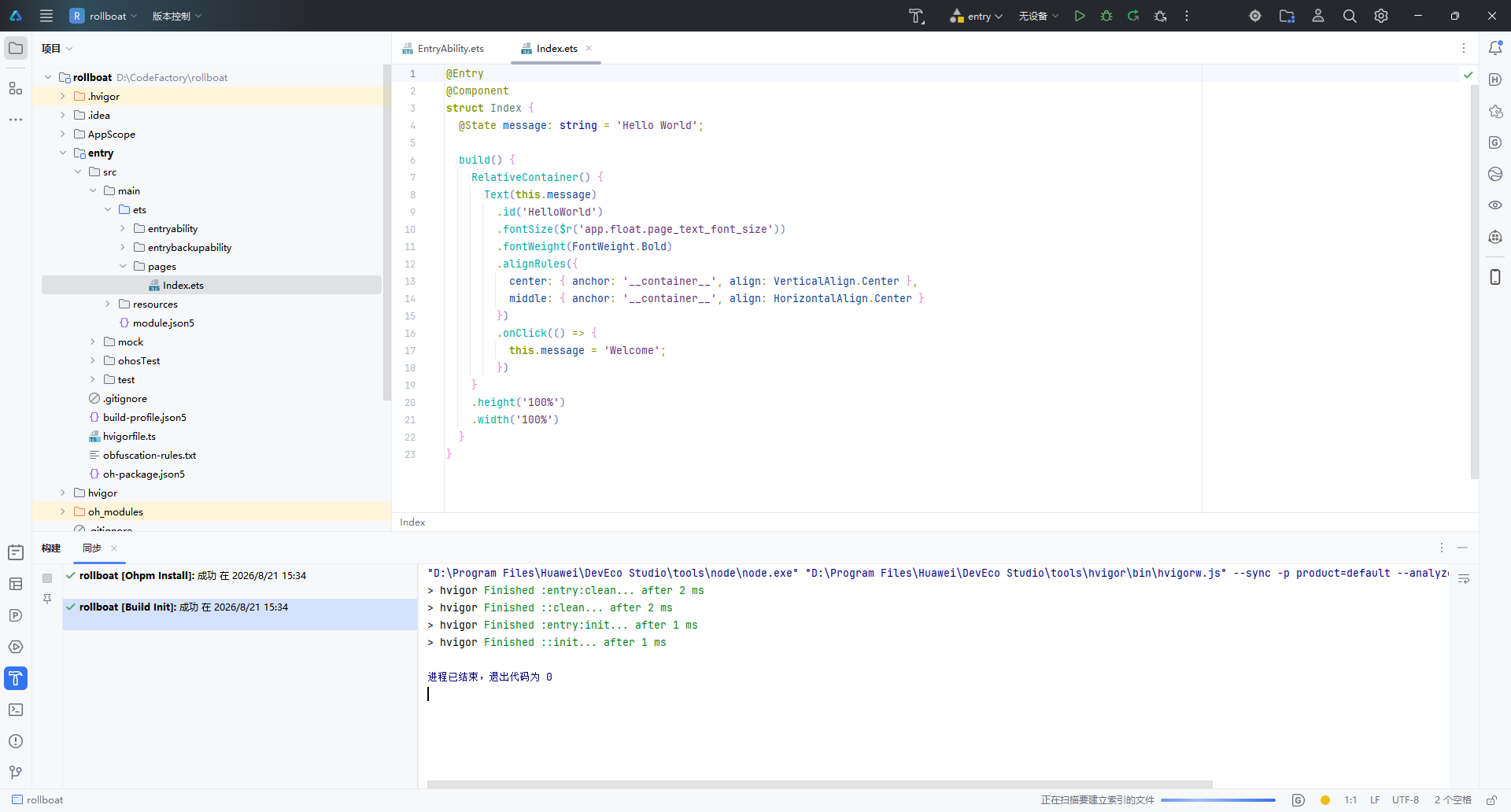
1.5 项目结构概览
创建完成后,左侧项目面板展示的是标准的 Stage 模型 目录结构:
rollboat/
├── .hvigor/                   # Hvigor 构建工具缓存
├── .idea/                     # IDE 配置文件
├── AppScope/                  # 应用级全局配置
│   └── app.json5
├── entry/                     # 主模块(入口模块)
│   ├── src/main/ets/
│   │   ├── entryability/      # Ability 生命周期管理
│   │   │   └── EntryAbility.ets
│   │   └── pages/             # UI 页面
│   │       └── Index.ets      # 首页(默认 Hello World)
│   ├── src/main/resources/    # 资源文件
│   ├── module.json5           # 模块配置
│   └── build-profile.json5    # 构建配置
├── oh_modules/                # OHPM 依赖包
├── build-profile.json5        # 工程构建配置
├── hvigorfile.ts              # Hvigor 构建脚本
└── oh-package.json5           # 包管理配置
核心文件 Index.ets 的默认代码如下,采用 ArkTS 声明式 UI 语法:
@Entry
@Component
struct Index {
  @State message: string = 'Hello World';

  build() {
    RelativeContainer() {
      Text(this.message)
        .id('HelloWorld')
        .fontSize($r('app.float.page_text_font_size'))
        .fontWeight(FontWeight.Bold)
        .alignRules({
          center: { anchor: '__container__', align: VerticalAlign.Center },
          middle: { anchor: '__container__', align: HorizontalAlign.Center }
        })
        .onClick(() => {
          this.message = 'Welcome';
        })
    }
    .height('100%')
    .width('100%')
  }
}
| 关键语法 | 作用 |
|---|---|
@Entry | 标记为页面入口,可用于路由跳转 |
@Component | 声明为自定义组件 |
@State | 状态变量,数据变更时自动触发 UI 刷新 |
RelativeContainer | 相对布局容器,替代传统线性布局 |
.onClick() | 点击事件,此处点击后文本变为 “Welcome” |
打开右侧 Previewer(预览器),选择 Phone 设备,即可实时预览 Hello World 效果,无需连接真机或启动模拟器。
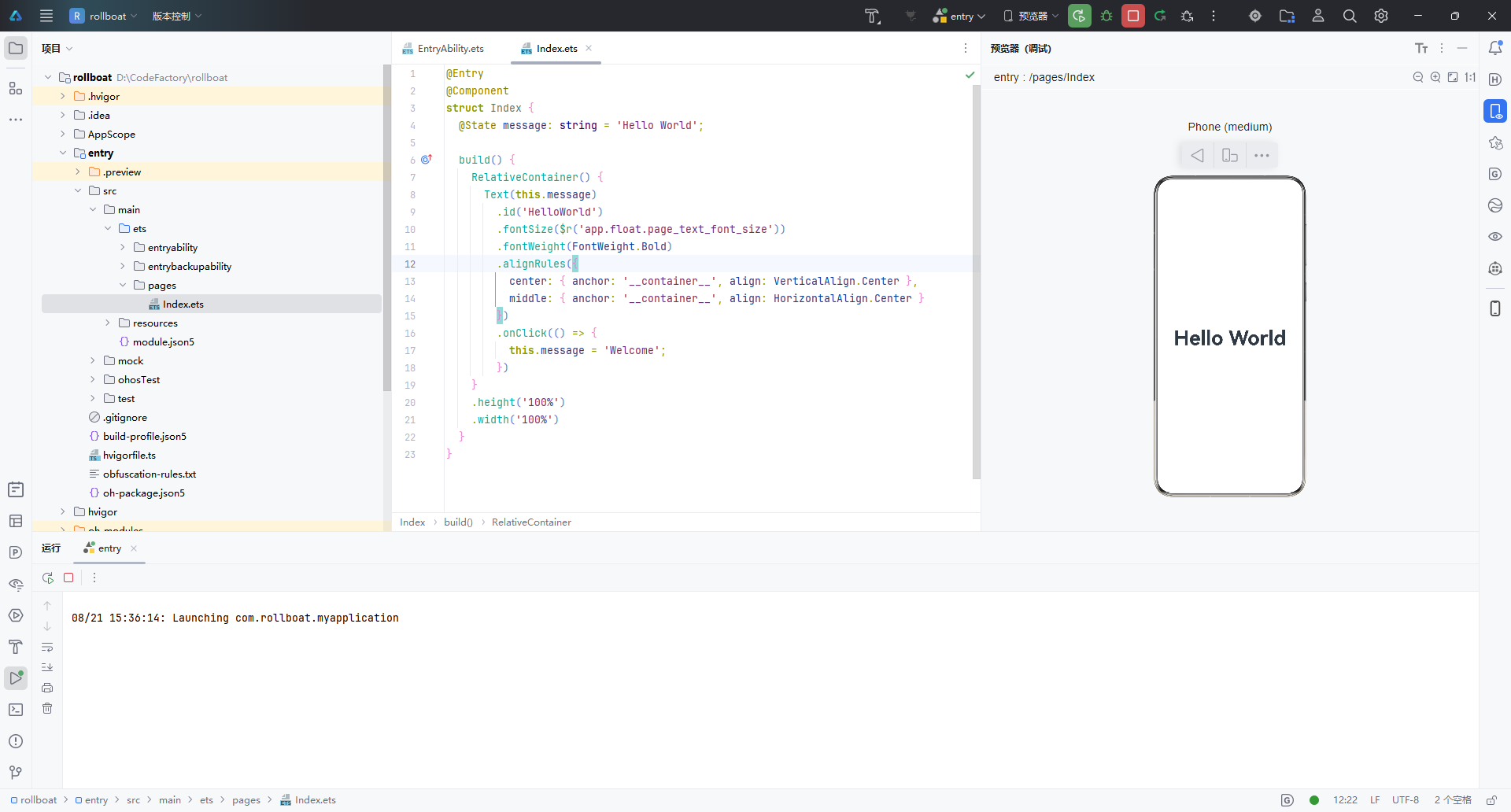
二、查看 SDK 版本
2.1 查看 HarmonyOS SDK
DevEco Studio 安装时已内置 HarmonyOS SDK,无需单独下载。通过以下路径查看:
文件 → 设置 → HarmonyOS SDK(或快捷键
Ctrl + Alt + S搜索 “HarmonyOS SDK”)
在设置面板中,可以看到当前已安装的 SDK 版本信息:
| 名称 | 阶段 | 状态 |
|---|---|---|
| HarmonyOS 6.1.1 | Release | ✅ 已安装 |
界面顶部提示:“HarmonyOS SDK 已经包含在 IDE,无需单独安装”,省去了手动配置 SDK 的繁琐步骤。
2.2 查看 ArkUI-X SDK(跨平台扩展)
如果项目需要将 ArkUI 框架扩展到多个 OS 平台(Android / iOS / OpenHarmony),还需要配置 ArkUI-X SDK。路径如下:
文件 → 设置 → 语言和框架 → ArkUI-X
在这里可以查看已安装和可选的 ArkUI-X SDK 版本:
| 版本 | SDK 版本号 | 阶段 | 状态 |
|---|---|---|---|
| API Version 24 | 6.1.1.100 | Release | ✅ 已安装 |
| API Version 23 | 6.1.0.28 | Beta1 | 未安装 |
| API Version 22 | 6.0.2.112 | Release | 未安装 |
安装路径示例:D:\DevTools\ArkUI-X\sdk
说明:ArkUI-X 允许开发者使用一套 ArkTS 主代码,同时构建多平台应用。如果仅开发 HarmonyOS 原生应用,无需额外安装 ArkUI-X SDK。
三、小结
| 步骤 | 操作 | 关键点 |
|---|---|---|
| 创建项目 | 欢迎页 → 新建项目 → 选择 Empty Ability 模板 → 配置项目信息 → 完成 | 使用 Stage 模型 + ArkTS 语言 |
| 查看 SDK | 设置 → HarmonyOS SDK | SDK 已内置,无需手动安装 |
| 跨平台扩展 | 设置 → ArkUI-X | 根据需要安装对应 API 版本 |
至此,DevEco Studio 的项目创建与 SDK 环境确认全部完成,可以开始 HarmonyOS 应用的功能开发。
本文基于 DevEco Studio 6.1.1 Release 版本编写,不同版本界面可能存在细微差异。

讨论HarmonyOS开发技术,专注于API与组件、DevEco Studio、测试、元服务和应用上架分发等。
更多推荐

 8
 0
- 0


 已为社区贡献13条内容

所有评论(0)