HarmonyOS 校园应用系列之HarmonyOS 6.0实战:会议室预约我的页 —— 徽章 Stack 对齐与 opacity 锁定态
HarmonyOS 校园应用系列之HarmonyOS 6.0实战:会议室预约我的页 —— 徽章 Stack 对齐与 opacity 锁定态
一、页面定位与技术复杂度
个人中心页(ProfileTab,底部 Tab "我的")是会议室预约 App 中 代码量最大(226 行)、组件最多(6 个 Builder) 的页面。集用户身份、数据仪表盘、成就激励、功能导航于一体。
技术亮点:渐变用户卡+经验进度条、徽章 Stack 对齐、四维统计负 Margin 重叠、成就墙 opacity 锁定、菜单 badge 角标。

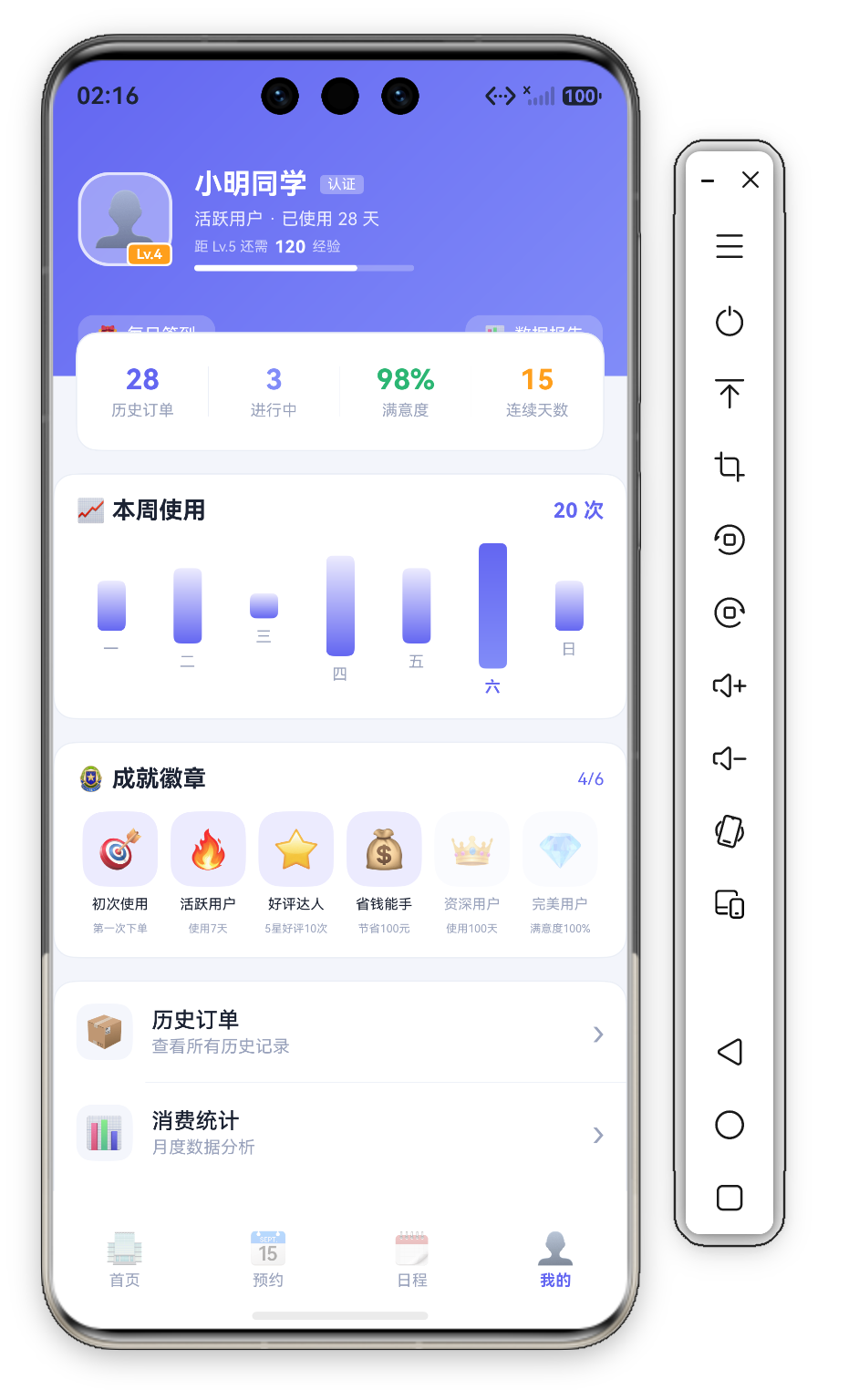

二、UserCard —— 渐变用户卡 + 经验进度条
@Builder
UserCard() {
  Column({ space: 12 }) {
    Row({ space: 14 }) {
      Stack({ alignContent: Alignment.BottomEnd }) {
        Row() { Text('👤').fontSize(34) }
          .width(60).height(60).backgroundColor('rgba(255,255,255,0.35)').borderRadius(D.rLg)
          .justifyContent(FlexAlign.Center)
          .border({ width: 2, color: 'rgba(255,255,255,0.7)' })
        Row() { Text('Lv.4').fontSize(9).fontColor('#FFFFFF').fontWeight(FontWeight.Bold) }
          .padding({ left: 5, right: 5, top: 1, bottom: 1 })
          .backgroundColor(C.warn).borderRadius(4).border({ width: 1.5, color: '#FFFFFF' })
      }
      Column({ space: 5 }) {
        Row({ space: 8 }) {
          Text('小明同学').fontSize(18).fontWeight(FontWeight.Bold).fontColor('#FFFFFF')
          Text('认证').fontSize(9).fontColor('#FFFFFF')
            .backgroundColor('rgba(255,255,255,0.3)').padding({ left: 5, right: 5, top: 1, bottom: 1 }).borderRadius(3)
        }
        Text('活跃用户 · 已使用 28 天').fontSize(11).fontColor('rgba(255,255,255,0.85)')
        Row({ space: 4 }) {
          Text('距 Lv.5 还需').fontSize(9).fontColor('rgba(255,255,255,0.7)')
          Text('120').fontSize(11).fontColor('#FFFFFF').fontWeight(FontWeight.Bold)
          Text('经验').fontSize(9).fontColor('rgba(255,255,255,0.7)')
        }
        Stack({ alignContent: Alignment.Start }) {
          Column().width('100%').height(4).backgroundColor('rgba(255,255,255,0.25)').borderRadius(2)
          Column().width('74%').height(4).backgroundColor('#FFFFFF').borderRadius(2)
        }.width(140)
      }.alignItems(HorizontalAlign.Start).layoutWeight(1)
    }.width('100%').padding({ left: D.pad, right: D.pad, top: this.safeTop + 30, bottom: 16 })

    Row() {
      Row({ space: 5 }) {
        Text('🎁').fontSize(11)
        Text('每日签到').fontSize(11).fontColor('#FFFFFF')
      }.padding({ left: 12, right: 12, top: 6, bottom: 6 })
        .backgroundColor('rgba(255,255,255,0.2)').borderRadius(D.rSm)
        .onClick(() => { promptAction.showToast({ message: '签到成功 +5 经验' }); })
      Blank()
      Row({ space: 5 }) {
        Text('📊').fontSize(11)
        Text('数据报告').fontSize(11).fontColor('#FFFFFF')
      }.padding({ left: 12, right: 12, top: 6, bottom: 6 })
        .backgroundColor('rgba(255,255,255,0.2)').borderRadius(D.rSm)
        .onClick(() => { promptAction.showToast({ message: '数据报告' }); })
    }.width('100%').padding({ left: D.pad, right: D.pad, bottom: 14 })
  }
  .width('100%').linearGradient({ angle: 135, colors: [[C.primary, 0.0], [C.accent, 1.0]] })
}
2.1 整卡渐变 + safeTop 沉浸
UserCard 不用 Stack 分层——整个 Column 直接 .linearGradient({ angle: 135, colors: [[C.primary, 0.0], [C.accent, 1.0]] }),内容行用 padding({ top: this.safeTop + 30 }) 下沉避开状态栏,实现沉浸式渐变头。
2.2 等级徽章 Stack 对齐
Stack({ alignContent: Alignment.BottomEnd }) { ... } // 关键!
等级徽章 Lv.4 用 Stack({ alignContent: Alignment.BottomEnd }) 贴在头像右下角——橙色底(C.warn)+ 1.5vp 白描边,与 60vp 圆角头像(rgba(255,255,255,0.35) 半透明白 + 2vp 白边)形成"头像+角标"组合。这是社交 App 常用"认证/等级角标"模式。
2.3 经验进度条
Stack({ alignContent: Alignment.Start }) 双层 Column:底层 4vp 半透明白轨道、上层 width('74%') 白色填充——距 Lv.5 还需 120 经验的量化可视化。
三、StatRow —— 四维统计 + 负 Margin 浮动
@Builder
StatRow() {
  Row() {
    ForEach(this.stats, (s: StatItem, idx: number) => {
      Column({ space: 3 }) {
        Text(s.value).fontSize(18).fontWeight(FontWeight.Bold).fontColor(s.color)
        Text(s.label).fontSize(10).fontColor(C.textDim)
      }.layoutWeight(1)
      if (idx < this.stats.length - 1) { Divider().vertical(true).height(32).color(C.stroke) }
    }, (s: StatItem) => s.label)
  }
  .width('92%').height(76).backgroundColor(C.card).borderRadius(D.rMd)
  .border({ width: 1, color: C.stroke })
  .justifyContent(FlexAlign.SpaceAround).alignItems(VerticalAlign.Center).margin({ top: -28 })
}
数据为 28 历史订单(C.primary) / 3 进行中(C.accent) / 98% 满意度(C.ok) / 15 连续天数(C.warn)——四色语义化数字。.margin({ top: -28 }) 让统计卡上移 28vp 叠在渐变卡底部形成卡片重叠;width('92%') 两侧留边,相间竖 Divider().vertical(true).height(32) 分隔。
四、WeekChartCard —— 周使用量柱状图
Row({ space: 4 }) {
  ForEach(this.weekBars, (b: WeekBar, idx: number) => {
    Column({ space: 6 }) {
      Column()
        .width(18)
        .height(Math.max(6, b.value / 5 * 80))
        .borderRadius(4)
        .linearGradient({
          angle: 180,
          colors: idx === 5 ? [[C.primary, 0.0], [C.accent, 1.0]] : [[C.primarySoft, 0.0], [C.primary, 1.0]]
        })
      Text(b.day).fontSize(10).fontColor(idx === 5 ? C.primary : C.textDim)
        .fontWeight(idx === 5 ? FontWeight.Bold : FontWeight.Normal)
    }.layoutWeight(1).alignItems(HorizontalAlign.Center)
  }, (b: WeekBar) => b.day)
}.width('100%')
与首页差异:本页柱状图 无点击交互但有固定高亮——idx === 5(周六,值 5 为本周峰值)用 C.primary→C.accent 渐变+主题色加粗星期文字,其余柱为 C.primarySoft→C.primary。高度 Math.max(6, b.value/5*80):数据 2/3/1/4/3/5/2 映射约 32~80vp。标题行右侧 20 次 汇总值用 C.primary 加粗。
五、AchievementWall —— 成就墙
Row() {
  Text('🏅 成就徽章').fontSize(15).fontWeight(FontWeight.Bold).fontColor(C.text)
  Blank()
  Text(`${this.achievements.filter(a => a.unlocked).length}/${this.achievements.length}`)
    .fontSize(11).fontColor(C.primary)
}.width('100%')

Row() {
  ForEach(this.achievements, (item: Achievement) => {
    Column({ space: 6 }) {
      Row() { Text(item.icon).fontSize(24) }
        .width(48).height(48).borderRadius(D.rMd).justifyContent(FlexAlign.Center)
        .backgroundColor(item.unlocked ? C.primarySoft : C.cardSoft)
        .opacity(item.unlocked ? 1 : 0.4)
      Text(item.title).fontSize(9).fontColor(item.unlocked ? C.text : C.textDim)
      Text(item.desc).fontSize(7).fontColor(C.textDim).maxLines(1)
    }.layoutWeight(1)
  }, (item: Achievement) => item.title)
}.width('100%')
5.1 Row + layoutWeight 六列布局
六个成就用 Row + 每项 .layoutWeight(1) 单行六等分排列(无需 Grid/Flex)。图标装在 48vp 圆角方块里,解锁底色 C.primarySoft、未解锁 C.cardSoft。
5.2 opacity 锁定态
未解锁 .opacity(0.4),保留图标可见,desc 告知解锁条件(如"使用100天"、"满意度100%")。
5.3 动态解锁进度
${this.achievements.filter(a => a.unlocked).length}/${this.achievements.length} 用 filter 实时计算 4/6——分数式比百分比更直观,一眼看出"还差 2 个就满"。
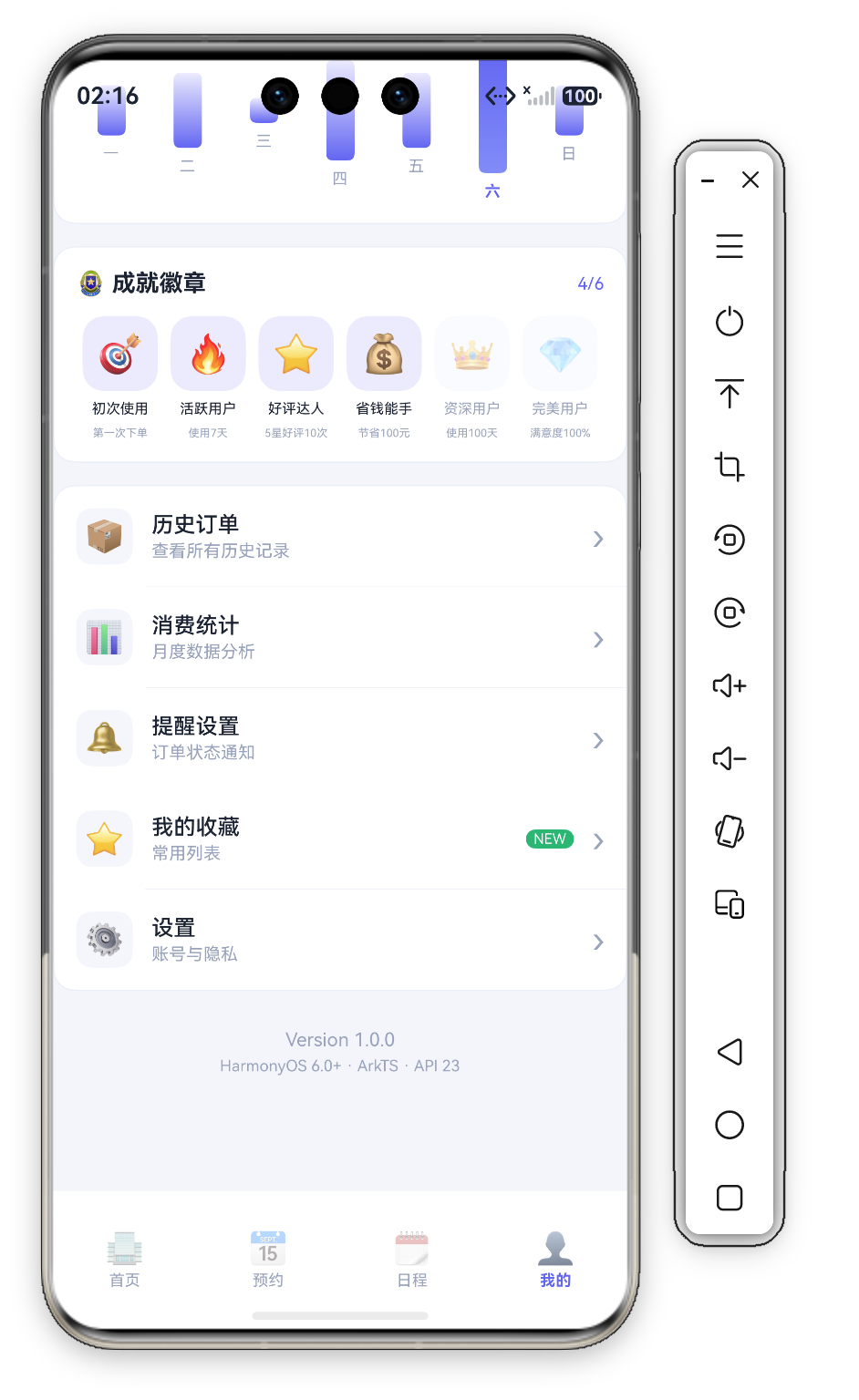
六、MenuList —— 菜单列表 + badge 角标
@Builder
MenuList() {
  Column() {
    ForEach(this.menus, (m: MenuItem, idx: number) => {
      Column() {
        Row({ space: 12 }) {
          Row() { Text(m.emoji).fontSize(20) }
            .width(36).height(36).backgroundColor(C.cardSoft).borderRadius(D.rSm).justifyContent(FlexAlign.Center)
          Column({ space: 2 }) {
            Text(m.title).fontSize(14).fontWeight(FontWeight.Medium).fontColor(C.text)
            Text(m.desc).fontSize(11).fontColor(C.textDim)
          }.alignItems(HorizontalAlign.Start).layoutWeight(1)
          if (m.badge.length > 0) {
            Text(m.badge).fontSize(9).fontColor('#FFFFFF')
              .backgroundColor(m.badge === 'NEW' ? C.ok : C.danger)
              .padding({ left: 5, right: 5, top: 1, bottom: 1 }).borderRadius(D.rSm)
          }
          Text('›').fontSize(22).fontColor(C.textDim)
        }
        .width('100%').padding(14)
        .onClick(() => { promptAction.showToast({ message: m.title }); })
        if (idx < this.menus.length - 1) { Divider().color(C.stroke).margin({ left: 58 }) }
      }
    }, (m: MenuItem) => m.title)
  }
  .width('100%').backgroundColor(C.card).borderRadius(D.rMd).border({ width: 1, color: C.stroke })
  .margin({ top: 14, left: D.pad, right: D.pad }).clip(true)
}
6.1 数据驱动的 badge 角标
菜单数据含 badge 字段——"我的收藏"项带 NEW 角标(C.ok 绿底白字),if (m.badge.length > 0) 条件渲染,其余项不显示。badge 颜色按内容切换:NEW 绿、其他红(C.danger)。
6.2 Divider 缩进对齐 + clip 防溢出
分隔线 Divider().color(C.stroke).margin({ left: 58 }) 左缩进 58vp——恰好越过图标区与文字对齐,比通栏分隔线更精致。外层 .clip(true) 配合圆角,防止首尾行背景溢出圆角边界。五个菜单项(历史订单/消费统计/提醒设置/我的收藏/设置)点击均 Toast 标题。
6.3 About 版本信息
页面末尾 About Builder 居中展示 Version 1.0.0 与 HarmonyOS 6.0+ · ArkTS · API 23 两行灰色小字——个人中心的标准收尾。
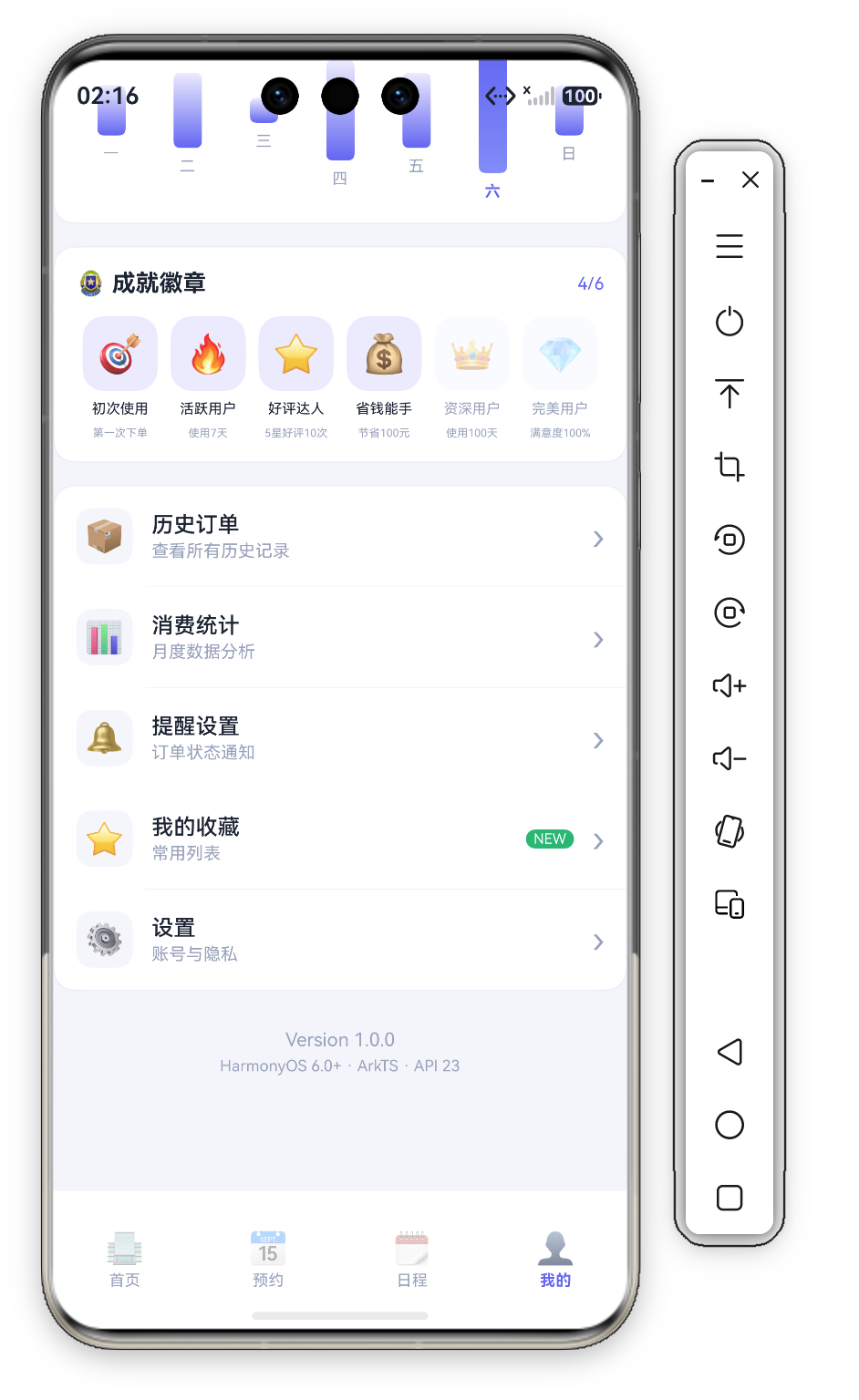
七、玻璃拟态按钮 —— 渐变卡上的操作入口
Row({ space: 5 }) {
  Text('🎁').fontSize(11)
  Text('每日签到').fontSize(11).fontColor('#FFFFFF')
}.padding({ left: 12, right: 12, top: 6, bottom: 6 })
 .backgroundColor('rgba(255,255,255,0.2)')   // 半透明白玻璃态
 .borderRadius(D.rSm)
 .onClick(() => { promptAction.showToast({ message: '签到成功 +5 经验' }); })
UserCard 内"每日签到"(🎁,Toast"签到成功 +5 经验")/"数据报告"(📊)按钮,半透明白背景的玻璃拟态,浮于渐变之上,Blank() 分居两侧。
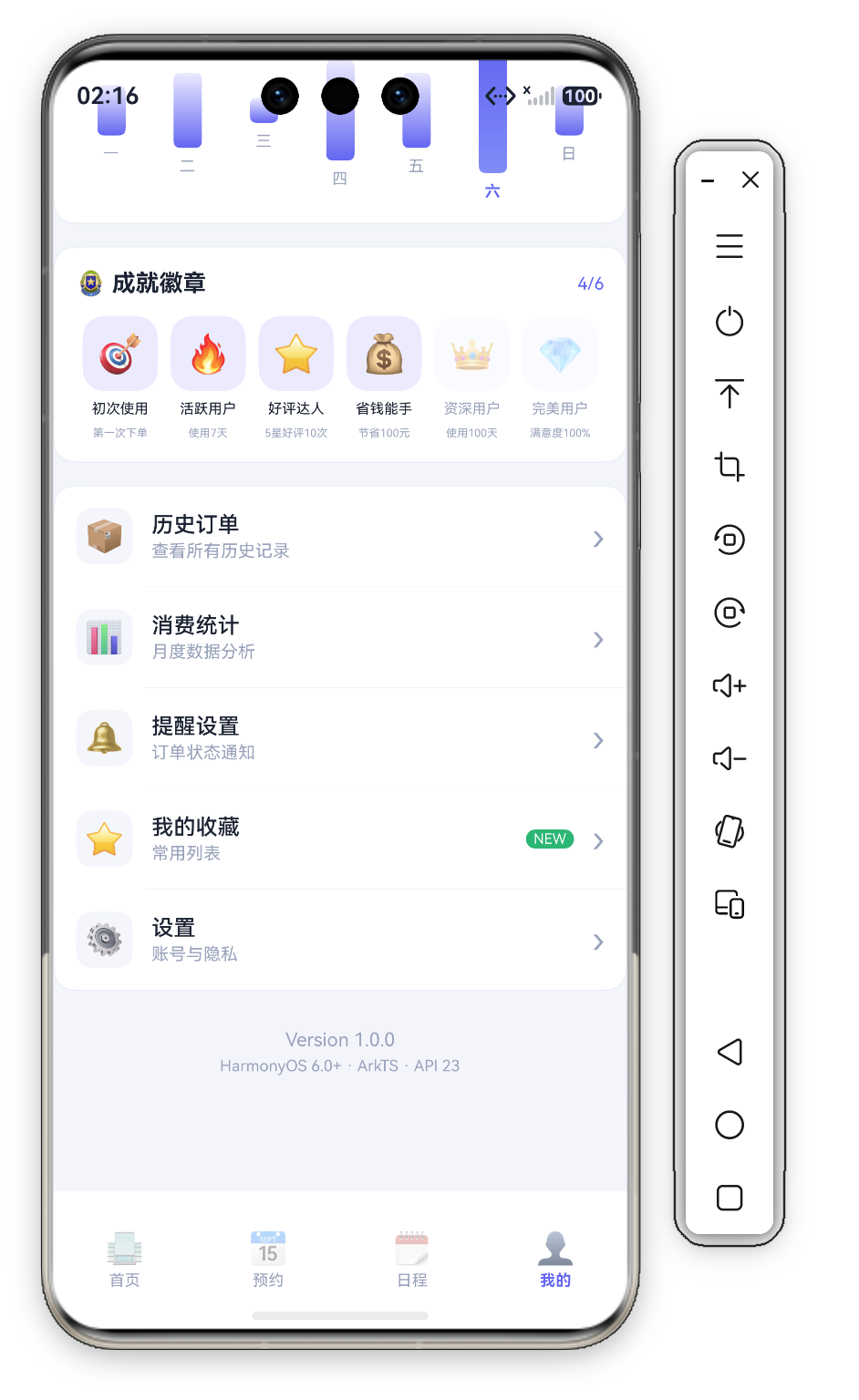
八、沉浸式全屏链路
- EntryAbility
setWindowLayoutFullScreen(true) - AppStorage 注入 safeTop/safeBottom(经
@StorageProp读取) - UserCard 渐变从屏幕顶端铺开,内容
padding({ top: this.safeTop + 30 })下沉,创造无缝沉浸
"Hero Header" 已成现代 App 个人中心标配。
九、成就系统运营视角
核心指标 解锁率 与 留存贡献。4/6=67% 足够沉没成本,剩余 2 枚提供短期目标。心理学 "目标梯度效应":越接近目标动力越强。
十、总结
| 组件 | 技术亮点 | 复杂度 |
|---|---|---|
| UserCard | 整卡渐变 + 徽章Stack对齐 + 经验进度条 | ⭐⭐⭐⭐⭐ |
| StatRow | 四维统计 + 负Margin(-28) + 竖分隔线 | ⭐⭐⭐⭐ |
| WeekChartCard | 周六高亮渐变柱状图 | ⭐⭐⭐ |
| AchievementWall | Row等分六列 + opacity锁定 + filter动态进度 | ⭐⭐⭐⭐ |
| MenuList | badge角标 + Divider缩进 + clip防溢出 | ⭐⭐⭐⭐ |
整卡渐变 + 徽章 Stack 对齐 和 负Margin重叠统计卡 最具价值——前者以对齐方式实现角标组合,后者用极简手段创造浮动效果。

讨论HarmonyOS开发技术,专注于API与组件、DevEco Studio、测试、元服务和应用上架分发等。
更多推荐

 1
1 0
0- 0



 已为社区贡献628条内容

所有评论(0)