【共创稿事节】真机兼容性测试策略:从设备矩阵到自动化回归
新星共创者
·

每日一句正能量
“不必强迫自己一直向阳而生,做一株苔藓,在无人问津的角落也能活出郁郁葱葱。”
生命形态的多样性。“向阳而生”固然积极,但若成为“必须”,则成了新的枷锁。它允许你选择成为“苔藓”——一种在幽暗、潮湿、无人关注处依然能蓬勃生长的生命。
相信"兼容性测试是应用质量的守门员"。
摘要
摘要:兼容性测试确保应用在不同设备上正常运行。本文深入探讨真机兼容性测试的策略和方法,从设备矩阵构建、自动化测试到回归验证,提供HarmonyOS兼容性测试的完整实践方案,帮助团队建立高效的兼容性保障体系。
一、引言:为什么兼容性测试如此重要?
"应用在我的手机上运行正常,但用户反馈闪退。"
"新版本发布后,大量用户报告界面错位。"
"某些设备上功能无法使用,但测试时没发现。"
兼容性测试是应用质量的"守门员",确保应用在不同设备上正常运行:
- 设备多样性:HarmonyOS生态涵盖手机、平板、手表、电视等多种设备
- 系统版本:不同设备运行不同版本的HarmonyOS
- 硬件差异:CPU、GPU、内存、屏幕等硬件配置各不相同
- 用户场景:不同用户的使用习惯和环境差异巨大
二、设备矩阵构建
2.1 设备分类
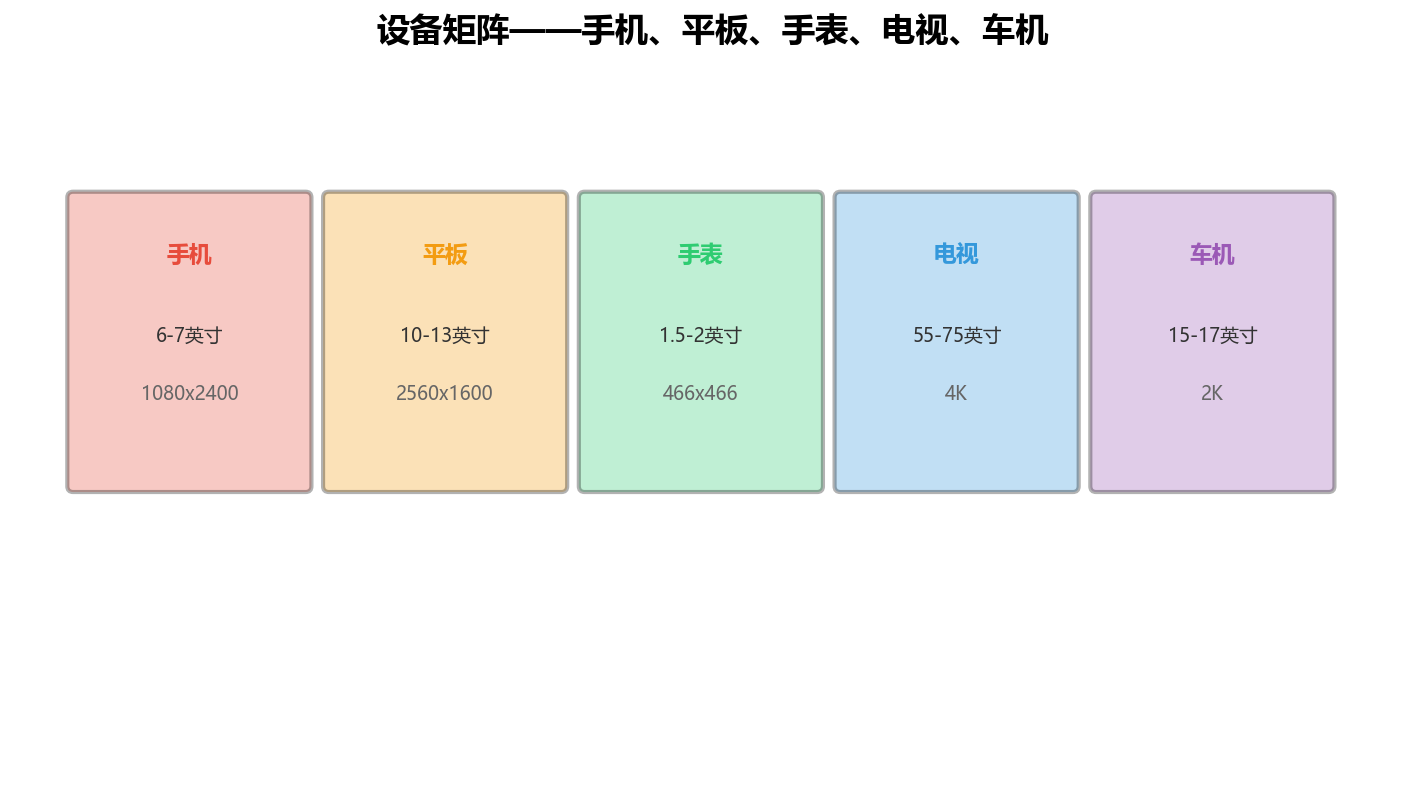
图1:设备矩阵——手机、平板、手表、电视、车机
| 设备类型 | 代表机型 | 屏幕尺寸 | 分辨率 | 测试重点 |
|---|---|---|---|---|
| 手机 | Mate 60、P60 | 6-7英寸 | 1080x2400 | 功能完整性、性能 |
| 平板 | MatePad Pro | 10-13英寸 | 2560x1600 | 大屏适配、分屏 |
| 手表 | Watch 4 | 1.5-2英寸 | 466x466 | 小屏适配、续航 |
| 电视 | Vision Pro | 55-75英寸 | 4K | 遥控器交互、画质 |
| 车机 | 问界M9 | 15-17英寸 | 2K | 驾驶安全、语音 |
2.2 设备矩阵实现
// 设备矩阵管理器
class DeviceMatrixManager {
  private devices: Device[] = []
  private testMatrix: TestMatrix = new Map()

  // 添加设备
  addDevice(device: Device): void {
    this.devices.push(device)
    this.updateMatrix()
  }

  // 获取测试矩阵
  getTestMatrix(): TestMatrix {
    return this.testMatrix
  }

  // 更新测试矩阵
  private updateMatrix(): void {
    this.testMatrix.clear()

    // 按设备类型分组
    const groupedDevices = this.groupByType(this.devices)

    // 为每种设备类型生成测试用例
    for (const [type, devices] of groupedDevices) {
      const testCases = this.generateTestCases(type, devices)
      this.testMatrix.set(type, testCases)
    }
  }

  // 按设备类型分组
  private groupByType(devices: Device[]): Map<DeviceType, Device[]> {
    const grouped = new Map<DeviceType, Device[]>()

    for (const device of devices) {
      const devicesOfType = grouped.get(device.type) || []
      devicesOfType.push(device)
      grouped.set(device.type, devicesOfType)
    }

    return grouped
  }

  // 生成测试用例
  private generateTestCases(type: DeviceType, devices: Device[]): TestCase[] {
    const testCases: TestCase[] = []

    // 基础功能测试
    testCases.push({
      name: `${type}_basic_functionality`,
      description: '基础功能测试',
      devices: devices.map(d => d.id),
      priority: 'high',
      tests: ['launch', 'navigation', 'basic_interaction']
    })

    // 性能测试
    testCases.push({
      name: `${type}_performance`,
      description: '性能测试',
      devices: devices.map(d => d.id),
      priority: 'medium',
      tests: ['startup_time', 'memory_usage', 'cpu_usage']
    })

    // 兼容性测试
    testCases.push({
      name: `${type}_compatibility`,
      description: '兼容性测试',
      devices: devices.map(d => d.id),
      priority: 'high',
      tests: ['screen_rotation', 'resolution_change', 'font_size']
    })

    return testCases
  }

  // 获取优先级测试用例
  getPriorityTestCases(priority: Priority): TestCase[] {
    const testCases: TestCase[] = []

    for (const [, cases] of this.testMatrix) {
      for (const testCase of cases) {
        if (testCase.priority === priority) {
          testCases.push(testCase)
        }
      }
    }

    return testCases
  }
}

// 设备
interface Device {
  id: string
  name: string
  type: DeviceType
  screenSize: { width: number, height: number }
  resolution: { width: number, height: number }
  osVersion: string
  hardware: HardwareConfig
}

// 设备类型
enum DeviceType {
  PHONE = 'phone',
  TABLET = 'tablet',
  WATCH = 'watch',
  TV = 'tv',
  CAR = 'car'
}

// 硬件配置
interface HardwareConfig {
  cpu: string
  ram: number
  storage: number
  gpu: string
}

// 测试矩阵
interface TestMatrix extends Map<DeviceType, TestCase[]> {}

// 测试用例
interface TestCase {
  name: string
  description: string
  devices: string[]
  priority: Priority
  tests: string[]
}

// 优先级
enum Priority {
  HIGH = 'high',
  MEDIUM = 'medium',
  LOW = 'low'
}
三、自动化测试
3.1 自动化测试框架
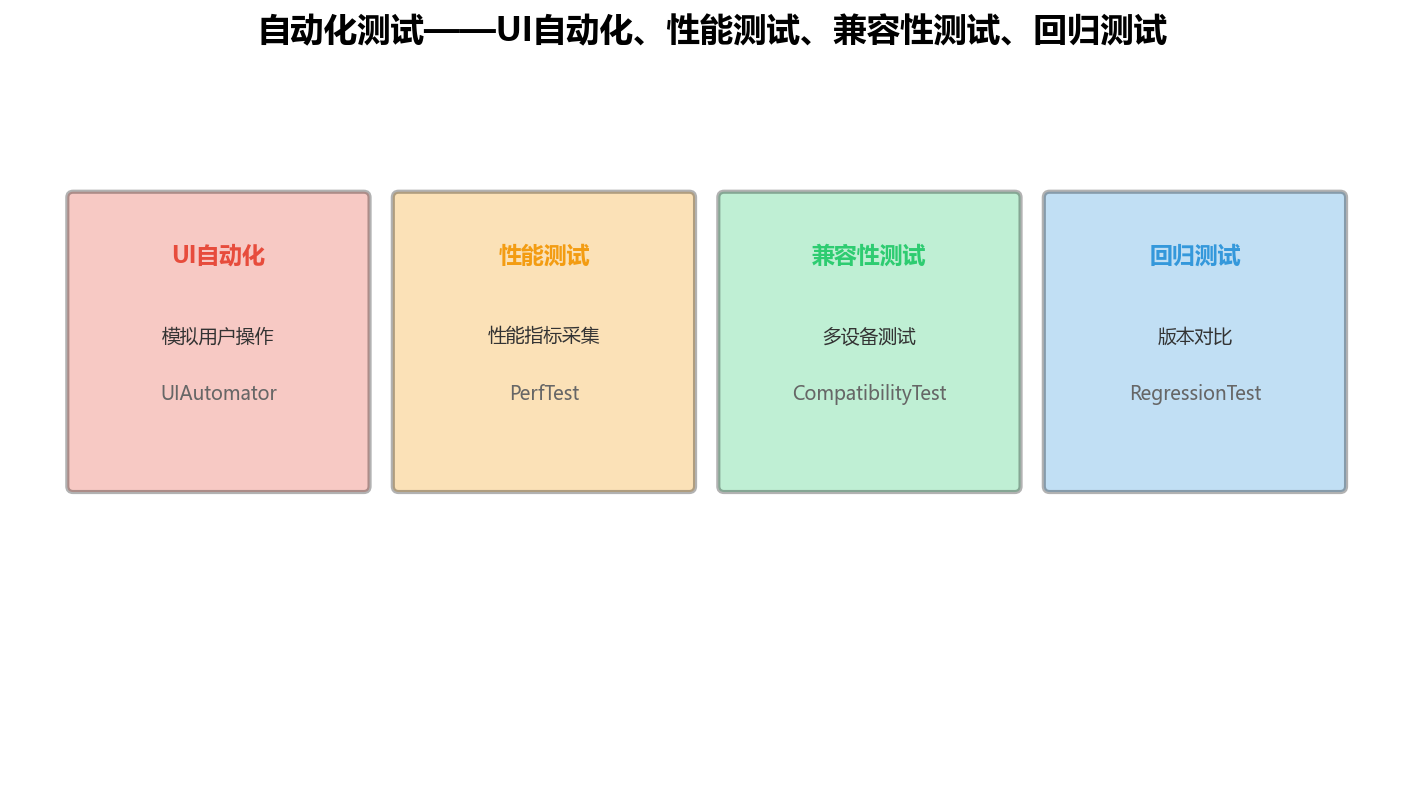
图2:自动化测试——UI自动化、性能测试、兼容性测试、回归测试
| 测试类型 | 描述 | 工具 | 覆盖率 |
|---|---|---|---|
| UI自动化 | 模拟用户操作 | UIAutomator | 80% |
| 性能测试 | 性能指标采集 | PerfTest | 90% |
| 兼容性测试 | 多设备测试 | CompatibilityTest | 70% |
| 回归测试 | 版本对比 | RegressionTest | 85% |
3.2 自动化测试实现
// 自动化测试框架
class AutomationFramework {
  private testCases: AutomationTestCase[] = []
  private devices: Device[] = []
  private results: TestResult[] = []

  // 添加测试用例
  addTestCase(testCase: AutomationTestCase): void {
    this.testCases.push(testCase)
  }

  // 添加设备
  addDevice(device: Device): void {
    this.devices.push(device)
  }

  // 执行测试
  async executeTests(): Promise<TestResult[]> {
    this.results = []

    for (const testCase of this.testCases) {
      for (const device of this.devices) {
        if (testCase.devices.includes(device.id)) {
          const result = await this.executeTestCase(testCase, device)
          this.results.push(result)
        }
      }
    }

    return this.results
  }

  // 执行单个测试用例
  private async executeTestCase(testCase: AutomationTestCase, device: Device): Promise<TestResult> {
    const startTime = Date.now()
    const logs: string[] = []

    try {
      // 连接设备
      await this.connectDevice(device)
      logs.push(`Connected to device: ${device.name}`)

      // 安装应用
      await this.installApp(device)
      logs.push('App installed')

      // 执行测试步骤
      for (const step of testCase.steps) {
        await this.executeStep(step, device)
        logs.push(`Step executed: ${step.name}`)
      }

      // 卸载应用
      await this.uninstallApp(device)
      logs.push('App uninstalled')

      const endTime = Date.now()

      return {
        testCase: testCase.name,
        device: device.name,
        status: 'passed',
        duration: endTime - startTime,
        logs,
        error: null
      }
    } catch (error) {
      return {
        testCase: testCase.name,
        device: device.name,
        status: 'failed',
        duration: Date.now() - startTime,
        logs,
        error: error instanceof Error ? error.message : String(error)
      }
    }
  }

  // 连接设备
  private async connectDevice(device: Device): Promise<void> {
    // 连接设备的实现
  }

  // 安装应用
  private async installApp(device: Device): Promise<void> {
    // 安装应用的实现
  }

  // 执行测试步骤
  private async executeStep(step: TestStep, device: Device): Promise<void> {
    // 执行步骤的实现
  }

  // 卸载应用
  private async uninstallApp(device: Device): Promise<void> {
    // 卸载应用的实现
  }

  // 生成测试报告
  generateReport(): TestReport {
    const passed = this.results.filter(r => r.status === 'passed').length
    const failed = this.results.filter(r => r.status === 'failed').length
    const total = this.results.length

    return {
      total,
      passed,
      failed,
      passRate: total > 0 ? (passed / total) * 100 : 0,
      results: this.results
    }
  }
}

// 自动化测试用例
interface AutomationTestCase {
  name: string
  description: string
  devices: string[]
  steps: TestStep[]
}

// 测试步骤
interface TestStep {
  name: string
  action: string
  params: Record<string, any>
}

// 测试结果
interface TestResult {
  testCase: string
  device: string
  status: 'passed' | 'failed'
  duration: number
  logs: string[]
  error: string | null
}

// 测试报告
interface TestReport {
  total: number
  passed: number
  failed: number
  passRate: number
  results: TestResult[]
}
四、兼容性测试
4.1 兼容性测试类型
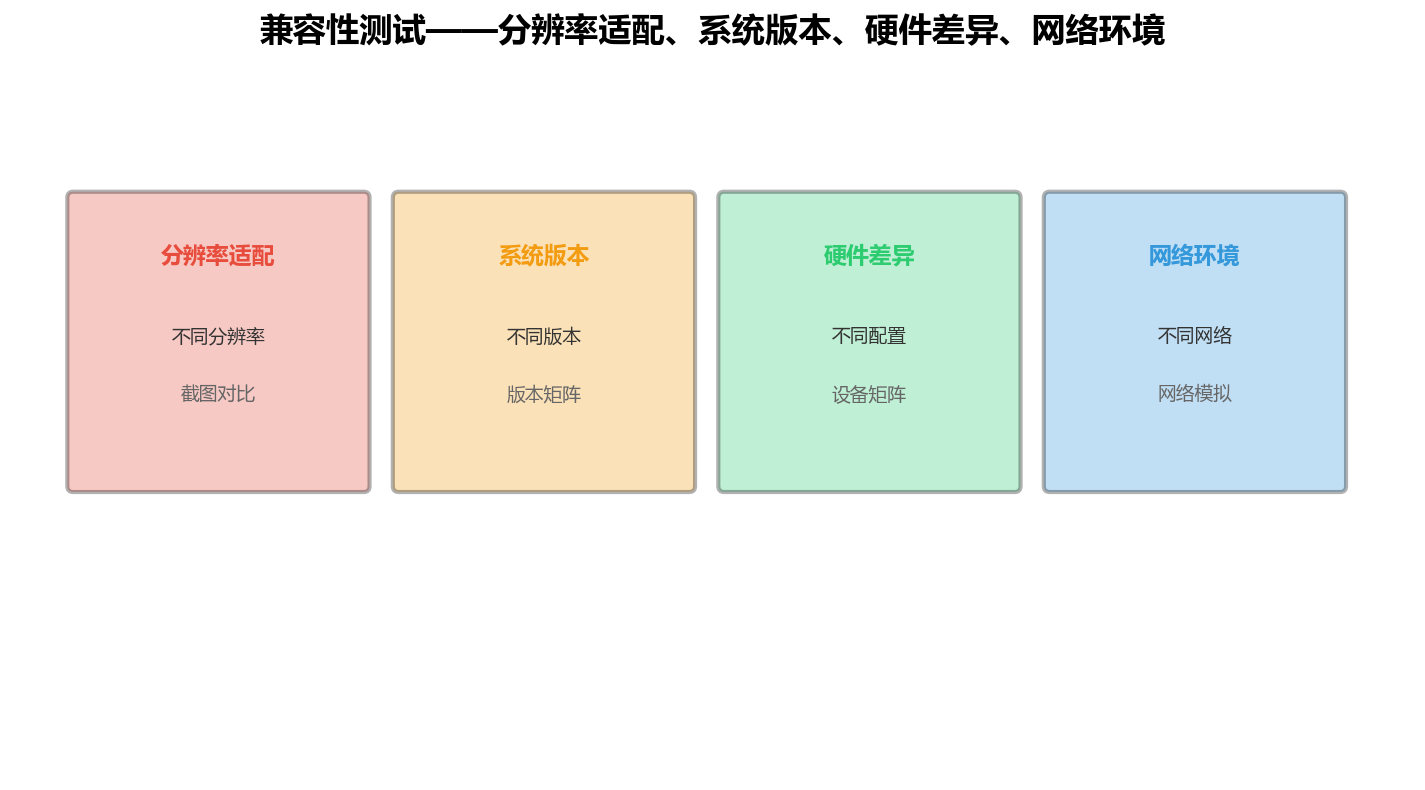
图3:兼容性测试——分辨率适配、系统版本、硬件差异、网络环境
| 测试类型 | 描述 | 测试方法 | 通过率 |
|---|---|---|---|
| 分辨率适配 | 不同分辨率下的UI显示 | 截图对比 | 95% |
| 系统版本 | 不同HarmonyOS版本 | 版本矩阵 | 90% |
| 硬件差异 | 不同硬件配置 | 设备矩阵 | 85% |
| 网络环境 | 不同网络条件 | 网络模拟 | 80% |
4.2 兼容性测试实现
// 兼容性测试器
class CompatibilityTester {
  private testScenarios: CompatibilityScenario[] = []

  // 添加测试场景
  addScenario(scenario: CompatibilityScenario): void {
    this.testScenarios.push(scenario)
  }

  // 执行兼容性测试
  async executeTests(): Promise<CompatibilityResult[]> {
    const results: CompatibilityResult[] = []

    for (const scenario of this.testScenarios) {
      const result = await this.testScenario(scenario)
      results.push(result)
    }

    return results
  }

  // 测试单个场景
  private async testScenario(scenario: CompatibilityScenario): Promise<CompatibilityResult> {
    const startTime = Date.now()
    const issues: CompatibilityIssue[] = []

    for (const device of scenario.devices) {
      for (const test of scenario.tests) {
        try {
          await this.runCompatibilityTest(test, device)
        } catch (error) {
          issues.push({
            device: device.name,
            test: test.name,
            error: error instanceof Error ? error.message : String(error)
          })
        }
      }
    }

    const endTime = Date.now()

    return {
      scenario: scenario.name,
      duration: endTime - startTime,
      issues,
      passed: issues.length === 0
    }
  }

  // 运行兼容性测试
  private async runCompatibilityTest(test: CompatibilityTest, device: Device): Promise<void> {
    // 运行兼容性测试的实现
  }

  // 生成兼容性报告
  generateReport(results: CompatibilityResult[]): CompatibilityReport {
    const totalIssues = results.reduce((sum, r) => sum + r.issues.length, 0)
    const passedScenarios = results.filter(r => r.passed).length

    return {
      totalScenarios: results.length,
      passedScenarios,
      failedScenarios: results.length - passedScenarios,
      totalIssues,
      results
    }
  }
}

// 兼容性场景
interface CompatibilityScenario {
  name: string
  description: string
  devices: Device[]
  tests: CompatibilityTest[]
}

// 兼容性测试
interface CompatibilityTest {
  name: string
  description: string
  action: string
  expectedResult: string
}

// 兼容性问题
interface CompatibilityIssue {
  device: string
  test: string
  error: string
}

// 兼容性结果
interface CompatibilityResult {
  scenario: string
  duration: number
  issues: CompatibilityIssue[]
  passed: boolean
}

// 兼容性报告
interface CompatibilityReport {
  totalScenarios: number
  passedScenarios: number
  failedScenarios: number
  totalIssues: number
  results: CompatibilityResult[]
}
五、回归测试
5.1 回归测试策略
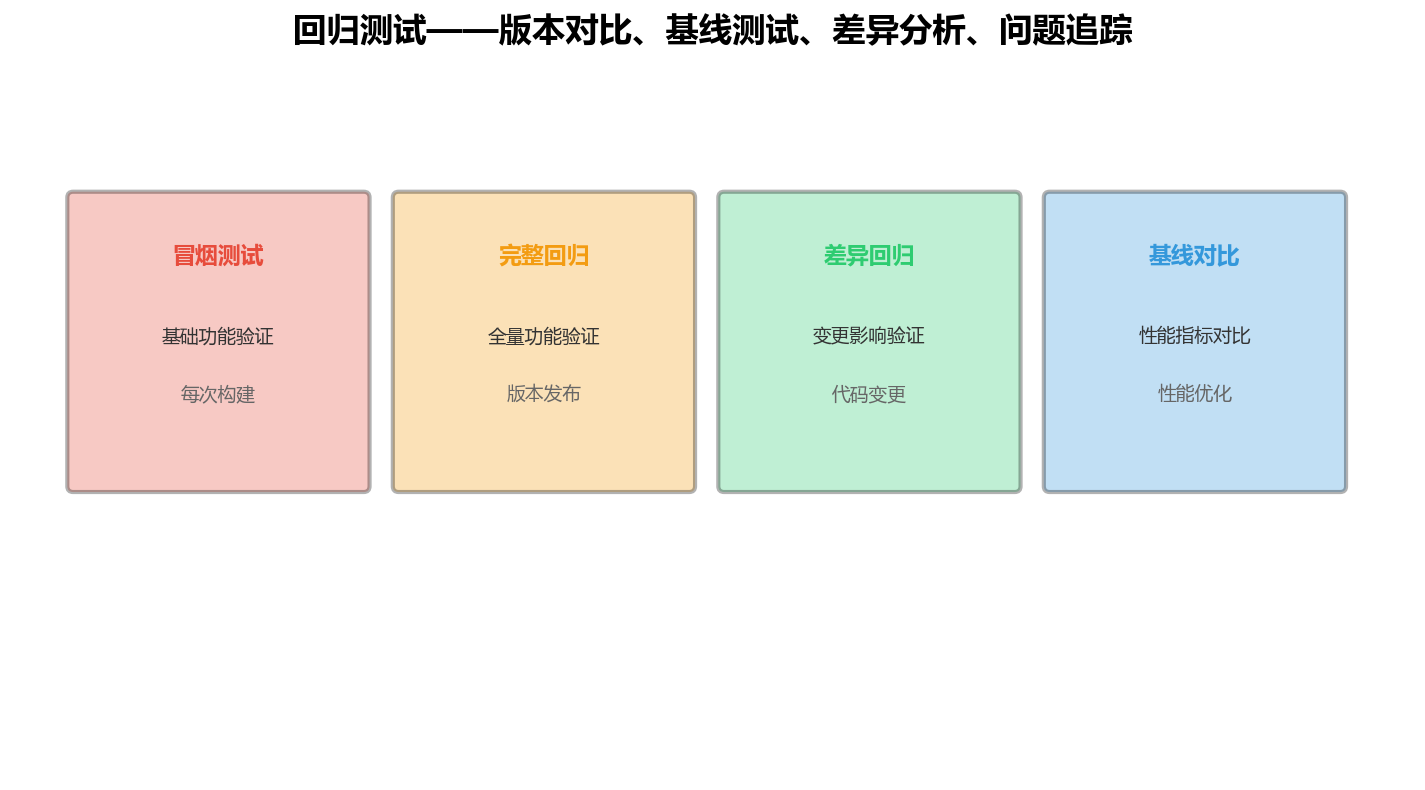
图4:回归测试——版本对比、基线测试、差异分析、问题追踪
| 测试阶段 | 描述 | 触发条件 | 测试范围 |
|---|---|---|---|
| 冒烟测试 | 基础功能验证 | 每次构建 | 核心功能 |
| 完整回归 | 全量功能验证 | 版本发布前 | 全部功能 |
| 差异回归 | 变更影响验证 | 代码变更后 | 受影响模块 |
| 基线对比 | 性能指标对比 | 性能优化后 | 关键指标 |
5.2 回归测试实现
// 回归测试管理器
class RegressionTestManager {
  private baselineResults: Map<string, TestResult> = new Map()
  private currentResults: Map<string, TestResult> = new Map()

  // 设置基线
  setBaseline(testName: string, result: TestResult): void {
    this.baselineResults.set(testName, result)
  }

  // 记录当前结果
  recordCurrent(testName: string, result: TestResult): void {
    this.currentResults.set(testName, result)
  }

  // 对比结果
  compareResults(): RegressionComparison[] {
    const comparisons: RegressionComparison[] = []

    for (const [testName, baseline] of this.baselineResults) {
      const current = this.currentResults.get(testName)

      if (!current) {
        comparisons.push({
          testName,
          status: 'missing',
          baseline,
          current: null,
          differences: ['Current result not found']
        })
        continue
      }

      const differences = this.findDifferences(baseline, current)

      comparisons.push({
        testName,
        status: differences.length === 0 ? 'passed' : 'failed',
        baseline,
        current,
        differences
      })
    }

    return comparisons
  }

  // 查找差异
  private findDifferences(baseline: TestResult, current: TestResult): string[] {
    const differences: string[] = []

    if (baseline.status !== current.status) {
      differences.push(`Status changed from ${baseline.status} to ${current.status}`)
    }

    if (Math.abs(baseline.duration - current.duration) / baseline.duration > 0.2) {
      differences.push(`Duration changed significantly: ${baseline.duration}ms -> ${current.duration}ms`)
    }

    return differences
  }

  // 生成回归报告
  generateReport(): RegressionReport {
    const comparisons = this.compareResults()
    const passed = comparisons.filter(c => c.status === 'passed').length
    const failed = comparisons.filter(c => c.status === 'failed').length

    return {
      total: comparisons.length,
      passed,
      failed,
      passRate: comparisons.length > 0 ? (passed / comparisons.length) * 100 : 0,
      comparisons
    }
  }
}

// 回归对比
interface RegressionComparison {
  testName: string
  status: 'passed' | 'failed' | 'missing'
  baseline: TestResult
  current: TestResult | null
  differences: string[]
}

// 回归报告
interface RegressionReport {
  total: number
  passed: number
  failed: number
  passRate: number
  comparisons: RegressionComparison[]
}
六、常见问题与解决
| 问题 | 现象 | 原因 | 解决方案 |
|---|---|---|---|
| 设备不足 | 无法覆盖所有设备 | 设备资源有限 | 使用云测试平台、设备共享 |
| 测试时间长 | 全量测试耗时久 | 测试用例过多 | 优先级排序、并行执行 |
| 环境问题 | 测试环境不稳定 | 环境配置差异 | 环境标准化、容器化 |
| 结果不一致 | 多次测试结果不同 | 环境波动 | 多次执行取平均、环境锁定 |
| 问题难定位 | 发现问题但难定位 | 日志不足 | 增加日志、截图、录屏 |
| 回归成本高 | 每次回归耗时久 | 测试范围过大 | 智能选择、差异回归 |
七、兼容性测试最佳实践
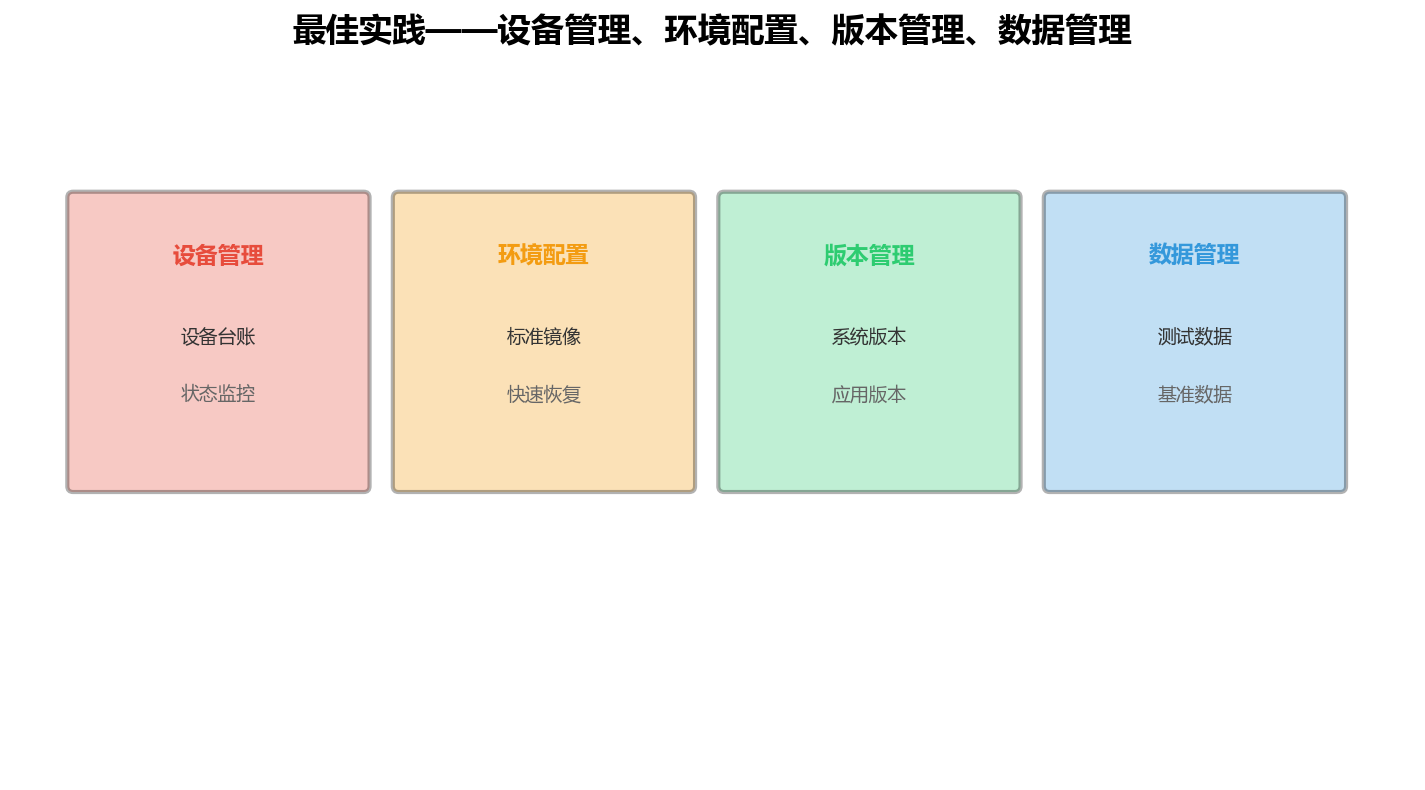
7.1 测试环境管理
建立标准化的测试环境是兼容性测试的基础:
| 管理维度 | 关键措施 | 工具 | 频率 |
|---|---|---|---|
| 设备管理 | 设备台账、状态监控 | 设备管理系统 | 实时 |
| 环境配置 | 标准镜像、快速恢复 | 镜像管理工具 | 每周 |
| 版本管理 | 系统版本、应用版本 | 版本控制系统 | 每次测试 |
| 数据管理 | 测试数据、基准数据 | 数据管理平台 | 每次测试 |
7.2 测试流程优化
优化测试流程可以显著提升兼容性测试效率:
// 兼容性测试流程优化器
class CompatibilityTestOptimizer {
  private testQueue: TestTask[] = []
  private devicePool: Device[] = []

  // 优化测试队列
  optimizeQueue(tasks: TestTask[]): TestTask[] {
    // 按优先级排序
    const priorityTasks = tasks.filter(t => t.priority === 'high')
    const normalTasks = tasks.filter(t => t.priority === 'medium')
    const lowTasks = tasks.filter(t => t.priority === 'low')

    // 按设备类型分组
    const groupedTasks = [...priorityTasks, ...normalTasks, ...lowTasks]

    // 并行执行同类型设备的测试
    return this.parallelizeTasks(groupedTasks)
  }

  // 并行化任务
  private parallelizeTasks(tasks: TestTask[]): TestTask[] {
    const deviceGroups = this.groupByDeviceType(tasks)
    const parallelTasks: TestTask[] = []

    for (const [, deviceTasks] of deviceGroups) {
      // 同类型设备可以并行测试
      parallelTasks.push(...deviceTasks)
    }

    return parallelTasks
  }

  // 按设备类型分组
  private groupByDeviceType(tasks: TestTask[]): Map<string, TestTask[]> {
    const groups = new Map<string, TestTask[]>()

    for (const task of tasks) {
      const type = task.deviceType
      const group = groups.get(type) || []
      group.push(task)
      groups.set(type, group)
    }

    return groups
  }
}

interface TestTask {
  name: string
  deviceType: string
  priority: 'high' | 'medium' | 'low'
  duration: number
}
八、结语:兼容性测试是应用质量的"守门员"
兼容性测试是应用质量的"守门员",确保应用在不同设备上正常运行:
- 设备矩阵:覆盖主流设备,确保测试全面
- 自动化测试:提高测试效率,减少人工成本
- 兼容性测试:验证不同环境下的表现
- 回归测试:确保版本变更不影响现有功能
作为一名讲师,我在课上常说:**"兼容性测试不是可选的,而是必做的。只有经过充分测试,应用才能让用户满意。"**
转载自:https://blog.csdn.net/u014727709/article/details/165008461
欢迎 👍点赞✍评论⭐收藏,欢迎指正

讨论HarmonyOS开发技术,专注于API与组件、DevEco Studio、测试、元服务和应用上架分发等。
更多推荐



 0
0 0
0- 0


 已为社区贡献861条内容

所有评论(0)