高校周边通 · 国庆特别版:HarmonyOS 7 图像超分「老照片焕新」功能开发实战
·
高校周边通 · 国庆特别版:HarmonyOS 7 图像超分「老照片焕新」功能开发实战
本文代码基于 HarmonyOS 7 / API 26 官方文档中的原始示例撰写,函数名、字段名、错误码均来自官网最新版本(更新时间:2026-08-29)。
官方原文链接:
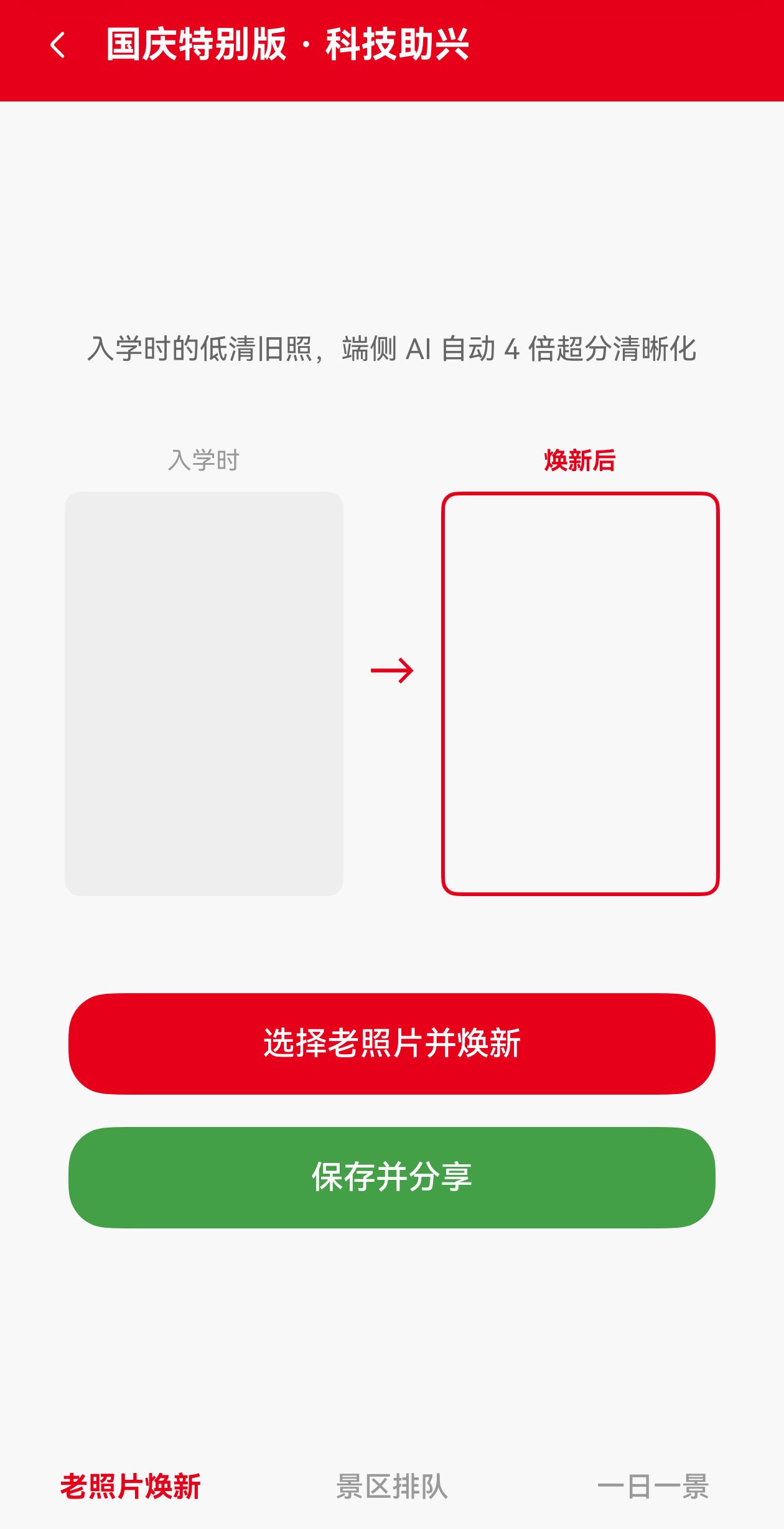
项目背景:「高校周边通」v3.6.0 国庆版本新增 「老照片焕新」 功能:用户上传入学时的低清旧照,端侧 AI 自动将其放大 4 倍并清晰化,生成可分享到朋友圈的"入学 vs 现在"对比海报。
一、为什么国庆版本要做"老照片焕新"?
国庆是大学生最怀旧的节点——“我与国旗合张影”、“我和室友的入学对比”、“我和母校的十年之约”……这些内容都依赖清晰的高质量照片。但很多用户的入学照片来自多年前的老旧手机,像素低、噪点多。
imageSuperResolution 提供端侧 4 倍超分能力,正好解决这个痛点:
- 完全本地化:用户的旧照片无需上传云端,隐私安全
- 4 倍放大:原 800×600 → 输出 3200×2400,足以打印海报
- AI 增强:相比传统插值,端侧模型能还原更多细节
二、imageSuperResolution 官方核心结构
import { imageSuperResolution, visionBase } from '@kit.CoreVisionKit';

class ImageSRAnalyzer {
  static create(): Promise<ImageSRAnalyzer>;
  process(request: visionBase.Request): Promise<ISPResponse>;
  destroy(): Promise<void>;
}

class ISPResponse {
  pixelMap: image.PixelMap;  // 像素同步放大四倍
}
官方错误码:
1018700001Service exception.
三、「老照片焕新」完整实现
3.1 完整 PhotoEnhancer.ets(完全对齐官方示例)
/**
 * @file PhotoEnhancer.ets
 * @description 高校周边通 · 老照片焕新(端侧 4 倍超分)
 */
import { imageSuperResolution, visionBase } from '@kit.CoreVisionKit';
import { image } from '@kit.ImageKit';
import { hilog } from '@kit.PerformanceAnalysisKit';
import { BusinessError } from '@kit.BasicServicesKit';
import { fileIo } from '@kit.CoreFileKit';
import { photoAccessHelper } from '@kit.MediaLibraryKit';

const DOMAIN = 0x0000;
const TAG = 'PhotoEnhancer';

export class PhotoEnhancer {
  /**
   * 老照片超分入口(完全对齐官方示例)
   * @returns 超分后的 PixelMap,调用方需负责 release
   */
  static async enhanceOnce(): Promise<image.PixelMap | null> {
    let imageSource: image.ImageSource | undefined = undefined;
    let inputImage: image.PixelMap | undefined = undefined;
    let file: fileIo.File | undefined = undefined;
    let analyzer: imageSuperResolution.ImageSRAnalyzer | undefined = undefined;

    try {
      // 1. 通过图库选择一张老照片
      const photoSelectOptions = new photoAccessHelper.PhotoSelectOptions();
      photoSelectOptions.MIMEType = photoAccessHelper.PhotoViewMIMETypes.IMAGE_TYPE;
      photoSelectOptions.maxSelectNumber = 1;

      const photoPicker = new photoAccessHelper.PhotoViewPicker();
      const photoSelectResult = await photoPicker.select(photoSelectOptions);
      const uri = photoSelectResult.photoUris[0];

      if (uri === undefined) {
        hilog.info(DOMAIN, TAG, 'uri is undefined');
        return null;
      }

      // 2. 将图片转换为 PixelMap
      file = await fileIo.open(uri, fileIo.OpenMode.READ_ONLY);
      imageSource = image.createImageSource(file.fd);
      inputImage = await imageSource.createPixelMap();

      if (!inputImage) {
        return null;
      }

      // 3. 创建图像超分分析器
      analyzer = await imageSuperResolution.ImageSRAnalyzer.create();
      if (!analyzer) {
        hilog.error(DOMAIN, TAG, 'Failed to create analyzer');
        return null;
      }

      // 4. 构造 Request(官方写法:inputData + ImageData)
      let imageData: visionBase.ImageData = {
        pixelMap: inputImage
      };
      const request: visionBase.Request = {
        inputData: imageData
      };
      request.inputData = imageData;

      // 5. 调用超分接口
      const response = await analyzer.process(request);
      hilog.info(DOMAIN, TAG,
        `Super resolution completed size: ${JSON.stringify(
          response.pixelMap.getImageInfoSync().size
        )}`);

      // 注意:此处返回的 PixelMap 由调用方负责 release
      return response.pixelMap;
    } catch (error) {
      const err: BusinessError = error as BusinessError;
      hilog.error(DOMAIN, TAG,
        `Failed to process super resolution code: ${err.code}, message: ${err.message}`);
      return null;
    } finally {
      // 6. 释放源资源(顺序非常重要)
      if (inputImage && imageSource) {
        void inputImage.release();
        void imageSource.release();
      }
      if (file) {
        await fileIo.close(file);
      }
      if (analyzer) {
        await analyzer.destroy();
      }
    }
  }
}
3.2 保存工具类
/**
 * @file PixelMapSaver.ets
 * @description 将 PixelMap 保存为 JPEG / PNG
 */
import { image } from '@kit.ImageKit';
import { fileIo } from '@kit.CoreFileKit';
import { hilog } from '@kit.PerformanceAnalysisKit';

const TAG = 'PixelMapSaver';

export class PixelMapSaver {
  /**
   * 保存为 JPEG(适合"焕新后分享")
   */
  static async saveAsJpeg(pixelMap: image.PixelMap, outputPath: string): Promise<void> {
    try {
      const imagePacker = image.createImagePacker();
      const packOpts: image.PackingOption = {
        format: 'image/jpeg',
        quality: 95
      };
      const buf = await imagePacker.packToData(pixelMap, packOpts);
      const file = await fileIo.open(
        outputPath,
        fileIo.OpenMode.CREATE | fileIo.OpenMode.WRITE_ONLY
      );
      await fileIo.write(file.fd, buf);
      await fileIo.close(file);
      hilog.info(0x0000, TAG, `Saved JPEG: ${outputPath}`);
    } catch (error) {
      hilog.error(0x0000, TAG, `save failed: ${JSON.stringify(error)}`);
    }
  }
}
3.3 UI 层:老照片焕新页(带"入学 vs 现在"对比)
/**
 * @file OldPhotoRenewPage.ets
 * @description 高校周边通 · 老照片焕新页
 */
import { image } from '@kit.ImageKit';
import { PhotoEnhancer } from '../utils/PhotoEnhancer';
import { PixelMapSaver } from '../utils/PixelMapSaver';

@Entry
@Component
struct OldPhotoRenewPage {
  @State originalUri: string = '';
  @State enhancedUri: string = '';
  @State isProcessing: boolean = false;

  build() {
    Column() {
      // 国庆主题 Banner
      Row() {
        Text('老照片焕新 · 国庆特辑')
          .fontSize(20)
          .fontWeight(FontWeight.Bold)
          .fontColor(Color.White)
      }
      .width('100%').height(80)
      .linearGradient({
        angle: 90,
        colors: [['#FFE60019', 0.0], ['#FFFF0000', 1.0]]
      })
      .justifyContent(FlexAlign.Center)

      // 对比展示
      Row() {
        Column() {
          Text('入学时')
            .fontSize(12).fontColor('#999999')
          if (this.originalUri) {
            Image(this.originalUri)
              .width('100%').height(180)
              .objectFit(ImageFit.Cover)
              .borderRadius(8)
          } else {
            Column().width('100%').height(180).backgroundColor('#F0F0F0')
          }
        }
        .layoutWeight(1)

        Text('→')
          .fontSize(24)
          .fontColor('#E60019')
          .padding(8)

        Column() {
          Text('焕新后')
            .fontSize(12).fontColor('#E60019').fontWeight(FontWeight.Bold)
          if (this.enhancedUri) {
            Image(this.enhancedUri)
              .width('100%').height(180)
              .objectFit(ImageFit.Cover)
              .borderRadius(8)
              .border({ width: 2, color: '#E60019' })
          } else {
            Column().width('100%').height(180).backgroundColor('#FFF0F0')
          }
        }
        .layoutWeight(1)
      }
      .padding(16)

      Button(this.isProcessing ? '超分中…' : '选择老照片并焕新')
        .width('90%').height(48)
        .backgroundColor('#E60019')
        .fontColor(Color.White)
        .margin({ top: 16 })
        .enabled(!this.isProcessing)
        .onClick(async () => {
          this.isProcessing = true;
          const enhanced = await PhotoEnhancer.enhanceOnce();
          if (enhanced) {
            const out = `/data/storage/el2/base/cache/enhanced_${Date.now()}.jpg`;
            await PixelMapSaver.saveAsJpeg(enhanced, out);
            this.enhancedUri = `file://${out}`;
            // 调用方负责 release
            enhanced.release();
          }
          this.isProcessing = false;
        })

      if (this.enhancedUri) {
        Button('分享到朋友圈')
          .width('90%').height(48)
          .backgroundColor('#43A047')
          .fontColor(Color.White)
          .margin({ top: 16 })
      }
    }
    .width('100%').height('100%')
    .backgroundColor(Color.White)
  }
}
四、官方约束与最佳实践
- 必须 destroy():analyzer 会占用 NPU 资源,必须调用
destroy(),否则 NPU 资源泄漏。 - PixelMap 必须 release():源 PixelMap 和返回的 PixelMap 都需要 release。
- imageSource 必须 release():
image.createImageSource()创建的 ImageSource 也要 release。 - 固定 4 倍放大:超分输出固定 4 倍像素,无法调节倍率。
- 异常捕获:遇到
1018700001服务异常时建议重试。
五、运营策略
国庆期间可以在 App 首页上线「老照片焕新」入口:
- 引导用户上传 4 年前的入学照片
- 生成"入学 vs 现在"对比海报
- 配合国庆话题 #我和国旗合个影# 引发社交分享
六、写在最后
imageSuperResolution 把"AI 图像增强"从云端拉回端侧,让 HarmonyOS 7 在保护用户隐私的前提下,提供了专业级的图像超分能力。「老照片焕新」是它在「高校周边通」中的典型落地场景——让大学生在国庆这个怀旧节点,用一张超清对比海报讲述自己的成长故事。

讨论HarmonyOS开发技术,专注于API与组件、DevEco Studio、测试、元服务和应用上架分发等。
更多推荐


 2
2 0
0- 0



 已为社区贡献15条内容

所有评论(0)