鸿蒙6.0开发常见问题【怎么获取应用已使用的缓存大小,如何使用API清理缓存?】
本文介绍了在OpenHarmony系统中管理应用缓存的方法,包括获取缓存大小和清理缓存的操作步骤。通过调用storageStatistics和fileIo接口,开发者可以获取当前应用的缓存数据并执行清理操作。文章提供了完整的代码示例,展示了如何写入测试文件、获取缓存统计信息以及递归删除缓存目录内容。此外,还推荐了系统的鸿蒙开发学习资料,包含从基础到实战的全面内容,帮助开发者掌握鸿蒙应用与系统开发的
解决措施
获取应用已使用缓存大小可以通过[storageStatistics.getCurrentBundleStats]来获取。清理缓存需要调用context的cacheDir获取缓存,然后调用系统[@ohos.file.fs]接口,判断是文件或者文件夹,再分别消除缓存。
如果需要删除整个应用的缓存,必须使用以下代码对所有模块级和应用级的Context进行操作。
参考代码
import { fileIo, storageStatistics } from '@kit.CoreFileKit';
import { BusinessError } from '@kit.BasicServicesKit';


@Entry
@Component
struct ClearCache {
  // Create a file in the cache
  writeFile() {
    let filePath = this.getUIContext().getHostContext()!.cacheDir + '/test.txt';
    let fileStream = fileIo.createStreamSync(filePath, 'w+');
    fileStream.writeSync('1145141919810');
    fileStream.close();
  }


  // Obtain the size of the application data space
  getCache() {
    storageStatistics.getCurrentBundleStats((error: BusinessError, bundleStats: storageStatistics.BundleStats) => {
      if (error) {
        console.error('getCurrentBundleStats failed with error:' + JSON.stringify(error));
      } else {
        console.info('getCurrentBundleStats successfully:' + JSON.stringify(bundleStats));
        console.info('appsize :' + bundleStats.appSize);
        console.info('cacheSize :' + bundleStats.cacheSize);
        console.info('dataSize :' + bundleStats.dataSize);
      }
    });
  }


  // Clear cache
  clearCache() {
    let cacheDir = this.getUIContext().getHostContext()!.cacheDir;
    console.info(cacheDir);


    fileIo.listFile(cacheDir).then((filenames) => {
      for (let i = 0; i < filenames.length; i++) {
        let dirPath = cacheDir + '/' + filenames[i];
        console.log(dirPath);
        // Determine whether it is a folder
        let isDirectory: boolean = false;
        try {
          isDirectory = fileIo.statSync(dirPath).isDirectory();
        } catch (e) {
          console.error(JSON.stringify(e));
        }


        if (isDirectory) {
          fileIo.rmdirSync(dirPath);
        } else {
          fileIo.unlink(dirPath).then(() => {
            console.info('remove file succeed');
          }).catch((err: Error) => {
            console.error('remove file failed with error message: ' + err.message);
          });
        }
      }


    })
  }


  build() {
    Column() {
      Button('Write data to cache')
        .onClick(() => {
          this.writeFile();
        })
      Button('Get the system cache size')
        .onClick(() => {
          this.getCache();
        })
      Button('Click to clear cache')
        .onClick(() => {
          this.clearCache();
        })
    }
  }
}
最后呢
很多开发朋友不知道需要学习那些鸿蒙技术?鸿蒙开发岗位需要掌握那些核心技术点?为此鸿蒙的开发学习必须要系统性的进行。
而网上有关鸿蒙的开发资料非常的少,假如你想学好鸿蒙的应用开发与系统底层开发。你可以参考这份资料,少走很多弯路,节省没必要的麻烦。由两位前阿里高级研发工程师联合打造的《鸿蒙NEXT星河版OpenHarmony开发文档》里面内容包含了(ArkTS、ArkUI开发组件、Stage模型、多端部署、分布式应用开发、音频、视频、WebGL、OpenHarmony多媒体技术、Napi组件、OpenHarmony内核、Harmony南向开发、鸿蒙项目实战等等)鸿蒙(Harmony NEXT)技术知识点
如果你是一名Android、Java、前端等等开发人员,想要转入鸿蒙方向发展。可以直接领取这份资料辅助你的学习。下面是鸿蒙开发的学习路线图。
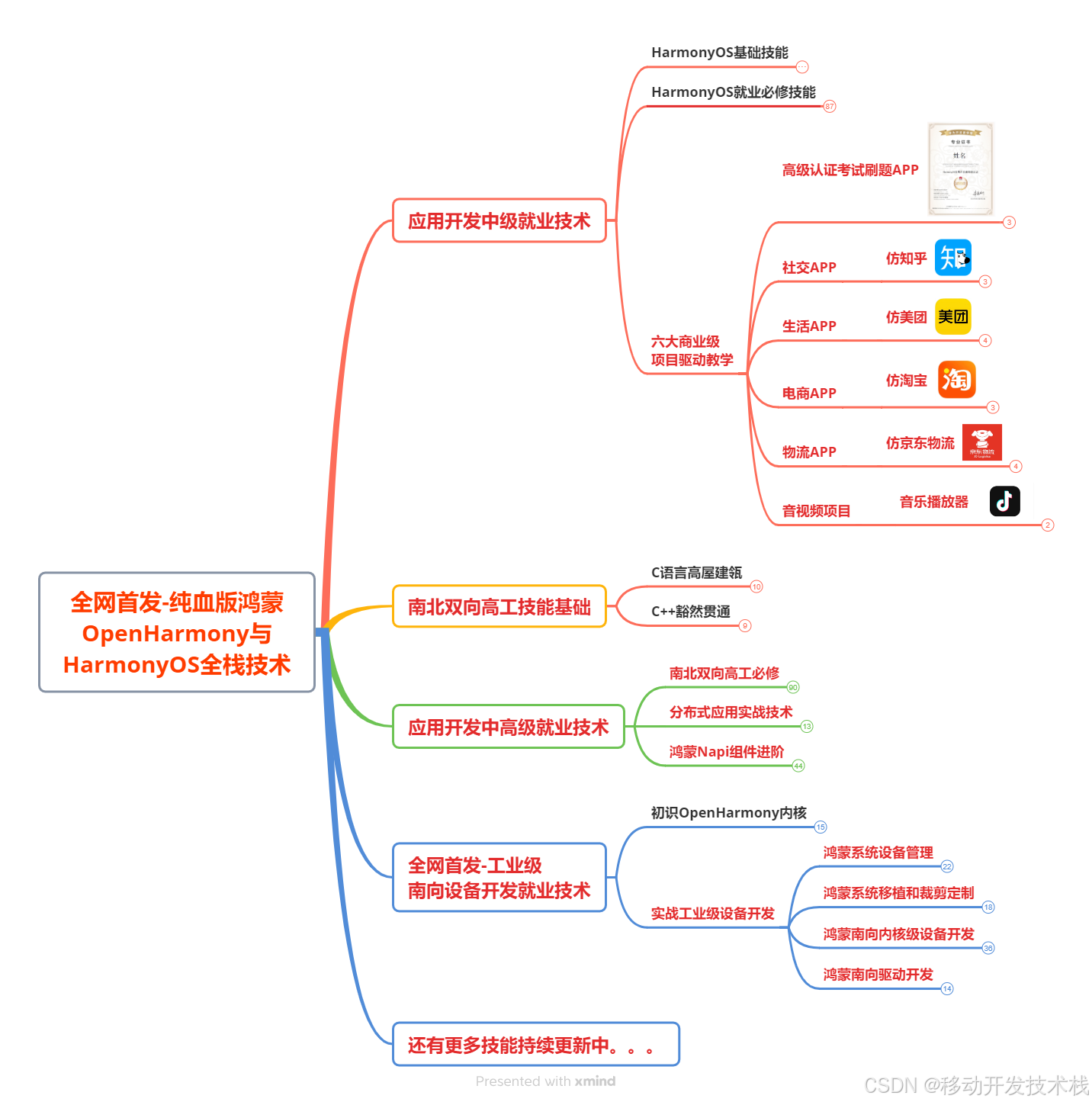
针对鸿蒙成长路线打造的鸿蒙学习文档。话不多说,我们直接看详细鸿蒙(OpenHarmony )手册(共计1236页)与鸿蒙(OpenHarmony )开发入门视频,帮助大家在技术的道路上更进一步。
- 《鸿蒙 (OpenHarmony)开发学习视频》
- 《鸿蒙生态应用开发V2.0白皮书》
- 《鸿蒙 (OpenHarmony)开发基础到实战手册》
- OpenHarmony北向、南向开发环境搭建
- 《鸿蒙开发基础》
- 《鸿蒙开发进阶》
- 《鸿蒙开发实战》

总结
鸿蒙—作为国家主力推送的国产操作系统。部分的高校已经取消了安卓课程,从而开设鸿蒙课程;企业纷纷跟进启动了鸿蒙研发。
并且鸿蒙是完全具备无与伦比的机遇和潜力的;预计到年底将有 5,000 款的应用完成原生鸿蒙开发,未来将会支持 50 万款的应用。那么这么多的应用需要开发,也就意味着需要有更多的鸿蒙人才。鸿蒙开发工程师也将会迎来爆发式的增长,学习鸿蒙势在必行! 自↓↓↓拿

讨论HarmonyOS开发技术,专注于API与组件、DevEco Studio、测试、元服务和应用上架分发等。
更多推荐


 3
3 0
0- 0


 已为社区贡献1211条内容

所有评论(0)