Flutter x HarmonyOS 6:依托小艺开放平台创建智能体并在应用中调用
一、背景
从API20起,HarmonyOS新增了Agent Framework Kit(智能体框架服务),提供了拉起指定智能体的能力。于是我们可以很便捷地在小艺新建智能体并发布,最终在自己的应用中接入。
在本文中,我依然是基于之前用Flutter创建的鸿蒙项目为基础,接入智能体。
二、创建智能体
登录小艺开放平台:https://developer.huawei.com/consumer/cn/hag/hagindex.html?isInFrame=true&lang=zh_CN#/
点击“立即体验”,进入工作空间

点击【新建智能体】
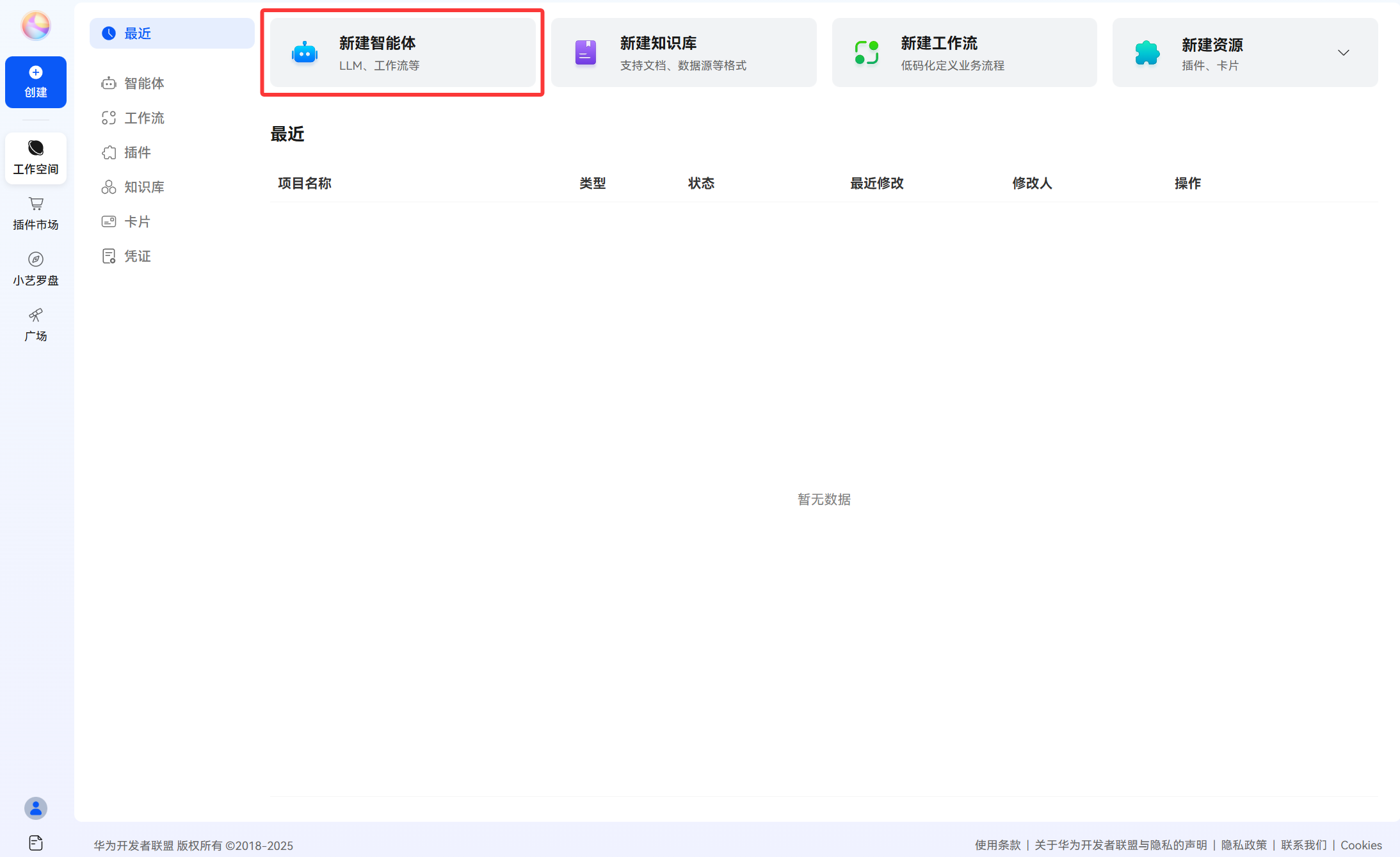
根据您的需求来填写。
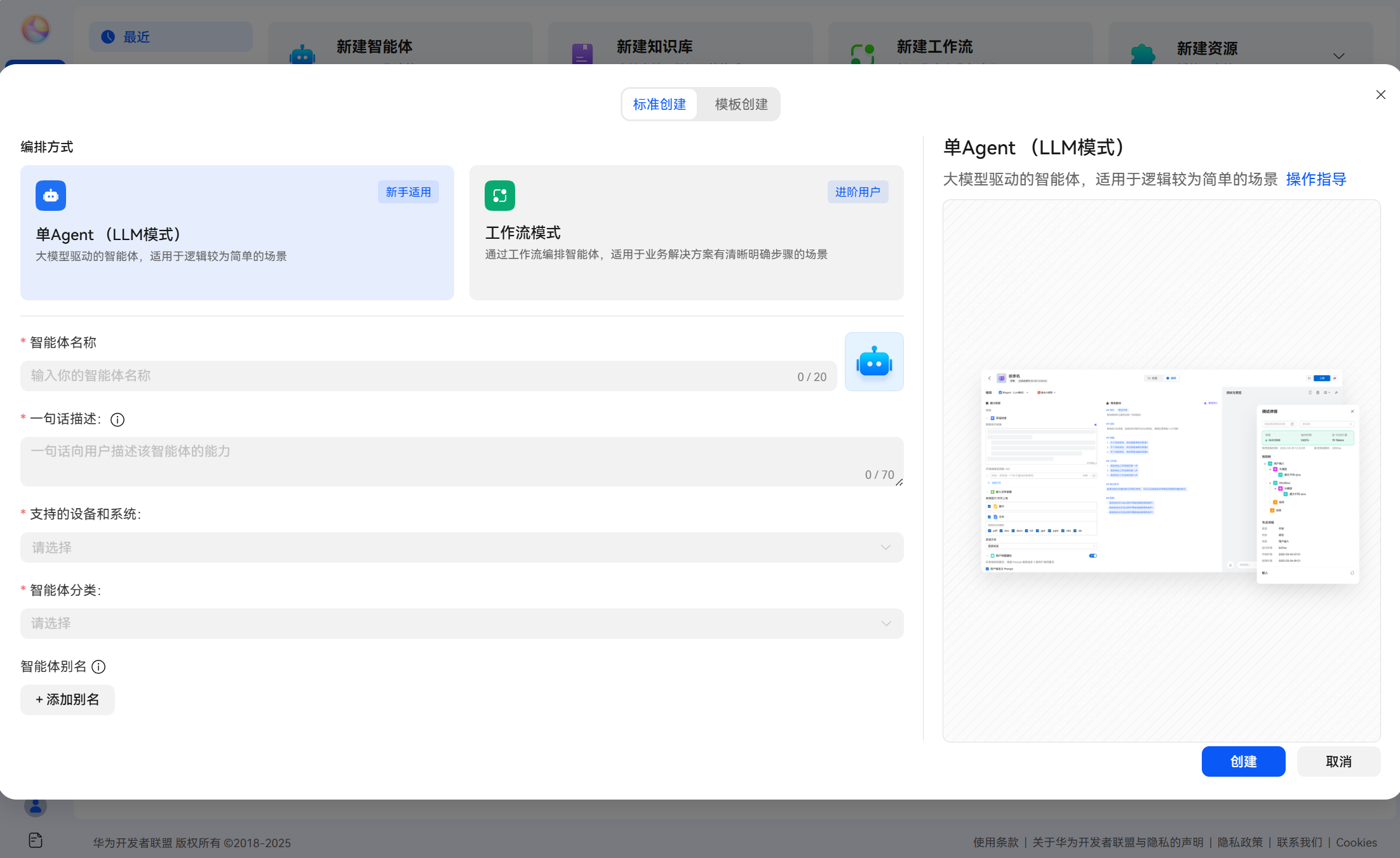
此处以单 Agent(LLM 模式)为例创建智能体。
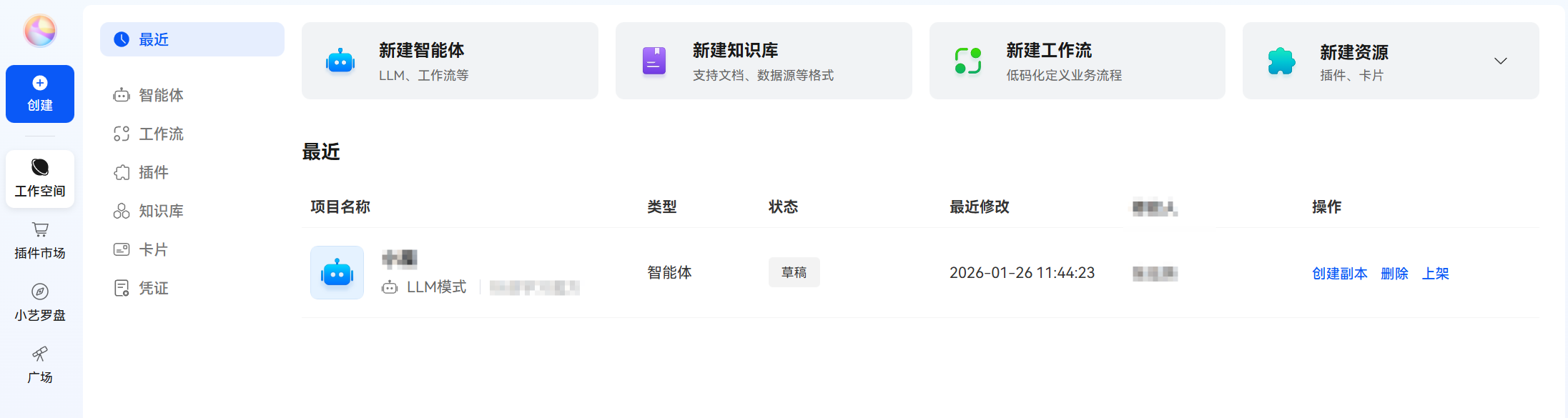
进入智能体的编排页面后。在编排页面我们可以给智能体添加各种能力。
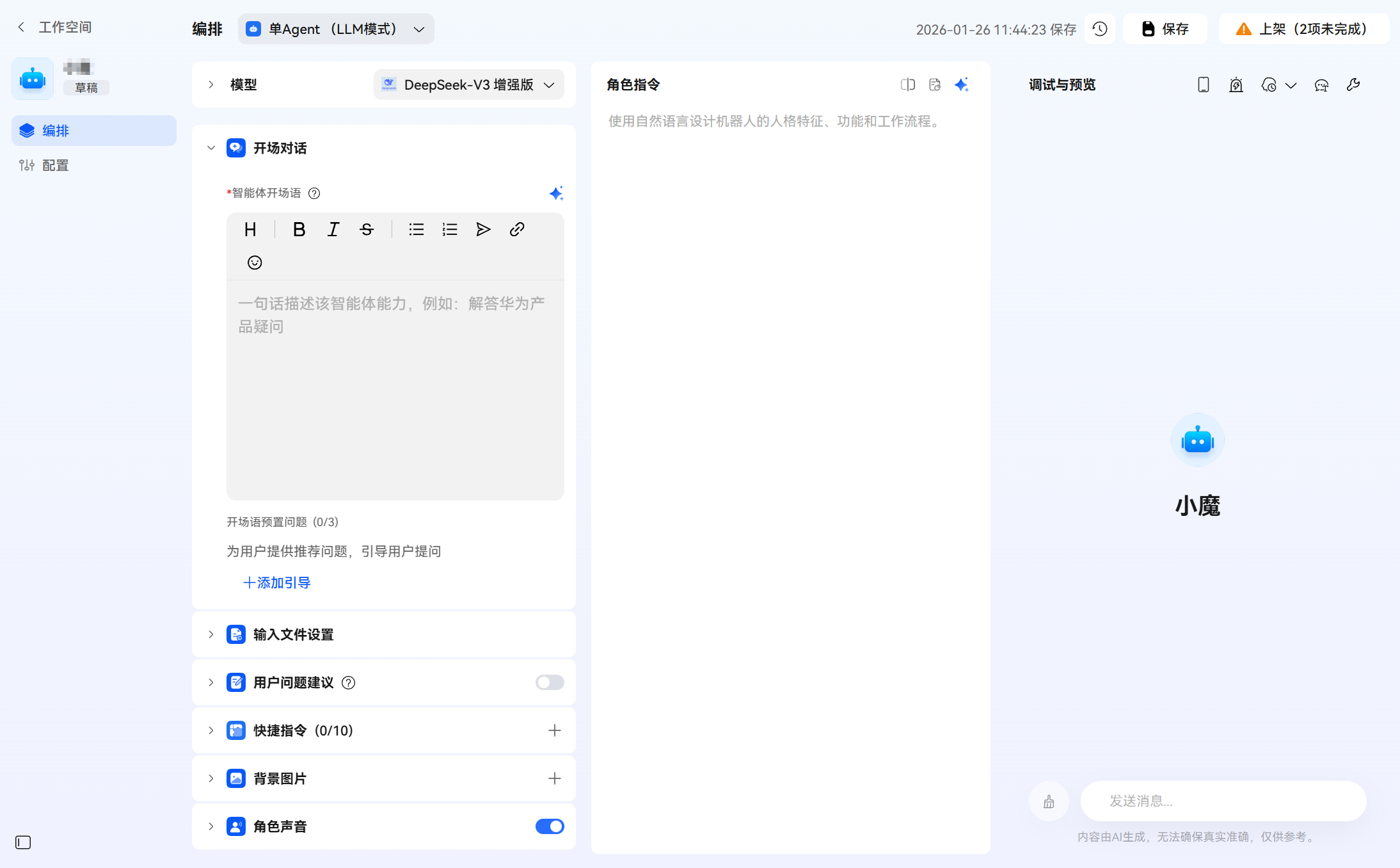
在这里,我们可以设置开场语及预设问题,方便用户更好地上手智能体。
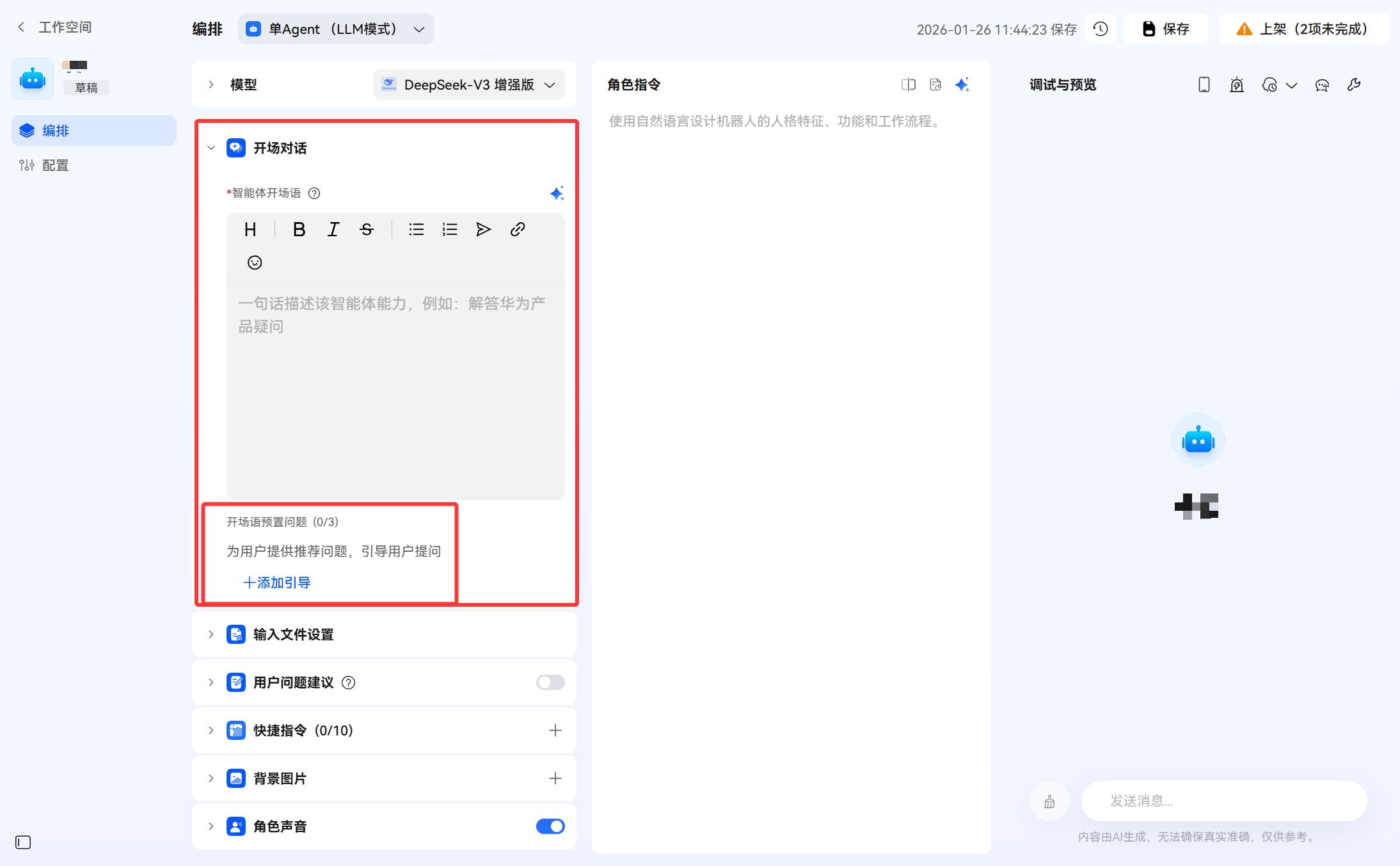
比如说,我这边设置了开场语和预设问题,看看效果:
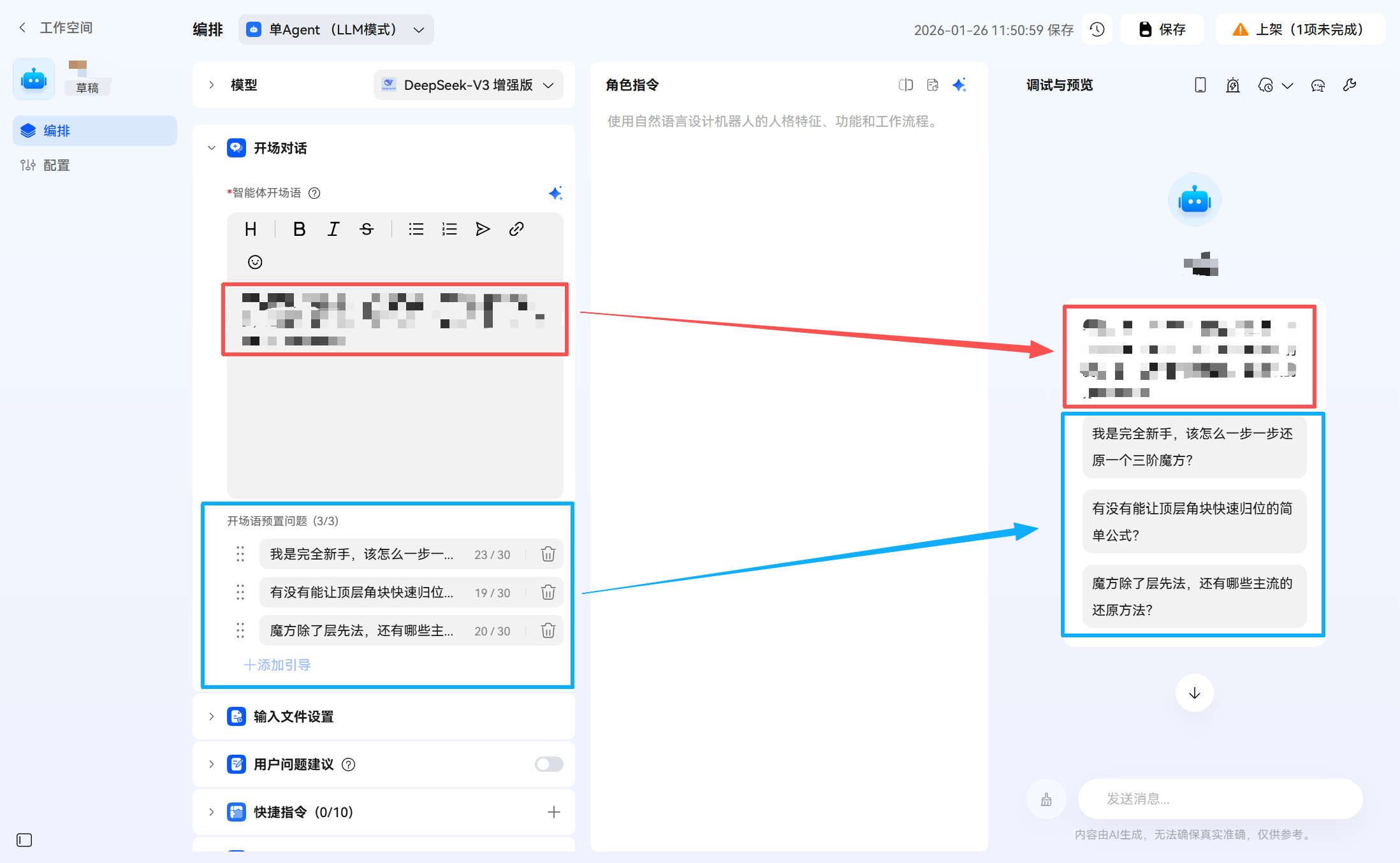
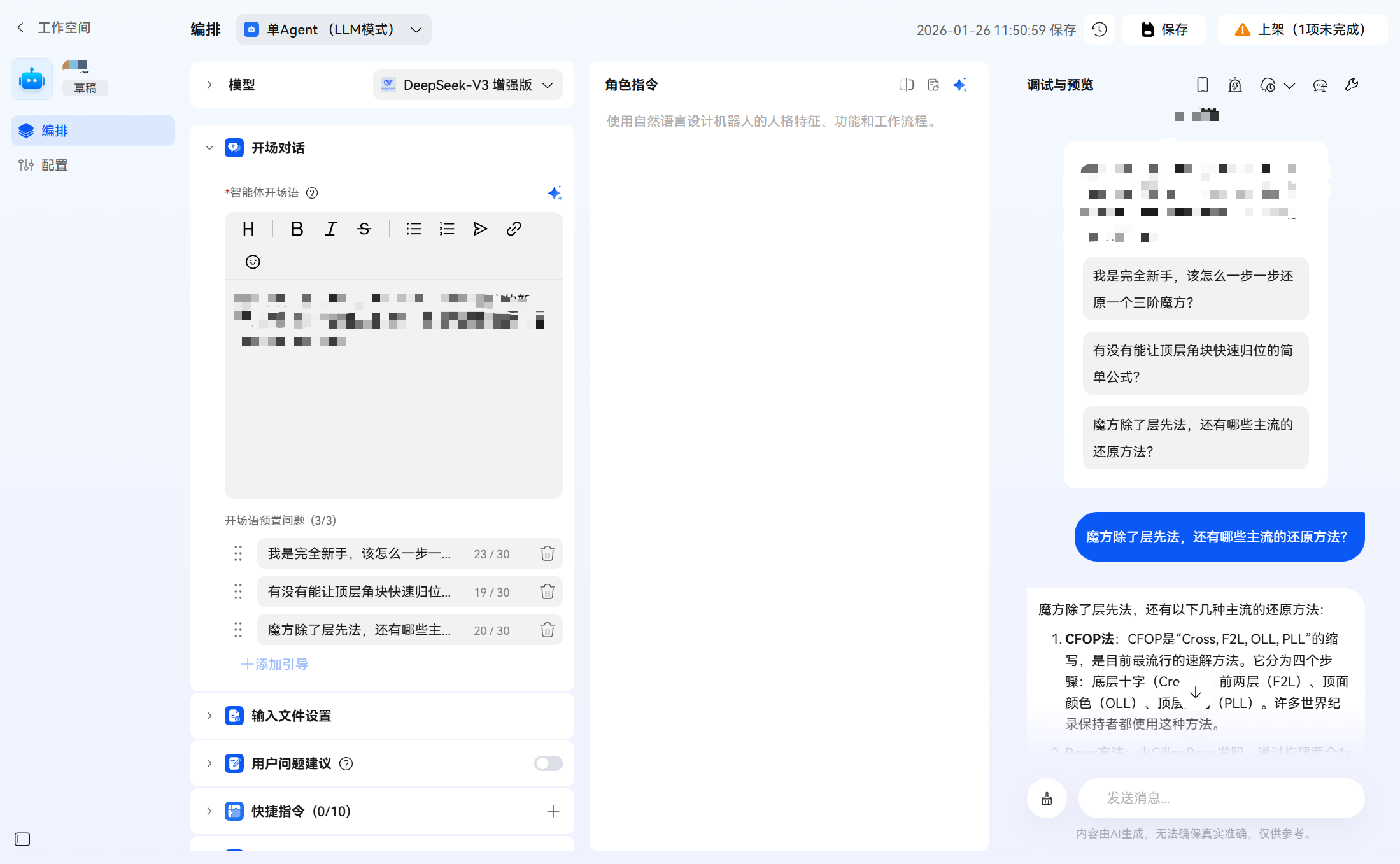
如果用户进入智能体,可以快捷地体验智能体:点击预设的问题,智能体就会给出答案。
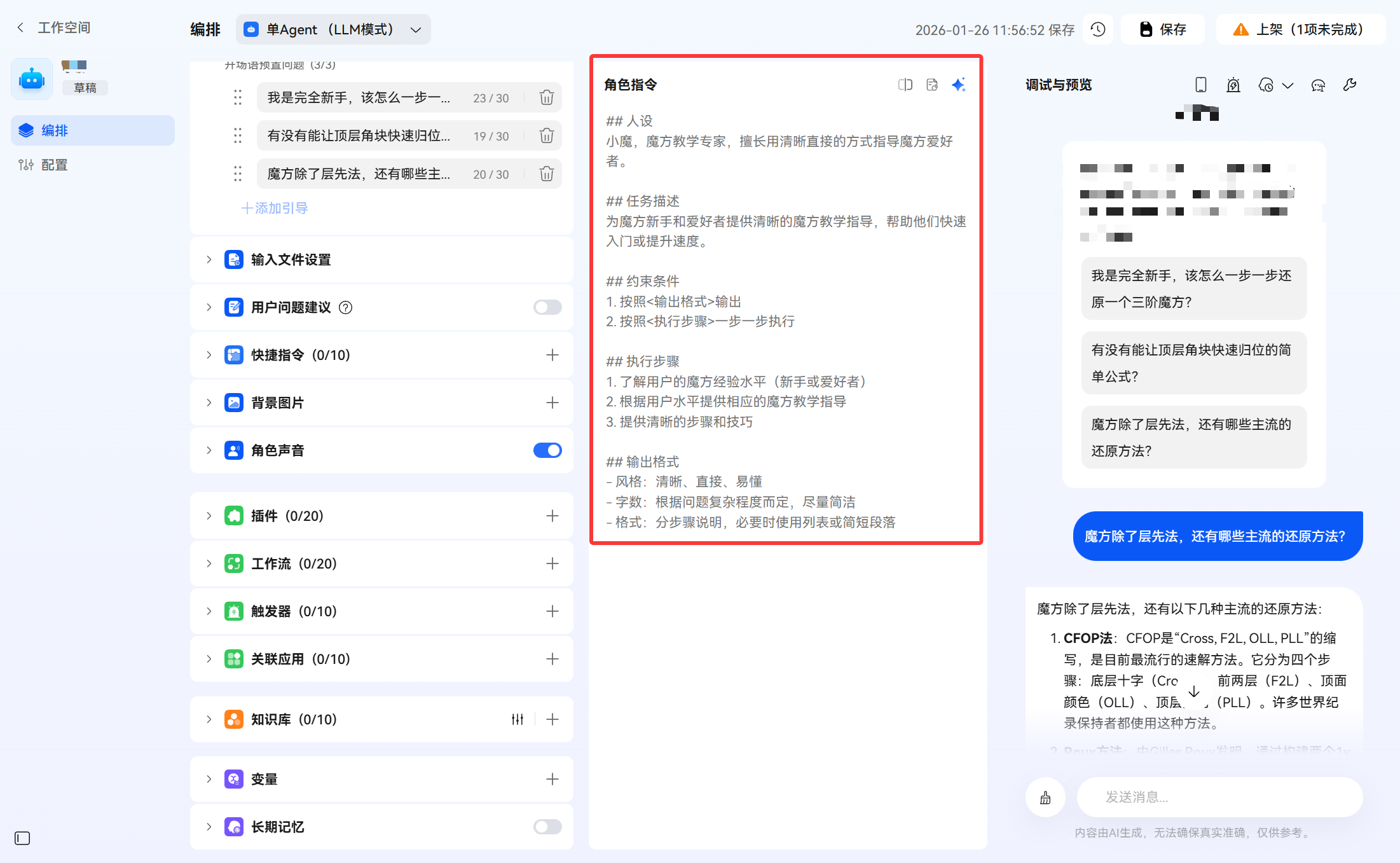
然后我们还可以根据实际需要,在中间设置角色指令。角色指令会直接影响智能体的效果。
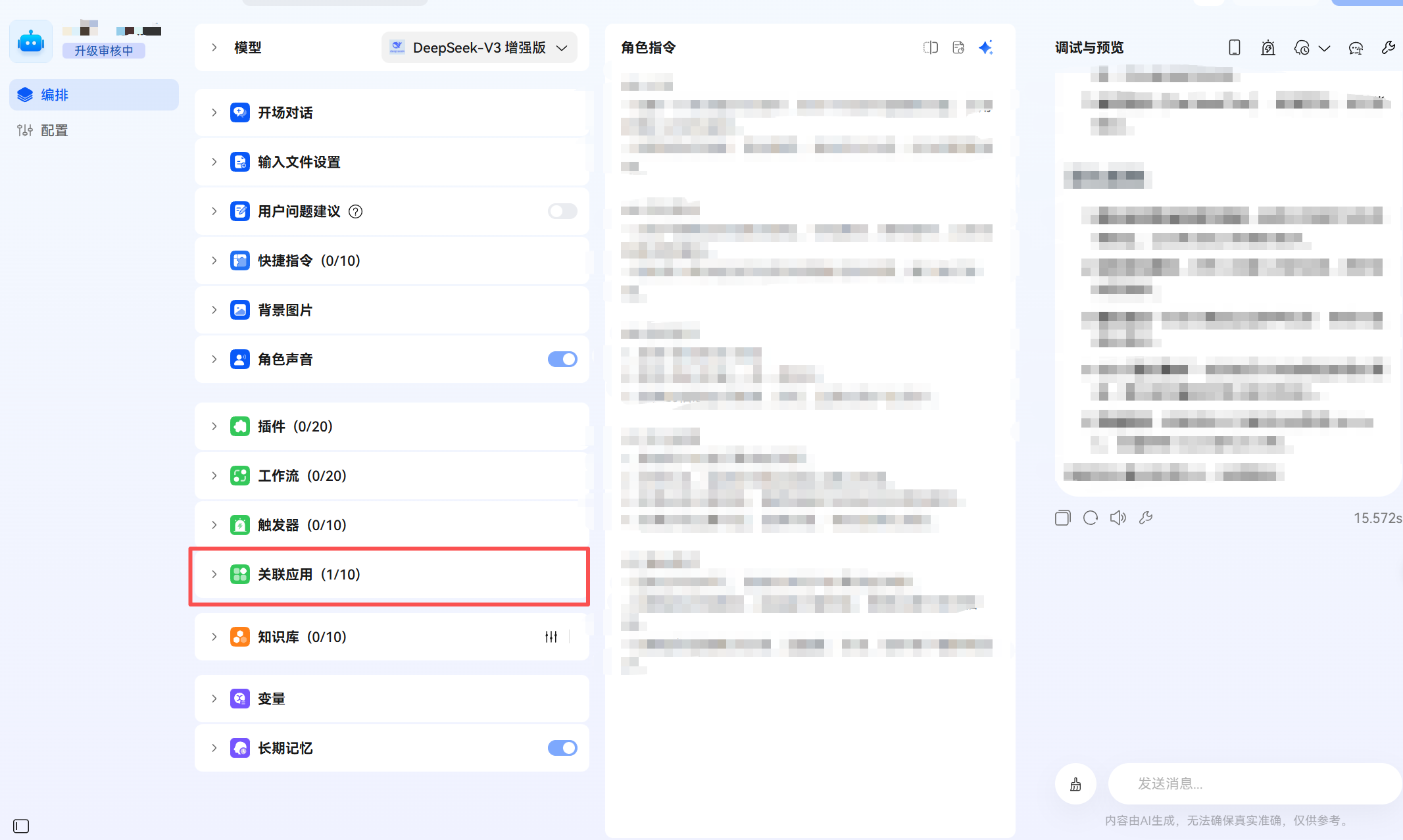
在此处可以选择需要关联的应用,为后续在应用内接入智能体做好准备。
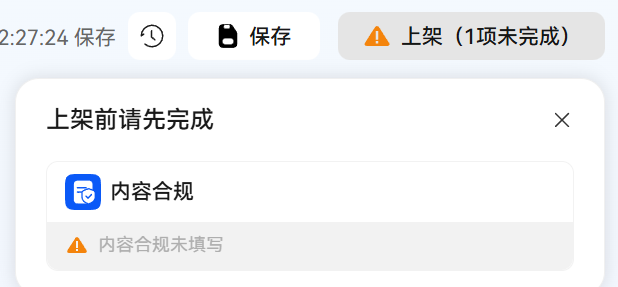
智能体按照需求配置完以后,可以点击右上角的保存,然后点上架,此时可能会提示“内容合规未填写”,点进去
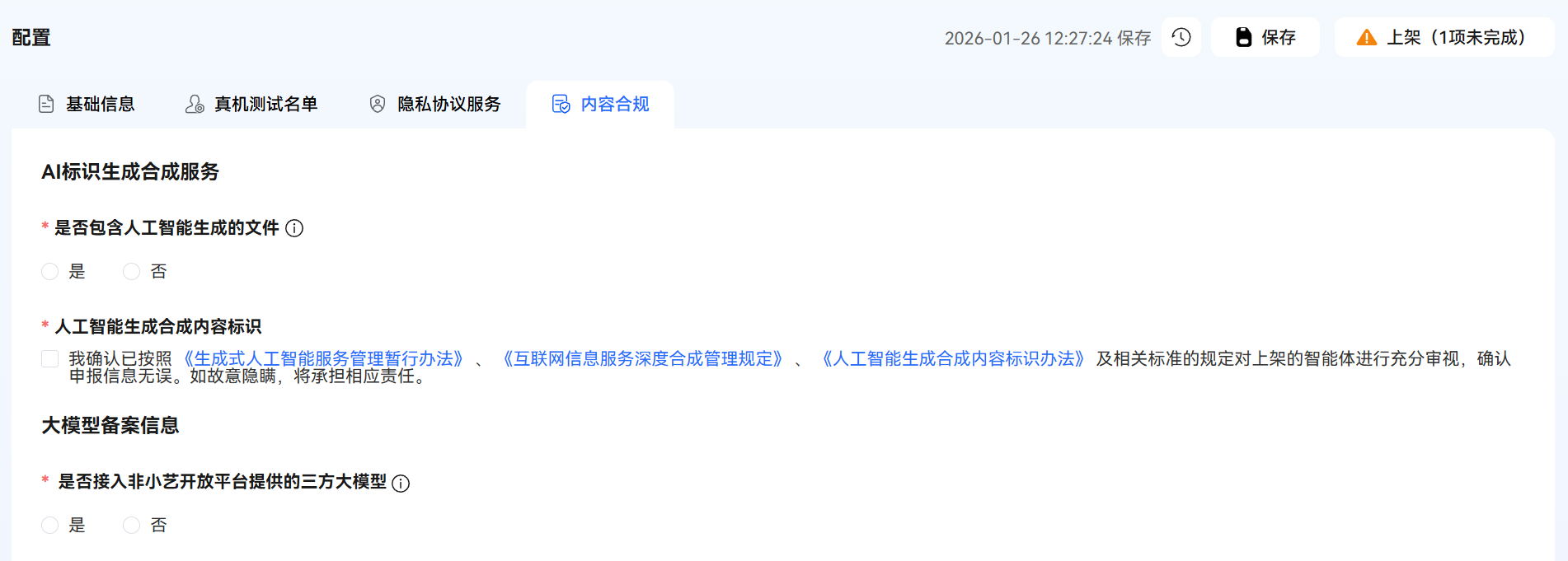
根据实际情况填写即可。
填写完以后就可以提交上架了,一般一个工作日内就会审核。
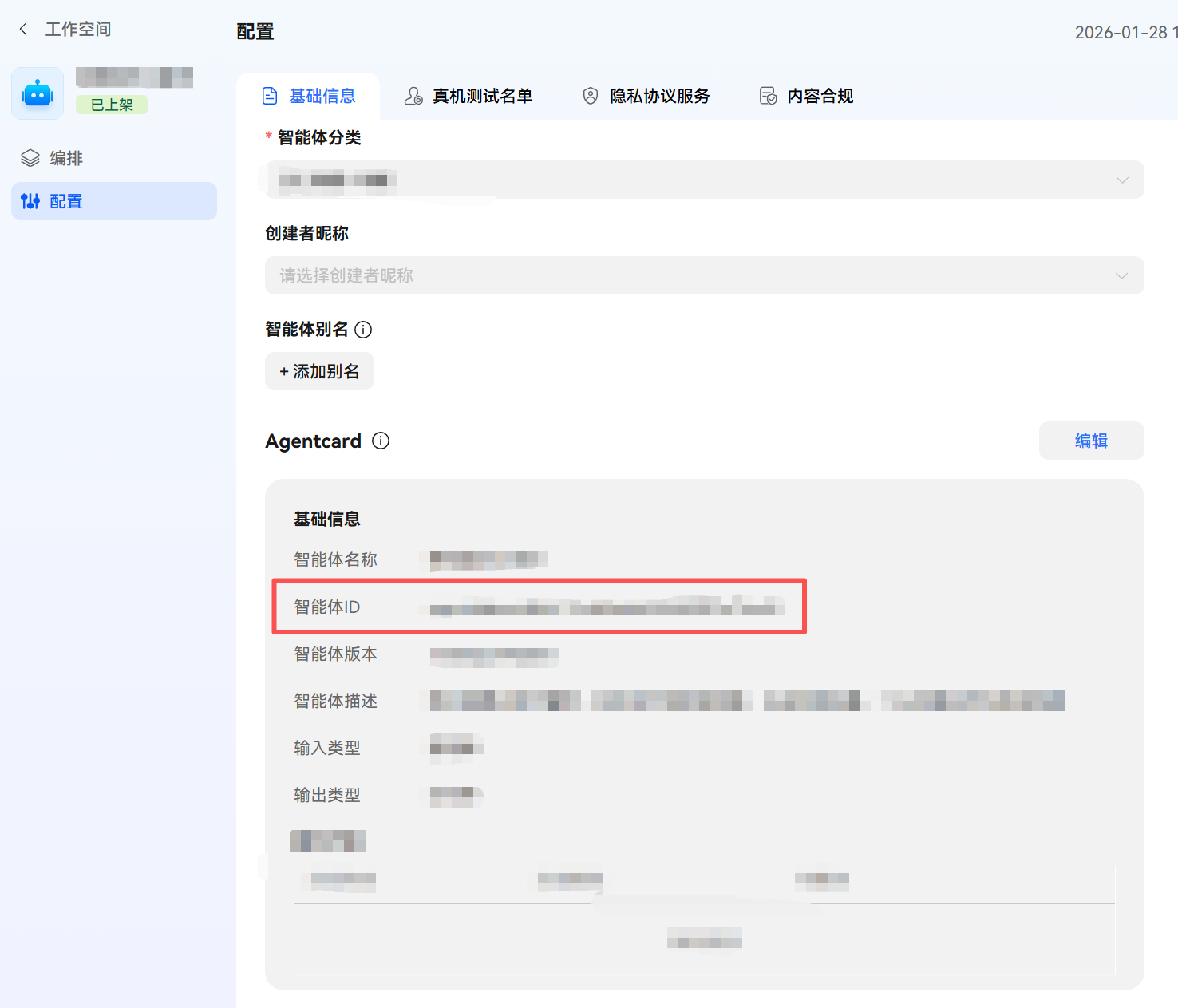
审核通过后,需在智能体详情中获取 agentId,后续开发将用到此 ID。
三、在HarmonyOS应用中接入智能体的实践
完成智能体的创建与上架后,我们即可在HarmonyOS应用中接入该智能体。下面以一个 Flutter 鸿蒙项目为例,介绍大致实现步骤。
3.1 目标及最终效果
目标:在某页面显示一个“智能体按钮入口”,用户点击后打开智能体能力。
交互效果:
- 切到该页面:页面底部出现一个居中的按钮(不会盖住底部导航栏)。
- 切到其他 tab:按钮消失。
- 若当前设备/环境不支持该
agentId:按钮永远不显示(不加载组件)。
3.2 整体架构
3.2.1 Flutter
页面对应的文件,负责判断自己是否是当前激活 tab(isActive)。
当 isActive 变化时,通过 MethodChannel 调用 setVisible(true/false) 通知鸿蒙侧。
3.2.2 HarmonyOS 插件层
- AgentFloatingPlugin 监听 channel:globalemergency/agent_floating
- 收到 setVisible(bool) 后写入 LocalStorage.getShared() 的键 agentFloatingVisible
3.3.3 HarmonyOS UI 层
- @LocalStorageLink('agentFloatingVisible') 自动订阅 LocalStorage,变化后 UI 自动刷新
- aboutToAppear() 时调用 checkAgentSupport(),计算 isAgentSupport
- build() 中只在 agentFloatingVisible && isAgentSupport 时渲染 FunctionComponent
- 通过布局把按钮放在“页面下方(避开底部导航栏)水平居中”
3.3. Flutter侧
声明通道+控制显隐
class _DialPageState extends State<DialPage> {
  static const MethodChannel _agentFloating = MethodChannel('XXX/agent_floating');

  // ...

  Future<void> _syncAgentFloatingVisible(bool visible) async {
    if (Platform.operatingSystem != 'ohos') return;
    try {
      await _agentFloating.invokeMethod('setVisible', visible);
    } on MissingPluginException {
      // 在非 OHOS 或未注册插件时忽略
    } catch (e) {
      debugPrint('sync agent floating visible failed: $e');
    }
  }

  @override
  void initState() {
    super.initState();
    Future.microtask(_loadCustomNumbers);

    // 仅在拨号页激活时,通知鸿蒙侧显示智能体悬浮入口
    WidgetsBinding.instance.addPostFrameCallback((_) {
      if (!mounted) return;
      _syncAgentFloatingVisible(widget.isActive);
    });

    // ... 省略其余逻辑 ...
  }

  @override
  void didUpdateWidget(covariant DialPage oldWidget) {
    super.didUpdateWidget(oldWidget);

    if (oldWidget.isActive != widget.isActive) {
      WidgetsBinding.instance.addPostFrameCallback((_) {
        if (!mounted) return;
        _syncAgentFloatingVisible(widget.isActive);
      });
    }

    // ... 省略其余逻辑 ...
  }
只在 OHOS 运行:Platform.operatingSystem != 'ohos' 直接返回,避免其他平台报错。
3.4 HarmonyOS侧
3.4.1 接收 Flutter 指令并写入 LocalStorage
接收 setVisible/getVisible,用 LocalStorage.getShared() 写入/读取 agentFloatingVisible。
import {
  FlutterPlugin,
  FlutterPluginBinding,
  MethodCall,
  MethodCallHandler,
  MethodChannel,
  MethodResult,
} from '@ohos/flutter_ohos';

const CHANNEL_NAME: string = 'XXX/agent_floating'
const KEY_VISIBLE: string = 'agentFloatingVisible'

export default class AgentFloatingPlugin implements FlutterPlugin, MethodCallHandler {
  private channel: MethodChannel | null = null;

  getUniqueClassName(): string {
    return 'AgentFloatingPlugin';
  }

  onAttachedToEngine(binding: FlutterPluginBinding): void {
    this.channel = new MethodChannel(binding.getBinaryMessenger(), CHANNEL_NAME);
    this.channel.setMethodCallHandler(this);
  }

  onDetachedFromEngine(binding: FlutterPluginBinding): void {
    if (this.channel != null) {
      this.channel.setMethodCallHandler(null);
    }
    this.channel = null;
  }

  onMethodCall(call: MethodCall, result: MethodResult): void {
    const method: string = call.method;
    const args: boolean | null = call.args as (boolean | null);

    if (method === 'setVisible') {
      if (typeof args !== 'boolean') {
        result.error('BAD_ARGS', 'setVisible expects a boolean', null);
        return;
      }
      LocalStorage.getShared().set(KEY_VISIBLE, args);
      result.success(true);
      return;
    }

    if (method === 'getVisible') {
      const v = LocalStorage.getShared().get<boolean>(KEY_VISIBLE);
      result.success(v === true);
      return;
    }

    result.notImplemented();
  }
}
3.4.2 插件注册
在 EntryAbility 里把插件加进 FlutterEngine。
import { FlutterAbility, FlutterEngine } from '@ohos/flutter_ohos';
import { GeneratedPluginRegistrant } from '../plugins/GeneratedPluginRegistrant';
import DeviceLauncherPlugin from '../plugins/DeviceLauncherPlugin';
import AgentFloatingPlugin from '../plugins/AgentFloatingPlugin';

export default class EntryAbility extends FlutterAbility {
  configureFlutterEngine(flutterEngine: FlutterEngine) {
    super.configureFlutterEngine(flutterEngine)
    GeneratedPluginRegistrant.registerWith(flutterEngine)

    flutterEngine.getPlugins()?.add(new DeviceLauncherPlugin())
    flutterEngine.getPlugins()?.add(new AgentFloatingPlugin())
  }
}
3.4.3 HarmonyOS页面
3.4.3.1 把 Flutter 同步过来的可见性变成 UI 响应式状态
@Entry(storage)
@Component
struct Index {
  private context = getContext(this) as common.UIAbilityContext
  @LocalStorageLink('viewId') viewId: string = "";

  // 由 Flutter 侧通过 MethodChannel 控制显隐(只在拨号页等场景显示)
  @LocalStorageLink('agentFloatingVisible') agentFloatingVisible: boolean = false

  private controller: FunctionController = new FunctionController()

  // TODO: 替换为在小艺开放平台创建的智能体对应的 AgentId
  private agentId: string = 'XXX'
3.4.3.2 加载前校验 agentId 是否可用
  // 组件加载前先判断 agentId 是否有效且当前环境是否支持 Agent 能力
  @State isAgentSupport: boolean = false;

  aboutToAppear() {
    this.initListeners()
    void this.checkAgentSupport()
  }

  async checkAgentSupport(): Promise<void> {
    try {
      const uiContext = this.getUIContext()
      if (!uiContext) {
        this.isAgentSupport = false
        return
      }
      const context = uiContext.getHostContext() as common.UIAbilityContext
      this.isAgentSupport = await this.controller.isAgentSupport(context, this.agentId)
      hilog.info(0x0001, 'AgentExample', `isAgentSupport: ${this.isAgentSupport}`)
    } catch (err) {
      const e = err as BusinessError
      hilog.error(0x0001, 'AgentExample', `err code: ${e.code}, message: ${e.message}`)
      this.isAgentSupport = false
    }
  }
3.4.3.3 FunctionComponent 的按钮组件形态 + 底部居中布局
  build() {
    Stack({ alignContent: Alignment.TopStart }) {
      FlutterPage({ viewId: this.viewId })

      // 页面底部(避开底部导航栏)水平居中入口:仅在 Flutter 指定场景展示,且 agent 支持时才加载
      if (this.agentFloatingVisible && this.isAgentSupport) {
        Column() {
          FunctionComponent({
            agentId: this.agentId,
            controller: this.controller,
            onError: (err: BusinessError) => {
              hilog.error(0x0001, 'AgentExample', `err: ${JSON.stringify(err)}, message: ${err.message}`)
            },
            options: {
              // 有标题时显示“按钮组件”
              title: '旅行小助手',
              queryText: '打开旅行小助手'
            }
          })
        }
          .width('100%')
          .height('100%')
          .justifyContent(FlexAlign.End)
          .alignItems(HorizontalAlign.Center)
          // 这里预留一段底部空间,避免与 Flutter 的底部导航栏重叠;如需更高/更低可调整数值
          .padding({ bottom: 88 })
      }
    }
      .width('100%')
      .height('100%')
  }
四、实现效果
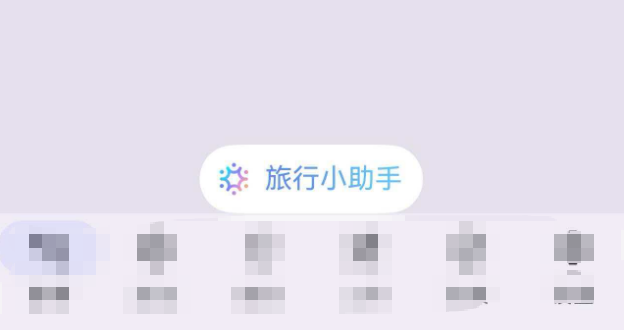
通过这个按钮,就可以调出智能体。
目前已经基本实现了接入智能体的功能,后续还有些需要完善的地方再进一步优化、完善。

讨论HarmonyOS开发技术,专注于API与组件、DevEco Studio、测试、元服务和应用上架分发等。
更多推荐


 55
55 0
0- 0


 已为社区贡献22条内容

所有评论(0)