uniapp鸿蒙微信支付相关适配,uts插件使用
·
问题说明
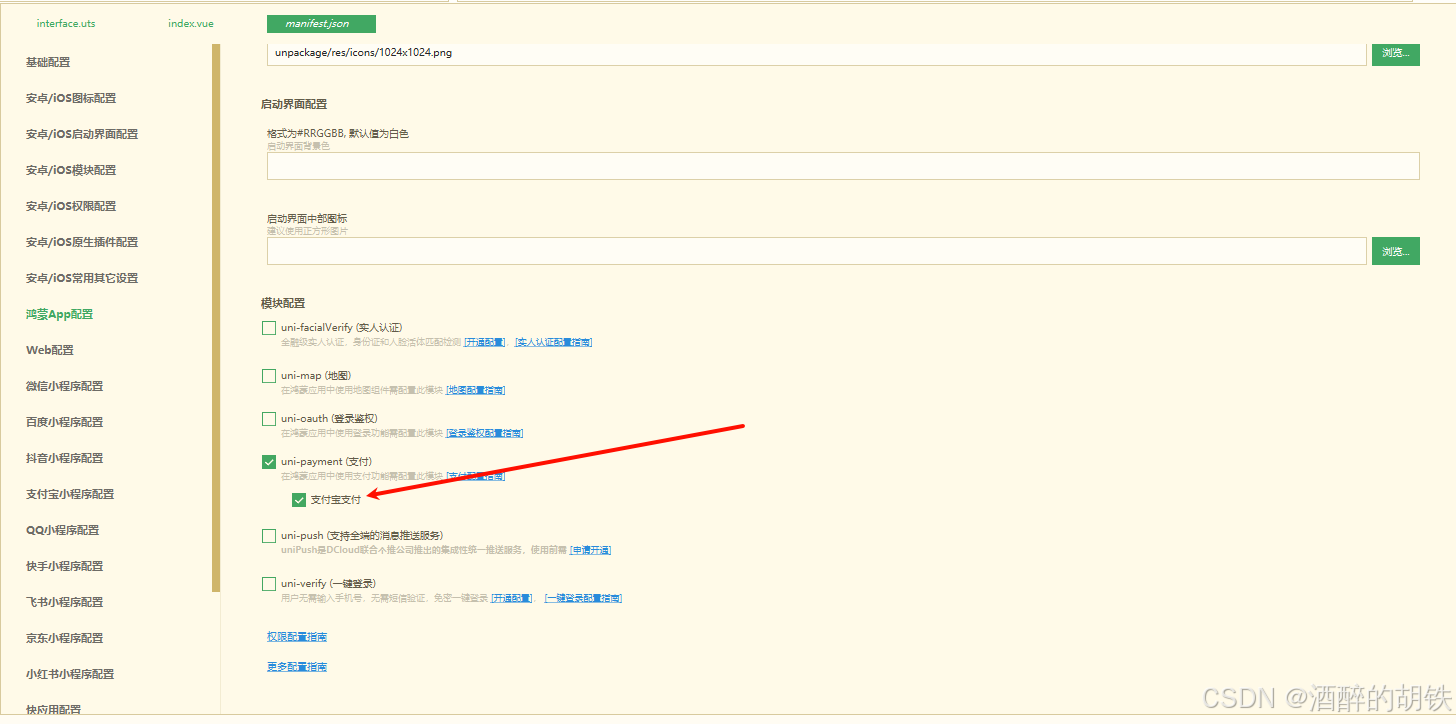
uni-app的uni.requestPayment目前在HarmonyOS只支持支付宝支付,后续会逐步完善对微信支付的支持。当前微信支付需要UTS调用HarmonyOS微信SDK。看下图勾选了支付选项之后只有支付宝模块,官方还没适配微信支付,等这块有微信支付那就直接勾选就行了。
解决方案
接入微信支付:当前可使用插件市场已支持HarmonyOS微信支付的插件
微信开放SDK-HarmonyOS适配(免费)
uni-pay(免费)
vk-uni-pay(付费)
我这边用的是第一个微信开放SDK-鸿蒙适配,readme里有使用教程
网页下载并导入,会自动到你的项目的src/uni_modules目录
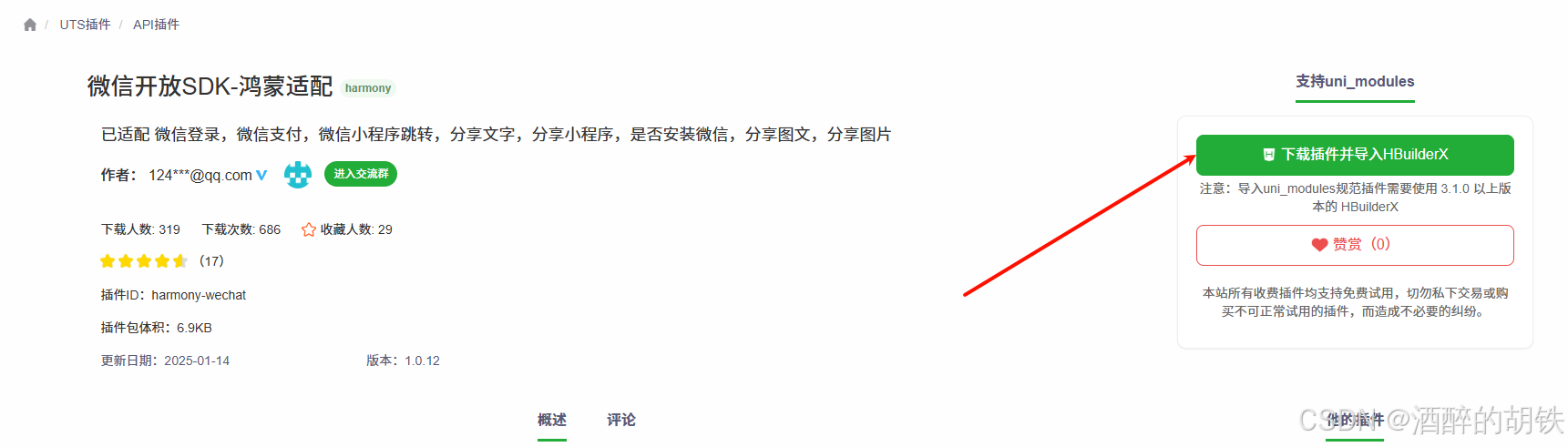
导入完之后有个坑!!!!必须删除原来的node_modules,dist,package-lock.json,unpackage等相关缓存目录重新生成,不然一直就是undefined !!!!!!!!!!
在目录 harmony-configs/entry/src/main/module.json5 中 找到或添加metadata
{
  "module": {
    "name": "entry",
    "type": "entry",
    "description": "$string:module_desc",
    "mainElement": "EntryAbility",
    "deviceTypes": [
      "phone",
      "tablet",
      "2in1"
    ],
    "deliveryWithInstall": true,
    "installationFree": false,
    "querySchemes": [
      "weixin",
      "wxopensdk"
    ],
    "pages": "$profile:main_pages",
    "abilities": [
      {
        "name": "EntryAbility",
        "srcEntry": "./ets/entryability/EntryAbility.ets",
        "description": "$string:EntryAbility_desc",
        "icon": "$media:layered_image",
        "label": "$string:EntryAbility_label",
        "startWindowIcon": "$media:startIcon",
        "startWindowBackground": "$color:start_window_background",
        "exported": true,
        "skills": [
          {
            "entities": [
              "entity.system.home"
            ],
            "actions": [
              "action.system.home"
            ]
          }
        ]
      }
    ],
    "requestPermissions": [
      {
        "name": "ohos.permission.INTERNET"
      }
    ],
	"metadata":[
	    {
	        "name":"wx_appid",
	        "value":"wxf********9e92"
	    }
	]
  }
}
导入相关包
// #ifdef APP-HARMONY
import {
	wxpay,
	wxlogin,
	wxMiniApp,
	wxShareMiniApp,
	wxShareText,
	hwPreLogin,
	wxShareImg,
	wxShareHtml,
	hasWechat
} from '@/uni_modules/harmony-wechat'
// #endif


// #ifdef APP-HARMONY
// 鸿蒙环境:直接调用 harmony-wechat 插件的 wxpay 方法
 try {
   console.log('鸿蒙环境:调用 wxpay 原生方法')
   console.log('wxpay 函数类型:', typeof wxpay)
   console.log('wxpay 函数:', wxpay)
   if (typeof wxpay !== 'function') {
     throw new Error('wxpay 函数未正确导入,请检查 harmony-wechat 插件是否正确安装')
   }
   const o = paymentParams.orderInfo
   const res = await wxpay(o.appid, o.partnerid, o.package, o.prepayid, o.noncestr, o.timestamp, o.sign)
   console.log('wxpay 返回结果:', res)
   if (res.errCode == 0) {
     console.log('✅ 微信支付成功')
     uni.redirectTo({
       url: `/pages_course/pages/pay-result/index?status=success&orderNo=${orderNo.value}&payType=wechat`
     })
     return res
   } else {
     console.error('❌ 微信支付失败, errCode:', res.errCode)
     const err = {
       errMsg: `requestPayment:fail [Payment微信:${res.errCode}]请参考url地址,https://pay.weixin.qq.com/doc/v3/merchant/4012073588`,
       code: -100
     }
     throw err
   }
 } catch (err) {
   console.error('❌ wxpay 调用异常:', err)
   throw err
 }
 // #endif

讨论HarmonyOS开发技术,专注于API与组件、DevEco Studio、测试、元服务和应用上架分发等。
更多推荐
 3
3 0
0- 0


 已为社区贡献3条内容

所有评论(0)