ArkUI学习(6)
本文章介绍了表单数据收集
·
今天学习的是表单数据收集
这是运行的初始界面,先声明一下,这个代码还存在一些逻辑问题(不影响运行),后续会修改
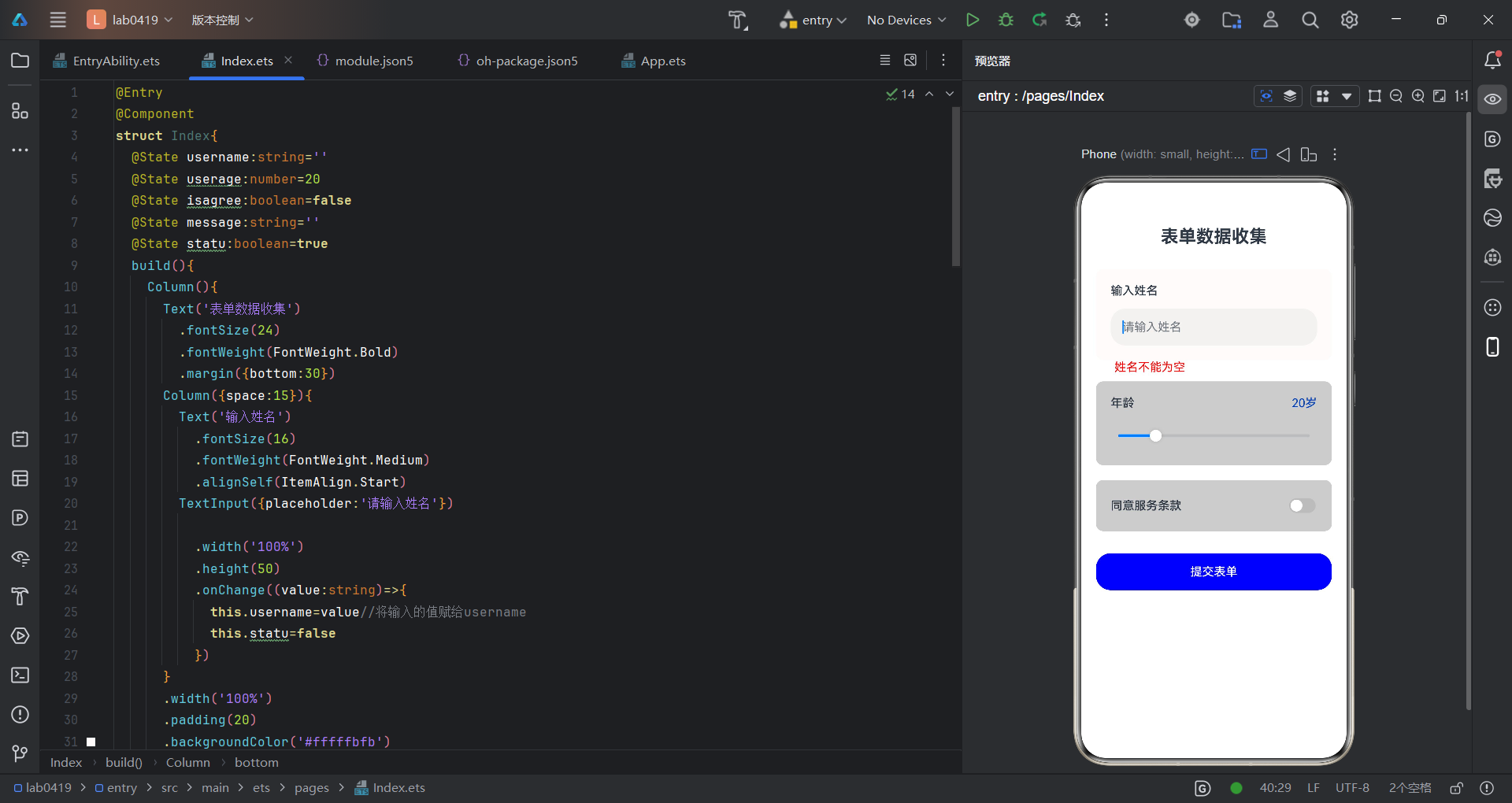
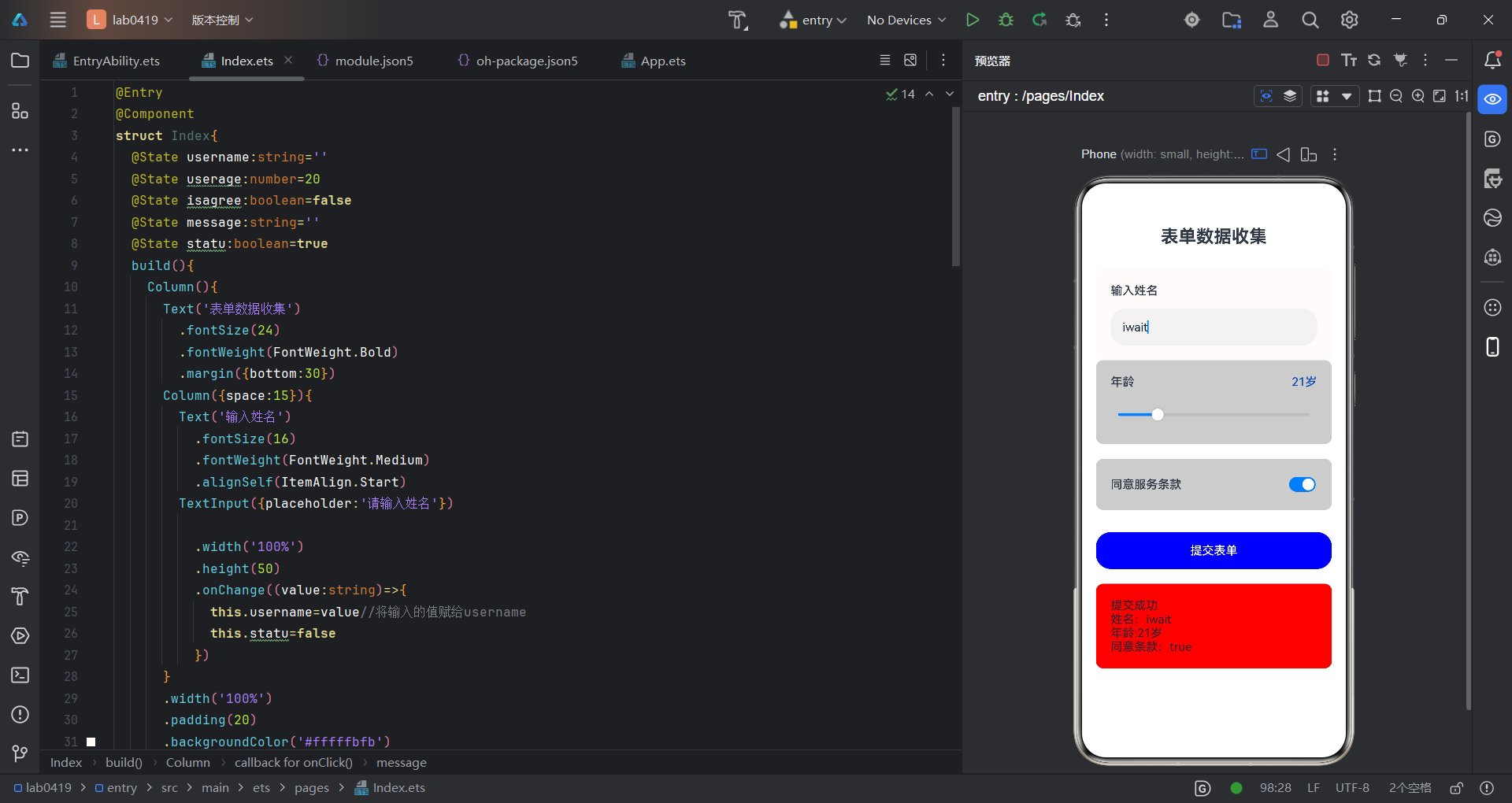
上图为运行结果,可以看到输入的信息被展示在了下方红色方框,代码如下:
@Entry
@Component
struct Index{
  @State username:string=''
  @State userage:number=20
  @State isagree:boolean=false
  @State message:string=''
  @State statu:boolean=true
  build(){
    Column(){
      Text('表单数据收集')
        .fontSize(24)
        .fontWeight(FontWeight.Bold)
        .margin({bottom:30})
      Column({space:15}){
        Text('输入姓名')
          .fontSize(16)
          .fontWeight(FontWeight.Medium)
          .alignSelf(ItemAlign.Start)
        TextInput({placeholder:'请输入姓名'})

          .width('100%')
          .height(50)
          .onChange((value:string)=>{
            this.username=value//将输入的值赋给username
            this.statu=false
          })
      }
      .width('100%')
      .padding(20)
      .backgroundColor('#fffffbfb')
      .borderRadius(10)
      //.margin({bottom:20})
      if(this.statu){
        Text('姓名不能为空')
          .fontSize(16)
          //.margin({bottom:20})
          .alignSelf(ItemAlign.Start)
          .fontColor('#fff50606')
          .margin({bottom:10,left:25})
      }
      Column({space:15}){
        Row(){
          Text('年龄')
            .fontSize(16)
            .fontWeight(FontWeight.Medium)
          Text(`${this.userage}岁`)
            .fontSize(16)
            .fontColor('#ff003fb5')
        }
        .width('100%')
        .justifyContent(FlexAlign.SpaceBetween)
        Slider({//这边有一个需要注意的地方,Slider组件的value属性要求必须是number类型
          value:this.userage,
          min:1,
          max:100,
          step:1
        })
          .width('100%')
          .onChange((value:number)=>{
            this.userage=value
          })
      }
      .width('100%')
      .padding(20)
      .backgroundColor('#ccc')
      .borderRadius(10)
      .margin({bottom:20})
      Column({space:15}){
        Row() {
          Text('同意服务条款')
            .fontSize(16)
            .fontWeight(FontWeight.Medium)
          Toggle({
            type: ToggleType.Switch,
            isOn: this.isagree
          })
            .onChange((isOn: boolean) => {
              this.isagree = isOn
            })
        }
        .width('100%')
        .justifyContent(FlexAlign.SpaceBetween)
      }
      .width('100%')
      .padding(20)
      .backgroundColor('#ccc')
      .borderRadius(10)
      .margin({bottom:30})
      Button('提交表单')
        .width('100%')
        .height(50)
        .backgroundColor(Color.Blue)
        .onClick(()=>{
          if(this.username.trim()===''){

            this.statu=false
            this.message=''
            return
          }
          this.statu=false
          this.message=`提交成功\n姓名:${this.username}\n年龄:${this.userage}岁\n同意条款:${this.isagree}`
        })
      if(this.message!=''){
        Text(this.message)
          .width('100%')
          .fontSize(16)
          .padding(20)
          .margin({top:20})
          .backgroundColor('#ffe90000')
          .borderRadius(10)
      }
    }
    .width('100%')
    .height('100%')
    .padding(20)
  }
}
讨论HarmonyOS开发技术,专注于API与组件、DevEco Studio、测试、元服务和应用上架分发等。
更多推荐
 0
0 0
0- 0


 已为社区贡献10条内容

所有评论(0)