HarmonyOs鸿蒙开发,使用Swiper实现app启动页
本文介绍了如何使用Swiper组件实现App启动页的左右滑动效果。Swiper作为容器组件,支持轮播显示多个子组件,可通过loop属性控制是否循环播放(autoPlay属性可设置自动轮播)。文章提供了华为官方文档链接,详细说明了Swiper的布局约束、循环播放和自动轮播功能,并给出三种示例代码(循环/非循环/自动轮播)。最后通过一个完整案例SwiperPage.ets,演示了包含图片和"
1. 前言
基本上所有市面上的app在第一安装打开app时,都有一个可以左右滑动的启动页,那么今天教大家使用Swiper来实现这种效果
2. 官方文档指南
-
介绍
Swiper组件提供滑动轮播显示的能力。Swiper本身是一个容器组件,当设置了多个子组件后,可以对这些子组件进行轮播显示。通常,在一些应用首页显示推荐的内容时,需要用到轮播显示的能力。 -
布局与约束
Swiper作为一个容器组件,如果设置了自身尺寸属性,则在轮播显示过程中均以该尺寸生效。如果自身尺寸属性未被设置,则分两种情况:如果设置了prevMargin或者nextMargin属性,则Swiper自身尺寸会跟随其父组件;如果未设置prevMargin或者nextMargin属性,则会自动根据子组件的大小设置自身的尺寸。 -
循环播放
通过loop属性控制是否循环播放,该属性默认值为true。
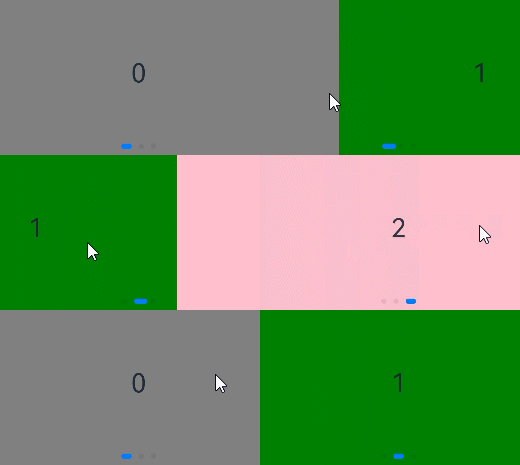
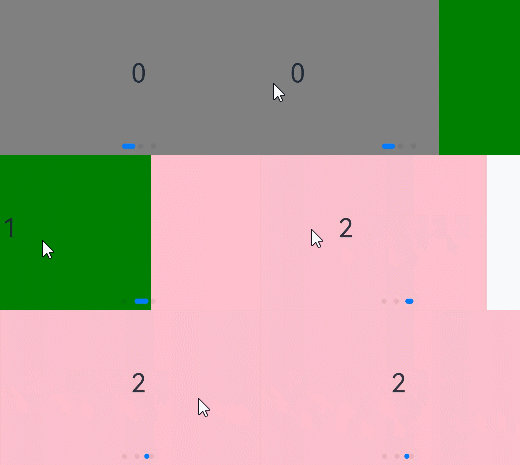
当loop为true时,在显示第一页或最后一页时,可以继续往前切换到前一页或者往后切换到后一页。如果loop为false,则在第一页或最后一页时,无法继续向前或者向后切换页面。
3. 官方使用示例
- loop为true
Swiper() {
  Text('0')
    .width('90%')
    .height('100%')
    .backgroundColor(Color.Gray)
    .textAlign(TextAlign.Center)
    .fontSize(30)

  Text('1')
    .width('90%')
    .height('100%')
    .backgroundColor(Color.Green)
    .textAlign(TextAlign.Center)
    .fontSize(30)

  Text('2')
    .width('90%')
    .height('100%')
    .backgroundColor(Color.Pink)
    .textAlign(TextAlign.Center)
    .fontSize(30)
}
.loop(true)
- loop为false
Swiper() {
  // ...
}
.loop(false)
- 自动轮播
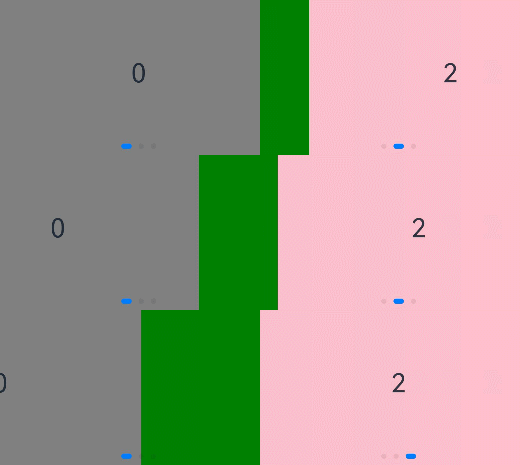
Swiper通过设置autoPlay属性,控制是否自动轮播子组件。该属性默认值为false。
autoPlay为true时,会自动切换播放子组件,子组件与子组件之间的播放间隔通过interval属性设置。interval属性默认值为3000,单位毫秒。
Swiper() {
  // ...
}
.loop(true)
.autoPlay(true)
.interval(1000)
4. 案例
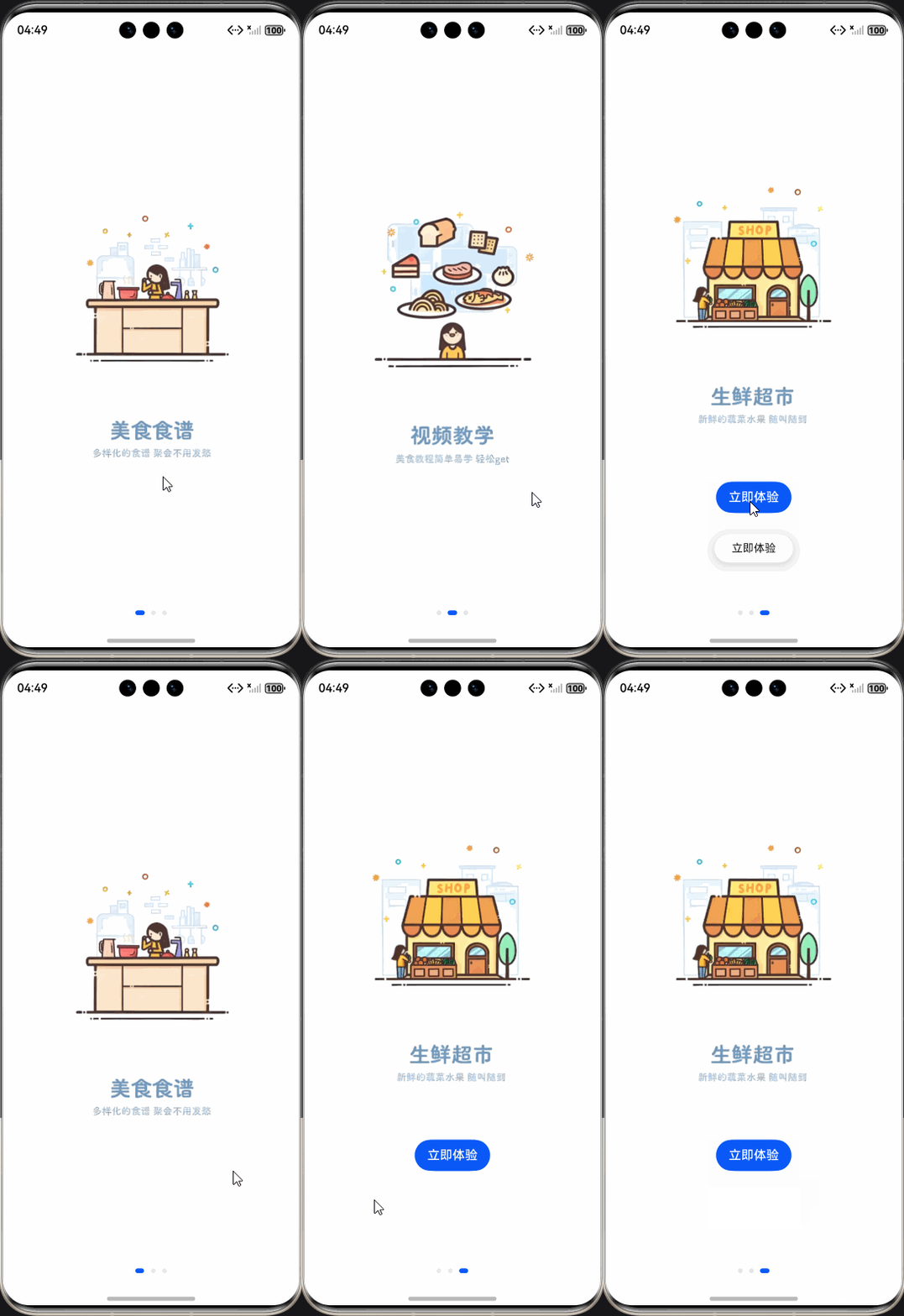
编写一个SwiperPage.ets页面,具体实现代码如下
@Entry
@Component
struct SwiperPage {
  @State message: string = 'Hello World';

  build() {
    Column() {
      Swiper() {


        Column() {
          Image($r('app.media.banner_1'))
            .width('240')
        }
        .justifyContent(FlexAlign.Center)
        .height('100%')
        .width('100%')

        Column() {
          Image($r('app.media.banner_2'))
            .width('240')
        }
        .justifyContent(FlexAlign.Center)
        .height('100%')
        .width('100%')


        Column() {
          Image($r('app.media.banner_3'))
            .width('240')
          Button('立即体验')
            .margin({ top: 60 })
            .onClick(() => {
              this.getUIContext().getPromptAction().showToast({
                message: '立即体验'
              })
            })
        }
        .justifyContent(FlexAlign.Center)
        .height('100%')
        .width('100%')
      }
      .height('100%')
      .loop(false)
    }
    .width('100%')
    .height('100%')
  }
}
关于作者其它项目视频教程介绍
本人在b站录制的一些视频教程项目,免费供大家学习
- Android新闻资讯app实战:https://www.bilibili.com/video/BV1CA1vYoEad/?vd_source=984bb03f768809c7d33f20179343d8c8
- Androidstudio开发购物商城实战:https://www.bilibili.com/video/BV1PjHfeXE8U/?vd_source=984bb03f768809c7d33f20179343d8c8
- Android开发备忘录记事本实战:https://www.bilibili.com/video/BV1FJ4m1u76G?vd_source=984bb03f768809c7d33f20179343d8c8&spm_id_from=333.788.videopod.sections
- Androidstudio底部导航栏实现:https://www.bilibili.com/video/BV1XB4y1d7et/?spm_id_from=333.337.search-card.all.click&vd_source=984bb03f768809c7d33f20179343d8c8
- Android使用TabLayout+ViewPager2实现左右滑动切换:https://www.bilibili.com/video/BV1Mz4y1c7eX/?spm_id_from=333.337.search-card.all.click&vd_source=984bb03f768809c7d33f20179343d8c8

讨论HarmonyOS开发技术,专注于API与组件、DevEco Studio、测试、元服务和应用上架分发等。
更多推荐

 10
10 0
0- 0


 已为社区贡献38条内容

所有评论(0)