鸿蒙HarmonyOS APP开发入门3——组件(九 按钮组件 )—
先自我介绍一下,小编浙江大学毕业,去过华为、字节跳动等大厂,目前阿里P7
深知大多数程序员,想要提升技能,往往是自己摸索成长,但自己不成体系的自学效果低效又漫长,而且极易碰到天花板技术停滞不前!
因此收集整理了一份《2024年最新HarmonyOS鸿蒙全套学习资料》,初衷也很简单,就是希望能够帮助到想自学提升又不知道该从何学起的朋友。
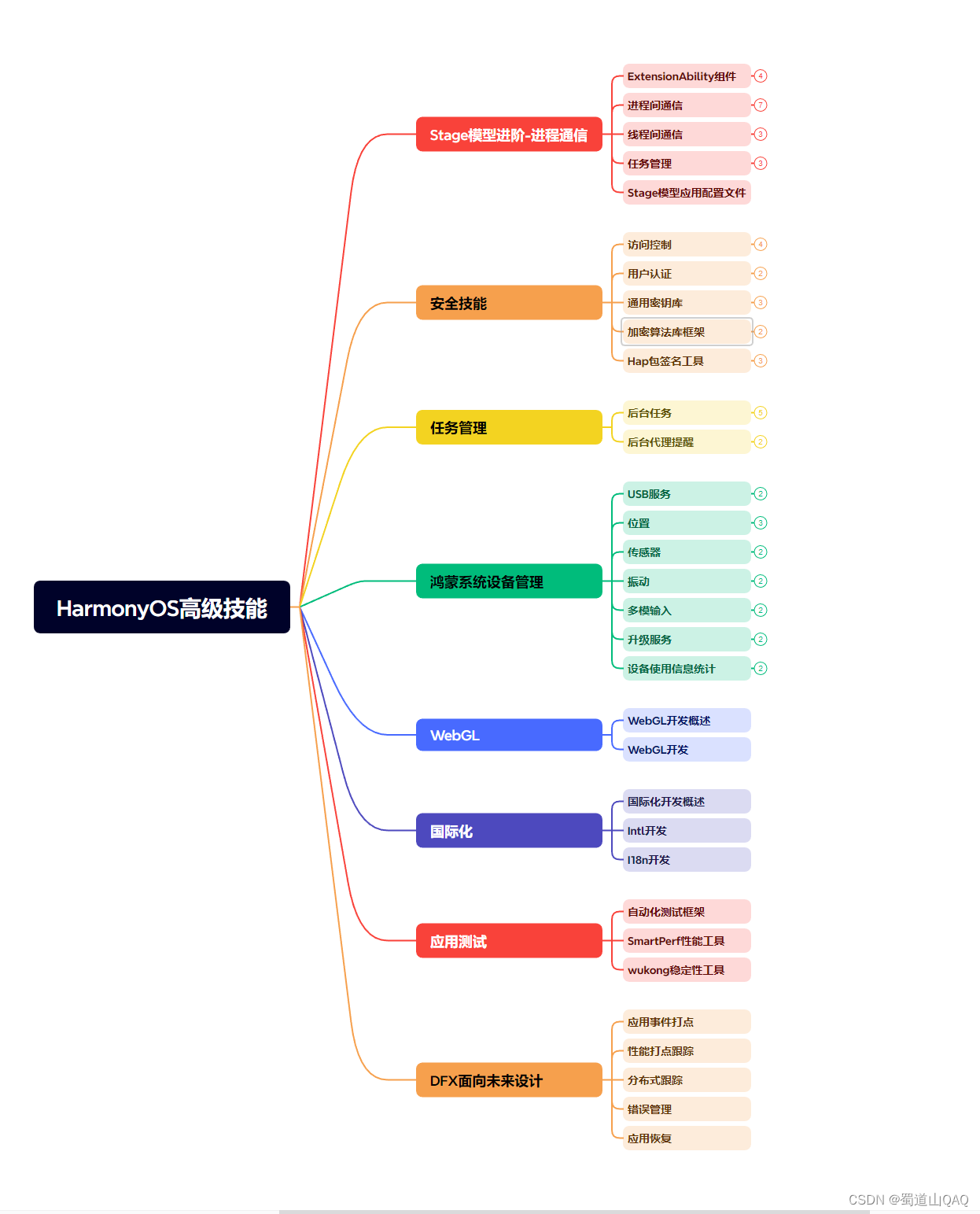
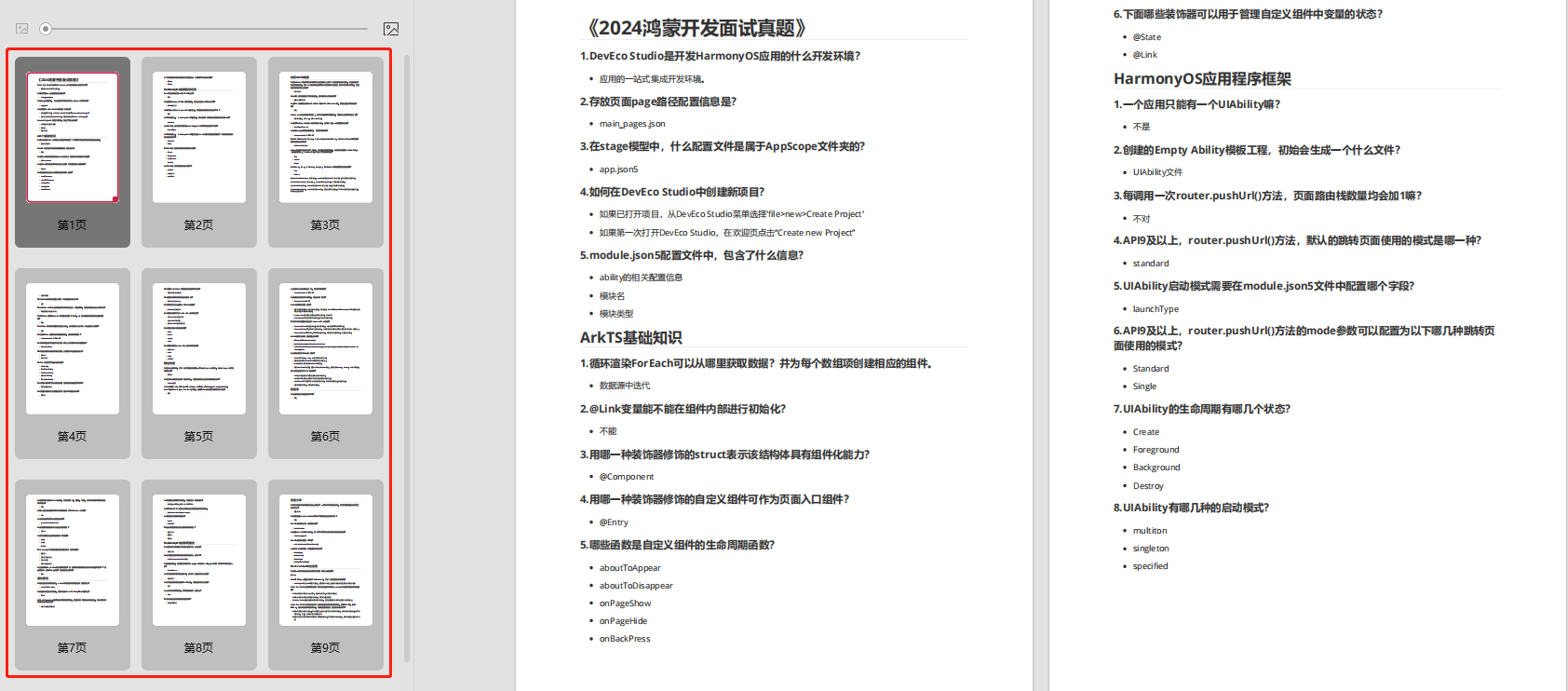
既有适合小白学习的零基础资料,也有适合3年以上经验的小伙伴深入学习提升的进阶课程,涵盖了95%以上鸿蒙开发知识点,真正体系化!
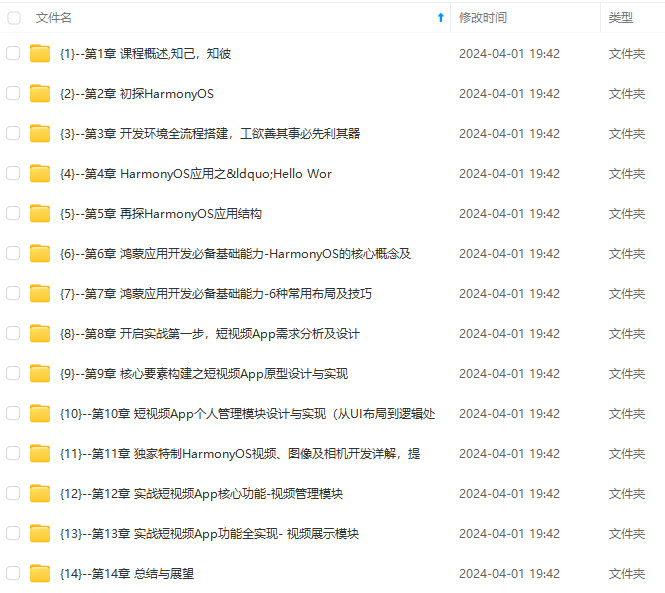
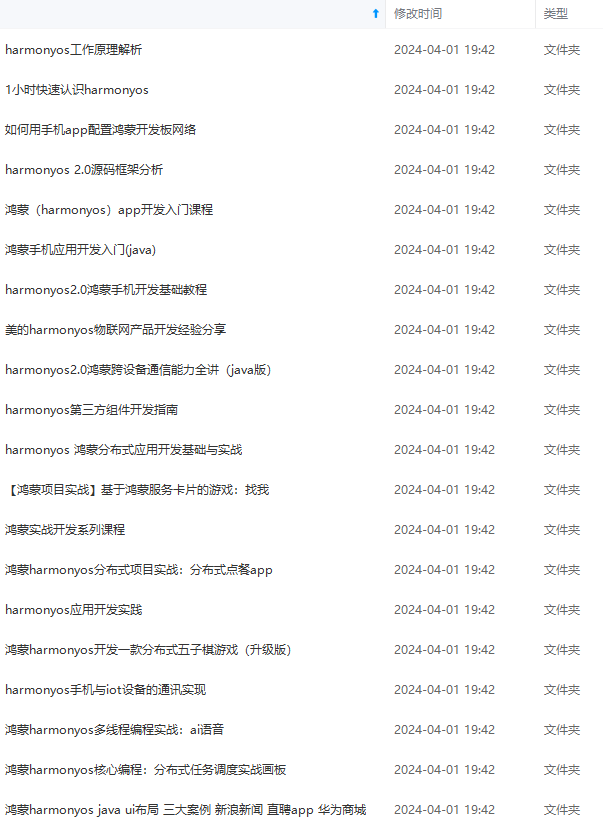
由于文件比较多,这里只是将部分目录截图出来,全套包含大厂面经、学习笔记、源码讲义、实战项目、大纲路线、讲解视频,并且后续会持续更新
如果你需要这些资料,可以添加V获取:vip204888 (备注鸿蒙)

正文
普通按钮和其他按钮的区别在于不需要设置任何形状,只设置文本和背景颜色即可,例如:
<Button
ohos:width=“150vp”
ohos:height=“50vp”
ohos:text_size=“27fp”
ohos:text=“button”
ohos:background_element=“$graphic:color_blue_element”
ohos:left_margin=“15vp”
ohos:bottom_margin=“15vp”
ohos:right_padding=“8vp”
ohos:left_padding=“8vp”/>
graphic目录下的color_blue_element.xml文件示例如下:
<?xml version="1.0" encoding="utf-8"?>
椭圆按钮

椭圆按钮是通过设置background_element的来实现的,background_element的shape设置为椭圆(oval),例如:
<Button ohos:width=“150vp”
ohos:height=“50vp”
ohos:text_size=“27fp”
ohos:text=“button”
ohos:background_element=“graphic:oval_button_element"ohos:left_margin="15vp"ohos:bottom_margin="15vp"ohos:right_padding="8vp"ohos:left_padding="8vp"ohos:element_left="graphic:oval\_button\_element"
ohos:left\_margin="15vp"
ohos:bottom\_margin="15vp"
ohos:right\_padding="8vp"
ohos:left\_padding="8vp"
ohos:element\_left="graphic:oval_button_element"ohos:left_margin="15vp"ohos:bottom_margin="15vp"ohos:right_padding="8vp"ohos:left_padding="8vp"ohos:element_left="media:ic_btn_reload”/>
graphic目录下的oval_button_element.xml文件示例如下:
<?xml version="1.0" encoding="utf-8"?>
胶囊按钮

胶囊按钮是一种常见的按钮,设置按钮背景时将背景设置为矩形形状,并且设置ShapeElement的radius的半径,例如:
<Button ohos:id=“+id:button"ohos:width="match_content"ohos:height="match_content"ohos:text_size="27fp"ohos:text="button"ohos:background_element="+id:button"
ohos:width="match\_content"
ohos:height="match\_content"
ohos:text\_size="27fp"
ohos:text="button"
ohos:background\_element="+id:button"ohos:width="match_content"ohos:height="match_content"ohos:text_size="27fp"ohos:text="button"ohos:background_element="graphic:capsule_button_element”
ohos:left_margin=“15vp”
ohos:bottom_margin=“15vp”
ohos:right_padding=“15vp”
ohos:left_padding=“15vp”/>
graphic目录下的capsule_button_element.xml文件示例如下:
<?xml version="1.0" encoding="utf-8"?>
圆形按钮

圆形按钮和椭圆按钮的区别在于组件本身的宽度和高度需要相同,例如:
<Button
ohos:id=“+id:button"ohos:width="50vp"ohos:height="50vp"ohos:text_size="27fp"ohos:background_element="+id:button"
ohos:width="50vp"
ohos:height="50vp"
ohos:text\_size="27fp"
ohos:background\_element="+id:button"ohos:width="50vp"ohos:height="50vp"ohos:text_size="27fp"ohos:background_element="graphic:circle_button_element”
ohos:text=“+” ohos:left_margin=“15vp”
ohos:bottom_margin=“15vp”
ohos:right_padding=“15vp”
ohos:left_padding=“15vp”/>
graphic目录下的circle_button_element.xml文件示例如下:
<?xml version="1.0" encoding="utf-8"?>
场景示例
利用圆形按钮,胶囊按钮,文本组件可以绘制出如下拨号盘的UI界面。
**图4 界面效果

源码示例:
<?xml version="1.0" encoding="utf-8"?><DirectionalLayout
xmlns:ohos=“http://schemas.huawei.com/res/ohos”
ohos:width=“match_parent”
ohos:height=“match_parent”
ohos:background_element=“graphic:color_light_gray_element"ohos:orientation="vertical"><Textohos:width="match_content"ohos:height="match_content"ohos:text_size="20fp"ohos:text="0123456789"ohos:background_element="graphic:color\_light\_gray\_element"
ohos:orientation="vertical">
<Text
ohos:width="match\_content"
ohos:height="match\_content"
ohos:text\_size="20fp"
ohos:text="0123456789"
ohos:background\_element="graphic:color_light_gray_element"ohos:orientation="vertical"><Textohos:width="match_content"ohos:height="match_content"ohos:text_size="20fp"ohos:text="0123456789"ohos:background_element="graphic:green_text_element”
ohos:text_alignment=“center”
ohos:layout_alignment=“horizontal_center”
/>
<DirectionalLayout
ohos:width=“match_parent”
ohos:height=“match_content”
ohos:alignment=“horizontal_center”
ohos:orientation=“horizontal”
ohos:top_margin=“5vp”
ohos:bottom_margin=“5vp”>
<Button
ohos:width=“40vp”
ohos:height=“40vp”
ohos:text_size=“15fp”
ohos:background_element=“graphic:green_circle_button_element"ohos:text="1"ohos:text_alignment="center"/><Buttonohos:width="40vp"ohos:height="40vp"ohos:text_size="15fp"ohos:background_element="graphic:green\_circle\_button\_element"
ohos:text="1"
ohos:text\_alignment="center"
/>
<Button
ohos:width="40vp"
ohos:height="40vp"
ohos:text\_size="15fp"
ohos:background\_element="graphic:green_circle_button_element"ohos:text="1"ohos:text_alignment="center"/><Buttonohos:width="40vp"ohos:height="40vp"ohos:text_size="15fp"ohos:background_element="graphic:green_circle_button_element”
ohos:text=“2”
ohos:left_margin=“5vp”
ohos:right_margin=“5vp”
ohos:text_alignment=“center”
/>
<Button
ohos:width=“40vp”
ohos:height=“40vp”
ohos:text_size=“15fp”
ohos:background_element=“graphic:green_circle_button_element"ohos:text="3"ohos:text_alignment="center"/></DirectionalLayout><DirectionalLayoutohos:width="match_parent"ohos:height="match_content"ohos:alignment="horizontal_center"ohos:orientation="horizontal"ohos:bottom_margin="5vp"><Buttonohos:width="40vp"ohos:height="40vp"ohos:text_size="15fp"ohos:background_element="graphic:green\_circle\_button\_element"
ohos:text="3"
ohos:text\_alignment="center"
/>
</DirectionalLayout>
<DirectionalLayout
ohos:width="match\_parent"
ohos:height="match\_content"
ohos:alignment="horizontal\_center"
ohos:orientation="horizontal"
ohos:bottom\_margin="5vp">
<Button
ohos:width="40vp"
ohos:height="40vp"
ohos:text\_size="15fp"
ohos:background\_element="graphic:green_circle_button_element"ohos:text="3"ohos:text_alignment="center"/></DirectionalLayout><DirectionalLayoutohos:width="match_parent"ohos:height="match_content"ohos:alignment="horizontal_center"ohos:orientation="horizontal"ohos:bottom_margin="5vp"><Buttonohos:width="40vp"ohos:height="40vp"ohos:text_size="15fp"ohos:background_element="graphic:green_circle_button_element”
ohos:text=“4”
ohos:text_alignment=“center”
/>
<Button
ohos:width=“40vp”
ohos:height=“40vp”
ohos:text_size=“15fp”
ohos:left_margin=“5vp”
ohos:right_margin=“5vp”
ohos:background_element=“graphic:green_circle_button_element"ohos:text="5"ohos:text_alignment="center"/><Buttonohos:width="40vp"ohos:height="40vp"ohos:text_size="15fp"ohos:background_element="graphic:green\_circle\_button\_element"
ohos:text="5"
ohos:text\_alignment="center"
/>
<Button
ohos:width="40vp"
ohos:height="40vp"
ohos:text\_size="15fp"
ohos:background\_element="graphic:green_circle_button_element"ohos:text="5"ohos:text_alignment="center"/><Buttonohos:width="40vp"ohos:height="40vp"ohos:text_size="15fp"ohos:background_element="graphic:green_circle_button_element”
ohos:text=“6”
ohos:text_alignment=“center”
/>
<DirectionalLayout
ohos:width=“match_parent”
ohos:height=“match_content”
ohos:alignment=“horizontal_center”
ohos:orientation=“horizontal”
ohos:bottom_margin=“5vp”>
<Button
ohos:width=“40vp”
ohos:height=“40vp”
ohos:text_size=“15fp”
ohos:background_element=“graphic:green_circle_button_element"ohos:text="7"ohos:text_alignment="center"/><Buttonohos:width="40vp"ohos:height="40vp"ohos:text_size="15fp"ohos:left_margin="5vp"ohos:right_margin="5vp"ohos:background_element="graphic:green\_circle\_button\_element"
ohos:text="7"
ohos:text\_alignment="center"
/>
<Button
ohos:width="40vp"
ohos:height="40vp"
ohos:text\_size="15fp"
ohos:left\_margin="5vp"
ohos:right\_margin="5vp"
ohos:background\_element="graphic:green_circle_button_element"ohos:text="7"ohos:text_alignment="center"/><Buttonohos:width="40vp"ohos:height="40vp"ohos:text_size="15fp"ohos:left_margin="5vp"ohos:right_margin="5vp"ohos:background_element="graphic:green_circle_button_element”
ohos:text=“8”
ohos:text_alignment=“center”
/>
<Button
ohos:width=“40vp”
ohos:height=“40vp”
ohos:text_size=“15fp”
ohos:background_element=“graphic:green_circle_button_element"ohos:text="9"ohos:text_alignment="center"/></DirectionalLayout><DirectionalLayoutohos:width="match_parent"ohos:height="match_content"ohos:alignment="horizontal_center"ohos:orientation="horizontal"ohos:bottom_margin="5vp"><Buttonohos:width="40vp"ohos:height="40vp"ohos:text_size="15fp"ohos:background_element="graphic:green\_circle\_button\_element"
ohos:text="9"
ohos:text\_alignment="center"
/>
</DirectionalLayout>
<DirectionalLayout
ohos:width="match\_parent"
ohos:height="match\_content"
ohos:alignment="horizontal\_center"
ohos:orientation="horizontal"
ohos:bottom\_margin="5vp">
<Button
ohos:width="40vp"
ohos:height="40vp"
ohos:text\_size="15fp"
ohos:background\_element="graphic:green_circle_button_element"ohos:text="9"ohos:text_alignment="center"/></DirectionalLayout><DirectionalLayoutohos:width="match_parent"ohos:height="match_content"ohos:alignment="horizontal_center"ohos:orientation="horizontal"ohos:bottom_margin="5vp"><Buttonohos:width="40vp"ohos:height="40vp"ohos:text_size="15fp"ohos:background_element="graphic:green_circle_button_element”
ohos:text=“*”
ohos:text_alignment=“center”
/>
<Button
ohos:width=“40vp”
ohos:height=“40vp”
ohos:text_size=“15fp”
ohos:left_margin=“5vp”
ohos:right_margin=“5vp”
ohos:background_element=“graphic:green_circle_button_element"ohos:text="0"ohos:text_alignment="center"/><Buttonohos:width="40vp"ohos:height="40vp"ohos:text_size="15fp"ohos:background_element="graphic:green\_circle\_button\_element"
ohos:text="0"
ohos:text\_alignment="center"
/>
<Button
ohos:width="40vp"
ohos:height="40vp"
ohos:text\_size="15fp"
ohos:background\_element="graphic:green_circle_button_element"ohos:text="0"ohos:text_alignment="center"/><Buttonohos:width="40vp"ohos:height="40vp"ohos:text_size="15fp"ohos:background_element="graphic:green_circle_button_element”
ohos:text=“#”
网上学习资料一大堆,但如果学到的知识不成体系,遇到问题时只是浅尝辄止,不再深入研究,那么很难做到真正的技术提升。
需要这份系统化的资料的朋友,可以添加V获取:vip204888 (备注鸿蒙)

一个人可以走的很快,但一群人才能走的更远!不论你是正从事IT行业的老鸟或是对IT行业感兴趣的新人,都欢迎加入我们的的圈子(技术交流、学习资源、职场吐槽、大厂内推、面试辅导),让我们一起学习成长!
kground_element=“$graphic:green_circle_button_element”
ohos:text=“#”
网上学习资料一大堆,但如果学到的知识不成体系,遇到问题时只是浅尝辄止,不再深入研究,那么很难做到真正的技术提升。
需要这份系统化的资料的朋友,可以添加V获取:vip204888 (备注鸿蒙)
[外链图片转存中…(img-QXlHoPR4-1713442081512)]
一个人可以走的很快,但一群人才能走的更远!不论你是正从事IT行业的老鸟或是对IT行业感兴趣的新人,都欢迎加入我们的的圈子(技术交流、学习资源、职场吐槽、大厂内推、面试辅导),让我们一起学习成长!

讨论HarmonyOS开发技术,专注于API与组件、DevEco Studio、测试、元服务和应用上架分发等。
更多推荐

 19
19 0
0- 0


 已为社区贡献29条内容

所有评论(0)