《图片抠图》三、ArkTS编译踩坑修复指南
HarmonyOS ArkTS 编译踩坑完全指南:5 类高频错误诊断与修复
关键词:HarmonyOS、ArkTS、编译错误、arkts-limited-throw、@Entry、JSON5、泛型推断、踩坑修复
适用版本:HarmonyOS 6.1+ / SDK 6.1.0(23)+
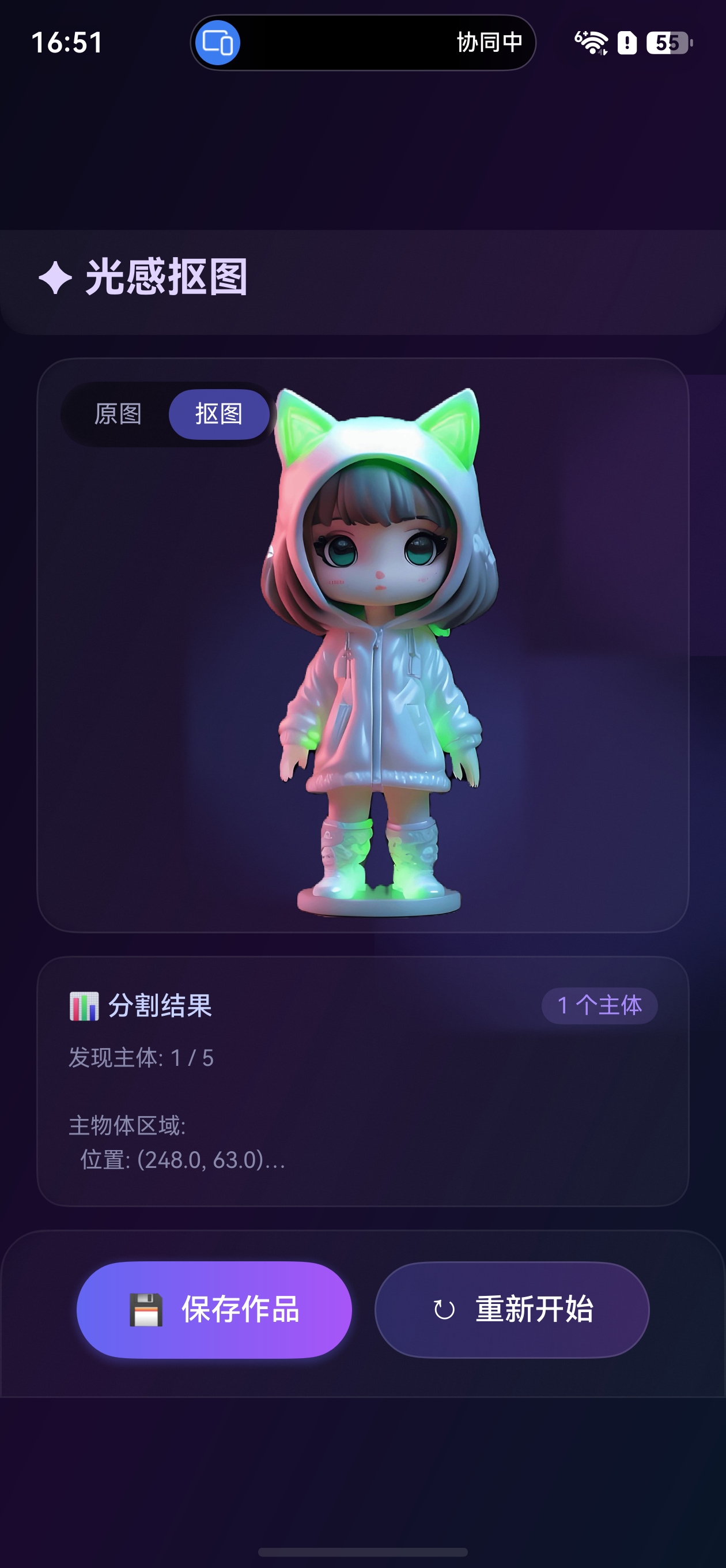
效果
一、前言
ArkTS 是 HarmonyOS 的主力开发语言,它在 TypeScript 基础上增加了更严格的编译检查规则,以提升代码安全性和运行性能。然而,这些额外的编译规则常常让从 TypeScript/JavaScript 转来的开发者措手不及。
本文基于真实项目开发中遇到的高频编译错误,逐一分析错误原因、给出修复方案,并总结出日常开发需要注意的核心规范。无论你是鸿蒙新手还是有经验的开发者,这份指南都能帮你快速定位问题、少踩坑。
二、错误 1:arkts-limited-throw — throw 不能抛出任意类型
2.1 错误现象
ERROR: 10605087 ArkTS Compiler Error
Error Message: "throw" statements cannot accept values of arbitrary types (arkts-limited-throw)
2.2 错误代码
async function fetchData() {
  try {
    const result = await api.request();
    return result;
  } catch (err) {
    throw err;  // ❌ 编译错误!
  }
}
2.3 原因分析
在标准 TypeScript 中,catch (err) 的 err 类型是 unknown。TypeScript 允许 throw err 因为 TS 对 throw 的类型没有限制。
但 ArkTS 增加了一条安全规则 arkts-limited-throw:
throw语句只能抛出Error类型或其子类的实例。
由于 err 是 unknown 类型,编译器无法确认它是 Error 的实例,因此报错。
2.4 修复方案
方案 A:构造新的 Error 对象
// ✅ 从 unknown 中提取信息,构造新的 Error
try {
  await api.request();
} catch (err) {
  const e = err as BusinessError;
  throw new Error(`Request failed: code=${e.code}, message=${e.message}`);
}
方案 B:不重新抛出,转为日志记录(推荐)
// ✅ 最佳实践:在工具函数中,不抛出而是记录日志并返回默认值
async function initService(): Promise<boolean> {
  try {
    await subjectSegmentation.init();
    return true;
  } catch (err) {
    const e = err as BusinessError;
    hilog.error(0x0000, TAG, `Init failed: ${e.message}`);
    return false;  // 返回安全默认值
  }
}
方案 C:在确认是 Error 类型后重新抛出
// ✅ 类型守卫确认后再抛出
try {
  await api.request();
} catch (err) {
  if (err instanceof Error) {
    throw err;  // 编译器认可:已确认是 Error 类型
  }
  throw new Error('Unknown error occurred');
}
2.5 规则总结
| 写法 | 是否合法 | 说明 |
|---|---|---|
throw err (err: unknown) |
❌ | unknown 类型不能直接抛出 |
throw new Error(...) |
✅ | 构造 Error 实例 |
throw e (e: Error) |
✅ | 已确认是 Error 类型 |
throw e (e: BusinessError) |
✅ | BusinessError 是 Error 子类 |
三、错误 2:@Entry 组件 build() 只能有一个容器根节点
3.1 错误现象
ERROR: 10905210 ArkTS Compiler Error
Error Message: In an '@Entry' decorated component, the 'build' method can have only one root node, which must be a container component.
3.2 错误代码
@Entry
@Component
struct MyPage {
  build() {
    MyChildComponent()  // ❌ 根节点是自定义组件,不是容器
  }
}
或者在使用 V2 壳模式时:
@Entry
@Component
struct Shell {
  build() {
    GlowPage({ topHeight: 0 })  // ❌ 同样是自定义组件作根节点
  }
}
3.3 原因分析
ArkTS 规定 @Entry 装饰的页面组件,其 build() 方法:
- 必须有且仅有一个根节点
- 根节点必须是容器组件(如
Column、Row、Stack、Flex、RelativeContainer等)
自定义组件(@Component 或 @ComponentV2)不算容器组件,即使它内部包含容器。
3.4 修复方案
// ✅ 方案一:使用 Stack 包裹
@Entry
@Component
struct Shell {
  build() {
    Stack() {
      GlowPage({ topHeight: 0 })
    }
    .width('100%')
    .height('100%')
  }
}

// ✅ 方案二:使用 Column 包裹
@Entry
@Component
struct MyPage {
  build() {
    Column() {
      HeaderBar()
      ContentArea()
      BottomNav()
    }
    .width('100%')
    .height('100%')
  }
}
3.5 V2 壳模式完整模板
当使用 @ComponentV2 开发页面时,标准的壳模式模板如下:
// V1 壳组件:处理 @Entry 和 @StorageProp
@Entry
@Component
struct PageShell {
  @StorageProp('topRectHeight') topHeight: number = 0;
  @StorageProp('bottomRectHeight') bottomHeight: number = 0;

  build() {
    Stack() {                                    // ← 必须是容器组件
      MainPageContent({
        topHeight: this.topHeight,
        bottomHeight: this.bottomHeight
      })
    }
    .width('100%')
    .height('100%')
  }
}

// V2 内容组件:实际业务逻辑
@ComponentV2
struct MainPageContent {
  @Param topHeight: number = 0;
  @Param bottomHeight: number = 0;
  @Local data: string = '';

  build() {
    Column() {
      // 实际UI内容...
    }
  }
}
四、错误 3:JSON5 资源文件重复内容
4.1 错误现象
JSON5: invalid character '{' at file: entry/src/main/resources/base/profile/main_pages.json:7:1
4.2 错误文件内容
{
  "src": [
    "pages/Index",
    "pages/GlowSegmentationPage"
  ]
}
{                    ← 第7行:第二个 JSON 对象,这是错误的!
  "src": [
    "pages/Index"
  ]
}
4.3 原因分析
这类问题通常发生在编辑工具追加内容而非覆盖时。旧的 JSON 内容没有被删除,新内容被追加到文件末尾,导致文件中存在两个 JSON 对象。
受影响的常见文件:
main_pages.json— 页面路由配置string.json— 字符串资源color.json— 颜色资源float.json— 尺寸资源
4.4 修复方案
确保文件中只有一个完整的 JSON 对象。编辑资源文件时,务必使用全量覆盖而非追加模式。
修复前检查清单:
✅ 文件开头只有一个 {
✅ 文件结尾只有一个 }
✅ 两个 { } 之间没有多余的 } {
4.5 预防措施
- 编辑后检查文件末尾:确认没有多余的 JSON 对象
- 使用 JSON 格式化工具:格式化后如果发现多个根对象,说明有问题
- 提交前验证:编译前先检查资源文件的 JSON 合法性
五、错误 4:arkts-no-inferred-generic-params — 泛型推断限制
5.1 错误现象
ArkTS Compiler Error: Generic type parameters must be explicitly specified (arkts-no-inferred-generic-params)
5.2 错误代码
// ❌ Array.from 隐式泛型
const items = Array.from(results, r => r.name);

// ❌ map 隐式泛型
const names = users.map(u => u.name);

// ❌ fill 隐式泛型
const arr = new Array(10).fill(0);
5.3 原因分析
ArkTS 编译器禁止在 Array.from、Array.map、Array.fill 等泛型方法中依赖隐式类型推断。必须显式声明泛型参数,或改用命令式写法。
5.4 修复方案
方案 A:显式声明泛型参数
// ✅ 显式声明 Array.map 的泛型
const names: string[] = users.map<User, string>((u: User) => u.name);
方案 B:改用 for 循环(推荐,更简洁)
// ✅ 使用 for 循环替代高阶函数
const names: string[] = [];
for (let i = 0; i < users.length; i++) {
  names.push(users[i].name);
}
方案 C:使用显式类型标注的数组
// ✅ 显式声明结果数组类型
const names: string[] = [];
for (const user of users) {
  names.push(user.name);
}
六、错误 5:@ComponentV2 中混用 V1 装饰器
6.1 错误现象
ArkTS Compiler Error: Cannot use @State in a @ComponentV2 decorated component
6.2 错误代码
@ComponentV2
struct MyComponent {
  @State count: number = 0;  // ❌ V1装饰器不能在V2组件中使用

  build() {
    Text(`${this.count}`)
  }
}
6.3 原因分析
@ComponentV2 使用全新的状态管理装饰器体系,与 V1 不兼容:
| V1 装饰器 | V2 替代 |
|---|---|
@State |
@Local |
@Prop |
@Param |
@Link |
@Param + @Event |
@Provide/@Consume |
自定义传参 |
@Observed |
@ObservedV2 + @Trace |
@ObjectLink |
@Param |
6.4 修复方案
// ✅ V2 组件使用 V2 装饰器
@ObservedV2
class PageData {
  @Trace count: number = 0;
  @Trace name: string = '';
}

@ComponentV2
struct MyComponent {
  @Local data: PageData = new PageData();    // 替代 @State + @Observed
  @Param title: string = '';                  // 替代 @Prop
  @Event onCountChange: () => void = () => {}; // 替代 @Link 的双向绑定

  // 计算属性(V1 中没有对应物)
  get displayText(): string {
    return `${this.title}: ${this.data.count}`;
  }

  build() {
    Column() {
      Text(this.displayText)
        .onClick(() => {
          this.data.count++;
          this.onCountChange();
        })
    }
  }
}
七、日常开发注意事项清单
基于以上 5 类高频错误,总结出以下日常开发规范:
7.1 异常处理规范
✅ 所有 catch 块中不直接 throw err
✅ 需要抛出时使用 throw new Error(message)
✅ 工具函数优先返回默认值而不是重新抛出
✅ 使用 BusinessError 类型断言获取错误码和错误信息
7.2 组件结构规范
✅ @Entry 组件的 build() 根节点必须是容器组件
✅ @ComponentV2 中只使用 V2 系列装饰器
✅ V1→V2 壳模式:@Entry壳组件 build() 也要有容器根节点
✅ @ComponentV2 不能与 @Entry 直接搭配
7.3 资源文件规范
✅ 编辑 JSON 资源文件时使用全量覆盖
✅ 修改后检查文件末尾是否有多余内容
✅ 编译前确认 JSON 格式合法
✅ string/color/float 资源按功能分组命名
7.4 泛型与类型规范
✅ Array.from/map/fill 显式声明泛型参数
✅ 复杂场景改用 for 循环替代高阶函数
✅ 变量声明时显式标注类型
✅ 避免依赖编译器的隐式类型推断
7.5 生命周期规范
✅ aboutToAppear 中初始化服务(如 subjectSegmentation.init)
✅ aboutToDisappear 中释放资源(如 subjectSegmentation.release)
✅ 异步操作使用 async/await 而非嵌套 Promise
✅ 耗时操作配合 UI Loading 状态
八、错误速查表
| 错误码 | 错误信息 | 原因 | 修复方法 |
|---|---|---|---|
10605087 |
arkts-limited-throw |
throw 非 Error 类型 | throw new Error(...) |
10905210 |
@Entry build() 根节点问题 |
自定义组件作根节点 | 用 Stack/Column 包裹 |
JSON5: invalid character '{' |
资源文件格式错误 | JSON 文件内容重复 | 全量覆盖文件内容 |
arkts-no-inferred-generic-params |
泛型推断限制 | map/fill 隐式泛型 | 显式声明或改用 for 循环 |
Cannot use @State in @ComponentV2 |
装饰器混用 | V1装饰器在V2中使用 | 改用 @Local/@Param/@Event |
九、调试技巧
9.1 快速定位编译错误
- 看错误码:
106xxxxx是 ArkTS 编译器规则错误,109xxxxx是 ArkUI 框架错误 - 看规则名:错误信息中括号内的规则名(如
arkts-limited-throw)可直接搜索官方文档 - 看文件行号:精确定位到出错行,通常是一个语句或装饰器的问题
9.2 常见"假错误"排查
有时候报错指向的行看起来没问题,实际原因可能在别处:
| 假象 | 真实原因 |
|---|---|
| JSON5 报错指向第 7 行 | 实际是第 6 行后有多余的 } 和新 { |
| build() 报错但代码正确 | 检查是否缺少容器根节点 |
| throw 报错但已有 Error | 检查 catch 中的 err 是否未做类型断言 |
十、总结
ArkTS 的严格编译规则虽然增加了初始学习成本,但能在编译期发现大量潜在问题,提升代码质量和运行安全性。核心记住以下五条:
- throw 只认 Error:
catch中不直接throw err,用throw new Error() - @Entry 要容器:
build()根节点必须是Stack/Column等容器组件 - JSON 要干净:资源文件编辑后确保只有一个完整 JSON 对象
- 泛型要显式:
map/fill等方法标注泛型参数,或改用for循环 - V1/V2 不混用:
@ComponentV2中只用@Local/@Param/@Event
掌握这些规范,你的 HarmonyOS 开发之路将更加顺畅!
📚 参考文档:

讨论HarmonyOS开发技术,专注于API与组件、DevEco Studio、测试、元服务和应用上架分发等。
更多推荐

 0
0 0
0- 0



 已为社区贡献53条内容

所有评论(0)