第51篇|导出到系统相册:把沙箱照片交还给用户
第51篇|导出到系统相册:把沙箱照片交还给用户
导入解决的是“把系统相册照片纳入项目”,导出解决的是“把项目沙箱照片交还给系统相册”。第 51 篇看导出链路,重点是沙箱文件、保存授权、图片资产配置和用户反馈。
很多相机项目导出失败的原因不是保存接口本身,而是源文件路径、Uri 转换、重复前后摄图片和用户取消保存没有处理清楚。项目把这些边界拆成几个小函数,读起来比较容易定位。
这一篇继续围绕 21 天「智能相机开发实战」训练营展开。阅读时可以先看界面效果,再顺着函数名回到 DevEco Studio 定位实现,最后把成功态、取消态和失败态串成一个可复现闭环。
本篇目标
- 整理
GalleryMoment中可导出的后摄和前摄图片。 - 把本地沙箱路径转换为系统可保存的 Uri。
- 理解保存授权流程和
MediaAssetChangeRequest。 - 覆盖文件缺失、取消保存、保存失败和 busy 状态。
对应源码位置
entry/src/main/ets/pages/Index.ets
一、导出前先整理候选项
一条双镜记录可能同时有后摄图和前摄图,也可能因为导入系统照片而两者指向同一张图。导出前如果不去重,用户会在系统相册里看到重复照片。
buildRecordExportItems 用 sourceKey 去重,并为每个候选项生成标题。这个函数不做保存动作,只负责把“记录里有什么可以导出”说清楚。
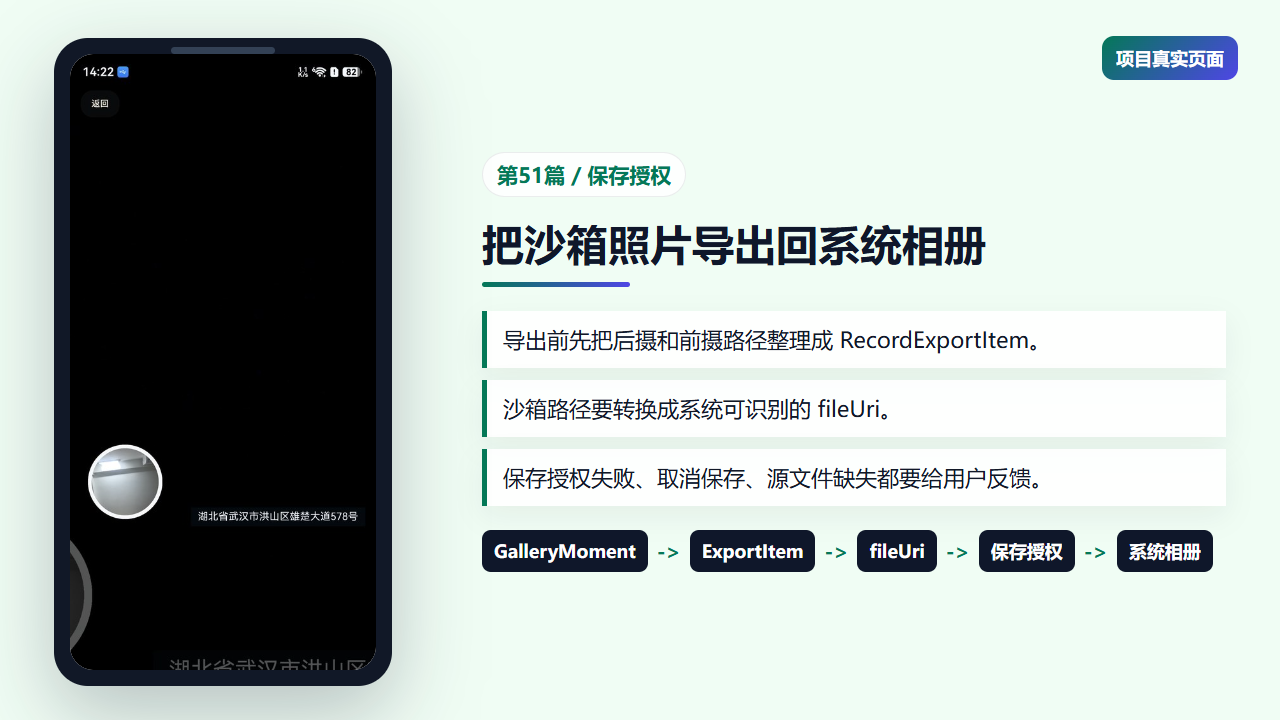
详情页中的导出能力和系统相册保存流程
二、后摄和前摄分别进入 RecordExportItem
RecordExportItem 里同时保留 sourcePath、sourceUri 和 title。其中 sourcePath 是沙箱文件路径,sourceUri 是后续保存授权要用的 Uri,标题则给系统相册资产命名。
去重逻辑用数组保存已经出现过的来源,这样导入照片这种“前后图相同”的记录只导出一次。
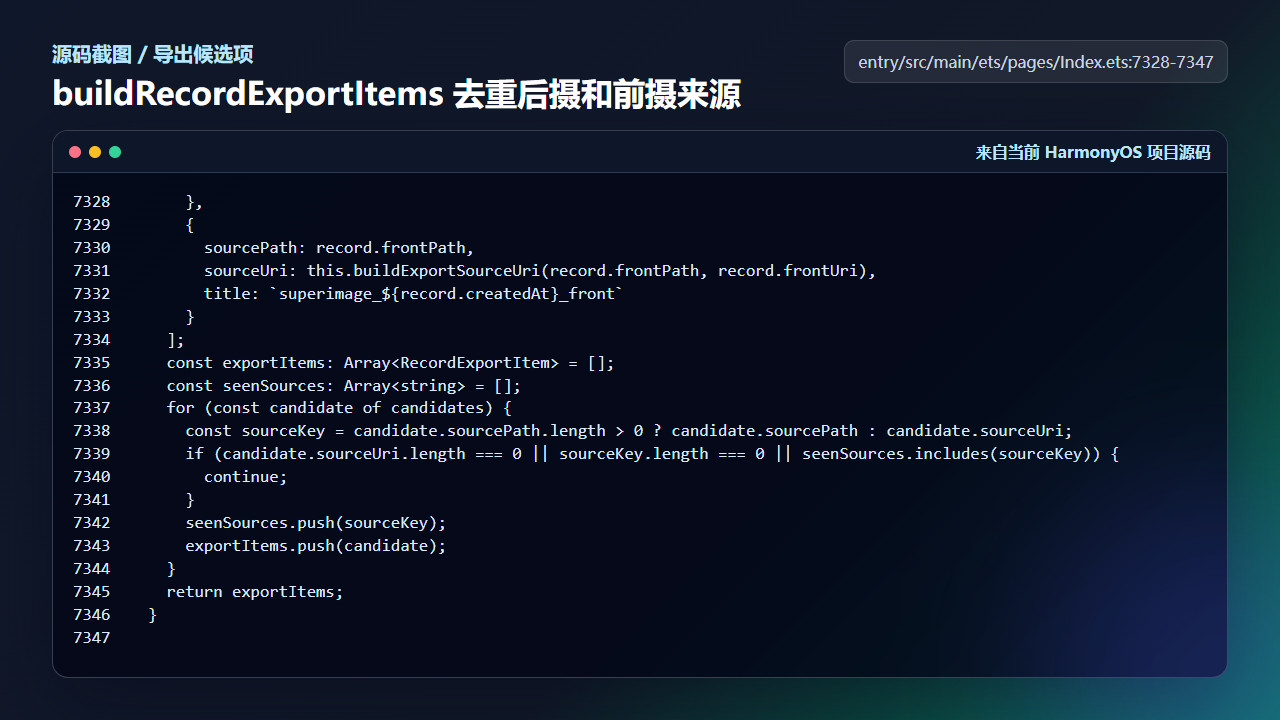
buildRecordExportItems 去重后生成导出候选项
      },
      {
        sourcePath: record.frontPath,
        sourceUri: this.buildExportSourceUri(record.frontPath, record.frontUri),
        title: `superimage_${record.createdAt}_front`
      }
    ];
    const exportItems: Array<RecordExportItem> = [];
    const seenSources: Array<string> = [];
    for (const candidate of candidates) {
      const sourceKey = candidate.sourcePath.length > 0 ? candidate.sourcePath : candidate.sourceUri;
      if (candidate.sourceUri.length === 0 || sourceKey.length === 0 || seenSources.includes(sourceKey)) {
        continue;
      }
      seenSources.push(sourceKey);
      exportItems.push(candidate);
    }
    return exportItems;
  }
这里的候选项是导出流程的输入契约。后面如果要支持 Live Photo 或短片封面,也可以先扩展这个结构。
三、创建系统相册资产配置
保存到图库时,系统需要知道文件名扩展和媒体类型。createPhotoCreationConfig 根据源 Uri 提取扩展名,并把 photoType 写成图片。
getRecordExportSandboxUri 负责确认源文件是否真的在沙箱里,只有可访问路径才继续导出。这个检查可以避免把还没恢复完成的云端照片直接交给保存接口。
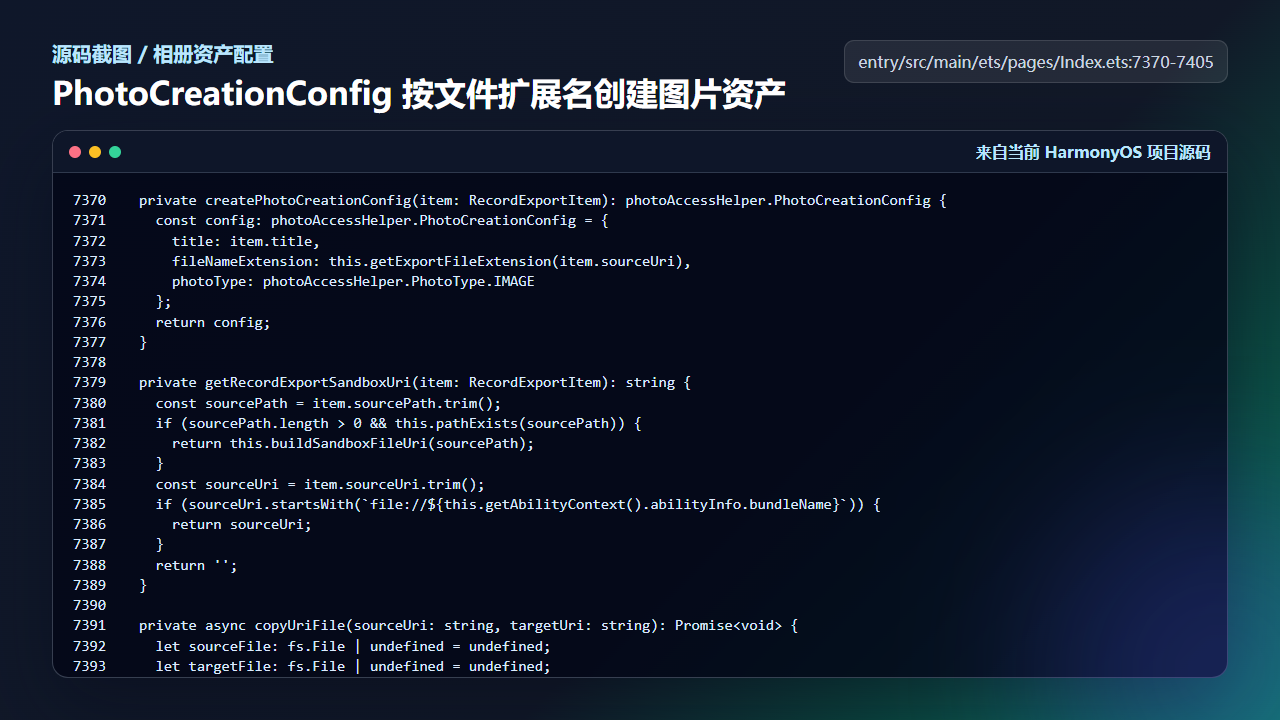
PhotoCreationConfig 和沙箱 Uri 检查
  private createPhotoCreationConfig(item: RecordExportItem): photoAccessHelper.PhotoCreationConfig {
    const config: photoAccessHelper.PhotoCreationConfig = {
      title: item.title,
      fileNameExtension: this.getExportFileExtension(item.sourceUri),
      photoType: photoAccessHelper.PhotoType.IMAGE
    };
    return config;
  }

  private getRecordExportSandboxUri(item: RecordExportItem): string {
    const sourcePath = item.sourcePath.trim();
    if (sourcePath.length > 0 && this.pathExists(sourcePath)) {
      return this.buildSandboxFileUri(sourcePath);
    }
    const sourceUri = item.sourceUri.trim();
    if (sourceUri.startsWith(`file://${this.getAbilityContext().abilityInfo.bundleName}`)) {
      return sourceUri;
    }
    return '';
  }

  private async copyUriFile(sourceUri: string, targetUri: string): Promise<void> {
    let sourceFile: fs.File | undefined = undefined;
    let targetFile: fs.File | undefined = undefined;
    try {
      sourceFile = await fs.open(sourceUri, fs.OpenMode.READ_ONLY);
      targetFile = await fs.open(targetUri, fs.OpenMode.READ_WRITE);
      await fs.copyFile(sourceFile.fd, targetFile.fd);
    } catch (error) {
      const err = error as BusinessError;
      throw new Error(`复制媒体到系统相册失败:${err.message ?? err.code ?? 'unknown'}`);
    } finally {
      this.closeFileQuietly(sourceFile, 'source');
      this.closeFileQuietly(targetFile, 'target');
    }
  }
导出链路里不要假设每条记录都有本地文件。云同步恢复、导入异常和用户清理缓存都可能让文件暂时不可用。
四、保存授权成功后写入系统相册
exportRecordToSystemAlbumWithSaveGrant 先检查忙碌态和候选项,再在保险箱场景下要求本地认证。真正保存时,它为每个沙箱 Uri 创建图片资产请求,最后更新导出状态。
失败态没有被吞掉:没有照片、认证失败、源文件不可用、保存失败都会进入不同提示。用户知道下一步该重试、解锁,还是等待文件恢复。
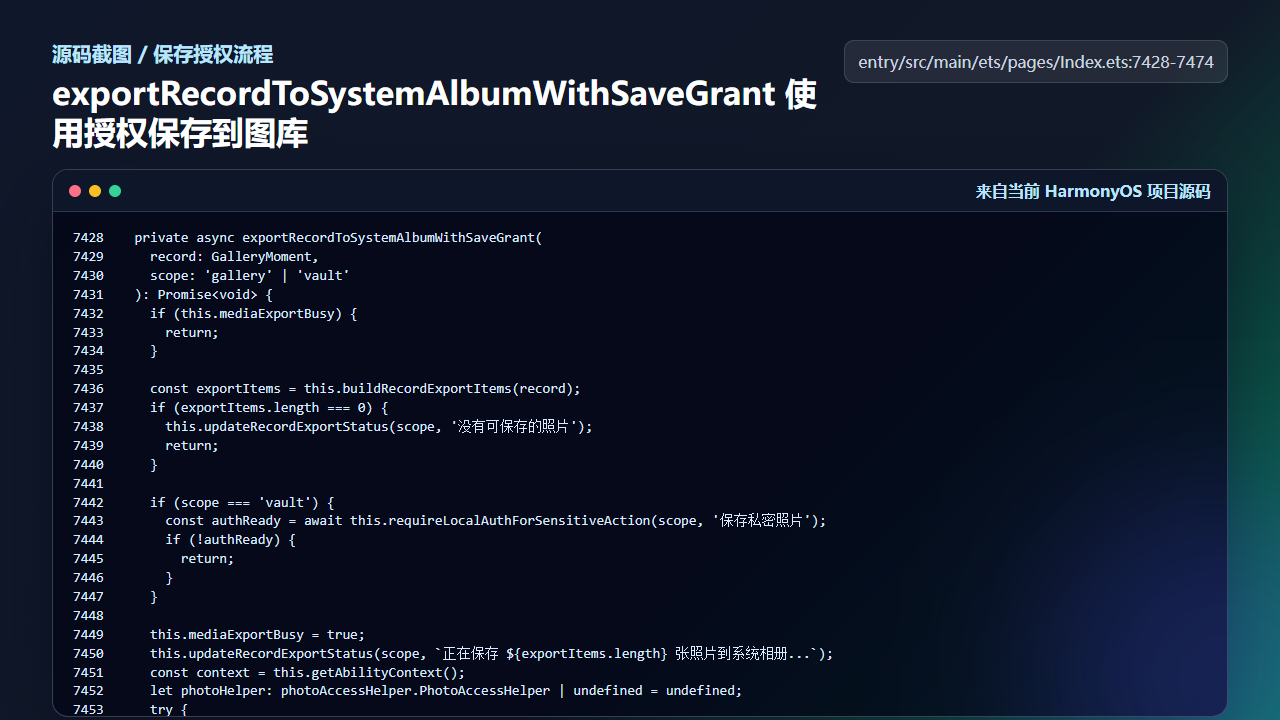
保存授权流程把沙箱照片写回系统相册
  private async exportRecordToSystemAlbumWithSaveGrant(
    record: GalleryMoment,
    scope: 'gallery' | 'vault'
  ): Promise<void> {
    if (this.mediaExportBusy) {
      return;
    }

    const exportItems = this.buildRecordExportItems(record);
    if (exportItems.length === 0) {
      this.updateRecordExportStatus(scope, '没有可保存的照片');
      return;
    }

    if (scope === 'vault') {
      const authReady = await this.requireLocalAuthForSensitiveAction(scope, '保存私密照片');
      if (!authReady) {
        return;
      }
    }

    this.mediaExportBusy = true;
    this.updateRecordExportStatus(scope, `正在保存 ${exportItems.length} 张照片到系统相册...`);
    const context = this.getAbilityContext();
    let photoHelper: photoAccessHelper.PhotoAccessHelper | undefined = undefined;
    try {
      photoHelper = photoAccessHelper.getPhotoAccessHelper(context);
      let exportedCount = 0;
      for (const item of exportItems) {
        const sourceUri = this.getRecordExportSandboxUri(item);
        if (sourceUri.length === 0) {
          console.warn(`Skip non-sandbox export source: ${item.sourceUri}`);
          continue;
        }
        const assetChangeRequest = photoAccessHelper.MediaAssetChangeRequest.createImageAssetRequest(context, sourceUri);
        await photoHelper.applyChanges(assetChangeRequest);
        exportedCount++;
      }
      if (exportedCount === 0) {
        this.updateRecordExportStatus(scope, '照片文件还在恢复中,请稍后再保存');
        return;
      }
      this.updateRecordExportStatus(scope, `已保存 ${exportedCount} 张到系统相册`);
    } catch (error) {
      const err = error as BusinessError;
      this.updateRecordExportStatus(scope, `保存失败:${this.getFriendlyMediaExportError(err)}`);
      console.error(`Failed to export record with save grant: ${JSON.stringify(error)}`);
导出能力的质量感来自边界处理。能成功保存只是基础,取消和失败时页面不乱才是用户真正能感受到的稳定。
工程检查清单
- 导出前去重后摄和前摄来源。
- 只导出当前应用可访问的沙箱文件。
- 保险箱照片保存前要求敏感操作认证。
- 保存过程中维护
mediaExportBusy,避免重复点击。 - 所有失败态都更新用户可见文案。
今日练习
- 选择一条双拍记录导出,确认系统相册中是两张还是一张。
- 把导入照片导出一次,观察重复路径去重逻辑。
- 阅读
getRecordExportSandboxUri,写出它返回空字符串的场景。
训练营后面的文章会继续按“真实页面效果 -> 源码定位 -> 状态闭环 -> 可验证结果”的节奏推进。每一篇都尽量让你能拿着代码直接回到项目里复现,而不是只停留在概念说明。

讨论HarmonyOS开发技术,专注于API与组件、DevEco Studio、测试、元服务和应用上架分发等。
更多推荐


 10
10 0
0- 0


 已为社区贡献281条内容

所有评论(0)